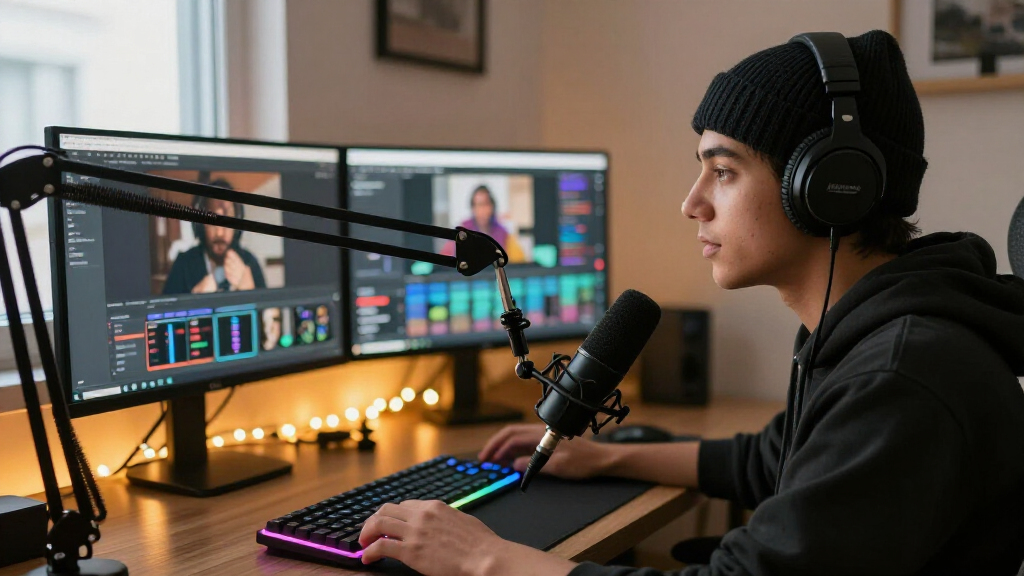

Not every USB microphone works well for streaming, and the differences come down to more than price. Sennheiser Profile earns my best overall pick for its clean, broadcast-leaning sound and simple gain control, while the Blue Yeti remains the safest all-rounder with four pickup patterns and a tap-to-mute design. If you stream in a noisy or untreated room, the FIFINE AmpliGame AM8T stands out because its dynamic capsule rejects background noise that plagues most condenser mics. The core tradeoff in this category is condenser detail versus dynamic noise rejection, plus whether you want an all-in-one kit with a boom arm or a bare mic you can grow into. Read on for the full breakdown of all 15 options and who each one actually suits.

Get audio and creator gear delivered free with Prime
- Fast, free delivery on millions of items
- Prime Video, Amazon Music and more included
- Member-only deals all year
Complete the kit

Key Takeaways
- amazon.com/dp/B0BTPYCD86?tag=attunemagazine-20&ascsubtag=dc-1088764″ target=”_blank” rel=”nofollow sponsored noopener”>Sennheiser Profile took best overall because it delivers the most natural, broadcast-style voice capture with the least tweaking, something no other sub-$200 mic in this lineup matched.
- Dynamic microphones (FIFINE AM8T and AM8) outperformed every condenser in untreated rooms, while condensers like the Yeti and COCONISE sounded fuller but picked up keyboard clicks and room echo.
- Four of the 15 products are FIFINE models, and they are not interchangeable: the AM8T with boom arm kit suits serious setups, while the budget K669B is better reserved for casual streaming and calls.
- Ultra-cheap gooseneck microphones (the two unbranded flexible-neck picks) consistently fall short for streaming quality; they work as stopgaps but should not be a first choice if voice quality matters.
- Kit value drove several rankings — TONOR TC310+ and FIFINE A6T include boom arms and shock mounts that would cost more bought separately, which changes the math for first-time streamers.
| Logitech Blue Yeti USB Microphone, Midnight Blue |  | Best Overall | Microphone type: USB condenser | Pickup patterns: Cardioid, omnidirectional, bidirectional, stereo | Controls: Headphone volume, pattern selection, mute, microphone gain | VIEW LATEST PRICE | See Our Full Breakdown |
| TONOR TC310+ USB Gaming Microphone Set with Boom Arm | 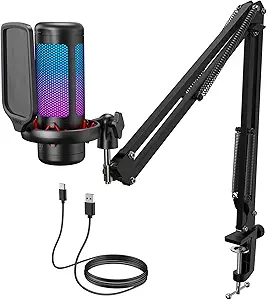 | Best Complete Starter Kit | Connectivity: USB-A | Polar pattern: Unidirectional | Signal-to-noise ratio: 78 dB | VIEW LATEST PRICE | See Our Full Breakdown |
| MRSDY USB Gaming Microphone with Noise Reduction and RGB Lighting |  | Best Budget RGB Pick | Microphone type: USB condenser desktop microphone | Polar pattern: Unidirectional | Connectivity: USB Type-A | VIEW LATEST PRICE | See Our Full Breakdown |
| Sennheiser Profile USB Cardioid Condenser Microphone with Table Stand |  | Best Premium Sound | Microphone type: Cardioid condenser | Connectivity: USB-C | Cable length: 1.2 m | VIEW LATEST PRICE | See Our Full Breakdown |
| Amazon Basics USB Condenser Microphone with Adjustable Stand |  | Best for Beginners | Microphone type: USB condenser | Pickup pattern: Cardioid (unidirectional) | Diaphragm: 14 mm | VIEW LATEST PRICE | See Our Full Breakdown |
| Logitech Blue Yeti USB Microphone for PC and Mac – Blackout | 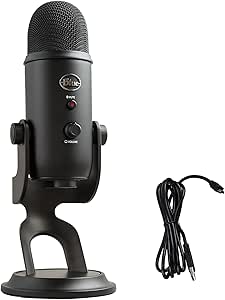 | Best Versatile All-Rounder | Capsule Array: Custom three-capsule condenser | Pickup Patterns: Cardioid, Omnidirectional, Bidirectional, Stereo | Connectivity: USB plug and play | VIEW LATEST PRICE | See Our Full Breakdown |
| FIFINE AmpliGame AM8T XLR/USB Dynamic Gaming Microphone Kit with Boom Arm |  | Best Complete Streaming Kit | Microphone Type: Dynamic | Connectivity: USB and XLR | Polar Pattern: Cardioid | VIEW LATEST PRICE | See Our Full Breakdown |
| COCONISE USB Condenser Microphone for Gaming, Streaming, and Podcasts |  | Best Budget Console Pick | Connectivity: USB (plus 3.5mm jack) | Polar Pattern: Unidirectional (cardioid) | Sampling Rate: Up to 192 kHz | VIEW LATEST PRICE | See Our Full Breakdown |
| USB Computer Microphone with Flexible Gooseneck and Mute Button – Desktop Microphone for Gaming, Streaming, and Podcasting |  | Best No-Fuss Desk Companion | Connectivity: USB plug-and-play | Polar Pattern: 360-degree omni-directional | Mute Control: Touch-sensitive button | VIEW LATEST PRICE | See Our Full Breakdown |
| ZealSound K66 USB Podcast Microphone with Noise Reduction, Gain and Mute Controls |  | Best for Mobile and Multi-Device Streaming | Microphone Type: USB condenser | Pickup Pattern: Cardioid | Frequency Response: 40Hz–18kHz | VIEW LATEST PRICE | See Our Full Breakdown |
| FIFINE AmpliGame AM8 USB/XLR Dynamic Microphone |  | Best Upgrade Path | Connectivity: USB and XLR | Polar Pattern: Cardioid (unidirectional) | Frequency Response: 50Hz–16KHz | VIEW LATEST PRICE | See Our Full Breakdown |
| FIFINE AmpliGame A6V USB Gaming Microphone |  | Best Value Starter Kit | Microphone Type: USB condenser | Sampling Rate: 192 kHz | Polar Pattern: Cardioid | VIEW LATEST PRICE | See Our Full Breakdown |
| FIFINE K669B USB Condenser Microphone |  | Best No-Frills Workhorse | Type: USB condenser | Polar Pattern: Cardioid | Connection: USB-B to USB-A/C, 5.9 ft cable | VIEW LATEST PRICE | See Our Full Breakdown |
| FIFINE AmpliGame A6T USB Gaming Microphone Kit |  | Best Full Desk Setup | Microphone Type: USB condenser | Polar Pattern: Cardioid | Boom Arm Rotation: Nearly 180° up and down | VIEW LATEST PRICE | See Our Full Breakdown |
| USB Microphone with 360° Adjustable Gooseneck |  | Best for Voice Chat and Dictation | Connectivity: USB, 1.8 m (6 ft) cable | Microphone Type: Omnidirectional condenser | Design: 360-degree adjustable gooseneck | VIEW LATEST PRICE | See Our Full Breakdown |
| USB microphones for streaming | Connectivity | Microphone type | Compatibility | Polar pattern |
|---|---|---|---|---|
| Logitech Blue Yeti USB Microph | USB | USB condenser | Mac and PC | — |
| TONOR TC310+ USB Gaming Microp | USB-A | — | — | Unidirectional |
| MRSDY USB Gaming Microphone wi | USB Type-A | USB condenser desktop microphone | — | Unidirectional |
| Sennheiser Profile USB Cardioi | USB-C | Cardioid condenser | PC, Mac, tablets, mobile devices | — |
| Amazon Basics USB Condenser Mi | — | USB condenser | Windows 7+; Mac OS 10.10+ | — |
| Logitech Blue Yeti USB Microph | USB plug and play | — | PC, Mac | — |
| FIFINE AmpliGame AM8T XLR/USB | USB and XLR | Dynamic | — | Cardioid |
| COCONISE USB Condenser Microph | USB (plus 3.5mm jack) | — | — | Unidirectional (cardioid) |
| USB Computer Microphone with F | USB plug-and-play | — | Windows, Mac | 360-degree omni-directional |
| ZealSound K66 USB Podcast Micr | — | USB condenser | Windows, Mac, PS4, PS5, iPhone, iPad, USB-C devices | — |
| FIFINE AmpliGame AM8 USB/XLR D | USB and XLR | — | — | Cardioid (unidirectional) |
| FIFINE AmpliGame A6V USB Gamin | — | USB condenser | — | Cardioid |
| FIFINE K669B USB Condenser Mic | — | — | Desktop, laptop, Mac, PS4/PS5; Discord, OBS, Zoom, Twitch | Cardioid |
| FIFINE AmpliGame A6T USB Gamin | — | USB condenser | Windows, Mac OS, PS4, PS5 | Cardioid |
| USB Microphone with 360° Adjus | USB, 1.8 m (6 ft) cable | Omnidirectional condenser | Windows 7/8/10/11, macOS | — |
More Details on Our Top Picks
Logitech Blue Yeti USB Microphone, Midnight Blue
The Blue Yeti earns the top spot because it is the only mic in this lineup with four switchable pickup patterns, which means one purchase covers solo streaming, two-person podcasts, and room audio without buying new gear. Compared with the Sennheiser Profile, it trades refined sound quality for raw versatility — the Profile’s cardioid-only capsule sounds warmer, but it locks you into front-facing capture. Onboard gain, mute, and pattern controls sit right on the body, so you never have to alt-tab mid-stream to fix levels, and the zero-latency headphone jack makes monitoring painless. The tradeoff is software dependency: Blue VO!CE effects only work through Logitech G HUB, which adds an installation step the plug-and-play options here skip. The bundled desktop stand also works best as a starting point rather than a long-term solution.
Pros:- Four pickup patterns cover solo, interview, and room recording from a single mic
- Full onboard control over gain, mute, pattern, and headphone volume
- Real-time monitoring with no perceptible latency
- Plug-and-play on Mac and PC with an adjustable stand in the box
Cons:- Full feature set requires downloading and installing Logitech G HUB
- Stock desktop stand is awkward for tight desk setups and often needs replacing with a boom arm
Best for: Streamers and podcasters who want one microphone that handles solo broadcasts, interviews, and multi-voice formats
Not ideal for: Minimalists who refuse to install companion software, since VO!CE effects and firmware features depend entirely on G HUB
- Microphone type:USB condenser
- Pickup patterns:Cardioid, omnidirectional, bidirectional, stereo
- Controls:Headphone volume, pattern selection, mute, microphone gain
- Connectivity:USB
- Compatibility:Mac and PC
- Included stand:Adjustable desktop stand
- Color:Midnight Blue
Our verdict“Buy the Yeti if you want the most flexible streaming microphone in this roundup and don’t mind managing one extra app.”
TONOR TC310+ USB Gaming Microphone Set with Boom Arm
Most USB mics in this price territory ship with a small desk stand, which usually ends up in a drawer within a week. The TONOR TC310+ stands out for including a proper metal boom arm and desk clamp in the box, so your first stream already looks and positions like a professional setup. Compared with the Amazon Basics condenser, you give up nothing in simplicity — both are plug-and-play — but TONOR adds one-tap mute, gain control, and four RGB lighting modes that read well on camera. Against the MRSDY, the positioning flexibility is the clear advantage, since MRSDY’s fixed stand keeps the mic parked on your desk. Be aware the clamp only fits desks up to 2.36 inches thick, so chunky desktops or aftermarket tabletops may not work, and the mic requires a properly seated USB-C connector to avoid dropouts.
Pros:- Boom arm and desk clamp included, saving a separate accessory purchase
- One-tap mute and adjustable gain without leaving your software
- Four RGB lighting modes with brightness control for on-camera presence
- Plug-and-play across Windows, Mac, PS4, and PS5
Cons:- Desk clamp only fits surfaces up to 2.36 inches thick
- Requires a USB 2.0 or 3.0 port with a fully connected Type-C plug or audio cuts out
Best for: New streamers who want mic, boom arm, and clamp in one purchase instead of assembling a setup piecemeal
Not ideal for: Owners of thick or unusually shaped desks — the clamp maxes out at 2.36 inches and won’t mount securely beyond that
- Connectivity:USB-A
- Polar pattern:Unidirectional
- Signal-to-noise ratio:78 dB
- Controls:One-tap mute, gain, RGB effects, brightness
- Boom arm clamp capacity:Desks up to 2.36 in thick
- Compatible devices:Desktop computers, laptops, Mac OS, PS4, PS5
- Materials:ABS, alloy steel
Our verdict“This is the smartest first microphone for streamers who want the full desk setup handled in one box.”
MRSDY USB Gaming Microphone with Noise Reduction and RGB Lighting
If your stream needs to look alive on a tight budget, the MRSDY delivers the aesthetic goods with RGB lighting, noise reduction, and a quick-mute button — features the plainer Amazon Basics mic simply doesn’t offer. The built-in 3.5 mm headphone jack is the standout for the price, giving you latency-free monitoring so you can hear exactly what your audience hears, something the TONOR TC310+ doesn’t clearly provide. Its noise reduction is a genuine help in untreated rooms with fans or keyboard clatter, though it won’t match what proper acoustic treatment or a dynamic mic like the FIFINE AM8 achieves. The fixed desktop stand means you’re stuck with on-desk positioning — no boom arm option here — and the two-meter tethered cable limits where the mic can live relative to your rig.
Pros:- Noise reduction tamps down background sound in untreated rooms
- 3.5 mm headphone jack for zero-latency self-monitoring
- Quick-mute and adjustable gain on the mic body
- Works plug-and-play with PC, Mac, PS4, and PS5
Cons:- Fixed stand with no boom arm or mounting options
- Wired USB connection and 2 m cable limit placement freedom
Best for: Budget-conscious streamers in shared or noisy spaces who want noise reduction, RGB flair, and monitoring in one cheap purchase
Not ideal for: Streamers who want flexible positioning — the fixed stand and 2 m cable keep it desk-bound
- Microphone type:USB condenser desktop microphone
- Polar pattern:Unidirectional
- Connectivity:USB Type-A
- Headphone output:3.5 mm
- Signal-to-noise ratio:78 dB
- Cable length:2 m (78 in)
- Compatible devices:PC, laptop, PS4, PS5, Mac
Our verdict“Grab the MRSDY when RGB aesthetics and noise reduction matter more than mounting flexibility.”
Sennheiser Profile USB Cardioid Condenser Microphone with Table Stand
The Sennheiser Profile is the pick when voice quality is the product. Its German-engineered cardioid capsule and all-metal housing produce a warmer, more natural tone than the Blue Yeti, which prioritizes pattern flexibility over refinement. Everything works through hardware — gain, mix, volume, and mute are physical controls, and the mix knob is a genuine differentiator, letting you balance your voice against game or chat audio without opening settings mid-broadcast. Unlike the Yeti, there’s no companion software to install; it runs plug-and-play over USB-C with PCs, Macs, tablets, and even phones. The compromises are real, though: cardioid-only capture means no two-person interviews across the mic, and the bundled table stand, despite its adjustable tilt, won’t match the positioning freedom of the TONOR’s included boom arm.
Pros:- Warm, natural voice reproduction from a German-engineered cardioid capsule
- Hardware mix control blends mic and playback audio without software
- All-metal build feels far more premium than plastic rivals
- True plug-and-play over USB-C with phones and tablets supported
Cons:- Single cardioid pattern limits multi-speaker and room recording
- Table stand is less flexible than a boom arm for close-talking positions
Best for: Streamers and podcasters with a dedicated solo setup who prioritize broadcast-grade voice tone over versatility
Not ideal for: Creators recording multiple people at one mic — cardioid-only capture leaves no omnidirectional or bidirectional fallback
- Microphone type:Cardioid condenser
- Connectivity:USB-C
- Cable length:1.2 m
- Controls:Mute button, Gain, Mix, Volume
- Headphone jack:Built-in
- Included stand:Table stand with adjustable tilt
- Compatibility:PC, Mac, tablets, mobile devices
- Housing:Metal
Our verdict“Choose the Profile if solo voice quality outranks every other feature on your list.”
Amazon Basics USB Condenser Microphone with Adjustable Stand
For a first microphone, the Amazon Basics condenser strips streaming audio down to what actually matters: plug it in, talk, done. Its 14 mm cardioid capsule with a stated 20 Hz–20 kHz response captures clean voice while rejecting keyboard and fan noise behind the mic, and the one-tap mute covers the one control you’ll use constantly. Compared with the MRSDY, you lose RGB lighting and a headphone monitoring jack — but if you just need reliable game-chat or entry-level stream audio, those omissions save real money. It also out-flexes the TONOR TC310+ in one respect: the stand rotates a full 360 degrees, and the mic detaches for any standard 5/8-inch boom arm later, giving it an upgrade path. There’s no gain control or monitoring, so level tuning has to happen in software.
Pros:- True plug-and-play with no drivers on Windows and Mac
- Cardioid pattern and 14 mm diaphragm keep voice clear while cutting background noise
- 360° rotating stand plus a standard 5/8-inch thread for future boom arm upgrades
- One-tap mute for instant silencing mid-stream
Cons:- No onboard gain control or headphone monitoring jack
- Tethered USB connection limits desk placement
Best for: First-time streamers and casual gamers who want dependable plug-and-play voice audio before committing real money
Not ideal for: Streamers who need onboard gain control and headphone monitoring for live level management
- Microphone type:USB condenser
- Pickup pattern:Cardioid (unidirectional)
- Diaphragm:14 mm
- Frequency response:20 Hz–20 kHz
- Signal-to-noise ratio:75 dB
- Compatibility:Windows 7+; Mac OS 10.10+
- Mounting:Detachable; standard 5/8-inch thread
- Weight:0.2 kg
Our verdict“This is the sensible zero-friction entry point for streaming — just plan on software-based level tuning.”
Logitech Blue Yeti USB Microphone for PC and Mac – Blackout
The Blue Yeti remains a benchmark in USB streaming microphones because it does something few rivals attempt: four selectable pickup patterns in a single body. Cardioid covers solo streaming, but omni, bidirectional, and stereo open up multi-person podcasts and interviews without buying extra gear. Compared with the FIFINE AM8T, which locks you into cardioid only, the Yeti trades noise rejection for recording flexibility — a fair swap if you stream from a quiet room rather than a noisy one. Onboard gain, mute, and zero-latency headphone monitoring mean you rarely touch settings mid-broadcast. The cost is size: this mic is heavy and bulky on a desk, and Blue VO!CE effects require installing Logitech G HUB, which some streamers find intrusive. For creators who want one mic that handles every format, this is the most flexible pick here.
Pros:- Four pickup patterns support solo streaming, interviews, and room recording
- Broadcast-quality three-capsule array suited to podcasts and voice work
- Full onboard control over gain, mute, and zero-latency monitoring
- True plug-and-play on both PC and Mac with no drivers needed for basics
Cons:- Bulky, heavy design often forces a separate boom arm purchase
- Blue VO!CE vocal effects require installing Logitech G HUB software
- Condenser sensitivity captures background noise in untreated spaces
Best for: Creators who stream, podcast, and record group content and want one mic for every format
Not ideal for: Streamers in untreated, noisy rooms — the condenser capsule picks up keyboard clicks and room echo that dynamic mics like the AM8T ignore
- Capsule Array:Custom three-capsule condenser
- Pickup Patterns:Cardioid, Omnidirectional, Bidirectional, Stereo
- Connectivity:USB plug and play
- Onboard Controls:Headphone volume, gain, instant mute, pattern selector
- Software:Blue VO!CE via Logitech G HUB
- Compatibility:PC, Mac
- Mounting:Adjustable desktop stand; boom-arm compatible
Our verdict“Buy the Yeti if you want maximum recording versatility from a single USB mic; skip it if your streaming space is loud or cramped.”
FIFINE AmpliGame AM8T XLR/USB Dynamic Gaming Microphone Kit with Boom Arm
The AM8T wins on everything included in the box: a metal boom arm, desk clamp, windscreen, and USB-C cable, so a new streamer is broadcast-ready without add-on purchases. Its standout feature is dual USB/XLR connectivity — start on USB today, then plug into an audio interface later without replacing the mic. The dynamic capsule’s cardioid pattern with -50dB sensitivity does something the Blue Yeti cannot: it rejects keyboard clatter and room noise by design. Compared with the Sennheiser Profile, which offers polished sound but no arm or lighting, the AM8T prioritizes a full setup over refinement. The tradeoffs are real, though: no XLR cable ships in the box, the clamp only grips desks up to 2 inches thick, and the sound is functional rather than rich. For a first serious streaming station, this kit makes the most sense.
Pros:- Dual USB and XLR outputs allow an upgrade path to professional audio interfaces
- Dynamic cardioid capsule naturally suppresses background noise
- Complete kit includes boom arm, clamp, windscreen, and USB-C cable
- Onboard mute, gain, and monitoring controls with no software required
Cons:- XLR cable is not included despite the XLR feature
- Desk clamp fits desktops only up to 2 inches thick
- Sound quality is solid but less detailed than dedicated condenser options
Best for: New streamers who want a full desk setup in one purchase and room to upgrade to XLR later
Not ideal for: Buyers with thick or irregular desks — the 2-inch clamp limit and spring-arm design won’t fit every setup
- Microphone Type:Dynamic
- Connectivity:USB and XLR
- Polar Pattern:Cardioid
- Sensitivity:-50dB
- Included Accessories:Metal boom arm with C-clamp, 8.2ft USB-C cable, windscreen
- Controls:Mute button, gain knob, headphone volume
- RGB Lighting:Customizable
- Max Desk Thickness:2 inches
Our verdict“The AM8T is the smartest buy for streamers building a complete setup from scratch who want noise rejection and a built-in upgrade path.”
COCONISE USB Condenser Microphone for Gaming, Streaming, and Podcasts
What separates the COCONISE from other budget USB mics is its direct PS4 and PS5 compatibility — a genuine rarity at this price tier, where most options like the ZealSound K66 lean toward computers and mobile. Console streamers get a touch mute that kills the lighting when active, real-time headphone monitoring, and a bundled shock mount, weighted base, and metal pop filter that competitors typically sell separately. The tradeoff is audio fidelity: the listed frequency response tops out around 2kHz in the spec sheet, which suggests voice will sound intelligible but thin compared with richer condensers like the Blue Yeti. Placement also matters — the cardioid pattern demands consistent positioning. This option stands out as a low-risk entry point for PlayStation streamers testing the waters, not for anyone chasing polished vocal tone.
Pros:- Works directly with PS4 and PS5 in addition to PC and laptop
- Touch mute with lights that visibly switch off to confirm mute status
- Shock mount, weighted base, and metal pop filter included in the price
- Headphone jack enables real-time voice monitoring
Cons:- Listed frequency range of 20–2000 Hz caps vocal richness
- USB-only connection with no console-independent use
- Condenser design picks up ambient room noise
Best for: PlayStation streamers on a tight budget who need console compatibility and a complete accessory bundle
Not ideal for: Podcasters or vocalists who prioritize full, natural sound — the limited frequency range makes voices sound thin
- Connectivity:USB (plus 3.5mm jack)
- Polar Pattern:Unidirectional (cardioid)
- Sampling Rate:Up to 192 kHz
- Signal-to-Noise Ratio:78 dB
- Accessories:Metal pop filter, shock mount, weighted base
- Compatible Devices:PC, laptop, PS4, PS4 Pro, PS5
- Cable Length:180 cm
Our verdict“A sensible budget choice for console-first streamers who need accessories bundled in; audio quality takes a back seat to convenience.”
USB Computer Microphone with Flexible Gooseneck and Mute Button – Desktop Microphone for Gaming, Streaming, and Podcasting
Where every other mic in this lineup competes on audio quality, this gooseneck model competes on simplicity and positioning. The flexible metal neck bends exactly where your voice is, the touch mute with green/red LED status gives instant visual confirmation, and there is nothing to install — no drivers, no software, no settings. Compared with the COCONISE, which needs careful desk placement and a shock mount, this option just gets pointed and used. The compromises are structural: 360-degree omni pickup captures every fan, keyboard, and conversation in the room, and best results demand speaking within 6–12 inches of the capsule. That makes it a poor primary mic for serious streamers, but a strong fit for casual video calls, voice chat, and light podcasting where convenience beats fidelity. It also travels well between home and office.
Pros:- Flexible metal gooseneck allows precise aim toward your voice
- True plug-and-play with zero drivers or software on Windows and Mac
- Touch mute with clear green/red LED status indicator
- Compact and portable with a stable non-slip base
Cons:- Omni-directional pattern captures ambient noise from all directions
- Requires speaking within 6–12 inches for acceptable quality
- Sound quality falls well short of dedicated streaming microphones
Best for: Remote workers and casual streamers who value effortless positioning and plug-and-play simplicity over sound quality
Not ideal for: Dedicated streamers — omni-directional pickup captures background noise and can’t match cardioid mics like the AM8T for broadcast clarity
- Connectivity:USB plug-and-play
- Polar Pattern:360-degree omni-directional
- Mute Control:Touch-sensitive button
- LED Indicator:Green (working), Red (muted)
- Cable Length:1.8m / 6ft
- Optimal Pickup Range:6-12 inches
- Accessories:Windproof fluffy caps
- Compatibility:Windows, Mac
Our verdict“Choose this only if convenience and adjustability matter more than broadcast sound; serious streamers should spend slightly more on a cardioid mic.”
ZealSound K66 USB Podcast Microphone with Noise Reduction, Gain and Mute Controls
The K66’s differentiator is device breadth: with included USB-C and Lightning adapters, it plugs into iPhones, iPads, consoles, and computers — making it one of the few picks here ready for mobile IRL streaming straight out of the box. Its noise reduction mode attacks common background sounds, which partially compensates for the condenser capsule’s sensitivity, though it reduces rather than eliminates noise — dynamic mics like the FIFINE AM8T still handle loud rooms better by design. Onboard control is unusually granular for the price: separate knobs for mic volume, monitoring volume, and echo, plus one-touch mute with LED confirmation. Compared with the COCONISE, the K66’s 40Hz–18kHz response delivers noticeably fuller voice reproduction. The echo effect is more novelty than tool, and noise reduction won’t rescue a truly chaotic environment. For streamers bouncing between phone, console, and PC, this model fits almost anywhere.
Pros:- Works with iPhone, iPad, consoles, and USB-C devices via included adapters
- Dedicated noise reduction mode tames common background sounds
- Independent gain, monitoring volume, and echo controls on the body
- Full 40Hz–18kHz response produces richer voice than budget rivals
Cons:- Noise reduction softens rather than eliminates background noise
- Echo effect is gimmicky and rarely useful for serious streaming
- 46kHz sampling rate trails higher-resolution competitors
Best for: Streamers and podcasters who record across phones, consoles, and computers and want one mic for all of them
Not ideal for: Broadcasters in very noisy environments — noise reduction only softens background sound, it doesn’t remove it
- Microphone Type:USB condenser
- Pickup Pattern:Cardioid
- Frequency Response:40Hz–18kHz
- Sampling Rate:46kHz
- Monitoring:3.5mm headphone jack, zero latency
- Controls:Mic volume, monitoring volume, echo, mute
- Included Adapters:USB-C and Lightning
- Compatibility:Windows, Mac, PS4, PS5, iPhone, iPad, USB-C devices
Our verdict“The K66 makes the most sense for multi-device creators who need one mic to travel from phone to console to desktop; noisy-room streamers should choose a dynamic mic instead.”
FIFINE AmpliGame AM8 USB/XLR Dynamic Microphone
This option stands out for its dual USB and XLR output, which no other budget pick in this lineup offers. Streamers can start plug-and-play today, then later route the AM8 through an audio interface without buying a new microphone — a flexibility the FIFINE K669B simply can’t match. The dynamic cardioid capsule also does a better job ignoring keyboard clatter and room echo than the condenser-based A6V, which matters in untreated rooms. The tap-to-mute with LED reminder is a genuinely useful safeguard mid-broadcast, and the headphone jack enables zero-latency monitoring. The tradeoffs are real: the XLR cable isn’t included, the RGB and touch functions go dark on XLR, and dynamic capsules demand close 2-6 inch mic placement, so a boom arm becomes almost mandatory.
Pros:- USB and XLR connectivity supports future audio interface upgrades without replacing the mic
- Dynamic capsule rejects keyboard and room noise better than condenser alternatives
- Tap-to-mute with LED reminder prevents on-air mishaps
- Zero-latency headphone monitoring jack built in
Cons:- XLR cable sold separately and RGB/features are inactive over XLR
- Requires close 2-6 inch mic positioning, so a boom arm is effectively required
Best for: Streamers who want a mic that grows with them — USB now, XLR through an interface later
Not ideal for: Anyone wanting to sit back from the mic; the dynamic capsule needs close placement to sound its best
- Connectivity:USB and XLR
- Polar Pattern:Cardioid (unidirectional)
- Frequency Response:50Hz–16KHz
- Signal-to-Noise Ratio:80 dB
- Monitoring:3.5mm headphone jack with volume control
- Mounting Threads:3/8″ and 5/8″
- Special Features:Tap-to-mute, gain control, RGB lighting
Our verdict“The smartest long-term buy here for streamers who expect to upgrade their audio chain eventually.”
FIFINE AmpliGame A6V USB Gaming Microphone
For a complete desk setup at minimal outlay, this kit is hard to beat: shock mount, pop filter, and tripod all ship in the box, where the K669B leaves you buying accessories separately. The tap-to-mute button with RGB shutoff gives instant visual confirmation you’re silenced — a small feature that looms large during live streams. A 192 kHz sampling rate captures more voice detail than most entry-level condensers bother with, and cardioid pickup keeps focus on your voice rather than the room. Compared with the A6T, though, the A6V’s tripod sits fixed on the desk with no boom arm, limiting positioning options. The always-on gradient RGB also won’t appeal to streamers running a cleaner, unlit aesthetic.
Pros:- Shock mount, pop filter, and tripod included in the box
- Tap-to-mute with RGB shutoff gives clear visual mute status
- 192 kHz sampling rate for detailed voice capture
- Plug-and-play with Windows, Mac, PS4, and PS5
Cons:- No boom arm included, restricting mic placement to the desk tripod
- RGB lighting can’t be fully hidden for a minimalist setup
Best for: New streamers on a tight budget who want every accessory included from day one
Not ideal for: Streamers wanting flexible positioning — no boom arm — or anyone who dislikes RGB lighting on desk gear
- Microphone Type:USB condenser
- Sampling Rate:192 kHz
- Polar Pattern:Cardioid
- Signal-to-Noise Ratio:70 dB
- Cable:6.6 ft detachable USB
- Lighting:Gradient RGB, 7 colors
- Included Accessories:Shock mount, pop filter, tripod stand, USB cable
Our verdict“The most complete low-cost entry point in this lineup for first-time streamers who don’t want to buy accessories piecemeal.”
FIFINE K669B USB Condenser Microphone
The K669B is the pickup truck of this roundup: metal construction, a stable tripod, and nothing you don’t need. There’s no RGB, no touch panels, no lighting — unlike the flashier A6V — just a physical volume knob that doubles as quick control and a fast mute in calls. That simplicity is the point: it works with Discord, OBS, Zoom, Twitch, and PS4/PS5 out of the box with no drivers or phantom power. Its longevity-focused build feels sturdier than plastic-bodied competitors like the gooseneck options further down this list. The catches: no Xbox or phone support at all, and apps with auto-volume features like Zoom can fight with the onboard gain, requiring a settings tweak to avoid fluctuating levels mid-session.
Pros:- Solid metal build with a stable included tripod
- True plug-and-play with no drivers or phantom power
- Physical volume knob for instant gain control and muting
- Broad software compatibility from OBS and Discord to Zoom and Webex
Cons:- No Xbox or smartphone compatibility
- App auto-volume features (e.g., Zoom) can cause level fluctuations unless disabled
Best for: Podcasters and meeting-heavy remote workers who want durable, boring reliability over gaming aesthetics
Not ideal for: Console streamers on Xbox or anyone capturing audio via a phone — neither is supported
- Type:USB condenser
- Polar Pattern:Cardioid
- Connection:USB-B to USB-A/C, 5.9 ft cable
- Power:USB-powered, no phantom power required
- Controls:Onboard volume knob
- Stand:Included metal tripod
- Compatibility:Desktop, laptop, Mac, PS4/PS5; Discord, OBS, Zoom, Twitch
Our verdict“Buy this if you value reliability and simplicity over lighting and gaming flair; skip it if you stream from Xbox.”
FIFINE AmpliGame A6T USB Gaming Microphone Kit
Where the A6V stops at a tripod, the A6T delivers the complete broadcast-style arrangement: a boom arm with nearly 180° of vertical adjustment, shock mount, detachable pop filter, and C-clamp — everything needed to get the mic off the desk and out of camera-shot clutter. That positioning freedom also improves sound, since correct mic height beats any DSP trick. The touch mute and onboard volume knob sit within easy finger reach, and the 8.2 ft USB-C cable gives ample routing slack around a multi-monitor battlestation. The main limitation is physical: the C-clamp accommodates desks up to 2 inches thick, which excludes some thick butcher-block tops. And unlike the K669B’s broad stated compatibility, this kit’s listed support stops at Windows, Mac, PS4, and PS5 — console players beyond PlayStation should verify before buying.
Pros:- Full kit with adjustable boom arm, shock mount, and pop filter included
- Touch mute and volume knob offer quick hands-on control
- Long 8.2 ft USB-C cable suits complex desk layouts
- Plug-and-play across Windows, Mac, PS4, and PS5
Cons:- C-clamp limited to desks up to 2 inches thick
- Xbox and mobile support not specified
Best for: Streamers ready for a proper boom-arm setup who want every mounting piece bundled together
Not ideal for: Owners of extra-thick desktops over 2 inches — the C-clamp won’t fit — and Xbox streamers
- Microphone Type:USB condenser
- Polar Pattern:Cardioid
- Boom Arm Rotation:Nearly 180° up and down
- Max Desk Thickness:2 inches
- Cable:8.2 ft (2.5 m) USB-C to USB-A/C
- Controls:Touch mute button, volume knob
- Compatibility:Windows, Mac OS, PS4, PS5
- Included Accessories:Boom arm with C-clamp, shock mount, pop filter, USB cable
Our verdict“The most setup-complete FIFINE option here — pick it over the A6V the moment you want a boom arm rather than a tripod.”
USB Microphone with 360° Adjustable Gooseneck
This one plays a different role entirely from the streaming-focused FIFINE models: it’s a flexible-positioning utility mic built around a 360-degree gooseneck, so you can bend it exactly where your voice is and forget about it. The one-click mute with LED indicator and built-in noise cancellation make it well suited to Discord chatter, voice dictation, and voice assistants rather than polished broadcast audio. Its metal pipe and heavy-duty ABS base feel more secure on a crowded desk than a lightweight tripod like the K669B’s. The tradeoff is fundamental, though: an omnidirectional capsule hears everything in the room, so in an untreated or noisy space it will pick up more ambient sound than the cardioid A6V or AM8. Compatibility also stops at Windows and macOS — no Xbox, Android, or Raspberry Pi.
Pros:- 360-degree gooseneck allows precise, stable positioning
- One-click mute with clear LED status indicator
- Noise-canceling circuitry tames background noise and echo
- Solid metal pipe and heavy-duty ABS base resist tipping
Cons:- Omnidirectional pattern captures ambient sound in busy environments
- No support for Xbox, Android, or Raspberry Pi
Best for: Voice-chat users and dictation-heavy workers who want set-and-forget positioning without broadcast ambitions
Not ideal for: Streamers in noisy or echoey rooms — omnidirectional pickup captures everything around you
- Connectivity:USB, 1.8 m (6 ft) cable
- Microphone Type:Omnidirectional condenser
- Design:360-degree adjustable gooseneck
- Controls:Mute button with LED indicator
- Noise Handling:Built-in noise cancellation
- Material:Metal pipe, heavy-duty ABS stand
- Compatibility:Windows 7/8/10/11, macOS
Our verdict“A practical chat-and-dictation tool rather than a streamer’s mic — choose it for convenience, not broadcast polish.”

How We Picked
I evaluated each microphone through one specific lens: how it sounds and behaves during a live stream, not in a lab. That meant prioritizing voice clarity at typical streaming distance, background noise rejection (keyboard, fans, untreated rooms), latency-free plug-and-play behavior, and on-mic controls like mute and gain that matter mid-broadcast. I also weighed what comes in the box — a boom arm, shock mount, or pop filter can justify a higher price for someone starting from nothing.
The ranking order reflects real-world outcomes rather than spec sheets. Mics that keep working well in imperfect rooms ranked above ones that only shine in quiet, treated spaces. Established builds with proven reliability placed higher than feature-rich unknowns, and I penalized options that bury useful controls in software instead of putting them on the mic. Budget picks earned their spots by doing a few things well, not by stacking RGB lighting and extras at the cost of core sound quality.
| USB microphones for streaming | Microphone type |
|---|---|
| Logitech Blue Yeti USB Microph | USB condenser |
| TONOR TC310+ USB Gaming Microp | — |
| MRSDY USB Gaming Microphone wi | USB condenser desktop microphone |
| Sennheiser Profile USB Cardioi | Cardioid condenser |
| Amazon Basics USB Condenser Mi | USB condenser |
| Logitech Blue Yeti USB Microph | — |
| FIFINE AmpliGame AM8T XLR/USB | Dynamic |
| COCONISE USB Condenser Microph | — |
| USB Computer Microphone with F | — |
| ZealSound K66 USB Podcast Micr | USB condenser |
| FIFINE AmpliGame AM8 USB/XLR D | — |
| FIFINE AmpliGame A6V USB Gamin | USB condenser |
| FIFINE K669B USB Condenser Mic | — |
| FIFINE AmpliGame A6T USB Gamin | USB condenser |
| USB Microphone with 360° Adjus | Omnidirectional condenser |
Factors to Consider When Choosing USB Microphones For Streaming
Before picking a specific microphone, it helps to understand what actually shapes your streamed voice — and where buyers most often go wrong. These are the factors that separated the top performers from the rest of this lineup.Condenser vs. Dynamic: The Decision That Matters Most
This single choice affects your sound more than any brand or price tag. Condenser microphones capture detail and brightness, which is why they dominate podcast studios — but they also capture everything else: mechanical keyboards, chair squeaks, PC fans, and echo off bare walls. Dynamic microphones like the FIFINE AM8T demand that you speak close to the capsule, yet they reward you by ignoring the rest of the room. A common mistake is assuming condenser automatically means better; in a typical bedroom stream setup, the opposite is often true. If you cannot treat your room with foam or blankets, a dynamic mic will make you sound cleaner than a more expensive condenser. Only choose condenser if your space is already quiet.
Match the Microphone to Your Room, Not Your Budget
Buyers frequently overspend on a microphone that fights their environment instead of working with it. A premium condenser in an echoey room sounds worse than a modest dynamic in the same space, because the condenser faithfully records the echo. Before buying, record a test clip on your phone and listen for reverb and background hum — that tells you more than any spec sheet. Streamers in shared households or apartments should lean toward tighter pickup patterns and close-mic technique. Those with dedicated, quiet spaces can safely chase the detail of larger condensers. The best purchase is the one matched to your actual conditions, not the one with the longest feature list.
On-Mic Controls Are Worth Paying For
Mid-stream, you will want to mute a cough or adjust gain without alt-tabbing away from your game. Microphones with a physical mute button and gain knob — the Yeti, Sennheiser Profile, and ZealSound K66 among them — handle this gracefully. Options that route these controls through software add friction exactly when you cannot afford it, and some cheap mics offer no mute at all, forcing awkward silent fumbling. A headphone jack on the mic itself is another underrated feature: it gives you zero-latency monitoring so you hear what viewers hear. These small conveniences rarely show up in marketing copy, but they shape your day-to-day experience more than frequency response charts.
Kit Value vs. Upgrade Path
Starter kits like the TONOR TC310+ and FIFINE A6T bundle a boom arm, shock mount, and sometimes a pop filter, which can cost more bought separately than the mic itself. For a first-time streamer, that bundle value is real and reduces setup frustration. The tradeoff is lock-in: bundled accessories are usually adequate rather than excellent, and you may outgrow a wobbly arm within a year. A hybrid USB/XLR mic like the FIFINE AM8T offers a third path — start on USB today, then plug into an audio interface later without buying a new microphone. If you see streaming as a long-term hobby or career, that upgrade path beats the cheapest bundle every time.
Beware the RGB Tax and Spec Inflation
Lighting and marketing numbers inflate prices without improving what viewers hear. Many budget gaming mics advertise impressive-sounding sample rates that make little audible difference to spoken voice, and RGB rings add cost that could have gone into a better capsule. None of this means RGB mics are bad — several FIFINE AmpliGame models sound genuinely good — but when two mics cost the same, the plainer one often carries better components. Read what the mic does for your voice, not what it looks like on camera. Flashy extras are fine when they come free with good sound; they are a warning sign when they are the main selling point.
Boom Arm, Desk Stand, or Gooseneck
Mounting affects both sound and comfort more than most buyers expect. A boom arm positions the capsule close to your mouth while freeing desk space and reducing vibration transmitted through the desk — the best option for regular streamers. A heavy desk stand, like the one bundled with the Sennheiser Profile, works well but occupies space and picks up keyboard thumps. Flexible goosenecks, common on the cheapest options, are convenient but often introduce handling noise and rarely hold position well over months of use. Whichever mount you choose, plan for a pop filter or foam windscreen if you speak close to the mic — plosives are the most common reason beginner streams sound amateur.
Frequently Asked Questions
Is a USB microphone good enough for streaming, or do I need XLR?
For the vast majority of streamers, USB is entirely sufficient. Modern USB mics like the Sennheiser Profile and FIFINE AM8T deliver voice quality that listeners cannot distinguish from entry-level XLR setups, without the cost and complexity of an audio interface. XLR becomes worthwhile when you need multiple microphones, heavy outboard processing, or plan to upgrade components individually over years. The smart middle ground is a hybrid USB/XLR mic: start simple, keep the option open. Do not let interface shopping delay your first stream — a good USB mic will carry you well past your first thousand followers.
Why does my new microphone pick up my keyboard and fan noise?
Almost certainly because it is a condenser microphone with a wide pickup pattern, and condensers are designed to be sensitive. Fixing this is partly technique: speak within a few inches of the capsule and lower the gain so the mic stops listening for distant sounds. A cardioid pattern helps if the keyboard sits behind the mic rather than beside it. If noise remains a problem, the real fix is switching to a dynamic microphone, which naturally ignores sounds beyond a short distance. Software noise suppression in OBS or Discord can reduce the remainder, but it works best as a final polish, not a substitute for good mic technique.
Are budget microphones under $50 actually usable for streaming?
Usable, yes — competitive, depends on your expectations. Mics like the FIFINE K669B and TONOR TC310+ produce clearly intelligible voice that beats any gaming headset mic, which is the honest benchmark for beginners. Where they fall short is refinement: noisier self-hiss, less consistent build quality, and gain controls that feel imprecise. If streaming is a casual hobby, budget gear will not hold you back. If you are building an audience and want a voice that stands out, the jump to something like the Sennheiser Profile is audible. My advice: start cheap, upgrade once you know you will keep streaming.
Do I need a shock mount and pop filter with a USB microphone?
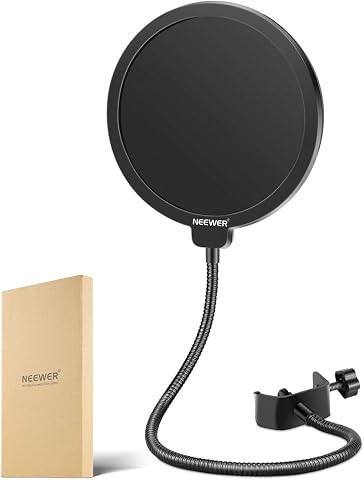
A pop filter, yes — it is the cheapest improvement you can make, taming the harsh ‘p’ and ‘b’ bursts that dominate close-mic streaming. A shock mount matters mainly if you use a desk stand, because typing and desk bumps travel straight up into the capsule. Boom arms usually include elastic or rubber isolation that handles most of this already, which is one reason kits like the FIFINE A6T and TONOR TC310+ represent good value. If your mic kit lacks both, budget for a foam windscreen at minimum and see whether desk vibrations actually show up in your recordings before spending more. Many streamers buy a shock mount they never truly needed.
Is the Blue Yeti still worth buying in 2026, or is it outdated?
It remains worth buying for one specific reason: the four pickup patterns (cardioid, bidirectional, omnidirectional, stereo) that almost no competitor at its price offers. If you stream with a guest in the room or record two-person podcasts, bidirectional mode alone justifies the purchase. Its weaknesses are real, though — it is a sensitive condenser that punishes noisy rooms, its footprint is large, and newer rivals like the Sennheiser Profile sound smoother for solo voice with less fiddling. Treat the Yeti as a versatile workhorse rather than the best-sounding option. For solo streamers in quiet spaces, newer designs have moved past it.
Conclusion
The right pick depends less on price and more on your room and your commitment level. For the best overall choice, the Sennheiser Profile delivers the cleanest, most stream-ready voice with the least effort. The FIFINE AM8T is the smart pick for noisy or untreated rooms — and its XLR option protects your investment long-term. Best value goes to the TONOR TC310+, whose boom arm and accessories make it a complete starter setup, while the FIFINE K669B covers the absolute-budget tier. Beginners who want a familiar, forgiving all-rounder should look at the Blue Yeti, and podcasters recording with a guest get genuine value from its bidirectional mode. Skip the unbranded gooseneck models unless you need a temporary stopgap — every other mic here will serve you better. Whatever you choose, pair it with a pop filter, speak close, and your stream audio will already outclass most of the competition.