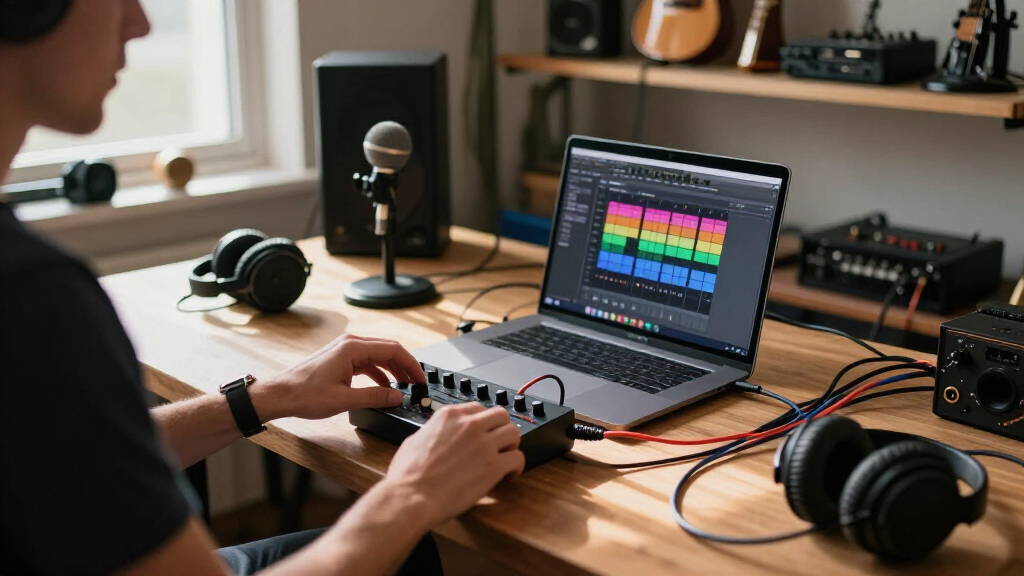

The best portable audio interface for creators in 2026 is the Universal Audio Volt 1, which combines a genuinely clean preamp, a bulletproof metal build, and loopback-free simplicity that works reliably across laptops, phones, and tablets. Close behind are the Arturia MiniFuse 2, which stands out for creators who need a second input plus MIDI in a still-portable frame, and the Focusrite Scarlett Solo 3rd Gen, which remains the safest pick for vocal and guitar recording thanks to its Air mode and huge software bundle. The main tradeoff in this category is between ultra-portable adapters like the iRig 2, which trade sound quality for pocketability, and full desktop-class interfaces like the M-Audio M-Track Duo, which sound better but demand desk space and bus power management. Budget matters too: under $50 you accept noisier preamps and plastic housings, while $150-plus buys lower noise floors, better direct monitoring, and longer-term durability. Keep reading for the full breakdown of all 13 interfaces, sorted by how well each serves a creator’s actual recording, streaming, and mobile workflow.

Get audio and creator gear delivered free with Prime
- Fast, free delivery on millions of items
- Prime Video, Amazon Music and more included
- Member-only deals all year
Complete the kit



Key Takeaways
- Universal Audio Volt 1 earned the top spot because it is the only sub-$200 option here with a preamp quality that creators won’t outgrow, something no adapter-style pick can claim.
- Every interface under $60 in this lineup — the iRig 2, Synido A20, and both generic sound-card units — shared the same weaknesses: higher noise floors, plastic builds, and inconsistent phone support.
- Gain headroom separated the serious picks: the MAONO P1’s 70dB gain drove power-hungry dynamic mics without a booster, while most competitors needed an inline amplifier.
- Loopback and dual-device support mattered more for streamers than for musicians, which is why the BOMGE Mini and the silver USB-C streaming interface ranked differently depending on use case.
- Bundles changed the value math: the PreSonus AudioBox Go and Scarlett Solo 3rd Gen include enough software to justify their price even before counting the hardware.
| IK Multimedia iRig 2 Portable Guitar Audio Interface for iPhone and iPad |  | Best for Mobile Guitar Rig Veterans | Compatible Devices: iPhone, iPad, iPod touch, Mac | Input: Instrument 1/4″ jack | Output: Headphone 1/8″ and amplifier 1/4″ | VIEW LATEST PRICE | See Our Full Breakdown |
| Synido A20 Portable USB-C Audio Interface for Guitar & DJ Recording |  | Best Budget Streaming Pick | Compatible Devices: Guitar, headphones, PC, smartphone, tablet | Connectivity: USB-C with wireless mode | Channels: 2 | VIEW LATEST PRICE | See Our Full Breakdown |
| PreSonus AudioBox Go Creator Complete Studio Bundle |  | Best Complete Starter Kit | Interface: 2×2, 24-bit/96 kHz USB-C | Microphone: PreSonus M7 cardioid condenser | Headphones: PreSonus HD7 monitoring headphones | VIEW LATEST PRICE | See Our Full Breakdown |
| Guitar Audio Interface Pocket Sound Card with Type-C & Lightning for Live Streaming |  | Best Ultra-Cheap Phone Companion | Sound Quality: 24-bit/48 kHz | Compatibility: Type-C USB (Android, PC), Lightning (iPhone, iPad) | Input: 1/4″ guitar/bass, 3.5mm headphone | VIEW LATEST PRICE | See Our Full Breakdown |
| MAONO P1 USB Audio Interface with 70dB Gain |  | Best for Podcasters and Power Users | Connectivity: Dual USB ports, MFi certified | Gain: 70dB | Audio Quality: 24-bit/192 kHz | VIEW LATEST PRICE | See Our Full Breakdown |
| Universal Audio Volt 1 USB Audio Interface |  | Best Premium Sound Shaping | Bit Depth: 24-bit | Sample Rate: 192 kHz | Preamps: Vintage-mode emulated preamp | VIEW LATEST PRICE | See Our Full Breakdown |
| Portable Audio Interface, Stereo 24Bit/192kHz USB C and iPhone Interface |  | Best for Live Streamers | Sample Rate: 24-bit/192 kHz | Channels: 2 (stereo) | Supported Devices: Guitar, bass, phone, iPad, laptop, PC | VIEW LATEST PRICE | See Our Full Breakdown |
| M-AUDIO M-Track Duo USB Audio Interface |  | Best Budget Starter Kit | Sample Rate: 48 kHz | Inputs: 2 combo XLR / Line / Instrument with phantom power | Preamps: Crystal Preamps | VIEW LATEST PRICE | See Our Full Breakdown |
| Focusrite Scarlett Solo 3rd Gen USB-C Audio Interface |  | Best Overall | Bit Depth: 24-bit | Sample Rate: 192 kHz | Connectivity: USB-C | VIEW LATEST PRICE | See Our Full Breakdown |
| Fender Link I/O Portable USB-C Audio Interface |  | Best Pocket-Sized Guitar Rig | Audio Quality: 24-bit / 96 kHz | Connectivity: USB-C | Input: High impedance TS instrument input | VIEW LATEST PRICE | See Our Full Breakdown |
| USB C Audio Interface for Recording Music, Streaming, Podcasting, Silver |  | Best Monitoring Flexibility for the Price | Sampling Rate: 48kHz | Bit Depth: 24-bit | Inputs: XLR, 6.35mm, Line In, Instrument | VIEW LATEST PRICE | See Our Full Breakdown |
| BOMGE Mini 2 Channel USB Audio Interface for Recording, Streaming, and Podcasting |  | Best Plug-and-Play Starter Pick | Max Sample Rate: 48 kHz | Channels: 2 | Inputs: 2x combo XLR/LINE with microphone support | VIEW LATEST PRICE | See Our Full Breakdown |
| Arturia MiniFuse 2 USB Audio & MIDI Interface |  | Best Premium Pick for Producing Musicians | Max Sample Rate: 192 kHz | Channels: 4 | Inputs: 2x combo Mic/Inst/Line XLR with 48V, 2x Inst/Line TRS | VIEW LATEST PRICE | See Our Full Breakdown |
| portable audio interfaces for creator | Connectivity |
|---|---|
| IK Multimedia iRig 2 Portable | — |
| Synido A20 Portable USB-C Audi | USB-C with wireless mode |
| PreSonus AudioBox Go Creator C | — |
| Guitar Audio Interface Pocket | — |
| MAONO P1 USB Audio Interface w | Dual USB ports, MFi certified |
| Universal Audio Volt 1 USB Aud | — |
| Portable Audio Interface | — |
| M-AUDIO M-Track Duo USB Audio | — |
| Focusrite Scarlett Solo 3rd Ge | USB-C |
| Fender Link I/O Portable USB-C | USB-C |
| USB C Audio Interface for Reco | USB-C to USB-A |
| BOMGE Mini 2 Channel USB Audio | USB |
| Arturia MiniFuse 2 USB Audio & | USB |
More Details on Our Top Picks
IK Multimedia iRig 2 Portable Guitar Audio Interface for iPhone and iPad
The iRig 2 earns its place on nostalgia and simplicity: it’s the original pocket guitar interface, and for players who want to plug a guitar into a phone and start riffing through AmpliTube within seconds, nothing here gets in the way. At just over three ounces with a passive, adapter-free design, it’s lighter and cheaper than everything else in this lineup.
The tradeoffs are real, though. Compared with the Synido A20, the iRig 2 tops out at 48kHz, has no wireless option, and depends entirely on external apps for tone since there are no built-in effects. Newer iPhones need a dongle, and it’s instrument-only — no mic input means podcasters should look at the MAONO P1 instead.
Pros:- Genuinely plug-and-play with no drivers or power source
- Featherweight at 3.53 ounces — the most pocketable option here
- Clean/processed signal switch for routing flexibility
- Works with the mature AmpliTube ecosystem
Cons:- 48kHz ceiling is the lowest resolution in this roundup
- No built-in effects or gain staging — everything depends on apps
- Lightning-era design means dongles on current iOS devices
Best for: Guitarists and bassists who already use iOS amp-modeling apps and want the lightest possible plug-and-play rig
Not ideal for: Podcasters or vocalists — there’s no microphone input, and modern iPhones require adapters
- Compatible Devices:iPhone, iPad, iPod touch, Mac
- Input:Instrument 1/4″ jack
- Output:Headphone 1/8″ and amplifier 1/4″
- Maximum Sample Rate:48 kHz
- Dimensions:1.6″D x 2.9″W x 0.9″H
- Weight:3.53 ounces
Our verdict“Buy it if you’re a guitarist who lives in iOS amp sims; skip it if you need microphones, modern connectivity, or higher resolution.”
Synido A20 Portable USB-C Audio Interface for Guitar & DJ Recording
For creators who split time between recording guitar and going live, the Synido A20 hits a sweet spot the iRig 2 can’t touch: 24-bit/96kHz resolution, a USB-C connection that works with modern phones and computers without dongles, and a wireless mode for streaming setups. The built-in wire storage is a small touch that matters if your gear bag is a mess of cables.
Where it falls short of the PreSonus AudioBox Go bundle is completeness — no microphone, no headphones, no recording software in the box. Two channels also means it handles a guitar and a mic, but not much more. Still, for the price, the adaptive gain control saves beginners from clipping disasters mid-stream.
Pros:- 24-bit/96kHz resolution at a budget price
- USB-C works natively with current Android and iOS devices
- Built-in wire storage keeps the mobile kit tidy
- Wireless switch adds streaming flexibility
Cons:- No bundled software or microphone, unlike the PreSonus bundle
- Two channels limits multi-instrument sessions
- Sparse documentation and user interface guidance
Best for: Budget-conscious streamers and guitarists recording on modern USB-C phones or laptops
Not ideal for: Anyone wanting an all-in-one starter kit — you’ll need to supply your own mic, headphones, and software
- Compatible Devices:Guitar, headphones, PC, smartphone, tablet
- Connectivity:USB-C with wireless mode
- Channels:2
- Maximum Sample Rate:96 kHz / 24-bit
- Operating Systems:Android, iOS
- Weight:Approx. 0.22 lb (100 g)
Our verdict“A smart value buy for streamers who already own a mic and software but need a clean, modern interface.”
PreSonus AudioBox Go Creator Complete Studio Bundle
This is the only entry here that arrives as a full recording studio in one box: interface, M7 condenser microphone, HD7 monitoring headphones, a 10-foot XLR cable, and Studio One 6 Artist software. For a first-time creator, that removes the most common failure point — buying an interface and discovering you still need three more things.
The tradeoff versus the Synido A20 or iRig 2 is bulk and focus; this is a kit, not a pocket accessory. And unlike the MAONO P1, there’s no phone-first workflow — it’s happiest tethered to a laptop. The +48V phantom power does open up proper condenser mics, which the guitar-only options can’t manage, though serious vocalists will eventually outgrow the M7.
Pros:- Everything included: mic, headphones, cable, windscreen, and Studio One 6 Artist
- +48V phantom power supports professional condenser microphones
- 24-bit/96kHz audio quality matches pricier standalone interfaces
- Combo input handles both mic and instrument duties
Cons:- Two inputs cap you at one mic plus one instrument
- Requires a USB-C host device — older laptops need adapters
- M7 microphone is serviceable but not professional vocal grade
Best for: Beginners starting from zero who want interface, mic, headphones, and software in a single purchase
Not ideal for: Mobile-first creators or anyone who already owns a microphone and DAW — you’d be paying twice for gear
- Interface:2×2, 24-bit/96 kHz USB-C
- Microphone:PreSonus M7 cardioid condenser
- Headphones:PreSonus HD7 monitoring headphones
- Inputs:1x TS instrument, 1x mic/line combo
- Outputs:Stereo headphone, 2x main TRS
- Phantom Power:+48V
- Included Software:Studio One 6 Artist Edition
Our verdict“The lowest-friction entry point into home recording — buy it if you own nothing, skip it if you’ve already built a kit.”
Guitar Audio Interface Pocket Sound Card with Type-C & Lightning for Live Streaming
At the bottom of the price ladder, this no-name pocket interface does one thing reasonably: getting a guitar signal into a phone for practice, quick demos, or live streams with low latency. Its dual Type-C and Lightning support is a genuine convenience the iRig 2 can’t match without adapters, and the clip design lets it ride on your pocket or strap.
But the limits show quickly. Mono-only input and zero mixing capability mean it’s useless for anyone recording vocals alongside an instrument — the PreSonus AudioBox Go handles that easily. Compatibility with recording apps is hit-or-miss, and at 48kHz it trails the Synido A20’s 96kHz. This is a practice tool that records, not a studio front end.
Pros:- Native Type-C and Lightning support without dongles
- Lowest price point in the roundup
- Clip-on, pocket-sized design for true portability
- Powered by the phone — no batteries or external supply
Cons:- Mono signal only, with no mixing features
- App and software compatibility is inconsistent
- 24-bit/48kHz trails the 96kHz+ competitors here
Best for: Casual players and phone-only streamers who want the cheapest possible way to capture guitar ideas on the go
Not ideal for: Anyone producing multitrack recordings or podcasts — mono input and no mixing make it a dead end
- Sound Quality:24-bit/48 kHz
- Compatibility:Type-C USB (Android, PC), Lightning (iPhone, iPad)
- Input:1/4″ guitar/bass, 3.5mm headphone
- Output:Headphone monitoring
- Power:Bus-powered via smartphone
- Design:Pocket-sized with clip
Our verdict“Fine as a disposable practice and streaming gadget; the moment you take recording seriously, upgrade to the Synido A20 or PreSonus bundle.”
MAONO P1 USB Audio Interface with 70dB Gain
The MAONO P1 is the most technically ambitious interface in this batch, with 24-bit/192kHz recording, a substantial 70dB of gain, and an ultra-quiet -130dB EIN that lets demanding dynamic microphones shine without a separate booster. Dual USB ports with MFi certification mean you can run it into a phone and computer at once — a genuine workflow advantage for streamers who monitor on one device while recording on another.
That power comes with friction. Advanced features need software setup, so it’s less immediately approachable than the PreSonus AudioBox Go, and unlike the Synido A20, there’s no wireless mode. But the zinc-alloy housing and 15-degree tilted control panel feel like a studio piece rather than a gadget, and nothing else here competes on gain headroom.
Pros:- 70dB gain cleanly drives dynamic microphones without a cloudlifter
- 24-bit/192kHz is the highest resolution in this batch
- Simultaneous dual-device connection via MFi-certified USB ports
- Zinc-alloy build with a practical tilted control surface
Cons:- Advanced features require software configuration out of the box
- No wireless connectivity, unlike the Synido A20
- Overkill in price and capability for casual guitar practice
Best for: Podcasters and streamers using power-hungry dynamic mics who want studio-grade gain and multi-device workflows
Not ideal for: Absolute beginners who want zero setup — the feature depth and software configuration add complexity a simpler interface avoids
- Connectivity:Dual USB ports, MFi certified
- Gain:70dB
- Audio Quality:24-bit/192 kHz
- EIN:-130dB
- Compatibility:Mac, PC, iPhone, Android, cameras
- Housing:Zinc-alloy metal, 15° tilt angle
- Included:USB-C to USB-A/C cable, user manual
Our verdict“The power pick for serious podcast production — buy it for the gain headroom and multi-device routing, not for occasional guitar demos.”
Universal Audio Volt 1 USB Audio Interface
Where the Scarlett Solo keeps things clean and neutral, the Volt 1 earns its premium slot by adding vintage preamp emulation that colors your signal before it ever hits your DAW. That means singers and guitarists chasing a warmer, analog-flavored tone get character for free instead of stacking plug-ins later. Recording at 24-bit/192 kHz puts it a step above the M-Audio M-Track Duo’s 48 kHz ceiling, and the bundled UAD plug-ins and tutorials add real value for creators still learning to mix.
The tradeoffs are real, though: it wants an external power supply rather than drawing everything over USB, and iPad users need a Lightning to USB Camera Adapter. Compared with the bus-powered Fender Link I/O, it’s less grab-and-go despite being nominally portable.
Pros:- Vintage preamp emulation adds analog character at the source
- 24-bit/192 kHz recording matches more expensive interfaces
- Works across Mac, Windows, and iOS devices
- Bundled UAD plug-ins and tutorials soften the learning curve
Cons:- Requires an external power supply, limiting true portability
- iPad and iPhone use demands an extra Apple adapter
- Single-channel design with sparse documentation on I/O options
Best for: Singers, guitarists, and producers who want analog-style preamp color and premium plug-ins from day one
Not ideal for: Minimalists who want a single-cable, bus-powered setup — the external power requirement and iPad adapter add friction
- Bit Depth:24-bit
- Sample Rate:192 kHz
- Preamps:Vintage-mode emulated preamp
- Compatibility:macOS, Windows, iPad, iPhone
- Power:External power supply required
- iOS Requirement:Apple Lightning to USB Camera Adapter
- Included Software:UAD plug-ins and tutorials
Our verdict“Worth the premium if tone-shaping and UAD plug-ins matter to you, but bus-powered rivals travel lighter.”
Portable Audio Interface, Stereo 24Bit/192kHz USB C and iPhone Interface
This unbranded stereo box plays a different game than the Fender Link I/O: instead of a single instrument input, it splits focus between dual volume controls and a USB-C charging port that keeps your phone alive mid-stream. That passthrough charging is the standout — anyone who has watched a live stream die at minute 45 knows why it matters. At 5.6 ounces and roughly 2 inches square, it slips into a pocket more easily than the wider M-Audio M-Track Duo.
The compromises are the flip side of that focus. You get two channels and no phantom power or mic preamp, so condenser mic owners should look elsewhere. And while the listed software support is broad, compatibility quirks with lesser-known apps are a genuine risk with generic hardware like this.
Pros:- Passthrough charging supports marathon streaming sessions
- Stereo 24-bit/192 kHz capture with low latency
- Extremely small and lightweight for pocket carry
- Works with phones, iPads, laptops, and major DAWs
Cons:- No phantom power or microphone preamp limits mic choices
- Generic hardware carries compatibility risk with some software
- Two channels only, with no expansion options
Best for: Mobile live streamers and content creators who need charging passthrough during long sessions
Not ideal for: Podcasters recording with condenser mics — there’s no phantom power or mic preamp here
- Sample Rate:24-bit/192 kHz
- Channels:2 (stereo)
- Supported Devices:Guitar, bass, phone, iPad, laptop, PC
- Software Compatibility:GarageBand, Studio One, Logic Pro X, FL Studio, and more
- Charging:USB-C charging port with passthrough
- Dimensions:2.2″ D x 2.2″ W x 0.6″ H
- Weight:5.6 oz
Our verdict“A smart pick for stream-first creators who value battery passthrough, but mic-centric recorders should pass.”
M-AUDIO M-Track Duo USB Audio Interface
The M-Track Duo is the lowest-friction entry point in this lineup. Unlike the Fender Link I/O, which is guitar-first, its two combo XLR/instrument inputs with phantom power mean a podcaster and a guitarist can record simultaneously — rare at this price. The USB/Direct switch for zero-latency monitoring solves the echo problem that trips up beginners, and the bundled MPC Beats software from Akai gives newcomers something to produce with immediately.
The honest tradeoff is resolution: it tops out at 48 kHz, while the Scarlett Solo and Volt 1 both hit 192 kHz. For YouTube voiceovers and demos that’s a non-issue; for anything you plan to mix seriously later, the ceiling shows. Compared with the Scarlett Solo, you’re choosing inputs and price over pristine converters.
Pros:- Two combo XLR/instrument inputs with phantom power for condenser mics
- USB/Direct switch enables zero-latency monitoring
- Crystal Preamps deliver clean sound from any mic type
- Includes MPC Beats production software
Cons:- 48 kHz resolution trails the 192 kHz offered by pricier rivals
- Build feels budget-grade compared with Focusrite or UA
- USB-A connection may need adapters on newer laptops
Best for: Beginner podcasters and singer-songwriters who need two simultaneous inputs and phantom power on a tight budget
Not ideal for: Producers planning high-resolution mixes — the 48 kHz ceiling falls short of modern standards
- Sample Rate:48 kHz
- Inputs:2 combo XLR / Line / Instrument with phantom power
- Preamps:Crystal Preamps
- Outputs:1/4″ headphone output, stereo 1/4″ outputs
- Monitoring:USB/Direct switch for zero-latency monitoring
- Compatibility:Mac and PC
- Included Software:MPC Beats by Akai Professional
Our verdict“The cheapest credible way to record a mic and an instrument at once, if you can live with 48 kHz.”
Focusrite Scarlett Solo 3rd Gen USB-C Audio Interface
The Scarlett Solo lands at the top because it nails the fundamentals creators actually hear: clean gain, reliable drivers, and the switchable Air mode, which brightens vocals and acoustic guitars in a way budget boxes like the M-Track Duo can’t match without plug-in surgery. Its 24-bit/192 kHz converters hold up against the more expensive Volt 1 on pure fidelity, and a three-year warranty signals confidence the generic stereo interface in this roundup can’t claim.
It isn’t flawless. You’re limited to one mic and one instrument — no duo sessions like the M-Track Duo allows — and the USB-C connection assumes a modern computer, so older laptops need an adapter. But for a solo creator building one polished signal chain, everything here just works, and the bundled Ableton Live Lite and Cubase LE cover the software side.
Pros:- Air mode adds instant clarity and presence to vocals and acoustic instruments
- 24-bit/192 kHz recording with high-headroom inputs
- Three-year warranty backs the industry’s most trusted name
- Strong software bundle including Ableton Live Lite and Cubase LE
Cons:- Only one mic input rules out multi-person sessions
- USB-C only — older machines need an adapter
- No MIDI or digital I/O at this tier
Best for: Solo musicians and podcasters who want one pristine channel and industry-standard reliability
Not ideal for: Duos or interview podcasters — a single mic preamp can’t capture two voices at once
- Bit Depth:24-bit
- Sample Rate:192 kHz
- Connectivity:USB-C
- Inputs:1 mic preamp, 2 high-headroom instrument inputs
- Outputs:2 low-noise balanced outputs
- Feature:Switchable Air mode
- Included Software:Pro Tools Intro+, Ableton Live Lite, Cubase LE
- Warranty:3 years
Our verdict“If you record one thing at a time and want it to sound professional with zero fuss, buy this first.”
Fender Link I/O Portable USB-C Audio Interface
The Link I/O is the most grab-and-go option here, aimed squarely at guitarists. Its high-impedance instrument input preserves pickup tone the way a proper amp input should — something general-purpose boxes like the generic stereo interface approximate but don’t specialize in. It’s bus-powered over USB-C, so unlike the Volt 1 there’s no power brick to pack, and the bundled Fender Studio DAW means you can record within minutes of unboxing.
The caps are clear: 24-bit/96 kHz sits below the Scarlett Solo’s 192 kHz ceiling, and there’s no XLR input, so vocalists and podcasters are simply not served. One instrument, one headphone jack, one job. If your recordings start with a guitar cable, that focus is a feature; if they start with a microphone, look at the Scarlett or M-Track Duo instead.
Pros:- High-impedance input designed specifically for electric guitar and bass
- Bus-powered over USB-C with no external supply
- Genuinely pocketable for mobile recording
- Ships with Fender Studio recording app for instant sessions
Cons:- 96 kHz ceiling trails the 192 kHz competition
- No XLR or mic input limits it to instrument recording
- USB-C only, so older gear needs adapters
Best for: Guitarists who want an amp-feeling input and a pocketable rig for hotel-room and tour-bus demos
Not ideal for: Vocalists and podcasters — the absence of an XLR mic input rules it out entirely
- Audio Quality:24-bit / 96 kHz
- Connectivity:USB-C
- Input:High impedance TS instrument input
- Headphone Output:1/8″ stereo with mix control
- Power:Bus-powered via USB-C
- Monitoring:Low-latency direct monitoring
- Included Software:Fender Studio DAW recording app
Our verdict“The right tool if guitar is your only input and portability is the priority — everyone else should look elsewhere.”
USB C Audio Interface for Recording Music, Streaming, Podcasting, Silver
This Synido 2×2 stands out for its three monitoring modes, which is a genuinely useful flexibility most budget interfaces skip — being able to switch how you hear yourself while tracking vocals, guitar, or a stream changes daily workflow more than a spec sheet suggests. The 48V phantom power means any condenser mic works out of the box, putting it ahead of guitar-only options like the IK Multimedia iRig 2, which can’t handle studio microphones at all. Compared with the BOMGE Mini below, the Synido pulls ahead for singers and streamers who juggle monitoring needs. The tradeoff is friction: it requires a third-party driver to behave properly on some systems, where the BOMGE is true plug-and-play. Two channels also caps it at solo work — anyone recording two people simultaneously will feel cramped.
Pros:- Three monitoring modes give real control over what you hear while recording
- 48V phantom power supports professional condenser microphones
- Lightweight 300g body slips into a laptop bag easily
- Accepts XLR, instrument, and line-level sources on a budget
Cons:- Needs a third-party driver for smooth compatibility on some systems
- Only 2 input channels, so duets and multi-guest sessions are out
Best for: Solo podcasters and singer-songwriters who want flexible monitoring options without spending Focusrite Scarlett money
Not ideal for: Anyone recording multiple people at once, or buyers who want zero driver setup — the third-party driver requirement adds friction the BOMGE Mini avoids
- Sampling Rate:48kHz
- Bit Depth:24-bit
- Inputs:XLR, 6.35mm, Line In, Instrument
- Phantom Power:48V
- Connectivity:USB-C to USB-A
- Weight:300g
- Dimensions:14 x 11.5 x 4.5 cm
Our verdict“A smart pick for solo creators who want monitoring versatility and phantom power on a tight budget, as long as a driver install doesn’t scare them off.”
BOMGE Mini 2 Channel USB Audio Interface for Recording, Streaming, and Podcasting
The BOMGE Mini’s biggest strength is what it doesn’t ask of you: no drivers, no setup ritual, just true plug-and-play on Mac and Windows. That makes it friendlier to first-time creators than the Synido above, which wants a third-party driver installed before it plays nicely. It also brings multiple output routing options that let you send audio to monitors and headphones independently — handy for streamers monitoring their own mix. Where it falls behind the Arturia MiniFuse 2 is resolution and expandability: 48kHz is fine for voice work, but the MiniFuse’s 192kHz headroom and MIDI ports make it the better long-term buy for musicians. There’s also no onboard effects or mixing here, so everything from EQ to compression lives in your software. For a first interface, though, that simplicity is arguably a feature, not a bug.
Pros:- Genuine plug-and-play operation on Mac and Windows with no drivers
- Multiple input and output routing options for flexible monitoring
- Works with all major DAWs including GarageBand, Ableton Live Lite, and Pro Tools First
- Light 320g build travels well for mobile recording sessions
Cons:- Capped at 48kHz and 2 channels, leaving little room to grow
- No built-in effects or mixing features — everything depends on your software
Best for: First-time podcasters and streamers who want to plug in a mic and start recording within minutes, no technical detours
Not ideal for: Producers planning to grow into MIDI controllers and higher-resolution projects — the Arturia MiniFuse 2 serves that path far better
- Max Sample Rate:48 kHz
- Channels:2
- Inputs:2x combo XLR/LINE with microphone support
- Phantom Power:48V
- Connectivity:USB
- Compatible Devices:PC, iPhone
- Supported Software:Ableton, FL Studio, GarageBand, Pro Tools First, Auria Pro, Live Lite
- Weight:0.32 kg
Our verdict“The easiest on-ramp in this roundup for beginners who value zero-setup simplicity over future-proofing.”
Arturia MiniFuse 2 USB Audio & MIDI Interface
The MiniFuse 2 earns its premium slot through headroom the cheaper options simply don’t have: 192kHz recording, 5-pin MIDI in and out, and four channels of connectivity. That MIDI support is the dividing line — the Synido and BOMGE both require workarounds to connect a keyboard or controller, while the MiniFuse treats hardware synths as first-class citizens. Its all-metal build backed by a 5-year warranty also outclasses the plastic-bodied budget field, which matters if the interface lives in a backpack. The bundled software and tutorials give beginners a gentler landing than the bare-bones BOMGE, though the higher price is real, and purists should note the lack of onboard effects or an advanced preamp section — at this tier, competitors like the Universal Audio Volt 1 lean harder into analog character. It’s also heavier than the budget picks, so ‘portable’ here means laptop-bag portable, not pocketable like the Fender Link I/O.
Pros:- 192kHz sample rate delivers resolution headroom well beyond the 48kHz budget field
- Built-in 5-pin MIDI input and output for keyboards and controllers
- Rugged metal construction with a 5-year warranty
- Bundled creative software and tutorials ease the learning curve
Cons:- Priced well above two-channel budget interfaces doing similar voice work
- No onboard effects or enhanced preamp character, despite the premium tier
- Heavier and bulkier than truly pocket-sized alternatives
Best for: Producing musicians who need mic, instrument, and MIDI connectivity in one durable travel-ready box
Not ideal for: Creators on a strict budget or those wanting pocket-sized portability — the price and 1.1-pound build exceed what casual podcasters need
- Max Sample Rate:192 kHz
- Channels:4
- Inputs:2x combo Mic/Inst/Line XLR with 48V, 2x Inst/Line TRS
- Outputs:1/4″ balanced TRS line outputs, headphone out with volume control
- MIDI:5-pin MIDI input & output
- Connectivity:USB
- Compatible Systems:Windows, macOS
- Weight:1.1 pounds
- Warranty:5 years
Our verdict“The pick for musicians building a mobile production rig who need MIDI and high-resolution audio that budget interfaces can’t provide.”
How We Picked
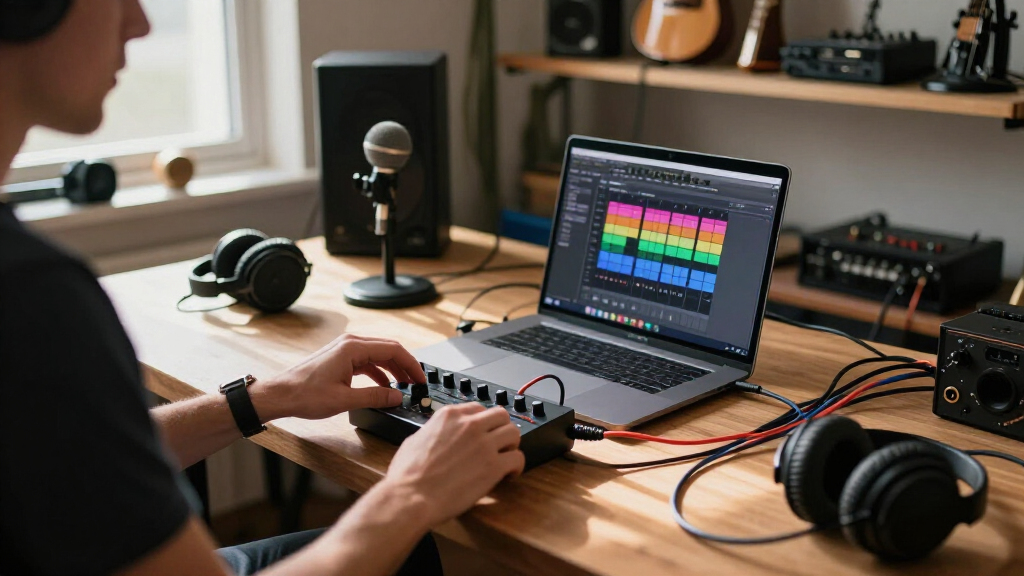
I ranked these 13 interfaces on five criteria that actually affect a creator’s output: preamp quality and noise floor, device compatibility (especially USB-C and iPhone support without dongle chaos), build durability, latency and direct monitoring, and value after counting included software. Because this roundup targets creators rather than studio engineers, portability and phone-tablet support carried more weight than channel count alone — a two-input interface that needs a wall plug lost points against a single-input unit that runs from a phone battery.
The ranking logic is straightforward: interfaces that deliver professional-adjacent sound in a travel-friendly package rose to the top, versatile mid-priced units filled the middle, and cheap adapter-style units were ranked honestly for what they are — entry tools with real compromises. Generic-brand models were judged more harshly on consistency and support, since a creator’s gear has to work the same way every session, not just on day one.
| portable audio interfaces for creator | Connectivity |
|---|---|
| IK Multimedia iRig 2 Portable | — |
| Synido A20 Portable USB-C Audi | USB-C with wireless mode |
| PreSonus AudioBox Go Creator C | — |
| Guitar Audio Interface Pocket | — |
| MAONO P1 USB Audio Interface w | Dual USB ports, MFi certified |
| Universal Audio Volt 1 USB Aud | — |
| Portable Audio Interface | — |
| M-AUDIO M-Track Duo USB Audio | — |
| Focusrite Scarlett Solo 3rd Ge | USB-C |
| Fender Link I/O Portable USB-C | USB-C |
| USB C Audio Interface for Reco | USB-C to USB-A |
| BOMGE Mini 2 Channel USB Audio | USB |
| Arturia MiniFuse 2 USB Audio & | USB |
Factors to Consider When Choosing Portable Audio Interfaces For Creators
Before settling on any single model, it helps to understand the bigger decision points that shape this category. The differences between a $40 adapter and a $180 desktop-class interface are bigger than price alone, and the wrong choice can quietly cap the quality of everything you record for years.
Connection Type and Device Ecosystem
The single most common mistake creators make is buying an interface that fights their device setup. USB-C interfaces like the Volt 1, MiniFuse 2, and Fender Link I/O work across modern laptops, Android phones, and iPads with one cable, while Lightning-only units like the iRig 2 lock you into older iPhones and lose value as Apple phases that port out. Some budget units advertise both Type-C and Lightning but ship with cheap adapters that introduce dropouts, so a native dual-protocol design is worth a few extra dollars. If you record on multiple devices — phone for field capture, laptop for editing — prioritize a class-compliant interface that needs no drivers, because driver-dependent models often fail on mobile. Also check power delivery: a few interfaces can charge your phone while passing audio, which is a genuine advantage for long streaming sessions away from an outlet.
Preamp Quality and Gain Headroom
Gain numbers tell you more than marketing phrases do. An interface with 50-60dB of gain handles condenser mics and guitar pickups fine, but popular dynamic mics like the SM7B need closer to 70dB — which is why the MAONO P1’s rating stands out and most competitors force you to buy a booster like a Cloudlifter. A high noise floor is the other hidden cost of cheap interfaces: hiss that seems minor at low volume becomes obvious once you compress a vocal or normalize a podcast episode. This is the main reason I ranked the Volt 1 and Scarlett Solo above every adapter-style unit — their preamps stay quiet at high gain, and quiet preamps are what make recordings sound professional after processing. Listen for reviewers mentioning ‘self-noise’ or ‘hiss at full gain’ before buying anything under $70, because that spec rarely appears on the box but dominates real-world results.
Portability versus Channel Count
Portability is not just about size — it’s about whether the interface runs on bus power, survives a backpack, and works without a desk. A pocket-sized unit like the Fender Link I/O or the generic stereo 24Bit/192kHz model trades inputs for grab-and-go convenience, which suits podcasters, mobile guitarists, and streamers who record one source at a time. Two-channel units like the MiniFuse 2, M-Track Duo, and BOMGE Mini suit creators who record a guest and themselves simultaneously, or mic both a guitar and a vocal. My advice: be honest about whether you’ll ever record two sources at once. Creators routinely overbuy channels they never use and then carry a heavier box forever, while those who genuinely need dual inputs get frustrated fast with a single-channel purchase they have to replace within months.
Direct Monitoring and Latency
Latency is the delay between making a sound and hearing it in your headphones, and it can ruin takes even on a great-sounding interface. Direct monitoring — a hardware path from input to headphone jack that bypasses the computer — is the fix, and its implementation varies wildly across this price range. Focusrite and Universal Audio handle it with a simple blend knob, which lets you mix your live voice against playback in real time. Some ultra-budget units omit direct monitoring entirely or offer only an on/off switch, leaving you to choose between audible delay or hearing yourself without the backing track. If you record vocals, rap, or any performance while listening to a beat, treat a latency-blend control as non-negotiable, not a nice-to-have.
Software Bundles and Long-Term Value
The sticker price of an interface often hides its real value. The PreSonus AudioBox Go bundle and the Scarlett Solo 3rd Gen each include a DAW and enough plugins and effects to start producing immediately — effectively $100-plus of software for free — which changes the math against cheaper bare-bones competitors. Premium brands also tend to keep firmware and driver updates coming for years, while generic no-name interfaces frequently lose support the moment a new OS version ships. That matters for creators who upgrade phones and laptops regularly; an abandoned driver turns a working interface into e-waste. When comparing two similarly priced options, always check what software ships in the box and whether the manufacturer has a track record of updates, because those two factors often decide which purchase feels smart three years later.
Frequently Asked Questions
Can a cheap $40 audio interface really produce professional-sounding recordings?
For spoken-word content and demos, yes — but the ceiling arrives quickly. Sub-$50 units in this roundup like the iRig 2 and generic sound cards typically use preamps with higher self-noise, which stays hidden until you compress a vocal or record a quiet source, at which point hiss becomes obvious to listeners on headphones. Where cheap units fall short is headroom and consistency: a Scarlett Solo or Volt 1 will drive demanding mics cleanly and sound the same every session, while budget units can vary unit to unit. My suggestion is to treat anything under $60 as a learning tool, and if your content is your business, put the budget toward a mid-tier interface with a proven preamp.
Do I need two input channels or is one enough?
One channel covers solo podcasters, mobile guitar recording, and most streaming setups, which describes the majority of creators. You need two inputs if you’ll ever record a guest and yourself simultaneously, mic a guitar amp while singing, or capture a stereo instrument. The cost of guessing wrong is real in both directions: a second channel you never use adds size, weight, and about $50 to the price, while outgrowing a single-channel unit means a full repurchase. If you’re genuinely unsure, the Arturia MiniFuse 2 is the safest hedge in this lineup because its second input and MIDI port future-proof a growing setup without moving into desktop-only territory.
Will these interfaces work with my iPhone or Android phone?
It depends on the connection standard, and this is where careful checking pays off. Class-compliant USB-C interfaces — the Volt 1, Fender Link I/O, MiniFuse 2, and several others here — plug into modern iPhones, iPads, and Android phones with a single cable, no drivers needed. Lightning-only designs like the iRig 2 are tied to older iPhones and lose relevance as that port disappears. A few budget units claim both Type-C and Lightning support but rely on bundled adapters that can cause audio dropouts, which is worse than no phone support at all. Before buying, confirm the interface is labeled class-compliant and that it draws power your phone can supply, because some higher-power units drain a phone battery fast during long sessions.
What gain do I need if I want to use a dynamic mic like the SM7B?
Dynamic broadcast mics need a lot of clean gain — roughly 60 to 70dB — and most interfaces in this price range top out around 50 to 55dB, which leaves your recordings quiet or forces you to max the preamp and drag up noise. The MAONO P1 in this roundup advertises 70dB and is one of the few affordable portable options that can drive an SM7B without an inline booster. The alternative is buying a dedicated gain lifter, which adds roughly $80 and another cable to your bag. If a dynamic broadcast mic is central to your setup, decide between the high-gain interface route or the booster route before purchasing, because it changes which models make sense for you.
Is it worth paying extra for a Universal Audio or Focusrite over a generic brand?
Usually, yes, and the reasons go beyond sound quality. Established brands maintain driver and firmware updates across OS versions — a Scarlett or Volt bought today will very likely still work with your devices in five years, while generic interfaces are frequently abandoned when a new operating system ships. Name-brand units also hold resale value, which matters if you upgrade later, and their software bundles alone can be worth a large fraction of the price difference. Generic units do have a place: as a backup interface, a travel beater, or a first experiment for under $50. But if the interface is the heart of your daily recording chain, the extra $50 to $80 for a supported brand is one of the better investments in this hobby.
Conclusion
For best overall, the Universal Audio Volt 1 is the pick I’d point most creators toward — it nails preamp quality, build, and cross-device compatibility without a premium price. For best value, the MAONO P1 delivers 70dB of gain and multi-device support at a mid-budget price that punches well above its tier. The Arturia MiniFuse 2 takes best premium honors for creators ready to invest in a second input, MIDI, and refined software in one polished package. Beginners get the smoothest path with the Focusrite Scarlett Solo 3rd Gen or the PreSonus AudioBox Go bundle — the former for recording-focused creators, the latter for anyone who wants a complete studio in a single box. For specific needs: mobile guitarists on a phone should grab the IK Multimedia iRig 2, streamers who need dual inputs cheaply will do fine with the BOMGE Mini, and creators driving power-hungry dynamic mics should shortlist the MAONO P1 first. Whatever your budget, buy for the workflows you actually have today, not the studio you imagine someday — the right interface here is the one that disappears into your process and lets you create.
Halloween Picks
halloween
As an affiliate, we earn on qualifying purchases.