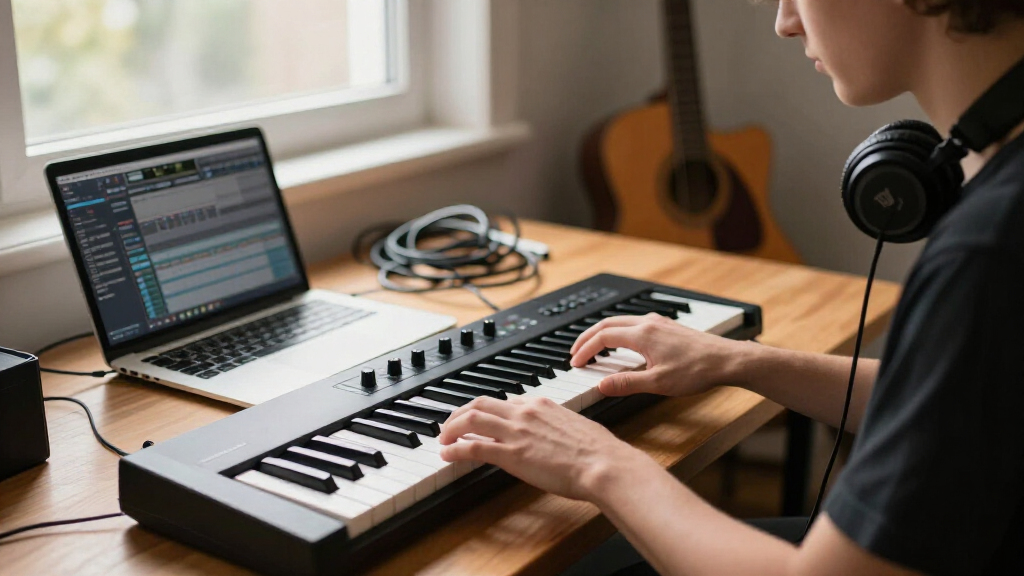

MIDI keyboard controllers are the bridge between your hands and your DAW, and the right one depends almost entirely on how you work: desk-bound producer, mobile beatmaker, or pianist who needs real playing surface. The Arturia KeyLab Essential mk3 49 stands out as the best overall pick for its tight DAW integration, playable keybed, and bundled Analog Lab V software. If budget leads the decision, the Nektar SE61 delivers a full 61 keys and sensible controls at an entry price, while the Novation FLkey 2 49 is the obvious choice for anyone living inside FL Studio. The main tradeoffs in this category come down to key count versus desk space, semi-weighted feel versus portability, and deep software bundles versus bare-bones utility boards. Read on for the full breakdown of all 14 controllers.
Complete the kit


Key Takeaways
- Key count drove the ranking more than any other spec: 49-key boards like the KeyLab Essential mk3 and FLkey 2 offered the best balance of playability and desk footprint, while 61-key models only won for two-hand pianists.
- The Akai MPK Mini line dominates the compact segment, but the Mini Plus and Mini IV/MK3 differ enough that picking the wrong one wastes money — the Plus adds pads, knobs and a sequencer the cheaper models lack.
- Software bundles separated the mid-tier winners from the losers: KeyLab Essential and FLkey 2 justify their position largely through Analog Lab V and native FL Studio control, which generic unbranded boards can’t match.
- Budget off-brand options like the M-VAVE SMK-37 PRO and DaierTek 25-key pack impressive hardware specs on paper but fall behind on driver polish, editor software and long-term reliability — the hidden cost of cheap controllers.
- The M-Audio Keystation line remains the pure utility pick: no pads, no fuss, just a solid keybed for notation and basic input, which is exactly why it shouldn’t be anyone’s only controller for beatmaking.
| Akai Professional MPK Mini Plus 37-Key USB MIDI Keyboard Controller |  | Best Overall | Keys: 37 mini keys (Gen 2 dynamic keybed) | Octaves: 3 | Pads: 8 RGB MPC pads | VIEW LATEST PRICE | See Our Full Breakdown |
| Nektar SE61 61-Key USB MIDI Controller Keyboard, Black |  | Best Full-Size Keys on a Budget | Number of Keys: 61 | Keys: Full-size, velocity-sensitive | Connectivity: USB | VIEW LATEST PRICE | See Our Full Breakdown |
| Akai Professional LPK25 25-Key USB MIDI Keyboard Controller |  | Best Ultra-Portable Pick | Keys: 25 mini keys | Arpeggiator: Built-in with clock | Preset Slots: 8 programmable | VIEW LATEST PRICE | See Our Full Breakdown |
| DaierTek 25-Key Portable Bluetooth & USB MIDI Keyboard Controller with 8 Backlit Drum Pads and 8 Knobs |  | Best Wireless Budget Option | Number of Keys: 25 velocity-sensitive | Drum Pads: 8 RGB backlit with aftertouch | Knobs: 8 assignable encoders | VIEW LATEST PRICE | See Our Full Breakdown |
| M-VAVE SMK-37 PRO 37-Key MIDI Keyboard Controller with 16 Backlit Drum Pads |  | Best Standalone Sound Source | Number of Keys: 37, velocity-sensitive | Drum Pads: 16 backlit (expandable to 32) | Faders: 4 (expandable to 8) | VIEW LATEST PRICE | See Our Full Breakdown |
| Novation FLkey 2 49 USB MIDI Controller Keyboard |  | Best for FL Studio Users | Keys: 49 full-sized, semi-weighted | Pads: 16 velocity-sensitive with polyphonic aftertouch | Controls: 8 knobs, 9 faders, pitch/mod wheels, OLED display | VIEW LATEST PRICE | See Our Full Breakdown |
| Arturia MiniLab 37 MIDI Keyboard Controller |  | Best Compact for Two-Handed Playing | Keys: 37 slim keys | Pads: 2×4 layout | Features: Arpeggiator, Chord mode, custom DAW mappings, transposition, mini display | VIEW LATEST PRICE | See Our Full Breakdown |
| 49-Key MIDI Keyboard Controller, ABS Compact Keyboard for Music Production |  | Best Bare-Bones Budget Pick | Keys: 49 | Control Type: Keyboard controller (keys only) | Material: ABS plastic | VIEW LATEST PRICE | See Our Full Breakdown |
| Akai Professional MPK Mini IV 25-Key USB-C MIDI Keyboard Controller, Black |  | Best Feature-Packed Mini Controller | Keys: 25 velocity-sensitive mini keys | Knobs: 8 assignable 360° knobs | Pads: 8 velocity- and pressure-sensitive RGB MPC pads | VIEW LATEST PRICE | See Our Full Breakdown |
| Akai Professional MPK Mini MK3 25-Key USB MIDI Keyboard Controller |  | Best Starter Value | Keys: 25 velocity-sensitive mini keys (Gen 2 dynamic keybed) | Pads: 8 backlit velocity-sensitive MPC-style pads | Knobs: 8 assignable 360-degree knobs | VIEW LATEST PRICE | See Our Full Breakdown |
| M-Audio Keystation 61 MK3 USB MIDI Controller |  | Best Keybed for the Money | Keys: 61 full-size velocity-sensitive semi-weighted keys | Controls: Volume fader, transport and directional buttons, pitch and modulation wheels, octave up/down buttons | Connectivity: USB plug-and-play (Mac/PC, no drivers or power supply required) | VIEW LATEST PRICE | See Our Full Breakdown |
| Arturia KeyLab Essential mk3 — 49-Key USB MIDI Keyboard Controller with Analog Lab V Software |  | Best for Composition Tools | Keys: 49 | Pads: RGB-backlit, velocity and pressure sensitive | Display: 2.5-inch LCD | VIEW LATEST PRICE | See Our Full Breakdown |
| M-Audio Oxygen 49 MKV USB MIDI Keyboard Controller |  | Best Control Surface | Keys: 49 velocity-sensitive full-size piano-style keys | Drum Pads: 2 banks of 8 backlit velocity-sensitive pads with Note Repeat | Controls: 8 assignable knobs, 9 assignable faders | VIEW LATEST PRICE | See Our Full Breakdown |
| M-Audio Keystation 49 MK3 USB MIDI Controller |  | Best Basic Starter Keyboard | Keys: 49 full-size velocity-sensitive keys | Connectivity: USB-MIDI, class-compliant | Power: USB-powered, no external supply required | VIEW LATEST PRICE | See Our Full Breakdown |
| MIDI keyboard controller | Keys | Connectivity | Included Software |
|---|---|---|---|
| Akai Professional MPK Mini Plu | 37 mini keys (Gen 2 dynamic keybed) | USB, MIDI I/O, CV/Gate | MPC Beats, Komplete 15 Select bundle, 2 months Splice Creator |
| Nektar SE61 61-Key USB MIDI Co | Full-size, velocity-sensitive | USB | Bitwig Studio 8-track DAW + sound content package |
| Akai Professional LPK25 25-Key | 25 mini keys | USB (bus-powered) | — |
| DaierTek 25-Key Portable Bluet | — | Bluetooth, USB | — |
| M-VAVE SMK-37 PRO 37-Key MIDI | — | USB Type-C, MIDI, wireless | — |
| Novation FLkey 2 49 USB MIDI C | 49 full-sized, semi-weighted | USB-C, 5-pin MIDI out | — |
| Arturia MiniLab 37 MIDI Keyboa | 37 slim keys | — | — |
| 49-Key MIDI Keyboard Controlle | 49 | — | — |
| Akai Professional MPK Mini IV | 25 velocity-sensitive mini keys | USB-C (USB 3.0), full-size MIDI Out | Ableton Live Lite 12, Studio Instrument Collection (1000+ sounds), Melodics trial, 2 months Splice, NKS sound bundle |
| Akai Professional MPK Mini MK3 | 25 velocity-sensitive mini keys (Gen 2 dynamic keybed) | USB (bus-powered) | MPC Beats, 3 virtual instruments, 2GB sound content, Komplete 15 Select bundle, 60 days Splice Creator |
| M-Audio Keystation 61 MK3 USB | 61 full-size velocity-sensitive semi-weighted keys | USB plug-and-play (Mac/PC, no drivers or power supply required) | MPC Beats, Ableton Live Lite, Velvet, Xpand!2, Mini Grand, Touch Loops |
| Arturia KeyLab Essential mk3 | 49 | — | Analog Lab V (2000 presets), UVI Model D, NI The Gentleman, Loopcloud and Melodics subscriptions |
| M-Audio Oxygen 49 MKV USB MIDI | 49 velocity-sensitive full-size piano-style keys | USB (MIDI cable included) | MPC Beats, Ableton Live Lite, Hybrid 3, Mini Grand, 5 MPC expansion packs, choice of Komplete 15 Select bundle |
| M-Audio Keystation 49 MK3 USB | 49 full-size velocity-sensitive keys | USB-MIDI, class-compliant | MPC Beats, Ableton Live Lite, Velvet, Xpand!2, Mini Grand, Touch Loops, Skoove and Melodics lessons |
More Details on Our Top Picks
Akai Professional MPK Mini Plus 37-Key USB MIDI Keyboard Controller
Among compact controllers, the MPK Mini Plus stands out for doing something its smaller sibling, the MPK Mini MK3, cannot: it bridges software and hardware studios. With CV/Gate and MIDI I/O, it drives modular rigs and hardware synths directly, while the built-in 64-step sequencer lets you sketch ideas with no computer at all — a rarity at this size. Compared with the Nektar SE61, you trade full-size keys for a three-octave mini keybed plus eight RGB MPC pads, eight endless knobs, and NKS integration for browsing Komplete instruments from the keyboard. The tradeoffs are real: the mini keys demand adjustment from pianists, and the sequencer tops out at two tracks, so it complements rather than replaces a DAW.
Pros:- CV/Gate and MIDI I/O for controlling modular and hardware gear, not just software
- Built-in 64-step sequencer enables computer-free composing
- Three full octaves in a compact footprint for two-handed parts
- Strong software bundle including MPC Beats and a Komplete 15 Select choice
Cons:- Mini keys feel cramped compared with full-size keybeds
- Sequencer limited to two tracks
Best for: Producers who want one compact controller for DAW work, hardware synths, and modular gear
Not ideal for: Pianists who need full-size, weighted-feel keys for two-handed expressive playing
- Keys:37 mini keys (Gen 2 dynamic keybed)
- Octaves:3
- Pads:8 RGB MPC pads
- Knobs:8 assignable endless rotary knobs
- Sequencer:64-step (1 drum track, 1 melody/chord track)
- Connectivity:USB, MIDI I/O, CV/Gate
- Integration:Native Kontrol Standard (NKS)
- Included Software:MPC Beats, Komplete 15 Select bundle, 2 months Splice Creator
Our verdict“This pick makes the most sense for space-limited producers who want hardware control and standalone sequencing in a single travel-friendly board.”
Nektar SE61 61-Key USB MIDI Controller Keyboard, Black
If your priority is a real piano feel without spending premium money, the SE61 delivers 61 full-size velocity-sensitive keys — more playable range than the 37-key Akai MPK Mini Plus and vastly more than the 25-key LPK25. It is a focused instrument rather than a production hub: where competitors pile on pads and knobs, this board bets everything on the keyboard itself plus deep DAW integration across Logic, Cubase, Bitwig, Reaper, and more, so transport and mixer control still land under your fingers. The tradeoff is simplicity. There are no drum pads or faders, so beat-making and mixing demand a mouse, and iOS use requires a separately purchased camera adapter. For melody-first producers, that focus is the point.
Pros:- 61 full-size velocity-sensitive keys for expressive two-handed playing
- Nektar DAW integration across nearly every major DAW
- Plug-and-play USB setup with no drivers required
- Bundles Bitwig Studio 8-track DAW plus sound content
Cons:- No drum pads or faders for beat-making or mixing control
- iOS compatibility requires a separately purchased camera adapter
- Large footprint compared with 25- and 37-key alternatives
Best for: Keyboard players and melody-driven producers who want maximum playable range at minimal cost
Not ideal for: Beat-makers and loop producers who rely on drum pads and hands-on control for clip launching
- Number of Keys:61
- Keys:Full-size, velocity-sensitive
- Connectivity:USB
- Compatible Platforms:Mac, PC, iOS
- DAW Support:Bitwig, Cubase, GarageBand, Logic, Reason, Reaper, Studio One, and more
- Included Software:Bitwig Studio 8-track DAW + sound content package
Our verdict“Buy this if playable range matters more to you than pads and knobs; skip it if your workflow lives in a drum grid.”
Akai Professional LPK25 25-Key USB MIDI Keyboard Controller
The LPK25 wins the toss-it-in-a-backpack contest outright. It is smaller and simpler than the MPK Mini IV 25, stripping away pads and knobs to focus on one thing: entering melodies anywhere. What earns it a spot over generic budget 25-key boards is the built-in arpeggiator with clock and a sustain button, which add genuine expressiveness to an otherwise bare-bones layout, plus eight programmable preset slots that remember settings per instrument. The compromises are exactly what you would expect at this size — mini keys with no pitch or mod wheels, so live expression is limited, and a two-octave span that forces constant octave-shifting. Compared with the DaierTek 25-key, you lose Bluetooth and pads but gain a lighter, cheaper, fuss-free tool that never needs pairing.
Pros:- Highly portable design sized for laptop bags and travel
- Plug-and-play USB, bus-powered with no drivers
- Built-in arpeggiator with clock for instant melodic movement
- 8 programmable preset slots across all major DAWs
Cons:- Mini keys feel cramped for players used to full-size keys
- No dedicated pitch or modulation wheels
- Only two octaves without octave-shifting
Best for: Traveling producers and laptop musicians who need melody input that fits in a bag
Not ideal for: Players who want performance controls — no pitch/mod wheels or pads limits live expression
- Keys:25 mini keys
- Arpeggiator:Built-in with clock
- Preset Slots:8 programmable
- Controls:Octave up/down buttons, sustain button
- Connectivity:USB (bus-powered)
- Compatibility:Mac, PC; all major DAWs including Ableton Live, Logic, FL Studio, ProTools
Our verdict“This is the right choice for musicians who value grab-and-go simplicity over control surface depth.”
DaierTek 25-Key Portable Bluetooth & USB MIDI Keyboard Controller with 8 Backlit Drum Pads and 8 Knobs
This DaierTek board undercuts better-known names like Akai by packing an unusual feature set into a 25-key frame: Bluetooth wireless, a 2,000 mAh battery good for roughly 16 hours, eight RGB pads with aftertouch, and capacitive touch strips for pitch and modulation. That combination makes it a natural companion for an iPad or phone setup — somewhere the wired-only Akai LPK25 cannot follow. Smart chord and smart scale modes also lower the barrier for beginners who want musical results without theory. The tradeoffs: it produces no sound itself, so a DAW or app is mandatory, and Bluetooth MIDI on Android and Windows can involve app-level setup or drivers that frustrate less technical users. Build quality and key feel also trail established brands.
Pros:- Bluetooth plus USB connectivity for cable-free mobile setups
- Around 16 hours of battery life from the built-in 2,000 mAh cell
- Feature-dense for the size: aftertouch pads, encoders, touch strips, smart chord/scale
- Works across Windows, macOS, iOS, and Android with major DAWs
Cons:- Produces no sound on its own — requires a DAW or music app
- Bluetooth MIDI setup on Android/Windows can require drivers or app-level configuration
- Key feel and build do not match established controller brands
Best for: Mobile producers and beginners building a tablet- or phone-based studio on a tight budget
Not ideal for: Windows and Android users who want zero-setup plug-and-play, since Bluetooth MIDI pairing can be finicky
- Number of Keys:25 velocity-sensitive
- Drum Pads:8 RGB backlit with aftertouch
- Knobs:8 assignable encoders
- Connectivity:Bluetooth, USB
- Battery:2,000 mAh (approx. 16 hours)
- Features:Arpeggio, smart chord, smart scale, pitch/mod touch strips, mini display
- Compatibility:Windows, macOS, iOS, Android; Ableton Live, FL Studio, Cubase, GarageBand
Our verdict“A sensible pick for cable-averse mobile producers, provided you are comfortable troubleshooting wireless MIDI occasionally.”
M-VAVE SMK-37 PRO 37-Key MIDI Keyboard Controller with 16 Backlit Drum Pads
The SMK-37 PRO occupies a niche none of the others in this lineup touch: it makes sound on its own. With a built-in sound engine offering 128 timbres and custom timbre import, you can plug in headphones and play without opening a DAW — something the Akai MPK Mini Plus, despite its sequencer, still cannot do. Its control surface is unusually expandable, with 16 pads (up to 32), four faders (up to 8), and eight knobs (up to 16), plus pitch/mod wheels the LPK25 lacks entirely. Wireless operation and a 13-inch depth make it genuinely portable. The catch: 37 keys caps two-handed playing versus the 61-key Nektar SE61, and the onboard sounds are serviceable rather than inspiring, so serious production still happens in software.
Pros:- Built-in sound source with 128 timbres enables computer-free playing
- Expandable controls: pads up to 32, faders up to 8, knobs up to 16
- Wireless operation with built-in rechargeable battery
- Pitch/mod wheels plus 1.54-inch color display in a compact 13-inch-deep frame
Cons:- 37 keys limit two-handed playing range
- Onboard sounds are basic compared with software instruments
- Brand support and documentation trail established competitors
Best for: Players who want a battery-powered board they can practice and sketch on anywhere, with or without a computer
Not ideal for: Producers focused on premium sound quality — the onboard timbres won’t replace a good software instrument library
- Number of Keys:37, velocity-sensitive
- Drum Pads:16 backlit (expandable to 32)
- Faders:4 (expandable to 8)
- Knobs:8 (expandable to 16)
- Connectivity:USB Type-C, MIDI, wireless
- Built-in Sound Source:128 timbres, custom timbre import
- Display:1.54-inch color display
- Battery:Built-in rechargeable
- Compatibility:Windows, Mac, iOS, Android
Our verdict“Choose this if standalone playability and expandable controls matter more than keybed size and sound library depth.”
Novation FLkey 2 49 USB MIDI Controller Keyboard
This option stands out for one reason above all: it is the only controller here hardwired for FL Studio. Every pad, fader, and knob maps directly to the sequencer, mixer, and plugin browser, which means far less time in mapping menus than you’d spend with the Arturia KeyLab Essential mk3 or M-Audio Oxygen 49 MKV, both of which require more setup to feel native. The semi-weighted full-size keys give it a more substantial feel than the Arturia MiniLab 37, and the polyphonic aftertouch on the 16 pads is something no other model in this lineup offers. The tradeoff is real, though: step outside FL Studio and much of that integration goes idle. At 4.12 kg it is also the heaviest compact option here, so this pick makes the most sense for a fixed desk rather than a travel bag.
Pros:- Deep, dedicated FL Studio control over sequencing, mixing, and plugins
- Semi-weighted full-size keys with pitch/mod wheels for expressive playing
- Polyphonic aftertouch on 16 pads — rare at this size
- Includes 6 months of FL Studio Producer Edition plus bundled instruments
Cons:- Workflow is optimized for FL Studio and feels underused in other DAWs
- Heavy at 4.12 kg for a 49-key controller
Best for: FL Studio producers who want hardware control over sequencing and mixing without manual mapping
Not ideal for: Ableton, Logic, or Cubase users — most of the deep integration is FL-specific and wasted elsewhere
- Keys:49 full-sized, semi-weighted
- Pads:16 velocity-sensitive with polyphonic aftertouch
- Controls:8 knobs, 9 faders, pitch/mod wheels, OLED display
- Connectivity:USB-C, 5-pin MIDI out
- Compatibility:FL Studio, HUI; PC, synthesizer, groovebox
- Weight:4.12 kg
- Warranty:3 years
Our verdict“If FL Studio is your DAW, this is the controller built for it; everyone else should look at a DAW-neutral alternative.”
Arturia MiniLab 37 MIDI Keyboard Controller
The MiniLab 37 occupies a sweet spot the smaller controllers miss: compared with the Akai MPK Mini IV or LPK25, its 37 keys are enough for two-handed playing — left-hand bass, right-hand chords — while still fitting a laptop bag. The real-time mini display and custom DAW mappings make editing on the fly faster than on the older MPK Mini MK3, which relies on button combos and editor software. Chord mode and the arpeggiator round out a genuinely creative feature set for a keyboard this size. Compared with the M-VAVE SMK-37 PRO, it trades pad count for tighter software polish. The compromises are the slim key action, which feels less substantial than the Novation FLkey 2’s semi-weighted bed, and the 2×4 pad layout, which limits serious finger drumming.
Pros:- 37 keys allow genuine two-handed playing in a portable frame
- Real-time mini display for immediate feedback without a computer screen
- Built-in arpeggiator and Chord mode speed up idea capture
- Custom DAW mappings and easy transposition
Cons:- Slim keys feel less substantial than full-size or semi-weighted keybeds
- Only 8 pads limits finger drumming and clip launching
Best for: Producers and mobile musicians who want real two-handed playability in a backpack-sized controller
Not ideal for: Finger drummers and beat makers — the 8-pad layout is too small for complex pad performances
- Keys:37 slim keys
- Pads:2×4 layout
- Features:Arpeggiator, Chord mode, custom DAW mappings, transposition, mini display
- Form Factor:Compact, lightweight, desktop-friendly
Our verdict“The best pick here if portability matters but 25 mini keys feel too cramped to actually play.”
49-Key MIDI Keyboard Controller, ABS Compact Keyboard for Music Production
Sometimes you just need keys that send MIDI, and this Assile 49-key does exactly that with no pretensions. Where the Novation FLkey 2 49 layers on pads, faders, and deep DAW control, this model strips everything back to a plain keyboard — which is precisely why it costs a fraction of the alternatives. For note entry, practice, and sketching arrangements, those 49 full-width keys cover the same octave range as controllers triple its price. The ABS construction holds up to regular desk use, and at 3.1 pounds it slides into a shelf or gig bag without fuss. The tradeoffs are stark, though: no pads, no knobs, no faders, no aftertouch, and — unusually for this category — no warranty at all. Compared with the M-Audio Keystation 49 MK3, which adds pitch/mod wheels and transport controls for modest extra cost, this is the pick only when spending less matters more than everything else.
Pros:- 49 full-width keys at a minimal price point
- Lightweight 3.1-pound body fits any desk or bag
- Durable ABS shell handles regular handling
- Simple setup with nothing to configure or learn
Cons:- No pads, knobs, faders, or aftertouch — a pure keys-only controller
- No warranty included
Best for: Buyers who need 49 keys for basic note entry and practice at the lowest possible cost
Not ideal for: Anyone producing full tracks — no pads, knobs, transport, or warranty make it a dead end for advanced work
- Keys:49
- Control Type:Keyboard controller (keys only)
- Material:ABS plastic
- Weight:3.1 pounds
- Color:Black
- Warranty:None
Our verdict“A keys-only tool for note entry and practice; skip it if you’ll ever want hands-on control of your DAW.”
Akai Professional MPK Mini IV 25-Key USB-C MIDI Keyboard Controller, Black
The MPK Mini IV is what happens when Akai compresses a flagship into a backpack footprint. Its full-color screen with push/turn encoder sets it apart from the MPK Mini MK3, whose tiny four-digit display means memorizing button combos; here, editing arps and mappings happens visually on the unit itself. The arpeggiator gains Pattern, Freeze, and Mutate functions that neither the MK3 nor the DaierTek 25-key offer, and USB-C plus a full-size MIDI Out means it can drive hardware synths as easily as a laptop. Pre-mapped integration with Ableton, Logic, and FL Studio gets beginners producing in minutes, and the bundled software library is enormous. The compromises mirror its size: 25 mini keys feel cramped for melodic two-hand work — the MiniLab 37 is the better choice there — and 8 pads restrict ambitious beat patterns.
Pros:- Full-color screen with encoder makes onboard editing genuinely easy
- USB-C plus full-size MIDI Out for hardware synth control
- Pre-mapped for Ableton Live, Logic Pro, and FL Studio
- Massive bundled software suite with 1000+ sounds
Cons:- Mini keys feel cramped compared with 37- and 49-key alternatives
- Only 8 pads limits complex finger-drumming patterns
Best for: Mobile producers and beginners who want a screen-guided workflow and a huge sound library in one box
Not ideal for: Pianists and melody-first writers — 25 mini keys are cramped for anything beyond single-hand lines
- Keys:25 velocity-sensitive mini keys
- Knobs:8 assignable 360° knobs
- Pads:8 velocity- and pressure-sensitive RGB MPC pads
- Connectivity:USB-C (USB 3.0), full-size MIDI Out
- Compatibility:Mac, PC, mobile
- Display:Full-color screen with push/turn encoder
- Included Software:Ableton Live Lite 12, Studio Instrument Collection (1000+ sounds), Melodics trial, 2 months Splice, NKS sound bundle
Our verdict“The most capable ultra-compact controller in this lineup — buy it for the screen and features, not the keybed.”
Akai Professional MPK Mini MK3 25-Key USB MIDI Keyboard Controller
The MPK Mini MK3 remains the benchmark entry controller, and its case rests on the bundle: MPC Beats, virtual instruments, a choice of Komplete 15 Select, and 60 days of Splice Creator amount to a complete starter studio in one purchase. Compared with its successor, the MPK Mini IV, you give up the color screen and MIDI Out but keep the essentials — the Gen 2 dynamic keybed, 8 MPC pads with Note Repeat and Full Level, and 8 assignable knobs. Against budget rivals like the DaierTek 25-key, the MK3’s MPC pad heritage gives it noticeably better feel for beat making. The 4-way thumbstick for pitch and modulation works but is less expressive than the wheels on the Novation FLkey 2. One annoyance: all software must be downloaded after product registration, so plan for a setup evening rather than instant gratification.
Pros:- Extensive bundled software including Komplete 15 Select choice and MPC Beats
- MPC-style pads with Note Repeat and Full Level for beat making
- Proven plug-and-play compatibility across all major DAWs
- Gen 2 keybed feels more dynamic than typical budget mini keys
Cons:- No display — editing relies on button combos and software editor
- Mini keys are cramped for players used to full-size keybeds
- All bundled software requires download after registration
Best for: First-time producers who want a proven controller plus a full software studio for the price of one box
Not ideal for: Players with larger hands or piano training — 25 mini keys will frustrate serious melodic playing
- Keys:25 velocity-sensitive mini keys (Gen 2 dynamic keybed)
- Pads:8 backlit velocity-sensitive MPC-style pads
- Knobs:8 assignable 360-degree knobs
- Controls:4-way thumbstick (pitch/modulation), arpeggiator
- Connectivity:USB (bus-powered)
- Compatibility:Universal DAW integration, NKS support
- Included Software:MPC Beats, 3 virtual instruments, 2GB sound content, Komplete 15 Select bundle, 60 days Splice Creator
Our verdict“The safest first controller purchase here: proven hardware, deep software bundle, and a workflow beginners won’t outgrow immediately.”
M-Audio Keystation 61 MK3 USB MIDI Controller
Sixty-one keys for the price of a compact controller is the whole argument here, and the semi-weighted, velocity-sensitive action makes it land. Where the M-Audio Oxygen 49 MKV gives you knobs and faders, this model spends its budget on a wider, more playable keybed — a worthwhile trade for pianists and anyone composing with both hands. Setup is genuinely simple: USB plug-and-play, no drivers, no power brick. Pitch and mod wheels, a volume fader, transport buttons, and a sustain pedal input cover the fundamentals, but that’s where it stops. There’s no screen, no pads, no assignable knobs, so sound shaping means reaching for the mouse. Compared with the Arturia KeyLab Essential mk3, this feels spartan — but it plays better and costs less.
Pros:- Semi-weighted full-size keybed that plays well above its class
- 61 keys gives genuine two-handed range on a budget
- Frictionless plug-and-play setup with no drivers or power supply
- Strong bundled software including Ableton Live Lite and MPC Beats
Cons:- No display, pads, or assignable knobs for hands-on parameter control
- iOS use requires a separately purchased Apple USB Camera Adapter
Best for: Pianists and two-handed players who want maximum key range and playing feel without paying for control surface features
Not ideal for: Beat-makers and sound designers who want pads, knobs, and on-screen feedback — this is keys and little else
- Keys:61 full-size velocity-sensitive semi-weighted keys
- Controls:Volume fader, transport and directional buttons, pitch and modulation wheels, octave up/down buttons
- Connectivity:USB plug-and-play (Mac/PC, no drivers or power supply required)
- iOS Compatibility:Yes, via Apple USB Camera Adapter (sold separately)
- Sustain Pedal Input:Yes
- Included Software:MPC Beats, Ableton Live Lite, Velvet, Xpand!2, Mini Grand, Touch Loops
- Lessons:Skoove and Melodics online lessons included
Our verdict“The pick if playable key range matters more to you than a control surface.”
Arturia KeyLab Essential mk3 — 49-Key USB MIDI Keyboard Controller with Analog Lab V Software
This is the controller for people whose bottleneck is musical ideas, not technique. Scale Mode, Chord Mode, and a built-in arpeggiator let you sketch harmonies and melodies from a single key press — creative assists the M-Audio Oxygen 49 MKV only partially matches with its Smart Chord and Smart Scale modes. A 2.5-inch LCD and RGB-backlit, pressure-sensitive pads give real-time visual feedback that bare-bones boards like the Keystation 61 MK3 simply don’t offer. DAW integration runs deep with Ableton, Logic, and FL Studio, and the Analog Lab V bundle with 2000 presets is a serious sound library on day one. The tradeoffs: 49 keys constrains two-handed players, and the Loopcloud and Melodics subscriptions are time-limited, so the bundle shrinks over time.
Pros:- Scale, Chord, and Arpeggiator modes remove theory friction from writing
- Deep custom integration with Ableton Live, Logic Pro, and FL Studio
- Analog Lab V bundle with 2000 presets plus two piano instruments
- LCD screen and RGB pressure-sensitive pads for clear visual feedback
Cons:- 49 keys limits two-handed playing range
- Loopcloud and Melodics inclusions are subscriptions that expire
Best for: Producers and songwriters who want scale, chord, and arpeggiator tools baked into the keyboard to speed up writing
Not ideal for: Classically trained players who need full key range and a weighted feel for expressive two-handed playing
- Keys:49
- Pads:RGB-backlit, velocity and pressure sensitive
- Display:2.5-inch LCD
- Features:Scale Mode, Chord Mode, Arpeggiator
- DAW Compatibility:Ableton Live, Logic Pro, FL Studio, and more
- Included Software:Analog Lab V (2000 presets), UVI Model D, NI The Gentleman, Loopcloud and Melodics subscriptions
Our verdict“The best choice if creative composition features matter more than key count.”
M-Audio Oxygen 49 MKV USB MIDI Keyboard Controller
If your workflow lives in the mixer and plugin windows, 8 assignable knobs, 9 assignable faders, and 16 velocity-sensitive pads with Note Repeat make this the hands-on command center of this batch. The Keystation 61 MK3 offers more keys; the Oxygen offers more everything else. Automatic DAW mapping keeps setup fast rather than fighting you with template assignments, and NKS integration means Native Instruments libraries browse straight from the hardware — a genuine workflow accelerator for Komplete owners, and one the Arturia KeyLab Essential mk3 can’t match. The software bundle is unusually generous, capped by a choice of a Komplete 15 Select bundle. The downsides are real: redemption happens through download cards, which is clunky, and 49 keys still caps your range.
Pros:- Full control surface with knobs, faders, and dual pad banks including Note Repeat
- Automatic DAW mapping and Smart Chord/Smart Scale features
- NKS integration for browsing Native Instruments libraries from the hardware
- Bundle includes MPC Beats, AIR instruments, and a Komplete 15 Select choice
Cons:- 49 keys limits range for ambitious arrangements
- Software redemption via download cards is a cumbersome process
Best for: DAW-centric producers and Native Instruments users who want faders, knobs, and pads under their fingers while mixing
Not ideal for: Players who primarily perform piano parts — the synth-style keybed and 49-key range won’t satisfy serious keyboardists
- Keys:49 velocity-sensitive full-size piano-style keys
- Drum Pads:2 banks of 8 backlit velocity-sensitive pads with Note Repeat
- Controls:8 assignable knobs, 9 assignable faders
- Features:Smart Chord, Smart Scale, Arpeggiator, pitch and mod wheels, sustain pedal input
- Integration:Native Kontrol Standard (NKS)
- Connectivity:USB (MIDI cable included)
- Included Software:MPC Beats, Ableton Live Lite, Hybrid 3, Mini Grand, 5 MPC expansion packs, choice of Komplete 15 Select bundle
Our verdict“The strongest pick here for mixing and beat-making control, as long as 49 keys is enough.”
M-Audio Keystation 49 MK3 USB MIDI Controller
This is the no-frills entry point of the roundup: full-size velocity-sensitive keys, pitch and mod wheels, octave buttons, a volume fader, and transport controls, all working the moment you plug in the USB cable. Compared with the Oxygen 49 MKV, you give up every pad, knob, and fader — but for a first controller, that simplicity is the point, because there’s less to learn and less to break. Against the Keystation 61 MK3, it’s the same philosophy in a smaller footprint, ideal for cramped desks and dorm rooms. The bundled lessons from Skoove and Melodics are a smart touch for beginners. Just know the limits: no aftertouch or pressure sensitivity, and both the sustain pedal and iOS adapter cost extra.
Pros:- True plug-and-play USB setup with no drivers or external power
- Full-size velocity-sensitive keys with a natural feel for learning
- Generous software bundle plus Skoove and Melodics lessons
- Compact footprint fits desks and small home studios
Cons:- No aftertouch or pressure sensitivity
- Sustain pedal and iOS camera adapter sold separately
Best for: Beginners and students who need a straightforward first controller with full-size keys and guided lessons
Not ideal for: Anyone planning to produce full tracks — with no pads, knobs, or aftertouch, you’ll outgrow it quickly
- Keys:49 full-size velocity-sensitive keys
- Connectivity:USB-MIDI, class-compliant
- Power:USB-powered, no external supply required
- iOS Compatibility:Yes, via Apple USB Camera Adapter (sold separately)
- Controls:Volume fader, transport and directional buttons, pitch and modulation wheels, octave up/down buttons
- Sustain Pedal Input:1/4-inch (6.3mm)
- Included Software:MPC Beats, Ableton Live Lite, Velvet, Xpand!2, Mini Grand, Touch Loops, Skoove and Melodics lessons
Our verdict“A sensible, low-complication first keyboard that teaches you the basics without emptying your wallet.”

How We Picked
I evaluated these 14 MIDI keyboard controllers against the criteria that actually change a buying decision: keybed feel and count, control surface (pads, knobs, faders), DAW integration depth, software bundle value, build quality, and portability. A controller with a great keybed but no transport controls ranks differently than one with deep integration but a spongey action — the ranking reflects which compromise makes sense for the largest number of buyers. I also weighed longevity factors like editor software quality, firmware support, and whether the manufacturer has a track record of updating devices across DAW versions.
The ordering logic is straightforward: full-featured 49-key boards sit at the top because they serve the widest range of production styles, followed by value-priced mid-size boards, then compact 25-key controllers for mobile work, with unbranded budget models at the bottom despite their aggressive spec sheets. Where two products overlap closely — like the Akai MPK Mini IV versus the MK3 — I separated them by feature generation and forward compatibility rather than treating them as interchangeable.
Factors to Consider When Choosing MIDI Keyboard Controllers
Before locking in a controller, it helps to understand the patterns I saw across all 14 models — and the mistakes buyers make most often when choosing between them.Key Count: Buy for How You Actually Play
The most common mistake is buying keys you don’t use, or skimping on keys you actually need. If you play two-handed parts or come from piano, anything under 49 keys will frustrate you within weeks — octave buttons are a workaround, not a solution, and constant octave-shifting breaks your musical flow. If you mostly input basslines, drums and single-line melodies, a 25-key controller frees up desk space and travels in a backpack. A useful rule: 25 keys for beatmaking, 37 for hybrid work, 49 for full productions, 61 only if piano technique is central to your writing. Also note that key count affects keybed quality at the same price — a budget 61-key board almost always feels cheaper per key than a budget 25-key one, because the manufacturer spread the same component budget across more keys.
DAW Integration Matters More Than Spec Sheets Suggest
Two controllers with identical hardware can feel completely different depending on how well they talk to your DAW. Novation’s FLkey line maps its controls natively to FL Studio, Arturia’s KeyLab series integrates deeply with Ableton Live and Logic, and Nektar builds per-DAW presets into its firmware. Generic controllers technically work with everything but leave you manually assigning every knob and pad, which most people do once and then abandon. Before buying, check whether the controller has a native integration mode for your specific DAW — this single factor affects day-to-day satisfaction more than pad count or knob feel. If you switch DAWs regularly, prioritize controllers with a dedicated editor app so you can save and recall custom mappings.
The Software Bundle Is Part of the Price
Mid-tier controllers often cost more than budget ones but include bundled instruments and DAWs that would cost real money separately — Arturia’s Analog Lab V, MPC Beats, and various Lite DAW editions can effectively offset a large chunk of the purchase price. The trap is valuing software you’ll never open. If you already own a full DAW and a sound library, a bare-bodies board like the Keystation line makes more financial sense than paying a premium for a bundle you’ll ignore. Conversely, a beginner starting from zero gets far more total value from a bundled controller than from a cheaper unbranded one with nothing in the box. Value the bundle at what you’d actually spend, not its list price.
Pads and Knobs: Real Tools or Decoration
Almost every controller in this range advertises drum pads and assignable knobs, but quality varies enormously. Entry-level pads often need hard hits, mis-trigger rolls, and lack velocity sensitivity calibration — which turns finger drumming into a chore. Backlit RGB pads aren’t just cosmetic; color-coding pad banks by instrument or clip type genuinely speeds up workflow. On knobs, endless encoders (which show their value on screen) beat detented pots for mixing, since pots jump to wherever they physically sit when you grab them. If you’re primarily a keyboard player who triggers drums occasionally, don’t pay for premium pads. If finger drumming is central to your style, it’s worth choosing a controller whose pads are the headline feature rather than an afterthought.
Connectivity and Power: USB, Bluetooth and the Cable Question
Nearly all modern controllers use USB and draw power from the same cable, which keeps setups simple — but Bluetooth models like the DaierTek introduce convenience and headaches in equal measure. Wireless MIDI adds latency that matters for tight timing, drains batteries, and adds a pairing step to every session; it makes sense mainly for mobile iOS work or couch-based sketching. Also check for a 5-pin MIDI DIN output if you plan to control hardware synths directly — most compact controllers omit it, forcing you to route through a computer. Sustain pedal inputs and expression pedal jacks are similarly easy to overlook at purchase and impossible to add later.
The False Economy of Unbranded Controllers
Off-brand controllers tempt with long spec lists — 16 pads, 8 knobs, Bluetooth, metal panels — at prices undercutting established brands by half. The pattern I saw repeatedly: hardware that works on day one but ships with no editor software, broken English manuals, no firmware updates, and no support when a DAW update breaks the mapping. Established manufacturers like Akai, M-Audio, Arturia, Novation and Nektar maintain drivers and editors for years, which extends the useful life of the device well beyond the warranty. A controller is a long-term studio companion, not a disposable accessory. Buy from a company that will still support the product after your next DAW upgrade, even if that means fewer features per dollar today.
Frequently Asked Questions
Should I buy the Akai MPK Mini IV or the older MPK Mini MK3?
The Mini IV is the safer purchase for new buyers because of its USB-C connection, updated internals and longer support runway — Akai tends to maintain current-generation hardware longer than legacy models. The MK3 remains a capable controller and sometimes sells at a lower price, which matters if budget is tight and you don’t need USB-C. Feature-wise they’re close: both have 25 synth-action keys, 8 pads and 4 knobs, so the decision is less about capability and about connectivity and future-proofing. If you already own an MK3, there’s little reason to upgrade. If you’re choosing fresh, take the IV.
Do I need 61 keys, or is 49 enough for production?
For most electronic production, 49 keys covers nearly everything — two hands fit, most sampled instruments sit comfortably in range, and you keep valuable desk space. The 61-key boards in this roundup, the Nektar SE61 and M-Audio Keystation 61 MK3, make sense primarily if you play piano-style arrangements, compose orchestral parts with wide voicings, or read sheet music where fixed hand positions matter. Octave shift buttons handle the occasional outlier note fine on a 49-key board. The honest tradeoff is that a 61-key controller demands a permanent home on your desk or a stand, while 49 keys can live on a sliding tray. Only step up to 61 if you’ve genuinely hit the ceiling, not preemptively.
Is a cheap unbranded MIDI controller like the M-VAVE or DaierTek actually usable?
Yes, with caveats that matter. These controllers send standard MIDI over USB or Bluetooth, so basic note input into any DAW works out of the box — that part is genuinely fine. Where they fall short is polish: pad sensitivity tends to be inconsistent, editor software is often rudimentary or absent, remapping controls to your DAW is manual, and there’s effectively no firmware support if something breaks after a DAW update. For a beginner on an extremely tight budget or a second travel controller, they’re defensible. As your main studio controller, the frustration compounds quickly, and most people end up replacing them within a year — which makes the cheaper price a false economy.
What’s the difference between the Novation FLkey 2 and a general-purpose controller for FL Studio?
The FLkey 2 has controls physically designed around FL Studio’s workflow — the step sequencer-style pads, channel rack navigation, and mixer controls map directly to how the software is laid out, with no manual assignment needed. A general-purpose controller like the Oxygen 49 MKV can control FL Studio too, but you’ll spend an evening programming mappings, and some FL-specific features (like the graphical step sequencer interaction) simply have no equivalent. If FL Studio is your permanent home, that native mapping saves hours and keeps your hands off the mouse permanently. If you might switch DAWs or use several, the FLkey’s specialization becomes a limitation, and a general-purpose board with a good editor is the better long-term buy.
Do I still get value from a no-frills board like the M-Audio Keystation in 2026?
More than you’d expect, provided your needs match what it does. The Keystation line skips pads, screens and drum triggers entirely, which means every dollar goes into the keybed, sustain pedal input and reliable class-compliant USB — it plugs into anything, including iPads, with zero driver fuss. That makes it excellent for notation software, learning keyboard parts, triggering virtual pianos, or serving as a second ‘playing’ controller next to a pad-heavy primary. What it can’t do is beat-making workflow: no pads means mouse-triggered drums or finger-tapping on keys, which nobody enjoys. Pair it with a compact pad controller later if needed, or skip it entirely if pads are central to how you produce.
Conclusion
Matching the right MIDI keyboard controller to your situation: for best overall, the Arturia KeyLab Essential mk3 49 balances keybed, controls, DAW integration and bundled software better than anything else in this lineup. The Nektar SE61 takes best value with 61 playable keys and practical controls at an entry-level price. For beginners, the M-Audio Keystation 49 MK3 offers the simplest possible start with nothing to configure, while the Novation FLkey 2 49 is the clear pick for the specific need of FL Studio production. Mobile producers should look at the Akai MPK Mini IV for the compact crown, and the Akai MPK Mini Plus serves as the closest thing to a premium portable option with its built-in sequencer. Whatever you choose, buy for the workflow you actually have today — not the imaginary studio you might build someday.