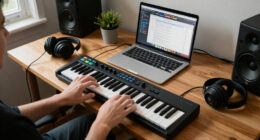
The PreSonus Eris E7 XT is my best overall pick for buyers who want a larger near-field monitor, while the Yamaha HS8 suits rooms that can handle its bigger cabinet and strong low-frequency reach. For compact desks, the PreSonus Eris 3.5 and Edifier MR4 offer smaller-footprint alternatives. The main tradeoff is between room-filling bass and a practical desktop size, with connectivity and listening habits also shaping the choice. Some models prioritize studio-focused monitoring, while others add Bluetooth or everyday listening flexibility. Read on for a comparison of all 14 options and guidance on choosing speakers that fit your room, setup, and work.

Get audio and creator gear delivered free with Prime
- Fast, free delivery on millions of items
- Prime Video, Amazon Music and more included
- Member-only deals all year
Complete the kit



Key Takeaways
- The Eris E7 XT and Yamaha HS8 lead for larger-room monitoring: their bigger format is better suited to buyers who need more output and low-frequency reach than compact desktop speakers can provide.
- Small rooms favor compact models, not simply the most powerful pair: the Eris 3.5, MR4, and Yamaha HS4 are easier to fit on a desk, though their smaller cabinets limit bass extension.
- The Yamaha HS5 and HS8 prioritize studio monitoring over added convenience: buyers choosing between them should focus on room size and listening distance rather than assuming the bigger model is automatically better.
- Bluetooth adds flexibility, not a substitute for a studio signal chain: the Ortizan C7 and Edifier MR3 suit mixed-use setups, while wired connections remain the more direct choice for production work.
- Some options are close alternatives rather than distinct speaker designs: the black and white Ortizan C7 listings share the same stated core model, so color and placement should guide that choice; the Edifier R1280T is better treated as a listening-first option than a dedicated reference monitor.
| PreSonus Eris E7 XT 2-Way Active Studio Monitor |  | Best for a Wide Mixing Sweet Spot | Configuration: 2-way active monitor | Low-frequency driver: 6.55-inch woven composite | High-frequency transducer: 1.25-inch silk dome | VIEW LATEST PRICE | See Our Full Breakdown |
| Mackie CR3.5 Studio Monitors (Pair), 3.5″ Woofers, Tone Knob, Black |  | Best for Tight Desktop Setups | Speaker configuration: Pair, 2-channel | Woofer diameter: 3.5 inches | Tweeter diameter: 1 inch | VIEW LATEST PRICE | See Our Full Breakdown |
| Yamaha HS8 8-Inch Powered Studio Monitor Pair – Black |  | Best for Full-Range Mix Decisions | Woofer size: 8 inches | Tweeter size: 1 inch dome | Frequency response: 38 Hz–30 kHz | VIEW LATEST PRICE | See Our Full Breakdown |
| M-AUDIO BX4 4.5″ Wired Studio Monitors Pair |  | Best for Flexible Wired Setups | Woofer diameter: 4.5 inches | Tweeter diameter: 2.54 centimeters | Power output: 120 watts | VIEW LATEST PRICE | See Our Full Breakdown |
| Ortizan C7 Powered Studio Monitors Pair with Bluetooth 5.3, Black |  | Best for Wireless Desktop Convenience | Bluetooth: Version 5.3 | Woofer diameter: 3.5 inches | Tweeter diameter: 0.75 inches | VIEW LATEST PRICE | See Our Full Breakdown |
| PreSonus Eris 3.5 Powered Studio Monitors, Pair |  | Best Compact Desktop Pick | Speaker size: 3.5 inches | Tweeter diameter: 1 inch | Power: 50 watts | VIEW LATEST PRICE | See Our Full Breakdown |
| Yamaha HS4 Powered Studio Monitor in White, Pair |  | Best Compact Mixing Monitor | Woofer size: 4.5 inches | Frequency response: 60 Hz–22 kHz | Power output: 26 W + 26 W | VIEW LATEST PRICE | See Our Full Breakdown |
| Yamaha HS5 W 5-Inch Powered Studio Monitor (White, 2-Pack) Bundle |  | Best for Dedicated Mixing | Woofer diameter: 5 inches | Tweeter diameter: 1 inch | Maximum output power: 70 watts | VIEW LATEST PRICE | See Our Full Breakdown |
| Edifier MR5 2.0 Studio Monitor Bookshelf Speakers, 110W RMS, Black |  | Best Connected Studio-and-Home Option | Power: 110W RMS | Frequency response: 46 Hz–40 kHz | Woofer diameter: 5 inches | VIEW LATEST PRICE | See Our Full Breakdown |
| PreSonus Eris E4.5 2-Way 4.5-Inch Near Field Studio Monitor (Pair) |  | Best Beginner Upgrade | Woofer diameter: 4.5 inches | Tweeter diameter: 1 inch | Power: 50 watts total (25 watts per side) | VIEW LATEST PRICE | See Our Full Breakdown |
| Edifier MR3 Powered Studio Monitor, Bluetooth Active Speaker |  | Best for Wireless Flexibility | Power output: 42 watts | Speaker configuration: Stereo, 2 channels | Speaker size: 4 inches | VIEW LATEST PRICE | See Our Full Breakdown |
| Edifier R1280T Powered Bookshelf Speakers – 2.0 Near Field Studio Monitor |  | Best for Simple Wired Listening | Power output: 42 watts RMS | Driver size: 4 inches | Tweeter: 13 mm silk dome | VIEW LATEST PRICE | See Our Full Breakdown |
| Edifier MR4 Studio Monitor Speakers, 42W, 4-inch Powered Desktop Speakers, White |  | Best for Entry-Level Production | Power output: 42W RMS (21W + 21W) | Woofer: 4 inches | Tweeter: 1-inch silk dome | VIEW LATEST PRICE | See Our Full Breakdown |
| Ortizan C7 Powered Studio Monitors Pair with Bluetooth 5.3, White |  | Best Compact Connectivity Pick | Woofer diameter: 3.5 inches | Tweeter diameter: 0.75 inches | Connectivity: Bluetooth 5.3, RCA, AUX, TRS, Type-C | VIEW LATEST PRICE | See Our Full Breakdown |
| studio monitor speaker | Connectivity | Woofer diameter | Tweeter diameter | Frequency response |
|---|---|---|---|---|
| PreSonus Eris E7 XT 2-Way Acti | Versatile I/O options | — | — | — |
| Mackie CR3.5 Studio Monitors | — | 3.5 inches | 1 inch | — |
| Yamaha HS8 8-Inch Powered Stud | XLR | — | — | 38 Hz–30 kHz |
| M-AUDIO BX4 4.5" Wired Studio | — | 4.5 inches | 2.54 centimeters | — |
| Ortizan C7 Powered Studio Moni | — | 3.5 inches | 0.75 inches | — |
| PreSonus Eris 3.5 Powered Stud | — | — | 1 inch | 80 Hz–20 kHz |
| Yamaha HS4 Powered Studio Moni | — | — | — | 60 Hz–22 kHz |
| Yamaha HS5 W 5-Inch Powered St | XLR | 5 inches | 1 inch | 30,000 Hz (as listed) |
| Edifier MR5 2.0 Studio Monitor | Bluetooth 6.0, XLR, TRS, RCA, aux | 5 inches | 1 inch | 46 Hz–40 kHz |
| PreSonus Eris E4.5 2-Way 4.5-I | — | 4.5 inches | 1 inch | 20 kHz (as listed) |
| Edifier MR3 Powered Studio Mon | Bluetooth, RCA, AUX | 3.5 inches | — | — |
| Edifier R1280T Powered Bookshe | Dual AUX, wired | — | — | 80 Hz |
| Edifier MR4 Studio Monitor Spe | TRS, RCA, AUX | — | — | 60 Hz–20 kHz |
| Ortizan C7 Powered Studio Moni | Bluetooth 5.3, RCA, AUX, TRS, Type-C | 3.5 inches | 0.75 inches | — |
More Details on Our Top Picks
PreSonus Eris E7 XT 2-Way Active Studio Monitor
The Eris E7 XT is the strongest fit here for producers who need to hear a mix clearly from more than one fixed listening position. Its EBM waveguide is designed to spread high frequencies across a wider area, while acoustic tuning controls help adapt the sound to the room. Compared with the compact Mackie CR3.5, its 6.55-inch driver and 130-watt output are better suited to fuller-range listening and larger nearfield setups. That extra scale also calls for more desk or stand space, and its acoustic controls do not replace careful speaker placement. The listed lightweight design may be less stable on an unsuitable surface, and there is no wireless playback. I’d choose it over smaller desktop picks when shared listening and mix decisions matter more than a minimal footprint.
Pros:- Wide sweet spot supports listening from more than one position
- Acoustic tuning controls help adapt response to the room
- 6.55-inch driver and 130-watt output suit more substantial nearfield setups
- Versatile I/O options support varied studio connections
Cons:- Larger cabinet needs more space than compact desktop models such as the Mackie CR3.5
- Lightweight construction may need a stable stand or isolation surface
- No built-in Bluetooth or other wireless playback
Best for: Home-studio producers who need a broad listening area for collaboration or frequent movement around the mix position
Not ideal for: Users with very small desks, unstable speaker surfaces, or a need for Bluetooth playback
- Configuration:2-way active monitor
- Low-frequency driver:6.55-inch woven composite
- High-frequency transducer:1.25-inch silk dome
- Waveguide:EBM
- Power output:130 watts
- Enclosure:Ported
- Dimensions:11.5 × 9.8 × 16 inches
- Connectivity:Versatile I/O options
Our verdict“Choose the Eris E7 XT if you want room to move around the listening area and can accommodate its larger cabinet.”
Mackie CR3.5 Studio Monitors (Pair), 3.5″ Woofers, Tone Knob, Black
For a crowded desk or a small editing station, the Mackie CR3.5 keeps the setup simple: its 3.5-inch woofers, tabletop format, included cables, and isolation pads make it easier to get started than a larger monitor such as the Yamaha HS8. The tone control knob gives users a quick way to tailor playback, which is handy when switching between focused work and casual listening. That flexibility is not the same as detailed room correction, and the 50-watt output and small woofer limit its suitability for larger rooms or bass-critical decisions. Compared with the M-AUDIO BX4, the CR3.5 prioritizes a smaller footprint over a larger driver and a broader set of tuning features. I’d pick it for nearfield desktop work, not as a substitute for a fuller-range mixing system.
Pros:- Compact tabletop size fits small desks
- Tone knob offers quick playback adjustment
- RCA and TRS inputs support common wired sources
- Includes isolation pads and cables for setup
Cons:- 3.5-inch woofers offer less low-frequency reach than larger monitors such as the Yamaha HS8
- 50-watt output is a poor match for large listening spaces
- Lacks the more extensive tuning options of the M-AUDIO BX4
Best for: Beginner producers, podcasters, and desktop editors who need powered stereo monitors for a compact workspace
Not ideal for: Mixers working in larger rooms or relying on deep bass judgment, because the 3.5-inch woofers and 50-watt output are limited
- Speaker configuration:Pair, 2-channel
- Woofer diameter:3.5 inches
- Tweeter diameter:1 inch
- Power output:50 watts
- Inputs:RCA, TRS
- Mounting type:Tabletop
- Dimensions:7.1 × 5.5 × 8.1 inches
- Included accessories:Isolation pads and cables
Our verdict“Choose the CR3.5 for basic nearfield work when saving desk space matters more than bass extension or advanced tuning.”
Yamaha HS8 8-Inch Powered Studio Monitor Pair – Black
The Yamaha HS8 is the most appropriate choice in this group for producers who need an 8-inch woofer and a stated response extending down to 38 Hz. Its bi-amped 120-watt system separates power for the low- and high-frequency drivers, while XLR connectivity fits a conventional studio signal chain. Compared with the compact Mackie CR3.5, the HS8 is built for more demanding mixing work and offers more low-end reach; it also takes up more room and requires more care with placement. Its size can make it a poor fit for a shallow desk or untreated small room, where bass buildup can complicate decisions. The single listed XLR connection is less flexible than the M-AUDIO BX4’s multiple input types. I’d favor it when mix translation takes priority over convenience and compactness.
Pros:- 8-inch woofer and 38 Hz lower response support fuller-range mix decisions
- Bi-amped system assigns separate amplification to low and high frequencies
- XLR input suits balanced studio connections
- Vibration-eliminating mounting system supports controlled playback
Cons:- Large cabinet needs more placement space than the Mackie CR3.5 or M-AUDIO BX4
- XLR-only listed connectivity is less flexible than the BX4’s multiple inputs
- Placement and room acoustics can be challenging in small spaces
Best for: Mix engineers and serious home-studio producers with adequate room, stands, and a balanced listening position
Not ideal for: Casual desktop listeners or owners of small, untreated rooms where an 8-inch monitor may be difficult to place
- Woofer size:8 inches
- Tweeter size:1 inch dome
- Frequency response:38 Hz–30 kHz
- Total amplification:120 watts
- Low-frequency amplification:75 watts
- High-frequency amplification:45 watts
- Connectivity:XLR
- Color:Black
Our verdict“Choose the HS8 when you have room to place larger monitors properly and need more low-frequency information for mixing.”
M-AUDIO BX4 4.5″ Wired Studio Monitors Pair
The M-AUDIO BX4 stands out for a desktop studio that needs more connection choices than the Mackie CR3.5 offers. Its 1/4-inch, 1/8-inch, and RCA inputs, plus an aux input and headphone output, make it easier to connect production gear and everyday audio sources without relying on an adapter for every change. The 4.5-inch Kevlar woofers give it a larger-driver advantage over the CR3.5, while customizable EQ provides some sound adjustment. But it is still far more compact than the 8-inch Yamaha HS8, and should not be treated as a full-range replacement for larger monitors. The listed frequency-response figure is only 22 kHz, with no lower limit supplied, so it does not establish bass extension. I’d choose it for connection flexibility, not for wireless use or deep-bass monitoring.
Pros:- Multiple input types accommodate varied wired sources
- Aux input and headphone output add convenient desktop connections
- 4.5-inch Kevlar woofers are larger than the Mackie CR3.5’s drivers
- Customizable EQ allows some tailoring to the setup
Cons:- No wireless connectivity
- Larger than the CR3.5 and may crowd a small desk
- Listed frequency-response information gives no lower bass limit
Best for: Desktop producers, streamers, and podcasters who connect several wired sources and want a headphone output on the speaker
Not ideal for: Listeners who need Bluetooth, verified low-frequency extension, or a particularly small speaker footprint
- Woofer diameter:4.5 inches
- Tweeter diameter:2.54 centimeters
- Power output:120 watts
- Enclosure:Engineered wood
- Woofer material:Kevlar
- Inputs:1/4-inch, 1/8-inch, RCA
- Additional connections:Aux input, headphone output
- Listed frequency-response figure:22 kHz
Our verdict“Choose the BX4 if wired connection flexibility and desktop convenience matter more than wireless playback or confirmed bass extension.”
Ortizan C7 Powered Studio Monitors Pair with Bluetooth 5.3, Black
The Ortizan C7 is the unusual pick in this group for buyers who want studio-style desktop speakers that can also take a wireless source. Bluetooth 5.3 sits alongside RCA, 3.5 mm AUX, and balanced TRS inputs, so a computer or phone can share the setup with wired studio gear. That breadth makes it more convenient for mixed work and casual playback than the wired-only M-AUDIO BX4, but Bluetooth should not be the main link for latency-sensitive production. Its compact 3.5-inch woofer is closer in scale to the Mackie CR3.5 than to the PreSonus Eris E7 XT, limiting how much low end a small cabinet can provide. The supplied weight figure appears unreliable, so I would not use it to judge build stability. Choose this for connectivity, not as the lineup’s most clearly specified reference monitor.
Pros:- Bluetooth 5.3 adds wireless playback alongside wired connections
- RCA, 3.5 mm AUX, and balanced TRS inputs support varied sources
- Compact dimensions suit desktop setups
- Built-in 24-bit DAC is listed as an additional feature
Cons:- 3.5-inch woofer is less suited to bass-critical work than the PreSonus Eris E7 XT
- Bluetooth is not the best connection for latency-sensitive production
- Listed weight of 1.3 g appears unreliable and makes stability difficult to assess
Best for: Desktop creators who switch between wired production sources and Bluetooth playback from a phone or tablet
Not ideal for: Mix engineers who need verified low-frequency performance, dependable latency for production, or clearly documented cabinet weight
- Bluetooth:Version 5.3
- Woofer diameter:3.5 inches
- Tweeter diameter:0.75 inches
- Inputs:RCA, 3.5 mm AUX, balanced TRS
- DAC:24-bit
- Dimensions:5.11 × 5.9 × 7.67 inches
- Enclosure materials:ABS, metal, wood
- Listed weight:1.3 g (as supplied; may be inaccurate)
Our verdict“Choose the C7 if wireless convenience is a priority, but select a larger, better-documented monitor for critical mix decisions.”
PreSonus Eris 3.5 Powered Studio Monitors, Pair
The PreSonus Eris 3.5 is the space-saving choice here: its small cabinets and 3.5-inch woofers suit a close listening position where larger monitors would crowd the desk. High- and low-frequency controls let me adjust the balance for a desktop setup, while TRS, RCA, and aux inputs make it easy to connect production gear and everyday audio sources. Compared with the Yamaha HS4, the Eris 3.5 takes up less room and offers more modest near-field functionality, but its listed 80 Hz lower response limit points to less bass reach. That makes it a practical fit for editing, streaming, or starting mixes, not a substitute for a subwoofer when low-end decisions matter. Its output is intended for near-field listening, and it needs an outlet rather than running on its own power.
Pros:- Compact cabinets are easier to fit on a crowded desk than the larger PreSonus Eris E4.5.
- High- and low-frequency controls allow adjustments for the listening setup.
- TRS, RCA, and aux inputs accommodate studio equipment and everyday sources.
- 50 watts of stated power suit close-range desktop listening.
Cons:- The 80 Hz lower frequency limit offers less bass extension than the Yamaha HS4’s listed 60 Hz response.
- Near-field design is a poor match for large rooms or distant listening.
- Requires external power and is not water resistant.
Best for: Desk-based creators, streamers, and beginner producers who need a compact stereo pair with basic tone adjustment and flexible wired inputs.
Not ideal for: Producers mixing bass-heavy music who need deeper low-frequency monitoring, or anyone who needs speakers to fill a large room.
- Speaker size:3.5 inches
- Tweeter diameter:1 inch
- Power:50 watts
- Frequency response:80 Hz–20 kHz
- Inputs:TRS, RCA, aux
- Dimensions:5.5 × 6 × 8.3 inches
- Weight:6.4 pounds
- Mounting type:Desktop, bookshelf
Our verdict“Choose the Eris 3.5 for a small, adaptable desktop setup, but pick a larger monitor or add a subwoofer if low bass is central to your work.”
Yamaha HS4 Powered Studio Monitor in White, Pair
The Yamaha HS4 brings a more mix-focused setup to a compact footprint. Its 4.5-inch woofer and listed 60 Hz–22 kHz response reach lower and higher than the PreSonus Eris 3.5’s stated range, which can help when checking more of a mix without moving to a substantially larger speaker. Room Control and High Trim response adjustments give me useful ways to adapt the sound to a limited-space editing desk. It also accepts XLR/TRS combo, RCA, and stereo mini connections, making it more accommodating than a single-input pair. Compared with the Yamaha HS5, the HS4 is the smaller-room option, but its lower stated power and smaller woofer make it less suited to louder playback or confident deep-bass checks. Its 15-pound listed weight is also substantial for a compact tabletop pair.
Pros:- Room Control and High Trim adjustments help tailor playback to a constrained workspace.
- XLR/TRS combo, RCA, and stereo mini inputs support varied source equipment.
- Listed response extends to 60 Hz, below the Eris 3.5’s stated 80 Hz limit.
- Compact cabinet dimensions suit smaller editing and production spaces.
Cons:- A 4.5-inch woofer still limits deep-bass monitoring compared with larger monitors.
- 26 W + 26 W output is less headroom than the HS5’s listed 70-watt maximum output.
- At 15 pounds, the pair is relatively heavy for a tabletop setup.
Best for: Video editors and home-studio mixers who want compact monitors with room and treble adjustments plus balanced-input compatibility.
Not ideal for: Bass-focused producers or people needing high playback levels and broad room coverage; the compact woofer and 26 W + 26 W output are limiting factors.
- Woofer size:4.5 inches
- Frequency response:60 Hz–22 kHz
- Power output:26 W + 26 W
- Inputs:XLR/TRS combo, RCA, stereo mini
- Dimensions:8.4 × 5.9 × 9.4 inches
- Weight:15 pounds
- Mounting type:Tabletop
- Warranty:1 year
Our verdict“Pick the HS4 for compact, adjustable mixing in a small room, but choose the HS5 or a larger model when bass extension and output take priority.”
Yamaha HS5 W 5-Inch Powered Studio Monitor (White, 2-Pack) Bundle
The Yamaha HS5 W pair is the more dedicated studio choice in this group, built around a 5-inch woofer, bi-amplified design, and a stated 70-watt maximum output. That combination makes it a stronger fit for mix decisions than the compact Yamaha HS4, especially when a producer wants a larger near-field monitor and a straightforward XLR connection. The tradeoff is physical: this bundle’s listed dimensions are much larger than the HS4’s, so I would check desk or stand space before choosing it. The supplied data lists a frequency response of 30,000 Hz without a lower-frequency endpoint, so it does not establish bass extension; buyers should not read that figure as a complete response range. There is no wireless connectivity, and the pair is intended for a corded studio setup rather than flexible everyday placement.
Pros:- Two monitors provide a stereo pair for studio monitoring.
- Bi-amplified design and 70-watt maximum output suit dedicated near-field work.
- Five-inch woofers offer a larger monitor format than the HS4 and Eris 3.5.
- XLR connectivity supports a wired studio signal path.
Cons:- The listed dimensions are large and may be awkward on a small desk.
- No wireless connectivity is listed.
- The supplied 30,000 Hz response figure does not specify a lower limit for judging bass reach.
Best for: Home-studio producers with room for larger near-field monitors who prioritize a dedicated wired mixing setup and XLR connectivity.
Not ideal for: Desk users short on space, buyers who need Bluetooth, or bass-critical mixers seeking clearly specified low-frequency extension.
- Woofer diameter:5 inches
- Tweeter diameter:1 inch
- Maximum output power:70 watts
- Frequency response:30,000 Hz (as listed)
- Connectivity:XLR
- Audio channels:2
- Mounting type:Tabletop
- Dimensions:18 × 23.7 × 18.3 inches
Our verdict“Choose the HS5 W pair for a wired, space-allowing mixing desk, but look at the HS4 if compact placement matters more.”
Edifier MR5 2.0 Studio Monitor Bookshelf Speakers, 110W RMS, Black
The Edifier MR5 is the most flexible pick for someone who wants studio-style connections and household convenience in one system. Its stated 110W RMS power, 5-inch woofer, and 46 Hz–40 kHz response offer a broader stated range than the compact Eris 3.5, while XLR, TRS, RCA, aux, and Bluetooth 6.0 cover both production gear and casual playback. Room tuning and a 3-way active crossover add adjustment options that the simpler PreSonus Eris E4.5 does not list. That breadth is also a tradeoff: Bluetooth is useful for listening, but mixing decisions are better made over a wired connection, and room tuning takes setup rather than being a plug-and-place solution. At 10.38 kg and with 11-inch depth, the MR5 is less desk-friendly than the smaller PreSonus pairs.
Pros:- XLR, TRS, RCA, aux, and Bluetooth 6.0 provide unusually broad source compatibility.
- Listed 46 Hz lower response reaches below the Eris 3.5’s stated 80 Hz limit.
- Room tuning and a 3-way active crossover offer more adjustment than the Eris E4.5 listing.
- 110W RMS power supports near-field listening and room-filling playback.
Cons:- Its 10.38 kg weight and 11-inch depth make it a poor fit for crowded desks.
- Room tuning requires setup and calibration rather than simple placement.
- Bluetooth convenience is not a replacement for a wired signal path when making mix decisions.
Best for: Producers who also use their monitors for home listening and want balanced inputs, Bluetooth playback, room tuning, and stronger stated bass reach.
Not ideal for: Small-desk users seeking lightweight speakers, or engineers who want a simple wired-only setup with minimal tuning and placement demands.
- Power:110W RMS
- Frequency response:46 Hz–40 kHz
- Woofer diameter:5 inches
- Tweeter diameter:1 inch
- Connectivity:Bluetooth 6.0, XLR, TRS, RCA, aux
- Dimensions:11 × 6.3 × 10.4 inches
- Weight:10.38 kg
- Enclosure material:MDF
Our verdict“Choose the MR5 if one system must handle wired studio work and wireless home listening, but opt for a smaller pair when desk space is tight.”
PreSonus Eris E4.5 2-Way 4.5-Inch Near Field Studio Monitor (Pair)
The PreSonus Eris E4.5 makes sense as a first step beyond the smallest desktop monitors: its 4.5-inch woofer gives it a larger format than the Eris 3.5, while its compact near-field design still suits a home desk. Multiple TRS, RCA, and aux inputs make source changes straightforward, and the tuning controls offer some room to adjust the sound to the setup. A built-in headphone amplifier is especially handy when I need to switch from speakers to private monitoring without reaching for a separate device. Compared with the Yamaha HS4, the E4.5 emphasizes accessible multimedia use and headphone convenience, while the HS4 lists a wider frequency response and dedicated room controls. The E4.5’s stated specs do not give a lower frequency-response limit, and its 50-watt total output is not aimed at large rooms or heavy bass playback.
Pros:- A 4.5-inch woofer gives it a larger format than the Eris 3.5.
- TRS, RCA, and aux inputs accommodate common studio and consumer sources.
- Tuning controls allow some adjustment to the listening environment.
- Built-in headphone amplifier makes private monitoring convenient.
Cons:- The listed specs give no lower frequency-response limit, making bass extension difficult to judge.
- 50 watts total output is not suited to filling a large room.
- Low-end monitoring may need a subwoofer for bass-heavy production.
Best for: New producers and multimedia creators who want a compact wired pair, basic sound tuning, and a built-in headphone output for switching monitoring modes.
Not ideal for: Mixers who need specified deep-bass response, high output for a large room, or more detailed room-adjustment options than basic tuning controls.
- Woofer diameter:4.5 inches
- Tweeter diameter:1 inch
- Power:50 watts total (25 watts per side)
- Frequency response:20 kHz (as listed)
- Inputs:¼-inch TRS, RCA, ⅛-inch aux
- Enclosure material:Medium-density fiberboard, Kevlar
- Additional features:Tuning controls, headphone amplifier
- Speaker type:2-way monitor
Our verdict“Pick the Eris E4.5 as a beginner-friendly desktop upgrade with useful headphone convenience, but choose the HS4 for more clearly specified response and room controls.”
Edifier MR3 Powered Studio Monitor, Bluetooth Active Speaker
The Edifier MR3 is a flexible desktop monitor for buyers who want wired studio connections without giving up Bluetooth for casual listening. RCA, AUX, and Bluetooth inputs make it easier to share a setup between a computer, phone, and other sources than with the wired-only Edifier R1280T. Its app-based sound modes add listening adjustments, though that convenience is less useful if you want a strictly fixed reference sound. The stated 42-watt output and stereo design suit near-field editing and general desktop playback, but the provided specs do not establish the same frequency-response detail listed for the MR4. I’d choose the MR4 instead for its specified 60 Hz–20 kHz range and Monitor Mode; the MR3 makes more sense when Bluetooth and app control matter more than a clearly stated response range.
Pros:- Bluetooth, RCA, and AUX support several source types
- App provides customizable sound modes
- 42-watt stereo output is suited to desktop listening
- High-resolution audio certification is listed in the product description
Cons:- Provided specs give no usable frequency-response range for judging tonal coverage
- Full sound customization depends on the app
- The listed dimensions may be a poor fit for compact desks
Best for: Desktop creators who switch between a computer and phone and want Bluetooth alongside RCA and AUX connections.
Not ideal for: Buyers seeking a clearly specified frequency response for reference work, or those with very limited desk space.
- Power output:42 watts
- Speaker configuration:Stereo, 2 channels
- Speaker size:4 inches
- Woofer diameter:3.5 inches
- Connectivity:Bluetooth, RCA, AUX
- Signal-to-noise ratio:85 dB
- Wireless range:10 meters
- Weight:9.9 pounds
Our verdict“Choose the MR3 if Bluetooth and app-adjustable listening modes matter more to your desktop setup than a fully specified reference response.”
Edifier R1280T Powered Bookshelf Speakers – 2.0 Near Field Studio Monitor
The Edifier R1280T suits listeners who want powered near-field speakers with straightforward controls and a furniture-friendly wood finish. Its dual AUX inputs let two wired sources stay connected, while the remote and bass-and-treble adjustments make everyday listening easier than a more studio-focused setup such as the Edifier MR4, which offers dedicated Monitor and Music modes. That flexibility comes with a tradeoff: the R1280T’s listed frequency response begins at 80 Hz, and its provided specs describe a 4-inch driver rather than a separate woofer-and-tweeter arrangement. I’d pick the MR4 for its stated 60 Hz–20 kHz response and TRS inputs when production work is the priority. The R1280T is the more approachable fit for a wired desktop or living-room setup, but its size and lack of wireless input narrow its appeal.
Pros:- Dual AUX inputs keep two wired sources connected
- Remote control allows convenient adjustments from a listening position
- Bass and treble controls let listeners tailor playback
- Wood enclosure suits home and desktop setups
Cons:- Wired connectivity only, with no Bluetooth listed
- Listed frequency response starts at 80 Hz
- Large listed dimensions can crowd a small desk
Best for: Home listeners and beginner creators who want two wired sources, a remote, and tone controls in a bookshelf-style speaker.
Not ideal for: Producers who need Bluetooth, balanced TRS inputs, or a listed response extending below 80 Hz.
- Power output:42 watts RMS
- Driver size:4 inches
- Tweeter:13 mm silk dome
- Frequency response:80 Hz
- Connectivity:Dual AUX, wired
- Impedance:4 ohms
- Signal-to-noise ratio:85 dB
- Warranty:2 years
Our verdict“Pick the R1280T for convenient wired desktop listening and simple tone controls, not for connectivity flexibility or deeper stated bass extension.”
Edifier MR4 Studio Monitor Speakers, 42W, 4-inch Powered Desktop Speakers, White
The Edifier MR4 is the clearest fit here for a small home studio where a defined monitor mode and practical wired inputs matter more than wireless convenience. Its stated 60 Hz–20 kHz frequency response, 4-inch woofer, and 1-inch silk dome tweeter give buyers more useful reference information than the R1280T’s single listed 80 Hz response point. TRS, RCA, and AUX connections also accommodate a wider range of wired sources than the R1280T’s AUX-only listing. The Monitor Mode / Music Mode switch supports both focused editing and relaxed playback, though a 4-inch woofer still limits low-bass output compared with larger monitors such as the Yamaha HS8. There’s no Bluetooth, and an external power source is required. I’d shortlist the MR4 for near-field production, but pair it with a subwoofer if low-frequency decisions are central to your work.
Pros:- Specified 60 Hz–20 kHz frequency response
- Monitor and Music modes serve focused work and casual playback
- TRS, RCA, and AUX inputs support several wired sources
- Compact desktop design with a 4-inch woofer and silk dome tweeter
Cons:- Limited low-bass output from the 4-inch woofer
- No Bluetooth connectivity
- Requires an external power source
Best for: Beginner producers and video editors who need compact, wired near-field monitors with a defined response range and a reference-oriented mode.
Not ideal for: Bass-heavy producers who need substantial low-end output without a subwoofer, or users who want wireless playback.
- Power output:42W RMS (21W + 21W)
- Woofer:4 inches
- Tweeter:1-inch silk dome
- Frequency response:60 Hz–20 kHz
- Connectivity:TRS, RCA, AUX
- Enclosure:MDF
- Sound modes:Monitor Mode, Music Mode
- Color:White
Our verdict“Choose the MR4 for compact, wired production work with a stated response range, and look to a larger monitor or subwoofer for stronger bass.”
Ortizan C7 Powered Studio Monitors Pair with Bluetooth 5.3, White
The white Ortizan C7 is aimed at creators who need a small desktop system with a broad mix of connections, including Bluetooth 5.3, RCA, AUX, TRS, and Type-C. That range makes it more adaptable to mixed computer and mobile setups than the wired Edifier MR4, while the MR4 provides a specific 60 Hz–20 kHz response and named Monitor and Music modes that make its studio role easier to judge. The C7’s 3.5-inch woofer and compact design suit close listening where desk space is tight, but the supplied data does not include output power or frequency response, so buyers have less information for matching it to demanding production work. Bluetooth adds convenience, not a substitute for a wired monitoring path. I’d choose it for a space-conscious multi-device setup, not for low-end-critical mixing.
Pros:- Bluetooth 5.3 plus RCA, AUX, TRS, and Type-C connections
- Compact format fits space-constrained desktop setups
- 3.5-inch woofer and 0.75-inch tweeter are specified
- White finish offers an alternative to the black C7 model
Cons:- Provided data does not specify power output or frequency response
- Small woofer is a limitation for low-frequency monitoring
- Corded power is required despite Bluetooth playback
Best for: Desktop creators with limited space who need Bluetooth plus wired connections for a computer, phone, or audio interface.
Not ideal for: Mixers who need published power and frequency-response figures or a larger woofer for more substantial bass monitoring.
- Woofer diameter:3.5 inches
- Tweeter diameter:0.75 inches
- Connectivity:Bluetooth 5.3, RCA, AUX, TRS, Type-C
- Bluetooth range:18 meters
- Maximum range:10 meters
- Enclosure materials:ABS, metal, wood
- Power source:Corded electric
- Color:White
Our verdict“Choose the C7 when compact size and varied wired and wireless inputs outweigh the need for detailed published performance specifications.”
How We Picked
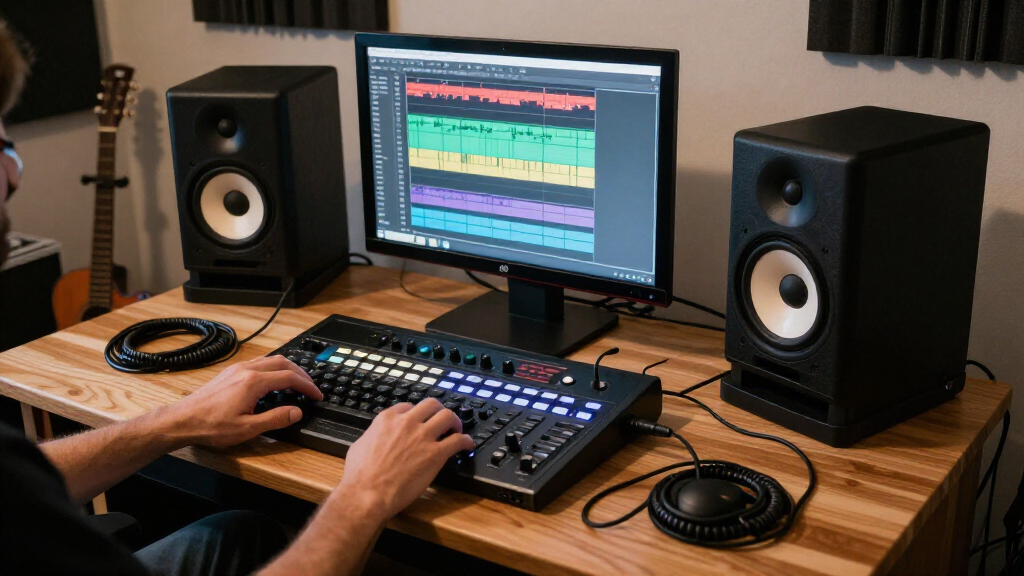
I ranked these studio monitor speakers by how well their stated design and features serve common home-studio needs: clear near-field listening, useful connection options, manageable size, and fit for the room. I also weighed how the model’s format affects real decisions, such as whether a pair is practical on a crowded desk or better suited to a dedicated monitoring position. Bluetooth and tone controls count as benefits for flexible, mixed-use listening, but they do not automatically make a speaker more suitable for critical production work.
The order favors monitoring usefulness and versatility first, then separates compact, budget-oriented, and listening-first choices by their likely use. Larger models rank well for users who need more output and bass reach, but not every room benefits from that size. Where two entries share a model name or similar purpose, I distinguish them by their practical role rather than treating cosmetic differences as a performance upgrade. I do not imply direct hands-on testing; the guide compares the listed product specifications and intended use cases.
Factors to Consider When Choosing Studio Monitor Speakers
Choosing studio monitors is less about finding the largest speaker and more about matching the monitor to your room, desk, listening distance, and workflow. These broader checks can prevent a common mismatch: buying features that sound appealing on paper but do not help you make better decisions while mixing or creating.
Match Speaker Size to the Room, Not Just the Bass You Want
A larger woofer can offer more low-frequency output, but it also needs a room and listening position that can accommodate it. In a small untreated bedroom, strong bass may build up unevenly, making low-end judgments less reliable rather than more informative. Compact speakers can be a better starting point when they sit close to the listener and the desk is the main workspace. If you need deeper bass for production, headphones or a carefully integrated subwoofer may solve the problem more predictably than oversized monitors. Leave space behind and beside the speakers, since boundaries can change perceived bass. I would choose for the room you actually have, not a future studio you may never build.
Plan the Listening Triangle and Desk Placement
Near-field monitors work best when the left speaker, right speaker, and listening position form a roughly equal-sided triangle. This helps preserve stereo placement and makes comparisons between tracks more consistent. A wide monitor spacing can weaken the center image, while speakers pushed against a wall may exaggerate bass or alter the tonal balance. Desk reflections can also color what you hear, particularly when the speakers sit directly on a hard surface. Stands or isolation pads can raise the tweeters toward ear level and reduce some mechanical vibration, though they cannot fix poor room acoustics. Before buying, measure the desk and check whether the cabinets can sit at a sensible height and distance.
Choose Connections Around Your Actual Workflow
Start by checking the outputs on your audio interface, computer, or mixer, then confirm the speakers accept a compatible connection. A pair with multiple inputs can make it easier to switch between a production source and another device, while Bluetooth can be handy for casual playback or reference listening. Wireless convenience is not a replacement for checking latency, codec behavior, or the reliability of your production signal path. If you plan to connect a phone, instrument, and interface, list those sources before choosing a model rather than relying on an adapter after the fact. Also check whether the listed product is a pair or a single monitor, since product names can make bundle details easy to miss. The simplest connection that fits your setup is often the least troublesome.
Decide Whether You Need Neutral Monitoring or Flexible Listening
Studio monitors are meant to make differences in a recording easier to hear, while many powered bookshelf speakers are designed to make everyday listening more enjoyable. Tone controls and sound-shaping features can help adapt a speaker to a room or personal preference, but they may also change the reference you are using to make mix decisions. That does not make flexible speakers unsuitable for a home studio; it means you should know which listening mode you are relying on. If you produce, mix, and stream music from the same desk, a model with convenient inputs may be a sensible compromise. For critical balance decisions, compare your work on headphones and other playback systems rather than treating one pair as an absolute reference. Prioritize consistency over a sound that is merely flattering.
Set Expectations for Bass and Room Treatment
Small near-field monitors cannot reproduce the lowest bass frequencies as fully as a larger system, and adding a subwoofer introduces its own setup demands. The crossover, level, and placement all need attention; an incorrectly adjusted sub can make mixes less dependable. Room treatment and placement may improve bass clarity more than moving to a larger speaker, especially in a small space with strong reflections. Do not assume that stated wattage alone predicts how accurately a monitor will translate a mix. Think about the music you make, the lowest frequencies you need to judge, and whether you can treat or measure the room. For many bedroom producers, learning a compact monitor’s limits is more useful than buying extra low end they cannot control.
Pay More for a Real Need, Not a Longer Feature List
A higher-tier or larger monitor makes sense when its output, low-frequency reach, or placement options solve a specific limitation in your current setup. If your work is mostly editing, podcasting, or learning basic production at a desk, a smaller pair may leave more room for the computer and control surface without holding you back. Extra wireless features can be valuable for shared use, but they do not necessarily improve monitoring accuracy. Consider the full setup too: stands, suitable cables, an interface, and room treatment may matter as much as the speaker itself. Avoid choosing an expensive pair before you know where it will sit and how you will connect it. A well-matched modest system can be more useful than a larger one in a poor location.
Frequently Asked Questions
Should I choose the Yamaha HS8 or a compact monitor for a small bedroom studio?
Choose the HS8 only if your room, listening distance, and placement can support a larger monitor. Its bigger format is aimed at buyers who want more output and low-frequency reach, but a small room can make bass harder to judge. For a close desk setup, a compact model such as the Eris 3.5, Edifier MR4, or Yamaha HS4 may be easier to position. Neither size guarantees accurate results without sensible placement. If low-end work is your priority, plan for room behavior as well as speaker capability.
Are Bluetooth studio monitor speakers suitable for mixing?
They can be part of a home-studio setup, but I would use a wired connection for primary production monitoring when the speaker supports one. Bluetooth is convenient for streaming references or casual listening, while wireless playback can add processing or latency that is less useful during recording and detailed editing. The Ortizan C7 and Edifier MR3 stand out for added wireless flexibility in this lineup. Check the specific inputs and your source device before buying. For critical decisions, use a consistent wired signal path and check the mix on other systems.
Do I need a pair of monitors, or can I start with one?
A pair is the practical choice for most music production because stereo placement, panning, and center balance depend on hearing left and right channels together. A single monitor can support some mono checks, speech editing, or a tightly limited budget, but it cannot show how a mix behaves across a stereo field. Confirm whether a product listing includes two speakers: some monitor models are sold as pairs, while others can be listed as single units or bundles. The Yamaha HS5 listing here specifies a two-pack, so that detail is clear for this roundup. Match the number of speakers to your actual workflow before ordering.
Will compact monitors give me enough bass for electronic music?
Compact monitors can work for arranging and general balance, but their smaller cabinets have physical limits at the deepest frequencies. You can still make useful decisions if you learn how their low end translates and check the result on headphones or another system. A larger option such as the HS8 or Eris E7 XT is better suited to listeners seeking more low-frequency reach, provided the room can handle it. A subwoofer is another route, though it needs careful level and crossover setup. Do not judge a monitor only by how much bass it produces at first listen.
Can bookshelf speakers like the Edifier R1280T replace dedicated studio monitors?
They can serve as convenient desktop speakers, but a listening-oriented bookshelf model is not automatically the same tool as a monitor chosen for production decisions. The R1280T may fit a mixed-use desk where everyday playback matters, while the Eris, Yamaha HS, and Edifier MR models are more directly positioned around studio monitoring. The difference matters if you are making detailed choices about tonal balance and mix translation. If you already own the R1280T, use it as one playback reference rather than assuming it must be replaced immediately. Buyers purchasing specifically for mixing should prioritize a consistent monitoring setup and verify the product’s connection needs.
Conclusion
For the strongest all-around fit in this roundup, I recommend the PreSonus Eris E7 XT as best overall; the Yamaha HS8 is the best premium pick for a larger room and a buyer seeking more output and low-frequency reach. The PreSonus Eris 3.5 is my best beginner choice for a compact desk, while the Edifier MR4 is a practical value-oriented alternative for buyers who want a small, straightforward pair. Choose the Ortizan C7 if Bluetooth and mixed-use playback matter, and consider the Edifier R1280T when everyday listening is a higher priority than dedicated reference monitoring. If you are unsure, start with room fit and wired connectivity: the right speaker is the one you can place and use consistently.
Fall Picks
fall essentials
As an affiliate, we earn on qualifying purchases.