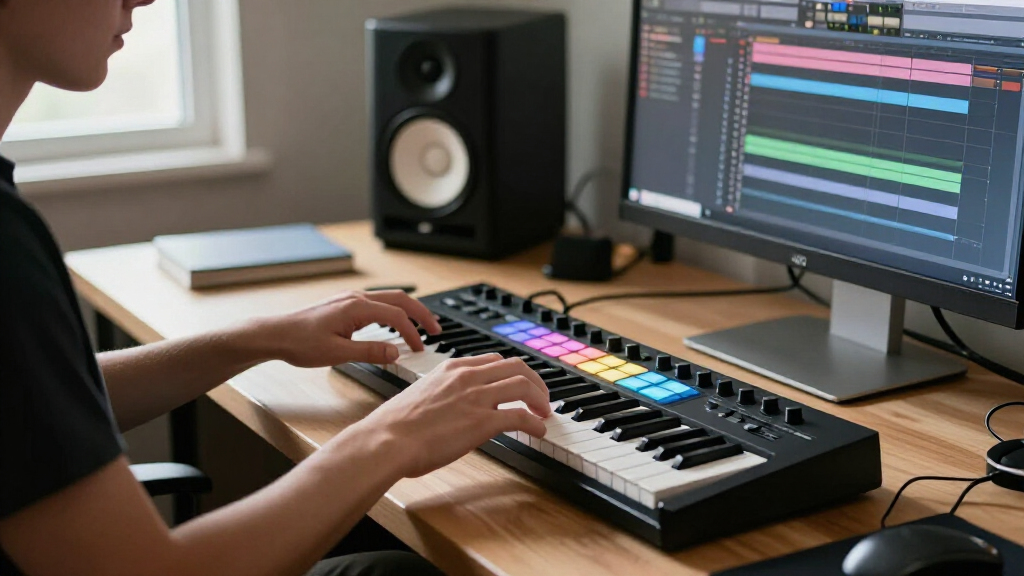

For most music producers, I’d start with the Arturia MiniLab 3: its compact keyboard layout, pads, and hands-on controls make it a versatile fit for common production tasks. The Akai MPK Mini Plus stands out if you want more keys and performance controls, while the M-Audio Keystation 49 MK3 suits players who prioritize a larger keyboard over built-in pads. The main tradeoff is between playing range, desk space, and direct control of your software. Dedicated pad units can make clip launching and beat programming easier, but they do not replace a keyboard for melodies. Read on for the full breakdown of all 15 MIDI controllers and which setup each one serves best.

Get audio and creator gear delivered free with Prime
- Fast, free delivery on millions of items
- Prime Video, Amazon Music and more included
- Member-only deals all year
Complete the kit


Key Takeaways
- The MiniLab 3 is the strongest all-rounder in this group: it balances keyboard input, pads, and hands-on controls without committing to a large desk footprint.
- Key count changes how a controller feels more than its size suggests: the 37-key MPK Mini Plus offers more room for two-handed parts than 25-key models, while the 49-key Keystation favors playing range over onboard controls.
- Pad controllers are specialized tools, not universal replacements: the APC Mini MK2 and APC40 MKII are aimed at clip-based Ableton workflows, while the MPD226 and LPD8 focus more on drum and sample triggering.
- Compact controllers divide into distinct use cases: the LPK25 and Keystation Mini 32 prioritize portable keyboard input, while the MPK Mini MK3 and DaierTek add pads and knobs for broader control.
- Software integration can outweigh extra controls: a controller suited to a buyer’s DAW and workflow may save more setup effort than a model with more pads, keys, or knobs.
| Native Instruments Komplete Kontrol M32 MIDI Controller Keyboard |  | Best for Instrument-Focused Production | Keys: 32 | Connectivity: USB 2.0 | Display: OLED | VIEW LATEST PRICE | See Our Full Breakdown |
| Akai Professional MPK Mini IV 25-Key USB-C MIDI Keyboard Controller, Black |  | Best All-Round Compact Controller | Keys: 25 velocity-sensitive mini keys | Connectivity: USB-C | MIDI output: Full-size MIDI Out | VIEW LATEST PRICE | See Our Full Breakdown |
| Akai Professional LPK25 25-Key USB MIDI Keyboard Controller |  | Best for Simple, Space-Saving Setups | Keys: 25 mini keys | Connectivity: USB | Controls: Octave up/down buttons and sustain button | VIEW LATEST PRICE | See Our Full Breakdown |
| AKAI Professional MPD226 USB MIDI Controller |  | Best Pad Controller for Hands-On Beat Making | Connectivity: USB | Pads: 16 velocity- and pressure-sensitive RGB pads | Assignable pads: 64 across 4 banks | VIEW LATEST PRICE | See Our Full Breakdown |
| DaierTek Midi Keyboard Controller 25-Key Portable Mini Bluetooth & USB MIDI Piano with 8 Backlit Drum Pads, 8 Knobs and Music Production Software |  | Best for Wireless and Mobile Setups | Keys: 25 velocity-sensitive keys | Connectivity: Bluetooth and USB | Battery: 2,000 mAh; approximately 16 hours | VIEW LATEST PRICE | See Our Full Breakdown |
| M-Audio Keystation 49 MK3 USB MIDI Controller |  | Best for Two-Handed Keyboard Playing | Key count: 49 | Key type: Full-size, velocity-sensitive | Connectivity: USB-MIDI | VIEW LATEST PRICE | See Our Full Breakdown |
| Akai Professional MPK Mini MK3 25-Key USB MIDI Keyboard Controller |  | Best for Portable Beatmaking | Number of keys: 25 | Connectivity: USB | USB interface: USB 2.0 Type B | VIEW LATEST PRICE | See Our Full Breakdown |
| Akai Professional APC Mini MK2 USB MIDI Pad Controller |  | Best for Ableton Live Clip Launching | Connectivity: USB | Pads: 64 RGB-backlit pads | Faders: 9 assignable faders | VIEW LATEST PRICE | See Our Full Breakdown |
| Akai Professional APC Key 25 MK2 USB MIDI Keyboard Controller |  | Best Compact Ableton All-in-One | Number of keys: 25 | Pads: 40 RGB backlit pads | Assignable knobs: 8 | VIEW LATEST PRICE | See Our Full Breakdown |
| Arturia MiniLab 3 Universal MIDI Controller, White |  | Best Compact General-Purpose Controller | Number of keys: 25 | Key type: Slim synth action with velocity control | Pads: 8 multicolor RGB pads, velocity- and pressure-sensitive | VIEW LATEST PRICE | See Our Full Breakdown |
| Akai Professional MPK Mini Plus 37-Key USB MIDI Keyboard Controller |  | Best for Standalone Sequencing and External Gear | Keys: 37 velocity-sensitive mini keys | Connectivity: USB | Drum pads: 8 backlit RGB MPC pads | VIEW LATEST PRICE | See Our Full Breakdown |
| Akai Professional APC40 MKII USB MIDI Pad Controller |  | Best for Ableton Live Clip Control | Connectivity: USB 2.0 Type B | Clip-launch grid: 5 × 8 RGB grid | Faders: 9 | VIEW LATEST PRICE | See Our Full Breakdown |
| M-Audio Oxygen Pro Mini 32 USB MIDI Keyboard Controller |  | Best Compact All-Rounder for DAW Control | Keys: 32 velocity-sensitive semi-weighted mini keys | Connectivity: USB | Pads: 8 assignable velocity-sensitive RGB pads with Note Repeat | VIEW LATEST PRICE | See Our Full Breakdown |
| Akai Professional LPD8 USB MIDI Pad Controller |  | Best Compact Pad-and-Knob Controller | Pads: 8 velocity-sensitive RGB-backlit drum pads | Knobs: 8 assignable Q-Link knobs | Presets: 4 programmable preset slots | VIEW LATEST PRICE | See Our Full Breakdown |
| M-Audio Keystation Mini 32 MK3 USB MIDI Controller |  | Best Simple Travel Keyboard | Keys: 32 velocity-sensitive mini keys | Connectivity: USB | Compatibility: Mac and Windows | VIEW LATEST PRICE | See Our Full Breakdown |
| MIDI controllers for music production | Connectivity | Compatibility | Pads |
|---|---|---|---|
| Native Instruments Komplete Ko | USB 2.0 | — | — |
| Akai Professional MPK Mini IV | USB-C | — | 8 velocity- and pressure-sensitive RGB pads |
| Akai Professional LPK25 25-Key | USB | Mac and PC | — |
| AKAI Professional MPD226 USB M | USB | — | 16 velocity- and pressure-sensitive RGB pads |
| DaierTek Midi Keyboard Control | Bluetooth and USB | — | 8 RGB backlit pads with velocity and aftertouch |
| M-Audio Keystation 49 MK3 USB | USB-MIDI | Mac and PC; iOS devices via separately sold Apple to USB Camera Adapter | — |
| Akai Professional MPK Mini MK3 | USB | Mac and Windows | — |
| Akai Professional APC Mini MK2 | USB | Mac and Windows | 64 RGB-backlit pads |
| Akai Professional APC Key 25 M | USB | — | 40 RGB backlit pads |
| Arturia MiniLab 3 Universal MI | USB only | — | 8 multicolor RGB pads, velocity- and pressure-sensitive |
| Akai Professional MPK Mini Plu | USB | Mac and Windows | — |
| Akai Professional APC40 MKII U | USB 2.0 Type B | Mac and Windows | — |
| M-Audio Oxygen Pro Mini 32 USB | USB | Windows and macOS | 8 assignable velocity-sensitive RGB pads with Note Repeat |
| Akai Professional LPD8 USB MID | USB | Mac and Windows | 8 velocity-sensitive RGB-backlit drum pads |
| M-Audio Keystation Mini 32 MK3 | USB | Mac and Windows | — |
More Details on Our Top Picks
Native Instruments Komplete Kontrol M32 MIDI Controller Keyboard
The Komplete Kontrol M32 suits producers who want a compact keyboard centered on playing and controlling software instruments. Its OLED display and touch-sensitive knobs give parameter adjustments and browsing more visual feedback than the simpler LPK25, while the included KOMPLETE KONTROL software, instruments, effects, MASCHINE Essentials, and Ableton Live 10 Lite provide a useful starting toolkit. At 32 keys, it offers more room for melodies than 25-key options such as the Akai MPK Mini IV, though it gives up that model’s drum pads and broader performance controls. The tradeoff is a compact range that can still feel restrictive for two-handed parts, plus dependence on a compatible device and software. I’d choose it for instrument-led sessions, not pad-first beat making.
Pros:- 32 keys provide more playing range than many 25-key mini controllers.
- OLED display and touch-sensitive knobs support hands-on instrument and effect control.
- Includes KOMPLETE KONTROL, MASCHINE Essentials, and Ableton Live 10 Lite.
- USB-powered design keeps a compact setup simple.
Cons:- The 32-key range can limit two-handed playing and wider arrangements.
- No drum pads for finger drumming or pad-based sequencing.
- Requires a compatible computer, tablet, or smartphone to make sound.
Best for: Computer-based producers who prioritize playing software instruments and want visual control feedback in a compact keyboard.
Not ideal for: Beat makers who want built-in drum pads, or keyboard players who need a wider range for two-handed parts.
- Keys:32
- Connectivity:USB 2.0
- Display:OLED
- Controls:Touch-sensitive knobs
- Included software:KOMPLETE KONTROL, MASCHINE Essentials, Ableton Live 10 Lite
- Dimensions:6.57 × 18.7 × 1.96 inches
- Weight:1 kg
Our verdict“Choose the M32 if software-instrument control and a little more keyboard range matter more than built-in drum pads.”
Akai Professional MPK Mini IV 25-Key USB-C MIDI Keyboard Controller, Black
The Akai MPK Mini IV is the most balanced choice here for producers who want keys, drum pads, and hands-on controls in one small surface. Its eight velocity- and pressure-sensitive RGB pads, eight assignable encoders, color display, and performance modes cover more beat-making tasks than the instrument-focused Komplete Kontrol M32. The arpeggiator, Chord mode, and Scale mode can also help turn a short idea into a playable part without adding a larger keyboard. Compared with the LPK25, the MPK Mini IV gives up some simplicity in exchange for pads, encoders, and a screen; compared with the DaierTek, it adds full-size MIDI Out but lacks Bluetooth operation. Its 25 mini keys are the main compromise, and DAW work still depends on compatible production software.
Pros:- Combines 25 velocity-sensitive keys with eight RGB pads and eight assignable encoders.
- Color display makes controller feedback easier to read.
- Arpeggiator, Chord mode, and Scale mode support quick performance ideas.
- Full-size MIDI Out offers a connection option beyond USB.
Cons:- Mini keys may feel cramped for players used to full-size keyboards.
- The 25-key range restricts wider or two-handed parts.
- DAW control requires compatible music production software.
Best for: Portable producers who want one compact controller for melodies, finger drumming, and DAW parameter control.
Not ideal for: Players who need full-size keys or a wider keyboard range, or buyers who specifically want wireless Bluetooth operation.
- Keys:25 velocity-sensitive mini keys
- Connectivity:USB-C
- MIDI output:Full-size MIDI Out
- Assignable encoders:8
- Pads:8 velocity- and pressure-sensitive RGB pads
- Display:Full-color screen
- Performance tools:Arpeggiator, Chord mode, Scale mode
- Included sounds:More than 1,000 sounds
Our verdict“Pick the MPK Mini IV if you want a versatile portable production surface and can work comfortably with mini keys.”
Akai Professional LPK25 25-Key USB MIDI Keyboard Controller
The Akai LPK25 makes the most sense when a small keyboard for entering notes is the main need. Its 25 mini keys, octave buttons, sustain button, and built-in arpeggiator cover basic melody and idea sketching without the extra controls of the MPK Mini IV. Eight programmable presets let producers recall settings for different DAWs or virtual instruments, while USB connection keeps setup straightforward on Mac and PC. The tradeoff is clear: unlike the MPK Mini IV, it has no drum pads, display, or assignable encoder bank, so it is less suited to controlling a whole production session. Its mini keys also limit comfortable performance for some players. I’d favor it over a more feature-heavy unit when desk space and a focused keyboard matter more than an all-in-one workflow.
Pros:- Compact 25-key layout fits alongside other studio equipment.
- Built-in arpeggiator and octave controls support expressive note input.
- Eight programmable presets can be recalled for different setups.
- USB connection supports a straightforward Mac or PC setup.
Cons:- Mini keys can feel small for extended playing.
- No drum pads, display, or assignable knobs for broader production control.
- Requires a computer or compatible USB-enabled device.
Best for: Producers with limited desk space who mainly need a compact keyboard for note entry, melodies, and virtual instruments.
Not ideal for: Beat makers who need pads and mixer-style controls, or players who prefer full-size keys and a broad playing range.
- Keys:25 mini keys
- Connectivity:USB
- Controls:Octave up/down buttons and sustain button
- Arpeggiator:Built-in arpeggiator and clock
- Programmable presets:8
- Compatibility:Mac and PC
Our verdict“Choose the LPK25 for compact note entry and basic performance tools, not for an all-in-one beat-making controller.”
AKAI Professional MPD226 USB MIDI Controller
The AKAI MPD226 is the dedicated pad choice in this group: it focuses on triggering samples and controlling production parameters rather than playing keyboard parts. Its 16 velocity- and pressure-sensitive RGB pads can cover 64 assignments across four banks, while 36 assignable controls across three banks give it more hands-on reach than the MPK Mini IV’s compact keyboard-and-pad layout. Four faders, Q-Link knobs, and buttons make it a stronger fit for producers who want direct control over mapped DAW functions. That specialization is also the main limitation: unlike the Komplete Kontrol M32 or LPK25, it has no keys for entering pitched parts. The plastic-and-rubber construction and 1.4 kg weight also make it less minimal than a small keyboard controller. Choose it for pad-led workflows, not melodic playing.
Pros:- Velocity- and pressure-sensitive RGB pads support expressive triggering.
- Four banks provide 64 assignable pad slots.
- 36 assignable controls, including faders, knobs, and buttons, allow extensive mapping.
- USB connection works with Mac and PC without requiring drivers.
Cons:- No keyboard keys for melodic note entry.
- Its 1.4 kg weight and larger footprint are less convenient than compact mini-key controllers.
- Connecting to iOS devices requires a Camera Connection Kit.
Best for: Beat makers and sample-based producers who want pressure-sensitive pads, multiple banks, and assignable controls for DAW work.
Not ideal for: Producers who need a keyboard for melodies or chord entry, or those seeking the lightest possible controller.
- Connectivity:USB
- Pads:16 velocity- and pressure-sensitive RGB pads
- Assignable pads:64 across 4 banks
- Assignable controls:36 across 3 banks
- Controls:4 faders, 4 Q-Link knobs, 4 Q-Link buttons
- Dimensions:13.08 × 9.96 × 1.92 inches
- Weight:1.4 kg
- Compatible devices:PC, Mac, and iOS devices with Camera Connection Kit
Our verdict“Pick the MPD226 if pads and mapped production controls are central to your workflow and you do not need keys.”
DaierTek Midi Keyboard Controller 25-Key Portable Mini Bluetooth & USB MIDI Piano with 8 Backlit Drum Pads, 8 Knobs and Music Production Software
The DaierTek 25-key controller stands apart from the wired Akai MPK Mini IV and LPK25 with Bluetooth connectivity and a rechargeable battery, making it a better match for mobile setups or devices where a cable-free connection is useful. It pairs mini keys with eight velocity-sensitive pads, eight assignable knobs, two touch strips, and arpeggio, Smart Chord, and Smart Scale functions. That gives beginners several ways to shape ideas without relying only on keyboard technique. Compared with the MPK Mini IV, it offers wireless flexibility and broad listed platform support, while the Akai adds full-size MIDI Out and a color display. The tradeoffs include Windows Bluetooth driver setup and no built-in speakers; it still needs software or audio hardware to produce sound. Its compact key range also limits larger parts.
Pros:- Bluetooth and USB connectivity support wired and wireless setups.
- Battery capacity is listed as 2,000 mAh, with approximately 16 hours of use.
- Combines 25 velocity-sensitive keys, eight RGB pads, eight knobs, and two touch strips.
- Smart Chord, Smart Scale, and arpeggio functions can help develop musical ideas.
Cons:- Bluetooth use on Windows requires a separate MIDI driver.
- No built-in speakers; sound requires external software or audio hardware.
- Mini keys and a 25-key range can constrain comfortable or wide-ranging playing.
Best for: Mobile producers and beginners who want a battery-powered controller with keys, pads, and wireless connection options across phones, tablets, and computers.
Not ideal for: Windows users who want a plug-in-and-play Bluetooth setup, or keyboard players who need full-size keys, a wider range, or built-in sound.
- Keys:25 velocity-sensitive keys
- Connectivity:Bluetooth and USB
- Battery:2,000 mAh; approximately 16 hours
- Pads:8 RGB backlit pads with velocity and aftertouch
- Assignable knobs:8
- Touch strips:2 capacitive strips for pitch bend and modulation
- Supported platforms:Windows, macOS, Android, iOS
- Additional features:Arpeggio, Smart Chord, Smart Scale
Our verdict“Choose the DaierTek if wireless mobile production and built-in performance aids matter more than the simpler setup and MIDI Out of the MPK Mini IV.”
M-Audio Keystation 49 MK3 USB MIDI Controller
The 49 full-size, velocity-sensitive keys make this the most natural fit here for piano-style parts and playing with both hands. Compared with the 25-key Akai MPK Mini MK3, the Keystation gives you more room to play chords and melodies without frequent octave changes, while keeping the setup simple with USB power and driver-free Mac and PC connection. Transport and directional buttons add basic DAW control, but this is primarily a keyboard rather than a pad-and-knob production surface. Its pitch and modulation wheels support expressive instrument parts; the tradeoff is fewer dedicated sound-shaping controls than the Arturia MiniLab 3. A sustain pedal can be connected, but it is sold separately, and iOS use requires a separately sold adapter. I’d choose it for a straightforward desk setup built around virtual instruments.
Pros:- 49 full-size velocity-sensitive keys provide more comfortable range for two-handed playing than the 25-key controllers here.
- USB power and driver-free Mac and PC connection keep setup straightforward.
- Transport, directional, pitch, and modulation controls offer practical DAW and performance adjustments.
- Bundled production and instrument software gives new users material to start making music.
Cons:- No drum-pad grid or bank of assignable rotary controls for hands-on beat and parameter work.
- Sustain pedal is sold separately.
- iOS connection requires a separately sold Apple to USB Camera Adapter.
Best for: Producers who record piano, layered chords, or two-handed virtual-instrument parts and want full-size keys without a complex control surface.
Not ideal for: Beatmakers who want an integrated pad grid and multiple assignable knobs, or mobile producers who need iOS connection hardware included.
- Key count:49
- Key type:Full-size, velocity-sensitive
- Connectivity:USB-MIDI
- Power:USB-powered
- Controls:Volume fader, transport and directional buttons, pitch and modulation wheels, octave buttons
- Pedal input:1/4 in (6.3 mm) sustain pedal input
- Compatibility:Mac and PC; iOS devices via separately sold Apple to USB Camera Adapter
- Included software:MPC Beats, Ableton Live Lite, Velvet, XPand2, Mini Grand, Touch Loops
Our verdict“Choose the Keystation 49 MK3 if full-size keys and room for two-handed parts matter more than pads and extensive knob control.”
Akai Professional MPK Mini MK3 25-Key USB MIDI Keyboard Controller
The MPK Mini MK3 packs keys, pads, and parameter controls into a compact controller, making it a more beat-focused travel option than the M-Audio Keystation 49 MK3. Its eight velocity-sensitive MPC-style pads suit drum programming, while eight assignable knobs let you adjust software instruments or effects without reaching for the mouse. The 25-key range is useful for short melodic parts and sketches, but it limits two-handed playing compared with the Keystation’s 49 full-size keys. An arpeggiator, Note Repeat, and Full Level add quick ways to build rhythmic ideas. The plastic construction and USB-only connection keep the design simple, though they offer less flexibility than a controller with broader connectivity. I’d pick it for compact, hands-on beat creation, not as a substitute for a larger keyboard.
Pros:- Eight velocity-sensitive pads support expressive drum programming.
- Eight assignable knobs provide hands-on control over software parameters.
- Arpeggiator, Note Repeat, and Full Level help shape rhythmic ideas quickly.
- Compact USB-powered design is easy to fit into a portable production setup.
Cons:- The 25-key range is restrictive for two-handed playing and wider melodies.
- USB connection is required, so it is not a cable-free controller.
- Plastic construction may feel less substantial than larger keyboard controllers.
Best for: Beatmakers and mobile producers who want a small USB controller with drum pads, assignable knobs, and keys for short melodic parts.
Not ideal for: Keyboard-led producers who need full-size keys or enough range for comfortable two-handed piano parts.
- Number of keys:25
- Connectivity:USB
- USB interface:USB 2.0 Type B
- Controls:Pitch and modulation joystick, 8 assignable knobs, 8 velocity-sensitive pads
- Features:Built-in arpeggiator, Note Repeat, Full Level
- Compatibility:Mac and Windows
- Material:Plastic
- Power:USB-powered
Our verdict“Pick the MPK Mini MK3 for portable beatmaking with pads and knobs, but choose the Keystation 49 MK3 for broader keyboard range.”
Akai Professional APC Mini MK2 USB MIDI Pad Controller
For a production workflow built around launching clips and managing a Live set, the APC Mini MK2’s 64 RGB pads make more sense than a keyboard-first controller such as the Akai Professional APC Key 25 MK2. The large grid gives clips visual identity, while nine assignable faders put mixer or device adjustments within reach. Drum and Note modes add ways to use the pads beyond clip triggering, but there are no keys for playing melodic parts; pairing it with a keyboard may be necessary. This is also the lineup’s most clearly software-specific choice: its strengths center on Ableton Live integration, so it is less appealing if your production setup relies on another DAW. USB power and a compact body keep the rig simple, though no carrying bag is included. I’d choose it when clip control matters more than integrated keys.
Pros:- 64 RGB-backlit pads make clip positions easier to identify during a session.
- Nine assignable faders offer direct control over mixer levels and device parameters.
- Drum and Note modes extend pad use beyond launching clips.
- Compact, USB-powered setup avoids a separate power supply.
Cons:- No keyboard is included, so melodic performance requires another controller or an alternate input method.
- Its strongest workflow is tied to Ableton Live, which may make it a less convenient fit for other DAWs.
- A carrying bag is not included.
Best for: Ableton Live producers who arrange with clips and want a dedicated grid plus faders for mixing or device control.
Not ideal for: Players seeking a single controller for both keyboard performance and clip launching, or producers working mainly in a different DAW.
- Connectivity:USB
- Pads:64 RGB-backlit pads
- Faders:9 assignable faders
- Modes:Drum and Note
- Supported software:Ableton Live
- Compatibility:Mac and Windows
- USB interface:USB 2.0 Type B
- Power:USB-powered
Our verdict“Choose the APC Mini MK2 if your Ableton workflow depends on clip launching and fader control, rather than playing keys.”
Akai Professional APC Key 25 MK2 USB MIDI Keyboard Controller
The APC Key 25 MK2 combines a small keyboard with a substantial clip grid, making it a practical compromise for Ableton producers who want to sketch notes and trigger clips from one compact surface. Its 40 RGB pads give it more clip-launching space than the Arturia MiniLab 3’s eight pads, while the MiniLab offers eight velocity- and pressure-sensitive pads for drum input and a broader set of tactile performance controls. Here, the 25 velocity-sensitive mini keys handle short melodies, and eight assignable knobs provide access to effects or other parameters. The tradeoff is that neither the key range nor the pad grid makes this a full-size performance keyboard or a dedicated mixer controller. Its Ableton-centered design is a strong fit for Live sessions but less compelling across other software. I’d favor it when compact clip control and basic keyboard input need to share one device.
Pros:- 40 RGB pads combine clip launching with a compact keyboard controller.
- Velocity-sensitive mini keys support melodic input and instrument parts.
- Eight assignable knobs can control effects and software parameters.
- USB plug-and-play setup and compact dimensions suit small production spaces.
Cons:- The 25 mini keys limit range and may not suit extended keyboard parts.
- The Ableton-focused layout may be less convenient in other DAWs.
- A carrying bag is not included.
Best for: Ableton Live users with limited desk space who want clip launching, basic keyboard input, and assignable controls in one USB device.
Not ideal for: Piano-style players who need more than 25 mini keys, or producers who want a broadly DAW-neutral pad-and-keyboard workflow.
- Number of keys:25
- Pads:40 RGB backlit pads
- Assignable knobs:8
- Connectivity:USB
- Compatible platforms:Mac and PC
- Supported software:Ableton Live
- Power:USB-powered
- Included software:Ableton Live Lite and a virtual instrument pack
Our verdict“Pick the APC Key 25 MK2 if you want Ableton clip launching and a small keyboard together, rather than a larger keybed or dedicated fader surface.”
Arturia MiniLab 3 Universal MIDI Controller, White
The MiniLab 3 is the most balanced compact keyboard option in this group for producers who want keys, pads, and hands-on software control without committing to the APC models’ Ableton-centered layout. Its eight rotary encoders, eight pressure-sensitive RGB pads, and touch sensors give it a wider set of performance inputs than the more clip-grid-oriented APC Key 25 MK2. A mini display and clickable browsing knob also make it easier to move through sounds without relying on the mouse. The 25 slim, velocity-sensitive keys keep the unit portable, but they cannot match the playing space of the M-Audio Keystation 49 MK3. USB-only connectivity also rules out traditional MIDI DIN connections. For a compact desk or beginner production setup, its included Ableton Live Lite, Analog Lab Intro, and UVI Model D software add useful starting points; players needing a larger keybed should look elsewhere.
Pros:- Eight encoders, eight RGB pads, touch sensors, and a display offer varied hands-on control.
- Pressure-sensitive pads and velocity-sensitive keys support expressive input.
- Clickable browsing knob and mini display reduce reliance on a mouse when selecting sounds.
- Included Ableton Live Lite, Analog Lab Intro, and UVI Model D provide software for getting started.
Cons:- The 25-key slim keyboard limits range compared with the M-Audio Keystation 49 MK3.
- USB is the only listed connection; traditional MIDI DIN ports are absent.
- The compact keybed is less suited to extended two-handed keyboard parts.
Best for: New producers and compact-setup musicians who want keys, pads, encoders, browsing controls, and bundled instruments in a DAW-flexible USB controller.
Not ideal for: Keyboard players who need a larger range or producers whose equipment requires traditional MIDI DIN connections.
- Number of keys:25
- Key type:Slim synth action with velocity control
- Pads:8 multicolor RGB pads, velocity- and pressure-sensitive
- Touch sensors:2 capacitive pitch bend and modulation sensors
- Rotary encoders:8
- Built-in arpeggiator:Yes
- Display:Mini display with clickable browsing knob
- Connectivity:USB only
- Included software:Ableton Live Lite, Analog Lab Intro, UVI Model D
Our verdict“Choose the MiniLab 3 for a compact, broadly useful production surface with multiple control types, but opt for the Keystation if keyboard range comes first.”
Akai Professional MPK Mini Plus 37-Key USB MIDI Keyboard Controller
The MPK Mini Plus is the strongest fit here for producers who want a keyboard controller that can do more than send notes to a computer. Its 37 mini keys give more room for chords and melodic parts than the 32-key M-Audio Oxygen Pro Mini, while the built-in 64-step sequencer can support composing without a DAW running. MIDI and CV/Gate connectivity also make it more adaptable to external music gear than the USB-only Keystation Mini 32 MK3. Eight RGB pads and eight assignable knobs cover drum input and hands-on parameter changes. The tradeoff is size without full-size keys: players who rely on familiar piano spacing may prefer a larger keyboard, such as the M-Audio Keystation 49 MK3. The supplied description does not detail the MIDI or CV/Gate connection formats.
Pros:- 37 keys provide more room for chords and melodies than most compact keyboards in this lineup.
- Built-in 64-step sequencer supports composing without a computer running a DAW.
- MIDI and CV/Gate connectivity extends its use to external music gear.
- Eight RGB pads, eight assignable knobs, MPC Beats, and NKS integration support varied production tasks.
Cons:- Mini keys may feel cramped for players accustomed to full-size keyboards.
- The supplied product details do not specify the MIDI or CV/Gate connection formats.
- Its additional sequencing and external-gear features may be unnecessary for buyers seeking a simple USB keyboard.
Best for: Producers who want a compact keyboard for DAW work, standalone step sequencing, and connecting external MIDI or CV/Gate gear.
Not ideal for: Pianists who need full-size keys or players who want clearly specified external connection formats before choosing a controller.
- Keys:37 velocity-sensitive mini keys
- Connectivity:USB
- Drum pads:8 backlit RGB MPC pads
- Assignable controls:8 rotary knobs
- Sequencer:Built-in 64-step sequencer
- External connections:MIDI and CV/Gate connectivity
- Compatibility:Mac and Windows
- Included software:MPC Beats
Our verdict“Choose the MPK Mini Plus if you want a compact keyboard with its own sequencer and connections for external gear, not just a basic USB note input.”
Akai Professional APC40 MKII USB MIDI Pad Controller
The APC40 MKII is the clearest choice in this group for producers who build tracks by launching clips in Ableton Live. Its 5 × 8 RGB grid provides a dedicated visual and tactile surface for arranging and triggering clips, while nine faders and an assignable crossfader put mixer-style control close at hand. That workflow differs sharply from the MPK Mini Plus, which adds a playable keyboard and standalone sequencing but does not offer this clip-launch layout. The APC40 MKII is USB-powered and includes Ableton Live Lite, though its mapping is most compelling inside Ableton; users of other DAWs may need custom setup. It has no built-in audio interface, so it cannot replace a sound card or interface. Its broad surface also takes more desk space than the compact LPD8.
Pros:- The 5 × 8 RGB clip-launch grid gives Ableton sessions a clear, hands-on performance layout.
- Nine faders, eight knobs, and an assignable A/B crossfader support direct mixer control.
- USB-powered operation avoids the need for a separate power supply.
- Ableton Live Lite and sample packs are included.
Cons:- Designed primarily around Ableton Live; other DAWs may require custom mapping.
- No built-in audio interface, so audio output and recording require separate hardware.
- Its 16.68-inch width takes more desk space than compact pad controllers such as the LPD8.
Best for: Ableton Live producers who perform or arrange with clip launching and want dedicated mixer controls on the desk.
Not ideal for: Keyboard-first composers, users of other DAWs who want ready-made integration, or buyers who need an audio interface in the same device.
- Connectivity:USB 2.0 Type B
- Clip-launch grid:5 × 8 RGB grid
- Faders:9
- Knobs:8
- Crossfader:Assignable A/B crossfader
- Software:Ableton Live Lite and sample packs
- Compatibility:Mac and Windows
- Dimensions:9.96 × 16.68 × 1.8 inches
- Weight:1.8 kg
Our verdict“Pick the APC40 MKII for Ableton clip launching and live mixer control, but skip it if you need keys, broad DAW flexibility, or built-in audio.”
M-Audio Oxygen Pro Mini 32 USB MIDI Keyboard Controller
The Oxygen Pro Mini combines a compact keyboard with enough control surface to make it a capable starting point for varied production work. Its 32 semi-weighted mini keys, eight velocity-sensitive pads, and four assignable controls cover playing, drum input, and basic parameter changes in one USB-powered unit. The OLED screen and DAW auto-mapping give it a practical advantage over the simpler Keystation Mini 32 MK3, which focuses on keyboard input rather than an expanded pad-and-control layout. Its software bundle also gives new producers several starting points. The compromise is control count: the MPK Mini Plus has 37 keys, eight knobs, and a built-in sequencer, making it better for longer keyboard parts and hardware-focused workflows. The Oxygen’s mini keys and small OLED may also be less comfortable in some setups.
Pros:- 32 semi-weighted mini keys, eight velocity-sensitive pads, and assignable controls cover several production tasks.
- OLED-assisted DAW auto-mapping can reduce the setup work involved in controlling supported software.
- Pitch and modulation wheels provide performance controls beyond the keyboard and pads.
- The bundle includes MPC Beats, Ableton Live Lite, AIR instruments, and Komplete expansion packs.
Cons:- Mini keys may feel cramped, especially for players accustomed to full-size or weighted keyboards.
- The small OLED screen may be difficult to read in bright lighting.
- It has fewer keys and less extensive knob control than the MPK Mini Plus.
Best for: Newer producers who want one portable controller for playing parts, tapping drums, and controlling a major DAW.
Not ideal for: Pianists who prefer full-size keys, producers who need extensive hands-on controls, or anyone relying on a screen that is easy to read in bright surroundings.
- Keys:32 velocity-sensitive semi-weighted mini keys
- Connectivity:USB
- Pads:8 assignable velocity-sensitive RGB pads with Note Repeat
- Assignable controls:4 knobs, buttons, and faders
- Performance controls:Pitch wheel and modulation wheel
- DAW control:Auto-mapping with OLED screen
- MIDI output:1/8-inch MIDI out
- Included software:MPC Beats, Ableton Live Lite, AIR instruments, and Akai expansion packs
- Compatibility:Windows and macOS
Our verdict“Choose the Oxygen Pro Mini if you want a portable, multi-purpose DAW controller with auto-mapping and included software rather than a keyboard-only design.”
Akai Professional LPD8 USB MIDI Pad Controller
The LPD8 is for producers who already have a keyboard or prefer drawing notes in a DAW and want a small surface for drum hits and parameter control. Its eight velocity-sensitive RGB pads and eight assignable knobs put two useful production functions in a compact, USB-powered unit. Compared with the much larger APC40 MKII, it takes far less desk space and is easier to pack, but it does not provide a clip-launch matrix, faders, or the same performance-mixing layout. The Oxygen Pro Mini is a better match if you also need keys, pitch controls, and broader software mapping; the LPD8 keeps the focus on pads and knobs instead. Its four programmable presets help organize control assignments, although configuring and managing them requires a computer.
Pros:- Eight velocity-sensitive RGB pads support expressive drum input with visual feedback.
- Eight assignable knobs offer direct control of software parameters.
- Compact, 0.4 kg design is easier to carry and place than the APC40 MKII.
- USB-powered operation and broad DAW compatibility keep setup simple.
Cons:- Eight pads may be limiting for players who need larger drum layouts.
- It has no keyboard, so melodic parts require a separate controller or mouse-based input.
- A computer is required to configure and manage its four presets.
Best for: Producers with an existing keyboard who need a portable controller for drum programming and hands-on software parameters.
Not ideal for: Buyers who need keyboard keys, more than eight pads, a dedicated Ableton clip-launch surface, or preset management away from a computer.
- Pads:8 velocity-sensitive RGB-backlit drum pads
- Knobs:8 assignable Q-Link knobs
- Presets:4 programmable preset slots
- Connectivity:USB
- Compatibility:Mac and Windows
- Dimensions:3.24 × 12.12 × 1.32 inches
- Weight:0.4 kg
- Materials:Metal and plastic
Our verdict“Pick the LPD8 if portability and a focused pad-and-knob layout matter more than keys, faders, or a larger performance grid.”
M-Audio Keystation Mini 32 MK3 USB MIDI Controller
The Keystation Mini 32 MK3 makes sense when the main job is entering notes into a computer without carrying a larger keyboard. Its 32 velocity-sensitive mini keys and light 454 g body keep it portable, while octave, pitch-bend, modulation, volume, and sustain controls add useful performance options. Compared with the Oxygen Pro Mini, it leaves out pads, assignable DAW controls, and an OLED mapping display; in return, it keeps the layout focused on basic keyboard input. The MPK Mini Plus is a stronger choice for producers seeking drum pads, knobs, and sequencing, but it adds more features than a travel keyboard buyer may need. The Keystation still relies on mini keys and a USB-connected compatible device, so it is not a standalone instrument or a substitute for a full-size piano-style controller.
Pros:- The 454 g weight and slim body make it easy to carry alongside a laptop.
- 32 velocity-sensitive keys support note entry across a useful compact range.
- Pitch bend, modulation, octave, volume, and sustain controls add practical performance options.
- USB connection needs no extra driver or external power supply, and MPC Beats is included.
Cons:- Mini keys may feel small for pianists or players with larger hands.
- It lacks drum pads and assignable knobs, unlike the Oxygen Pro Mini.
- It requires a USB-connected compatible device and does not operate as a standalone instrument.
Best for: Traveling producers and beginners who need a lightweight keyboard for playing virtual instruments and entering MIDI notes on a computer.
Not ideal for: Players who want full-size keys, built-in drum pads, assignable DAW controls, or a controller that works without a connected device.
- Keys:32 velocity-sensitive mini keys
- Connectivity:USB
- Compatibility:Mac and Windows
- Weight:454 g
- Dimensions:4.2 × 16.44 × 0.72 inches (D × W × H)
- Additional controls:Octave up/down, pitch bend, modulation, volume, and sustain
- Included software:MPC Beats
- Power and setup:USB-powered; no additional drivers required
Our verdict“Choose the Keystation Mini 32 MK3 for lightweight, straightforward MIDI keyboard input, but look to the Oxygen Pro Mini for pads and broader DAW control.”
How We Picked
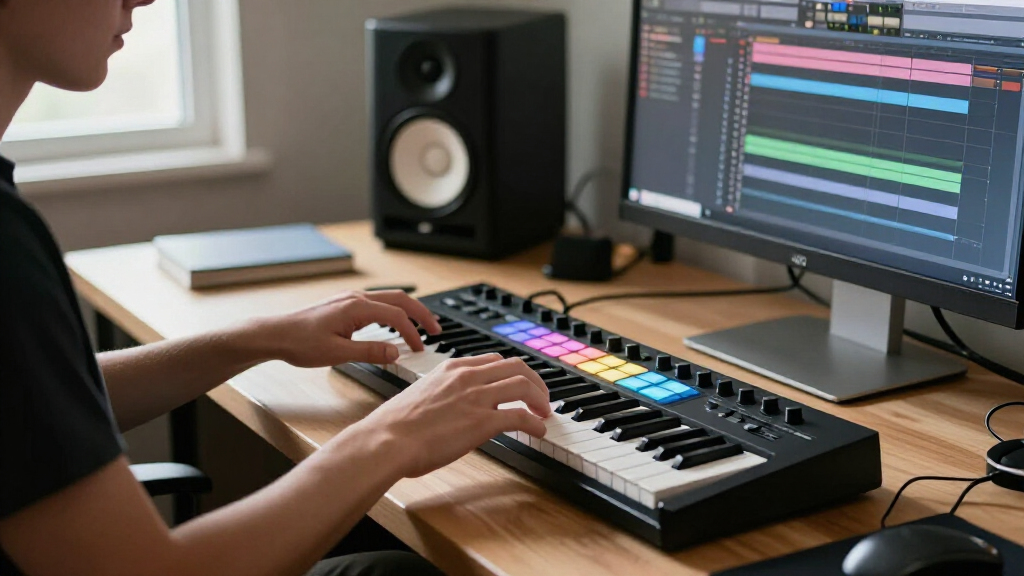
I compared these MIDI controllers by how well they support common music-production tasks: entering notes, programming drums, shaping software instruments, and controlling clips or sessions. I also weighed key count and playing feel against footprint, the usefulness of pads and knobs, connection options, and how directly each design maps to a typical DAW workflow. A larger feature list did not automatically earn a higher position; controls matter only when they serve the way a producer works.
The ranking favors versatile controllers that can handle several production jobs without forcing a specialized workflow. That puts the Arturia MiniLab 3 ahead as a broadly useful compact pick, with the MPK Mini Plus and larger Keystation offering distinct strengths in performance range and keyboard space. Dedicated pad controllers rank lower for general use, but they may be better choices for Ableton clip launching or pad-based beat making. I also considered where a model’s limitations—such as a small keybed or narrow workflow focus—could lead a buyer to outgrow it.
| MIDI controllers for music production | Compatibility |
|---|---|
| Native Instruments Komplete Ko | — |
| Akai Professional MPK Mini IV | — |
| Akai Professional LPK25 25-Key | Mac and PC |
| AKAI Professional MPD226 USB M | — |
| DaierTek Midi Keyboard Control | — |
| M-Audio Keystation 49 MK3 USB | Mac and PC; iOS devices via separately sold Apple to USB Camera Adapter |
| Akai Professional MPK Mini MK3 | Mac and Windows |
| Akai Professional APC Mini MK2 | Mac and Windows |
| Akai Professional APC Key 25 M | — |
| Arturia MiniLab 3 Universal MI | — |
| Akai Professional MPK Mini Plu | Mac and Windows |
| Akai Professional APC40 MKII U | Mac and Windows |
| M-Audio Oxygen Pro Mini 32 USB | Windows and macOS |
| Akai Professional LPD8 USB MID | Mac and Windows |
| M-Audio Keystation Mini 32 MK3 | Mac and Windows |
Factors to Consider When Choosing MIDI Controllers For Music Production
I’d choose a controller by starting with the part of production it needs to make easier, rather than counting controls. The right balance depends on whether you play parts, program beats, trigger clips, or work across all three.
Choose Key Count for the Parts You Actually Play
A compact 25-key controller can work well for bass lines, short melodies, and entering notes in a piano roll, but it can feel restrictive when a part spans several octaves. Moving up to 32 or 37 keys gives you more room before you need to use octave buttons, while a 49-key board better suits players who record chords and melodies in one pass. More keys take up more desk space, so they may be a poor fit if the controller needs to share a small workstation. Don’t confuse key count with piano feel: these compact models are designed for MIDI input, not as substitutes for a full-size weighted instrument. If you mostly draw notes with a mouse, extra keys may matter less than a few useful knobs or pads. Choose the smallest range that supports your normal playing without repeatedly interrupting your flow.
Decide Whether Pads Are for Drums or Clip Launching
Pads can serve very different jobs, and the right layout depends on your software habits. For finger-drumming, sample triggering, and mapped commands, a compact pad bank can be a handy addition to a keyboard. Ableton Live clip launching calls for a grid-based layout that makes scenes and clips easy to see and trigger; a dedicated APC controller is built around that kind of use. These roles overlap, but a small set of pads is not equivalent to a full clip-launch grid. Before buying, check how the pads map in your DAW and whether the controls are labeled or configured for your preferred tasks. A pad-focused controller may be a better second device than a replacement for your keyboard. If you want one controller for melodies and drum input, look for a keyboard model that combines keys with pads.
Prioritize Controls You Will Use Without Reaching for a Mouse
Knobs, faders, and transport controls can shorten repetitive work, but only when they map cleanly to your software. A row of knobs is useful for changing synth parameters or mixer settings; faders can feel more natural for channel levels and performance mixing. More controls also mean more assignments to learn, and unfamiliar mappings can slow down a new setup. Check whether the controller’s integration matches your DAW, then confirm what can be customized if your preferred software is not directly supported. Producers who automate parameters inside the DAW may not need extensive hardware controls. Those who perform live or adjust instruments while playing may get more value from them. I’d favor a smaller, dependable set of mapped controls over a crowded surface that requires constant configuration.
Check Connections and Setup Before You Buy
USB MIDI covers many computer-based setups, but the connection details still affect daily convenience. Confirm whether your computer has the right port or whether you will need an adapter, especially if you plan to connect through a hub. Bluetooth MIDI can reduce cable clutter in compatible setups, but wireless convenience depends on support from both the controller and the device or software receiving MIDI. Some controllers also rely on companion software or registration to access bundled instruments and templates, so check those requirements before purchase. A simple class-compliant USB model may be easier to move between computers, while deeper software integration can save setup time on a fixed workstation. If you plan to control external hardware, verify the MIDI outputs you need; USB alone may not fit that signal path. Match the connection plan to your full setup, not just the laptop you use today.
Spend More for a Workflow Advantage, Not a Bigger Feature List
Paying more makes sense when the added controls solve a real limitation, such as needing more playable keys, a dedicated clip grid, or closer DAW integration. It is less useful to pay for pads or knobs that duplicate controls you already use comfortably on screen. Think about how the controller will fit your desk and whether it will stay connected or travel with you; a larger surface can be less practical even when it offers more options. Also consider whether your needs are likely to change: a small keyboard may be sufficient for beat sketches, but not for recording longer parts without octave shifts. Dedicated units can be strong choices when their specialized workflow is central to your sessions. For a first controller, versatility often matters more than a long feature list. Set priorities before comparing models so extras do not distract from the job you need done.
Treat Bundled Software as a Bonus, Not the Main Decision
Included instruments and production tools can help a new setup feel ready sooner, but bundles should not decide the purchase on their own. Software offers can change, may require an account, or may not match the DAW and instruments you already use. First check whether the controller has the physical layout and integration your workflow needs. Then confirm that any included software runs on your computer and supports your preferred format or DAW. A controller with fewer extras can be the better long-term choice if its keys and controls suit how you work. Beginners may benefit from a starter bundle, while established producers may already have equivalent tools. Treat bundled content as added convenience rather than a reason to accept an awkward fit.
Frequently Asked Questions
Should I choose a keyboard controller or a pad controller for beat making?
Choose a keyboard if you want to enter bass lines, melodies, and chords by playing, or if you want one device to cover several kinds of MIDI input. A pad controller makes more sense when triggering drum sounds, samples, or DAW clips is the main task. The MPD226 and LPD8 are pad-oriented options in this lineup, while the MPK Mini models combine keys with pads. For Ableton clip launching, the APC Mini MK2 or APC40 MKII offers a more focused grid-based approach than a small drum-pad bank. If you are unsure, consider which task currently slows you down most and buy for that job.
Is a 25-key controller enough for a first MIDI keyboard?
A 25-key model is enough for learning basic MIDI input, building short parts, and working in a compact home setup. It becomes limiting when your playing spans a wider range, since octave changes interrupt recording and performance. Models such as the MPK Mini MK3 pair a small keybed with extra controls, while the Keystation 49 MK3 gives up that compact footprint for more playing range. If you mainly program notes in a piano roll, 25 keys may be plenty. If you expect to play chords and melodies live, a 32-, 37-, or 49-key option may save frustration.
Will these controllers work with any DAW?
Most MIDI controllers can send notes and control data to DAWs that accept MIDI, but software integration varies. Basic keyboard input is usually simpler to set up than transport, mixer, or clip-launch controls, which may need templates or manual mapping. Dedicated controllers such as the APC models are most compelling when their layout fits the software workflow they target. Before buying, check the manufacturer’s compatibility notes and your DAW’s MIDI mapping options. Also confirm operating-system support and any software requirements for bundled tools. A controller that works as a generic MIDI device may still need configuration for its extra controls.
When is a dedicated Ableton controller a better choice than a keyboard with pads?
A dedicated Ableton controller is a better fit when launching clips and scenes is a regular part of your sessions or live sets. The APC Mini MK2 and APC40 MKII center their layouts on clip-based control, which offers a clearer view of that workflow than a small set of pads on a keyboard. A keyboard with pads is more flexible for someone who also plays melodies and wants one device on the desk. The tradeoff is specialization: an APC-style controller does not provide a keyboard for playing notes. If clip launching is occasional, a keyboard controller may cover more needs. If it is central to your work, the dedicated grid can make the workflow more direct.
Do I need Bluetooth MIDI, or is USB a better choice?
USB is the straightforward choice for a stationary computer setup and avoids relying on wireless support across devices and software. Bluetooth MIDI can reduce cable clutter and suit a portable setup, but compatibility and connection behavior depend on the receiving device. The DaierTek model in this lineup offers Bluetooth alongside USB, giving it more connection flexibility than USB-only options. Before choosing wireless, check that your computer, tablet, or phone supports the relevant Bluetooth MIDI workflow. Consider power needs and whether a cable-free connection is worth any added setup steps. If reliability and simplicity matter most at a fixed desk, USB is often the easier path.
Conclusion
For the best overall balance, I’d choose the Arturia MiniLab 3; it combines note input and hands-on controls in a compact layout. The best value for a broad starter setup is the Akai MPK Mini MK3, especially if you want keys and pads without moving to a larger controller. For a first controller, the M-Audio Keystation Mini 32 MK3 is a straightforward compact keyboard choice, while the best premium fit for expanded playing and control is the Akai MPK Mini Plus. Choose the M-Audio Keystation 49 MK3 if keyboard range matters most, or an APC controller for Ableton clip launching. For dedicated drum and sample triggering, look to the MPD226 or compact LPD8. Match the device to the work you do most often, and you’ll avoid paying for controls your production routine does not need.