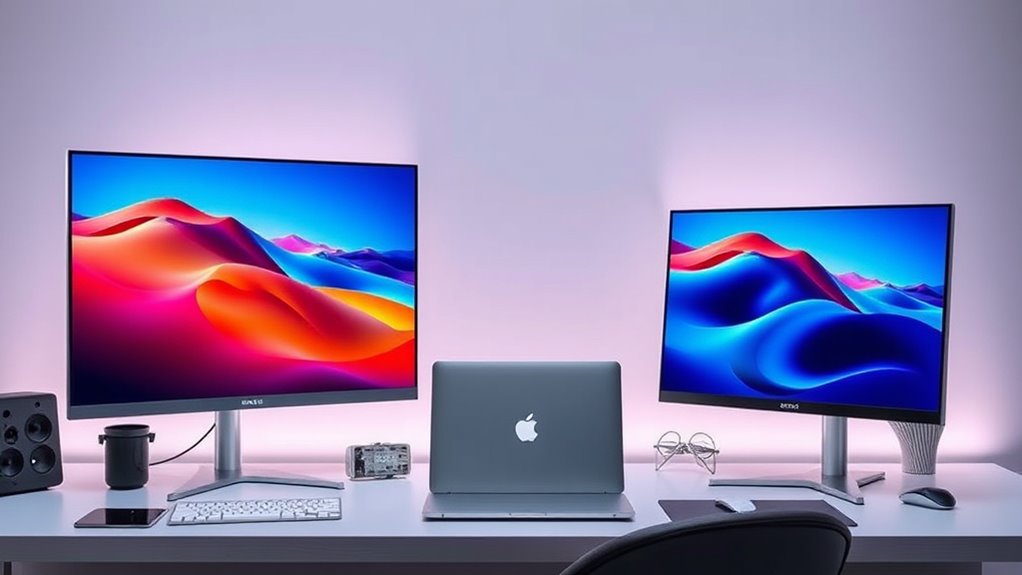

Finding the ideal 5K or 6K monitor for a Mac setup can be challenging due to high resolution, color accuracy, and compatibility demands. The LG 32U990A-S 6K Nano IPS stands out as the top overall pick, offering superb image quality and seamless Thunderbolt 5 connectivity. The BenQ PD2730S provides excellent color accuracy for creative work, while the KTC 27 Inch 5K2K Dual Mode offers versatility at a more affordable price. Each option balances resolution, color, and usability differently, posing key tradeoffs between price, performance, and compatibility. Keep reading for a detailed breakdown of the best choices and what makes each stand out.

Get audio and creator gear delivered free with Prime
- Fast, free delivery on millions of items
- Prime Video, Amazon Music and more included
- Member-only deals all year
Complete the kit



Key Takeaways
- The highest resolution alone doesn’t guarantee better productivity; color accuracy and connectivity are equally vital for Mac users.
- Top-tier professional monitors like the LG 32U990A-S excel in color and build quality but come at a premium price.
- Affordable dual-mode options like the KTC 27 Inch 5K2K provide flexibility but may lack some advanced features.
- Design and ergonomics significantly impact daily usability, especially for creative workflows.
- Compatibility with Mac-specific features like Thunderbolt 3/4 and KVM is a decisive factor for seamless integration.
| LG 27GM950B-B 27-inch Ultragear evo Mini-LED IPS 5K Gaming Monitor |  | Best for High-End Gaming and Visual Fidelity | Display Size: 27 inches | Resolution: 5120×2880 (5K) | Peak Brightness: 1250 nits | VIEW ON AMAZON | See Our Full Breakdown |
| LG 32U990A-S 32-Inch Ultrafine 6K Nano IPS Professional Monitor with Thunderbolt 5 |  | Best for Creative Professionals Needing Ultra-High Resolution | Resolution: 6144 x 3456 | Display Size: 32 inches | Color Coverage: 99.5% Adobe RGB, 98% DCI-P3 | VIEW ON AMAZON | See Our Full Breakdown |
| ASUS ProArt PA27JCV 27-Inch 5K USB-C Professional Monitor for Mac |  | Best for Creatives Focused on Color Accuracy and Workflow | Display Size: 27 inches | Resolution: 5120 x 2880 (5K) | Color Gamut: 99% DCI-P3, 100% sRGB, 95% Adobe RGB | VIEW ON AMAZON | See Our Full Breakdown |
| LG UltraFine evo 32U990A-S 32-inch 6K Nano IPS Professional Monitor |  | Best for Creative Professionals Needing Large, Precise Displays | Display Size: 32 inches | Resolution: 6144×3456 (6K) | Color Support: 98% DCI-P3, 99.5% Adobe RGB | VIEW ON AMAZON | See Our Full Breakdown |
| KTC 27 Inch 5K2K Dual Mode Monitor with 65W USB-C Port |  | Best for Multi-Purpose Use and Budget-Friendly 5K | Display Size: 27 inches | Resolution: 5120 x 2880 pixels | Refresh Rate: 60 Hz | VIEW ON AMAZON | See Our Full Breakdown |
| ASUS ROG XG27JCG 27-Inch 5K HDR G-SYNC Gaming Monitor |  | Best for High-Performance Gaming and Versatile Use | Display Size: 27 inches | Resolution: 5120 x 2880 (5K) | Refresh Rate: 180Hz (OC) | VIEW ON AMAZON | See Our Full Breakdown |
| BenQ MA270S 27” 5K Nano Gloss Monitor for Mac Creators with Dual Thunderbolt 4, KVM, and Adjustable Stand |  | Best for Mac Creators Seeking Seamless Integration and Ergonomics | Display Size: 27 inches | Resolution: 5120×2880 (5K) | Color Gamut: P3 | VIEW ON AMAZON | See Our Full Breakdown |
| BenQ PD2730S 27″ 5K Monitor with Thunderbolt 4, P3 Color, Nano Matte Panel, KVM, Height Adjustable for Creative Professionals |  | Best for Creative Professionals Needing Accurate Color and Workflow Features | Display Size: 27 inches | Resolution: 5120 x 2880 (5K) | Color Coverage: 98% P3 | VIEW ON AMAZON | See Our Full Breakdown |
| Dell UltraSharp U4025QW 40-inch Curved 5K2K WUHD LED Monitor |  | Best for Immersive Productivity and Large-Scale Workspaces | Screen Size: 40 inches | Resolution: 5K2K WUHD | Response Time: 5 ms | VIEW ON AMAZON | See Our Full Breakdown |
| KTC 27 Inch 5K Monitor with HDR 400, 5120 x 2880 Resolution, and Dual Mode Compatibility |  | Best for Versatile Professional and Entertainment Use | Display Size: 27 inches | Resolution: 5120 x 2880 (5K UHD) | Refresh Rate: 120Hz | VIEW ON AMAZON | See Our Full Breakdown |
| ViewSonic VP2788-5K 27 Inch 5K Mac Ready Monitor, IPS Designer Display |  | Best Overall for Professional Mac Users | Display Size: 27 inches | Resolution: 5120 x 2880 (5K) | Color Coverage: 99% DCI-P3 | VIEW ON AMAZON | See Our Full Breakdown |
| 5k and 6k monitors for mac user | Resolution | Display Size | Connectivity |
|---|---|---|---|
| LG 27GM950B-B 27-inch Ultragea | 5120×2880 (5K) | 27 inches | — |
| LG 32U990A-S 32-Inch Ultrafine | 6144 x 3456 | 32 inches | Thunderbolt 5, HDMI 2.1, DisplayPort 2.1 |
| ASUS ProArt PA27JCV 27-Inch 5K | 5120 x 2880 (5K) | 27 inches | USB-C with DisplayPort, 96W power |
| LG UltraFine evo 32U990A-S 32- | 6144×3456 (6K) | 32 inches | Thunderbolt 5, HDMI 2.1, DisplayPort 2.1 |
| KTC 27 Inch 5K2K Dual Mode Mon | 5120 x 2880 pixels | 27 inches | DisplayPort, HDMI, USB 3.0, USB-C |
| ASUS ROG XG27JCG 27-Inch 5K HD | 5120 x 2880 (5K) | 27 inches | DisplayPort 1.4, HDMI 2.1, USB-C with 15W power |
| BenQ MA270S 27” 5K Nano Gloss | 5120×2880 (5K) | 27 inches | 2 x Thunderbolt 4, HDMI, USB-C |
| BenQ PD2730S 27" 5K Monitor wi | 5120 x 2880 (5K) | 27 inches | Thunderbolt 4, HDMI |
| Dell UltraSharp U4025QW 40-inc | 5K2K WUHD | — | USB Type-C |
| KTC 27 Inch 5K Monitor with HD | 5120 x 2880 (5K UHD) | 27 inches | DisplayPort, HDMI, Type-C |
| ViewSonic VP2788-5K 27 Inch 5K | 5120 x 2880 (5K) | 27 inches | Thunderbolt 4, USB-C, HDMI, DisplayPort |
More Details on Our Top Picks
LG 27GM950B-B 27-inch Ultragear evo Mini-LED IPS 5K Gaming Monitor
This LG Ultragear evo stands out for combining a 5K resolution with ultra-bright HDR1000 and a Mini-LED backlighting system, making it ideal for gamers who also want impressive visuals. Compared to the LG UltraFine evo, it offers higher peak brightness and faster refresh rates, but at a significantly higher price point and with a more complex setup. Its dual refresh rate of 165Hz and 330Hz caters to both cinematic and competitive gaming, yet the size and premium cost may be prohibitive for casual users or small setups. The advanced Mini-LED technology reduces blooming and enhances contrast, providing vivid visuals even in dark scenes. However, the complexity of features and high price could deter those who seek a straightforward, budget-friendly display. This monitor makes the most sense for gamers who prioritize visual quality and high refresh rates over cost or simplicity.
Pros:- Exceptional 5K resolution with over 14 million pixels for sharp, detailed visuals
- High peak brightness of 1250 nits and HDR1000 for vivid HDR content
- Dual-mode refresh rates for cinematic and competitive gaming
- Advanced Mini-LED backlighting reduces blooming and enhances contrast
Cons:- Premium price point may be costly for many users
- Complex features may require technical setup and calibration
Best for: High-end gamers and creative professionals seeking top-tier visuals and performance in a 5K monitor
Not ideal for: Casual users or those with limited desk space, due to its large size and premium price
- Display Size:27 inches
- Resolution:5120×2880 (5K)
- Peak Brightness:1250 nits
- HDR:VESA DisplayHDR 1000
- Backlighting:Hyper Mini LED with 9,216 LEDs
- Refresh Rate:165Hz / 330Hz (dual mode)
Our verdict“This monitor is best suited for gamers and creators who need high brightness, deep contrast, and fast refresh rates in a 5K display, despite its premium cost and setup complexity.”
LG 32U990A-S 32-Inch Ultrafine 6K Nano IPS Professional Monitor with Thunderbolt 5
The LG 32U990A-S delivers a stunning 6K resolution with over 21 million pixels, making it a top choice for detailed editing and color-critical work. It surpasses the ASUS ProArt PA27JCV in resolution and color accuracy, thanks to Nano IPS Black technology and wide gamut coverage. The inclusion of Thunderbolt 5 and multiple connectivity options offers excellent versatility for Mac workflows, especially when paired with compatible hardware. While its 60Hz refresh rate is suitable for professional editing, it is less ideal for fast-paced gaming. The high contrast ratio and deep blacks support precise color grading, but the high price and the need for specific hardware to fully utilize Thunderbolt 5 features could limit accessibility. This monitor makes the most sense for professional creatives who need ultra-high resolution and excellent color fidelity in a large display.
Pros:- Exceptional 6K resolution with over 21 million pixels for detailed work
- Wide color gamut with high color accuracy for professional editing
- Versatile connectivity including Thunderbolt 5 and DisplayPort 2.1
- Deep contrast ratio with rich blacks and shadows
Cons:- High price may be prohibitive for casual or budget-conscious users
- Limited to 60Hz refresh rate, not suited for fast-paced gaming
Best for: Creative professionals seeking a 6K display with exceptional color accuracy and versatile connectivity
Not ideal for: Gamers or casual users who prioritize high refresh rates or budget considerations
- Resolution:6144 x 3456
- Display Size:32 inches
- Color Coverage:99.5% Adobe RGB, 98% DCI-P3
- HDR:DisplayHDR 600
- Connectivity:Thunderbolt 5, HDMI 2.1, DisplayPort 2.1
- Pixel Density:224 PPI
Our verdict“This monitor is ideal for professionals needing ultra-high resolution and precise color reproduction, provided they have compatible hardware and can accommodate its premium cost.”
ASUS ProArt PA27JCV 27-Inch 5K USB-C Professional Monitor for Mac
The ASUS ProArt PA27JCV makes a compelling case for creative professionals who need reliable, color-accurate visuals in a 5K display. Compared with the KTC 27 Inch 5K2K Dual Mode Monitor, it offers factory calibration, wider color gamut coverage, and a built-in auto KVM switch, streamlining multi-device workflows. Its 27-inch size balances workspace and desk space, while the USB-C port with 96W power delivery simplifies connections. However, the high price might discourage casual users, and its feature set targets those with professional or creative workflows. While it doesn’t offer the high refresh rates of gaming monitors, its emphasis on color fidelity and calibration makes it a dependable tool for editing and design. This monitor is best for Mac users and creatives requiring color precision and seamless multi-device integration.
Pros:- High-resolution 5K display with accurate color reproduction
- Wide color gamut coverage including 99% DCI-P3 and 100% sRGB
- USB-C with 96W power delivery simplifies connectivity
- Includes auto KVM for multi-device management
Cons:- Premium price may be high for casual users
- Limited to professional workflows, not ideal for gaming
Best for: Creative professionals and Mac users who prioritize color accuracy and workflow efficiency
Not ideal for: Gamers or users seeking high refresh rates or budget-friendly options
- Display Size:27 inches
- Resolution:5120 x 2880 (5K)
- Color Gamut:99% DCI-P3, 100% sRGB, 95% Adobe RGB
- Connectivity:USB-C with DisplayPort, 96W power
- Calibration:Calman Verified, Delta E<2
- Warranty:5 years (3 + 2 extension)
Our verdict“This monitor suits Mac creatives needing precise color work and multi-device convenience, despite its premium price and workflow focus.”
LG UltraFine evo 32U990A-S 32-inch 6K Nano IPS Professional Monitor
The LG UltraFine evo 32U990A-S offers a 6K resolution with Nano IPS technology, making it a prime choice for professionals who demand large, detailed, and color-accurate displays. When compared to the LG 32U990A-S, it provides similar high-resolution capabilities and extensive connectivity options including Thunderbolt 5, HDMI 2.1, and DisplayPort 2.1, along with ergonomic adjustments and built-in KVM. Its 32-inch size creates an immersive workspace, ideal for detailed editing and color grading. While its premium price and size are drawbacks for some, the detailed visuals and wide color support justify the investment for dedicated creative workflows. The inclusion of VESA mount support further enhances its flexibility. This model is best suited for professionals who need a large, high-resolution display with excellent color fidelity and connectivity options.
Pros:- Exceptional 6K resolution with sharp, detailed images
- Wide color gamut with high color accuracy for professional work
- Advanced connectivity including Thunderbolt 5 and daisy chaining
- Ergonomic adjustments and VESA compatibility for flexible setup
Cons:- Premium price may deter some buyers
- Large size requires ample desk space
Best for: Creative professionals and Mac users requiring a large, detailed 6K display with versatile connectivity
Not ideal for: Casual users or gamers who prioritize higher refresh rates or smaller desk footprints
- Display Size:32 inches
- Resolution:6144×3456 (6K)
- Color Support:98% DCI-P3, 99.5% Adobe RGB
- HDR:VESA DisplayHDR 600
- Brightness:450 nits
- Connectivity:Thunderbolt 5, HDMI 2.1, DisplayPort 2.1
Our verdict“This large 6K Nano IPS monitor is perfect for pro creatives needing detailed visuals and flexible setup options, despite its size and cost.”
KTC 27 Inch 5K2K Dual Mode Monitor with 65W USB-C Port
The KTC 27 Inch 5K2K monitor offers a versatile dual-mode setup supporting 5K at 60Hz and 2K at 120Hz, making it suitable for both professional work and casual gaming. It provides excellent color accuracy with 99% DCI-P3 and 100% sRGB, comparable to the ASUS ProArt PA27JCV, but at a more accessible price point. Its extensive connectivity options, including USB-C with 65W charging, enhance flexibility for Mac users. The 27-inch size and 168W power consumption are considerations, but its straightforward design and dual-mode operation make it a practical choice for users balancing work and entertainment. However, limited ergonomic features and a higher power draw could be drawbacks for some. This monitor is ideal for users seeking a reliable, high-resolution display with flexible use cases without breaking the bank.
Pros:- High-resolution 5K display with vibrant color accuracy
- Dual-mode support for professional editing and gaming
- Extensive connectivity including USB-C with 65W charging
- Affordable compared to other high-end 5K monitors
Cons:- Relatively high power consumption at 168W
- Limited ergonomic adjustments and features
Best for: Professionals and enthusiasts who want a versatile, budget-conscious 5K display for work and gaming
Not ideal for: Users needing extensive ergonomic adjustments or dedicated gaming features
- Display Size:27 inches
- Resolution:5120 x 2880 pixels
- Refresh Rate:60 Hz
- Color Gamut:99% DCI-P3, 100% sRGB
- Brightness:500 cd/m²
- Connectivity:DisplayPort, HDMI, USB 3.0, USB-C
Our verdict“This dual-mode 5K monitor offers solid performance and flexible use for budget-conscious users balancing work and play.”
ASUS ROG XG27JCG 27-Inch 5K HDR G-SYNC Gaming Monitor
This monitor stands out for its combination of a 5K resolution, a blazing 180Hz refresh rate, and HDR600 support, making it well-suited for gamers who also use their monitor for creative tasks. Compared with the BenQ MA270S, it offers a significantly faster refresh rate, which benefits fast-paced gaming, but this comes at a premium price and a larger footprint. The complex feature set, including AI-powered enhancements, can be overwhelming for users seeking straightforward productivity. Its high-resolution display with vibrant colors and dual-mode capability makes it ideal for those wanting both cinematic visuals and smooth gameplay, though the large size and price may deter casual users.Pros:- High-resolution 5K display with vibrant colors and HDR support
- Fast 180Hz refresh rate with ultra-low 0.3ms response time
- Versatile connectivity including USB-C and HDMI 2.1
Cons:- Premium price point may be expensive for budget-conscious users
- Large size requires significant desk space and setup considerations
Best for: Gamers and power users who want a versatile monitor capable of high-refresh-rate gaming and creative work.
Not ideal for: Creative professionals prioritizing color accuracy over gaming performance or users with limited desk space, due to its size and complexity.
- Display Size:27 inches
- Resolution:5120 x 2880 (5K)
- Refresh Rate:180Hz (OC)
- Response Time:0.3ms GTG
- HDR:VESA DisplayHDR 600
- Connectivity:DisplayPort 1.4, HDMI 2.1, USB-C with 15W power
Our verdict“This monitor makes the most sense for gamers and tech enthusiasts who value high refresh rates alongside stunning visuals and are willing to invest in premium features.”
BenQ MA270S 27” 5K Nano Gloss Monitor for Mac Creators with Dual Thunderbolt 4, KVM, and Adjustable Stand
The BenQ MA270S makes the list for its focus on professional Mac users, offering a 5K resolution combined with a Nano Gloss panel that delivers vibrant, accurate colors within the P3 gamut. Unlike the ASUS XG27JCG, it is tailored for color-critical work with a focus on seamless Mac compatibility through Thunderbolt 4 daisy chaining and a built-in KVM switch, streamlining workflows. Its adjustable stand enhances ergonomic comfort, which is vital during extended editing sessions. However, the 60Hz refresh rate limits its appeal for gaming or fast-motion video editing, and its premium price may be a barrier for some. This monitor excels for those prioritizing color precision and workflow efficiency over gaming speed.Pros:- High-resolution 5K display with rich P3 color coverage
- Seamless Mac integration via Thunderbolt 4 with daisy chaining
- Fully adjustable stand for ergonomic comfort and flexibility
Cons:- Limited to 60Hz refresh rate, not suitable for high-speed gaming
- Premium price may be prohibitive for some users
Best for: Mac-based creative professionals needing accurate color, flexible connectivity, and ergonomic features.
Not ideal for: Gaming enthusiasts or users seeking high refresh rates for fast-paced action, due to its 60Hz limit and professional focus.
- Display Size:27 inches
- Resolution:5120×2880 (5K)
- Color Gamut:P3
- Refresh Rate:60 Hz
- Connectivity:2 x Thunderbolt 4, HDMI, USB-C
- Stand Adjustments:Height, tilt, swivel, pivot
Our verdict“This monitor is ideal for Mac creators who need precise color, seamless workflow, and ergonomic flexibility, but not for gaming or high-refresh-rate tasks.”
BenQ PD2730S 27″ 5K Monitor with Thunderbolt 4, P3 Color, Nano Matte Panel, KVM, Height Adjustable for Creative Professionals
The BenQ PD2730S is designed for demanding creatives, offering a sharp 5K resolution and 98% P3 color coverage, surpassing many competitors like the KTC 5K with its professional-grade color accuracy. Its Nano Matte panel minimizes glare, making it suitable for long hours of editing or design work. Thunderbolt 4 ensures fast data transfer and device daisy chaining, while the built-in KVM switch streamlines multitasking across devices. The 60Hz refresh rate is standard for creative work but falls short if gaming or video editing with high-motion content is a priority. This monitor balances high-end color fidelity with ergonomic flexibility, making it ideal for professional workflows.Pros:- Ultra-sharp 5K resolution with 98% P3 color coverage
- Nano Matte panel reduces glare and eye strain
- Thunderbolt 4 with 90W power delivery and built-in KVM switch
Cons:- Premium price may limit accessibility for some
- Limited refresh rate for gaming or high-motion video editing
Best for: Creative professionals who prioritize color accuracy, connectivity, and ergonomic workflow enhancements.
Not ideal for: High-speed gamers or users seeking ultra-fast refresh rates, due to its 60Hz refresh rate and professional focus.
- Display Size:27 inches
- Resolution:5120 x 2880 (5K)
- Color Coverage:98% P3
- Connectivity:Thunderbolt 4, HDMI
- Panel Type:Nano Matte IPS
- Stand Adjustments:Height, tilt, swivel, pivot
Our verdict“This monitor suits creative professionals demanding high color accuracy and workflow convenience, but not those seeking high-refresh-rate gaming performance.”
Dell UltraSharp U4025QW 40-inch Curved 5K2K WUHD LED Monitor
The Dell U4025QW offers an expansive 40-inch curved display with 5K2K WUHD resolution, making it ideal for users who need extensive screen real estate, such as video editors or multitaskers. Its large size and curved form enhance immersion, surpassing smaller 27-inch options like the BenQ PD2730S for productivity. The USB Type-C port streamlines connectivity and data transfer, but the absence of additional ports or built-in speakers limits flexibility. Its 600 Nit brightness ensures visibility in bright environments, yet the high price and potential for desk space constraints mean it’s best suited for dedicated professional setups rather than casual use.Pros:- Large, curved 40-inch display with immersive WUHD resolution
- High brightness of 600 Nit for bright viewing conditions
- USB Type-C for fast data and power transfer
Cons:- High cost and large footprint may not suit all users
- Limited ports and features for connectivity versatility
Best for: Professionals who require a massive, immersive display for multitasking, editing, or creative workflows.
Not ideal for: Users with limited desk space or those seeking a more compact or budget-friendly option, as its size and cost are substantial.
- Screen Size:40 inches
- Resolution:5K2K WUHD
- Response Time:5 ms
- Brightness:600 Nit
- Connectivity:USB Type-C
- Aspect Ratio:21:9
Our verdict“This monitor is best for professionals needing a massive, high-resolution workspace but less suitable for those with space or budget constraints.”
KTC 27 Inch 5K Monitor with HDR 400, 5120 x 2880 Resolution, and Dual Mode Compatibility
The KTC 27-inch 5K monitor provides a sharp 5120×2880 resolution with HDR 400 support, offering good color vibrancy and contrast, making it a solid choice for both professional work and entertainment. Compared to the BenQ MA270S, it offers a higher refresh rate at 120Hz, which benefits smoother visuals during fast-paced tasks, but it still falls short of gaming monitors with ultra-high refresh rates. Its multiple connectivity options, including Type-C, make it flexible for various setups, though its relatively basic feature set and lack of advanced ergonomic adjustments limit its appeal for extended long-term use. This monitor suits users who want a versatile display with decent gaming performance and color fidelity.Pros:- High-resolution 5K display with vibrant colors and HDR 400
- 120Hz refresh rate enhances smoother visuals compared to standard 60Hz
- Multiple connectivity options including Type-C and HDMI
Cons:- Limited ergonomic adjustments may affect comfort over long sessions
- HDR 400 provides basic contrast enhancement, not professional-grade
Best for: Professionals and entertainment enthusiasts seeking a flexible 5K display with moderate gaming capability and good connectivity.
Not ideal for: High-end gamers or users requiring extensive ergonomic features, due to limited stand adjustments and moderate HDR support.
- Display Size:27 inches
- Resolution:5120 x 2880 (5K UHD)
- Refresh Rate:120Hz
- HDR:HDR 400
- Connectivity:DisplayPort, HDMI, Type-C
- Color Gamut:135% sRGB
Our verdict“This monitor offers a balanced mix of resolution, refresh rate, and connectivity, making it suitable for professional multitasking and casual gaming, but not for high-end gaming or color-critical tasks.”
ViewSonic VP2788-5K 27 Inch 5K Mac Ready Monitor, IPS Designer Display
The ViewSonic VP2788-5K stands out as the most balanced choice for Mac professionals who need high resolution and reliable color accuracy. Its 27-inch IPS panel delivers a crisp 5120 x 2880 resolution, making detailed design and editing work seamless. Compared to larger 6K options like the LG 32U990A-S, this monitor fits more comfortably on smaller desks while maintaining excellent image fidelity thanks to 99% DCI-P3 coverage. The inclusion of Thunderbolt 4 facilitates fast data transfer, power delivery, and daisy chaining, streamlining a Mac-centric workflow. The ergonomic stand enhances comfort during long sessions, which is crucial for creative work. However, its premium price and smaller size could be drawbacks for users seeking a more budget-friendly or expansive display. This monitor is best suited for professional creators who prioritize color accuracy and seamless connectivity in a compact package.
Pros:- High-resolution 5K display with sharp details
- Excellent color accuracy with 99% DCI-P3 coverage
- Versatile Thunderbolt 4 connectivity and daisy chaining
- Ergonomic stand with tilt, swivel, rotate, and height adjustment
Cons:- Premium price may be prohibitive for some users
- Smaller 27-inch size might be limiting for multitasking or large-scale workflows
- Limited compatibility outside Mac ecosystem may restrict flexibility
Best for: Mac professionals needing precise color, high resolution, and versatile connectivity in a manageable size
Not ideal for: Users with limited desk space or those seeking the largest possible display for multitasking
- Display Size:27 inches
- Resolution:5120 x 2880 (5K)
- Color Coverage:99% DCI-P3
- Color Gamut:100% sRGB
- Connectivity:Thunderbolt 4, USB-C, HDMI, DisplayPort
- Power Delivery:Up to 100W
- Daisy Chain Support:Yes
- Stand Adjustments:Tilt, swivel, rotate, height
- Certification:Pantone Validated
Our verdict“This monitor is an ideal pick for Mac creatives who want a high-quality, color-accurate display with flexible connectivity in a compact form, accepting the higher cost and smaller size as tradeoffs.”
How We Picked
These monitors were selected based on a combination of resolution, color accuracy, build quality, connectivity options, and compatibility with Mac systems. Priority was given to models that offer native 5K or 6K resolutions, ensuring sharp images and detailed workflows. We also considered usability factors such as adjustable stands, ergonomic features, and user interface design, which are crucial for long-term comfort. Value was factored in by comparing features relative to price, emphasizing models that deliver professional-grade performance without unnecessary extras. Finally, compatibility with macOS-specific features, like Thunderbolt ports and KVM support, heavily influenced the ranking, as seamless integration is essential for Mac users.Factors to Consider When Choosing 5k And 6k Monitors For Mac Users
Choosing the right 5K or 6K monitor for Mac involves more than just pixel count. It’s important to consider factors that enhance your workflow and ensure compatibility with your existing setup. From display quality to connectivity, understanding these elements can prevent costly mistakes and help you select a monitor that truly fits your needs.Resolution and Display Quality
While 5K and 6K resolutions provide incredible detail, the quality of the panel—such as IPS vs. Nano IPS—affects color accuracy and viewing angles. For creative professionals, high color fidelity and wide color gamuts are essential, making Nano IPS or similar technologies worthwhile investments. Be cautious of monitors that boast high resolution but fall short on color performance or uniformity, as these can hinder productivity and creative precision.Connectivity and Compatibility
Mac users should prioritize monitors with Thunderbolt 3 or 4 ports, ensuring fast data transfer and single-cable connectivity for power, video, and peripherals. KVM features can streamline workflows by allowing control over multiple devices with one keyboard and mouse. Avoid adapters or docks that may introduce lag or compatibility issues, especially if you rely on real-time color accuracy or high data throughput.Build Quality and Ergonomics
Adjustable stands, tilt, swivel, and height options are vital for long hours of work, particularly for creative tasks that demand precise viewing angles. A sturdy build reduces vibrations and enhances durability. Overlooking ergonomic features can lead to discomfort or strain, which diminishes productivity over time.Color Accuracy and Calibration
For professional use, look for monitors with factory calibration and support for color spaces like DCI-P3 or Adobe RGB. Some models include hardware calibration tools, which are invaluable for maintaining color consistency. Cheaper options often lack this precision, risking color shifts that compromise work quality.Price and Value
High resolution and professional features come at a premium, but it’s important to balance cost against your specific needs. For instance, casual users or those in non-color-critical roles might opt for more affordable options with slightly lower specs. Conversely, creative professionals should consider investing in higher-priced models that guarantee color fidelity and durability, as these can impact the final quality of their work.Frequently Asked Questions
Can I use a 5K or 6K monitor with a MacBook Air?
Yes, but compatibility depends on the MacBook Air’s ports and graphics capabilities. Many newer MacBook Air models with Thunderbolt 3 or 4 can support 5K or 6K displays, but ensure your device’s specifications include the necessary bandwidth and resolution support. Using a compatible cable or dock is essential to achieve the full resolution and performance without lag or color issues.
Is a 6K monitor worth the extra cost over a 5K for Mac users?
For most Mac users, the jump from 5K to 6K offers marginal benefits unless your workflow demands ultra-fine detail, such as high-end creative work or professional editing. The main advantage is increased pixel density, which can improve clarity on larger screens. However, the higher price and potential GPU demands might outweigh these benefits for general use or less intensive tasks.
Do all 5K and 6K monitors support macOS features like True Tone or Night Shift?
Not all monitors are optimized for macOS-specific features. Many high-end professional displays include support for these functions, but it’s important to verify compatibility before purchasing. Monitors with macOS calibration profiles and color management support will deliver a more seamless experience, especially for color-critical work.
What is the best way to connect a 5K or 6K monitor to a Mac for best performance?
The optimal connection varies by monitor, but Thunderbolt 3 or 4 offers the highest bandwidth and lowest latency for 5K and 6K resolutions. Using native Thunderbolt ports on your Mac ensures reliable performance, while DisplayPort 1.4 can also support these resolutions if your monitor and Mac support it. Avoid using adapters or lower-bandwidth connections that might limit resolution or cause flickering.
Are curved monitors suitable for professional Mac work?
Curved monitors can enhance immersion and reduce eye strain on large displays, making them appealing for creative professionals. However, they might introduce distortions or viewing angle issues in certain workflows, especially when precise color matching or multiple-window setups are required. For general productivity or casual use, curved screens can be a comfortable choice, but for color accuracy-centric tasks, flat panels often remain preferable.
Conclusion
For casual users or those just starting with high-resolution Mac setups, budget-friendly dual-mode monitors like the KTC 27 Inch 5K2K provide good value without sacrificing too much quality. Creative professionals should lean toward models like the BenQ PD2730S or LG 32U990A-S, which excel in color accuracy and connectivity. Power users and demanding workflows will benefit from the premium LG UltraFine evo or the ViewSonic VP2788-5K for their superior build, features, and seamless macOS integration. Ultimately, choosing the right monitor depends on your specific needs, budget, and workflow preferences—consider these factors carefully to make the best investment.
As an affiliate, we earn on qualifying purchases.Halloween Picks
halloween