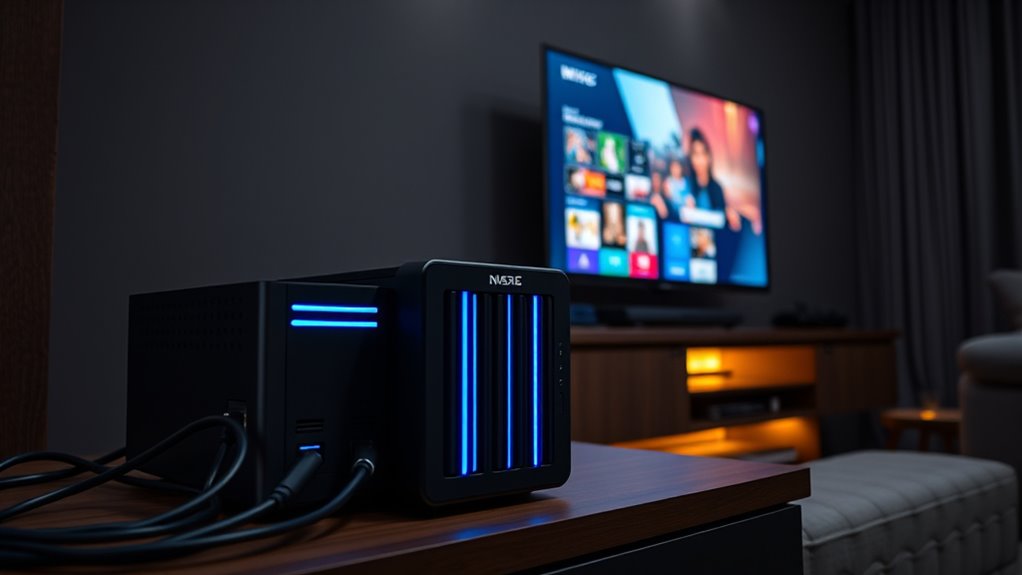

If you’re setting up a home media server for Plex 4K, choosing the right NAS drive is key to smooth playback and reliable storage. The Synology DiskStation DS925+ stands out as the overall best for its balanced performance and user-friendly features. The Asustor Lockerstor 4 Gen2+ is a strong alternative for those needing more advanced hardware, while the BUFFALO TeraStation Essentials offers a budget-friendly option with ample storage. These choices reflect common tradeoffs: higher performance often means higher cost, while budget options tend to compromise on speed or features. Keep reading for a full breakdown of each, so you can find the best fit for your Plex 4K setup.

Get audio and creator gear delivered free with Prime
- Fast, free delivery on millions of items
- Prime Video, Amazon Music and more included
- Member-only deals all year
Complete the kit



Key Takeaways
- The top performers combine robust hardware with easy setup for smooth 4K streaming.
- More expensive options typically offer better transcoding and multitasking capabilities.
- Budget models can handle basic Plex needs but may struggle with larger libraries or multiple users.
- NAS drives with more RAM and faster processors provide a noticeable boost in playback performance.
- Ease of use and software ecosystem are crucial, especially for users new to NAS setups.
| TERRAMASTER F4-425 4-Bay NAS Intel x86 Quad-Core CPU 4GB RAM (Diskless) |  | Best Overall for Versatile Home Media and Data Management | Processor: Intel x86 quad-core | RAM: 4GB | Number of Bays: 4 | VIEW ON AMAZON | See Our Full Breakdown |
| Asustor Drivestor 4 Pro Gen2 AS3304T v2 4-Bay NAS |  | Best Value for Flexible RAID and High-Speed Networking | Processor: Realtek quad-core | Memory: 2GB DDR4 | Storage Bays: 4 | VIEW ON AMAZON | See Our Full Breakdown |
| Asustor Lockerstor 4 Gen2+ AS6704T v2 4-Bay NAS |  | Best for High-Speed Media and Content Creation | Processor: Intel Celeron N5105 | Memory: 4GB DDR4 (up to 16GB) | Storage Bays: 4 | VIEW ON AMAZON | See Our Full Breakdown |
| Synology 4-Bay DiskStation DS925+ (Diskless) |  | Best for High-Speed Data Transfer and Versatile Use | Drive Bays: 4 | Network Ports: 2 x 2.5GbE | Sequential Read/Write: 522/565 MB/s | VIEW ON AMAZON | See Our Full Breakdown |
| Asustor Drivestor 4 Gen 2 AS1204T 4-Bay NAS |  | Best for Balanced Performance and Flexibility | Processor: Realtek RTD1619B 1.7GHz Quad-Core | RAM: 1GB DDR4 | Network: 2.5GbE Port | VIEW ON AMAZON | See Our Full Breakdown |
| BUFFALO TeraStation Essentials 2025 4-Bay Desktop NAS with 32TB Hard Drives |  | Best for Out-of-the-Box High Capacity and Ease of Use | Capacity: 32TB | Number of Bays: 4 | Hard Drives Included: 4x8TB | VIEW ON AMAZON | See Our Full Breakdown |
| home nas drives for plex 4k | Processor | Number of Bays | Supported RAID |
|---|---|---|---|
| TERRAMASTER F4-425 4-Bay NAS I | Intel x86 quad-core | 4 | — |
| Asustor Drivestor 4 Pro Gen2 A | Realtek quad-core | — | RAID 0, 1, 5, 6, JBOD |
| Asustor Lockerstor 4 Gen2+ AS6 | Intel Celeron N5105 | — | 0/1/5/6/JBOD |
| Synology 4-Bay DiskStation DS9 | — | — | — |
| Asustor Drivestor 4 Gen 2 AS12 | Realtek RTD1619B 1.7GHz Quad-Core | 4 | 0/1/5/6/10 |
| BUFFALO TeraStation Essentials | — | 4 | — |
More Details on Our Top Picks
TERRAMASTER F4-425 4-Bay NAS Intel x86 Quad-Core CPU 4GB RAM (Diskless)
The TERRAMASTER F4-425 stands out for its combination of a robust Intel x86 quad-core processor and 4GB RAM, making it well-suited for handling 4K transcoding and multi-user access in a home setting. Compared to the Synology DS920+, it offers comparable hardware but at a potentially lower cost, with the added advantage of quiet operation at just 21dB. This NAS is ideal for users seeking a powerful yet quiet device for media and backup, but those needing high RAM capacity or pre-installed drives should look elsewhere.Pros:- Powerful quad-core processor with multitasking capacity
- Supports 4K hardware decoding for smooth media playback
- Quiet operation suitable for living spaces
- Easy to install drives with tool-free trays
Cons:- Limited to 4GB RAM, which may hinder heavy workloads
- No included drives, adding to initial cost
Best for: Home users who prioritize quiet operation, 4K media support, and straightforward setup for multimedia and backups
Not ideal for: Power users or small businesses requiring extensive RAM, advanced caching, or pre-installed drives
- Processor:Intel x86 quad-core
- RAM:4GB
- Number of Bays:4
- Maximum Storage:120TB
- Network Interface:2.5GbE
- Supported Protocols:TRAI, TRAID+
- Operating Noise:21dB
- HDD Tray Design:Tool-free Push-Lock
Our verdict“This is a solid choice for home users seeking a reliable, quiet, and capable media-focused NAS with room to grow.”
Asustor Drivestor 4 Pro Gen2 AS3304T v2 4-Bay NAS
The Asustor Drivestor 4 Pro Gen2 AS3304T v2 offers a balanced mix of performance and affordability, featuring a quad-core Realtek processor and 2.5GbE connectivity, making it a compelling choice for users who want reliable data transfer and flexible RAID options. While it trails behind the Synology DS925+ in overall speed and advanced features, its 2GB RAM limits multitasking for power users, and it requires separate purchase of drives. Compared to the TERRAMASTER F4-425, it provides simpler setup and better value but sacrifices some processing power for a lower price point. This NAS suits those who need dependable performance without the premium price tag, but not those with intensive multitasking or high RAM demands.Pros:- High-performance quad-core processor for stable operation
- Flexible RAID configurations for data protection
- High-speed 2.5GbE network port for quick data transfers
- Easy, tool-free drive installation
Cons:- Only 2GB RAM, limiting multitasking for advanced workflows
- Requires additional purchase of drives
- Basic specifications may fall short for power users
Best for: Home users and small office staff seeking a cost-effective, flexible NAS with RAID options and fast network connectivity
Not ideal for: Heavy multitaskers or users planning to run multiple virtual machines or advanced caching with large RAM requirements
- Processor:Realtek quad-core
- Memory:2GB DDR4
- Storage Bays:4
- Network Connectivity:2.5GbE Ethernet
- Supported RAID:RAID 0, 1, 5, 6, JBOD
- Dimensions:9.06 x 6.69 x 6.69 inches
- Weight:1500 g
- Ports:3 USB
Our verdict“This NAS offers great value for those needing reliable, flexible storage with fast network speeds on a budget.”
Asustor Lockerstor 4 Gen2+ AS6704T v2 4-Bay NAS
The Asustor Lockerstor 4 Gen2+ elevates media handling with dual 5GbE ports, supporting high-speed data transfer and hardware 4K transcoding. Its ability to accommodate both SATA and NVMe SSDs provides a flexible, high-performance environment, especially when paired with the HDMI output for direct media playback. While the Synology DS925+ offers similar multitasking capabilities, the Lockerstor’s support for NVMe cache and expandable memory makes it more appealing for content creators and media enthusiasts. The higher price and more complex setup might deter casual users, but for those who need fast, expandable storage with media features, it’s a compelling option.Pros:- Dual 5GbE ports for high-speed networking
- Supports both SATA and NVMe SSDs for flexible caching
- Hardware 4K transcoding and HDMI output for media playback
- Expandable memory up to 16GB
Cons:- Higher price point for advanced features
- More complex setup and configuration
- Requires additional drives for full functionality
Best for: Content creators, media streamers, and small business owners needing fast, expandable storage with media output options
Not ideal for: Basic home users or those who prefer a simple, plug-and-play NAS without NVMe or HDMI features
- Processor:Intel Celeron N5105
- Memory:4GB DDR4 (up to 16GB)
- Storage Bays:4
- Network:Dual 5GbE ports
- SSD Slots:4 M.2 NVMe
- Video Output:HDMI
- Supported RAID:0/1/5/6/JBOD
Our verdict“This NAS is perfect for media professionals and small teams who need high-speed, flexible storage with media output capabilities.”
Synology 4-Bay DiskStation DS925+ (Diskless)
The Synology DS925+ excels in delivering high-speed data transfers, with speeds reaching 565 MB/s, making it suitable for demanding media and backup tasks. Its dual 2.5GbE ports provide both speed and redundancy, aligning well with the TERRAMASTER F4-425‘s focus on performance, but with a more refined user experience and robust software ecosystem. The main limitation is its diskless design, requiring users to purchase drives separately, which could delay initial setup. While it might seem complex for newcomers, its vast software support and reliability make it a favorite for those who need fast, scalable storage that can handle a variety of tasks, including Plex 4K streaming.Pros:- High data transfer speeds with up to 565 MB/s
- Dual 2.5GbE ports for fast, redundant network connections
- Supports scalable storage up to 9 drives
- Robust Synology software ecosystem
Cons:- Requires separate purchase of drives
- More complex setup for less experienced users
- No included drives
Best for: Tech-savvy users requiring high data transfer speeds, flexible storage options, and reliable performance for media and backups
Not ideal for: Beginners or users seeking an all-in-one solution with pre-installed drives and minimal setup
- Drive Bays:4
- Network Ports:2 x 2.5GbE
- Sequential Read/Write:522/565 MB/s
- Warranty:3 years
- Supported Uses:File management, data protection, virtualization, surveillance
- Form Factor:Diskless
Our verdict“This NAS is an excellent choice for users demanding high transfer speeds and scalability for media, backups, and virtualization.”
Asustor Drivestor 4 Gen 2 AS1204T 4-Bay NAS
The Asustor Drivestor 4 Gen 2 AS1204T stands out for offering a solid balance between performance and versatility, especially with its 2.5GbE network port that delivers faster file transfers compared to standard Gigabit models. Its support for multiple RAID options, including RAID 5 and 6, provides reliable data redundancy, making it suitable for home and small office backups. Compared with the BUFFALO TeraStation, which includes drives and emphasizes high capacity, the AS1204T’s flexibility allows users to choose their own drives, but this also means additional initial setup. The modest 1GB DDR4 RAM may limit multitasking with heavy media workloads or multiple users streaming 4K content simultaneously. Overall, this model is ideal for users needing a versatile, network-ready NAS that balances speed and expandability without overpaying for unnecessary features, though it’s less suited for those who want an out-of-the-box, all-in-one solution.
Pros:- Fast 2.5GbE network for quicker file transfers
- Supports a wide range of RAID configurations for redundancy
- Capable of 4K media streaming for media-heavy households
Cons:- Limited to 1GB RAM, which may hinder multitasking
- No drives included, requiring additional purchase and setup
Best for: Home users or small offices seeking a flexible, high-performance NAS with support for 4K media streaming and customizable drives.
Not ideal for: Users wanting an all-in-one package with included drives and minimal setup, or those planning very high-capacity storage beyond 4 bays.
- Processor:Realtek RTD1619B 1.7GHz Quad-Core
- RAM:1GB DDR4
- Network:2.5GbE Port
- Number of Bays:4
- USB Ports:3 USB 3.0
- Supported RAID:0/1/5/6/10
- Supported Media:4K Streaming
- Drive Compatibility:2.5-inch disks
Our verdict“This NAS offers a good mix of speed and flexibility for users comfortable with adding their own drives and managing setup, making it a solid choice for versatile home use.”
BUFFALO TeraStation Essentials 2025 4-Bay Desktop NAS with 32TB Hard Drives
The BUFFALO TeraStation Essentials 2025 is designed for users who prefer a straightforward, ready-to-use solution with generous storage capacity, thanks to its included four 8TB drives. Its built-in drives eliminate the need for separate purchasing, and the RAID support ensures data safety, comparable to the flexibility of the Asustor Drivestor 4. The TeraStation’s focus on high capacity makes it appealing for users with large media libraries or backup needs, but the fixed 4-bay configuration limits expansion should storage needs grow beyond 32TB. Its 2.5GbE port offers fast network speeds, yet the device’s bulkier design and reliance on network setup may be less attractive for users with limited space or those seeking a plug-and-play experience. Overall, this NAS is best suited for those who prioritize large storage capacity and simplicity over raw performance or upgrade flexibility.
Pros:- Includes four 8TB drives for immediate large-capacity storage
- Simple setup with pre-installed drives
- Supports multiple RAID levels for data redundancy
- Fast network speeds with 2.5GbE port
Cons:- Limited to 4 bays, restricting future expansion
- Less flexible regarding drive choices or upgrades
Best for: Individuals or small businesses needing large, pre-configured storage with minimal setup and reliable data protection.
Not ideal for: Power users wanting extensive customization or expansion options beyond 4 bays, or those who prefer a diskless NAS to choose their own drives.
- Capacity:32TB
- Number of Bays:4
- Hard Drives Included:4x8TB
- RAID Support:RAID 0, RAID 5, RAID 6
- Network Interface:2.5GbE
- Warranty:3 years
- Made in:Japan
- Compliance:TAA
Our verdict“This NAS offers a hassle-free, high-capacity solution ideal for users who want large storage without the fuss of selecting drives or configuring hardware, making it perfect for straightforward backups and media storage.”

How We Picked
The products in this roundup were chosen based on a combination of hardware performance, ease of use, expandability, and value for Plex 4K streaming. We prioritized models with at least 4 bays, capable CPUs, and sufficient RAM to handle multiple 4K streams and transcoding tasks. Reliability, software features, and user reviews also played a key role in our evaluation. Our ranking reflects a balance between high-end performance and affordability, aiming to serve both experienced users and newcomers alike.| home nas drives for plex 4k | Processor |
|---|---|
| TERRAMASTER F4-425 4-Bay NAS I | Intel x86 quad-core |
| Asustor Drivestor 4 Pro Gen2 A | Realtek quad-core |
| Asustor Lockerstor 4 Gen2+ AS6 | Intel Celeron N5105 |
| Synology 4-Bay DiskStation DS9 | — |
| Asustor Drivestor 4 Gen 2 AS12 | Realtek RTD1619B 1.7GHz Quad-Core |
| BUFFALO TeraStation Essentials | — |
Factors to Consider When Choosing Home Nas Drives For Plex 4k
When selecting a home NAS drive for Plex 4K, several factors influence performance and usability. Understanding these can help you avoid common pitfalls and choose a device that meets your current and future needs. From hardware specs to compatibility, considering the right features will ensure your media server runs smoothly and efficiently.Hardware Performance and Transcoding Capabilities
For 4K streaming, the processor and RAM are critical. A NAS with a powerful CPU, such as Intel or AMD, can handle multiple high-bitrate streams simultaneously. More RAM improves multitasking and buffering, reducing playback issues. Failing to prioritize processing power can lead to laggy playback or the need for external transcoders, which complicates your setup.
Number of Bays and Expandability
Four bays offer a good balance between storage capacity and cost, but consider future growth. Look for models with easy drive expansion options or support for larger drives. Over time, your media library will grow, so choosing a NAS with scalability prevents needing an upgrade too soon. Beware of models that are limited to smaller drives or lack easy upgrade paths.
Network Connectivity and Speed
Gigabit Ethernet is standard, but some higher-end models offer 2.5Gb or 10Gb options for faster data transfer. This is especially useful if multiple devices access your NAS simultaneously or if you’re streaming multiple 4K files at once. Slow network speeds can bottleneck your setup, causing buffering or long load times.
Software Ecosystem and User Interface
An intuitive interface and robust media management features make a significant difference, especially for less tech-savvy users. Look for NAS brands with well-supported Plex apps, automatic backups, and flexible media indexing. Poor software can turn a powerful NAS into a frustrating experience, so prioritize ease of use alongside hardware specs.
Budget and Total Cost of Ownership
Initial costs vary widely, from budget-friendly models to premium options. Remember to factor in the cost of drives, as some NAS come diskless requiring separate purchase. Consider power consumption and maintenance costs over time—more efficient models may save money in the long run. Balancing your budget against desired features ensures you get a system that works without overspending.
Frequently Asked Questions
Do I need a NAS with transcoding support for Plex 4K?
Not all Plex users require transcoding, especially if your playback devices support direct play of 4K media. However, if you want to stream to multiple devices or use older hardware that struggles with 4K files, a NAS with hardware transcoding can greatly improve playback quality. This feature allows the NAS to convert media on-the-fly, reducing buffering and playback issues, but it also demands a more powerful CPU and more RAM.
Can I use a standard desktop PC as a Plex server instead of a NAS?
While a desktop PC can serve as a Plex server, a dedicated NAS offers advantages like lower power consumption, quieter operation, and easier network integration. NAS devices are built for 24/7 operation and typically include features like RAID for data protection, which are less straightforward to set up on a standard PC. If you prefer a plug-and-play setup, a NAS provides a more streamlined experience.
How much storage do I need for 4K media files?
4K files are significantly larger than HD, often ranging from 20GB to over 100GB per movie, depending on length and quality. Planning for at least 4-8TB is wise if you have a modest library, but larger drives or multiple bays can accommodate bigger collections. Remember, if you plan to add new media regularly, leaving room for expansion is vital to avoid frequent upgrades.
Is it better to buy a diskless NAS or one with drives included?
Choosing a diskless NAS provides flexibility to select drives that fit your budget and performance needs, but it requires additional setup. Pre-installed drives simplify the process but often come with limited upgrade options or higher costs. Consider your technical comfort level and future storage plans when making this choice.
What is the typical power consumption for a home NAS for Plex?
Most home NAS devices are designed to operate efficiently, using between 20 to 50 watts during normal use. Higher-end models with more powerful CPUs may consume more power, especially under load. If running 24/7, lower power consumption can reduce ongoing costs and help keep noise levels down, contributing to a quieter home environment.