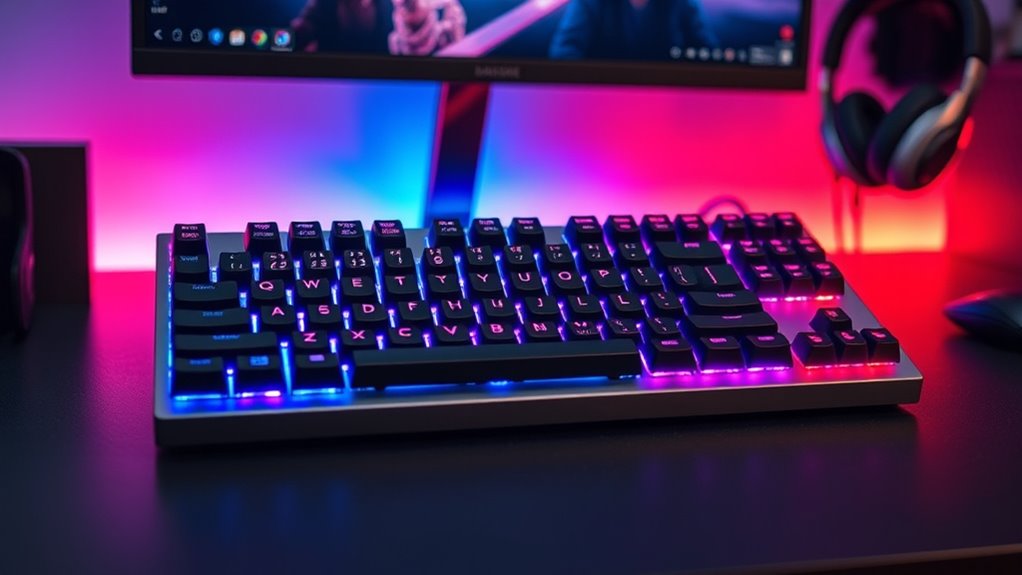

Mechanical keyboards remain the preferred choice for gamers, typists, and enthusiasts seeking durability, responsiveness, and customizable features. The Logitech MX Mechanical stands out as the best overall pick for its versatile wireless connectivity and tactile feedback. For gamers, the Redragon K580 offers excellent value with programmable macro keys and RGB lighting. Meanwhile, the AULA F75 Pro appeals to those wanting hot-swappable switches and a compact design. Choosing the right mechanical keyboard involves balancing build quality, switch type, features, and price. Keep reading for a detailed breakdown to help you find your perfect match.

Get audio and creator gear delivered free with Prime
- Fast, free delivery on millions of items
- Prime Video, Amazon Music and more included
- Member-only deals all year
Complete the kit



Key Takeaways
- Top contenders differentiate themselves through build quality, switch options, and connectivity features.
- Wireless models like the AULA F99 and Logitech MX Mechanical offer convenience but sometimes at a slight cost to latency or customization.
- Gaming-focused keyboards often include macro keys, RGB lighting, and anti-ghosting, but may sacrifice some typing comfort.
- Hot-swappable switches provide future-proofing and customization but often come at a higher price point.
- Budget options can deliver solid performance but may lack durability or premium features found in higher-end models.
| AULA F75 Pro Wireless Mechanical Keyboard, 75% Hot Swappable RGB Backlit Gaming Keyboard with Knob and PBT Side-Printed Keycaps |  | Best Versatile Wireless for Gaming and Productivity | Connection Modes: Bluetooth 5.0, 2.4GHz, USB-C | Battery Capacity: 4000mAh | Switch Type: Pre-lubed Reaper switches, hot-swappable | VIEW ON AMAZON | See Our Full Breakdown |
| Logitech G413 SE Full-Size Mechanical Gaming Keyboard – Black |  | Best Durable, Wired Gaming Keyboard | Compatible Devices: PC | Connectivity Technology: USB 2.0 | Backlit Keyboard: Yes | VIEW ON AMAZON | See Our Full Breakdown |
| AULA F99 Wireless Mechanical Keyboard, Tri-Mode BT5.0/2.4GHz/USB-C, Hot Swappable, RGB Backlit, 96% Layout for PC/Tablet/Console |  | Best Multi-Device, Large Layout for Power Users | Connection Modes: BT5.0, 2.4GHz, USB-C | Number of Devices Supported: Up to 5 | Switch Type: Pre-lubed linear, hot-swappable | VIEW ON AMAZON | See Our Full Breakdown |
| Logitech MX Mechanical Wireless Illuminated Keyboard Tactile – Graphite |  | Best Premium Wireless for Comfort and Quiet Typing | Switch Type: Tactile, quiet mechanical | Backlit: Smart illumination that adjusts automatically | Connectivity: Bluetooth, Logi Bolt | VIEW ON AMAZON | See Our Full Breakdown |
| RisoPhy Mechanical Gaming Keyboard, RGB 104 Keys, Blue Switch, Ultra-Slim LED Backlit USB Wired Keyboard with Durable ABS Keycaps, Anti-Ghosting, Spill-Resistant for PC, Mac, Xbox |  | Best Tactile, Clicky Gaming Keyboard | Switch Type: Blue | Keys: 104 | Backlighting: RGB | VIEW ON AMAZON | See Our Full Breakdown |
| Redragon K580 Wired RGB Mechanical Gaming Keyboard with Macro Keys and Media Controls |  | Best for Gamers Who Value Customization and Fast Input | Macro Keys: 5 (G1-G5) | Switch Compatibility: Hot-swappable | Keycap Material: Double-shot | VIEW ON AMAZON | See Our Full Breakdown |
| Keychron C2 Full Size Wired Mechanical Keyboard, Brown Switch, Retro |  | Best for Office Users and Light Typists Who Appreciate Style | Number of Keys: 104 | Switch Type: Brown | Connectivity: Wired | VIEW ON AMAZON | See Our Full Breakdown |
| Redragon Mechanical Gaming Keyboard Wired, 11 Programmable Backlit Modes, Hot-Swappable Red Switch, Anti-Ghosting, Double-Shot PBT Keycaps, Light Up Keyboard for PC & Mac |  | Best for Customization and Visual Flair in Gaming and Productivity | Compatible Devices: Most Wished For | Connectivity Technology: Wired | Backlit: Yes | VIEW ON AMAZON | See Our Full Breakdown |
| DarkBeacon Blade84 TKL Silent Mechanical Keyboard |  | Best for Quiet, Focused Typing and Compact Desk Space | Switch Type: Pre-Lubed linear silent | Layout: 84 keys, TKL | Connectivity: Wired, USB-C | VIEW ON AMAZON | See Our Full Breakdown |
| Redragon K668 108-Key Hot-Swap Wired RGB Gaming Keyboard |  | Best for Full-Size Gaming with Personalization | Number of Keys: 108 | Switch Type: Linear | Backlighting: RGB | VIEW ON AMAZON | See Our Full Breakdown |
| mechanical keyboard | Switch Type | Connectivity |
|---|---|---|
| AULA F75 Pro Wireless Mechanic | Pre-lubed Reaper switches, hot-swappable | — |
| Logitech G413 SE Full-Size Mec | — | — |
| AULA F99 Wireless Mechanical K | Pre-lubed linear, hot-swappable | — |
| Logitech MX Mechanical Wireles | Tactile, quiet mechanical | Bluetooth, Logi Bolt |
| RisoPhy Mechanical Gaming Keyb | Blue | USB-A |
| Redragon K580 Wired RGB Mechan | — | — |
| Keychron C2 Full Size Wired Me | Brown | Wired |
| Redragon Mechanical Gaming Key | — | — |
| DarkBeacon Blade84 TKL Silent | Pre-Lubed linear silent | Wired, USB-C |
| Redragon K668 108-Key Hot-Swap | Linear | USB-C |
More Details on Our Top Picks
AULA F75 Pro Wireless Mechanical Keyboard, 75% Hot Swappable RGB Backlit Gaming Keyboard with Knob and PBT Side-Printed Keycaps
The AULA F75 Pro stands out for its flexible connection options, supporting Bluetooth 5.0, 2.4GHz, and USB-C, making it ideal for users who switch between devices like PCs, tablets, and consoles. Compared with the Logitech G413 SE’s wired simplicity, this model offers wireless convenience, though it requires driver installation for advanced lighting and programming. Its hot-swappable switches facilitate easy customization, unlike traditional non-modular keyboards, but the battery life isn’t specified, which could impact portability. The durable PBT side-printed keycaps and vibrant RGB lighting make it appealing for gamers and creatives who value aesthetics and durability. The multi-function knob adds quick control over volume and lighting, a feature absent on most rivals.
Pros:- Versatile connectivity supporting Bluetooth, 2.4GHz, and wired modes
- Hot-swappable switches for personalized feel and easy maintenance
- Vivid RGB lighting with customizable effects and a multi-function knob
- Durable PBT side-printed keycaps
Cons:- Requires drivers for full lighting and macro programming, adding setup complexity
- Limited to 81 keys, which may omit some function keys for certain workflows
- Battery life details are unclear, potentially affecting all-day use
Best for: Gamers and productivity-focused users who want wireless flexibility and customization without sacrificing build quality.
Not ideal for: Users seeking a plug-and-play, no-setup experience or those who prefer a wired-only, straightforward keyboard for minimal fuss.
- Connection Modes:Bluetooth 5.0, 2.4GHz, USB-C
- Battery Capacity:4000mAh
- Switch Type:Pre-lubed Reaper switches, hot-swappable
- Backlight:RGB, 16.8 million colors, 16 effects
- Layout:75%, 81 keys, QWERTZ
- Keycaps:Side-printed PBT, double injection
Our verdict“This keyboard is perfect for users who want wireless versatility and customization in a compact, durable package.”
Logitech G413 SE Full-Size Mechanical Gaming Keyboard – Black
The Logitech G413 SE offers a solid, no-frills experience with its durable PBT keycaps and tactile switches, making it a reliable choice for serious gamers. Unlike the wireless AULA F75 Pro, it focuses solely on wired stability, which guarantees zero latency but limits mobility. The white LED backlighting provides clear visibility, though it’s confined to a single color, unlike RGB options. Its full-size layout includes dedicated media controls, which can be more practical for media management than the compact F75 Pro’s multi-function knob. However, its size may be a drawback for users with limited desk space, and the absence of wireless connectivity makes it less flexible for multi-device setups.
Pros:- Resistant PBT keycaps withstand wear and heat
- Responsive tactile switches for gaming precision
- Reliable anti-ghosting with 6-key rollover
- Simple, clean design with durable build quality
Cons:- Single-color backlighting limits aesthetic customization
- No wireless or multi-device support
- Size may be too large for compact setups
Best for: Gamers who prioritize durability, precise feedback, and a straightforward wired connection for competitive play.
Not ideal for: Users needing wireless connectivity or those with limited space wanting a more compact, multi-device setup.
- Compatible Devices:PC
- Connectivity Technology:USB 2.0
- Backlit Keyboard:Yes
- Backlighting Color Support:Single Color
- Language:English
- Pros:Durable PBT keycaps, Tactile switches, Anti-ghosting, Sleek design
Our verdict“This keyboard is ideal for gamers seeking a durable, wired experience with tactile feedback and straightforward performance.”
AULA F99 Wireless Mechanical Keyboard, Tri-Mode BT5.0/2.4GHz/USB-C, Hot Swappable, RGB Backlit, 96% Layout for PC/Tablet/Console
The AULA F99 excels in multi-device connectivity, supporting up to five devices via Bluetooth 5.0, 2.4GHz, and USB-C, which surpasses the single-device limits of the G413 SE. Its 96% layout maximizes screen space while still providing a full set of keys, unlike smaller options like the F75 Pro. The long-lasting 8000mAh battery and gasket structure promise extended, stable use, making it suitable for power users who need both gaming and productivity tools. However, the reliance on drivers for advanced lighting and macro features can be a hurdle for some, and the compact layout might not suit those who prefer traditional typing ergonomics. Its price is also likely higher, reflecting its feature set.
Pros:- Supports up to five devices simultaneously across three connection modes
- Hot-swappable switches for customization
- Large 8000mAh battery for extended use
- Gasket structure enhances stability and typing feel
Cons:- Requires drivers for full lighting and macro features
- Compact 96% layout may challenge traditional typing comfort
- Higher price point compared to simpler models
Best for: Power users requiring multi-device support and a full layout for multitasking and gaming alike.
Not ideal for: Casual users or those who prefer a simple, plug-and-play keyboard with minimal setup and cost.
- Connection Modes:BT5.0, 2.4GHz, USB-C
- Number of Devices Supported:Up to 5
- Switch Type:Pre-lubed linear, hot-swappable
- Lighting:RGB with 16 effects
- Key Layout:96% compact layout
- Battery Capacity:8000mAh
Our verdict“This keyboard suits users who need extensive device support and a full layout without sacrificing durability or customization.”
Logitech MX Mechanical Wireless Illuminated Keyboard Tactile – Graphite
The Logitech MX Mechanical offers a refined wireless experience with quiet, tactile switches and smart backlit keys that adapt to ambient lighting, making it a strong choice for professionals. Compared to the AULA F99’s multi-device but gaming-oriented approach, this model emphasizes comfort and efficiency for long typing sessions, with ergonomic low-profile keys and quick USB-C charging. Its compatibility with multiple OS and multi-device setups enhances productivity, but the high price may deter casual buyers. The automatic backlit adjustment conserves battery life, unlike the RGB-heavy options that drain power faster. Its sleek, minimalist design caters to those prioritizing style and subtlety over flashy lighting or gaming features.
Pros:- Quiet, tactile switches for precise, comfortable typing
- Smart illumination adjusts automatically based on lighting
- Multi-device support with Bluetooth and Logi Bolt
- Long battery life with quick USB-C charging
Cons:- Premium price may be prohibitive for some
- Full-size form factor consumes more desk space
- Limited RGB customization options
Best for: Professionals and remote workers who value quiet, comfortable typing and seamless multi-device connectivity.
Not ideal for: Gamers or users seeking vibrant RGB lighting and gaming-specific features at a lower price point.
- Switch Type:Tactile, quiet mechanical
- Backlit:Smart illumination that adjusts automatically
- Connectivity:Bluetooth, Logi Bolt
- Battery Life:Up to 15 days (with backlighting), 10 months (off)
- Material:Includes 45% recycled plastic (Graphite)
- Pros:Quiet switches, adaptive backlight, multi-device support, long battery
Our verdict“This keyboard is best suited for professionals who want quiet, comfortable, multi-device wireless typing in a sleek design.”
RisoPhy Mechanical Gaming Keyboard, RGB 104 Keys, Blue Switch, Ultra-Slim LED Backlit USB Wired Keyboard with Durable ABS Keycaps, Anti-Ghosting, Spill-Resistant for PC, Mac, Xbox
The RisoPhy Mechanical Gaming Keyboard is designed for gamers who want tactile, clicky feedback with a full set of keys. Its blue switches deliver satisfying responsiveness, similar to the Redragon K580 but with a more modern, ultra-slim profile. The RGB backlighting and anti-ghosting ensure fast, reliable inputs during intense gaming sessions, while spill resistance adds a layer of durability. Unlike the wireless options, this wired keyboard guarantees minimal latency, crucial for competitive play. However, the loud click of blue switches can be disruptive in shared or quiet environments, and the wired connection limits portability. Its ABS keycaps may wear faster than PBT, but they keep costs lower, making it a good value for gamers.
Pros:- Responsive blue switches with tactile, clicky feedback
- Full RGB backlighting with multiple modes
- Anti-ghosting and spill-resistant design
- Affordable, durable ABS keycaps
Cons:- Clicky switches can be loud and distracting
- Wired connection limits portability
- ABS keycaps may wear faster over time
Best for: Gamers who prefer tactile, clicky switches and need reliable, low-latency wired performance.
Not ideal for: Users in quiet environments or those seeking wireless flexibility and quieter typing experience.
- Switch Type:Blue
- Keys:104
- Backlighting:RGB
- Connectivity:USB-A
- Water Resistance:Spill-Resistant
- Material:ABS keycaps
Our verdict“This keyboard is perfect for gamers who want tactile, clicky feedback with reliable wired performance and RGB lighting in a slim form factor.”
Redragon K580 Wired RGB Mechanical Gaming Keyboard with Macro Keys and Media Controls
The Redragon K580 stands out for its programmable macro keys and full anti-ghosting, making it ideal for fast-paced gaming where quick shortcuts matter. Compared to the Redragon K668, it offers more dedicated macro controls, but the K580’s software dependency for advanced RGB effects can be a hassle for some users. Its hot-swappable switches provide customization flexibility, yet installing new switches may require some technical skill. The durable double-shot keycaps ensure longevity, which is vital for frequent gamers. However, the absence of a wireless option limits portability. This keyboard makes sense for gamers who want extensive customization and reliable performance without the need for wireless features.
Pros:- Customizable macro keys for complex commands
- Hot-swappable switches for easy tuning
- Durable double-shot keycaps resist fading
Cons:- Requires software for advanced RGB effects
- No wireless connectivity option
Best for: Competitive gamers who prioritize macro customization and input accuracy during intense sessions
Not ideal for: Casual users or office workers who prefer wireless convenience and simple setup
- Macro Keys:5 (G1-G5)
- Switch Compatibility:Hot-swappable
- Keycap Material:Double-shot
- Key Lifespan:50 million keystrokes
- Anti-Ghosting:Full 104-key
- Backlighting:RGB
Our verdict“This pick is perfect for gamers who need precise, customizable input and don’t mind a wired connection.”
Keychron C2 Full Size Wired Mechanical Keyboard, Brown Switch, Retro
The Keychron C2 offers a classic, retro aesthetic with colorful keycaps and a full-size layout, making it a strong alternative to the more gamer-focused Redragon K580. While it lacks backlighting, its compatibility with Mac and Windows enhances its versatility for office environments. The tactile Brown switches provide a satisfying feel for typing, and its ergonomic design with adjustable feet supports comfortable long-term use. Compared with gaming-oriented keyboards, it sacrifices RGB lighting for a cleaner look, which may suit users seeking a stylish, functional workspace keyboard. Its wired connection ensures reliable performance but limits portability. This model suits those who need a durable, aesthetically pleasing keyboard for work or light use without the distraction of flashy lighting.
Pros:- Colorful, retro-inspired aesthetic
- Compatible with Mac and Windows
- Ergonomic with adjustable feet
Cons:- No backlit options for low-light use
- Limited to light gaming and office tasks
Best for: Office workers and light typists seeking a stylish, reliable full-size keyboard
Not ideal for: Gamers or users who prefer RGB effects and wireless connectivity
- Number of Keys:104
- Switch Type:Brown
- Connectivity:Wired
- Connection Type:USB Type-C
- Material:ABS
- Compatible Devices:Computer, Laptop
Our verdict“This keyboard is ideal for those wanting a stylish, reliable typing experience for everyday office work.”
Redragon Mechanical Gaming Keyboard Wired, 11 Programmable Backlit Modes, Hot-Swappable Red Switch, Anti-Ghosting, Double-Shot PBT Keycaps, Light Up Keyboard for PC & Mac
The Redragon K668 offers extensive backlighting options with 11 preset modes, surpassing the more limited lighting controls of the Keychron C2. Its hot-swappable Red switches and anti-ghosting technology make it well-suited for gaming and fast typing, with macro editing support adding to its versatility. The PBT double-shot keycaps enhance durability, especially important for users who type heavily or game frequently. While it excels in customization, the backlighting is confined to preset modes, lacking granular color control, and the software setup can be complex for some. Its wired-only design limits portability, but overall, it provides a vibrant, feature-rich experience for gamers and power users alike.
Pros:- 11 customizable backlit modes
- Hot-swappable switches for personalized feel
- Durable double-shot PBT keycaps
Cons:- Backlight color cannot be customized beyond preset modes
- Software setup may be complex
Best for: Gamers and enthusiasts who want vibrant RGB effects and extensive macro options
Not ideal for: Users seeking a sleek, minimalist office keyboard or wireless setup
- Compatible Devices:Most Wished For
- Connectivity Technology:Wired
- Backlit:Yes
- Backlighting Color Support:RGB
- Switch Model:Cherry MX Red
- Number of Keys:104
Our verdict“This keyboard suits users who crave vivid lighting effects and extensive customization for gaming or creative work.”
DarkBeacon Blade84 TKL Silent Mechanical Keyboard
The DarkBeacon Blade84 TKL focuses on quiet, smooth typing with its pre-lubed linear silent switches, offering a different experience from the clickier Redragon K580. Its gasket mounting enhances comfort, making it suitable for long sessions without fatigue. The customizable RGB lighting and programmable macros via AI software add a layer of personalization, but require software installation, which could be a hassle. Its tenkeyless design makes it a strong choice for limited desk space, yet the wired connection may limit portability. Compared to the full-size Redragon K668, it sacrifices some hotkeys for a more compact footprint, appealing to users prioritizing quiet, efficient typing in a smaller form factor.
Pros:- Quiet, smooth typing with silent switches
- Gasket mount for enhanced comfort
- Customizable RGB lighting and macros
Cons:- Requires software for macro customization
- Wired connection limits portability
Best for: Professionals and gamers seeking a quiet, space-saving keyboard with customization options
Not ideal for: Users who need a full-size layout or wireless connectivity
- Switch Type:Pre-Lubed linear silent
- Layout:84 keys, TKL
- Connectivity:Wired, USB-C
- Polling Rate:8000Hz
- Backlight:RGB, customizable
- Compatibility:Windows and Mac
Our verdict“This model is best for users needing a quiet, compact keyboard with customizable features for focused work or gaming.”
Redragon K668 108-Key Hot-Swap Wired RGB Gaming Keyboard
The Redragon K668 provides a full-sized layout with 108 keys, making it a versatile choice for gamers looking for a wide array of hotkeys and robust features. Its hot-swappable linear switches and multiple RGB modes give users extensive customization, comparable to the Redragon K580. The addition of dedicated hotkeys for quick access and the ergonomic design enhance gaming comfort and efficiency. However, its size might be impractical for small desks, and the absence of wireless options could be a drawback for those seeking portability. Despite this, the K668 offers a well-rounded package for gamers who need a full-size, customizable keyboard for both competitive and casual play.
Pros:- Hot-swappable switches for easy customization
- Vibrant RGB with multiple modes
- Dedicated hotkeys for quick functions
Cons:- Bulky size for small desks
- No wireless connectivity
Best for: Gamers who want a full-size, customizable keyboard with hot-swappable switches
Not ideal for: Users with limited desk space or seeking wireless setups
- Number of Keys:108
- Switch Type:Linear
- Backlighting:RGB
- Connectivity:USB-C
- Water Resistance Level:Water Resistant
- Additional Features:Hot-Swappable, 4 Extra Hotkeys, 2 Sets Keycaps
Our verdict“This keyboard is suited for gamers who want a full-size, highly customizable experience with extensive key options.”

How We Picked
The products in this roundup were evaluated based on several key criteria: build quality, switch variety, typing experience, connectivity options, additional features, and overall value. We prioritized keyboards that balance performance with price, ensuring options suited for different use cases—from gaming to professional typing. Priority was given to models with reliable construction, responsive switches, and user-friendly features like hot-swappability or wireless connectivity. The ranking reflects how well each keyboard meets these needs while considering tradeoffs such as price, noise level, and customization options.| mechanical keyboard | Connectivity |
|---|---|
| AULA F75 Pro Wireless Mechanic | — |
| Logitech G413 SE Full-Size Mec | — |
| AULA F99 Wireless Mechanical K | — |
| Logitech MX Mechanical Wireles | Bluetooth, Logi Bolt |
| RisoPhy Mechanical Gaming Keyb | USB-A |
| Redragon K580 Wired RGB Mechan | — |
| Keychron C2 Full Size Wired Me | Wired |
| Redragon Mechanical Gaming Key | — |
| DarkBeacon Blade84 TKL Silent | Wired, USB-C |
| Redragon K668 108-Key Hot-Swap | USB-C |
Factors to Consider When Choosing Mechanical Keyboards
Choosing the right mechanical keyboard involves understanding several critical factors beyond just the appearance or brand. First, consider the switch type—whether you prefer tactile, linear, or clicky responses—as this impacts typing comfort and noise levels. Next, think about connectivity: wired, wireless, or hybrid models each have their advantages depending on your setup. Build quality and materials matter for durability, especially if you plan to use the keyboard heavily or on the go. Additional features like programmability, backlighting, and ergonomics can enhance your experience but often increase the cost. Finally, assess your budget and determine which features are worth investing in based on your primary use case.Switch Types and Tactility
The choice of switch significantly influences your typing or gaming experience. Tactile switches, like Cherry MX Brown or Gateron Brown, provide a noticeable bump that confirms keypresses, ideal for typing accuracy. Linear switches, such as Red or Yellow, offer smooth keystrokes favored by gamers for quick, repeated presses. Clicky switches, like Blue, produce audible clicks and are preferred by those who enjoy auditory feedback. Understanding your preference helps narrow down choices and avoid dissatisfaction caused by an unsuitable switch type.
Connectivity Options
Wireless mechanical keyboards, such as the Logitech MX Mechanical or AULA F99, deliver clutter-free setups and enhanced portability. However, wireless models can sometimes introduce latency or connection stability issues, especially during gaming. Wired keyboards tend to offer more consistent performance and are generally more affordable, but they limit mobility. Hybrid options combine both features, letting you switch between wired and wireless modes. Your intended usage environment and mobility needs should influence this decision.
Build Quality and Materials
The durability of a mechanical keyboard hinges on its construction and materials. Metal frames or sturdy plastics with reinforced plating tend to withstand heavy use and transportation. Keycaps made from double-shot PBT or ABS impact longevity and feel; PBT is generally more resistant to wear and shine. Spill resistance can be a bonus if you’re prone to accidents. Remember, a well-built keyboard not only lasts longer but also provides a more satisfying typing experience, especially during long sessions.
Additional Features and Customization
Features like programmable macro keys, RGB lighting, and wrist rests can enhance your workflow or gaming experience. Customizable lighting allows for better visibility in low-light conditions and personalization, but may add to the cost and complexity. Programmable keys are valuable for gamers and professionals who want quick access to commands or shortcuts. Noise level is another consideration—silent switches or dampening features can make your setup more suitable for shared environments. Balancing these extras with your budget ensures you get the most value.
Budget and Value
While premium keyboards often boast the best build quality and features, many budget options deliver surprisingly good performance for their price. Decide what features are essential for your needs and where you can compromise. Investing more typically results in increased durability, better typing feel, and more customization options. Conversely, entry-level models are perfect for beginners or casual users who prioritize affordability. Understanding the tradeoffs helps prevent overspending on features you might never use.
Frequently Asked Questions
Are wireless mechanical keyboards reliable for gaming?
Wireless mechanical keyboards have improved significantly, with many offering low latency connections suitable for gaming. Brands like Logitech and AULA incorporate advanced wireless technology that minimizes input lag, making them viable options for fast-paced gameplay. However, wired keyboards still tend to have an edge in consistency and response times, especially in competitive settings. If you prioritize ultimate responsiveness, a wired model might be the safer choice, but wireless keyboards are increasingly capable for most gaming scenarios.
What switch type is best for heavy typists?
Heavy typists often prefer tactile or clicky switches because they provide clear feedback, reducing the chance of missed keystrokes. Cherry MX Brown or Gateron Brown switches strike a good balance between tactility and quiet operation, making them ideal for long typing sessions without disturbing others. Blue switches, with their audible click, are also popular among typists who enjoy tactile and auditory confirmation. Ultimately, testing different switch types can help determine which feels most comfortable for extended use.
Is it worth paying extra for hot-swappable switches?
Hot-swappable switches add flexibility, allowing you to change switches without soldering, which can prolong the lifespan of your keyboard. They are especially useful if you want to experiment with different switch types or customize your setup over time. However, hot-swappable models tend to cost more initially, and the switches themselves may be less stable than soldered counterparts in some cases. For enthusiasts who enjoy tinkering, the investment is often justified, but casual users might not see enough benefit to warrant the additional cost.
Should I prioritize RGB lighting or build quality?
This depends on your primary use and preference. RGB lighting can enhance aesthetics and visibility, especially in low-light environments, but it often increases cost and can be distracting for some users. High build quality—such as sturdy frames and high-quality keycaps—ensures longevity and a satisfying typing experience, which is crucial for daily use. If your focus is on durability and comfort, prioritize build quality, but if aesthetics and customization matter most, RGB features become more valuable.
Are mechanical keyboards noisy?
Many mechanical switches produce noise, especially clicky types like Blue switches. This can be disruptive in shared spaces or quiet environments. To mitigate noise, look for keyboards with dampening features or opt for quieter switch variants like Reds or Browns. Additionally, silicone rings or dampening pads can reduce sound and vibration. Consider your environment and whether noise levels might be an issue before choosing a switch type or keyboard design.
Conclusion
For general users seeking versatility and reliability, the Logitech MX Mechanical stands out as the best overall choice. Gamers or those who want macro capabilities and RGB lighting will find the Redragon K580 offers excellent value. Beginners or casual users should consider budget-friendly models like the AULA F75 Pro for good performance without breaking the bank. Enthusiasts looking for customization and future-proofing might prefer the hot-swappable options such as certain Redragon or Keychron models. Ultimately, your ideal keyboard depends on your specific needs, whether it’s high durability, gaming features, or wireless convenience.