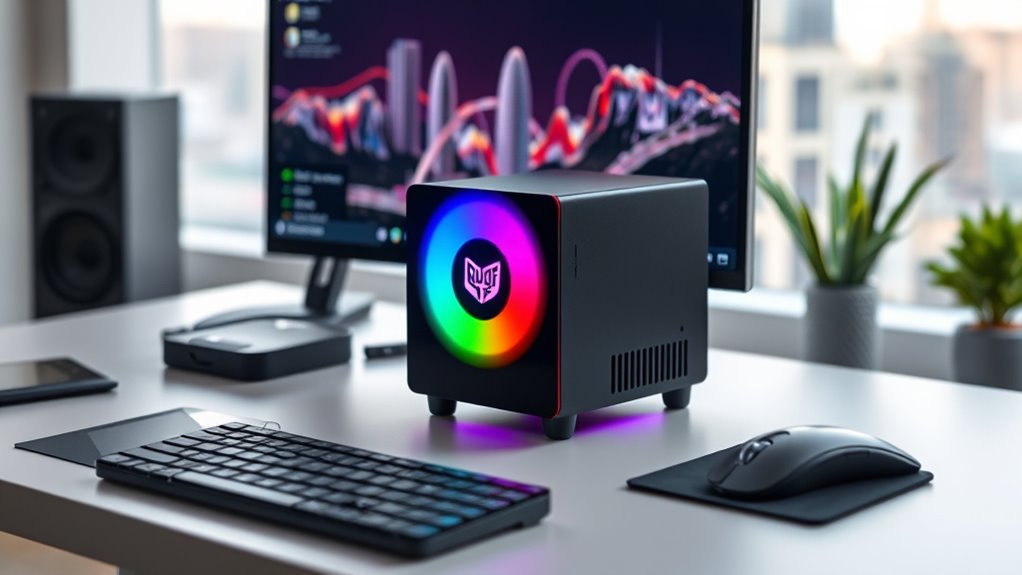

When searching for mini PCs that can handle professional workstation tasks, the key considerations are performance, expandability, and reliability in a compact form. The Beelink SER9 Pro stands out as the best overall choice, offering a powerful AMD Ryzen 7 CPU and fast SSD storage. For those prioritizing raw processing power, the MINISFORUM MS-01 with Intel Core i9 and the MINISFORUM UM890 Pro with Ryzen 9 deliver exceptional performance in small packages. However, these compact systems often face tradeoffs such as limited upgradeability or higher costs. Continue reading for a detailed breakdown of each option, tailored to different needs and budgets.

Get audio and creator gear delivered free with Prime
- Fast, free delivery on millions of items
- Prime Video, Amazon Music and more included
- Member-only deals all year
Complete the kit



Key Takeaways
- High-core count CPUs like AMD Ryzen 9 and Intel Core i9 dominate in performance, but often come at a higher price and power consumption.
- Expandability and ports vary significantly; some mini PCs support multiple displays and high-speed networking, which are critical for workstation tasks.
- Most top performers feature fast SSD storage and DDR5 RAM, but upgrading options differ and can influence long-term usability.
- Compact size sometimes limits thermal management, making cooling and noise levels important considerations for sustained workloads.
- Budget-friendly options tend to compromise on expandability and raw power, making them better suited for lighter workstation tasks.
| Beelink SER9 Pro Mini PC, AMD Ryzen 7 H 255, 24GB LPDDR5X, 1TB PCIe 4.0 SSD |  | Best Overall for Versatile Workstation Performance | Processor: AMD Ryzen 7 H 255, 3.8GHz (max 4.9GHz), 8 cores, 16 threads | RAM: 24GB LPDDR5X | Storage: 1TB PCIe 4.0 SSD | VIEW ON AMAZON | See Our Full Breakdown |
| BOSGAME P3 Lite Mini PC AMD Ryzen 7 6800H, 32GB DDR5 RAM, 1TB NVMe SSD |  | Best for Heavy Multitasking and Professional Use | Processor: AMD Ryzen 7 6800H, 3.2 GHz (max 4.75 GHz), 8 cores/16 threads | RAM: 32GB DDR5 (expandable up to 64GB) | Storage: 1TB NVMe SSD | VIEW ON AMAZON | See Our Full Breakdown |
| MINISFORUM MS-S1 MAX Mini AI Workstation PC with AMD Ryzen AI Max+ 395 |  | Best for AI and Heavy Computational Workloads | Processor: AMD Ryzen AI Max+ 395, 16 cores/32 threads, up to 5.1GHz | GPU: RDNA 3.5 | Memory: Up to 128GB LPDDR5x | VIEW ON AMAZON | See Our Full Breakdown |
| MINISFORUM X1-255 Mini PC with AMD Ryzen 7 255, 32GB DDR5, 1TB SSD, HDMI 2.1, DP 2.0, 2x USB4, WiFi 7, BT 5.4 |  | Best for Productivity and Multimedia in a Compact Design | Processor: AMD Ryzen 7 255, 8C/16T | RAM: 32GB DDR5 (up to 96GB) | Storage: 1TB PCIe 4.0 SSD | VIEW ON AMAZON | See Our Full Breakdown |
| Glorlin Mini PC Ryzen 7 6800H, 16GB LPDDR5, 512GB NVMe SSD, Radeon 680M, Triple 4K Display, Dual LAN, WiFi 6, Bluetooth 5.3, Compact Desktop for Office & Gaming |  | Best for Office and Light Gaming in a Small Package | Processor: AMD Ryzen 7 6800H, up to 4.7GHz | RAM: 16GB LPDDR5 | Storage: 512GB NVMe SSD | VIEW ON AMAZON | See Our Full Breakdown |
| MINISFORUM MS-01 Mini Workstation Core i9-13900H Barebone Mini PC with 8K HDMI, USB4, 10G SFP+, and RTX 3050 |  | Best Overall for High-End Workstation Power | Processor: Intel Core i9-13900H | Cores/Threads: 14 cores / 20 threads | Graphics: Intel Iris Xe Graphics, 2 GB DDR5 | VIEW ON AMAZON | See Our Full Breakdown |
| GMKtec Mini PC Workstation, Intel Core i9-13900HK, 32GB DDR5 RAM, 1TB SSD, 8x USB, HDMI, DisplayPort, COM Port, Windows 11 Pro |  | Best for Versatile Professional Use | Processor: Intel Core i9-13900HK | Cores/Threads: 14 cores, 20 threads | RAM: 32GB DDR5 5600 MHz | VIEW ON AMAZON | See Our Full Breakdown |
| GEEKOM AX8 Max Silent Mini PC, Ryzen 7 8745HS, DDR5 16GB, 1TB SSD |  | Best Silent Mini PC for Quiet Operation | Processor: AMD Ryzen 7 8745HS | Graphics: AMD Radeon 780M | RAM: 16GB DDR5 | VIEW ON AMAZON | See Our Full Breakdown |
| GEEKOM IT13 MAX AI Mini PC 2026, Intel Ultra 9 185H, 24GB LPDDR5, 500GB SSD |  | Best for AI and High-Performance Creators | Processor: Intel Ultra 9 185H | Memory: 24GB LPDDR5 | SSD: 500GB SSD | VIEW ON AMAZON | See Our Full Breakdown |
| MINISFORUM UM890 Pro Mini PC, AMD Ryzen 9 8945HS, 32GB DDR5 RAM, 512GB PCIe 4.0 SSD, Quad Display HDMI/DP, Dual LAN 2.5G |  | Best High-End for Multitasking and Professional Work | Processor: AMD Ryzen 9 8945HS | Cores/Threads: 8 cores, 16 threads | Memory: 32GB DDR5 | VIEW ON AMAZON | See Our Full Breakdown |
| MINISFORUM MS-02 Ultra Workstation Mini PC, Intel Core Ultra 9 285HX, 32GB RAM, 1TB SSD, Wi-Fi 7, Dual 25GbE |  | Best Overall for High-End Workstation Performance | Processor: Intel Core Ultra 9 285HX (24C/24T, up to 5.5 GHz) | RAM: 32GB DDR5 | Storage: 1TB SSD | VIEW ON AMAZON | See Our Full Breakdown |
| ASRock DeskMini X300 2.5G Series Mini PC Barebone Kit |  | Best for Customizable Compact Workstations | Form Factor: 1.92L mini PC | Processor Support: AMD Socket AM4 Ryzen up to 65W | Memory: Up to 128GB DDR4 at 3200MHz | VIEW ON AMAZON | See Our Full Breakdown |
| GEEKOM Mini PC IT13 MAX, Ultra 9 185H, 24GB RAM, 500GB SSD (Upgradeable) |  | Best for Creative and AI Workloads | Processor: Intel Core Ultra 9 185H | RAM: 24GB LPDDR5 | Storage: 500GB PCIe 4.0 SSD, expandable | VIEW ON AMAZON | See Our Full Breakdown |
| MINISFORUM MS-01 Mini Workstation Intel Core i9-13900H, 32GB DDR5, 1TB SSD, Multiple High-Speed Ports |  | Best for Power Users Needing High-End Connectivity | Processor: Intel Core i9-13900H (up to 5.4 GHz) | Memory: 32GB DDR5 | Storage: 1TB SSD | VIEW ON AMAZON | See Our Full Breakdown |
| MINISFORUM AMD Ryzen 9 9955HX Barebone Mini PC (MS-A2) with High Expandability and Dual 10G Ethernet |  | Best for Heavy Multitasking & Dual 8K Display Support | Processor: AMD Ryzen 9 9955HX (16C/32T, up to 5.4 GHz) | Memory Support: DDR5 SODIMM up to 96 GB | Storage: 3x M.2 NVMe, supports U.2 HDD | VIEW ON AMAZON | See Our Full Breakdown |
| mini pcs for workstation performance | Processor | Storage | RAM |
|---|---|---|---|
| Beelink SER9 Pro Mini PC | AMD Ryzen 7 H 255, 3.8GHz (max 4.9GHz), 8 cores, 16 threads | 1TB PCIe 4.0 SSD | 24GB LPDDR5X |
| BOSGAME P3 Lite Mini PC AMD Ry | AMD Ryzen 7 6800H, 3.2 GHz (max 4.75 GHz), 8 cores/16 threads | 1TB NVMe SSD | 32GB DDR5 (expandable up to 64GB) |
| MINISFORUM MS-S1 MAX Mini AI W | AMD Ryzen AI Max+ 395, 16 cores/32 threads, up to 5.1GHz | 2TB SSD | — |
| MINISFORUM X1-255 Mini PC with | AMD Ryzen 7 255, 8C/16T | 1TB PCIe 4.0 SSD | 32GB DDR5 (up to 96GB) |
| Glorlin Mini PC Ryzen 7 6800H | AMD Ryzen 7 6800H, up to 4.7GHz | 512GB NVMe SSD | 16GB LPDDR5 |
| MINISFORUM MS-01 Mini Workstat | Intel Core i9-13900H | Two M.2 PCIe4.0 slots, U.2 SSD support, PCIe x16 slot | — |
| GMKtec Mini PC Workstation | Intel Core i9-13900HK | 1TB PCIe NVMe SSD | 32GB DDR5 5600 MHz |
| GEEKOM AX8 Max Silent Mini PC | AMD Ryzen 7 8745HS | 1TB NVMe SSD | 16GB DDR5 |
| GEEKOM IT13 MAX AI Mini PC 202 | Intel Ultra 9 185H | — | — |
| MINISFORUM UM890 Pro Mini PC | AMD Ryzen 9 8945HS | 512GB PCIe 4.0 SSD | — |
| MINISFORUM MS-02 Ultra Worksta | Intel Core Ultra 9 285HX (24C/24T, up to 5.5 GHz) | 1TB SSD | 32GB DDR5 |
| ASRock DeskMini X300 2.5G Seri | — | 2x M.2 NVMe, 2.5" drive bays | — |
| GEEKOM Mini PC IT13 MAX | Intel Core Ultra 9 185H | 500GB PCIe 4.0 SSD, expandable | 24GB LPDDR5 |
| MINISFORUM MS-01 Mini Workstat | Intel Core i9-13900H (up to 5.4 GHz) | 1TB SSD | — |
| MINISFORUM AMD Ryzen 9 9955HX | AMD Ryzen 9 9955HX (16C/32T, up to 5.4 GHz) | 3x M.2 NVMe, supports U.2 HDD | — |
More Details on Our Top Picks
Beelink SER9 Pro Mini PC, AMD Ryzen 7 H 255, 24GB LPDDR5X, 1TB PCIe 4.0 SSD
This Beelink SER9 Pro stands out for its combination of a high-performance AMD Ryzen 7 H 255 CPU and ample RAM, making it suitable for demanding multitasking and multimedia workloads. Compared with the MINISFORUM MS-S1 MAX, it offers a more balanced mix of connectivity and cooling, but lacks the extensive AI capabilities and expansion options of the MAX. The integrated AMD Radeon 780M graphics provide decent visual power, yet it doesn’t include a dedicated GPU, which limits high-end gaming or GPU-intensive tasks. Its multiple display outputs and efficient cooling system support sustained workloads, although its compact size may restrict future upgrades. This model makes the most sense for users seeking a powerful yet compact workstation that can handle diverse applications without sacrificing performance.
Pros:- Powerful AMD Ryzen 7 H 255 processor with high clock speeds
- 24GB LPDDR5X RAM and fast PCIe 4.0 SSD storage
- Multiple display outputs including HDMI, DP, and USB-C
Cons:- Limited upgrade options due to its compact form factor
- No dedicated GPU, restricting high-end gaming or GPU-accelerated tasks
- Potentially higher price for premium specs
Best for: Content creators and professionals who need a versatile, high-performance mini PC without the complexity of dedicated GPU upgrades.
Not ideal for: High-end gamers or users requiring extensive GPU expansion, as it lacks a dedicated graphics card and upgrade flexibility.
- Processor:AMD Ryzen 7 H 255, 3.8GHz (max 4.9GHz), 8 cores, 16 threads
- RAM:24GB LPDDR5X
- Storage:1TB PCIe 4.0 SSD
- Graphics:AMD Radeon 780M 12-core 2600 MHz
- Connectivity:WiFi 6, Bluetooth 5.2, USB 3.2 x 2, HDMI 2.1, DP, USB-C (USB4, PD), 2.5G LAN
- Cooling:Copper tube + fan cooling
Our verdict“Ideal for users who want a high-performance, all-around mini workstation with good connectivity and cooling.”
BOSGAME P3 Lite Mini PC AMD Ryzen 7 6800H, 32GB DDR5 RAM, 1TB NVMe SSD
The BOSGAME P3 Lite excels with its AMD Ryzen 7 6800H processor, supporting demanding multitasking and content creation tasks, especially compared to the Beelink SER9. Its 32GB DDR5 RAM and PCIe 4.0 SSD enable fast workflows and future-proofing, while the support for triple 4K displays makes it suitable for detailed multitasking setups. Unlike the MINISFORUM MS-S1 MAX, it offers a more streamlined form factor with a focus on performance, but its small size may require careful placement for cooling efficiency. It runs Windows 11 Pro and includes dual Ethernet ports, making it a solid choice for professionals needing raw power in a compact form. However, the small footprint limits upgrade options, and its high-performance hardware can lead to increased power consumption and heat output.
Pros:- Powerful AMD Ryzen 7 6800H CPU with high clock speeds
- Supports triple 4K display output for complex multitasking
- Fast PCIe 4.0 SSD and expandable RAM up to 64GB
Cons:- Small size may challenge effective cooling during intensive workloads
- Limited upgrade options due to compact design
- Higher power draw and heat compared to less capable models
Best for: Professionals and content creators who need a compact yet powerful workstation capable of handling multi-application workflows.
Not ideal for: Casual users or gamers seeking dedicated GPU performance, as it relies on integrated graphics and has limited upgrade paths.
- Processor:AMD Ryzen 7 6800H, 3.2 GHz (max 4.75 GHz), 8 cores/16 threads
- RAM:32GB DDR5 (expandable up to 64GB)
- Storage:1TB NVMe SSD
- Graphics:AMD Radeon 680M integrated
- Connectivity:Wi-Fi 6E, Bluetooth 5.2, dual 2.5G Ethernet, HDMI, DisplayPort
- Cooling:Air cooling
Our verdict“Perfect for professionals who need a compact, high-performance mini PC that supports extensive multitasking and multiple displays.”
MINISFORUM MS-S1 MAX Mini AI Workstation PC with AMD Ryzen AI Max+ 395
The MINISFORUM MS-S1 MAX is a standout for specialized AI workloads, thanks to the AMD Ryzen AI Max+ 395 APU with Zen 5 architecture and RDNA 3.5 GPU, providing exceptional processing power in a mini form factor. Its support for up to 128GB of LPDDR5x RAM and dual M.2 slots for massive storage make it highly expandable, unlike the other options that cater more to general workstation tasks. The advanced cooling system ensures stability during prolonged AI or 3D rendering tasks, but its complexity and high cost make it less suitable for casual users. Compared to the other models, this is a true workstation for enterprise or research environments, though setup and configuration can be challenging for less tech-savvy buyers.
Pros:- High-core AMD Ryzen AI Max+ 395 with up to 5.1GHz
- Supports up to 128GB LPDDR5x RAM for demanding workloads
- Multiple expansion options including PCIe x16 and dual M.2 slots
Cons:- Setup complexity requires technical expertise
- Limited pre-installed software or OS info
- High cost may deter casual or small business users
Best for: AI researchers, 3D artists, and enterprise users needing a mini PC with extreme processing and expansion capabilities.
Not ideal for: General consumers or light office workers who won’t utilize its specialized high-performance features.
- Processor:AMD Ryzen AI Max+ 395, 16 cores/32 threads, up to 5.1GHz
- GPU:RDNA 3.5
- Memory:Up to 128GB LPDDR5x
- Storage:2TB SSD
- Connectivity:Wi-Fi 7, dual 10GbE LAN, USB4 V2 (80Gbps), HDMI 2.1
- Power Supply:320W
Our verdict“Designed for advanced AI, 3D, and data processing tasks in a compact form, suitable for enterprise or research environments.”
MINISFORUM X1-255 Mini PC with AMD Ryzen 7 255, 32GB DDR5, 1TB SSD, HDMI 2.1, DP 2.0, 2x USB4, WiFi 7, BT 5.4
The MINISFORUM X1-255 offers a balanced mix of performance and connectivity, driven by the AMD Ryzen 7 255 CPU paired with 32GB DDR5 RAM and fast SSD storage. Its multiple video outputs, including HDMI 2.1 and DisplayPort 2.0, support up to four screens, matching the needs of multi-monitor setups. Compared to the Glorlin Ryzen 7 6800H, it has a less powerful CPU but more modern connectivity features like WiFi 7 and Bluetooth 5.4, making it more future-proof for multimedia and office tasks. The active cooling system and small footprint make it suitable for desktops and professional environments, but the OCulink port’s external GPU capability requires technical know-how. This pick is best for productivity-focused users wanting a sleek, capable mini PC that supports multiple displays and fast networking.
Pros:- Powerful AMD Ryzen 7 255 processor with 8 cores/16 threads
- Supports up to four displays with HDMI 2.1 and DisplayPort 2.0
- Modern connectivity including WiFi 7 and Bluetooth 5.4
Cons:- Requires technical knowledge to fully utilize OCulink port for external GPU
- Limited pre-installed software info, potential setup complexity
- Small form factor limits upgrade options for some components
Best for: Professionals and power users seeking a reliable mini PC for multitasking, media editing, or multi-monitor productivity.
Not ideal for: High-end gamers or GPU-heavy tasks requiring dedicated graphics cards, as it relies on integrated graphics and limited GPU expansion.
- Processor:AMD Ryzen 7 255, 8C/16T
- RAM:32GB DDR5 (up to 96GB)
- Storage:1TB PCIe 4.0 SSD
- Video Outputs:HDMI 2.1, DisplayPort 2.0, 2x USB4
- Connectivity:WiFi 7, Bluetooth 5.4, 2.5G Ethernet
- Cooling:Active cooling with vents
Our verdict“A compact, high-performance mini PC suited for productivity and multimedia with extensive display support.”
Glorlin Mini PC Ryzen 7 6800H, 16GB LPDDR5, 512GB NVMe SSD, Radeon 680M, Triple 4K Display, Dual LAN, WiFi 6, Bluetooth 5.3, Compact Desktop for Office & Gaming
The Glorlin Ryzen 7 6800H packs a punch with a fast CPU and integrated Radeon 680M graphics, making it suitable for office multitasking and light gaming. It supports triple 4K displays, comparable to the larger and more expensive BOSGAME P3 Lite, but with a more compact build. Its 16GB LPDDR5 memory and 512GB SSD are sufficient for most productivity tasks, though it falls behind in expandability compared to the AI Max+ 395 or the BOSGAME P3 Lite. Its dual LAN, WiFi 6, and Bluetooth 5.3 keep it well-connected, but the limited RAM and smaller SSD mean it’s less suited for heavy workloads or advanced creative work. This mini PC offers a good balance for users who need a versatile, space-efficient device for office work and occasional media use, but not for demanding GPU tasks or future upgrades.
Pros:- Fast Ryzen 7 6800H CPU with up to 4.7GHz
- Supports triple 4K display output
- Compact design with extensive connectivity
Cons:- Limited RAM and SSD capacity for heavy workloads
- No dedicated GPU, restricting demanding gaming or rendering
- Limited upgrade options due to small size
Best for: Office workers and light gamers needing a small, capable machine for multitasking and media consumption.
Not ideal for: Power users or heavy gamers requiring dedicated GPU performance and upgrade flexibility.
- Processor:AMD Ryzen 7 6800H, up to 4.7GHz
- RAM:16GB LPDDR5
- Storage:512GB NVMe SSD
- Display Support:Triple 4K (HDMI, DisplayPort, Type-C)
- Connectivity:Dual LAN, WiFi 6, Bluetooth 5.3
- Weight:0.52 kg
Our verdict“A well-rounded mini PC suited for office and light multimedia tasks, with ample display support but limited upgradeability.”
MINISFORUM MS-01 Mini Workstation Core i9-13900H Barebone Mini PC with 8K HDMI, USB4, 10G SFP+, and RTX 3050
The MINISFORUM MS-01 stands out for packing a Core i9-13900H processor that excels in demanding tasks like 3D rendering and video editing, surpassing many competitors like the GMKtec K10 in raw processing power. Its high-speed multi-gigabit network ports and support for 8K displays make it ideal for professional workflows that rely on fast data transfer and crisp visuals. However, the absence of an included OS and potentially high power draw are tradeoffs for its performance. Compared to the GMKtec, the MS-01 offers stronger network options and more expansion, but at the cost of less emphasis on pre-installed software or energy efficiency.
Pros:- High-performance Intel Core i9-13900H processor for demanding workflows
- Supports multi-display setups with 8K HDMI and USB4 outputs
- Multiple high-speed network options including 10G SFP+ and 2.5G LAN
- Expandable storage with dual M.2 PCIe4.0 slots and PCIe x16 slot
Cons:- No pre-installed operating system included, requiring setup
- Potentially high power consumption at 45W
- Cooling system details are limited, which could affect thermal management
Best for: Power users needing maximum performance, such as video editors or 3D artists, who can handle setup and cooling considerations.
Not ideal for: Casual users or those seeking a ready-to-use system, since it lacks an OS and may require additional cooling solutions.
- Processor:Intel Core i9-13900H
- Cores/Threads:14 cores / 20 threads
- Graphics:Intel Iris Xe Graphics, 2 GB DDR5
- Display Outputs:HDMI 4K@60Hz, 2x USB4 8K@30Hz
- Network:Two 10G SFP+ ports, two 2.5G RJ45
- Storage:Two M.2 PCIe4.0 slots, U.2 SSD support, PCIe x16 slot
Our verdict“This mini PC is best suited for professionals who need raw power and expandability despite requiring extra setup and cooling considerations.”
GMKtec Mini PC Workstation, Intel Core i9-13900HK, 32GB DDR5 RAM, 1TB SSD, 8x USB, HDMI, DisplayPort, COM Port, Windows 11 Pro
The GMKtec K10 offers a balanced combination of power and connectivity, featuring an i9-13900HK that handles multitasking and demanding applications smoothly. Its generous 32GB DDR5 RAM and 1TB SSD support both productivity and creative workflows, with multiple display outputs including HDMI and DisplayPort allowing up to 8K resolution. The inclusion of a COM port makes it ideal for industrial or legacy device integration. Compared to the MINISFORUM MS-01, the GMKtec’s emphasis on multiple display options and Windows 11 Pro makes it more versatile for office and industrial environments. The tradeoff involves a slightly bulkier form factor and higher price point, reflecting its expanded connectivity.
Pros:- Powerful i9-13900HK processor with high multi-thread performance
- Supports up to 8K multi-screen setups with HDMI and DisplayPort
- Versatile connectivity including multiple USB ports, COM port, and audio jack
- Pre-installed with Windows 11 Pro for immediate productivity
Cons:- Larger and less portable than some mini PCs
- Higher price and power consumption at 45W
- Lacks dedicated graphics card, reliant on integrated graphics
Best for: Professionals needing a flexible mini PC with extensive connectivity, especially in industrial or multi-monitor setups.
Not ideal for: Users seeking a compact, energy-efficient system or those who don’t need legacy port support.
- Processor:Intel Core i9-13900HK
- Cores/Threads:14 cores, 20 threads
- RAM:32GB DDR5 5600 MHz
- Storage:1TB PCIe NVMe SSD
- Display Outputs:2× HDMI 2.0, 1× DisplayPort 1.4
- Network:2.5G Ethernet, WiFi 6, Bluetooth 5.2
Our verdict“This mini PC makes sense for users who need robust connectivity and multi-display support in a professional or industrial setting.”
GEEKOM AX8 Max Silent Mini PC, Ryzen 7 8745HS, DDR5 16GB, 1TB SSD
The GEEKOM AX8 Max distinguishes itself by combining a Ryzen 7 8745HS processor with a silent cooling system, making it suitable for noise-sensitive environments. Its 16GB DDR5 RAM and 1TB SSD deliver solid performance for productivity, multimedia, and light rendering tasks, with expandable memory for future needs. The dual 2.5GbE LAN and multiple video outputs—including HDMI, DisplayPort, and USB4—offer ample connectivity. Compared to the Intel-powered IT13 MAX, the AX8 Max prioritizes quiet operation and thermal management, but it limits base storage to 1TB, requiring upgrades for larger media libraries. Its compact size and silent design are perfect for open offices or studio settings.
Pros:- Powerful Ryzen 7 8745HS processor with Radeon 780M graphics
- Silent operation with advanced IceBlast 2.0 cooling system
- Expandable RAM and SSD for future upgrades
- Multiple connectivity options including USB4 and dual Ethernet
Cons:- Limited to 1TB SSD in base configuration, additional cost for upgrades
- Small size may restrict internal upgrade options for some users
- Requires external GPU for high-end gaming performance
Best for: Content creators and professionals who need a quiet, reliable mini PC for daily productivity and moderate workloads.
Not ideal for: High-end gamers or users requiring extensive storage or GPU-intensive tasks, due to limited base storage and reliance on integrated graphics.
- Processor:AMD Ryzen 7 8745HS
- Graphics:AMD Radeon 780M
- RAM:16GB DDR5
- Storage:1TB NVMe SSD
- Cooling System:IceBlast 2.0
- Connectivity:Dual 2.5GbE LAN, USB4, HDMI, DisplayPort
Our verdict“Ideal for users prioritizing silent operation and reliable performance in a compact form factor without high-end gaming needs.”
GEEKOM IT13 MAX AI Mini PC 2026, Intel Ultra 9 185H, 24GB LPDDR5, 500GB SSD
The GEEKOM IT13 MAX is tailored for AI professionals and creators, featuring an Ultra 9 185H with an integrated NPU that accelerates AI workloads. Its 24GB LPDDR5 RAM and 500GB SSD support multitasking and media editing efficiently, while its compact size makes it suitable for tight spaces. Supporting both Windows and Linux, it offers versatile OS options for different workflows. Compared with other mini PCs like the GMKtec K10, the IT13 MAX emphasizes AI and machine learning tasks, but its limited internal storage could be a bottleneck for large datasets. Its quiet operation and high memory capacity make it well-suited for specialized applications in small form factors.
Pros:- High-performance Ultra 9 processor with dedicated NPU for AI tasks
- Fast LPDDR5 memory and 500GB SSD for quick multitasking
- Supports up to four displays with multiple video outputs
- Quiet operation suitable for office or studio environments
Cons:- Limited internal storage, needing external drives for larger files
- Small size limits internal upgrade options
- Requires OS installation for full functionality
Best for: AI developers, data scientists, and content creators working on intensive workloads in space-constrained environments.
Not ideal for: Users needing extensive local storage or graphics-intensive gaming, as it relies on integrated graphics and limited SSD capacity.
- Processor:Intel Ultra 9 185H
- Memory:24GB LPDDR5
- SSD:500GB SSD
- Video Output:HDMI
- Power Consumption:65 watts
- Size:4.6 x 4.4 x 1.9 inches
Our verdict“Perfect for AI-focused professionals who need a compact, quiet system optimized for machine learning and multitasking.”
MINISFORUM UM890 Pro Mini PC, AMD Ryzen 9 8945HS, 32GB DDR5 RAM, 512GB PCIe 4.0 SSD, Quad Display HDMI/DP, Dual LAN 2.5G
The MINISFORUM UM890 Pro leverages a Ryzen 9 8945HS processor to deliver exceptional multitasking performance, making it ideal for high-end workloads like video editing, 3D rendering, and professional multitasking. Its support for up to four displays with HDMI and DisplayPort, along with extensive USB and Ethernet options, positions it ahead of more basic mini PCs like the GEEKOM AX8 Max. The large 32GB DDR5 RAM and PCIe 4.0 SSD make it responsive even under heavy loads. A notable tradeoff is the absence of a pre-installed OS, requiring setup, and the potentially higher price due to premium specs. This model caters well to tech-savvy users needing raw power and multiple outputs in a compact footprint.
Pros:- High-end Ryzen 9 8945HS processor with excellent multitasking capabilities
- Supports four simultaneous displays with HDMI and DisplayPort
- Extensive connectivity including dual 2.5G LAN and multiple USB ports
- Large RAM capacity up to 96GB supported, with fast PCIe 4.0 SSD
Cons:- No pre-installed operating system, requiring user setup
- Higher cost compared to lower-spec mini PCs
- Potentially complex setup for non-technical users
Best for: Professional creators and power users needing maximum multitasking, multiple display support, and expandability.
Not ideal for: Casual users or those on a tight budget, since it demands technical setup and is priced accordingly.
- Processor:AMD Ryzen 9 8945HS
- Cores/Threads:8 cores, 16 threads
- Memory:32GB DDR5
- Storage:512GB PCIe 4.0 SSD
- Display Outputs:HDMI, DisplayPort
- Networking:Dual 2.5G Ethernet
Our verdict“This mini PC suits advanced users who need high multitasking performance and multiple display support without compromise.”
MINISFORUM MS-02 Ultra Workstation Mini PC, Intel Core Ultra 9 285HX, 32GB RAM, 1TB SSD, Wi-Fi 7, Dual 25GbE
The MINISFORUM MS-02 Ultra stands out for delivering desktop-class power in a tiny footprint, making it ideal for demanding professional workflows. Its Intel Core Ultra 9 285HX processor with 24 cores and 24 threads ensures multi-threaded tasks run smoothly, outperforming models like the GEEKOM IT13 MAX in raw CPU power. The support for up to 32GB DDR5 RAM and four M.2 slots facilitates substantial expandability, though the setup can be complex for less experienced users. Its Wi-Fi 7 and multi-Gig Ethernet ports provide enterprise-grade networking, suitable for high-bandwidth tasks. However, its high power draw and intricate upgrade process are tradeoffs. This mini PC is best suited for professionals who need maximum performance without sacrificing space, yet those seeking simplicity should consider alternatives with easier upgrade paths.
Pros:- Exceptional multi-core processing power with Intel Core Ultra 9 285HX
- Supports extensive memory and storage expansion
- Next-generation Wi-Fi 7 and multi-Gig Ethernet for fast networking
- Enterprise-grade security features
Cons:- Complex upgrade process due to multiple expansion slots
- High power consumption under load
- Requires technical expertise for optimal setup
Best for: IT professionals, content creators, and engineers requiring top-tier workstation performance in a compact form factor
Not ideal for: Casual users or small office setups where simplicity and low power consumption are priorities
- Processor:Intel Core Ultra 9 285HX (24C/24T, up to 5.5 GHz)
- RAM:32GB DDR5
- Storage:1TB SSD
- Expansion Slots:4 M.2 PCIe 4.0, PCIe 5.0 x16
- Networking:Wi-Fi 7, Dual 25GbE, 10GbE, 2.5GbE
- Power Supply:350W
Our verdict“This mini PC excels for demanding professional workloads but demands a technically skilled user for setup and upgrades.”
ASRock DeskMini X300 2.5G Series Mini PC Barebone Kit
The ASRock DeskMini X300 offers a flexible barebone platform optimized for DIY enthusiasts who want a space-efficient yet powerful setup. Supporting AMD Ryzen processors up to 65W, it provides up to 128GB DDR4 RAM and dual M.2 slots for fast storage, rivaling the expandability of the MINISFORUM MS-02 but with a more straightforward build process. Its 2.5G LAN and versatile connectivity make it suitable for network-intensive tasks, though the need to purchase CPU, memory, and storage separately could delay deployment. Compared to pre-built options like the MINISFORUM MS-01, this kit appeals to users comfortable with assembly. It’s ideal for those wanting a customizable, space-efficient workstation, but less suited for users seeking an out-of-the-box solution.
Pros:- Highly customizable with support for up to 128GB RAM
- Small footprint with space for multiple storage drives
- Supports multiple display outputs for productivity
- High-speed 2.5G LAN connectivity
Cons:- Requires purchasing and installing CPU, RAM, and storage separately
- No pre-installed OS or peripherals included
- Assembly complexity for beginners
Best for: Tech-savvy users and small offices needing a customizable, high-performance mini PC
Not ideal for: Non-technical buyers who prefer plug-and-play solutions or pre-configured systems
- Form Factor:1.92L mini PC
- Processor Support:AMD Socket AM4 Ryzen up to 65W
- Memory:Up to 128GB DDR4 at 3200MHz
- Display Outputs:HDMI, DisplayPort, D-Sub
- Storage:2x M.2 NVMe, 2.5″ drive bays
- Networking:2.5G LAN
Our verdict“A flexible barebone kit ideal for experienced builders seeking a compact, expandable workstation.”
GEEKOM Mini PC IT13 MAX, Ultra 9 185H, 24GB RAM, 500GB SSD (Upgradeable)
The GEEKOM IT13 MAX earns its spot for users who need a portable yet capable machine for multitasking, creative workflows, or AI tasks. Its Intel Core Ultra 9 185H processor paired with 24GB LPDDR5 RAM delivers solid performance, especially compared to less powerful options like the Beelink SER9 Pro. The 500GB PCIe 4.0 SSD can be expanded up to 4TB, providing ample space for large project files. Its advanced cooling system ensures stability during intensive use, while dual 2.5GbE LAN offers high-speed connectivity. However, its reliance on Windows 11 and lightweight build might concern those looking for durability or OS flexibility. This device suits creative professionals and AI developers who need a portable workstation with moderate upgradeability, but not those seeking rugged or multi-OS compatibility.
Pros:- Powerful processor with high-speed LPDDR5 RAM
- Upgradeable SSD with plenty of capacity
- Long-term support with easy internal access
- Supports multiple displays
Cons:- Limited to Windows 11, reducing OS flexibility
- Lightweight build may impact durability
- No dedicated GPU for high-end graphics tasks
Best for: Creative professionals, AI researchers, and portable workstation users
Not ideal for: Users needing dedicated GPU performance or non-Windows environments
- Processor:Intel Core Ultra 9 185H
- RAM:24GB LPDDR5
- Storage:500GB PCIe 4.0 SSD, expandable
- Cooling System:IceBlast 3.0
- Network:Dual 2.5GbE LAN
- Dimensions:7.87 x 4.72 x 7.48 inches
Our verdict“A portable, high-performance mini PC suited for creative workflows and AI tasks, with upgradeability for future needs.”
MINISFORUM MS-01 Mini Workstation Intel Core i9-13900H, 32GB DDR5, 1TB SSD, Multiple High-Speed Ports
The MINISFORUM MS-01 offers a compelling choice for users who require maximum CPU performance in a compact form. Powered by an i9-13900H processor with speeds up to 5.4 GHz, it surpasses many competitors like the GEEKOM IT13 MAX in raw processing power, making it ideal for heavy-duty tasks. Its multiple high-speed ports, including 10Gbps SFP+ and 2.5GbE, support demanding network environments. The support for up to three M.2 NVMe SSDs and PCIe 4.0 expansion allows extensive storage and GPU options. Its main tradeoff involves its weight and complexity—it’s heavier and more complex to set up than smaller models. This mini PC suits power users who need high bandwidth, CPU muscle, and expandability, but may be overkill for casual or low-demand tasks.
Pros:- Blazing-fast Intel Core i9-13900H processor
- Multiple high-speed ports including 10Gbps network options
- Supports extensive storage and GPU expansion
- Compact yet powerful design
Cons:- Relatively heavy and more complex to set up
- No included keyboard or peripherals
- Higher power consumption
Best for: Data analysts, video editors, and users needing maximum CPU and connectivity in a small form
Not ideal for: Casual users or those seeking simple, plug-and-play solutions
- Processor:Intel Core i9-13900H (up to 5.4 GHz)
- Memory:32GB DDR5
- Storage:1TB SSD
- Ports:2x 10Gbps SFP+, 2x 2.5G RJ45, multiple USB
- Expansion Slots:1x PCIe 4.0 x16
- Weight:1.42 kg
Our verdict“A high-performance mini workstation perfect for power users demanding maximum CPU and connectivity in a small footprint.”
MINISFORUM AMD Ryzen 9 9955HX Barebone Mini PC (MS-A2) with High Expandability and Dual 10G Ethernet
The MINISFORUM MS-A2 shines for users needing a powerhouse with extensive expandability and advanced networking. Its AMD Ryzen 9 9955HX with 16 cores and 32 threads provides exceptional multi-threaded performance, surpassing many competitors like the MS-02 in raw CPU capability. Its support for dual 8K displays and dual 10G Ethernet makes it ideal for demanding professional environments or high-res multimedia. The presence of multiple M.2 slots and a PCIe x16 slot offers deep expandability, though the setup process is complex and requires additional components. Its higher weight and lack of included OS might deter casual users. This setup is best for those who need raw power, expandability, and multi-display support for professional or gaming use, but not for users seeking simplicity or portability.
Pros:- Excellent multi-core performance with Ryzen 9 9955HX
- Supports dual 8K displays for high-res workflows
- Dual 10G Ethernet for ultra-fast networking
- Deep expandability with multiple M.2 and PCIe slots
Cons:- Requires additional components, no OS included
- Heavier and more complex to assemble
- Potentially high power consumption
Best for: Advanced professionals, broadcasters, and gamers who need maximum expandability and high-res display support
Not ideal for: Users seeking a simple, ready-to-use mini PC with minimal setup
- Processor:AMD Ryzen 9 9955HX (16C/32T, up to 5.4 GHz)
- Memory Support:DDR5 SODIMM up to 96 GB
- Storage:3x M.2 NVMe, supports U.2 HDD
- Display Output:HDMI, USB-C (DisplayPort 2.0)
- Network:Dual 2.5Gb LAN, dual 10G Ethernet
- Cooling:Copper heat pipes with phase-change materials
Our verdict“A highly expandable, multi-display powerhouse designed for demanding professional or gaming setups, suited for experienced users.”

How We Picked
To compile this list, I focused on evaluating mini PCs based on their processing power, expandability, build quality, connectivity options, and value for professional workstation use. Prioritizing CPUs with high core counts and fast storage options ensures these systems can handle demanding tasks like 3D rendering, video editing, or CAD. I also considered user reviews and manufacturer specs to identify models that offer a balance of performance and reliability, while avoiding overly specialized or niche products that lack versatility. The ranking reflects how well each mini PC meets the needs of professionals seeking compact yet powerful workstation hardware, with a clear emphasis on performance, upgradeability, and connectivity features.Factors to Consider When Choosing Mini Pcs For Workstation Performance
Choosing a mini PC for workstation performance requires balancing several key factors. While small size is attractive, it should not come at the expense of processing power, expandability, or thermal management. Understanding your specific workload and future growth expectations guides better decisions, whether you prioritize raw CPU performance, multiple display support, or connectivity options. The following sections highlight the most important considerations to help you select a mini PC that truly meets your professional needs.Processor Power and Core Count
The CPU is the backbone of any workstation, and in mini PCs, high-core-count processors like AMD Ryzen 9 or Intel Core i9 are essential for demanding tasks such as 3D rendering or large-scale data analysis. While these CPUs come with a higher price tag, they offer the speed and multitasking capabilities that justify the investment. However, not all mini PCs support the latest CPUs or provide sufficient cooling, so verify compatibility and thermal design before purchasing.
Expandability and Ports
Since workstation tasks often require multiple peripherals, check how many display outputs, USB ports, and high-speed network interfaces are available. Some mini PCs support dual or even quad displays, which can boost productivity in design or editing workflows. Also, consider future expandability—models with accessible RAM slots or PCIe expansion can prolong the usefulness of your investment, despite the small size.
Storage and Memory
Fast SSDs and ample RAM are non-negotiable for smooth workflow performance. Preferably, choose systems with NVMe SSDs and DDR5 RAM, which deliver higher speeds and future-proofing. Be aware that some mini PCs have limited upgrade paths for storage or memory, so consider your current and future needs carefully to avoid bottlenecks or costly replacements later.
Thermal Management and Noise
Compact designs can lead to thermal challenges, affecting performance during extended workloads. Look for models with efficient cooling solutions; otherwise, thermal throttling may reduce CPU speeds, impacting productivity. Noise levels also matter—quiet operation is often preferable for professional environments, especially if the mini PC is in your immediate workspace.
Connectivity and Networking
High-speed networking options like Wi-Fi 6 or Wi-Fi 7, and multi-Gig Ethernet ports can significantly improve data transfer and remote workflows. USB-C, Thunderbolt, and HDMI 2.1 support are also important for connecting multiple high-resolution displays and peripherals. Ensure the mini PC’s ports align with your existing hardware ecosystem to minimize compatibility issues.
Frequently Asked Questions
Can a mini PC handle intensive workstation tasks like 3D rendering or video editing?
Yes, some mini PCs with high-core-count CPUs like AMD Ryzen 9 or Intel Core i9 are equipped to handle demanding workloads. However, thermal management and power delivery are critical; models with robust cooling and sufficient power supply are better suited for sustained performance. Keep in mind that mini PCs may have limited upgrade options, so choosing a high-performance model upfront is wise if you expect heavy workloads regularly.
Are mini PCs suitable for professional workstation use over traditional desktops?
Mini PCs can serve as effective workstations if they pack enough processing power, memory, and expandability. They are particularly useful in environments with space constraints or for portable setups. However, they often trade off some upgradeability and thermal headroom compared to larger desktops. For high-end, long-term performance, selecting models with robust cooling and high-end CPUs is essential.
What is the most important feature to look for in a mini PC meant for workstations?
The processor’s performance and core count typically matter most, as they directly impact your ability to run demanding applications. Equally important are expandability options, such as RAM slots and storage bays, which ensure the system remains useful as your needs evolve. Connectivity features like multiple display outputs and high-speed networking also play a significant role in a workstation environment.
How much RAM do I need in a mini PC for professional tasks?
For most workstation tasks, a minimum of 16GB of RAM is advisable, especially for multitasking and large files. Power users working with 3D modeling, video editing, or CAD software should consider 32GB or more to avoid bottlenecks. Check if the mini PC supports easy RAM upgrades, as this can extend the device’s relevance over time.
Are there mini PCs that support multiple high-resolution displays?
Yes, several models support dual or even triple 4K displays, which can dramatically improve productivity in design, video editing, or data analysis. Look for systems with multiple HDMI or DisplayPort outputs, and confirm they can handle the desired resolution and refresh rates simultaneously. This feature is particularly important if your workflow depends on extensive screen real estate.
Conclusion
For buyers seeking the best overall mini workstation, the Beelink SER9 Pro offers a compelling balance of power, expandability, and reliability. Those prioritizing budget and future upgrades will find the GEEKOM AX8 Max or ASRock DeskMini X300 appealing. Professionals needing maximum performance and expandability should consider the MINISFORUM UM890 Pro with Ryzen 9 or the MINISFORUM MS-01 with Core i9, designed for heavy-duty tasks. Beginners or light users should look at more modest options with integrated GPUs, while those with space constraints will value ultra-compact designs. Your choice hinges on matching features to your workload and growth expectations.