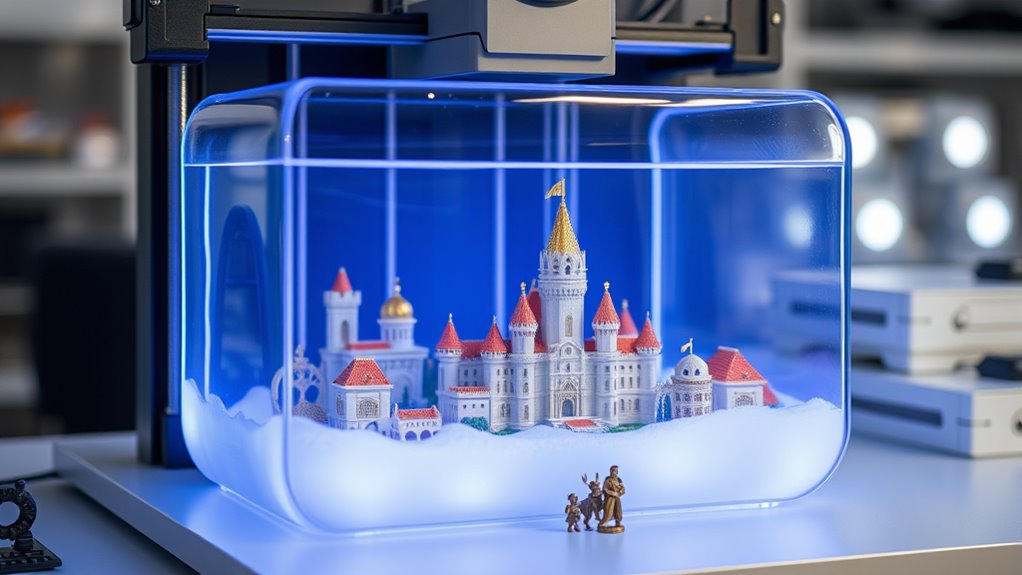

For miniatures, print detail, dependable setup, and build volume matter more than headline speed alone. I’d name the ELEGOO Saturn 4 Ultra 16K best overall for buyers who want high-resolution detail with room to print several figures, while the Phrozen Sonic Mini 8K S stands out for a compact, detail-focused setup and the ELEGOO Mars 5 Ultra for buyers who value automation. The main tradeoff is between a smaller printer that suits individual figures and a larger machine that can batch-print, along with the added cost and handling needs of resin. Read on for how these nine options differ and which one fits your miniature-printing plans.

Get audio and creator gear delivered free with Prime
- Fast, free delivery on millions of items
- Prime Video, Amazon Music and more included
- Member-only deals all year
Complete the kit


Key Takeaways
- The Saturn 4 Ultra 16K is the roundup’s best overall fit for miniature makers who want fine detail and more room for batches than a compact machine offers.
- The Phrozen Sonic Mini 8K S prioritizes small-footprint detail; its listed 22µm XY resolution and compact build area suit individual figures better than large production runs.
- The Mars 5 Ultra and Mars 5 represent different feature priorities: compare automation and workflow features against a simpler setup rather than treating the shared Mars name as a guarantee of the same experience.
- Several Photon Mono 4 listings appear under different descriptions, so verify the exact model and included equipment before choosing among them.
- Resolution is only one part of miniature quality; build area, leveling approach, maintenance needs, and safe resin handling can matter more to a buyer’s day-to-day results.
| Phrozen Sonic Mini 8K S LCD Resin 3D Printer |  | Best for Fine Detail in a Compact Printer | Display: 7.1-inch monochrome LCD | XY resolution: 22 microns | Build volume: 6.5 x 2.8 x 6.7 inches | VIEW ON AMAZON | See Our Full Breakdown |
| ELEGOO Saturn 4 Ultra 16K Resin 3D Printer |  | Best for Large, Detailed Batches | LCD resolution: 16K monochrome LCD | Print size: 8.33 x 4.66 x 8.66 inches | Tank heating: Intelligent heating to 30°C | VIEW ON AMAZON | See Our Full Breakdown |
| ANYCUBIC 10K Resin 3D Printer, Photon Mono 4 |  | Best Value for Detail and Build Volume | Screen size: 7 inches | Screen resolution: 9024 x 5120 | XY pixel size: 17 x 17 microns | VIEW ON AMAZON | See Our Full Breakdown |
| Reflex RS Turbo Resin 3D Printer |  | Best for Precision-Focused Power Users | Contrast ratio: 566:1 | Stated precision: ±2μm | Layer speed: 4.5 seconds per layer | VIEW ON AMAZON | See Our Full Breakdown |
| ELEGOO Mars 5 Ultra Resin 3D Printer |  | Best Compact Printer with Smart Monitoring | LCD: 7-inch monochrome LCD | LCD resolution: 9K | XY resolution: 18 microns | VIEW ON AMAZON | See Our Full Breakdown |
| ELEGOO Mars 5 Resin 3D Printer |  | Best for Low-Setup Printing | Automatic leveling: Yes | LCD: 4K mono | Cooling: Enhanced cooling with overheat protection | VIEW ON AMAZON | See Our Full Breakdown |
| ANYCUBIC Photon Mono 4 10K Resin 3D Printer, 7-inch HD Mono LCD Screen |  | Best for Fine Miniature Detail | Screen size: 7 inches | Resolution: 10K (9024 × 5120 px) | Pixel size: 17 × 17 μm | VIEW ON AMAZON | See Our Full Breakdown |
| ANYCUBIC Photon Mono 4 Resin 3D Printer with 7” 10K Mono LCD Screen |  | Best for Larger Miniature Batches | Resolution: 9024 × 5120 | Build volume: 153.4 × 87 × 165 mm (6.04 × 3.42 × 6.49 inches) | Display: 7-inch 10K mono LCD | VIEW ON AMAZON | See Our Full Breakdown |
| ELEGOO Mars 5 MSLA Resin 3D Printer with Mechanical Sensor and Automatic Leveling |  | Best for Speed and Print Monitoring | Product dimensions: 20.98 × 11.73 × 13.3 inches | Item weight: 19.11 pounds | Display: 6.6-inch 4K mono LCD | VIEW ON AMAZON | See Our Full Breakdown |
More Details on Our Top Picks
Phrozen Sonic Mini 8K S LCD Resin 3D Printer
The Phrozen Sonic Mini 8K S is a focused choice for miniature makers who want fine surface detail without giving a large printer dedicated bench space. Its 22-micron XY resolution and 8K monochrome LCD suit small faces, armor textures, and other features that can get lost on less finely resolved prints. The build area is roomy enough for individual figures and modest batches, though the 6.5 x 2.8 x 6.7-inch volume limits larger terrain and bulk production.
Compared with the ELEGOO Mars 5 Ultra, this Phrozen model offers a smaller, simpler footprint rather than Wi-Fi control and AI monitoring. Open-source slicer support gives experienced hobbyists flexibility, but calibration and resin cleanup still ask for hands-on attention. I’d choose it for detailed single models, not for a workflow built around automation or large batches.
Pros:- 22-micron XY resolution supports fine miniature features
- Compact tabletop footprint compared with larger-format printers
- Compatible with open-source slicers including Lychee and Chitubox
- Z-axis calibration features support consistent positioning
Cons:- Narrow build volume limits batch size and larger terrain
- Resin printing still requires separate washing, curing, and safety equipment
- Setup and calibration may take practice for first-time resin users
Best for: Miniature painters and tabletop hobbyists prioritizing fine detail in individual figures or small batches, with limited printer space.
Not ideal for: Makers printing large terrain, large armies in frequent batches, or anyone seeking extensive automated monitoring and setup assistance.
- Display:7.1-inch monochrome LCD
- XY resolution:22 microns
- Build volume:6.5 x 2.8 x 6.7 inches
- Printer dimensions:11.4 x 11.4 x 16.9 inches
- Weight:22 pounds
- Model number:SOMIN8KSUS
Our verdict“Choose the Sonic Mini 8K S for detailed individual miniatures in a compact setup; pick the Saturn 4 Ultra instead if you need more batch capacity and automation.”
ELEGOO Saturn 4 Ultra 16K Resin 3D Printer
For miniature makers who print several figures at once, the ELEGOO Saturn 4 Ultra 16K pairs a high-resolution screen with a substantially larger platform than the Phrozen Sonic Mini 8K S. Its 8.33 x 4.66 x 8.66-inch print area gives you more room to arrange squads, repeated character parts, or scenic pieces without sacrificing the fine detail that miniature surfaces demand. Auto-leveling and 30°C tank heating reduce some setup variables, while the camera can help monitor a run.
Those conveniences make it more feature-rich than the Photon Mono 4, but also larger, heavier, and potentially more involved for a new user. The advertised speed is useful when a plate is full, though it does not remove the need for supports, careful resin handling, and post-processing. I’d favor it for regular batch printing rather than a small, occasional-print workstation.
Pros:- Large print area accommodates multiple miniatures per run
- 16K mono LCD targets fine detail across larger plates
- Auto-leveling and heated resin tank help manage print conditions
- Camera monitoring and residue detection add run oversight
Cons:- 35.5-pound body and large dimensions require a stable, dedicated workspace
- Advanced monitoring and heating features add setup complexity
- Large-format resin printing can consume more resin per batch and still needs separate post-processing
Best for: Tabletop gamers and hobby studios that regularly print squads, multiple figures, or miniature components together and have room for a larger machine.
Not ideal for: Occasional hobbyists with a tight work area or beginners who want a compact, straightforward printer with fewer advanced systems to learn.
- LCD resolution:16K monochrome LCD
- Print size:8.33 x 4.66 x 8.66 inches
- Tank heating:Intelligent heating to 30°C
- Maximum stated print speed:Up to 150 mm/h
- Printer dimensions:24 x 17 x 15 inches
- Weight:35.5 pounds
Our verdict“Pick the Saturn 4 Ultra if your priority is printing detailed miniature batches on a large plate; choose the Sonic Mini 8K S for a smaller footprint.”
ANYCUBIC 10K Resin 3D Printer, Photon Mono 4
The ANYCUBIC Photon Mono 4 balances miniature detail with a useful build area, making it a practical middle ground between the compact Phrozen Sonic Mini 8K S and the larger ELEGOO Saturn 4 Ultra. Its 17-micron XY pixel size and 10K screen are suited to crisp figure details, while the 153.4 x 87 x 165 mm volume gives you more room for grouped models than the Phrozen. That extra capacity is useful for printing a few characters or multiple parts together.
The Photon’s appeal is its straightforward core specification rather than a long list of monitoring features: it can resume a print after a power interruption, but the supplied details do not describe the Saturn’s tank heating or camera monitoring. Setup may take patience, and replacement-part costs are a possible ownership concern. I’d pick this model for a detail-focused hobbyist who wants more plate space without stepping up to a larger-format machine.
Pros:- 17 x 17-micron XY pixels support detailed small models
- Build volume accommodates more than isolated single figures
- LighTurbo Matrix light source is designed for stable, uniform exposure
- Print-resume function can help recover from power interruptions
Cons:- Setup may be challenging for users new to resin printing
- Product data gives limited guidance on resin compatibility
- Replacement-part costs may affect long-term ownership
Best for: Miniature hobbyists who want fine detail and room for small batches but do not need camera monitoring or heated-resin features.
Not ideal for: Buyers who want guided setup and extensive automation, or makers whose regular prints need the larger plate of the Saturn 4 Ultra.
- Screen size:7 inches
- Screen resolution:9024 x 5120
- XY pixel size:17 x 17 microns
- Build volume:153.4 x 87 x 165 mm
- Light source:LighTurbo Matrix
- Warranty:1 year; LCD coverage listed as 6 months
Our verdict“Choose the Photon Mono 4 for a balanced mix of miniature detail and usable plate space, while the Saturn 4 Ultra is better for larger, more automated batches.”
Reflex RS Turbo Resin 3D Printer
The Reflex RS Turbo targets miniature makers who care about repeatable mechanical precision and print monitoring more than a light, beginner-friendly setup. Its ±2μm stated precision, C5 industrial ball-screw Z-axis, and automated leveling are aimed at consistent movement; force monitoring can flag resistance during a run before it turns into a failed plate. The stated 4.5-second layer speed may also appeal to users running frequent jobs, though speed alone does not determine finished miniature quality.
Compared with the ELEGOO Mars 5 Ultra, the Reflex emphasizes its industrial Z-axis and force sensing rather than Wi-Fi control and an AI camera. Its 50.6-pound weight and 15 x 23 x 15-inch dimensions make it the least convenient choice here for a crowded hobby desk. I’d reserve it for experienced makers who can make use of its precision systems and have a permanent workspace.
Pros:- C5 industrial ball-screw Z-axis is designed for consistent movement
- Automated leveling reduces manual plate adjustment
- Force monitoring can detect resistance during printing
- High-contrast screen and stated precision target fine, accurate output
Cons:- At 50.6 pounds, it is difficult to move and needs a sturdy workspace
- Large dimensions make it a poor fit for compact hobby desks
- Specialized systems may demand more setup knowledge than the Mars 5 Ultra
Best for: Experienced miniature printers or small production setups that value mechanical consistency, force monitoring, and frequent print runs.
Not ideal for: First-time resin users, space-constrained hobbyists, and buyers who want a lighter machine with simpler everyday operation.
- Contrast ratio:566:1
- Stated precision:±2μm
- Layer speed:4.5 seconds per layer
- Z-axis:C5 industrial ball-screw
- Force monitoring sensitivity:0.1 N
- Build plate leveling accuracy:≤0.05 mm
- Printer dimensions:15 x 23 x 15 inches
- Weight:50.6 pounds
Our verdict“Choose the Reflex RS Turbo for a permanent, precision-focused miniature workflow; the Mars 5 Ultra is the more practical pick for a smaller setup with wireless controls.”
ELEGOO Mars 5 Ultra Resin 3D Printer
The ELEGOO Mars 5 Ultra brings smart monitoring and high-resolution output to a more manageable format than the Saturn 4 Ultra. Its 9K mono LCD and 18-micron XY resolution suit tabletop figures, where small facial features and surface textures matter, while tilt-release technology supports faster printing. AI error detection, residue detection, and Wi-Fi control add oversight that the Phrozen Sonic Mini 8K S does not offer, which can be helpful when a print is running outside your immediate attention.
That convenience comes with a learning curve, and AI detection can vary with the resin and surroundings, so it should not replace checking the plate and print conditions. The supplied data also omits a build-volume figure, making direct capacity comparisons harder. Compared with the larger Saturn, this is the more space-conscious smart option, but it is not the best fit for large terrain or high-volume batches.
Pros:- 9K mono LCD and 18-micron XY resolution target fine miniature details
- Tilt-release technology supports fast printing
- AI camera and residue detection provide added print oversight
- Wi-Fi control supports remote operation and multi-printer management
Cons:- AI detection may be less dependable with varying resin or environmental conditions
- Connected and monitoring features can add a learning curve
- Build-volume dimensions are not provided in the supplied product data
Best for: Miniature makers who want high-detail figures, Wi-Fi operation, and print alerts in a smaller setup than a large-format Saturn.
Not ideal for: Hobbyists who need a documented large build area, print many figures at once, or prefer a basic printer without connected and AI features.
- LCD:7-inch monochrome LCD
- LCD resolution:9K
- XY resolution:18 microns
- Maximum stated print speed:Up to 150 mm/h
- Connectivity:Wi-Fi
- Printer dimensions:15.75 x 18.5 x 9.06 inches
- Weight:19.36 pounds
- Model number:EL-3D-M5U
Our verdict“Pick the Mars 5 Ultra for detailed miniatures and connected monitoring in a smaller format; choose the Saturn 4 Ultra when batch capacity matters more.”
ELEGOO Mars 5 Resin 3D Printer
For miniature makers who want less manual setup, the ELEGOO Mars 5 pairs one-click automatic leveling with a 4K mono LCD. That resolution suits detailed tabletop figures and character models, though it offers less pixel-level detail than the ANYCUBIC Photon Mono 4 10K. Its residue detection, resin-shortage alarms, and self-checks can flag common problems before they spoil a print, a useful layer of guidance for a home workspace. The tradeoff is that these safeguards do not remove resin cleanup or the learning curve around supports and exposure settings. Overheat protection may also interrupt a long job. I’d choose this over a higher-resolution machine when easier preparation and built-in alerts matter more than squeezing out the finest facial details.
Pros:- One-click automatic leveling reduces manual bed adjustment
- 4K mono LCD supports detailed miniature prints
- Residue detection, self-checks, and resin-shortage alarms can flag problems
- Overheat protection adds a safeguard during operation
Cons:- 4K resolution provides less pixel detail than the 10K ANYCUBIC Photon Mono 4
- Resin handling and post-print cleanup remain messy
- Overheat protection may halt longer prints, and setup can still challenge first-time users
Best for: Miniature hobbyists who want automatic leveling and warning features to reduce setup errors while learning resin printing.
Not ideal for: Detail-focused painters seeking the finest facial features, or anyone who wants a clean, low-maintenance printing process without resin handling.
- Automatic leveling:Yes
- LCD:4K mono
- Cooling:Enhanced cooling with overheat protection
- Sensor support:Residue detection and self-check
- Maximum temperature:80°C
- Resin alerts:Shortage alarms
Our verdict“Choose the Mars 5 if automatic leveling and built-in alerts matter more to you than 10K detail or avoiding resin cleanup.”
ANYCUBIC Photon Mono 4 10K Resin 3D Printer, 7-inch HD Mono LCD Screen
Among these options, this ANYCUBIC Photon Mono 4 10K is the detail-first pick: its 17 × 17 μm pixels and 10K screen can preserve small sculpted features that a 4K model such as the ELEGOO Mars 5 may render less precisely. That difference matters most on tiny faces, armor texture, and other close-up details—not every miniature will make the higher resolution worthwhile. The LighTurbo matrix light source is designed for stable curing, while the engraved build plate and power-failure recovery add practical support for print adhesion and interrupted jobs. It still requires resin-printing know-how, and its advanced screen can mean a higher-cost commitment. I’d favor it for intricate display pieces, not for buyers who mainly need a forgiving, low-effort first printer.
Pros:- 10K resolution and 17 × 17 μm pixel size suit intricate miniature features
- LighTurbo matrix light source is designed for stable curing
- Engraved platform is intended to improve build-plate adhesion
- Power-failure recovery can resume an interrupted job
Cons:- Requires familiarity with resin handling and print preparation
- The high-resolution feature set may cost more than a simpler 4K option
- The detail advantage matters less for larger, less intricate models
Best for: Experienced miniature painters and sculpt collectors who prioritize crisp small features and want power-failure recovery.
Not ideal for: First-time makers seeking the simplest route into resin printing, or buyers whose models do not need 10K-level detail.
- Screen size:7 inches
- Resolution:10K (9024 × 5120 px)
- Pixel size:17 × 17 μm
- Light source:LighTurbo matrix
- Build plate:Laser Engraving Platform 2.0
- Power failure recovery:Yes
Our verdict“Pick this Photon Mono 4 when fine miniature detail is your priority and you are comfortable managing resin-printing setup.”
ANYCUBIC Photon Mono 4 Resin 3D Printer with 7” 10K Mono LCD Screen
This Photon Mono 4 combines 10K detail with a stated build volume of 153.4 × 87 × 165 mm, making it the more batch-friendly choice here for printing several miniatures or adding terrain alongside figures. The listing also describes user-friendly leveling and resume functions, which may make routine jobs less fiddly than on a detail-focused machine without those conveniences. Compared with the 4K ELEGOO Mars 5 MSLA, its higher-resolution screen better suits fine sculpting, while the Mars listing provides a stated print speed and sensor details that this product data does not. The Photon’s practical drawback is that app support is unavailable, and its larger capacity is not a substitute for planning supports and resin cleanup. I’d choose it for varied, multi-model plates rather than for app-connected control.
Pros:- 10K mono LCD supports fine miniature detail
- Stated build volume accommodates multiple models or larger pieces
- Leveling and resume functions are presented as user-friendly
- Listed weight is 7.7 pounds
Cons:- App support is unavailable for this model
- The product data does not state print speed or sensor features
- A larger build area still requires resin handling and cleanup
Best for: Miniature hobbyists who want to print several figures or figures with small terrain pieces on one plate while retaining 10K detail.
Not ideal for: Buyers who rely on app support, need a very compact machine, or prefer clearly specified sensor and speed features.
- Resolution:9024 × 5120
- Build volume:153.4 × 87 × 165 mm (6.04 × 3.42 × 6.49 inches)
- Display:7-inch 10K mono LCD
- Item weight:7.7 pounds
- Product dimensions:10 × 10 × 15 inches
- App support:Not available
Our verdict“Choose this version if you want 10K detail and room for multi-model plates, but skip it if app support is part of your workflow.”
ELEGOO Mars 5 MSLA Resin 3D Printer with Mechanical Sensor and Automatic Leveling
The Mars 5 MSLA is the lineup’s speed-and-monitoring choice: it lists printing up to 70 mm/h and pairs automatic leveling with an intelligent mechanical sensor. Those features can make repeated miniature jobs easier to manage, though the listing does not specify exactly which failures the sensor detects. Its 6.6-inch 4K mono LCD and COB light source suit detailed tabletop models, but they do not match the 10K screens on either ANYCUBIC Photon Mono 4 for pixel-level detail. This model also has a notably large, heavy listed footprint, so it needs a dedicated workspace. I’d choose it over the smaller-feeling Mars 5 option when the stated speed and sensor are the draw; skip it if compact placement or maximum fine detail matters more.
Pros:- Stated print speed of up to 70 mm/h
- Automatic leveling reduces manual setup work
- Mechanical sensor adds issue detection
- 4K mono LCD and COB light source are suited to detailed resin models
Cons:- Listed dimensions and 19.11-pound weight make placement less convenient
- 4K resolution offers less pixel-level detail than the 10K ANYCUBIC models
- The product information does not specify which issues the mechanical sensor detects
Best for: Hobbyists with a dedicated work area who print miniatures regularly and value stated print speed, automatic leveling, and sensor monitoring.
Not ideal for: Apartment or desk users short on space, and sculpt-detail specialists who would benefit more from a 10K screen.
- Product dimensions:20.98 × 11.73 × 13.3 inches
- Item weight:19.11 pounds
- Display:6.6-inch 4K mono LCD
- XY resolution:35 × 35 μm
- Print speed:Up to 70 mm/h
- Light source:COB
- Sensor features:Intelligent mechanical sensor and automatic leveling
Our verdict“Choose this Mars 5 if you have room for it and value speed and sensor-assisted operation more than 10K miniature detail.”

How We Picked
I ranked these printers for miniature use by weighing the features that affect fine features, repeatable setup, and practical batch size. Screen resolution and pixel size help indicate potential detail, but neither guarantees a clean miniature on its own; exposure settings, resin choice, supports, orientation, and post-processing also shape the result. I also looked at build volume, leveling and sensing features, stated mechanical design, and how much each machine appears to prioritize convenience versus hands-on control.
The order reflects fit for the intended buyer, not a claim that one specification settles every comparison. The Saturn 4 Ultra 16K leads for balancing detail-focused positioning with space for multiple figures; compact and value-oriented machines rank well for buyers who mainly print single miniatures. Automation, unusual construction, and advertised speed can be useful, but I gave them less weight than a clear miniature-making benefit. Where several entries appear to describe the same Photon Mono 4 model, I treat the listing differences cautiously rather than assuming they are distinct printers.
Factors to Consider When Choosing Resin 3d Printers For Miniatures
Choosing a miniature printer means planning for the whole resin workflow, not only the machine. These factors can help narrow the field before you compare individual models.
Match the build area to how you print
A compact build plate can be a sensible fit if you print one character, a small terrain piece, or occasional replacement parts at a time. A larger plate can fit several supported models in one run, which may reduce the number of print cycles for a growing collection. Larger machines also take up more workspace and can encourage bigger, heavier jobs that need careful support planning. Think about the figures you actually plan to print, including bases and support rafts, rather than choosing by the largest advertised volume. If you mostly print single tabletop figures, a small printer may leave more room for washing and curing equipment. If you regularly print squads, compare usable plate area as well as total volume.
Read resolution specs as clues, not guarantees
Fine XY resolution can support crisp facial features, armor lines, and small textures, which is why resolution attracts miniature makers. But a resolution figure alone cannot tell you whether a printer will deliver clean results with your chosen resin and settings. Screen condition, exposure calibration, support placement, and model orientation all affect the finished piece. Very thin details can also be fragile even when a printer reproduces them clearly. Compare resolution alongside build size and the printer’s intended use, rather than assuming the highest number automatically produces the best miniature. When detail is the priority, plan time for test prints and careful tuning.
Choose convenience features for the problems you want to avoid
Automatic leveling, sensors, and other setup aids can reduce some setup friction, especially for a first resin machine. They do not remove the need to inspect the build plate, follow the maker’s setup instructions, or diagnose failed prints. A simpler printer may suit someone comfortable with manual checks and looking for a straightforward workflow. Before paying more for automation, ask which recurring task the feature addresses and whether it works with your intended setup. A feature that prevents an annoying setup error may be more valuable to a beginner than a speed claim. Experienced users may prefer to prioritize mechanical consistency or usable capacity instead.
Plan for washing, curing, ventilation, and cleanup
Resin printing creates extra work after a model leaves the build plate: prints need washing and curing, and uncured resin requires careful handling. A printer purchase should fit the space available for these tasks, not just the space for the machine itself. Keep resin away from children and pets, follow the resin and printer safety instructions, and use suitable protective equipment and ventilation. Spills, contaminated wash liquid, and used materials need proper handling under local guidance rather than being poured down a drain. A small printer can still require a full post-processing station, so don’t mistake a compact machine for a low-maintenance process. Buyers who cannot set aside a safe, practical work area may want to rethink resin printing before choosing a model.
Compare the full workflow, not just advertised print speed
Layer-time claims do not account for slicing, support removal, washing, curing, or the time spent correcting a failed miniature. For a hobbyist printing occasional figures, reliable setup and manageable cleanup may matter more than shaving time off a print. Batch printing can improve throughput, but only when the plate layout, supports, and resin exposure are set up well. Consider how often you print and whether you need several models ready for a game or display deadline. A machine with extra speed claims may not save time if it adds complexity you are not prepared to manage. Use speed as a tie-breaker after checking detail, capacity, and workflow fit.
Check exact model identity and included equipment
Product names and listing descriptions can overlap, especially when a model appears in several versions or storefront listings. The Photon Mono 4 entries in this roundup illustrate why buyers should check the exact model identifier instead of assuming every listing represents a separate machine. Confirm what is included, such as a build plate or accessories, and check whether the stated screen and resolution match the specific version being sold. Also check replacement-part availability and the manufacturer’s instructions for upkeep. A small difference in listing details can affect setup or future maintenance. Compare verified model specifications side by side before deciding that a near-duplicate listing offers a meaningfully different printer.
Frequently Asked Questions
Is a 10K or 16K resin printer automatically better for miniatures?
Not automatically: the screen resolution label is only one clue to potential detail. Pixel size, the printer’s build dimensions, exposure settings, resin, supports, and post-processing all affect the final figure. A higher-resolution model may appeal to makers focused on tiny textures, while a less resolution-focused printer may be the better fit if it offers the capacity or setup features they need. Check the specific model’s stated XY resolution rather than comparing only the 10K and 16K labels. Plan on calibrating settings with test prints before judging miniature quality.
Should I buy a compact printer or a larger one for tabletop figures?
Choose compact capacity if you mainly print single figures or small parts and prefer a machine that takes up less room. A larger build area is more useful when you want to print squads or multiple models in one run, though it still requires more workspace and careful plate planning. Include bases, supports, and rafts when estimating how many models will fit. Also leave room for washing and curing; the printer’s footprint is only part of the setup. If your print volume is low, the added capacity of a larger machine may go unused.
Do automatic leveling and sensors make a resin printer beginner-proof?
They can simplify parts of setup, but they do not make resin printing maintenance-free or remove the need to follow instructions. Beginners still need to prepare files, support models, manage resin safely, and wash and cure prints. Setup aids are most useful when they address a task you would otherwise find difficult or repeat often. Compare the feature set of the Mars 5 and Mars 5 Ultra carefully rather than assuming their names mean identical workflows. A beginner should also check what guidance and support the manufacturer provides.
Are the three Photon Mono 4 listings different printers?
The supplied product names describe overlapping Photon Mono 4 10K specifications, so I would not assume they are three distinct machines based on the wording alone. Check the exact model identifier, screen details, package contents, and manufacturer documentation for each listing. Differences may reflect listing language or included accessories rather than a different printer. If the specifications match, compare the support and replacement-part information rather than treating repeated listings as separate design options. Confirm the details before ordering so you know which version will arrive.
What do I need besides the printer to make miniature printing practical?
Plan for resin, a suitable wash and cure process, protective equipment, and a workspace with appropriate ventilation. You will also need slicing software and time to learn support placement, exposure settings, and cleanup. Resin handling requires care: follow the safety guidance for both the printer and resin, and keep uncured material away from children and pets. Consider where wash liquids and contaminated materials will go before your first print, following local disposal rules. These needs apply whether you choose a compact Phrozen, an ELEGOO Mars, or a larger Saturn model.
Conclusion
For the broadest miniature-making fit, I’d choose the ELEGOO Saturn 4 Ultra 16K as best overall, particularly if you want detail-focused printing and room for batches. The ANYCUBIC Photon Mono 4 is my value-oriented pick for buyers who want a 10K-class option in a compact category, but verify the exact listing because the roundup includes overlapping product names. For a premium feature-led option, compare the Reflex RS Turbo and Mars 5 Ultra based on whether its construction and advertised speed or its setup features better match your workflow. Beginners may prefer the Mars 5 Ultra for its automation-oriented approach, while detail-focused makers with limited space should look at the Phrozen Sonic Mini 8K S. Choose by print volume, workspace, and willingness to handle resin—not by resolution or speed claims alone.
Fall Picks
fall essentials
As an affiliate, we earn on qualifying purchases.