A standing desk alone can’t fully fix the issues caused by prolonged sitting or standing. While it helps reduce sitting time, you still need to move regularly and incorporate ergonomic support to prevent discomfort and health risks. Standing all day can cause joint fatigue, and static postures lead to stiffness. To truly improve your health, you must combine movement, proper posture, and ergonomic accessories. Keep exploring to discover how to optimize your workspace and routines effectively.
Key Takeaways
- Standing desks alone do not address the need for regular movement and breaks to prevent stiffness and improve circulation.
- Prolonged standing without movement can cause leg fatigue and joint discomfort, requiring active routines.
- Proper ergonomic support and accessories are essential but insufficient without conscious posture and activity habits.
- Alternating between sitting and standing without intentional movement fails to fully mitigate health risks.
- Integrating movement, posture awareness, and ergonomic tools is crucial for effective ergonomic health.

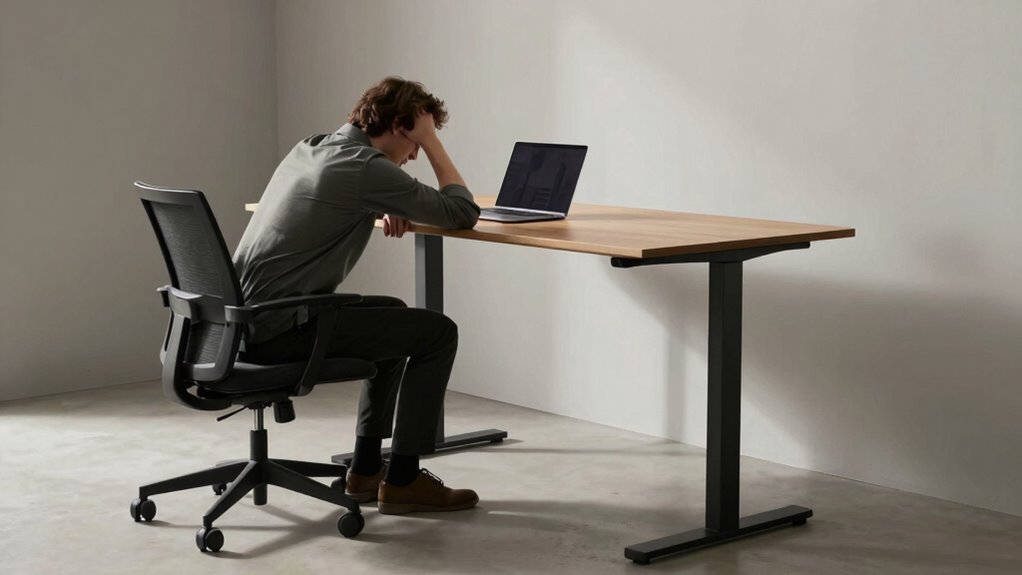
Have you ever wondered why sitting for long periods feels uncomfortable or even harmful? It’s a common experience, and it’s more than just fatigue. Prolonged sitting puts strain on your back, neck, and hips, increasing the risk of chronic pain and health issues. While switching to a standing desk seems like a smart solution, it’s not a magic fix. Standing all day can lead to its own problems, like leg fatigue and joint discomfort. The real key isn’t just alternating between sitting and standing but finding ways to move regularly and support your body properly.
That’s where ergonomic accessories come into play. Items like adjustable monitor stands, supportive footrests, and ergonomic chairs help create an environment that encourages good posture and reduces strain. When your workspace is optimized with these tools, you’re more likely to maintain comfort and prevent injuries, regardless of whether you’re sitting or standing. But simply having the right accessories isn’t enough. You also need to incorporate movement routines into your day. Small, frequent breaks to stretch or walk around can drastically improve circulation, decrease stiffness, and boost your energy levels. Engaging in active habits throughout your day can further enhance your overall well-being. Incorporating ergonomic principles can also ensure that your workspace and routines are aligned with your body’s needs.
You might think that standing at a desk would naturally promote more movement, but without intentional effort, it can become static and counterproductive. Instead, set reminders to stand, stretch, or walk every 30 minutes. During these breaks, perform simple movement routines—like shoulder rolls, hip circles, or ankle rotations—that target key muscle groups and keep your body active. These routines don’t need to be long or complicated; even a minute or two can make a significant difference in how your body feels and functions. Incorporating ergonomic accessories and movement routines into your daily schedule is an effective way to combat the negative effects of prolonged sitting and standing. Additionally, understanding the importance of proper posture can greatly enhance the benefits of your ergonomic setup and routine.

BoYata Monitor Stand, Adjustable Monitor Riser Metal Computer Stand Compatible with TV, PC, Laptop, Computer, iMac, and All Screen Display-Black
Adjustable Height: Unlike the traditional stand, our monitor stand has an adjustment twist knob that can adjust the…
As an affiliate, we earn on qualifying purchases.
As an affiliate, we earn on qualifying purchases.
Frequently Asked Questions
How Long Should I Stand at My Desk Each Day?
You should aim to stand at your desk for about 2 to 4 hours daily, breaking it into intervals to prevent fatigue. Focus on posture correction by keeping your shoulders relaxed and your feet flat, and choose footwear that offers comfort and support. Remember, alternating between sitting and standing helps reduce strain and improves overall comfort. Listen to your body and adjust your standing time accordingly for peak health benefits.
Can Ergonomic Accessories Improve Standing Desk Benefits?
Yes, ergonomic accessories can enhance the benefits of your standing desk. Using items like anti-fatigue mats, adjustable keyboard trays, and monitor risers helps improve comfort and posture, reducing strain during long periods of standing. These accessories support proper alignment and encourage movement, making your standing desk more effective. Incorporating ergonomic accessories guarantees you stay comfortable and energized, ultimately maximizing the health benefits of your standing workstation.
What Are the Health Risks of Prolonged Standing?
Prolonged standing can lead to health risks like joint pain, varicose veins, and muscle fatigue. To reduce these risks, you should focus on posture correction and wear supportive footwear choices. Alternating between sitting and standing, taking regular breaks, and maintaining good posture help prevent discomfort. Remember, standing all day isn’t ideal; listen to your body and incorporate movement to stay healthier.
How Do I Transition to a Mixed Sitting and Standing Routine?
You can shift smoothly to a mixed sitting and standing routine by starting with small posture adjustments and alternating every 30 to 60 minutes. Adjust your desk positioning so your monitor is at eye level and your arms rest comfortably. Use a timer or app to remind you to switch positions, making it easier to avoid fatigue and maintain good posture. Over time, this routine becomes natural and helps reduce health risks.
Are There Specific Exercises to Prevent Discomfort While Standing?
To prevent discomfort while standing, you should incorporate stretching routines that target your calves, hips, and lower back regularly. Additionally, choose supportive footwear with cushioned soles to reduce strain. Shift your weight frequently, take short breaks to sit, and stretch your legs. These practices help maintain comfort, improve circulation, and prevent fatigue during prolonged standing, making your routine more sustainable and healthy.

StrongTek Ergonomic Wood Foot Rest for Enhanced Circulation & Comfort, 350lbs Capacity, Rocker Balance Board for Standing Desks, Non-Slip, No Assembly, 18" Wide – Ideal for Office/Home
Durable Design: Our wooden rocking footrest, superior to plastic alternatives, can hold up to 350 lbs. This robust…
As an affiliate, we earn on qualifying purchases.
As an affiliate, we earn on qualifying purchases.
Conclusion
You might think a standing desk is your knight in shining armor, ready to vanquish the sitting problem. But remember, even in this modern age, it’s not a magic wand. You still need to move, stretch, and take breaks—just like ancient warriors taking pauses between battles. So don’t rely solely on your desk’s new stance; be proactive. After all, even the most advanced tech can’t replace good old-fashioned activity.

Marsail Ergonomic Office Chair: Office Desk Chair with High Back Mesh and Adjustable Lumbar Support Rolling Work Swivel Task Chairs with Wheel 3D Armrests and Headrest
Fully Adjustable Office Chair: Customized chairs, featuring with an adjustable 2D headrest, backrest with 90° to 120° recline,…
As an affiliate, we earn on qualifying purchases.
As an affiliate, we earn on qualifying purchases.

inkfonts Office Stretching Exercises Poster Office Stretch Chart, Desk Stretch Routine & Workplace Wellness Guide, Waterproof, Tear-Resistant Ergonomic Training Sign Chart
Daily Desk Work Support: Designed for daily desk work, this office stretching exercises poster provides simple visual reminders…
As an affiliate, we earn on qualifying purchases.
As an affiliate, we earn on qualifying purchases.