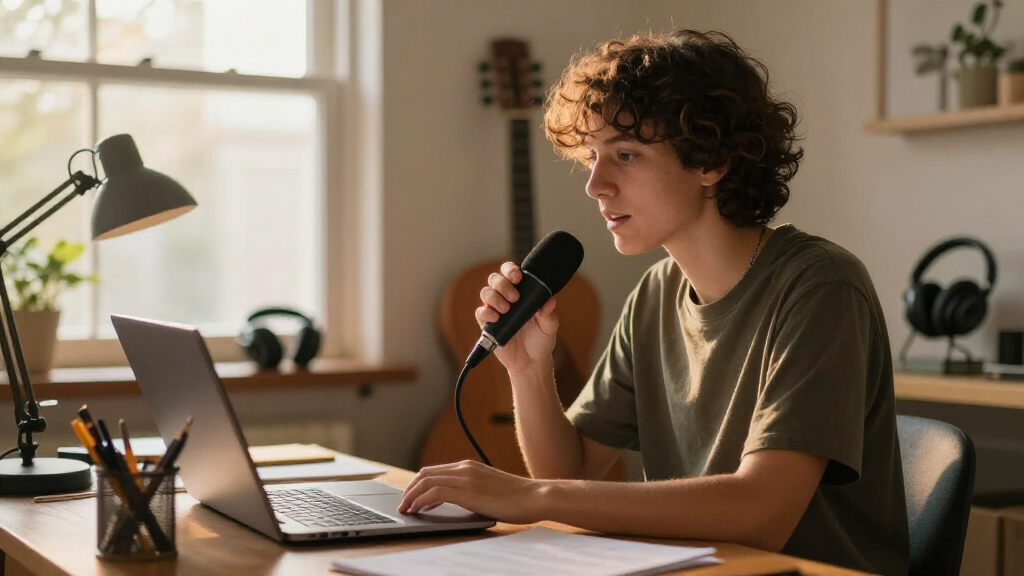

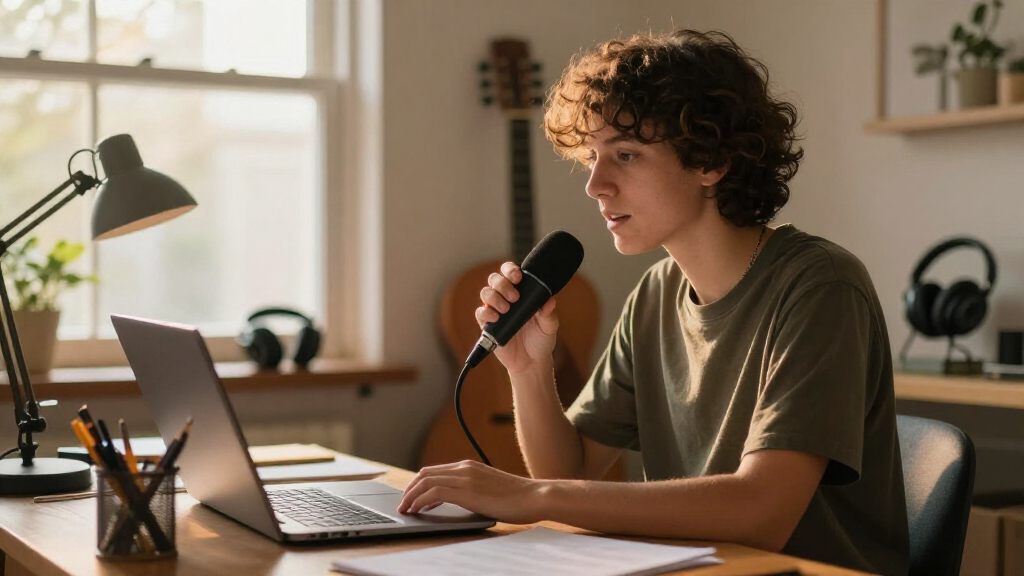
For online classes, the right USB microphone is the difference between students straining to hear you and forgetting the technology entirely. After comparing ten popular options, the ZealSound Podcast Microphone stands out as the best overall pick for teaching — its onboard gain control, mute button, and headphone monitoring let you manage your voice mid-lesson without touching software settings. Teachers on a tighter budget should look at the FIFINE K669, which delivers remarkably clear Zoom audio at a fraction of the price, while the TONOR 360° conference microphone solves a different problem: picking up multiple voices in a shared classroom. The main tradeoff in this category is between conversational clarity (a directional desktop mic aimed at one speaker) and room coverage (an omnidirectional pickup that grabs everything, keyboard taps included). Cheap plug-and-play mini mics are tempting, but several in this lineup cut corners on noise handling that matters in echo-prone home classrooms. Keep reading for the full ranked breakdown, including which mics to skip and why.

Get audio and creator gear delivered free with Prime
- Fast, free delivery on millions of items
- Prime Video, Amazon Music and more included
- Member-only deals all year
Complete the kit



Key Takeaways
- Onboard controls separated the top picks from the rest: the amazon.com/dp/B0932BCM2T?tag=attunemagazine-20&ascsubtag=dc-645885″ target=”_blank” rel=”nofollow sponsored noopener”>ZealSound and FIFINE K669 models let you mute and adjust gain mid-class, while sub-$15 mini mics force you into software menus during a live lesson.
- Omnidirectional conference mics (TONOR, 360° Conference) only make sense for group settings — for solo teaching they pick up more room noise than a cardioid desktop mic aimed at your mouth.
- Headphone monitoring, found only on the ZealSound, is the single feature teachers underestimate most; hearing yourself in real time prevents the ‘am I audible?’ anxiety during live sessions.
- The two FIFINE K669 variants are not identical twins: the silver K669 is tuned and marketed for meetings and classes, while the K669B leans toward vocal recording — a subtle but audible difference in voice clarity.
- Ultra-cheap gooseneck mini mics under $15 all shared the same weakness: thin, tinny sound that students notice within minutes, making the Amazon Basics mic the true entry point for budget buyers.


| USB microphone for online classe | Compatibility | Connectivity | Connection |
|---|---|---|---|
| Plug & Play USB Computer Micro | PC and Mac, plug-and-play | USB | — |
| Mini USB Microphone for Laptop | Windows, Mac, Raspberry Pi, Linux, Chromebook | USB 2.0 | — |
| CMTECK USB Computer Microphone | — | USB | — |
| ZealSound Podcast Microphone f | Windows, Mac, iPhone, iPad, Android, PS4, PS5 | USB-C with Lightning adapters included | — |
| TONOR USB Conference Microphon | Windows and macOS | USB 2.0, plug-and-play | — |
| FIFINE K669 Silver USB Microph | PC, Laptop (USB-C adapter needed for some laptops) | — | USB |
| FIFINE K669B USB Microphone | PC, Mac, PS4, PS5 | — | USB-A |
| Amazon Basics Condenser Microp | PC, Mac, Laptop | — | USB |
| Mini USB Microphone for Laptop | Windows PC and Mac | — | USB with included USB sound card |
| 360° USB Conference Microphone | Windows and macOS | — | USB |
More Details on Our Top Picks
Plug & Play USB Computer Microphone with Flexible Gooseneck, Noise Canceling, Mute Button, LED
This model stands out as the most complete package for a single instructor at a desk. The 5.7-inch metal gooseneck lets you position the capsule close to your mouth without dragging the whole base forward — a real advantage over the fixed-body FIFINE K669, which depends on its stand angle. The mute button with LED indicator is genuinely useful mid-lecture when a family member walks in, something the cheaper Mini USB Microphone can’t offer at all. The tradeoff is honesty about expectations: the omnidirectional pattern picks up your voice clearly but also your keyboard and fan, so a quiet room matters more here than with a unidirectional mic like the CMTECK G009. There’s also no headphone jack for monitoring your own audio, which podcasters will miss but most teachers won’t.
Pros:- Flexible 360-degree gooseneck positions the mic exactly where your voice is clearest
- Mute button with LED indicator lets you silence yourself instantly mid-class
- True plug-and-play on both PC and Mac with no driver fuss
- Solid metal gooseneck and shock-resistant base feel built to survive a busy desk
Cons:- Omnidirectional pattern captures room noise, keyboard, and fans along with your voice
- No headphone monitoring jack, so you can’t hear yourself while teaching
Best for: Solo teachers and tutors who lecture from a fixed desk and want quick mute control and flexible positioning
Not ideal for: Anyone teaching in a noisy shared space — the omnidirectional pickup will broadcast background chatter and keyboard clicks
- Pickup Pattern:Omnidirectional
- Connectivity:USB
- Gooseneck Length:5.7 inches
- Material:Metal gooseneck, shock-resistant ABS base
- Controls:Mute button
- Extras:LED ambient lighting, noise reduction
- Compatibility:PC and Mac, plug-and-play
Our verdict“The most sensible all-around pick for one teacher at one desk who values positioning flexibility and instant muting over studio-grade isolation.”
Mini USB Microphone for Laptop & Desktop, Plug-and-Play
When the goal is simply being heard clearly for the least money, this is the pick that makes sense. It captures voice at up to 10 feet away, which is respectable for the price, and its plug-and-play support stretches from Windows and Mac to Linux, Chromebook, and even Raspberry Pi — a compatibility spread the CMTECK G009 explicitly lacks. It also ships with a metal carrying box, a small touch that matters if you move between classrooms or a laptop bag. The catch is fundamental: compared with the ZealSound K66, there’s no mute button, no gain control, no monitoring — you get raw capture and nothing else. Audio is serviceable for Zoom classes but noticeably thinner than dedicated podcast mics like the FIFINE K669B. For a student or a teacher on a tight budget, that tradeoff is easy to accept.
Pros:- Extremely broad OS support including Linux, Chromebook, and Raspberry Pi
- High sensitivity picks up voices clearly from up to 10 feet away
- Truly portable with an included metal carrying case
- Zero setup — no drivers or configuration needed
Cons:- No mute button or any physical controls at all
- Audio quality is functional rather than impressive; not suited to recorded lectures
Best for: Students and budget-conscious teachers who need basic, reliable voice capture across almost any device
Not ideal for: Instructors who record lectures for later viewing — audio quality is too thin for polished, replayable content
- Microphone Type:Condenser
- Sensitivity:6*10mm high sensitivity
- Pickup Range:Up to 10 feet
- Connectivity:USB 2.0
- Compatibility:Windows, Mac, Raspberry Pi, Linux, Chromebook
- In the Box:Metal carrying box
- Warranty:12 months
Our verdict“The right choice when price and compatibility matter more than audio polish — ideal for live classes on whatever device you own.”
CMTECK USB Computer Microphone G009, Noise-Cancelling Desktop Mic
What separates the G009 from most budget gooseneck mics is its unidirectional polar pattern — it listens in one direction, which means your voice comes through while the TV in the next room mostly doesn’t. For teachers working from a busy household, that’s a bigger deal than any spec sheet suggests, and it’s the main reason to pick this over the omnidirectional Plug & Play Gooseneck model or the TONOR conference mic, both of which capture sound from every angle. The onboard volume control is another practical touch the basic mini mics skip entirely. The frustration is compatibility: no Linux, no Raspberry Pi, no Android. If your school issues Chromebooks, the Mini USB Microphone is the safer bet despite its weaker noise handling. For a standard Windows or Mac setup, though, this model balances clarity and focus well.
Pros:- Unidirectional pattern focuses on your voice and rejects side and rear noise
- Onboard volume control plus mute button with LED indicator
- Flexible adjustable gooseneck for precise positioning
- 76dB signal-to-noise ratio delivers noticeably cleaner voice than typical budget mics
Cons:- Incompatible with Linux, Raspberry Pi, and Android devices
- Draws power from a USB port, so it needs to stay tethered to a powered computer
Best for: Teachers and remote workers on Windows or Mac who need to block out household noise during live classes
Not ideal for: Anyone on Linux, Chromebook, or Raspberry Pi — this mic simply won’t work with those systems
- Polar Pattern:Unidirectional
- Connectivity:USB
- Signal-to-Noise Ratio:76 dB
- Audio Sensitivity:30 dB
- Controls:Mute function with LED, volume control
- Form Factor:Gooseneck, metal enclosure
- Compatible Devices:Desktop, laptop, PC
- Power Source:Corded electric (USB)
Our verdict“The strongest choice for clarity in a noisy home office, as long as your computer runs Windows or macOS.”
ZealSound Podcast Microphone for PC with Gain, Volume Adjustment & Mute Button
This is the option for teachers who also record and edit their classes or run a side channel. The zero-latency headphone monitoring means you hear yourself in real time — invaluable for catching audio problems before your students do, and a feature no other mic in this lineup offers, including the FIFINE K669. Physical gain and echo controls on the body let you adjust levels mid-session instead of digging through Zoom settings. The included Lightning adapter also makes it work with iPhones and iPads, so mobile teaching or field recording is on the table. The price of that versatility is literal: it costs more, it’s heavier, and it’s a desk-bound proposition. If your only need is being audible in live classes, the CMTECK G009 does 80% of this job for far less. But if production quality matters, this earns its premium.
Pros:- Real-time zero-latency monitoring through a headphone jack
- Works across Windows, Mac, iPhone, iPad, Android, PS4, and PS5 with included adapters
- Physical gain, volume, and echo knobs allow on-the-fly adjustments
- 40Hz–18kHz frequency response delivers fuller, more broadcast-like voice tone
Cons:- Noticeably more expensive than basic USB mics with similar live-call performance
- Wired only, and some devices still require fiddling with adapters
Best for: Educators who record, edit, and publish lecture content — or teach from both a computer and an iPhone or iPad
Not ideal for: Casual users who only join live video calls — the extra controls and price are wasted on simple meetings
- Frequency Response:40Hz–18kHz
- Sampling Rate:46kHz
- Sensitivity:–45dB ±3dB
- Connectivity:USB-C with Lightning adapters included
- Compatibility:Windows, Mac, iPhone, iPad, Android, PS4, PS5
- Controls:Gain, volume, echo, mute, headphone monitoring
Our verdict“Worth the splurge only if you produce recorded content or teach across multiple devices; overkill for plain video calls.”
TONOR USB Conference Microphone, 360° Omnidirectional PC Condenser Mic with Mute Button
Every other mic in this roundup assumes one person talking. The TONOR flips that assumption: its 360° pickup across a 5-meter radius is built for a seminar table, a tutoring group, or a classroom where several students need to be heard. The Amazon Basics condenser or the unidirectional CMTECK G009 would leave anyone off-axis sounding muffled by comparison. The one-touch mute with an indicator light is handy for a moderator controlling the room. The obvious tradeoff is that omnidirectional pickup is a liability when you’re solo — it will happily capture every chair scrape and side conversation, so individual lecturers should steer toward a directional mic instead. Also note it’s a microphone only: it won’t play sound back, so students still need speakers or headphones on the other end of the call.
Pros:- 360° omnidirectional pickup captures every voice within a 5-meter radius
- One-touch mute with indicator light gives a moderator instant room control
- Built-in noise reduction and echo elimination keep group audio intelligible
- Simple plug-and-play on Windows and macOS with no drivers
Cons:- Captures all ambient room noise, not just the speaker
- USB only with no Bluetooth, and it outputs no audio of its own
Best for: Teachers running group sessions, tutoring centers, or classrooms where multiple people need to be picked up at once
Not ideal for: Solo instructors in echoey or noisy rooms — 360° pickup will amplify every unwanted sound around you
- Pickup Pattern:360° Omnidirectional
- Pickup Range:5 meters / 16.4 feet
- Connectivity:USB 2.0, plug-and-play
- Compatibility:Windows and macOS
- Mute Button:Yes
- Indicator Light:Yes
- Audio Processing:Noise reduction, echo elimination
Our verdict“The clear pick when several voices in one room need to be heard; the wrong pick for a single lecturer who wants isolation.”
FIFINE K669 Silver USB Microphone for Zoom Video Meetings and Online Classes
This option stands out for doing the single most important thing well: it makes a lecturer’s voice sound clear and full the moment it is plugged in. No drivers, no settings menus — a teacher scrambling to join a Zoom class ten seconds before it starts will appreciate that simplicity. Compared with the FIFINE K669B, this silver version keeps the same easy setup and volume knob but leans more toward the portable, travel-friendly side, with a slightly longer 6 ft cable that gives more placement freedom on a cluttered desk. The tradeoff is narrow compatibility: it works well with PCs and laptops but skips consoles, and some modern laptops will need a USB-C adapter, which is not included. For pure online-class duty, though, that limitation barely matters.
Pros:- Clear, full sound with built-in noise reduction for spoken voice
- True plug-and-play setup with no software or drivers
- On-mic volume knob and adjustable pivot angle for quick corrections
- Compact and light enough to toss in a backpack between study spots
Cons:- Not compatible with Xbox and limited to USB connection only
- Requires a separate USB-C adapter on many newer laptops
Best for: Students and teachers who want a reliable, zero-setup mic for daily video classes at a low price
Not ideal for: Owners of USB-C-only laptops who don’t want to carry an adapter, or anyone hoping to also use it with a console
- Connection:USB
- Color:Silver
- Cable Length:6 ft
- Included Accessories:Pivot mount, tripod stand, user’s manual
- Compatibility:PC, Laptop (USB-C adapter needed for some laptops)
- Setup:Plug-and-play, no drivers
Our verdict“If your only goal is sounding better on Zoom or Google Meet without fussing over settings, this is the easiest upgrade from a laptop’s built-in mic.”
FIFINE K669B USB Microphone, Condenser Recording Mic for Vocals and Meetings
Compared with the FIFINE K669 Silver, this black model trades a bit of portability for a heavier metal build and a wider device list, adding PS4 and PS5 support alongside PC and Mac. That makes it the smarter buy for a student who records lectures, joins online classes, and games with friends on the same desk — one mic covering all three. The cardioid pickup pattern does real work here: it focuses on the voice in front of it and tames keyboard clatter behind, which matters for anyone typing notes mid-class. Two things hold it back. It refuses to work with phones or Xbox, and some apps need their automatic sound activation disabled or the volume drifts — a small but annoying fix the manual doesn’t make obvious.
Pros:- Solid metal construction with a stable tripod that survives desk bumps
- Cardioid pattern reduces keyboard and background noise during class
- Wider compatibility than the K669 Silver, including PS4 and PS5
- USB-powered — no phantom power or audio interface needed
Cons:- No phone or Xbox support despite the console compatibility
- Requires disabling sound activation in some apps for consistent volume
Best for: Students and teachers who want one sturdy mic for online classes plus streaming, vocal recording, or console gaming
Not ideal for: Anyone planning to record from a phone or tablet, since USB-A is the only connection offered
- Connection:USB-A
- Cable Length:5.9 feet
- Design:Metal body
- Pickup Pattern:Cardioid
- Compatibility:PC, Mac, PS4, PS5
- Power Supply:USB-powered, no phantom power needed
- Setup:Plug-and-play
Our verdict“The best pick when online classes are the priority but not the only thing on your schedule — it handles gaming and recording without needing a second mic.”
Amazon Basics Condenser Microphone for PC, USB, Cardioid Pickup, Adjustable Stand, Black
At this price, the built-in mute button is the standout feature — something even the FIFINE K669B doesn’t offer, and genuinely useful when an instructor needs to cough or answer a door mid-lecture. The 360° adjustable stand also positions more flexibly than the fixed tripods on the FIFINE models, letting the mic angle toward a seated speaker without repositioning the whole base. Where the savings show up is in refinement: despite the cardioid claim, this mic still picks up room noise like fans and hallway voices more readily than pricier rivals, and the plastic-heavy build creaks when adjusted. For a quiet bedroom classroom it performs above its price; in a shared apartment or busy household, the compromise becomes obvious fast.
Pros:- One-touch mute function rare at this price point
- High sensitivity captures soft speakers clearly
- 360° adjustable stand allows precise aiming toward the speaker
- Plug-and-play USB with no drivers on PC or Mac
Cons:- Picks up more background noise than the cardioid pattern suggests
- Build quality feels light and less durable than metal rivals
Best for: First-time buyers on the tightest budgets who need a functional upgrade mic with a mute button for occasional classes
Not ideal for: Noisy households — its noise rejection is weaker than similarly priced FIFINE alternatives
- Connection:USB
- Polar Pattern:Unidirectional (cardioid)
- Special Feature:Mute function
- Audio Sensitivity:75 dB
- Form Factor:Large diaphragm
- Frequency Response:20 Hz – 20 kHz
- Compatibility:PC, Mac, Laptop
- Weight:0.2 kg
Our verdict“A reasonable entry point if budget rules everything and your room is quiet — spend slightly more on a FIFINE if background noise is part of your life.”
Mini USB Microphone for Laptop and Desktop Computer with Gooseneck & USB Sound Card
Weighing just 43 grams, this is the lightest, most travel-friendly option in the lineup — it slips into a laptop sleeve the way the bulkier FIFINE K669 models never will. The flexible gooseneck design lets it bend directly toward your mouth, which compensates for its small capsule by capturing close-up speech cleanly. It even ships with a USB sound card, a nice inclusion that bypasses a laptop’s sometimes-poor built-in audio hardware. The compromises are real, though. The omnidirectional pickup hears everything around you, not just your voice, so it’s a poor match beside an open window or a chatty roommate. And desktop users will likely need a USB hub or extension cable since the short integrated stem doesn’t reach tower PCs sitting under a desk — neither accessory is included.
Pros:- Extremely lightweight and compact for genuine portability
- Flexible gooseneck aims precisely at the speaker’s mouth
- Includes a USB sound card for consistent audio on older laptops
- Plug-and-play with both Windows and Mac
Cons:- Omnidirectional pattern captures keyboard and room noise equally
- USB hub or extension cable needed for desktop towers, sold separately
Best for: Laptop-based students and remote workers who study in different locations and need a mic that travels in a pocket
Not ideal for: Desktop PC owners or anyone in a noisy environment — the short reach and omnidirectional pickup both work against you
- Connection:USB with included USB sound card
- Polar Pattern:Omnidirectional
- Gooseneck:360-degree adjustable, improved rigidity (2021 version)
- Material:Metal and engineering resin
- Weight:43g
- Compatibility:Windows PC and Mac
Our verdict“The right choice for people whose classroom is wherever their laptop is — as long as the room around them stays quiet.”
360° USB Conference Microphone for Desktop and Laptop
This one solves a problem none of the others address: multiple speakers in one room. With 360° pickup across an 11.5 ft range, it sits in the middle of a table and hears every student in a group project or study circle — something the directional FIFINE K669B physically cannot do, since its cardioid pattern ignores anyone off-axis. The one-touch mute with LED indicator gives the instructor an instant, visible way to silence the room when needed, and the noise cancellation handles the echo that plagues multi-person calls. The flip side of that wide pickup is precision: a solo lecturer working alone gets no benefit and actually invites more room noise than a directional mic would. It’s also a stay-at-home device — no stand, no flex arm, no battery — with no gain control for fine-tuning quieter voices.
Pros:- Genuine 360° pickup covers voices up to 11.5 ft away in all directions
- Noise cancellation reduces the echo common in multi-speaker rooms
- One-touch mute with a clear LED status indicator
- Plug-and-play on both Windows and macOS with no drivers
Cons:- Desktop-bound design with no portability for remote or travel use
- No adjustable gain or alternate polar patterns for finer control
Best for: Study groups, tutoring centers, and families sharing one computer where several people speak in the same room
Not ideal for: Solo students in small rooms — the omnidirectional design adds room noise with no directional advantage
- Connection:USB
- Polar Pattern:Omnidirectional
- Pickup Range:360° up to 11.5 ft
- Special Feature:One-touch mute with LED indicator
- Form Factor:Desktop
- Compatibility:Windows and macOS
- Dimensions:1 x 1 x 1 inches
Our verdict“Buy this only when more than one person needs to be heard — for solo online classes, a directional mic like the K669B serves you better.”
How We Picked
I evaluated each microphone against what actually matters in a live online class: voice clarity at conversational distance, noise and echo rejection in typical home or classroom rooms, and ease of mid-lesson control like mute buttons and gain knobs. A mic that sounds great in a soundproofed studio but picks up every chair scrape in a real classroom was ranked lower. Setup friction counted too — every pick here is plug-and-play, but models requiring no software tweaking scored higher for teachers who just want to start the lesson.
Price-to-performance was the final filter. The ranking favors microphones that solve the specific problems of online teaching — unclear speech, accidental background noise, awkward muting — rather than mics built for podcast production or music recording. That’s why a $30 mic with a smart mute button can outrank a technically fancier condenser, and why dedicated conference microphones earned their spots only where group pickup genuinely outperforms a solo desk mic.
| USB microphone for online classe | Connectivity | Connection |
|---|---|---|
| Plug & Play USB Computer Micro | USB | — |
| Mini USB Microphone for Laptop | USB 2.0 | — |
| CMTECK USB Computer Microphone | USB | — |
| ZealSound Podcast Microphone f | USB-C with Lightning adapters included | — |
| TONOR USB Conference Microphon | USB 2.0, plug-and-play | — |
| FIFINE K669 Silver USB Microph | — | USB |
| FIFINE K669B USB Microphone | — | USB-A |
| Amazon Basics Condenser Microp | — | USB |
| Mini USB Microphone for Laptop | — | USB with included USB sound card |
| 360° USB Conference Microphone | — | USB |
Factors to Consider When Choosing USB Microphone For Online Classes
Before settling on a pick from the list above, it helps to understand what actually shapes your sound in a live class — because the microphone itself is only one part of the equation.Pickup Pattern: Directional vs. Omnidirectional
The single biggest decision is whether your microphone listens in one direction or all of them. A cardioid (directional) mic like the FIFINE K669 or ZealSound captures your voice from the front while rejecting sound behind it — ideal when you’re the only person talking and there’s a fan, a family member, or a street outside the window. An omnidirectional conference mic hears equally in every direction, which sounds like a bonus until you realize it also hears your keyboard, papers, and echo off bare walls. My advice: choose omnidirectional only if two or more people genuinely need to be heard, and position your desk away from hard reflective surfaces either way. Many buyers overspend on a ‘better’ omnidirectional mic when a cheaper directional one would have sounded cleaner in their room.
Onboard Controls: Why a Mute Button Matters More Than You Think
During a live class you will need to cough, take a sip of water, or answer someone at the door — and hunting for the mute option in Zoom or Teams mid-sentence is a genuinely disruptive experience for students. A physical mute button (found on the ZealSound, CMTECK G009, TONOR, and gooseneck models) turns this into a one-tap action, and an LED indicator confirms at a glance whether you’re live. A gain knob is the second unsung control: if your voice is quiet, raising gain at the mic is faster and cleaner than fiddling with software sliders between classes. Mics without any onboard controls aren’t disqualified, but they demand more preparation before each session. This is where a $35 mic can genuinely outperform a $60 one for teaching workflows.
Room Acoustics Can Outrank the Microphone
A common mistake is blaming the mic for problems the room is causing. Hard floors, bare walls, and glass surfaces create reflections that make any microphone sound echoey and distant — even the FIFINE K669B, which has strong raw voice capture. Before upgrading past a mid-range pick, try cheap fixes: a rug under your desk, curtains over windows, or simply teaching with a bookshelf behind you instead of a flat wall. Soft furnishings absorb the reflections that confuse both directional and omnidirectional mics. If your room is acoustically hostile, no microphone in this price range will fully save you, and spending $80 instead of $35 will produce a smaller improvement than $30 spent on a rug. Match the mic to the room, not the other way around.
Monitoring: Hearing Yourself in Real Time
The headphone monitoring jack — standard on the ZealSound, rare elsewhere in this lineup — connects directly to your headphones with zero latency so you hear exactly what your students hear. This solves a problem every online teacher eventually faces: not knowing whether your volume dropped, your mic got bumped, or background noise crept in. Without monitoring, you only find out when a student politely asks you to speak up. If you teach long daily sessions or record lecture videos for replay, monitoring is worth paying extra for. For occasional short lessons, it’s a convenience rather than a necessity, which is partly why the simpler FIFINE models still rank highly for casual use.
Device and Platform Compatibility
Nearly everything here is true plug-and-play USB, but details vary. The ZealSound adds compatibility with iPhones, iPads, and Android devices — a real advantage if you sometimes teach from a tablet or phone rather than a laptop. Check connector types too: a laptop with only USB-C ports will need an adapter for standard USB-A plugs, and cheap adapters occasionally introduce noise. Before buying, confirm whether your teaching platform (Zoom, Google Meet, Teams, Moodle plugins) lets you select an external mic — nearly all do, but some locked-down school-issued laptops restrict audio inputs entirely. Compatibility problems are rare in this category, but they’re infuriating to discover five minutes before class starts.
Where Spending More Stops Paying Off
For spoken-word teaching, the quality curve flattens hard around the $40–60 mark. Above that price, you’re mostly paying for music recording features — wider frequency response, shock mounts, multiple polar patterns — that add nothing to voice intelligibility on a Zoom call, which compresses audio anyway. The FIFINE and ZealSound models already capture the full range of human speech clearly; a $150 mic won’t make your explanations easier to understand. Your money is better spent on a boom arm for consistent positioning, a pop filter if you pronounce a lot of plosive sounds, or acoustic treatment as described above. The exception is durability: if you teach all day, every day, a metal-bodied mic will outlast the plastic builds on the cheapest picks, and that’s a legitimate reason to spend a little more.
Frequently Asked Questions
Is a USB microphone actually better than my laptop’s built-in mic for teaching?
Yes, and the difference is usually obvious to students immediately. Built-in laptop mics sit far from your mouth, so they crank up gain and capture fan noise, keyboard clicks, and room echo alongside your voice — the classic ‘distant, hollow’ online-class sound. Even an inexpensive desktop USB mic like the FIFINE K669 places the capsule a few inches from your mouth, which means clearer speech, less background noise, and lower listening fatigue for students in long sessions. The improvement is largest in untreated rooms, because close placement reduces how much of the room the mic hears. If students have ever asked you to repeat yourself, this is the upgrade that fixes it.
Should I get a directional mic or a 360° conference mic for my classes?
It depends entirely on how many people need to be heard. If you’re the sole speaker — the typical online teaching setup — a directional (cardioid) mic will sound noticeably cleaner because it ignores everything behind and beside it. A 360° mic like the TONOR only earns its place when multiple people share one microphone, such as a seminar table, a hybrid classroom, or a study group. And that omnidirectional pickup becomes a liability in a noisy household: it will happily capture the TV in the next room. A practical middle path many teachers take is a directional mic for themselves plus asking in-room participants to speak toward it, though this gets awkward beyond two or three people.
Do I need headphone monitoring if I’m just teaching live classes?
It’s not required, but it removes a specific anxiety that most online teachers know well: not knowing how you sound in real time. With a monitoring jack like the one on the ZealSound, you hear your own voice through headphones exactly as it’s transmitted, so you immediately notice if your volume drops or your mic gets bumped. Without it, your first warning is often a student’s comment. That said, some people find hearing their own voice distracting, and for teachers doing short, well-practiced sessions, monitoring adds little. If you also record lectures for replay, monitoring becomes much more valuable because you catch problems during recording rather than after.
Why is there such a huge price gap between the mini mics and the FIFINE or ZealSound models?
The gap comes down to capsule quality, build, and controls — and it’s audible within seconds. The $10–15 mini gooseneck mics use tiny capsules that produce thin, tinny speech with poor noise rejection, and they offer no mute button or gain control, so every adjustment happens in software mid-lesson. Mid-range models like the FIFINE K669 or CMTECK G009 use proper condenser capsules tuned for voice, add physical controls, and mount on stable tripod stands that keep the mic at a consistent distance. For a teacher using a mic several hours a day, the extra $20–30 amortizes to pennies per class. The mini mics do have one valid niche: a barely-there backup mic tossed in a laptop bag for emergencies.
Will a microphone built for podcasting or gaming work well for online classes?
Usually yes, since online teaching shares the same core requirement as podcasting: capturing one clear speaking voice. A mic like the FIFINE K669B, marketed for vocals, handles classroom speech beautifully. But watch for features aimed at other use cases that add cost without helping teaching — for example, elaborate RGB lighting, multiple pickup patterns, or software suites designed for game streaming. One genuine crossover feature worth having is the mute button common on gaming and podcast mics, which maps perfectly to classroom needs. The reverse question matters more: a mic designed purely for music recording may lack the plug-and-play simplicity and onboard controls that make live teaching smooth, so check for those before buying a studio-oriented model.
Conclusion
For most online teachers, the decision comes down to how you teach and where. The ZealSound Podcast Microphone is my best overall pick — its gain knob, mute button, and zero-latency monitoring cover every mid-lesson situation, and its device flexibility suits teachers who move between laptop and tablet. If you want the best value, the FIFINE K669 delivers genuinely clear class-ready audio at a price that leaves room for a boom arm or headphones, and the Amazon Basics condenser is the smart floor for anyone testing whether an external mic is worth it at all.
By need: beginners who want zero setup should grab the CMTECK G009 with its simple tap-to-mute; anyone recording lecture videos or podcast-style lessons will appreciate the FIFINE K669B‘s fuller vocal character; and group or hybrid classrooms should skip desktop mics entirely and choose the TONOR 360° conference microphone. The gooseneck models and mini mics are best reserved as travel backups or ultra-budget stopgaps — functional, but you’ll hear their limits daily. Whatever you choose, position the mic close, soften your room, and your students will notice the difference in the first five minutes of class.
Halloween Picks
halloween
As an affiliate, we earn on qualifying purchases.