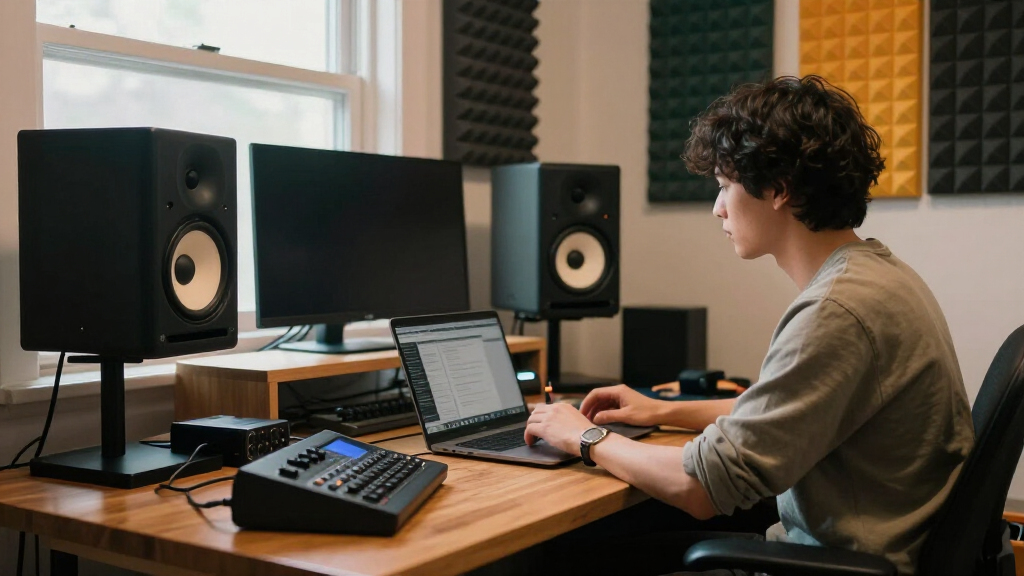
Choosing the right studio monitors for creators comes down to one tradeoff: honest, flat sound versus comfortable, flattering sound — and how much desk space and budget you’re willing to give up for it. After comparing 13 of the most popular options, the Yamaha HS5 (Pair) takes my best overall spot for its trusted, translation-friendly tuning that helps mixes sound right on every system. The KRK ROKIT 5 G5 stands out for bass-heavy creators who need low-end punch with DSP tuning, while the PreSonus Eris 3.5 remains the smartest pick for small desks and tight budgets. Smaller 3.5-inch pairs are cheaper and easier to live with, but they hide bass problems; 5-inch monitors reveal more but demand a treated room and careful placement. Read on for the full ranking, the tradeoffs behind each pick, and which monitor matches your creative workflow.
Complete the kit



Key Takeaways
- The Yamaha HS5 and JBL 305P MkII separated themselves at the top because their neutral tuning translates to other playback systems — the single most important quality for creators mixing content that audiences will hear on phones and earbuds.
- Every 3.5-inch option here (Eris 3.5, BX3, CR3.5) is excellent value but physically cannot reproduce sub-80Hz bass, making them risky for music mixing and fine for podcasting, streaming, and video editing.
- Bluetooth convenience showed up across the budget picks (BT30, C7, MR3, MR4.5) — useful for casual listening, but only the Edifier MR3 pairs it with genuinely flat tuning.
- The KRK ROKIT 5 G5 is the only sub-$400 pick with onboard DSP room correction and a built-in bracing port, which is why it ranks above similarly priced rivals for untreated rooms.
- Sonic character split the lineup cleanly: Yamaha and JBL lean analytical and honest, Edifier and Mackie lean warm and forgiving — your choice depends on whether you mix or mostly monitor while creating.
| Prosonic BT30 White Bookshelf Speakers |  | Best for Streaming-Friendly Desktop Setups | Bluetooth Version: 5.3 | Power Output: 80W | Woofer: 4-inch full-range bass driver | VIEW LATEST PRICE | See Our Full Breakdown |
| Ortizan C7 Powered Studio Monitors Pair |  | Best Budget Bluetooth Monitor Pair | Woofer: 3.5-inch carbon fiber | Tweeter: 0.75-inch silk dome | Bluetooth: 5.3, up to 18m range | VIEW LATEST PRICE | See Our Full Breakdown |
| KRK ROKIT 5 G5 5-inch Powered Studio Monitor |  | Best Overall for Serious Production | Woofer: 5-inch woven Kevlar aramid fiber | Tweeter: 1-inch silk dome | Frequency Range: Up to 40 kHz | VIEW LATEST PRICE | See Our Full Breakdown |
| M-AUDIO BX3 3.5-inch Wired Studio Monitors Pair |  | Best for Streaming and Gaming Desks | Driver Size: 3.5 inches | Woofer Material: Kevlar | Tweeter: Silk dome | VIEW LATEST PRICE | See Our Full Breakdown |
| PreSonus Eris 3.5 Powered Studio Monitors (Pair) |  | Best Value for Home Studio Accuracy | Speaker Size: 3.5 inches | Power Output: 50 watts | Frequency Response: 80 Hz – 20 kHz | VIEW LATEST PRICE | See Our Full Breakdown |
| JBL 305P MkII 5″ 2-Way Active Powered Studio Reference Monitors (Pair) |  | Best Serious Production Pick | Woofer Size: 5 inches | Power: 2 x 41 Watts | Inputs: XLR and TRS | VIEW LATEST PRICE | See Our Full Breakdown |
| Edifier MR4 Powered Studio Monitors, 4-inch Active Reference Speakers | 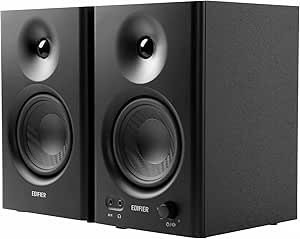 | Best Wired Value | Woofer Size: 4 inches | Tweeter: 1-inch silk dome | Inputs: RCA, AUX, TRS | VIEW LATEST PRICE | See Our Full Breakdown |
| Edifier MR4.5 Bi-Amped Studio Monitor, 80W RMS Bookshelf Speakers – White |  | Best Hybrid Studio-and-Living-Room Pick | Power: 80W RMS bi-amped | Drivers: 4.5-inch mid-bass, 1-inch tweeter | Frequency Response: 50Hz–40kHz | VIEW LATEST PRICE | See Our Full Breakdown |
| Mackie CR3.5 Studio Monitors (Pair), 3.5″ Woofers, Tone Knob, Black |  | Best for Creators Who Do Everything | Woofer Size: 3.5 inches | Inputs: TRS, RCA, 3.5 mm | Features: Tone knob, mode switch, headphone output | VIEW LATEST PRICE | See Our Full Breakdown |
| Edifier MR3 Powered Studio Monitor Speakers, Hi-Res Certified Bluetooth V5.4 Active Bookshelf Speakers |  | Best App-Controlled Compact Pair | Power Output: 18W x 2 RMS | Drivers: 3.5-inch mid-low, 1-inch tweeter | Frequency Response: 52Hz – 40kHz | VIEW LATEST PRICE | See Our Full Breakdown |
| Yamaha HS3 Powered Studio Monitor (Pair) in Black |  | Best Compact Yamaha Pick | Woofer Size: 3.5 inches | Tweeter Size: 0.75 inches | Frequency Response: 70 Hz – 22 kHz | VIEW LATEST PRICE | See Our Full Breakdown |
| Yamaha HS5 Powered Studio Monitor (Pair) |  | Best for Critical Mixing | Number of Monitors: 2 | Woofer Size: 5 inches | Tweeter Size: 1 inch | VIEW LATEST PRICE | See Our Full Breakdown |
| PreSonus Eris E5 2-Way 5.25-Inch Near Field Studio Monitor |  | Best Tuning Flexibility | Speaker Type: 2-way near-field monitor | Woofer Size: 5.25 inches woven composite | Tweeter: Silk dome | VIEW LATEST PRICE | See Our Full Breakdown |
| studio monitors for creator | Inputs |
|---|---|
| Prosonic BT30 White Bookshelf | Optical, Coaxial, AUX, Bluetooth |
| Ortizan C7 Powered Studio Moni | RCA, AUX, TRS, Type-C, Bluetooth |
| KRK ROKIT 5 G5 5-inch Powered | XLR, 1/4-inch TRS combo |
| M-AUDIO BX3 3.5-inch Wired Stu | 1/4-inch, 1/8-inch, RCA |
| PreSonus Eris 3.5 Powered Stud | — |
| JBL 305P MkII 5" 2-Way Active | XLR and TRS |
| Edifier MR4 Powered Studio Mon | RCA, AUX, TRS |
| Edifier MR4.5 Bi-Amped Studio | — |
| Mackie CR3.5 Studio Monitors | TRS, RCA, 3.5 mm |
| Edifier MR3 Powered Studio Mon | — |
| Yamaha HS3 Powered Studio Moni | XLR, TRS, RCA, Stereo Mini |
| Yamaha HS5 Powered Studio Moni | XLR and TRS |
| PreSonus Eris E5 2-Way 5.25-In | — |
More Details on Our Top Picks
Prosonic BT30 White Bookshelf Speakers
The Prosonic BT30 stands out for creators who want Bluetooth 5.3 convenience alongside digital inputs like optical and coaxial — a combination the M-AUDIO BX3 simply can’t match, since it’s wired-only. Streaming reference tracks from a phone while mixing from a laptop over optical makes this a flexible hybrid between desk monitor and living-room speaker. The white wooden enclosure also looks at home next to a TV or turntable in a way that black-box studio monitors don’t. The tradeoff is honesty: this is a lifestyle speaker first, not a flat-response reference tool. Sound adjustment is basic, and there’s no detailed frequency tuning like the PreSonus Eris 3.5 offers. If your priority is accurate mixes, skip this; if it’s everyday listening plus casual creation, it earns its place.
Pros:- Bluetooth 5.3 plus optical and coaxial digital inputs in one unit
- Clean white MDF design that fits home decor, not just studios
- Remote control for volume and input switching
- 24-month warranty for peace of mind
Cons:- 80W output and voicing geared toward casual listening, not critical monitoring
- Basic sound adjustment with no room-tuning EQ controls
Best for: Creators and streamers who want one speaker pair that doubles as a Bluetooth home audio system and a desktop monitor
Not ideal for: Producers who need flat, mix-translatable reference sound — these are voiced for enjoyment, not accuracy
- Bluetooth Version:5.3
- Power Output:80W
- Woofer:4-inch full-range bass driver
- Tweeter:0.75-inch silk dome
- Inputs:Optical, Coaxial, AUX, Bluetooth
- Cabinet Material:MDF wood with plastic face cover
- Warranty:24 months
Our verdict“Buy this if you want wireless streaming convenience and home-theater flexibility more than studio accuracy.”
Ortizan C7 Powered Studio Monitors Pair
Positioned between cheap Bluetooth bookshelf speakers and serious reference monitors, the Ortizan C7 earns a slot with TRS balanced inputs — something the Prosonic BT30 lacks and a genuine sign of studio intent at this price. The 3.5-inch carbon fiber woofer and silk dome tweeter deliver clean mids and highs, and Bluetooth 5.3 pairing is quick and stable. Compared with the Mackie CR3.5, a similarly sized rival, the C7’s advantage is wireless connectivity; its weakness is transparency of documentation. There’s little published detail on bass response or amplification, which makes it hard to predict how it behaves in an untreated room. For podcasters and bedroom producers on a tight budget, that ambiguity is acceptable. For anyone mixing music seriously, the KRK ROKIT 5 G5 gives far more confidence.
Pros:- Balanced TRS input rarely found at this price point
- Bluetooth 5.3 with quick, stable pairing up to 18 meters
- Compact footprint suited to small desks
- Multiple wired options including RCA, AUX, and Type-C
Cons:- Sparse published specs on bass output and amplifier power
- 3.5-inch woofer limits low-end extension for music mixing
Best for: Budget-conscious podcasters, streamers, and bedroom producers who want balanced TRS inputs plus Bluetooth without spending much
Not ideal for: Mixing engineers who need verified frequency specs and known amplifier behavior before trusting a monitor
- Woofer:3.5-inch carbon fiber
- Tweeter:0.75-inch silk dome
- Bluetooth:5.3, up to 18m range
- Inputs:RCA, AUX, TRS, Type-C, Bluetooth
- Enclosure:ABS, metal, wood
- Power Source:Corded electric
- Warranty:Limited
Our verdict“A sensible budget pick for creators who want studio-style connectivity with wireless convenience, as long as clinical accuracy isn’t the priority.”
KRK ROKIT 5 G5 5-inch Powered Studio Monitor
The KRK ROKIT 5 G5 sits at the top of this lineup because it’s the only option here built as a professional mixing tool first. The woven Kevlar woofer, 40 kHz tweeter extension, and 25 boundary/EQ tuning combinations let you adapt the speaker to your room rather than the other way around — a capability no other pick in this batch offers. Compared with the JBL 305P MkII or Yamaha HS5, the ROKIT’s multiple voicing modes make it unusually versatile: one setting for mixing, another for casual listening. The tradeoffs are real, though. Each monitor is sold and powered individually, so a pair costs considerably more than the Ortizan C7 or PreSonus Eris 3.5, and that tuning flexibility only pays off in a reasonably treated room. In a bare bedroom, you’re paying for headroom you can’t use.
Pros:- 25 boundary and EQ tuning combinations for room adaptation
- Mix, Focus, and Create voicing modes for different tasks
- Kevlar woofer and 40 kHz tweeter for detailed transient reproduction
- Balanced XLR/TRS combo inputs for pro interfaces
Cons:- Substantially more expensive than paired budget options once you buy two
- Needs acoustic treatment to justify its tuning capabilities
Best for: Producers and engineers mixing music that needs to translate across playback systems, especially in treated or semi-treated rooms
Not ideal for: Casual listeners and beginners — the price and tuning depth are overkill for streaming and gaming audio
- Woofer:5-inch woven Kevlar aramid fiber
- Tweeter:1-inch silk dome
- Frequency Range:Up to 40 kHz
- Amplifier:Custom Class D
- Inputs:XLR, 1/4-inch TRS combo
- Tuning:25 boundary and EQ combinations
- Configuration:Sold as single active monitor
Our verdict“The clear choice if mixing accuracy is your career or serious hobby; skip it if monitors are just nicer desk speakers.”
M-AUDIO BX3 3.5-inch Wired Studio Monitors Pair
The M-AUDIO BX3 makes sense for creators whose audio work is voice-adjacent: streaming, gaming, voiceovers, and light music production. Its Kevlar woofers and bi-amplified design produce clearer, punchier sound than typical desktop computer speakers, and the customizable EQ controls let you tame brightness on a cramped desk. Against the PreSonus Eris 3.5, its closest rival, the BX3 leans slightly more energetic and fun; the Eris is the more neutral tool, which matters for mixing but less for gameplay commentary. Inputs span 1/4-inch, 1/8-inch, and RCA, covering interfaces, consoles, and laptops without adapters. The honest limitation is the 3.5-inch driver size — low-end below roughly 80 Hz just isn’t there, so bass-heavy genres and EDM mixing will frustrate. Placement also takes some experimenting near walls. For spoken-word and midrange-focused work, those limits rarely bite.
Pros:- Bi-amplified design with Kevlar woofers for punchy, clear sound
- EQ customization to adapt to desktop placement
- Three input types covering interfaces, PCs, and consumer gear
- Includes cables, foam feet, and bundled software
Cons:- 3.5-inch drivers limit low-frequency extension
- Requires careful placement to avoid desktop reflections and boomy corners
Best for: Streamers, gamers, and podcasters who want dramatically better-than-desktop sound for voice and midrange-heavy content
Not ideal for: Producers working bass-heavy genres — the 3.5-inch woofers can’t reproduce the low end those mixes need
- Driver Size:3.5 inches
- Woofer Material:Kevlar
- Tweeter:Silk dome
- Cabinet:Acoustically-inert MDF
- Inputs:1/4-inch, 1/8-inch, RCA
- Configuration:One active, one passive speaker
- Accessories:Cables, foam feet, included software
Our verdict“A smart mid-price pick for voice-first creators who value clarity and fun tuning over bass depth.”
PreSonus Eris 3.5 Powered Studio Monitors (Pair)
If one pair in this batch hits the sweet spot between price and honest monitoring, it’s the PreSonus Eris 3.5. The adjustable high- and low-frequency controls give it genuine room-tuning capability — scaled down from what the KRK ROKIT 5 G5 offers, but present where the Ortizan C7 and Prosonic BT30 offer nothing. Add a front-panel headphone jack for silent tracking and a compact footprint, and you have a proper starter monitoring solution for under the cost of a single ROKIT. Compared with the M-AUDIO BX3, the Eris 3.5 is the more neutral, predictable voicing, which is why it beats the BX3 for actual mixing decisions. The compromise is the low end: response rolls off around 80 Hz, and there’s no Bluetooth, so wireless listening means buying a separate adapter. Anyone mixing bass-driven music will eventually want a subwoofer or a 5-inch alternative like the Eris E5.
Pros:- High- and low-frequency tuning controls for room correction
- Front headphone output for tracking and late-night work
- Neutral voicing suitable for real mixing decisions
- TRS, RCA, and Aux inputs plus compact desktop footprint
Cons:- Frequency response stops around 80 Hz, leaving the lowest bass unpresented
- No Bluetooth or wireless connectivity option
Best for: Home studio owners and beginners who want flat, tunable reference sound on a modest budget
Not ideal for: Wireless-first listeners and bass-music producers — no Bluetooth and limited sub-80 Hz response
- Speaker Size:3.5 inches
- Power Output:50 watts
- Frequency Response:80 Hz – 20 kHz
- Connectivity:TRS, RCA, Aux, headphone jack
- Enclosure:Composite, wood, silk components
- Type:Active near-field monitor pair
- Tuning:Adjustable high- and low-frequency controls
Our verdict“The best value in true studio accuracy here — buy it for your first serious home studio, not for wireless convenience.”
JBL 305P MkII 5″ 2-Way Active Powered Studio Reference Monitors (Pair)
If mixing is your actual job — or you want it to be — the 305P MkII is the most professional tool in this batch. The 108 dB peak SPL and dual 41-watt amplifiers give it headroom that smaller options like the Edifier MR4 simply can’t match when you need to hear detail at volume. Where the Mackie CR3.5 offers a tone knob for casual shaping, JBL goes further with Boundary EQ and HF Trim controls, which let you compensate for real room problems instead of just tilting the sound. The tradeoff is physical: a 5-inch woofer pair with an 11.7-inch depth demands placement space and some distance from walls to perform as designed. Compared with the KRK ROKIT 5 G5, the JBL leans flatter and less hyped, which is better for honest mixes but less exciting for casual listening.
Pros:- Precise stereo imaging with a wide sweet spot for reliable mixing decisions
- Boundary EQ and HF Trim let you adapt the speakers to imperfect rooms
- Serious power and SPL headroom for hearing detail at mixing volume
- Proven durability in professional environments
Cons:- Requires meaningful placement space and distance from walls
- Overkill in price and capability for casual listening or video calls
- No Bluetooth or consumer-friendly convenience features
Best for: Producers and podcasters mixing daily who need accurate, reference-grade sound with room-tuning controls
Not ideal for: Desktop-only creators in tight spaces — these need breathing room and proper placement to sound their best
- Woofer Size:5 inches
- Power:2 x 41 Watts
- Inputs:XLR and TRS
- Peak SPL:108 dB
- Enclosure Material:MDF
- Dimensions:11.7 x 7.3 x 9.1 inches
Our verdict“The pick for creators whose mixes need to translate to the real world and who have the space to set them up properly.”
Edifier MR4 Powered Studio Monitors, 4-inch Active Reference Speakers
The MR4 hits a sweet spot the larger MR4.5 doesn’t quite occupy: genuinely flat response at a budget price, without paying extra for Bluetooth. For creators working at a desk with an audio interface, skipping wireless is a fair trade — wired TRS balanced inputs are what you’d use anyway, and cutting Bluetooth keeps the cost down and the signal clean. Compared with the Mackie CR3.5, the 4-inch woofer gives the MR4 more low-end authority, though the Mackie counters with a headphone output the Edifier lacks. The MDF enclosure also gives it a leg up over the plastic-bodied Edifier MR3, which matters for cabinet resonance. Be realistic about scale, though: this is a nearfield desktop monitor, and in a larger treated room it will feel small against something like the JBL 305P MkII.
Pros:- Genuinely flat response at a very accessible price
- Balanced TRS inputs rare at this budget
- MDF enclosure reduces cabinet coloration versus plastic rivals
- Compact footprint fits crowded desks
Cons:- No Bluetooth or headphone output
- Low-end reach is limited by the 4-inch driver
- Feels underpowered outside nearfield desktop use
Best for: Beginner producers and podcasters on a budget who want honest, flat monitoring at a desk
Not ideal for: Creators who want wireless streaming or who mix bass-heavy genres in larger rooms
- Woofer Size:4 inches
- Tweeter:1-inch silk dome
- Inputs:RCA, AUX, TRS
- Signal-to-Noise Ratio:85 dB
- Enclosure Material:MDF wood
- Mounting Type:Tabletop
Our verdict“The most sensible entry point for wired desktop monitoring that doesn’t flatter or lie about your mix.”
Edifier MR4.5 Bi-Amped Studio Monitor, 80W RMS Bookshelf Speakers – White
The MR4.5 makes the most sense for creators who want one pair of speakers that works for both production and everyday listening. Its Bluetooth 6.0 support and Hi-Res certification put it a step above the wired-only MR4 as a lifestyle product, while the 80W RMS bi-amped design and XLR input keep it legitimate for mixing sessions. The 50Hz–40kHz frequency response reaches lower than the smaller MR3, which means less temptation to add a subwoofer. The catch is sizing: at 8.19 inches deep it’s chunkier than the MR4, and the white finish looks great in a bright room but less at home in a dark studio rack. Room calibration controls help, but they require some patience to dial in — this is a set-and-forget purchase only after an hour of tweaking, not out of the box.
Pros:- Bluetooth 6.0 plus XLR/TRS/RCA covers both studio and consumer sources
- 80W RMS bi-amped power with Hi-Res audio certification
- Room calibration and EQ controls for fine-tuning
- 50Hz low-end extension reduces the need for a subwoofer
Cons:- Larger and heavier than typical 4-inch desktop monitors
- Calibration takes real setup time to get right
- Limited bass adjustment range compared with dedicated studio monitors
Best for: Home studio owners who also want the same pair for music streaming and casual listening
Not ideal for: Minimal desk setups — the footprint and depth exceed true compact-desktop territory
- Power:80W RMS bi-amped
- Drivers:4.5-inch mid-bass, 1-inch tweeter
- Frequency Response:50Hz–40kHz
- Connectivity:XLR, TRS, RCA, AUX, Bluetooth 6.0
- Dimensions:8.19″D x 5.51″W x 9.61″H
- Weight:6.63 kg
Our verdict“Choose this if you refuse to buy separate speakers for the studio and the living room, and your desk can handle the size.”
Mackie CR3.5 Studio Monitors (Pair), 3.5″ Woofers, Tone Knob, Black
The CR3.5 earns its spot by being the easiest monitor here to live with. A front headphone output — absent from the Edifier MR4 — makes it a natural fit for creators who switch between speakers and headphones constantly during edits. The tone knob is less precise than the JBL 305P MkII’s Boundary EQ, but far friendlier: turn it toward music for gaming sessions, back to neutral when you need to check a voiceover. The desktop/bookshelf mode switch is a genuinely useful touch that compensates for desk bounce, something the M-AUDIO BX3 doesn’t address. Realistically, the 3.5-inch woofers set the ceiling — dialogue, streaming, and light music editing are its comfort zone, and bass-heavy genres will send you shopping for a subwoofer. Think of it as a quality-of-life champion rather than a reference tool.
Pros:- Front headphone output for instant silent monitoring
- Tone knob allows quick shifts between work and entertainment
- Desktop/bookshelf mode switch adapts to placement
- TRS, RCA, and 3.5mm inputs cover nearly any device
Cons:- Bass response needs a subwoofer for serious low-end work
- Tone control is coarse compared with proper room EQ
- Not accurate enough as a primary mix reference
Best for: Streamers, video editors, and gamer-creators who juggle speakers, headphones, and multiple sources daily
Not ideal for: Music producers mixing bass-driven tracks — the 3.5-inch drivers lack genuine low-end reach
- Woofer Size:3.5 inches
- Inputs:TRS, RCA, 3.5 mm
- Features:Tone knob, mode switch, headphone output
- Color:Black
- Configuration:Pair
Our verdict“The most convenient all-rounder for multi-tasking creators who value workflow over reference accuracy.”
Edifier MR3 Powered Studio Monitor Speakers, Hi-Res Certified Bluetooth V5.4 Active Bookshelf Speakers
The MR3 stands out for one thing none of the others here offer: app-based EQ via Edifier ConneX, with dedicated Music, Monitor, and Custom sound modes. That flexibility lets one pair serve double duty — a Bluetooth speaker system for your desk during the day and a neutral check source when you flip to Monitor mode. Compared with the Mackie CR3.5, the MR3 goes further with Bluetooth 5.4 and Hi-Res certification, though its 18W per channel output means it plays noticeably smaller than the 80W MR4.5 in the same family. The plastic enclosure is the honest weak point: it saves money and weight, but cabinet resonance is harder to control than the MDF build of the MR4, which costs it some midrange cleanliness. For voice work, streaming, and light production checks at close range, the compromise is reasonable.
Pros:- App-controlled EQ with Music, Monitor, and Custom modes
- Bluetooth 5.4 plus balanced TRS for flexible source switching
- Hi-Res Audio certification across a wide 40Hz–40kHz range
- Headphone output and front controls for desktop workflow
Cons:- Plastic enclosure compromises durability and midrange clarity
- 18W per speaker lacks volume headroom for larger rooms
- Warranty details and included accessories are thin
Best for: Desk-based creators who want wireless convenience and app-tunable sound without a big spend
Not ideal for: Anyone prioritizing build quality and acoustic accuracy — plastic cabinets and modest power limit serious mixing
- Power Output:18W x 2 RMS
- Drivers:3.5-inch mid-low, 1-inch tweeter
- Frequency Response:52Hz – 40kHz
- Connectivity:Bluetooth 5.4, AUX, RCA, Balanced TRS
- Sound Modes:Music, Monitor, Custom
- Enclosure Material:Plastic
- Signal-to-Noise Ratio:85 dB
Our verdict“A smart pick for creators who treat monitors as everyday desk speakers first and reference tools second.”
Yamaha HS3 Powered Studio Monitor (Pair) in Black
Compact desktop monitoring with the Yamaha pedigree is the whole pitch here, and for creators working on a small desk, it mostly delivers. The 3.5-inch woofer keeps the footprint tiny, and the quad of input options — XLR, TRS, RCA, and stereo mini — means you can plug in an interface, a laptop, and a phone without adapters. Compared with the PreSonus Eris 3.5, the HS3 counters with room control and high trim switches, which genuinely help when your monitors sit against a wall. The tradeoff is bass: at 26W and a 70 Hz low end, anything below that simply disappears, and the small drivers can’t fake it. If you mix bass-heavy genres, plan on adding a subwoofer, which eats into the value argument.
Pros:- Very small footprint fits crowded desktops
- XLR, TRS, RCA, and stereo mini inputs cover every common source
- Room control and high trim switches tame bad acoustics
- Yamaha’s neutral voicing at a small-monitor price
Cons:- 26W output and 70 Hz low end leave deep bass unheard
- No Bluetooth or wireless connectivity
- Needs a subwoofer for serious low-end mixing
Best for: Producers and podcasters in tight home studios or dorm setups who want trusted Yamaha voicing on a small desk
Not ideal for: Beatmakers and EDM producers who need to hear sub-bass — the 70 Hz floor means kick tails and 808s go missing without a sub
- Woofer Size:3.5 inches
- Tweeter Size:0.75 inches
- Frequency Response:70 Hz – 22 kHz
- Power Output:26 W
- Inputs:XLR, TRS, RCA, Stereo Mini
- Enclosure Material:Wood
- Tuning Controls:Room control, high trim
Our verdict“A smart buy for space-limited creators who value accuracy over volume, but bass-driven genres will want a sub.”
Yamaha HS5 Powered Studio Monitor (Pair)
This is the monitor pair you buy when translation matters more than enjoyment. The HS5’s bi-amplified design and famously flat response mean mixes that sound right here tend to sound right everywhere — the opposite of the flattering, hyped low end you get from something like the KRK ROKIT 5 G5, which is more fun but less honest. The 54 Hz to 30 kHz range covers far more ground than the smaller Yamaha HS3, though true sub-bass still falls outside its reach. Be prepared for two realities: the price sits above true beginner territory, and XLR/TRS-only inputs mean you’ll need an audio interface — casual listeners plugging in a phone directly are out of luck. For dedicated mixing rooms at near-field distance, though, it’s the safe, serious choice.
Pros:- Neutral, uncolored response that translates reliably
- Bi-amplified design separates woofer and tweeter duties cleanly
- 54 Hz – 30 kHz range suits full-range mixing decisions
- Industry-standard reputation with huge community knowledge base
Cons:- Pricier than entry-level monitors like the Eris 3.5 or MR4
- Near-field only — unsuitable for large rooms or listening from across the studio
- XLR/TRS inputs require an interface or adapters
Best for: Home studio owners mixing music that must translate across car stereos, earbuds, and club systems
Not ideal for: Beginners or casual desktop listeners — the price and interface-only inputs are overkill for streaming and gaming audio
- Number of Monitors:2
- Woofer Size:5 inches
- Tweeter Size:1 inch
- Frequency Response:54Hz – 30kHz
- Power:70W
- Inputs:XLR and TRS
- Design:Bi-amplified near-field
Our verdict“The pick for creators whose priority is honest mixes that translate, provided they already own a proper interface.”
PreSonus Eris E5 2-Way 5.25-Inch Near Field Studio Monitor
The Eris E5 stakes its claim on adaptability to your room, not just raw accuracy. Acoustic tuning controls let you cut lows, adjust midrange, and compensate for placement — a real advantage over the Yamaha HS5, which offers far less room correction at a similar size. The woven composite woofer and silk-dome tweeter produce a balanced, low-distortion sound that sits between the HS5’s clinical flatness and the bass-forward character of the KRK ROKIT line. That flexibility comes with expectations: these are sold as single units, so a stereo pair costs more than the pair-packaged HS5, and the 5.25-inch driver still won’t reach true sub frequencies. Placement sensitivity is real — back them against a wall without engaging the low cut and the bass will lie to you.
Pros:- Acoustic tuning controls adapt the monitor to imperfect rooms
- Woven composite woofer delivers clean, low-distortion mids
- Multiple inputs plus RF interference protection add durability
- Slightly larger 5.25-inch driver adds low-end reach over 5-inch rivals
Cons:- Sold individually, so a pair costs more than competing pairs
- Sound quality depends heavily on careful placement
- Stereo only — no path to surround configurations
Best for: Mixing engineers in untreated or awkward rooms who need tuning controls to compensate for acoustics
Not ideal for: Surround-sound builders and buyers on a strict budget — single-unit pricing makes a stereo pair costlier than packaged pairs
- Speaker Type:2-way near-field monitor
- Woofer Size:5.25 inches woven composite
- Tweeter:Silk dome
- Audio Output Mode:Stereo
- Amplification:Class AB
- Mounting Type:Tabletop
- Additional Features:Acoustic tuning controls, RF interference protection
Our verdict“The flexible middle choice for creators who need to tune around a real, imperfect room rather than a treated studio.”
How We Picked
I evaluated each pair through the lens of what creators actually do: mixing music, editing video and podcasts, and referencing tracks during production. The three criteria that drove ranking were frequency accuracy (does the monitor tell you the truth about your mix?), low-end extension (can you hear bass problems before your audience does?), and connectivity flexibility (balanced TRS/XLR inputs matter for interfaces; Bluetooth matters for convenience). I also weighed desk footprint, volume behavior in small rooms, and price-per-performance.
The ranking logic follows a clear hierarchy: proven reference monitors with neutral tuning sit at the top because they protect the quality of everything you make. Mid-tier picks earn their place by adding useful features — DSP, bi-amping, or modern Bluetooth — without abandoning accuracy. Compact 3.5-inch pairs rank lower for music work but are flagged as smart buys for voice, streaming, and video editing, where deep bass matters less than clarity and value.
Factors to Consider When Choosing Studio Monitors For Creators
Before clicking buy on any pair in this roundup, step back and think about your room, your interface, and the kind of content you make. These are the factors that separate a satisfying purchase from a frustrating one.Driver Size and What It Actually Tells You
Driver size is the most misunderstood spec in this category. A 3.5-inch woofer starts rolling off bass somewhere between 70–90Hz, which means you simply cannot hear kick-drum weight or low podcast rumble accurately. A 5-inch woofer reaches down toward 45–55Hz, enough to trust your low end without adding a subwoofer. My advice: if you mix music that will be played on speakers (not just earbuds), go 5-inch minimum. If you edit dialogue or stream, a 3.5-inch pair is honest enough and saves you money and desk space. Avoid assuming bigger is automatically better, though — a 5-inch monitor in a tiny untreated bedroom can produce more bass reflections than it produces clarity.
Flat Response vs. Flattering Sound
There is a real difference between reference monitors and hi-fi flavored speakers, and some products in this list blur that line deliberately. Monitors like the Yamaha HS5 are tuned to sound almost boring — that flatness is what lets you hear mistakes. Warmer options like the Edifier MR4 and Mackie CR3.5 sound pleasant immediately but can hide harshness in your mix until it surfaces on someone else’s headphones. The common mistake is buying monitors that sound great in the store, then wondering why mixes made on them sound boomy everywhere else. Decide honestly whether you need a diagnostic tool or a daily listening speaker — several picks here serve both roles, but none do both perfectly.
Room Treatment Matters More Than Price
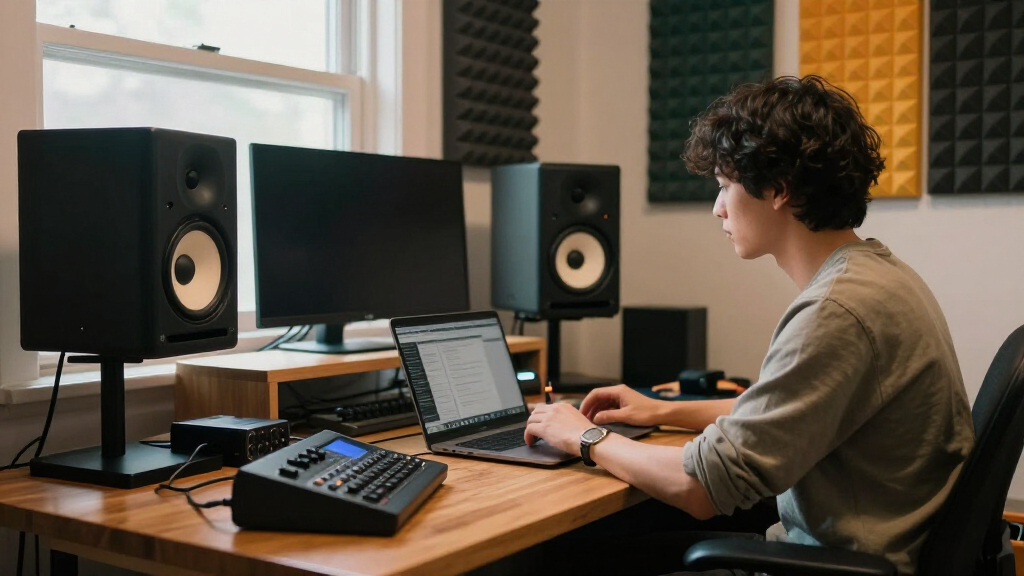
A $150 monitor pair in a treated corner will outperform a $500 pair in a bare rectangular bedroom with parallel walls. Before upgrading beyond mid-tier, spend $50–100 on acoustic panels at your first reflection points and position the monitors so tweeters point at ear level, forming an equilateral triangle with your head. This is why the KRK ROKIT 5 G5’s DSP tuning earns praise in this roundup — it partially compensates for rooms you cannot treat, like rentals and shared offices. Buyers consistently overspend on monitors and underspend on the environment, then blame the speakers. Fix the geometry first: monitor stands or isolation pads often improve clarity more than a hundred extra dollars of driver.
Inputs and Your Signal Chain
Check the back panel before buying, not after. If you use an audio interface (which most creators should), you want balanced TRS or XLR inputs, which reject electrical noise over longer cable runs — this rules out several of the cheapest options here that only offer RCA. If your monitors double as TV or turntable speakers, optical and coaxial digital inputs, like those on the Prosonic BT30, save you from buying a separate DAC. Bluetooth is genuinely useful for quickly auditioning a phone mix or casual listening, but it introduces slight latency and compression, so never monitor through it while recording. Map your actual sources — interface, computer, phone, maybe a TV — against the input list before committing.
When to Pay More (and When Not To)
The price curve in this category is steep at the low end and flat in the middle. Moving from roughly $100 to $200 buys a dramatic jump in accuracy; moving from $200 to $400 buys refinement, tighter bass, and better build. Beyond that, gains require a treated room to even hear. Pay more when you monetize your audio — client mixes, monetized channels, commercial podcasts — because translation errors cost you rework. Don’t pay more if you’re monitoring voice-overs for your own videos; the Mackie CR3.5 or PreSonus Eris 3.5 at around $100 do that job nearly as well as monitors twice the price. Also budget for cables and isolation pads, which buyers routinely forget and which can add $40–60 to the real cost.
Pairing With a Subwoofer Later
Many creators start with a small pair and plan to add a subwoofer eventually — but only some monitors in this roundup support that path cleanly. Look for a dedicated sub output or high-pass filter, or plan to run the sub from your interface’s second output with a bass-management plugin. Adding a sub to a 3.5-inch pair can work, but the crossover region gets muddy unless the sub has a variable low-pass control, which the cheapest models skip. A cleaner upgrade path is starting with 5-inch monitors and treating the room, then deciding months later whether you truly miss the bottom octave. Buying a sub too early is one of the most common ways new creators make their monitoring worse, not better.
Frequently Asked Questions
Do I need 5-inch monitors, or are 3.5-inch monitors enough for creating content?
It depends entirely on what you create. For voice work, streaming, video editing, and podcast production, a 3.5-inch pair like the PreSonus Eris 3.5 or Mackie CR3.5 gives you clear, honest midrange — which is where speech lives — at half the price and a third of the footprint. For music production, the answer changes: 3.5-inch woofers roll off above the kick-drum fundamental, so you’ll mix bass blind and over- or under-compensate. A 5-inch pair like the Yamaha HS5 or JBL 305P MkII reaches low enough to trust your low end in most genres. If hip-hop, EDM, or anything bass-driven is your focus, treat 5-inch as the floor, not the goal, and consider a subwoofer later.
Is Bluetooth on studio monitors a problem for mixing?
For the actual mixing process, yes — Bluetooth adds compression and slight latency, and most codecs color the sound enough that you’re no longer hearing your true mix. Every Bluetooth-equipped monitor in this roundup still offers wired inputs, so use the wired connection whenever a cable can reach your interface or computer. Where Bluetooth genuinely helps is reference checking: streaming your track from your phone to hear how it arrives on a casual listener’s setup, plus everyday music playback without hunting for cables. The Edifier MR3 handles this dual role best among the budget picks because its wired path stays genuinely flat. Treat Bluetooth as a convenience feature, never as your monitoring path during recording or mixing decisions.
Why does my mix sound different on my studio monitors than in my car or headphones?
That gap is normal, and it’s exactly what accurate monitors are supposed to expose. Room acoustics shape what you hear more than the speakers themselves — bare walls create bass buildup and smeared reflections, so you compensate in the mix, and the compensation becomes audible everywhere else. Start with placement: monitors at ear level, forming a triangle with your head, at least a foot from the wall behind them. Add absorption at your first reflection points before blaming the gear. Monitors like the KRK ROKIT 5 G5 with DSP room tuning can partially close the gap in rooms you can’t treat. Over time, you should also learn your monitors’ habits — playing reference tracks you know well on every system you own is the fastest way to calibrate your ears.
Should I buy a matched pair or is one monitor plus regular speakers acceptable?
Always buy a matched pair if you’re making any judgment calls about stereo balance, panning, or overall mix quality. Every product in this roundup is sold and reviewed as a pair for that reason — mismatched speakers deliver contradictory information, and your brain averages the errors into decisions that fail elsewhere. Mixing in mono on one good monitor is actually a legitimate technique, but pairing one studio monitor with consumer speakers gives you the worst of both worlds: no stereo image and no consistent reference. If budget forces a choice, a cheaper matched pair beats one expensive single monitor. Save the single-speaker-plus-hi-fi setup for listening, not creating.
Do I need an audio interface, or can I plug studio monitors straight into my computer?
You can run monitors straight from a computer’s headphone jack via AUX or RCA on most of the budget picks here, and for casual creating it works. But a basic audio interface ($60–150) solves three problems at once: cleaner output than consumer soundcards, balanced TRS outputs that reject noise, and a proper volume control for your speakers instead of fiddling with software sliders. Monitors with only RCA inputs, like some compact pairs in this list, pair fine with a laptop; higher-end monitors with XLR/TRS-only inputs practically assume an interface. If you record anything with a microphone — voice-overs, vocals, instruments — the interface decision makes itself, since you need one anyway. Just don’t buy a $400 monitor pair and feed it from a $2 dongle.
Conclusion
For best overall, the Yamaha HS5 pair earns the top spot — its neutral, translation-focused tuning makes it the safest foundation for any creator serious about audio quality, and the JBL 305P MkII is right behind it if you want a slightly smoother top end for long sessions. For best value, the PreSonus Eris 3.5 delivers reference-grade clarity at an entry price, with the Mackie CR3.5 close behind for creators who prefer a warmer, more forgiving character. For best premium, the KRK ROKIT 5 G5 justifies its higher price with onboard DSP tuning that adapts to real, imperfect rooms. Beginners should start with the Edifier MR4 or Yamaha HS3 — small, honest, and hard to outgrow quickly. For specific needs: the Edifier MR3 is my pick for creators who want Bluetooth convenience without abandoning flat tuning, the PreSonus Eris E5 suits producers planning to upgrade into a subwoofer later, and the Ortizan C7 and Prosonic BT30 make sense for creators whose monitors double as living-room and TV speakers. Whatever you choose, remember that placement and room treatment will shape your sound as much as the monitors themselves — buy the pair that fits your room and workflow, not just your budget.