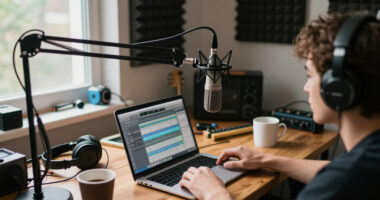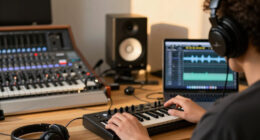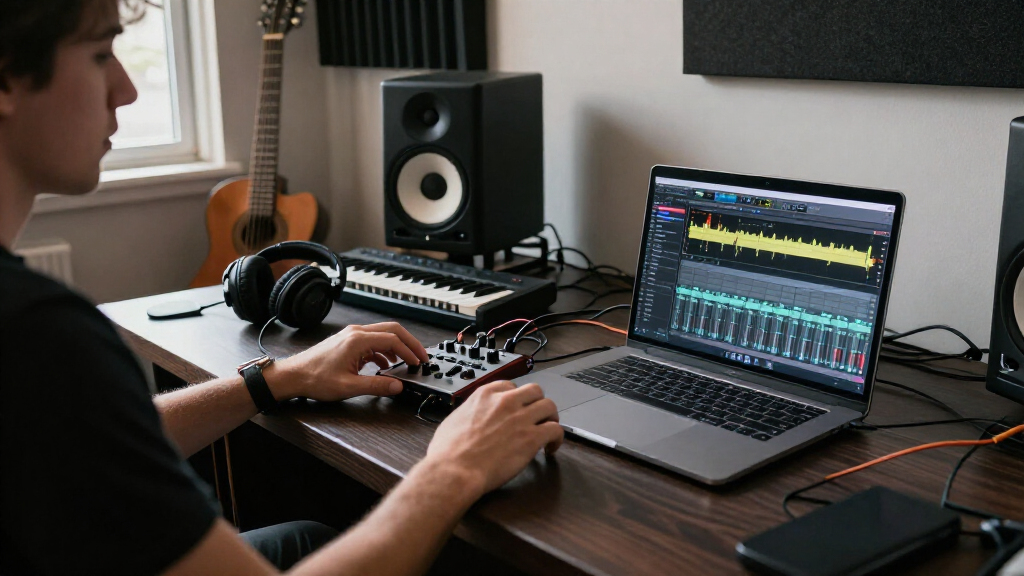
This checklist is for music creators who want to improve a home or desktop production setup, whether they are building a workflow from scratch or updating a few key pieces. The picks cover hands-on MIDI control, monitoring, recording, room treatment, microphone placement, and project storage.

Get audio and creator gear delivered free with Prime
- Fast, free delivery on millions of items
- Prime Video, Amazon Music and more included
- Member-only deals all year
The sections follow the signal path and workspace: start with a controller and headphones, then consider recording hardware, acoustic panels, a mic stand, and portable storage. Each slot focuses on a different part of the process, so you can identify what your current setup is missing.
Use the checklist to match each pick to your needs, then check the product’s current specifications and compatibility details before buying. Prioritize the item that addresses your biggest workflow limitation, and confirm that its size, connections, and intended placement work with your equipment and room.
MIDI Controller
A MIDI controller gives you a hands-on way to enter and perform parts in a music production workflow. The M-Audio Oxygen 49 MKV is a USB MIDI keyboard controller, making it a candidate for creators who want a keyboard-based input point at their desk. Before choosing a controller, consider how much room you can give it and whether its keyboard layout suits the way you work. A 49-key format may take up more desk space than a compact controller, so measure the intended surface and leave room for a computer, mouse, and other equipment.
A common buying mistake is assuming that every controller will work seamlessly with every setup. Check the connection and software requirements against your computer and music software, and confirm which features are included rather than relying on a product name alone. Think about where the controller will sit during sessions: a stable, reachable position can make it easier to switch between playing and editing. Also consider whether you need a keyboard controller specifically or another kind of MIDI input. The right fit is the one that supports your composing habits and fits your workspace without forcing awkward placement.
What to look for:
- Confirm USB connection and computer compatibility.
- Measure desk or keyboard-tray space for a 49-key controller.
- Check supported music software and included setup tools.
- Consider whether a keyboard is your preferred MIDI input.
- Plan a stable position within comfortable reach.
M-Audio Oxygen 49 MKV USB MIDI Keyboard Controller

A 49-key USB MIDI controller with velocity-sensitive full-size keys, eight backlit drum pads, eight assignable knobs, and nine assignable faders. It includes DAW auto-mapping, NKS integration, performance tools such as Smart Chord and Arpeggiator, and a software bundle for music production.
Pros:
- Full-size velocity-sensitive keys provide expressive playing.
- Pads, knobs, and faders offer hands-on control for beat making and mixing.
- Includes DAW auto-mapping and NKS integration.
- Comes with music production software and virtual instruments.
Cons:
- Requires a computer and music software to use as a MIDI controller.
- The description does not specify dimensions or weight.
Best for: Creators who want a 49-key USB MIDI keyboard at their workstation.
Not ideal for: Setups with very limited desk space or no need for keyboard input.
Bottom line: Choose it when a 49-key keyboard controller fits your workspace and connects to your production setup.
Studio Monitor Headphones
Headphones provide a personal monitoring option for composing, editing, and listening without relying on room speakers. The Sony MDR-M1 is described as professional reference closed monitor headphones, a format that may suit creators who want an enclosed listening setup. Consider how you will use headphones across a typical session: long editing periods, tracking, or occasional checks can each make comfort and fit a priority. Look for product details on connector type, included accessories, and compatibility with your interface or other listening source.
A frequent mistake is treating the word “reference” as a guarantee that headphones will translate every mix perfectly. Listen across more than one playback system when making important decisions, and learn how your chosen headphones present familiar material. Fit also matters: check the manufacturer’s specifications for headband adjustment, earcup dimensions, and replaceable components if those details matter to you. Closed headphones can be useful in situations where you want an enclosed design, but confirm that this format aligns with your monitoring needs and recording environment. Choose a pair you can wear comfortably and connect easily to the equipment you already use.
What to look for:
- Verify connector type and compatibility with your audio interface.
- Check fit, adjustment range, and comfort details.
- Review included cables or adapters before setup.
- Consider whether a closed headphone design suits your sessions.
- Use familiar recordings to learn how the headphones sound.
Sony MDR-M1 Professional Reference Closed Monitor Headphones

Sony MDR-M1 closed-back monitor headphones are designed for accurate sound reproduction in music production, with a frequency response of 5 Hz–80 kHz and sound isolation. They weigh approximately 216 g and include two detachable cables, replaceable earpads, and an adapter for 3.5 mm and 6.3 mm stereo jacks.
Pros:
- Wide 5 Hz–80 kHz frequency response
- Closed design provides sound isolation
- Lightweight design with soft, thick earpads
- Includes two detachable cables and replaceable earpads
Cons:
- No wireless connectivity is listed
- Customer reviews mention no specific drawbacks
Best for: Creators seeking closed monitor headphones for personal listening and production.
Not ideal for: Anyone who needs speakers or a different headphone format for monitoring.
Bottom line: Check fit and connection details, then use the headphones alongside other playback checks.
Audio Interface
An audio interface can bring recording and monitoring connections into one part of a creator’s setup. The Focusrite Scarlett 2i2 Studio 4th Gen is listed as a USB-C audio interface bundle, so review exactly what the bundle includes and whether those components match your recording plans. Before buying, map out the sources you expect to connect, such as microphones or instruments, and check the interface’s input and output specifications. Confirm that your computer supports the connection and that your preferred recording software can use the interface.
One common mistake is buying a bundle without checking the included components or the connections each one needs. Verify the full contents and compatibility rather than assuming every accessory is suitable for your workflow. Consider where the interface will sit, how its controls will be reached, and whether your cables can reach the planned position without creating clutter. Also compare the number and types of inputs and outputs listed in the specifications with your actual recording needs. A suitable interface should fit both the devices you plan to connect and the software environment you use, with enough room in the workflow for monitoring and recording.
What to look for:
- Confirm USB-C compatibility with your computer.
- Check input and output specifications against your planned sources.
- Review the bundle contents and required cables.
- Verify compatibility with your recording software.
- Plan a reachable location with room for connected cables.
Focusrite Scarlett 2i2 Studio 4th Gen USB-C Audio Interface Bundle
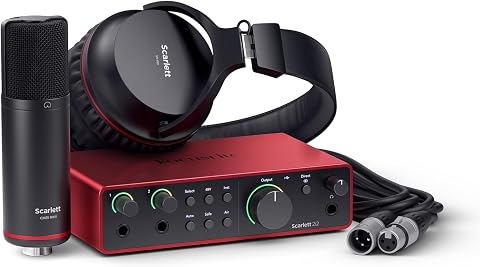
A two-channel USB-C audio interface bundle for recording, mixing, and mastering, with two low-noise mic preamps and studio-grade converters. It includes a CM25 MkIII condenser microphone, SH-450 headphones, recording software, and features such as Auto Gain, Clip Safe, and Air mode.
Pros:
- Includes microphone, headphones, and recording software
- Auto Gain and Clip Safe help simplify recording levels
- 120 dB dynamic range and up to 192 kHz sample rate
- Air mode adds presence to vocals and guitars
Cons:
- Requires compatible recording software and a computer or mobile device
- Two-channel input may limit larger recording setups
Best for: Creators who want a USB-C interface bundle to consider for recording.
Not ideal for: Workflows requiring connections or included components the bundle does not provide.
Bottom line: Check the bundle contents and interface specifications against your computer and recording setup.
Acoustic Panels
Acoustic panels are a room-treatment consideration for creators evaluating their recording or listening space. This pick is described as a two-pack of fiberglass panels measuring 47.2 by 23.6 by 2 inches. Those dimensions make advance planning essential: measure the intended wall area and check whether the panels can be placed where they will suit your room. The product name alone does not establish how a particular room will sound, so consider your space and goals before deciding whether this format is appropriate.
A common mistake is buying panels based on the word “soundproof” without checking what the product is designed to do. Review the manufacturer’s specifications and installation guidance, including mounting requirements, panel coverage, and any handling recommendations. Confirm that you have suitable wall space for two panels and a way to install them securely. If you rent or cannot modify walls, investigate an installation method that works for your situation before purchasing. Also account for the panels’ thickness and placement relative to furniture, doors, and other equipment. Thoughtful fit and placement matter more than simply adding panels without a plan.
What to look for:
- Measure wall space for two panels at the listed dimensions.
- Check installation and mounting requirements before purchase.
- Review manufacturer guidance for fiberglass handling.
- Confirm the panel thickness works with the intended placement.
- Consider whether the product suits your room-treatment goal.
2 Pack Acoustic Panels 47.2"x23.6"x2" Soundproof Fiberglass Panels, Black

These acoustic panels are designed for superior sound absorption, reducing noise and echoes to create a clearer sound environment. Made with high-density fiberglass and wrapped in polyester fabric, they are suitable for various settings like studios, conference rooms, and entertainment venues.
Pros:
- Excellent sound absorption with NRC 0.95
- Includes hanging hardware for easy installation
- Suitable for various environments like studios and conference rooms
Cons:
- Fiberglass material may require careful handling
- Limited color options (black only)
Best for: Creators with suitable wall space for two large acoustic panels.
Not ideal for: Rooms where the listed dimensions or installation needs are impractical.
Bottom line: Measure first and review installation guidance before choosing these panels.
Desktop Mic Stand
A desktop mic stand helps position a microphone within reach at a workstation. The InnoGear pick is described as an adjustable telescopic table mic stand, which makes its adjustment range and mounting approach important details to check. Think about the microphone you intend to use, the height and angle you need, and the available surface area. A stand that fits the desk but cannot place the microphone where you need it may disrupt recording or calls, so compare the stand’s specifications with your setup before buying.
A common mistake is assuming that a stand will fit every microphone or desk. Check microphone mounting compatibility, including any thread or adapter requirements, and confirm that the base or clamp suits your table. Consider whether the stand’s adjustment range can reach your preferred position without interfering with a keyboard, screen, or other equipment. If you move the stand between sessions, factor in how it attaches and stores. Review the product details for dimensions, supported microphone requirements, and installation instructions. A well-matched stand should place the microphone comfortably while leaving the rest of your work surface usable.
What to look for:
- Confirm microphone mounting thread or adapter compatibility.
- Check the stand’s height and adjustment range.
- Verify the base or clamp works with your table thickness and edge.
- Measure clearance around your keyboard, screen, and other equipment.
- Review how the stand attaches and whether it suits your setup.
InnoGear Desktop Microphone Stand, Adjustable Telescopic Table Mic Stand with Mi
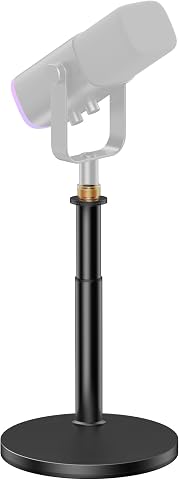
This adjustable desktop microphone stand features an instant-lock mechanism for quick height adjustments, ranging from 11.26 to 16.14 inches. Its stable, larger base provides secure support for microphones up to 3.3 lbs, compatible with various models including Blue Yeti, Snowball, and Shure SM7B.
Pros:
- Quick and easy height adjustments with instant-lock mechanism
- Enhanced stability with a larger, heavier base
- Supports a wide range of microphones with compatible adapters
- Strong load capacity for heavier microphones
Cons:
- No mention of adjustable tilt or swivel features
- Limited to desktop use, not suitable for floor mounting
- Mic clip max diameter may not fit larger microphones
Best for: Creators who want an adjustable telescopic mic stand for a table.
Not ideal for: Desks or microphones that do not match the stand’s mounting requirements.
Bottom line: Match the mounting details and adjustment range to your microphone and desk.
Portable SSD
A portable SSD can provide external storage for creative projects and files you need to move between compatible devices. This pick is named as a SanDisk 8TB Extreme Portable SSD. Before adding it to your workflow, check its connection type, supported operating systems, and compatibility with the computers or devices you plan to use. Consider where it will travel or sit during sessions, and whether its physical size and included cable or accessories suit that routine.
A common buying mistake is treating large capacity as a complete backup plan. Keep important projects in more than one place and check how the drive fits into your existing backup habits. Confirm the product’s listed transfer and durability specifications against your needs, and review formatting or setup requirements for each device. If you work across multiple systems, verify that they can all read and write to the drive as configured. Also consider how you will organize sessions so files remain easy to locate. A portable drive is most useful when its connections, capacity, and handling fit the way you create and manage projects.
What to look for:
- Verify connection type and included cable compatibility.
- Check operating system and device support.
- Review listed transfer and durability specifications.
- Plan a second copy of important project files.
- Confirm setup and formatting requirements across your devices.
SanDisk 8TB Extreme Portable SSD

The SanDisk 8TB Extreme Portable SSD offers high-speed NVMe performance with up to 1050MB/s read and 1000MB/s write speeds. It features rugged durability with drop, water, and dust resistance, along with password protection and a 5-year warranty, making it ideal for active lifestyles and professional use.
Pros:
- High-speed data transfer with up to 1050MB/s read and 1000MB/s write speeds
- Rugged design with drop, water, and dust resistance for durability
- Includes password protection with 256-bit AES encryption for security
- Compact and portable, ideal for travel and on-the-go use
Cons:
- Performance may vary depending on host device and conditions
- Limited to USB 3.0 and USB 3.2 Gen 2 connectivity, may require compatible ports
- Price not specified, which could be a consideration for budget-conscious buyers
Best for: Creators considering an 8TB portable SSD for project storage.
Not ideal for: Devices or workflows that do not support the drive’s connection or setup.
Bottom line: Confirm device compatibility and keep a separate backup of important work.
For a budget-first buying order, start with the item that solves your most immediate workflow problem: MIDI input, monitoring, recording connections, room treatment, microphone placement, or storage. Check fit and compatibility before adding the next piece, and avoid buying accessories until you know how they connect to the equipment you already own.
Build the setup one useful step at a time. Measure your workspace, confirm product details, and choose the pieces that support how you actually create. A thoughtful checklist can turn a collection of gear into a workflow that feels more comfortable and ready for your next session.