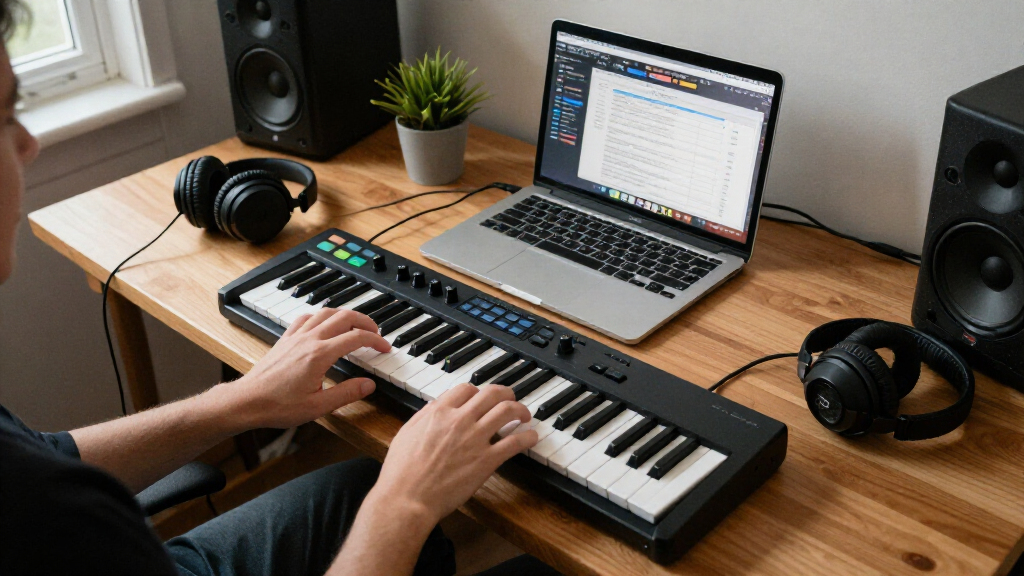
The best MIDI keyboard controller for most beginners in this lineup is the Novation Launchkey 49 MK4, which pairs a useful four-octave range with hands-on DAW controls. For a smaller setup, the Akai MPK Mini IV adds pads and compact controls, while the M-Audio Keystation 49 MK3 keeps the focus on straightforward keyboard playing. The main tradeoff is between portability and room to play: mini keys save desk space, but full-size keys make two-handed parts easier. Extra pads and knobs can speed up beat-making, though they may add controls a beginner does not need yet. Read on for the full breakdown and help matching a controller to your setup and learning goals.

Get audio and creator gear delivered free with Prime
- Fast, free delivery on millions of items
- Prime Video, Amazon Music and more included
- Member-only deals all year
Complete the kit



Key Takeaways
- The Novation Launchkey 49 MK4 is the strongest all-rounder here because its 49 keys give beginners room to learn parts without giving up DAW-oriented controls.
- The Akai MPK Mini IV is the better fit for compact beat-making, while its 25 mini keys are a real limitation for piano practice and two-handed playing.
- The M-Audio Keystation 49 MK3 and Nektar SE61 put more emphasis on playing across full-size keys than on built-in pads and performance controls.
- The Launchkey 61 MK4 and Launchkey 49 MK4 suit different space and range needs; the larger model is not automatically a better first purchase if the extra keys will go unused.
- Several compact alternatives, including the Donner N-25, Rhymo MDP25, and midiplus AKM320, trade richer controls or a familiar brand ecosystem for simpler, space-conscious setups.
| Akai Professional MPK Mini IV 25-Key USB-C MIDI Keyboard Controller, Black |  | Best Overall for Compact Production | Keys: 25 velocity-sensitive mini keys | Pads: 8 velocity- and pressure-sensitive RGB MPC pads | Encoders: 8 assignable 360° encoders | VIEW LATEST PRICE | See Our Full Breakdown |
| Akai Professional MPK Mini Plus 37-Key MIDI Keyboard Controller |  | Best for More Range in a Portable Controller | Keys: 37 dynamic mini keys across three octaves | Pads: 8 RGB-backlit pads | Controls: 8 assignable knobs | VIEW LATEST PRICE | See Our Full Breakdown |
| Akai Professional LPK25 25-Key USB MIDI Keyboard Controller |  | Best Simple Starter Keyboard | Keys: 25 velocity-sensitive mini keys with synth action | Connectivity: USB | Power: USB-powered | VIEW LATEST PRICE | See Our Full Breakdown |
| Novation Launchkey 49 MK4 USB MIDI Keyboard Controller |  | Best for Growing into DAW Production | Keys: 49 semi-weighted keys | Pads: 16 pads with polyphonic aftertouch | Faders: 9 assignable faders | VIEW LATEST PRICE | See Our Full Breakdown |
| M-Audio Keystation 49 MK3 USB MIDI Controller |  | Best for Full-Size Keys on a Simple Setup | Keys: 49 full-size velocity-sensitive keys | Connectivity: USB-MIDI; Mac and PC compatible | Power: USB-powered | VIEW LATEST PRICE | See Our Full Breakdown |
| Akai Professional MPK Mini MK3 25-Key USB MIDI Keyboard Controller |  | Best All-in-One Starter Controller | Keys: 25 velocity-sensitive mini keys | Drum pads: 8 backlit velocity-sensitive MPC-style pads | Knobs: 8 assignable 360-degree knobs | VIEW LATEST PRICE | See Our Full Breakdown |
| Arturia MiniLab 37 MIDI Keyboard Controller |  | Best for Two-Handed Play in a Compact Setup | Keys: 37 slim keys | Connectivity: USB-C | Controls and features: DAW-integrated pads and faders, arpeggiator, and chord mode | VIEW LATEST PRICE | See Our Full Breakdown |
| Donner N-25 25-Key Mini MIDI Keyboard Controller |  | Best for Learning on a Tight, Portable Setup | Keys: 25 velocity-sensitive mini keys | Connectivity: USB-MIDI | Controls: Programmable banks, arpeggiator, sustain, octave, tap tempo, and pitch-bend rocker | VIEW LATEST PRICE | See Our Full Breakdown |
| Akai Professional MPK Mini IV 25-Key USB-C MIDI Keyboard Controller, White |  | Best Compact Controller for Guided Music-Making | Keys: 25 velocity-sensitive mini keys | Connectivity: USB-C | MIDI output: Full-size MIDI Out | VIEW LATEST PRICE | See Our Full Breakdown |
| Novation Launchkey 61 MK4 USB MIDI Keyboard Controller |  | Best for Learning on a Piano-Style Keybed | Keys: 61 semi-weighted keys | Pads: 16 pads with polyphonic aftertouch | Controls: 9 faders, pitch wheel, and modulation wheel | VIEW LATEST PRICE | See Our Full Breakdown |
| Donner DMK 25 Pro USB-C MIDI Keyboard Controller, 25-Key Mini Keyboard, Black |  | Best for Guided First Steps | Keys: 25 | Drum pads: 8 | Connectivity: USB-C | VIEW LATEST PRICE | See Our Full Breakdown |
| Rhymo MDP25 25-Key Portable MIDI Keyboard Controller |  | Best for Wireless Portability | Keys: 25 | Connectivity: USB-C, Bluetooth MIDI | MIDI output: 3.5 mm TRS | VIEW LATEST PRICE | See Our Full Breakdown |
| 49-Key USB MIDI Keyboard Controller with Drum Pads and OLED Screen |  | Best for Pads and Hands-On Controls | Keys: 49 | Drum pads: 8 velocity-sensitive RGB-lit pads | Assignable knobs: 8 | VIEW LATEST PRICE | See Our Full Breakdown |
| midiplus AKM320 32-Key MIDI Keyboard Controller |  | Best Simple Compact Keyboard | Keys: 32 velocity-sensitive, mid-size | Controls: Pitch wheel, modulation wheel, volume slider, octave buttons, transpose buttons | Connectivity: USB Type B | VIEW LATEST PRICE | See Our Full Breakdown |
| Nektar SE61 USB MIDI Controller Keyboard with DAW Integration, Black |  | Best for Learning on a Full-Size Range | Keys: 61 velocity-sensitive | Connectivity: USB | Supported software: Bitwig, Cubase, GarageBand, Logic, Nuendo, Digital Performer, Mixcraft, Reason, Reaper, Sonar, Studio One | VIEW LATEST PRICE | See Our Full Breakdown |
| MIDI keyboard controllers for beginner | Keys | Connectivity | Compatibility | Controls |
|---|---|---|---|---|
| Akai Professional MPK Mini IV | 25 velocity-sensitive mini keys | USB-C; full-size MIDI Out | DAWs compatible with Mac and Windows | — |
| Akai Professional MPK Mini Plu | 37 dynamic mini keys across three octaves | USB, MIDI I/O, and CV/Gate | Mac and Windows DAWs | 8 assignable knobs |
| Akai Professional LPK25 25-Key | 25 velocity-sensitive mini keys with synth action | USB | Mac and PC; supports GarageBand, Logic, Ableton Live, FL Studio, and other listed DAWs | Octave up/down, sustain button, arpeggiator, and clock |
| Novation Launchkey 49 MK4 USB | 49 semi-weighted keys | USB-C and MIDI | — | — |
| M-Audio Keystation 49 MK3 USB | 49 full-size velocity-sensitive keys | USB-MIDI; Mac and PC compatible | — | Volume fader, transport and directional buttons, pitch and modulation wheels, octave buttons |
| Akai Professional MPK Mini MK3 | 25 velocity-sensitive mini keys | USB 2.0 Type B | Mac and Windows; compatible with digital audio workstations | — |
| Arturia MiniLab 37 MIDI Keyboa | 37 slim keys | USB-C | Mac OS X and Windows | — |
| Donner N-25 25-Key Mini MIDI K | 25 velocity-sensitive mini keys | USB-MIDI | Mac, Windows, iOS, and Android | Programmable banks, arpeggiator, sustain, octave, tap tempo, and pitch-bend rocker |
| Akai Professional MPK Mini IV | 25 velocity-sensitive mini keys | USB-C | Mac, Windows PC, and mobile setups | — |
| Novation Launchkey 61 MK4 USB | 61 semi-weighted keys | USB-C | — | 9 faders, pitch wheel, and modulation wheel |
| Donner DMK 25 Pro USB-C MIDI K | 25 | USB-C | PC, Mac, Android, iOS | Arpeggio, note repeat, chord functions, pitch/mod touch bar, 4 wheels, 6 transport controllers |
| Rhymo MDP25 25-Key Portable MI | 25 | USB-C, Bluetooth MIDI | — | X-Y joystick, arpeggiator, loop, tap tempo, transpose, octave buttons |
| 49-Key USB MIDI Keyboard Contr | 49 | USB and wireless MIDI | — | — |
| midiplus AKM320 32-Key MIDI Ke | 32 velocity-sensitive, mid-size | USB Type B | Windows XP and above, Mac OS X, Linux | Pitch wheel, modulation wheel, volume slider, octave buttons, transpose buttons |
| Nektar SE61 USB MIDI Controlle | 61 velocity-sensitive | USB | — | — |
More Details on Our Top Picks
Akai Professional MPK Mini IV 25-Key USB-C MIDI Keyboard Controller, Black
The MPK Mini IV offers beginners a well-rounded way to play notes, trigger drums, and shape sounds without taking over a desk. Its Chord and Scale modes can help new players build parts while learning, while the arpeggiator and eight assignable encoders add room to experiment. Compared with the simpler Akai LPK25, it provides pads, hands-on sound controls, a display, and full-size MIDI Out; that makes it more useful as a central starter controller, not just a small keyboard. The tradeoff is its 25 mini keys, which restrict two-handed playing and wider melodies. Its software bundle offers a broad starting palette, though some access is trial- or subscription-based. I’d choose it for a beginner who wants varied controls in a portable format.
Pros:- Chord and Scale modes and an arpeggiator offer approachable ways to create musical parts.
- Eight velocity- and pressure-sensitive RGB pads support expressive drum programming.
- Eight assignable encoders and a full-color display provide hands-on control and feedback.
- USB-C, full-size MIDI Out, and included software support both computer-based and hardware setups.
Cons:- The 25 mini keys limit range and feel less suitable for piano practice than 49-key models.
- Some included software access is time-limited or subscription-based.
Best for: New beatmakers who want a compact controller with keys, expressive drum pads, DAW controls, and learning-friendly playing modes.
Not ideal for: Piano-focused beginners who need full-size keys or enough range for comfortable two-handed practice.
- Keys:25 velocity-sensitive mini keys
- Pads:8 velocity- and pressure-sensitive RGB MPC pads
- Encoders:8 assignable 360° encoders
- Connectivity:USB-C; full-size MIDI Out
- Display:Full-color screen
- Playing tools:Arpeggiator, Chord mode, and Scale mode
- Included software:Studio Instrument Collection with 1,000+ sounds; Ableton Live Lite 12; 30-day Melodics trial; 2 months of Splice
- Compatibility:DAWs compatible with Mac and Windows
Our verdict“Choose the MPK Mini IV if you want a portable first controller with more creative controls than a basic mini keyboard.”
Akai Professional MPK Mini Plus 37-Key MIDI Keyboard Controller
The MPK Mini Plus is a sensible step up for beginners who keep running out of notes on a 25-key controller. Its 37-key, three-octave layout gives melodies and bass lines more room while remaining smaller than the 49-key M-Audio Keystation 49 MK3. Eight RGB pads and eight assignable knobs retain the hands-on beat-making approach of Akai’s smaller models, and the built-in arpeggiator adds a simple route to rhythmic patterns. CV/Gate and MIDI I/O also leave room to connect hardware gear later, while NKS integration helps with compatible software presets. The compromise is that its keys are still compact, and the listed connection setup has a single USB port. It suits a learner balancing portability with more playable range, rather than someone seeking full-size piano keys.
Pros:- Three octaves provide more melodic range than the MPK Mini IV and LPK25.
- Eight RGB pads and eight assignable knobs add tactile control for beats and software instruments.
- CV/Gate and MIDI I/O support connections to compatible external hardware.
- NKS integration, MPC Beats, and Splice access provide software tools for getting started.
Cons:- The compact keys are not a substitute for full-size keys when practicing piano technique.
- A single USB port limits direct connections to additional USB devices.
Best for: Beginners composing melodies and bass lines who want more range than 25 keys, plus pads and options for connecting hardware.
Not ideal for: Piano learners who want full-size keys, or computer setups that need multiple USB ports on the controller.
- Keys:37 dynamic mini keys across three octaves
- Pads:8 RGB-backlit pads
- Controls:8 assignable knobs
- Playing tools:Built-in arpeggiator
- Connectivity:USB, MIDI I/O, and CV/Gate
- Software integration:Native Kontrol Standard integration
- Included software:MPC Beats and 2 months of Splice access
- Compatibility:Mac and Windows DAWs
Our verdict“Pick the MPK Mini Plus if you want a portable Akai controller with more melodic range than a 25-key model and room to connect hardware.”
Akai Professional LPK25 25-Key USB MIDI Keyboard Controller
The LPK25 keeps the learning curve and footprint low: it gives beginners a velocity-sensitive keyboard, octave buttons, sustain control, and an arpeggiator without a bank of pads and knobs to configure. Its USB-powered design makes it an easy fit for a laptop-based setup, and eight programmable presets let users save control arrangements. Compared with the feature-rich Akai MPK Mini IV, it is much more focused on playing notes and basic performance controls; that simplicity is useful if extra production features would go unused. The price of that focus is a short 25-key mini range, with no drum pads, MIDI Out, or onboard display listed. It also depends on a computer or compatible USB MIDI setup. I’d favor it for a beginner who wants an uncomplicated, highly portable keyboard rather than an all-in-one beatmaking controller.
Pros:- Compact, lightweight body is easy to carry and fits small workspaces.
- Velocity-sensitive keys respond to playing dynamics.
- Octave controls, sustain button, and arpeggiator add useful performance functions.
- Eight programmable presets and broad Mac and PC software compatibility support varied setups.
Cons:- Twenty-five mini keys provide limited range for melodies and two-handed parts.
- No pads or assignable encoders for hands-on beat programming and sound control.
- Requires a computer or another compatible USB MIDI setup.
Best for: Laptop-based beginners who want a lightweight keyboard for entering notes and trying software instruments without extra pads or controls.
Not ideal for: Beatmakers who want built-in drum pads and encoders, or players who need more than 25 mini keys.
- Keys:25 velocity-sensitive mini keys with synth action
- Connectivity:USB
- Power:USB-powered
- Controls:Octave up/down, sustain button, arpeggiator, and clock
- Programmable presets:8
- Dimensions:3.96 x 13.68 x 1.44 inches
- Weight:0.48 kg
- Compatibility:Mac and PC; supports GarageBand, Logic, Ableton Live, FL Studio, and other listed DAWs
Our verdict“Choose the LPK25 if you want a basic, portable keyboard for learning note entry and do not need pads or expanded controls.”
Novation Launchkey 49 MK4 USB MIDI Keyboard Controller
The Launchkey 49 MK4 is the most expansive learning setup here for someone ready to work across keys, pads, faders, and DAW controls. Its 49 semi-weighted keys offer a broader playing range than the MPK Mini Plus, while 16 polyphonic aftertouch pads and nine assignable faders give more direct control over drums and mixes. Scale, chord, and editable arpeggiator tools can help beginners experiment without having to play every part manually; an OLED screen adds feedback about modes and chords. That depth is also the main drawback: its many controls may distract a new player who only wants to learn keyboard basics. It takes more space than the compact Akai models, and it has no built-in speakers. I’d recommend it for a beginner committed to learning a DAW, not someone seeking the simplest first instrument.
Pros:- Forty-nine semi-weighted keys provide more range than the compact Akai controllers.
- Sixteen pads with polyphonic aftertouch offer detailed expressive control.
- Nine assignable faders and deep DAW integration support hands-on production.
- Scale, chord, and editable arpeggiator tools plus an OLED display support guided experimentation.
Cons:- Its numerous controls can feel like a lot to learn for a first-time keyboard user.
- It has no built-in speakers and requires external monitoring.
- USB-C may require an adapter with older computers.
Best for: DAW-focused beginners who want a wider keyboard, expressive pads, and hands-on mixing controls in one controller.
Not ideal for: New players with limited desk space or those who prefer a small, simple controller with fewer controls to learn.
- Keys:49 semi-weighted keys
- Pads:16 pads with polyphonic aftertouch
- Faders:9 assignable faders
- Performance controls:Pitch and modulation wheels
- Display:OLED display
- Playing tools:Scale and chord modes; editable arpeggiator
- Connectivity:USB-C and MIDI
- Software support:Ableton Live Lite, Cubase LE, Logic Pro, FL Studio, Reason, Reaper, Ardour, and NKS
Our verdict“Choose the Launchkey 49 MK4 if you want a full-featured DAW controller to grow into, and can handle its larger footprint and learning curve.”
M-Audio Keystation 49 MK3 USB MIDI Controller
The Keystation 49 MK3 is the straightforward pick for a beginner who wants a familiar, full-size keyboard layout without the extra pads and production controls found on the Novation Launchkey 49 MK4. Its 49 velocity-sensitive keys give more room for practice and playing parts than the mini-key Akai options, while pitch and modulation wheels add basic expressive control. Octave and transport buttons let users manage common DAW tasks from the controller, and the sustain-pedal input supports more natural keyboard playing, though the pedal is separate. The simpler control set keeps the focus on notes, but it offers less direct beatmaking and mixing control than the Launchkey. It also needs a computer or compatible iOS setup, with an adapter required for iOS. I’d choose it for learning keys and playing virtual instruments, not for pad-led production.
Pros:- Forty-nine full-size velocity-sensitive keys suit practice and software-instrument playing better than mini-key models.
- USB power avoids the need for a separate power supply.
- Pitch and modulation wheels, octave controls, and transport buttons cover useful basic tasks.
- Sustain-pedal input and included software and lessons offer room to build keyboard skills.
Cons:- It lacks the pads and assignable faders found on the Novation Launchkey 49 MK4.
- The sustain pedal is sold separately.
- Using it with iOS requires a separately sold Apple to USB Camera Adapter.
Best for: Beginners who want full-size keys for practice and virtual instruments, with a simple USB-powered controller for a computer-based setup.
Not ideal for: Producers who want built-in drum pads, extensive DAW mixing controls, or a ready-to-use sustain pedal in the box.
- Keys:49 full-size velocity-sensitive keys
- Connectivity:USB-MIDI; Mac and PC compatible
- Power:USB-powered
- Controls:Volume fader, transport and directional buttons, pitch and modulation wheels, octave buttons
- Pedal input:1/4-inch (6.3 mm) sustain pedal input
- iOS compatibility:Requires an Apple to USB Camera Adapter, sold separately
- Included software:MPC Beats, Ableton Live Lite, Velvet, XPand2, Mini Grand, and Touch Loops
- Included lessons:Skoove online lessons and over 60 app-based Melodics lessons
Our verdict“Pick the Keystation 49 MK3 if full-size keys and a simple learning setup matter more than pads and advanced DAW control.”
Akai Professional MPK Mini MK3 25-Key USB MIDI Keyboard Controller
The MPK Mini MK3 suits beginners who want keys, drum pads, and hands-on controls in one compact unit. Its eight MPC-style pads make beat programming more immediate than on the Donner N-25, while eight assignable knobs let you adjust sounds and effects without relying entirely on a mouse. The built-in arpeggiator and pitch/modulation joystick add ways to shape parts before you learn more advanced techniques, and the included MPC Beats software and sound content give you a starting point for making music.
The tradeoff is its 25 mini keys, which limit playing range and may feel cramped for learners focused on piano technique. Unlike the Arturia MiniLab 37, it is less suited to two-handed parts. It also depends on a computer and compatible production software.
Pros:- Combines keys, eight velocity-sensitive pads, and eight assignable knobs in a compact controller.
- Arpeggiator and four-way pitch/modulation joystick offer accessible performance controls.
- Includes MPC Beats, three virtual instruments, and 2 GB of sound content.
- USB-powered design is easy to fit into a small or portable setup.
Cons:- The 25 mini keys can feel cramped and restrict the range of piano parts.
- Requires a computer and compatible music production software to make music.
- Plastic construction may not suit buyers seeking a more substantial-feeling controller.
Best for: New producers who want a compact first controller with drum pads, knobs, and included software for learning beat-making.
Not ideal for: Piano-focused beginners who need room for two-handed practice, or anyone wanting a standalone keyboard that does not rely on a computer.
- Keys:25 velocity-sensitive mini keys
- Drum pads:8 backlit velocity-sensitive MPC-style pads
- Knobs:8 assignable 360-degree knobs
- Connectivity:USB 2.0 Type B
- Additional controls:Four-way pitch and modulation joystick; built-in arpeggiator
- Compatibility:Mac and Windows; compatible with digital audio workstations
- Included software:MPC Beats, 3 virtual instruments, and 2 GB of sound content
Our verdict“Choose the MPK Mini MK3 if you want a portable starter setup for beats and basic keyboard parts, rather than a wider piano-style keybed.”
Arturia MiniLab 37 MIDI Keyboard Controller
For beginners who have outgrown a 25-key controller but still need a portable setup, the MiniLab 37 offers a useful middle ground. Its 37-key slim keybed gives more room for two-handed parts than the Akai MPK Mini MK3 or Donner N-25, without taking up the space of a 61-key board like the Novation Launchkey 61 MK4. Chord mode and the arpeggiator can help new players build musical ideas, while DAW-integrated pads and faders put common controls closer to hand.
That compactness comes with limits: the slim keys may not feel like a traditional piano keybed, and 37 keys can still fall short for wider piano arrangements. The small display offers limited visual feedback, and the supplied data lists USB-C but no traditional 5-pin MIDI DIN port for connecting hardware instruments.
Pros:- 37-key layout allows more two-handed playing than the 25-key controllers in this roundup.
- Lightweight, compact design suits small studios and portable rigs.
- Chord mode, arpeggiator, pads, and faders support both songwriting and DAW control.
- USB-C connection offers a straightforward modern setup.
Cons:- Slim keys may not provide the feel of a traditional piano keybed.
- 37 keys can still limit advanced or wide-range piano parts.
- Small display provides limited visual feedback, and no 5-pin MIDI DIN port is listed.
Best for: Beginner producers who want more range for two-handed playing while keeping a compact desk or mobile studio setup.
Not ideal for: Learners who want a full-size piano-style keybed, need more than 37 keys, or plan to connect instruments through 5-pin MIDI DIN.
- Keys:37 slim keys
- Connectivity:USB-C
- Controls and features:DAW-integrated pads and faders, arpeggiator, and chord mode
- Display:Real-time mini display
- Compatibility:Mac OS X and Windows
- Dimensions:20.98 x 7 x 3.11 inches
- Weight:1.17 kg
- Warranty:2 years
Our verdict“Pick the MiniLab 37 if you want more playing range than a mini controller offers but do not have room for a 61-key model.”
Donner N-25 25-Key Mini MIDI Keyboard Controller
The Donner N-25 is a straightforward choice for beginners who want a small controller and some guided learning material. Its 40 included keyboard teaching courses give it a different beginner focus from the Akai MPK Mini MK3, which puts more emphasis on pads, knobs, and production controls. Velocity-sensitive keys, an arpeggiator, octave controls, and a pitch-bend rocker provide enough expression to explore basic parts without adding much bulk.
It also supports Mac, Windows, iOS, and Android, giving it broader device compatibility than the Arturia MiniLab 37 as listed. That flexibility has a catch: phones and tablets require an OTG adapter. Like the other 25-key options, its mini keybed restricts playing range, and its simpler control set is less suited to pad-heavy beat-making than the Akai. The listed 90-day warranty is also limited.
Pros:- Includes 40 keyboard teaching courses for guided beginner practice.
- Velocity-sensitive mini keys and pitch-bend rocker support expressive playing.
- Works with Mac, Windows, iOS, and Android devices.
- Compact design is easy to carry and store.
Cons:- 25 mini keys limit playing range and may feel small for some learners.
- Phone and tablet connections require a separate OTG adapter.
- The listed 90-day warranty is shorter than the MiniLab 37’s two-year warranty.
Best for: New learners who want a small, computer- or mobile-compatible controller and value included keyboard lessons alongside basic production controls.
Not ideal for: Beat-makers who want a bank of dedicated drum pads, or players seeking a wider keybed and a longer listed warranty.
- Keys:25 velocity-sensitive mini keys
- Connectivity:USB-MIDI
- Controls:Programmable banks, arpeggiator, sustain, octave, tap tempo, and pitch-bend rocker
- Compatibility:Mac, Windows, iOS, and Android
- Included components:MIDI keyboard, USB cable, music production software, and 40 teaching courses
- Mobile connection:OTG adapter required for smartphones or tablets
- Warranty:90 days
Our verdict“Choose the N-25 if portability and included lessons matter more than dedicated drum pads or a larger keyboard range.”
Akai Professional MPK Mini IV 25-Key USB-C MIDI Keyboard Controller, White
The MPK Mini IV keeps the portable 25-key format but adds features that can help beginners make parts without as much keyboard theory. Its chord and scale modes simplify performance, while a full-color screen and DAW integration offer more guidance than the MPK Mini MK3’s listed controls. Eight pressure-sensitive RGB pads bring a more expressive beat-making option than the Donner N-25, and the included collection of more than 1,000 sounds gives new producers material to explore.
Its most useful distinction for a beginner with external gear is full-size MIDI Out, alongside USB-C—a connection the MiniLab 37 does not list. Still, the 25-key range remains its main compromise, and the software or compatible devices are needed to produce music. This is a more feature-rich small controller, not a substitute for a wider practice keyboard.
Pros:- Chord and scale modes can help beginners perform musical parts with less theory knowledge.
- Eight velocity- and pressure-sensitive RGB pads support expressive beat programming.
- USB-C and full-size MIDI Out suit both computer-based and hardware-connected setups.
- Full-color screen and a software collection with more than 1,000 sounds add guidance and starting material.
Cons:- The 25-key mini layout restricts range compared with the Arturia MiniLab 37 and Novation Launchkey 61 MK4.
- Music production requires compatible software or devices.
- Its larger feature set may be more control than a beginner needs for basic keyboard practice.
Best for: Beginner producers who want a compact controller with chord and scale assistance, expressive pads, a screen, and the option to connect MIDI hardware.
Not ideal for: Piano learners who need room for two-handed practice or buyers who want a controller that works without compatible software or devices.
- Keys:25 velocity-sensitive mini keys
- Connectivity:USB-C
- MIDI output:Full-size MIDI Out
- Encoders:8 assignable 360-degree encoders
- Pads:8 velocity- and pressure-sensitive RGB MPC pads
- Display:Full-color screen
- Performance features:Arpeggiator, chord mode, and scale mode
- Software:Studio Instrument Collection with more than 1,000 sounds
- Compatibility:Mac, Windows PC, and mobile setups
Our verdict“Choose the MPK Mini IV if you want a small controller with learning-friendly performance modes and MIDI hardware connectivity, rather than a broad piano keybed.”
Novation Launchkey 61 MK4 USB MIDI Keyboard Controller
For beginners who expect to practice piano parts as well as control a DAW, the Launchkey 61 MK4 offers the broadest playing range in this batch. Its 61 semi-weighted keys give more room for two-handed arrangements than the Arturia MiniLab 37, while 16 pads, nine faders, and pitch and modulation wheels make it a more hands-on studio controller than either Akai MPK Mini. Scale, chord, and arpeggiator tools can help new players experiment, and DAW integration supports a more connected workflow with major software.
The tradeoff is size: this is less convenient for a small desk or mobile setup than the compact controllers. Its larger control layout may also be more than a beginner needs. The supplied details list USB-C but no traditional 5-pin MIDI DIN connection, so buyers planning a hardware-only setup should check their connection needs.
Pros:- 61 semi-weighted keys provide substantially more range than the 25- and 37-key options in this batch.
- Sixteen pads with polyphonic aftertouch offer expressive control beyond basic beat triggering.
- Nine faders and pitch and modulation wheels put common performance and DAW controls within reach.
- Scale, chord, and arpeggiator tools support experimentation, with integration for major DAWs.
Cons:- Its 61-key format takes more space and is less portable than the MPK Mini and MiniLab options.
- The larger set of controls may be unnecessary for beginners who only need basic note input.
- No traditional 5-pin MIDI DIN port is listed for direct connection to external hardware.
Best for: Beginners with room for a larger controller who want a wider key range for two-handed parts and direct control over their DAW.
Not ideal for: Mobile producers, owners of very small desks, or learners who mainly need a compact controller for basic melodies and beats.
- Keys:61 semi-weighted keys
- Pads:16 pads with polyphonic aftertouch
- Controls:9 faders, pitch wheel, and modulation wheel
- Display:OLED
- Connectivity:USB-C
- Compatible platforms:Mac and Windows
- Supported software:Ableton Live, Logic, Cubase, and HUI-compatible software
- Performance tools:Scale, chord, and arpeggiator functions
Our verdict“Choose the Launchkey 61 MK4 if playing range and hands-on DAW control matter more than portability or a compact footprint.”
Donner DMK 25 Pro USB-C MIDI Keyboard Controller, 25-Key Mini Keyboard, Black
The Donner DMK 25 Pro suits a beginner who wants learning aids and creative controls in a small setup. Its 16 smart scales, chord and arpeggio functions can help new players explore notes and patterns without needing to know every theory rule first, while the OLED display makes settings easier to follow. Compared with the more straightforward midiplus AKM320, the Donner offers drum pads, transport controls and bundled courses; the AKM320 gives you more keys than a typical 25-key mini controller but fewer guided tools. The tradeoff is that the DMK 25 Pro is only a controller: you need DAW software to hear sound, and connecting some phones or tablets may require a separate adapter. Its compact range also limits two-handed playing.
Pros:- Smart scales, chord functions, and arpeggiator help beginners experiment with musical ideas.
- Eight drum pads and transport controls add hands-on DAW operation.
- OLED display makes controller settings easier to check.
- Includes 40 keyboard teaching courses and bundled DAW software.
Cons:- Requires DAW software to produce sound; it has no onboard sounds.
- The 25-key range is restrictive for two-handed parts and wider melodies.
- Some mobile devices may need a separately purchased adapter.
Best for: New producers who want built-in scale and chord helpers, drum pads, and learning courses for a computer or mobile-based setup.
Not ideal for: Beginners seeking a standalone keyboard with speakers, a broad piano range, or a no-adapter mobile connection.
- Keys:25
- Drum pads:8
- Connectivity:USB-C
- Display:OLED
- Smart scales:16
- Controls:Arpeggio, note repeat, chord functions, pitch/mod touch bar, 4 wheels, 6 transport controllers
- Compatibility:PC, Mac, Android, iOS
- Supported software:Cubase LE, Cubasis, WaveLab LE
Our verdict“Choose the DMK 25 Pro if guided learning and creative helpers matter more than a wider keyboard or standalone sound.”
Rhymo MDP25 25-Key Portable MIDI Keyboard Controller
The Rhymo MDP25 is a compact choice for beginners who want to make music away from a fixed desk. Its Bluetooth MIDI connection can reduce cable clutter with compatible devices, while USB-C offers a wired option; the X-Y joystick, arpeggiator and tap-tempo controls give newcomers simple ways to shape parts. Unlike the Donner DMK 25 Pro, it does not list smart scales or bundled lessons, so it offers fewer direct learning aids. In return, Rhymo specifies selectable MIDI channels, a sustain-pedal input and a 3.5 mm TRS MIDI output. The 25-key layout keeps it portable but limits range, and buyers should check their device and setup for Bluetooth MIDI compatibility. It has no built-in sound engine.
Pros:- Bluetooth MIDI and USB-C provide wired and wireless connection options.
- Lightweight 1.04 kg design is easy to move between practice spots.
- X-Y joystick, arpeggiator, loop and tempo controls invite hands-on experimentation.
- Sustain-pedal input and 16 selectable MIDI channels support flexible setups.
Cons:- The 25-key range restricts broader melodies and two-handed playing.
- No power adapter or batteries are included.
- Bluetooth MIDI compatibility depends on the connected device and software.
Best for: Mobile-first beginners who want a lightweight controller for compatible iOS, Mac, or PC setups and value wireless MIDI.
Not ideal for: Learners who need a broad key range, built-in sound, or guided lessons and scale tools included with the controller.
- Keys:25
- Connectivity:USB-C, Bluetooth MIDI
- MIDI output:3.5 mm TRS
- Controls:X-Y joystick, arpeggiator, loop, tap tempo, transpose, octave buttons
- MIDI channels:16 selectable channels
- Sustain input:6.35 mm
- Compatible platforms:Mac, PC, iOS
- Weight:1.04 kg
Our verdict“Pick the MDP25 if portability and wireless MIDI matter more than a larger keyboard or built-in beginner lessons.”
49-Key USB MIDI Keyboard Controller with Drum Pads and OLED Screen
This 49-key controller gives beginners more room to learn melodies and chords than the 25-key Donner DMK 25 Pro, while keeping eight velocity-sensitive pads and eight assignable knobs within reach. That combination makes it a stronger fit for someone who wants to play parts and control drum sounds or software parameters without moving between devices. Its OLED display also offers a way to check settings, and the stated Linux, Windows and iOS support spans several common setups. The comparison comes with caveats: unlike the Nektar SE61, its listed DAW support names only FL Studio, and the details behind wireless MIDI are not specified. Buyers who depend on a particular wireless workflow should verify compatibility before choosing it. The ABS construction and compact listed dimensions aid portability, but the product data gives limited software detail.
Pros:- 49 keys provide more playing range than 25-key mini controllers.
- Eight velocity-sensitive RGB pads support expressive drum input.
- Eight assignable knobs and an OLED display add direct software control.
- Listed compatibility includes Linux, Windows and iOS.
Cons:- Wireless MIDI specifications are not detailed.
- FL Studio is the only named supported software, leaving other DAW compatibility less clear.
- No built-in sounds are specified, so sound production depends on external software.
Best for: Beginners who want a mid-sized keyboard with pads and knobs for learning keys while controlling drum and DAW functions.
Not ideal for: Buyers who need clearly documented wireless MIDI behavior or confirmed support for a specific DAW beyond FL Studio.
- Keys:49
- Drum pads:8 velocity-sensitive RGB-lit pads
- Assignable knobs:8
- Connectivity:USB and wireless MIDI
- Display:OLED
- Dimensions:25.98 x 4.49 x 1.38 inches
- Weight:3.1 pounds
- Compatible platforms:Linux, Windows, iOS
Our verdict“Choose this model if you want 49 keys plus pads and knobs, but confirm its wireless and DAW support match your setup.”
midiplus AKM320 32-Key MIDI Keyboard Controller
The midiplus AKM320 keeps the beginner setup focused on playing: its 32 velocity-sensitive, mid-size keys give a little more range than the Rhymo MDP25 or other 25-key options, without taking up the space of a 49-key board. Pitch and modulation wheels, a volume slider and octave controls cover practical adjustments without a crowded control surface. Compared with the Donner DMK 25 Pro, the AKM320 skips pads, an OLED screen and guided scale features, so it is less geared toward beat-making or learning aids. Its appeal is the straightforward USB-powered connection and broad stated OS compatibility, including Linux. The tradeoff is a modest key count, and the sustain pedal is not included. It is a sensible first controller for software-based practice, not a self-contained instrument.
Pros:- 32 velocity-sensitive mid-size keys offer more range than 25-key mini controllers.
- Pitch and modulation wheels plus a volume slider provide useful performance control.
- USB-powered connection keeps the setup simple.
- Compatibility includes Windows, Mac OS X and Linux.
Cons:- The 32-key range remains limited for two-handed piano parts.
- Sustain pedal is not included.
- No drum pads, display, or guided scale features are listed.
Best for: Beginners who want a basic, lightweight keyboard for learning melodies and controlling a DAW without extra pads or lessons.
Not ideal for: Players who need drum pads, extensive creative guidance, a full piano range, or a sustain pedal in the box.
- Keys:32 velocity-sensitive, mid-size
- Controls:Pitch wheel, modulation wheel, volume slider, octave buttons, transpose buttons
- Connectivity:USB Type B
- Power:USB
- Sustain input:Sustain pedal interface; pedal not included
- Compatibility:Windows XP and above, Mac OS X, Linux
- Weight:0.72 kg
- Dimensions:18.11 x 4.92 x 1.18 inches
Our verdict“Choose the AKM320 if you want a no-frills, portable step up from 25 keys and do not need pads or bundled learning tools.”
Nektar SE61 USB MIDI Controller Keyboard with DAW Integration, Black
For a beginner who expects to practice piano-style parts, the Nektar SE61 is the most spacious choice in this group: 61 velocity-sensitive keys leave room for wider melodies and two-handed playing that the 25-key Rhymo MDP25 and 32-key AKM320 cannot comfortably offer. Its broad DAW integration and included Bitwig Studio 8-track licence also give newcomers a clear software starting point, with compatibility listed for Mac, Windows, Linux and iOS. The tradeoff is size: at nearly 39 inches wide, it is less convenient for a small desk or frequent travel. Compared with the 49-key controller in this batch, the SE61 gives more keyboard range but lacks listed pads, knobs and a display. It also has no onboard sounds, so a computer or compatible software remains part of the setup.
Pros:- 61 velocity-sensitive keys support wider parts and two-handed practice.
- DAW integration covers a broad range of popular software.
- USB plug-and-play connectivity is listed for Mac, Windows, Linux and iOS.
- Includes a Bitwig Studio 8-track licence, USB cable and user manual.
Cons:- Its nearly 39-inch width makes it less suited to compact desks or travel.
- No built-in sounds are included; sound depends on external software.
- No aftertouch or built-in pads are listed.
Best for: Beginners who want room for two-handed practice and a controller that works with a wide range of DAWs and operating systems.
Not ideal for: Travel-focused learners, buyers with limited desk space, or anyone seeking built-in sounds and drum pads.
- Keys:61 velocity-sensitive
- Connectivity:USB
- Supported software:Bitwig, Cubase, GarageBand, Logic, Nuendo, Digital Performer, Mixcraft, Reason, Reaper, Sonar, Studio One
- Platform compatibility:Mac, Windows, Linux, iOS
- Included software:Bitwig Studio 8-track licence
- Weight:3 kg
- Dimensions:7.75 x 38.77 x 2.75 inches
- Warranty:2-year manufacturer warranty
Our verdict“Pick the SE61 if learning across a full-size range matters more than portability or extra pad-based controls.”

How We Picked
I ranked these controllers around the problems beginners face first: choosing a playable key range, connecting reliably to a computer, learning a DAW without getting lost in controls, and fitting the instrument into a real workspace. I gave greater weight to useful beginner features than to a long list of controls. Key size and range matter because they shape what a new player can practice, while pads, knobs, and DAW integration matter most when they make common tasks easier rather than adding setup work.
The order reflects the balance of usability, versatility, and likely long-term fit across the listed models. The Launchkey 49 MK4 leads for its broad mix of playing space and control; compact Akai options rank well for beat-focused, portable setups, while straightforward 49- and 61-key models serve players who want more conventional keyboard range. I treated variants and less-documented models cautiously: similar names or a feature-rich listing do not by themselves establish better key action, software support, or build quality. A beginner should check current compatibility and included software before choosing.
Factors to Consider When Choosing MIDI Keyboard Controllers For Beginners
A first controller is easiest to choose when you separate how you want to play from how many controls you want on the desk. I would start with key feel and range, then check the computer and DAW connection, and only after that weigh pads and extra controls.
Choose Key Size and Range Around What You Will Play
Mini keys are useful when desk space, travel, or beat-making matters more than traditional piano practice. Their compact spacing can feel unfamiliar, though, and 25 keys limit melodies and two-handed parts. A 49-key controller is a practical middle ground for many learners: it supports more complete parts without requiring the footprint of a 61-key model. Choose 61 keys if you expect to practice piano-style arrangements or want fewer octave changes. A common mistake is buying the smallest controller for convenience, then discovering that its range gets in the way of regular practice. If you are unsure, prioritize the kind of music you will play most often rather than the feature count.
Treat Pads and Knobs as Workflow Tools, Not Automatic Upgrades
Pads can make finger drumming and triggering clips more immediate, while knobs can put software parameters within reach. Those controls are useful when your music-making involves beats, loops, or frequent instrument adjustments. They matter less if you mainly want to play notes into a DAW or practice keyboard parts. More controls can also mean more assignments to learn, so a large control surface is not always the gentlest starting point. Before paying for extra features, name a task you expect each one to simplify. If you cannot, a simpler keyboard may leave more room to focus on playing and basic recording.
Check DAW Compatibility Before Depending on Integration
DAW integration can help with transport, track selection, and software instrument control, but the experience varies by program and computer setup. A controller may work as a basic MIDI keyboard even when some shortcuts or mappings need manual setup. Check the manufacturer’s current compatibility information for your operating system and DAW, rather than assuming that a USB connection means every feature will work automatically. Included software can also change, so confirm what is supplied with the exact model and whether it is useful to you. Beginners often spend more time comparing bundled tools than checking whether the controller supports their actual recording software. Start with the DAW you plan to use and make compatibility the deciding test.
Plan for the Whole Desk, Not Just the Keyboard
A compact controller may fit on a desk, but a 49- or 61-key model can compete with a mouse, laptop, and audio equipment for space. Measure the usable width of your setup and think about whether the keyboard will stay out or need to be stored after each session. USB bus power can reduce cable clutter, though it still leaves the controller tied to a computer unless the model supports another setup. Portability also includes the cable, case, and how easily the controls can be reached when the keyboard is in use. Do not choose mini keys solely because the product looks travel-friendly if you will rarely move it. Match the instrument to where you will actually practice.
Pay More for a Need You Can Name
A larger range, stronger DAW control, or a particular performance feature can justify spending more when it solves a recurring problem. It is harder to justify an upgrade based only on a longer specification list, especially before you know which parts of music production you enjoy. Beginners can also outgrow a very basic controller, but starting with a complex model may distract from learning notes, rhythm, and recording basics. Compare the features you will use each session, not every feature shown in a product listing. Check whether the added range or controls change your workflow in a meaningful way. When two models meet your needs, the one that is simpler to set up and comfortable to play is often the better first choice.
Frequently Asked Questions
Should I start with a 25-key mini controller or a 49-key keyboard?
Choose 25 mini keys if you need a very compact setup or expect to focus on beats, short melodies, and entering notes into software. Pick 49 keys if you want to practice keyboard parts, play with both hands more often, or reduce octave changes. The MPK Mini IV is the compact option in this roundup, while the Launchkey 49 MK4 and Keystation 49 MK3 offer more range. Mini keys are not a shortcut to learning; they simply make different compromises. If space is not a problem, 49 keys are the more flexible starting point.
Do I need drum pads on my first MIDI controller?
No. Pads help when you want to tap out drum patterns or trigger clips, but they are not required for composing or recording MIDI notes. A controller such as the MPK Mini IV makes pads part of a compact, beat-oriented layout, while the Keystation 49 MK3 is more focused on keyboard playing. You can also program drums with a mouse or use a separate pad controller later. Decide based on whether tapping rhythms feels like part of your planned workflow, not because pads appear on many beginner models.
Will a MIDI keyboard controller make sound on its own?
Most controllers in this roundup send MIDI performance data rather than producing sound internally. You typically connect one to a computer or compatible device and play a software instrument in a DAW or other music app. Before buying, check the exact product’s connection requirements and whether its software works with your computer. Also distinguish a MIDI controller from a digital piano or synthesizer, which may include built-in sounds and speakers. If you want to play without a computer, verify that the specific model supports that use rather than assuming it does.
Is a 61-key controller worth choosing over a 49-key model for a beginner?
A 61-key model makes sense if you plan to learn piano-style parts, play wider arrangements, or want fewer octave shifts. The Launchkey 61 MK4 offers more playing range than the Launchkey 49 MK4, but it also takes up more room. If your work will mainly involve short melodies, beats, or software sequencing, the additional keys may see little use. Measure your desk and consider how often you will play across a broad range before choosing. A larger keyboard is helpful when its range supports your practice, not simply because it has more keys.
What should I check before buying an unfamiliar or generic MIDI controller?
Check the manufacturer’s documentation for operating-system support, connection type, key count, and any software included with the exact model. Look for clear details about control mapping and setup, since a controller can send notes correctly while its extra buttons still require configuration. Compare the stated features with your DAW rather than relying on a product title or a broad claim of compatibility. For models with limited documentation, treat unverified extras as uncertain and choose based on the functions that are clearly described. This is especially useful when comparing compact alternatives such as the Donner N-25, Rhymo MDP25, and the generic 49-key option.
Conclusion
For most beginners who want one controller to learn on and use with a DAW, I would choose the Novation Launchkey 49 MK4 as the best overall: its 49-key range and hands-on controls balance playing space with production tasks. The Akai MPK Mini IV is my compact, beat-focused pick for limited desks and portable setups, while the M-Audio Keystation 49 MK3 is the best straightforward value-oriented choice for players who want full-size keys without making pads the focus. If piano-style range is your priority and you have room, the Novation Launchkey 61 MK4 is the premium choice in this group. For a beginner who wants the simplest route into keyboard practice, start with a 49-key model such as the Keystation; for clip launching and beat-making, look at the Launchkey or MPK Mini instead. Match the keys and controls to the music you plan to make, and avoid paying for features you are unlikely to use.
Halloween Picks
halloween
As an affiliate, we earn on qualifying purchases.