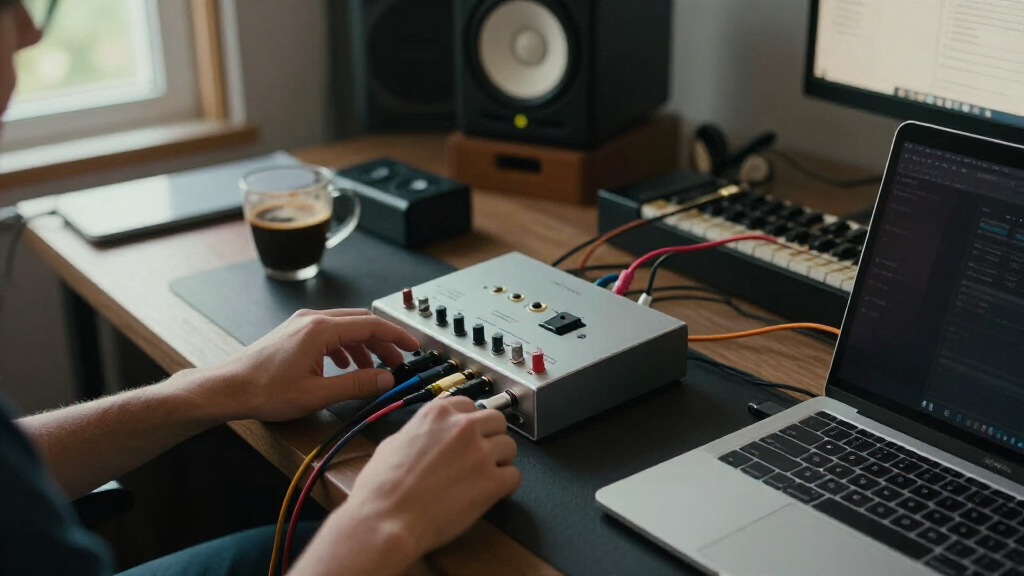

The MOTU M2 is my best overall choice among these USB-C audio interfaces because its clear metering, strong conversion, and flexible connections suit both recording and streaming. The M-AUDIO M-Track Duo HD is the better value pick for buyers who want two-input recording without paying for extensive extras, while the Solid State Logic 2 MKII Plus is my premium recommendation for its expanded routing and studio-focused controls. The main choice is between dependable drivers and monitoring tools, lower-cost hardware with fewer assurances, or a compact mobile design that sacrifices studio flexibility. Input count, loopback support, direct monitoring, and the actual computer-side connector matter more than headline sample-rate figures. Continue reading for the full breakdown of which interface best matches each recording setup.

Get audio and creator gear delivered free with Prime
- Fast, free delivery on millions of items
- Prime Video, Amazon Music and more included
- Member-only deals all year
Complete the kit


Key Takeaways
- The MOTU M2 offers the strongest balance of metering, recording quality, connectivity, and everyday usability, which puts it ahead of cheaper two-input models.
- The M-AUDIO M-Track Duo HD is the value leader, while the basic M-Track Solo makes more sense only when one primary recording channel is enough.
- The Solid State Logic 2 MKII Plus earns the premium position through broader output routing and hands-on studio controls rather than sample rate alone.
- Focusrite splits into three clear tiers: the Scarlett 2i2 4th Gen for two-source recording, the Solo 4th Gen for beginners, and the Solo 3rd Gen mainly for discounted purchases.
- The JOYO MOMIX CAB and pocket guitar interface serve mobile players, but desktop musicians gain more room to grow from the MOTU, SSL, Volt, or Scarlett models.
| M-AUDIO M-Track Solo USB Audio Interface |  | Best Budget Pick | Maximum sample rate: 48kHz | Microphone input: 1 XLR/line combo input | Instrument input: 1 line/instrument input | VIEW LATEST PRICE | See Our Full Breakdown |
| 2×2 USB-C Audio Interface for PC/Mac Recording |  | Best for Gain-Hungry Microphones | Audio resolution: 24-bit/192kHz | Channel format: 2×2 | Inputs: Dual XLR/TS plus 1/4-inch connectivity | VIEW LATEST PRICE | See Our Full Breakdown |
| Rockville R-Track Solo Recording USB-C Audio Interface | 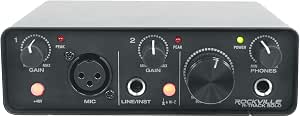 | Best Compact Pick | Bit depth: 24-bit | Maximum sample rate: 192kHz | Computer connection: USB-C | VIEW LATEST PRICE | See Our Full Breakdown |
| Universal Audio Volt 2 USB Audio Interface |  | Best for Vintage Character | Bit depth: 24-bit | Maximum sample rate: 192kHz | Input format: 2-channel | VIEW LATEST PRICE | See Our Full Breakdown |
| MOTU M2 USB-C Audio Interface |  | Best Overall | Interface format: 2-in/2-out | Computer connection: USB-C | Number of preamps: 2 | VIEW LATEST PRICE | See Our Full Breakdown |
| Solid State Logic 2 MKII Plus USB-C Audio Interface 2×4 |  | Best for Growing Home Studios | Microphone Inputs: 2 XLR mic preamps | Instrument/Line Inputs: 2 x 1/4-inch line/Hi-Z | Line Outputs: 4 | VIEW LATEST PRICE | See Our Full Breakdown |
| JOYO MOMIX CAB Guitar Audio Interface |  | Best for Mobile Guitar Practice | Instrument Input: 6.35 mm | Headphone Output: 3.5 mm | Maximum Sample Rate: 48 kHz | VIEW LATEST PRICE | See Our Full Breakdown |
| M-AUDIO M-Track Duo HD USB-C Audio Interface |  | Best Starter Production Bundle | Inputs: 2 mic/instrument/line combo inputs | Audio Resolution: 24-bit/192 kHz | Preamp Gain: 55 dB | VIEW LATEST PRICE | See Our Full Breakdown |
| USB C Audio Interface for Recording Music, Streaming, Podcasting |  | Best Budget Pick for Flexible Monitoring | Bit Depth: 24-bit | Sample Rate: 48 kHz | Input Connections: XLR and 6.35 mm | VIEW LATEST PRICE | See Our Full Breakdown |
| 2×2 USB-C Audio Interface for PC/Mac Recording |  | Best for Broad DAW Compatibility | Input Configuration: 2 XLR/TRS combo jacks | Channels: 2 | Audio Resolution: 24-bit/192 kHz | VIEW LATEST PRICE | See Our Full Breakdown |
| PIYONE 2X2 USB-C Audio Interface |  | Best Simple 2×2 with Loopback | Resolution: 24-bit/192kHz | Inputs: 2 XLR/TRS combo inputs | Phantom Power: 48V | VIEW LATEST PRICE | See Our Full Breakdown |
| Guitar Audio Interface Pocket Internal Recording Sound Card with Type-C and Lightning |  | Best Pocket Guitar Interface | Bit Depth: 24-bit | Sample Rate: 48kHz | Device Connections: USB Type-C and Lightning | VIEW LATEST PRICE | See Our Full Breakdown |
| Focusrite Scarlett 2i2 4th Gen USB-C Audio Interface |  | Best Overall | Generation: 4th generation | Connectivity: USB-C | Inputs: 2 combo microphone/line inputs | VIEW LATEST PRICE | See Our Full Breakdown |
| Focusrite Scarlett Solo 4th Gen USB-C Audio Interface |  | Best for Singer-Songwriters | Generation: 4th generation | Connectivity: USB-C | Dynamic Range: 120dB | VIEW LATEST PRICE | See Our Full Breakdown |
| Focusrite Scarlett Solo 3rd Gen USB-C Audio Interface |  | Best Previous-Generation Pick | Generation: 3rd generation | Connectivity: USB-C | Bit Depth: 24-bit | VIEW LATEST PRICE | See Our Full Breakdown |
More Details on Our Top Picks
M-AUDIO M-Track Solo USB Audio Interface
I place the M-AUDIO M-Track Solo in the budget slot because it covers one microphone and one instrument without charging for studio features a solo creator may never use. Its zero-latency direct monitoring helps performers avoid distracting computer delay, while phantom power opens the door to condenser microphones. Compared with the Rockville R-Track Solo, however, its 48kHz ceiling is modest rather than high-resolution, and it lacks native USB-C connectivity; buyers with USB-C-only computers may need another cable or adapter. The RCA monitor outputs are useful for basic speakers, but less studio-friendly than the balanced connections commonly paired with higher-tier interfaces. I see this as a sensible first step for podcasts, voiceovers, and simple demos, while the MOTU M2 is the stronger choice for detailed metering, two preamps, and longer-term expansion.
Pros:- Crystal preamp with phantom power supports condenser microphones
- Direct-monitoring switch provides latency-free performer monitoring
- Separate microphone and instrument inputs suit simple two-source sessions
- Compact design and straightforward controls keep setup approachable
Cons:- 48kHz maximum sample rate trails the 192kHz capability of the other four picks
- Not a native USB-C interface, so some current computers require another cable or adapter
- RCA monitor outputs are less suitable for studio cabling than balanced outputs
Best for: Budget-conscious solo podcasters, voiceover beginners, and singer-guitarists recording one microphone plus one instrument
Not ideal for: USB-C-only laptop owners who want a direct connection, or producers who need 192kHz recording and balanced monitor outputs
- Maximum sample rate:48kHz
- Microphone input:1 XLR/line combo input
- Instrument input:1 line/instrument input
- Phantom power:Supported
- Headphone output:1/8-inch
- Monitor outputs:Stereo RCA
- Monitoring:USB/direct switch
- Included software:MPC Beats
Our verdict“I recommend it for a solo beginner who values low cost and simplicity more than native USB-C connectivity or studio-grade expansion.”
2×2 USB-C Audio Interface for PC/Mac Recording
This 2×2 model earns its place through up to 80 dB of input gain, which gives quiet dynamic microphones more headroom than many entry-level interfaces can supply without an inline booster. It also pairs 24-bit/192kHz recording with dual XLR/TS inputs, making it more accommodating for two-person podcasts than the single-preamp M-AUDIO M-Track Solo. I would still rank the MOTU M2 higher overall because its established platform and hardware monitoring inspire more confidence for repeat studio work. Here, the generic product identity leaves driver maintenance, long-term support, and control-software quality less clear. The assortment of USB adapters is handy for mixed-device households, but two channels remain a hard ceiling. This pick makes sense when microphone gain and connection flexibility outrank brand ecosystem, advanced routing, or plans for a larger ensemble.
Pros:- Up to 80 dB of gain can accommodate low-output dynamic microphones
- Dual XLR/TS inputs support two microphones or instruments
- 24-bit/192kHz recording provides ample resolution for production work
- USB-C, USB-A, and USB-B adapters broaden device compatibility
Cons:- Generic branding makes long-term driver and software support harder to judge
- Two-channel design cannot handle larger recording sessions
- Numerous controls and connection choices may be less approachable for a first-time user
Best for: Two-person podcasters and vocalists using low-output dynamic microphones who need unusually high preamp gain
Not ideal for: Bands, drum recordists, and buyers who want a proven driver ecosystem or more than two simultaneous channels
- Audio resolution:24-bit/192kHz
- Channel format:2×2
- Inputs:Dual XLR/TS plus 1/4-inch connectivity
- Outputs:Dual stereo outputs
- Maximum input gain:Up to 80 dB
- Phantom power:+48V
- Instrument mode:Hi-Z switch
- USB connections:USB-C, USB-A, and USB-B adapters
- Warranty:2 years
Our verdict“I would choose this for a two-microphone setup that needs abundant gain, provided established-brand support matters less than raw connectivity.”
Rockville R-Track Solo Recording USB-C Audio Interface
I assign the Rockville R-Track Solo the compact role because its 5.65-by-4-inch footprint is easy to fit beside a laptop or carry between recording locations. Unlike the M-AUDIO M-Track Solo, it combines native USB-C connectivity with 24-bit/192kHz capture, giving mobile creators a more current connection and a higher recording ceiling. Low-latency ASIO support also makes it appealing to Windows musicians working in major DAWs. The tradeoff is a deliberately basic feature set: buyers seeking two preamps, informative front-panel metering, or more flexible monitoring should move up to the MOTU M2. Its 48V phantom power covers condenser microphones, yet advanced sessions will still require more routing hardware. I rank it as the travel-friendly choice, not the most capable studio centerpiece, because portability is its clearest advantage over the other options.
Pros:- Small footprint fits portable and space-limited recording setups
- Native USB-C connection suits current laptops and mobile workflows
- 24-bit/192kHz capture exceeds the M-AUDIO M-Track Solo’s sample-rate ceiling
- 48V phantom power supports studio condenser microphones
Cons:- Basic recording feature set leaves little room for complex routing
- Solo-oriented design is poorly matched to multi-microphone sessions
- Advanced setups may require extra monitoring or routing equipment
Best for: Mobile solo musicians, traveling voiceover creators, and Windows users who need a small native USB-C interface
Not ideal for: Two-microphone podcasts and growing studios that need dual preamps, expanded routing, or detailed onboard metering
- Bit depth:24-bit
- Maximum sample rate:192kHz
- Computer connection:USB-C
- Phantom power:48V
- Driver support:Low-latency ASIO
- Width:5.65 inches
- Depth:4 inches
- Height:2 inches
Our verdict“I favor it for a solo creator who wants 192kHz recording in a small USB-C package and can live without deeper studio controls.”
Universal Audio Volt 2 USB Audio Interface
The Universal Audio Volt 2 has the most distinctive tonal proposition here: its vintage preamp mode adds classic UA-inspired color before audio reaches the computer. That makes it more appealing than the clean, utility-focused MOTU M2 for singers and instrumentalists who want character during recording. I do not rank it as the universal winner because that coloration is a creative choice, not an advantage for every source, and the two-input format still limits larger sessions. Its 24-bit/192kHz conversion and compatibility across Mac, Windows, iPad, and iPhone suit both desk and mobile work, though iOS connections may require an adapter and external power arrangements. Support for UAD plug-ins and LUNA strengthens the production ecosystem, but buyers should not mistake software compatibility for onboard UAD processing. This is the specialist pick for musicians who value tone over metering depth.
Pros:- Vintage preamp mode provides a distinct tonal alternative to clean entry-level interfaces
- 24-bit/192kHz recording supports high-resolution production
- Works with macOS, Windows, iPad, and iPhone
- UAD plug-in and LUNA support provides a strong software path
Cons:- Vintage coloration is less useful for buyers who want consistently neutral capture
- Two-input format limits ensemble and multi-microphone recording
- Some iPad and iPhone setups require extra adapters and power hardware
Best for: Singer-songwriters and producers who want vintage-style preamp coloration while recording into desktop or Apple mobile devices
Not ideal for: Engineers seeking transparent-only capture, onboard UAD processing, or enough inputs for drums and full-band sessions
- Bit depth:24-bit
- Maximum sample rate:192kHz
- Input format:2-channel
- Signature mode:Vintage preamp emulation
- Desktop compatibility:macOS and Windows
- Mobile compatibility:iPad and iPhone
- iOS requirement:iOS 14 or later
- Software ecosystem:UAD plug-ins and LUNA support
Our verdict“I recommend the Volt 2 to musicians who want USB-C convenience and record-ready vintage color rather than the most neutral or expandable interface.”
MOTU M2 USB-C Audio Interface
I rank the MOTU M2 first because it balances two preamps, 24-bit/192kHz recording, direct hardware monitoring, and broad computer support without centering the purchase on a niche feature. Compared with the Universal Audio Volt 2, it is better suited to buyers who favor clean workflow and monitoring clarity over vintage-style coloration. It also provides more room for two-microphone work than the solo-focused M-AUDIO and Rockville models. The limit is easy to identify: two inputs and two outputs will not grow into a drum-recording or full-band rig. Beginners making only occasional single-source recordings may also find the cheaper M-AUDIO sufficient. For streamers, duos, and home-studio musicians, though, the M2 offers the most balanced path between portable USB-C operation and serious recording capability, which is why it leads my ranking.
Pros:- Two preamps accommodate stereo sources and two-microphone sessions
- 24-bit/192kHz support provides high-resolution recording
- Hardware monitoring reduces distracting performance latency
- macOS, Windows, and iOS support covers common desktop and mobile workflows
Cons:- Two-input, two-output layout cannot accommodate larger ensembles
- Lacks the Volt 2’s dedicated vintage preamp coloration
- Its broader capability may be unnecessary for basic single-microphone recording
Best for: Home-studio musicians, streaming creators, and two-person podcasters who want a balanced long-term 2×2 interface
Not ideal for: Full bands and engineers who need more than two simultaneous inputs, or casual beginners seeking the lowest possible cost
- Interface format:2-in/2-out
- Computer connection:USB-C
- Number of preamps:2
- Bit depth:24-bit
- Maximum sample rate:192kHz
- Monitoring:Direct hardware monitoring
- Desktop compatibility:macOS and Windows
- Mobile compatibility:iOS
Our verdict“I see the MOTU M2 as the strongest all-around choice for buyers who need two quality recording channels without moving into a larger studio interface.”
Solid State Logic 2 MKII Plus USB-C Audio Interface 2×4
I rank the SSL 2 MKII Plus highest here for creators who need more routing flexibility than a basic two-channel box provides. Its four line outputs and dual headphone outputs can support speakers, outboard gear, or two-person monitoring without an extra splitter. Compared with the M-AUDIO M-Track Duo HD, it also adds MIDI, loopback, high-pass filters, and the Legacy 4K coloration circuit, giving musicians and podcasters more room to shape a working studio. The 32-bit/192 kHz conversion is another clear advantage, although two recording inputs still cap live sessions at a vocal-and-instrument pairing. It costs more and has more controls than a beginner may need, while bus power keeps it practical for portable rigs. I see it as the strongest step-up choice, not a substitute for a multichannel interface.
Pros:- 32-bit/192 kHz conversion provides substantial recording and processing headroom
- Four line outputs and two headphone outputs support flexible monitoring
- Loopback, MIDI, filters, and Legacy 4K coloration broaden its studio uses
- Bus-powered operation suits desktop and portable production
Cons:- Only two input channels for simultaneous recording
- Broader feature set may be excessive for simple voice or solo-instrument capture
- Older computers may require a suitable USB adapter
Best for: Home-studio producers, podcasters, and duos who need two recording inputs, separate headphone feeds, MIDI, and flexible output routing
Not ideal for: Bands recording more than two sources at once, since the interface provides only two simultaneous input channels
- Microphone Inputs:2 XLR mic preamps
- Instrument/Line Inputs:2 x 1/4-inch line/Hi-Z
- Line Outputs:4
- Headphone Outputs:2
- Conversion:32-bit/192 kHz AD/DA
- Monitoring:Zero-latency monitoring and stereo loopback
- MIDI:5-pin DIN input/output
- Power:USB bus powered
- Included Software:SSL Production Pack
Our verdict“I recommend the SSL 2 MKII Plus to creators who have outgrown entry-level routing but do not need more than two recording inputs.”
JOYO MOMIX CAB Guitar Audio Interface
The JOYO MOMIX CAB earns a narrow but useful role: recording or practicing guitar through a phone with almost no setup. At 20 grams, it is far easier to carry than the SSL 2 MKII Plus or M-AUDIO M-Track Duo HD, and driver-free, battery-free operation reduces the gear needed for a mobile session. Direct monitoring lets a player hear the incoming instrument with little delay, while the supplied USB-C and Lightning connections cover both major phone platforms. The compromise is control. Its dry signal cannot be muted, so players using software amp effects may hear the untreated guitar alongside the processed sound. Android support can also depend on OTG settings and device compatibility. I would choose it for convenient practice clips, not for microphone recording or a flexible desktop studio.
Pros:- 20-gram design is exceptionally easy to carry
- Direct monitoring supports low-delay practice
- No battery or driver installation is required
- Works with iOS and Android using the supplied connection options
Cons:- Dry input signal cannot be muted during effects processing
- Android operation may require OTG setup and can vary by device
- Single 6.35 mm instrument input limits recording flexibility
Best for: Guitarists and bassists who want a pocket-size interface for phone-based practice, streaming, or quick recording
Not ideal for: Players who rely on software amp tones without a dry signal, or creators who need XLR microphone inputs and studio routing
- Instrument Input:6.35 mm
- Headphone Output:3.5 mm
- Maximum Sample Rate:48 kHz
- Channels:2
- Mobile Compatibility:Android and iOS
- Connections:USB-C and Lightning
- Dimensions:1.14 x 2.52 x 0.79 inches
- Weight:20 g
- Power:Device powered; no battery required
Our verdict“I would pick the JOYO MOMIX CAB for quick phone-based guitar work, provided hearing the dry signal alongside app effects is acceptable.”
M-AUDIO M-Track Duo HD USB-C Audio Interface
I place the M-AUDIO M-Track Duo HD ahead of the generic 2×2 USB-C model for first-time producers because its included software provides a clearer path from connection to finished project. Two combo inputs accept microphones, guitars, basses, or line sources, while 55 dB of preamp gain and switchable phantom power cover common home-recording setups. Its 24-bit/192 kHz ceiling also exceeds the 48 kHz limit of the smaller JOYO MOMIX CAB and B0DR2SHSD3 interface. A Direct/USB monitoring switch makes latency management straightforward, but the interface stops at two inputs and offers no onboard effects or expanded output routing. The Ableton Live Lite and MPC Beats bundle adds genuine value, though experienced users who already own software may prefer the SSL 2 MKII Plus for loopback, MIDI, and additional outputs.
Pros:- Two combo inputs handle microphones, instruments, and line-level sources
- 24-bit/192 kHz recording supports high-resolution projects
- Direct/USB monitoring switch simplifies latency control
- Ableton Live Lite, MPC Beats, and a Splice trial add starter value
Cons:- Two-input, two-output layout cannot accommodate larger sessions
- No onboard effects or advanced signal processing
- Less routing flexibility than the SSL 2 MKII Plus
Best for: New home producers and content creators who need two versatile inputs plus recording software in one purchase
Not ideal for: Established producers who already own software and need MIDI, loopback, onboard processing, or more than two outputs
- Inputs:2 mic/instrument/line combo inputs
- Audio Resolution:24-bit/192 kHz
- Preamp Gain:55 dB
- Phantom Power:Switchable +48V
- Monitoring:Direct/USB monitor switch
- Headphone Control:Independent level control
- Connectivity:USB-C
- Enclosure:Compact rugged housing
- Included Software:Ableton Live Lite, Akai MPC Beats, and 2 months of Splice
Our verdict“I recommend the M-Track Duo HD as a practical first interface for buyers who want capable hardware and useful production software together.”
USB C Audio Interface for Recording Music, Streaming, Podcasting
This unnamed USB-C recording interface makes the list for budget-minded voice and music creators who value monitoring choices over very high sample rates. Its three monitoring modes offer more flexibility than the JOYO MOMIX CAB, while XLR and 6.35 mm connections accommodate microphones and instruments rather than guitar alone. The 24-bit/48 kHz format is sufficient for podcasts, streams, and routine music releases, but it falls behind the 192 kHz capability of the M-AUDIO M-Track Duo HD. I also see the required third-party driver as a bigger ownership risk than the headline specifications suggest: setup and long-term support may be less predictable than with an established brand. At 300 grams, it remains easy to move, and 48V phantom power supports condenser microphones. I would buy it for an inexpensive workstation, not for a studio where dependable drivers are central.
Pros:- Three monitoring modes suit different recording and playback workflows
- 24-bit audio is appropriate for podcasting, streaming, and everyday music work
- XLR and 6.35 mm inputs support microphones and instruments
- 48V phantom power accommodates condenser microphones
Cons:- Third-party driver requirement can complicate setup and future support
- 48 kHz maximum sample rate trails several alternatives in the lineup
- USB-C-to-USB-A connection may not suit every device without another cable or adapter
Best for: Budget podcasters, streamers, and solo musicians who want selectable monitoring and condenser-microphone support
Not ideal for: Buyers who need brand-backed drivers, 192 kHz recording, or predictable compatibility across several computers
- Bit Depth:24-bit
- Sample Rate:48 kHz
- Input Connections:XLR and 6.35 mm
- Monitoring:3 modes
- Phantom Power:48V
- Computer Connection:USB-C to USB-A
- Dimensions:14 x 11.5 x 4.5 cm
- Weight:300 g
Our verdict“I see this as a low-cost choice for flexible solo recording, but not the safest purchase for buyers who prioritize driver support.”
2×2 USB-C Audio Interface for PC/Mac Recording
I include this 2×2 USB-C interface for buyers who switch among popular recording programs and want conventional studio connections. Its listed support spans Pro Tools, Ableton Live, Logic Pro, GarageBand, Cubase, Reaper, FL Studio, and Studio One, a broader named selection than the other products here provide. Two XLR/TRS combo inputs and 24-bit/192 kHz recording make it more capable for microphone work than the phone-focused JOYO MOMIX CAB. Against the M-AUDIO M-Track Duo HD, however, it is harder to recommend for a newcomer: no software is included, documentation is limited, and the lesser-known hardware lacks the same clear starter ecosystem. The 1.5-pound enclosure is also less travel-friendly than smaller options. I would rank it as a functional computer-studio alternative for buyers who already have a preferred DAW and can handle setup independently.
Pros:- Two XLR/TRS combo inputs support microphones and line or instrument sources
- 24-bit/192 kHz format accommodates high-resolution recording
- Listed compatibility covers many widely used DAWs
- 48V phantom power supports condenser microphones
Cons:- No recording software is included
- Limited documentation can make initial setup harder
- Two-channel design is unsuitable for recording a full band simultaneously
Best for: PC or Mac musicians who already own a listed DAW and need two combo inputs with 192 kHz recording
Not ideal for: First-time producers who need bundled software, detailed setup guidance, or a lightweight mobile interface
- Input Configuration:2 XLR/TRS combo jacks
- Channels:2
- Audio Resolution:24-bit/192 kHz
- Phantom Power:+48V
- Connectivity:USB-C
- Listed Operating System:Windows 10
- Supported DAWs:Pro Tools, Ableton Live, Logic Pro, GarageBand, Cubase, Reaper, FL Studio, and Studio One
- Dimensions:6 x 6.5 x 1.75 inches
- Weight:1.5 pounds
Our verdict“I would choose this model for an existing DAW-based setup, while beginners will get a friendlier package from the M-Track Duo HD.”
PIYONE 2X2 USB-C Audio Interface
I give the PIYONE 2X2 USB-C Audio Interface the simple-loopback slot because it combines two XLR/TRS inputs, 24-bit/192kHz capture, and built-in loopback in a portable, bus-powered body. That mix is better suited to a musician who streams or records commentary than the Focusrite Scarlett Solo 4th Gen, whose solo-focused input layout is less flexible for two microphones or line sources. Compared with the Focusrite Scarlett 2i2 4th Gen, though, the PIYONE lacks the listed Auto Gain, Clip Safe, and substantial software bundle that make level setting and production easier. Zero-latency monitoring keeps live tracking responsive, while illuminated controls help at a dark desk. I would choose it for straightforward two-channel creation, but its two-input ceiling, 3.5mm headphone connection, and bus-power-only design narrow its studio ambitions.
Pros:- Two XLR/TRS combo inputs accept microphones, instruments, and line-level sources
- Loopback supports streaming, commentary, and computer-audio capture
- Zero-latency monitoring prevents distracting tracking delay
- 24-bit/192kHz recording provides ample resolution for music production
Cons:- Two-channel limit rules out larger live recording setups
- 3.5mm headphone jack is less studio-friendly than a full-size connection
- Bus power leaves no separate power option for demanding mobile setups
Best for: Solo streamers, podcasters, and home musicians who need two versatile inputs plus loopback in a portable USB-C interface
Not ideal for: Bands recording more than two sources or studio users who want automated gain protection and a large included software package
- Resolution:24-bit/192kHz
- Inputs:2 XLR/TRS combo inputs
- Phantom Power:48V
- Connectivity:USB-C
- Loopback:Yes
- Monitoring:Zero-latency direct monitoring
- Headphone Connection:3.5 mm
- Power:USB bus-powered
Our verdict“I recommend this model to two-source creators who prioritize loopback and direct monitoring over automated recording tools.”
Guitar Audio Interface Pocket Internal Recording Sound Card with Type-C and Lightning
I place the Pocket Guitar Audio Interface in the phone-first role: its Type-C and Lightning compatibility, rear clip, and 1/4-inch input make it far easier to carry than the Focusrite Scarlett Solo 4th Gen. The 24-bit/48kHz recording format is sufficient for live streams, practice captures, and social clips, while the headphone jack and volume control provide a simple personal setup. That convenience comes with a much narrower purpose. Unlike the Scarlett Solo, it has no microphone input or broader studio software package, and its 48kHz ceiling trails the 192kHz capability listed for the Scarlett Solo 3rd Gen. I see the plug-and-play design as the main attraction, not production depth. It fits a guitarist recording directly into a phone, but device-powered operation can drain a mobile battery during longer sessions.
Pros:- Pocket-sized back-clip design is easy to carry and secure
- Type-C and Lightning compatibility covers many mobile recording devices
- 24-bit/48kHz capture is suitable for streaming and everyday music recording
- Dedicated headphone output and volume control simplify mobile monitoring
Cons:- Single instrument input cannot accommodate microphones or multiple performers
- 48kHz maximum sample rate offers less format flexibility than 192kHz interfaces
- Draws power from the connected device and may shorten mobile recording time
Best for: Guitarists and bassists who want to record practice clips or livestream directly through a phone, tablet, or laptop
Not ideal for: Vocalists, podcasters, and producers who need microphone inputs, phantom power, or multi-source recording
- Bit Depth:24-bit
- Sample Rate:48kHz
- Device Connections:USB Type-C and Lightning
- Instrument Input:1/4-inch (6.35 mm) guitar or bass jack
- Headphone Output:3.5 mm
- Controls:Adjustable volume and indicator light
- Design:Pocket-sized with back clip
Our verdict“I would pick this for highly portable guitar recording, not as the center of a microphone-based home studio.”
Focusrite Scarlett 2i2 4th Gen USB-C Audio Interface
I rank the Focusrite Scarlett 2i2 4th Gen first in this group because it balances recording quality, two-source flexibility, and safeguards that reduce failed takes. Its 120dB dynamic range leaves more room between quiet details and overload, while Auto Gain and Clip Safe help musicians set usable levels without constant knob watching. The two combo inputs also make it more adaptable than the Focusrite Scarlett Solo 4th Gen for duets, stereo sources, or two microphones. PIYONE’s 2X2 interface counters with explicitly listed loopback and 192kHz recording, but the 2i2 offers a stronger production package through Pro Tools Intro+, Ableton Live Lite, and Hitmaker Expansion. The compromises are a two-input maximum and extra software complexity for newcomers. I see Air mode as useful tonal flexibility, though buyers wanting a larger ensemble setup need more channels.
Pros:- 120dB dynamic range supports clean recordings with generous level space
- Auto Gain and Clip Safe reduce clipping and setup guesswork
- Two combo inputs handle microphones, instruments, and line-level equipment
- Bundled production software provides a strong starting toolkit
Cons:- Two-input limit is restrictive for drums, full bands, or multi-microphone sessions
- Bundled applications and advanced controls can take time to learn
- Some computers and mobile devices may require a compatible USB adapter
Best for: Singer-songwriters, duos, and home producers who want two microphone-capable inputs with automatic level assistance
Not ideal for: Bands tracking several performers simultaneously or casual users who do not want to learn bundled recording software
- Generation:4th generation
- Connectivity:USB-C
- Inputs:2 combo microphone/line inputs
- Outputs:2 balanced line outputs
- Dynamic Range:120dB
- Headphone Output:Yes, with independent volume control
- Preamp Type:Ultra-low-noise microphone preamps
- Recording Tools:Auto Gain, Clip Safe, and Air mode
- Included Software:Pro Tools Intro+, Ableton Live Lite, and Hitmaker Expansion
Our verdict“I would make this the default choice for buyers who need two flexible inputs and practical protection against poorly set levels.”
Focusrite Scarlett Solo 4th Gen USB-C Audio Interface
The Focusrite Scarlett Solo 4th Gen earns my singer-songwriter pick by concentrating its controls and connections on one vocal-and-instrument setup. Its 120dB dynamic range supports detailed capture, and the improved Air mode can add presence when a voice or guitar sounds too restrained. Compared with the Focusrite Scarlett 2i2 4th Gen, the Solo is the more focused choice, but it cannot offer the same two-combo-input freedom for dual microphones or interchangeable line sources. It is also the more current option than the Scarlett Solo 3rd Gen, pairing the newer generation with improved Air processing. The tradeoff is limited growth: a developing podcast, duo, or multi-microphone session can outgrow the input layout quickly. I would value the included recording suite when building a first production setup, though casual voice recording may not justify that much software.
Pros:- 120dB dynamic range supports detailed vocal and instrument capture
- Improved Air mode offers extra presence for voices and guitars
- Compact body fits small desks and portable songwriting rigs
- Includes multiple recording applications, plugins, and production tools
Cons:- Solo-oriented input arrangement is less flexible than the Scarlett 2i2
- Limited connection count leaves little room for setup expansion
- Large software bundle may be excessive for basic recording needs
Best for: Singer-songwriters who usually record one vocal microphone and one guitar while working alone
Not ideal for: Duos, interview podcasters, and engineers who need two microphone preamps or room for a growing input setup
- Generation:4th generation
- Connectivity:USB-C
- Dynamic Range:120dB
- Input Focus:Microphone and guitar recording
- Air Mode:Improved vocal and guitar enhancement
- Included Software:Pro Tools Intro+, Ableton Live Lite, Cubase LE, and Hitmaker Expansion
- Design:Compact and portable
Our verdict“I recommend the Solo 4th Gen to self-recording vocalists and guitarists who value sound quality more than input expansion.”
Focusrite Scarlett Solo 3rd Gen USB-C Audio Interface
I keep the Focusrite Scarlett Solo 3rd Gen in the ranking for buyers who prefer a straightforward, established recording layout over the newer model’s refinements. Its 24-bit/192kHz converters, high-headroom instrument input, and gain Halo metering cover the main needs of a guitarist or vocalist building a small USB-C rig. Against the Scarlett Solo 4th Gen, it gives up the newer unit’s improved Air implementation and listed 120dB dynamic range, so the fourth-generation model is the better fit for buyers seeking the latest signal-path updates. The Scarlett 2i2 4th Gen also offers more flexible dual combo inputs. Still, the third-generation Solo supplies switchable Air mode, balanced outputs, a broad software bundle, and a three-year warranty. I would choose it for uncomplicated solo recording, but not for duets or planned studio expansion.
Pros:- 24-bit/192kHz conversion supports high-resolution recording projects
- High-headroom instrument input handles guitar and bass signals cleanly
- Gain Halo metering makes input levels easy to read
- Three-year warranty adds useful long-term coverage
Cons:- One microphone and one instrument input limit multi-performer sessions
- Older Air implementation lacks the refinements of the fourth-generation Solo
- Basic control set omits newer level-management features found higher in the lineup
Best for: Solo vocalists and guitarists who want a familiar 24-bit/192kHz interface with bundled software and warranty coverage
Not ideal for: Buyers who need two microphone inputs, newer automatic recording aids, or space to expand beyond a solo setup
- Generation:3rd generation
- Connectivity:USB-C
- Bit Depth:24-bit
- Maximum Sample Rate:192kHz
- Inputs:1 microphone input and 1 instrument input
- Outputs:2 balanced outputs
- Air Mode:Switchable
- Included Software:Pro Tools Intro+, Ableton Live Lite, Cubase LE, and Hitmaker Expansion
- Warranty:3 years
Our verdict“I would choose this older Solo for dependable one-person recording when newer fourth-generation refinements are not a priority.”

How We Picked
I ranked these interfaces around real recording workflows, giving the most weight to input flexibility, monitoring, driver confidence, converter performance, and controls that remain easy to read while recording. I treated low latency and stable operation as more useful than an impressive maximum sample rate on its own. USB-C implementation also affected placement because a USB-C-shaped socket does not automatically mean faster operation, broader device support, or bus power on every host.
Higher positions went to models that combine clear buyer value with room for a setup to grow. I also weighed build quality, output routing, loopback, mobile compatibility, bundled software, and the likelihood of continued manufacturer support. Established options ranked above similarly specified generic interfaces when documentation, driver history, and support were less certain, while compact guitar adapters were judged within their narrower mobile role rather than against full desktop studios.
Factors to Consider When Choosing USB-C Audio Interfaces
Choosing among USB-C audio interfaces starts with the sessions I expect the interface to handle, not the largest number printed on the box. A solo podcast, a stereo keyboard recording, and a livestream place very different demands on inputs, monitoring, and routing. The following factors reveal where spending more improves the workflow and where a simpler model is enough.
Match the Input Layout to the Session
I would count how many sources must be recorded at the same time, since two physical sockets do not always provide two microphone preamps. A singer with one microphone and one guitar may need two independent inputs, while a voice-over setup can work comfortably with one. Stereo keyboards, dual-mic acoustic recordings, and two-person podcasts all push a buyer toward a true 2×2 model. Combo XLR/TRS jacks add flexibility, but instrument-level support still needs to be checked for guitars and basses. Buying too few inputs creates an immediate upgrade problem, yet paying for unused channels offers little benefit. For this lineup, the Scarlett 2i2, MOTU M2, Volt 2, SSL 2 MKII Plus, and M-Track Duo HD make more sense for two-source sessions than any Solo model.
Treat USB-C as a Connector, Not a Performance Guarantee
A USB-C port describes the plug shape, while speed, power, and compatibility depend on the interface, cable, and host device. Many audio interfaces use USB 2.0 data rates through USB-C because a few recording channels do not require greater bandwidth. That is not a weakness, but buyers should check whether the box includes the right cable for a laptop, tablet, or phone. Some older designs may rely on USB-A or USB-B at the interface end even when sold for use with USB-C computers. Mobile devices may also struggle to power an interface and condenser microphone together. I would verify the exact port, included cable, and power requirements rather than assuming every USB-C listing supports the same setup.
Prioritize Monitoring and Driver Stability Over Headline Resolution
Most modern interfaces already provide enough resolution for polished music and spoken-word production, so 24-bit/192kHz support rarely decides the better purchase by itself. Monitoring controls affect every take: direct monitoring lets performers hear themselves without waiting for audio to pass through recording software. A useful level meter also helps prevent clipping before it ruins a performance. Driver quality matters on Windows, while class-compliant operation can simplify use with macOS and mobile devices. Poor software support can make an inexpensive interface cost more in lost time than the initial saving. This is why I place MOTU, SSL, Focusrite, Universal Audio, and M-AUDIO above generic models with similar paper specifications but less predictable support.
Choose Loopback and Routing Around Your Content
Loopback mixes computer audio back into a recording or stream, which is useful for remote interviews, game audio, demonstrations, and music playback. It matters far less to someone recording vocals and guitar into a standard session. Output count also changes what an interface can manage: extra outputs can feed alternate monitors, external processors, or a separate headphone mix. Buyers sometimes pay for loopback without checking whether the control software works on their operating system. Others buy a basic interface and later discover that their streaming workflow requires awkward third-party routing. I would choose the SSL 2 MKII Plus or another routing-focused model when multiple destinations matter, while a straightforward Solo interface remains cleaner for simple recording.
Decide Whether Portability or Studio Growth Matters More
A pocket interface is attractive when phone recording and travel take priority, but small size usually means fewer controls, limited metering, and less flexible monitoring. The JOYO MOMIX CAB and pocket guitar adapter suit quick mobile guitar capture better than a full desk setup. Desktop interfaces are bulkier, yet their larger knobs, balanced outputs, microphone preamps, and headphone controls make repeated sessions easier. A mobile buyer should also check app support, connector compatibility, and whether the phone can supply enough power. For a fixed workstation, I would favor dependable desktop hardware even if it takes more space. For social clips or practice recordings away from a computer, a compact guitar-specific interface avoids carrying features that will not be used.
Know When Paying More Changes the Workflow
A higher price makes sense when it buys better metering, dependable software, additional outputs, or more convenient controls. It is harder to justify when the main difference is a sample-rate claim that will not change the finished recording. Beginners may gain more from an intuitive control layout and useful software bundle than from advanced routing. Growing studios benefit from two independent inputs and multiple outputs because those features prevent an early replacement. Older generations can be worthwhile on sale, but the discount should compensate for fewer workflow aids and a shorter remaining support window. Within this group, the Scarlett Solo 3rd Gen needs a clear price advantage over the 4th Gen, while the SSL model earns its premium only for buyers who will use its wider routing.
Frequently Asked Questions
Is the MOTU M2 worth paying more for than a basic two-input interface?
The MOTU M2 makes sense when readable meters, flexible connections, and a polished desktop workflow will be used regularly. Its screen provides more precise level feedback than simple signal LEDs, which helps users set gain before recording. A basic 2×2 interface can capture the same number of sources for less money, so occasional voice recording may not justify the difference. Streamers, musicians, and producers who record often are more likely to benefit from the added feedback and control. I would choose the cheaper M-Track Duo HD when budget matters more than metering and connection depth.
Should I buy the Focusrite Scarlett Solo 4th Gen or Scarlett 2i2 4th Gen?
The Scarlett Solo 4th Gen fits a single performer who records one microphone and one instrument without needing two matching preamp channels. The Scarlett 2i2 4th Gen is the safer choice for two microphones, stereo hardware, collaborative podcasts, or sessions that may expand. Paying extra for the 2i2 can prevent a complete replacement once a second microphone becomes necessary. The Solo remains less expensive and keeps the control layout simple for beginners. I would base the decision on simultaneous sources rather than the number of instruments owned.
Does a USB-C audio interface provide lower latency than a USB-A model?
USB-C alone does not guarantee lower latency because it describes the connector rather than the full audio system. Buffer settings, drivers, computer performance, recording software, and the interface design all influence the delay. A well-supported USB 2.0 interface can feel more responsive than a poorly supported product with a USB-C socket. Direct monitoring bypasses much of the software path and is the simplest answer when performers need delay-free playback. I would prioritize driver reputation and monitoring controls over connector shape.
Can these interfaces work directly with an iPhone, iPad, or Android phone?
Some models can connect to mobile devices, but connector compatibility and power demand must both be checked. A phone may recognize a class-compliant interface yet fail to supply enough power for stable operation or phantom-powered microphones. A powered USB hub or external supply can solve that problem, though it reduces portability. The JOYO MOMIX CAB and pocket guitar interface are built around mobile recording, making them simpler for quick guitar or livestream use. I would choose a desktop interface for broader studio work and a mobile-specific adapter when phone use is the main job.
Are generic 24-bit/192kHz USB-C interfaces a good bargain?
A generic interface can be reasonable for a strict budget, but 24-bit/192kHz labeling does not reveal preamp noise, latency, driver quality, or long-term support. Clear documentation and responsive software updates matter whenever the operating system changes. Return policies become more valuable when a brand has a limited support history. For casual experiments, a low price may outweigh those risks; for paid work or frequent sessions, predictable operation is usually worth more. I rank established models higher because reliability and workflow support separate otherwise similar specification lists.
Conclusion
The MOTU M2 is my best overall recommendation because it combines clear metering, capable recording hardware, and enough connectivity for most small studios. Budget-focused buyers should start with the M-AUDIO M-Track Duo HD, while beginners recording one voice and one instrument are better served by the Focusrite Scarlett Solo 4th Gen. The Solid State Logic 2 MKII Plus is my premium pick for users who need broader output routing and more studio-oriented control. I would choose the Scarlett 2i2 4th Gen for two-person podcasts or dual-microphone sessions, and the Universal Audio Volt 2 for creators drawn to a simple music-focused workflow. Mobile guitarists should favor the JOYO MOMIX CAB or the pocket guitar interface, while the older Scarlett Solo 3rd Gen is appealing only at a meaningful discount. Generic 2×2 and loopback models remain low-cost alternatives, but buyers who depend on stable drivers and long-term support should spend more on one of the established options.