If you’re looking for the best color laser printers for heavy-duty use in 2025, I recommend models like the HP 3301sdw, Brother HL-L3280CDW, and Canon imageCLASS MF753Cdw. These printers are built for speed, high-volume work, and reliable performance with features like fast print speeds, large capacity trays, and robust durability. They support various media types and connectivity options to fit busy office needs. Keep exploring to discover more options tailored to demanding environments.
Key Takeaways
- Look for models with high monthly duty cycles exceeding 50,000 pages for reliable heavy-duty performance.
- Prioritize printers with large input trays and high-capacity toner cartridges to support high-volume printing.
- Choose devices with fast print speeds (up to 36 ppm) and rapid first-page output for efficient workflows.
- Ensure robust connectivity options like Wi-Fi, Ethernet, and cloud support for seamless integration and remote management.
- Opt for durable, all-in-one models with advanced media handling and automatic duplexing to handle diverse, demanding media types.
HP Color LaserJet Pro MFP 3301sdw Wireless All-in-One Color Laser Printer
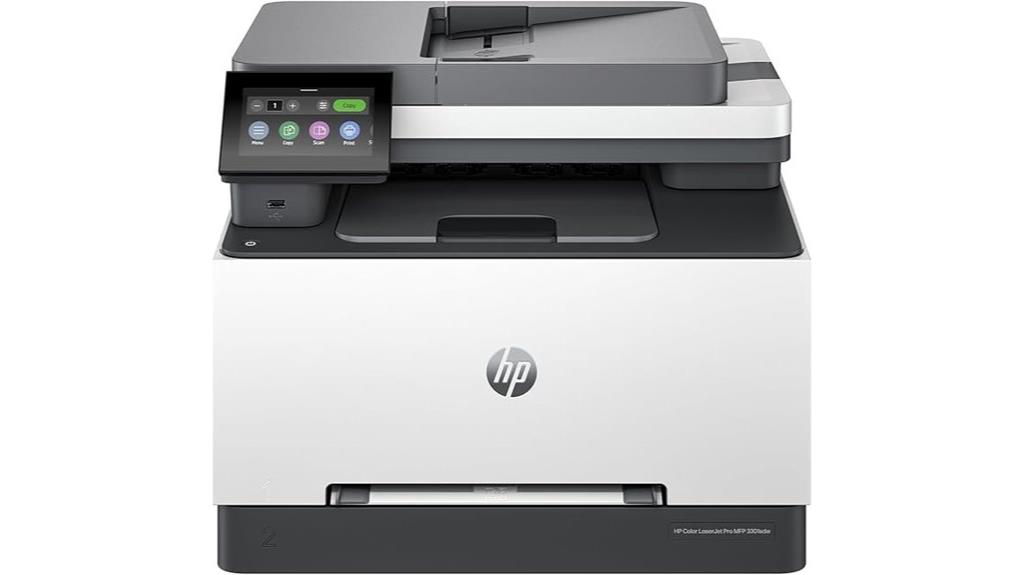
If you’re looking for a reliable all-in-one color laser printer suitable for small offices or busy home workspaces, the HP Color LaserJet Pro MFP 3301sdw is an excellent choice. It delivers professional-quality color printing, scanning, copying, and duplex auto 2-sided printing at speeds up to 26 ppm. With a 250-sheet input tray, built-in Wi-Fi, Ethernet, and USB, it offers flexible connectivity options. Its flatbed scanner handles 600×600 dpi, making document management easy. Designed for fast, vibrant results and consistent performance, it’s ideal for small teams needing a multifunction device that’s easy to set up and reliable for daily use.
Best For: small offices and busy home workspaces that require reliable, high-quality color laser printing, scanning, and copying with versatile connectivity options.
Pros:
- Fast print speeds up to 26 ppm with professional-quality color output
- Easy wireless and wired setup with built-in Wi-Fi, Ethernet, and USB ports
- Compact and multifunctional design suitable for small teams or home use
Cons:
- High ongoing cost for toner cartridges, especially for high-yield options
- Occasional firmware update failures and network connectivity issues
- Heavy and sizable (37.7 pounds), requiring a spacious, sturdy setup area
Brother Color Laser Printer with Wireless Printing, Duplex, 19 PPM, 250-Sheet Tray

The Brother Color Laser Printer with wireless printing and duplex capabilities stands out as a top choice for busy home offices or small workgroups that need reliable, high-volume printing. It delivers professional-quality documents with crisp text and vibrant graphics at 19 pages per minute, enhancing productivity. Its advanced wireless features allow seamless printing from laptops, smartphones, and tablets, supporting major mobile platforms and cloud services. The 250-sheet tray minimizes refills, while the manual feed handles envelopes and specialty media. Automatic duplex printing saves time and paper. Its built-in security protocols protect sensitive documents, all within a compact design suitable for small office spaces.
Best For: busy home offices or small workgroups seeking reliable, high-volume color laser printing with wireless connectivity and security features.
Pros:
- Fast printing speed of 19 pages per minute with professional-quality output
- Wireless and mobile device compatibility for seamless printing from various devices
- Large 250-sheet paper tray and automatic duplex printing to enhance efficiency
Cons:
- May be relatively expensive compared to basic printers
- Larger footprint might be unsuitable for very limited space
- Advanced security features could be more complex to configure for some users
HP Color Laserjet Pro 3201dw Wireless Color Laser Printer

The HP Color LaserJet Pro 3201dw Wireless Color Laser Printer stands out as an ideal choice for small teams and busy offices that need professional-quality color documents without sacrificing speed or convenience. It delivers print speeds up to 26 ppm in black and color, with sharp 600 x 600 dpi resolution. Its automatic duplex printing saves time and paper, while the dual input trays handle up to 250 sheets. The printer supports various media types, including envelopes and glossy photos, and connects easily via Wi-Fi, Ethernet, or USB. With built-in security features and reliable performance, it’s designed to meet heavy-duty office demands efficiently.
Best For: small teams and busy offices needing professional-quality color printing with fast speeds and reliable wireless connectivity.
Pros:
- Fast printing speeds of up to 26 ppm for both black and color documents
- Automatic duplex printing to save time and paper
- Supports multiple media types including envelopes and glossy photos
Cons:
- Customer reviews indicate a moderate satisfaction level with a 3.4/5 star rating
- Limited to print-only functionality with no scanning or copying features
- Firmware updates may restrict the use of non-HP cartridges
HP Color Laserjet Pro MFP 3301fdw Wireless All-in-One Color Laser Printer

Designed for small teams demanding professional-quality color printing, the HP Color LaserJet Pro MFP 3301fdw stands out with its all-in-one functionality and reliable wireless connectivity. It handles printing, scanning, copying, and faxing at speeds up to 26 pages per minute, thanks to its advanced TerraJet toner for vibrant color output. With auto duplex, single-pass scanning, an auto document feeder, and a 250-sheet input tray, it’s built for efficiency. Its dual-band Wi-Fi with self-reset guarantees seamless wireless printing. Known for award-winning reliability, it’s perfect for high-demand office environments that need consistent, versatile, and high-quality color laser printing.
Best For: small teams and small offices seeking professional-quality color printing, scanning, copying, and faxing with reliable wireless connectivity and high-speed performance.
Pros:
- Fast print speeds of up to 26 pages per minute for both black and color documents
- Equipped with advanced features like auto duplex, single-pass scanning, and auto document feeder for efficiency
- Wireless dual-band Wi-Fi with self-reset for seamless connectivity and easy setup
Cons:
- Only compatible with cartridges containing HP chips or circuitry; non-HP chips are blocked
- Periodic firmware updates required to maintain security and functionality
- Designed primarily for small teams, may lack advanced features needed for larger or high-volume environments
Brother HL-L3280CDW Wireless Color Printer with Duplex & Mobile Printing
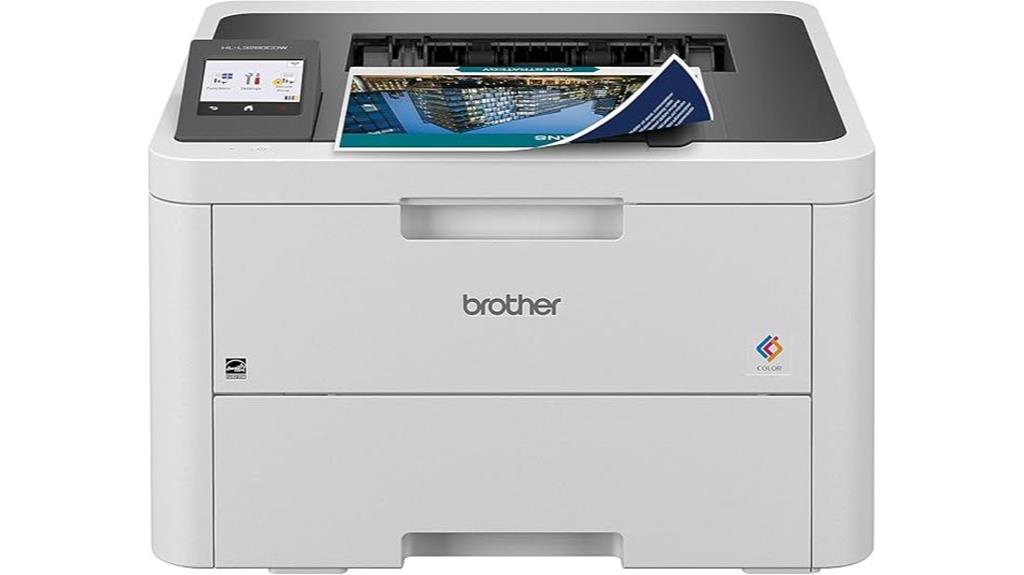
If you’re seeking a reliable color laser printer that handles high-volume workloads with ease, the Brother HL-L3280CDW is an excellent choice. It’s compact, fast, and offers laser-quality output at 2400 x 600 dpi, with speeds up to 27 ppm. The printer supports automatic duplex printing, mobile printing, and dual-band wireless connectivity, making it versatile for busy offices. Its 2.7-inch touchscreen simplifies operation, while the 250-sheet input tray and wide media support handle large print jobs effortlessly. Known for vibrant, smudge-free color documents and robust performance, it’s a dependable option for demanding printing tasks.
Best For: small to home offices requiring reliable, high-volume color printing with versatile media support and wireless connectivity.
Pros:
- Fast printing speeds up to 27 ppm with high-quality color output at 2400 x 600 dpi
- Automatic duplex printing and large 250-sheet paper capacity enhance productivity
- Easy-to-use 2.7-inch touchscreen and stable wireless connections for simple operation
Cons:
- Occasional paper jams and tray feeding issues reported by some users
- Higher ongoing costs due to subscription toner plans and potential compatibility issues with off-brand toner
- Heavy and bulky design may require sturdy placement and is less ideal for photo-heavy printing
Canon imageCLASS LBP632Cdw Wireless Color Laser Printer
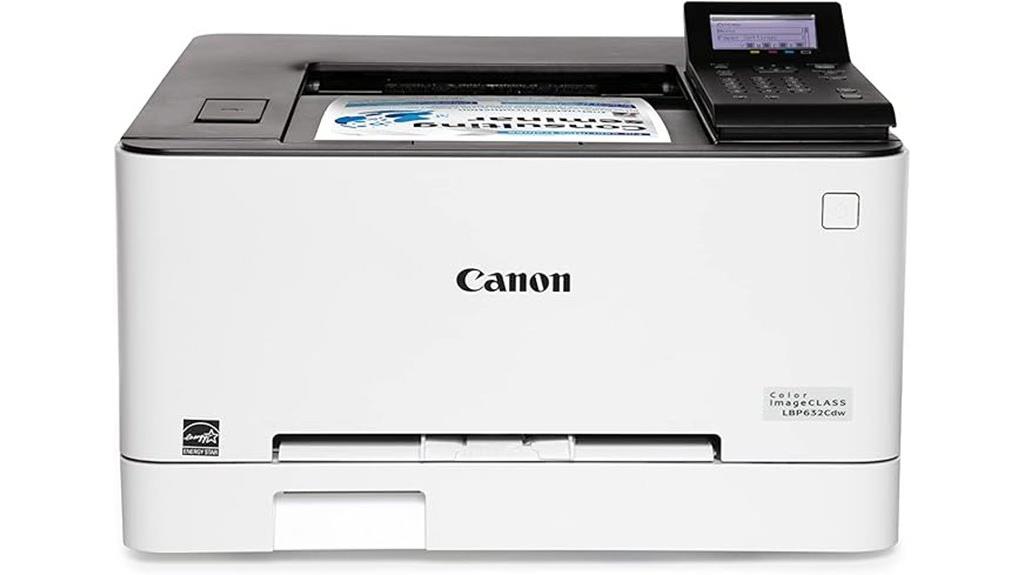
For small and medium-sized businesses or home offices seeking reliable, budget-friendly color printing, the Canon imageCLASS LBP632Cdw stands out with its fast print speeds and versatile media support. It prints up to 22 pages per minute in color and black-and-white with sharp 1200 x 1200 dpi resolution. Its media flexibility includes envelopes, banners, and plain paper, supported by a 250-sheet capacity. Connectivity options—wireless, Ethernet, and USB—make setup easy, although some users face Wi-Fi connection challenges, especially with mesh systems. Despite noise and a basic LCD display, it offers long-lasting toner cartridges and energy efficiency, making it a solid choice for everyday heavy-duty use.
Best For: small to medium-sized businesses and home offices seeking affordable, reliable color laser printing with versatile media support.
Pros:
- Fast print speeds of up to 22 pages per minute in color and monochrome
- Supports a wide range of media types including envelopes and banners
- Long-lasting toner cartridges with around 3,000 pages per cartridge
Cons:
- Connectivity issues with certain Wi-Fi mesh systems and network setup challenges
- Loud operation noise during printing and mechanical movements
- Low-quality LCD display and bulky size that may be less discreet or space-efficient
Brother HL-L3300CDW Wireless Color Printer with Copy & Scan
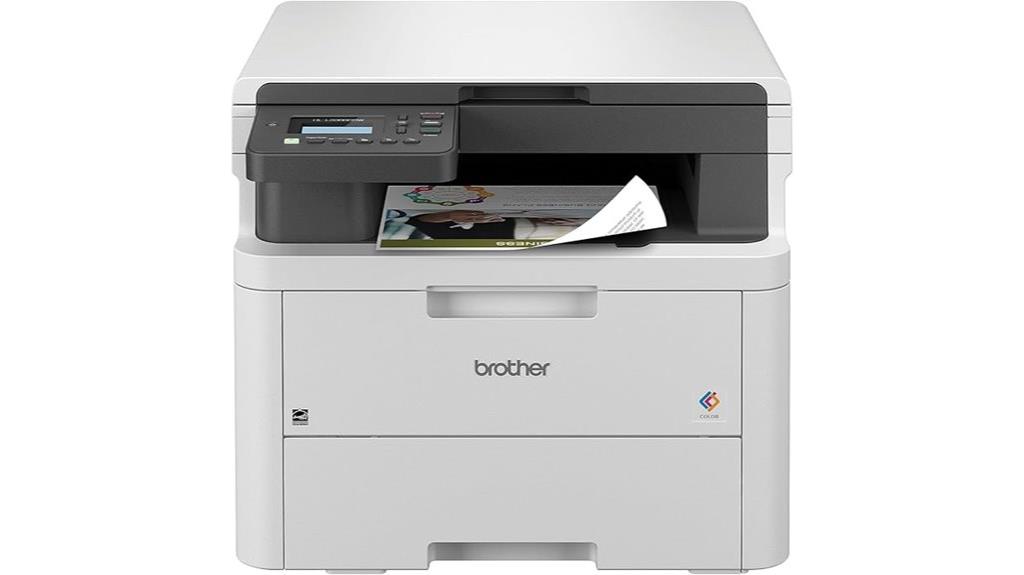
The Brother HL-L3300CDW Wireless Color Printer with Copy & Scan stands out as an ideal choice for small offices and home offices that need reliable, high-quality color printing without sacrificing space. This compact 3-in-1 device handles printing, copying, and scanning with laser-quality output at speeds up to 19 pages per minute. It offers flexible connectivity, including dual-band Wi-Fi, Wi-Fi Direct, and USB, ensuring steady, versatile connections. With a built-in flatbed scanner, it streamlines document handling, while the included 2-month refresh subscription and Alexa compatibility add convenience. It’s perfect for those seeking dependable, professional color documents in a small, efficient form.
Best For: small offices and home offices seeking reliable, high-quality color printing with versatile connectivity in a compact, all-in-one device.
Pros:
- Laser-quality color printing at speeds up to 19 ppm for professional results
- Flexible connectivity options including dual-band Wi-Fi, Wi-Fi Direct, and USB for reliable connections
- Compact 3-in-1 design with built-in flatbed scanner for convenient document handling
Cons:
- May have limited paper capacity, requiring frequent refills for high-volume printing
- Lacks advanced features like automatic duplex printing or large paper trays
- Subscription trial may incur additional costs after the initial period
Canon Wireless Color Laser All-in-One Printer (MF656Cdw)
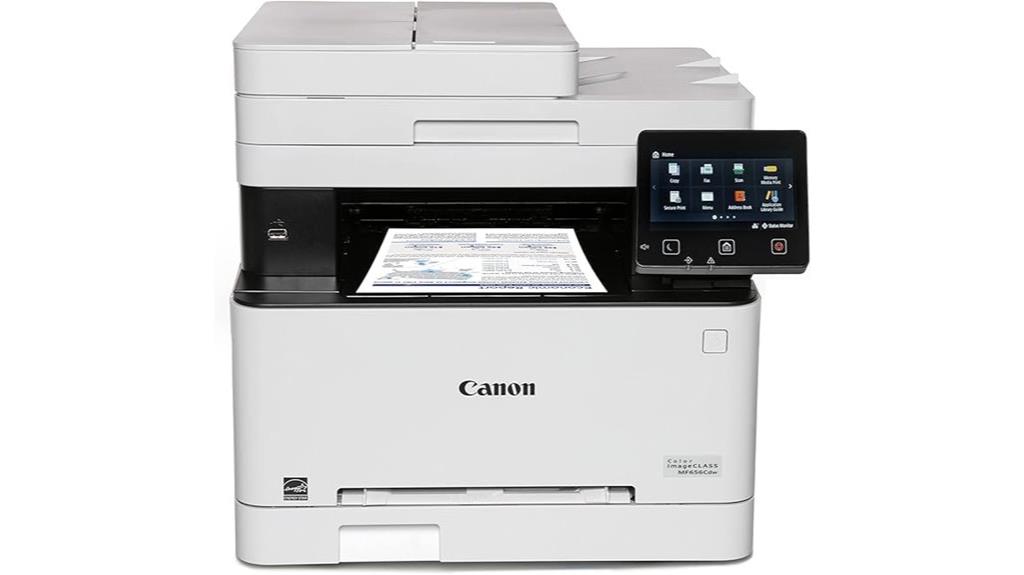
The Canon imageCLASS MF656Cdw stands out as an ideal choice for small to medium-sized businesses demanding reliable, high-quality color printing. It offers print speeds up to 22 pages per minute and a sharp resolution of 1200 x 1200 dpi, ensuring professional results. The 5-inch customizable touchscreen makes operation intuitive, while its media versatility supports various paper types and sizes, including banners and envelopes. With built-in Wi-Fi, Ethernet, and USB, connecting is seamless. This all-in-one device also scans, copies, and faxes efficiently, with duplex capabilities that save time and paper. Its high-capacity toner and solid build make it a dependable, heavy-duty workhorse for busy offices.
Best For: small to medium-sized businesses seeking a reliable, high-quality color laser all-in-one printer with versatile media handling and fast printing speeds.
Pros:
- Fast print speeds of up to 22 pages per minute with crisp, professional-quality output at 1200 x 1200 dpi.
- User-friendly 5-inch customizable touchscreen for intuitive operation and easy navigation.
- Supports multiple media types and sizes, including banners and envelopes, with automatic duplex printing and scanning.
Cons:
- Occasional connectivity issues with utilities that may require troubleshooting or rebooting.
- Setup of advanced features like scan-to-email can be complex, especially with Gmail SMTP settings.
- The device is relatively heavy at 48.5 pounds, which may make relocation or repositioning challenging.
Brother HL-L2460DW Wireless Monochrome Laser Printer with Duplex and Mobile Printing
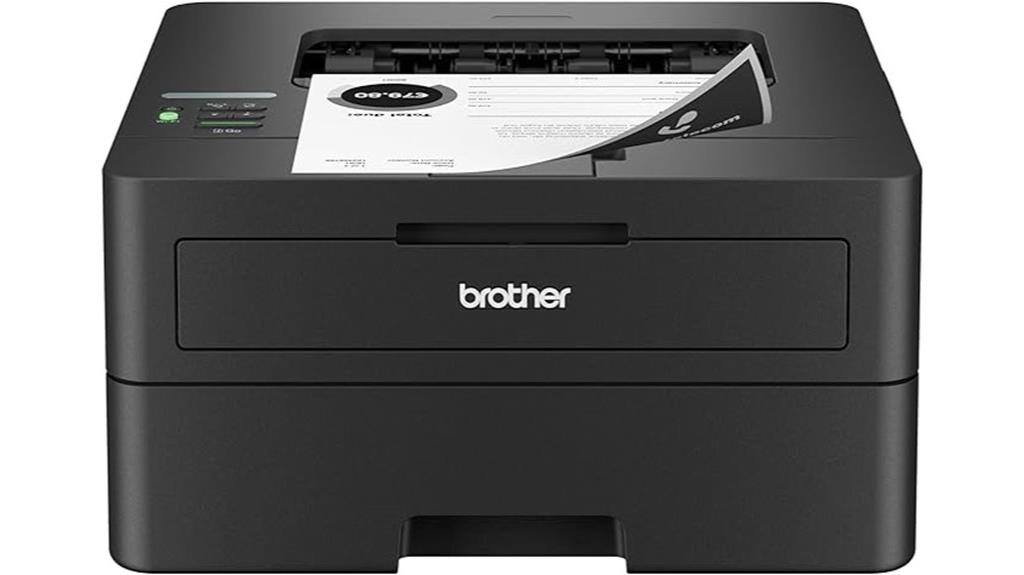
If you need a reliable monochrome printer for your home office or small team, the Brother HL-L2460DW stands out with its fast printing speeds and versatile connectivity options. It prints up to 36 pages per minute, making quick work of large jobs. The printer supports dual-band wireless, Ethernet, and USB, ensuring seamless integration with various devices. Automatic duplex printing saves paper and time, while the 250-sheet paper tray handles high-volume tasks effortlessly. Plus, with the Brother Mobile Connect app, you can print remotely from your phone or tablet, order supplies, and track toner usage, keeping your workflow smooth and efficient.
Best For: small home offices or teams seeking a reliable, high-speed monochrome laser printer with versatile connectivity and cost-effective paper handling.
Pros:
- Fast printing speed of up to 36 pages per minute
- Multiple connectivity options including wireless dual-band, Ethernet, and USB
- Automatic duplex printing for saving time and paper
Cons:
- Limited to monochrome printing, not suitable for color needs
- Manual feed slot may require additional attention for specialty papers
- Subscription service required for cost savings on toner over time
Brother Color Laser Printer All-in-One with Scanner, Copier and Fax

Looking for a reliable all-in-one color laser printer that can handle busy office tasks with ease? The Brother MFC-L3720CDW fits the bill perfectly. It supports copy, scan, fax, and print functions with speeds up to 19 ppm and 29/22 ipm for scanning. Its versatile media handling includes card stock, envelopes, and photo paper, while the 3.5” touchscreen makes navigation simple. With dual-band Wi-Fi, mobile printing, and cloud access, it keeps your workflow seamless. Eco-friendly features like duplex printing and toner save mode help reduce costs. Supported by a one-year warranty and remote management tools, it’s ideal for demanding small office environments.
Best For: small office teams seeking a reliable, versatile, and eco-friendly all-in-one color laser printer with advanced connectivity options.
Pros:
- Supports multiple functions including print, scan, copy, and fax for comprehensive office use
- Features dual-band Wi-Fi, mobile printing, and cloud integration for seamless workflow
- Eco-friendly design with duplex printing and toner save mode to reduce costs and environmental impact
Cons:
- Weighs 44 pounds, which may be cumbersome to move or reposition
- Limited to 64 MB memory, potentially affecting high-volume or complex tasks
- Subscription service required for cost management, with additional charges after trial period
HP Color LaserJet Pro MFP 4301fdw Wireless All-in-One Color Laser Printer

Designed for small teams up to 10 people, the HP Color LaserJet Pro MFP 4301fdw stands out with its all-in-one functionality, combining fast printing, scanning, copying, and faxing in a compact device. It delivers high-speed color printing at up to 35 pages per minute, ensuring professional-quality documents with vibrant colors and sharp details. The printer supports wireless, Ethernet, and Bluetooth connections, making it easy to print from various devices, including smartphones and tablets. With HP Wolf Pro Security, it offers robust data protection, while features like auto 2-sided printing and an auto document feeder enhance efficiency in busy office environments.
Best For: small office teams up to 10 people seeking a reliable, high-speed all-in-one color laser printer with strong security features and versatile connectivity options.
Pros:
- Fast printing speed of up to 35 pages per minute delivers quick turnaround for large documents.
- Supports multiple connectivity options including wireless, Ethernet, and Bluetooth for flexible device integration.
- Equipped with HP Wolf Pro Security to ensure robust data protection and prevent unauthorized access.
Cons:
- May require the use of only original HP cartridges with compatible chips, potentially increasing ongoing costs.
- Compact design might limit paper capacity for high-volume printing needs.
- Premium features and security may come at a higher initial purchase price compared to basic models.
Canon imageCLASS MF753Cdw Wireless Duplex Color Laser Printer All-In-One
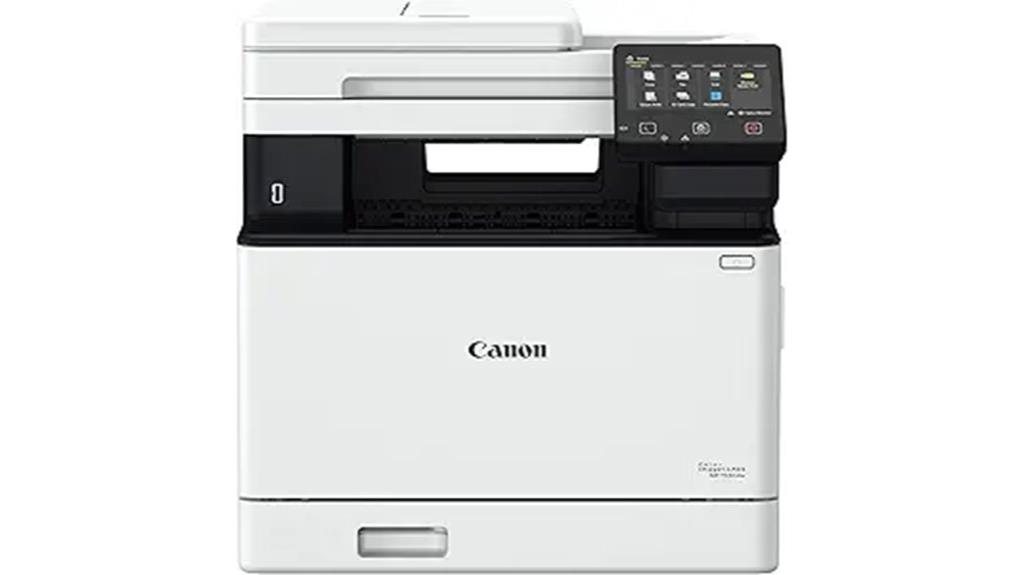
The Canon imageCLASS MF753Cdw Wireless Duplex Color Laser Printer All-In-One stands out for busy offices and high-volume workflows thanks to its rapid print speed of up to 35 pages per minute and versatile 4-in-1 functions—print, scan, copy, and fax. Its auto 2-sided printing and one-pass duplex scanning boost efficiency, while the standard 250-sheet paper cassette and optional expansion to 850 sheets meet heavy printing demands. High-capacity toner options minimize replacements, and wireless connectivity supports mobile printing via Canon PRINT Business. Certified by ENERGY STAR and covered by a 3-year warranty, it combines reliability, energy efficiency, and powerful performance for demanding environments.
Best For: busy offices and high-volume workflows seeking reliable, versatile, and energy-efficient color laser printing solutions.
Pros:
- Rapid print speeds of up to 35 ppm for both black/white and color documents.
- Versatile 4-in-1 functions including print, scan, copy, and fax, with auto duplex capabilities.
- Expandable paper capacity up to 850 sheets and high-capacity toner options reduce downtime.
Cons:
- Larger footprint due to high-capacity paper handling may require significant space.
- Initial setup and configuration can be complex for first-time users.
- Higher upfront cost compared to basic or monochrome printers.
Lexmark CS331dw Color Laser Printer with Ethernet and Wireless
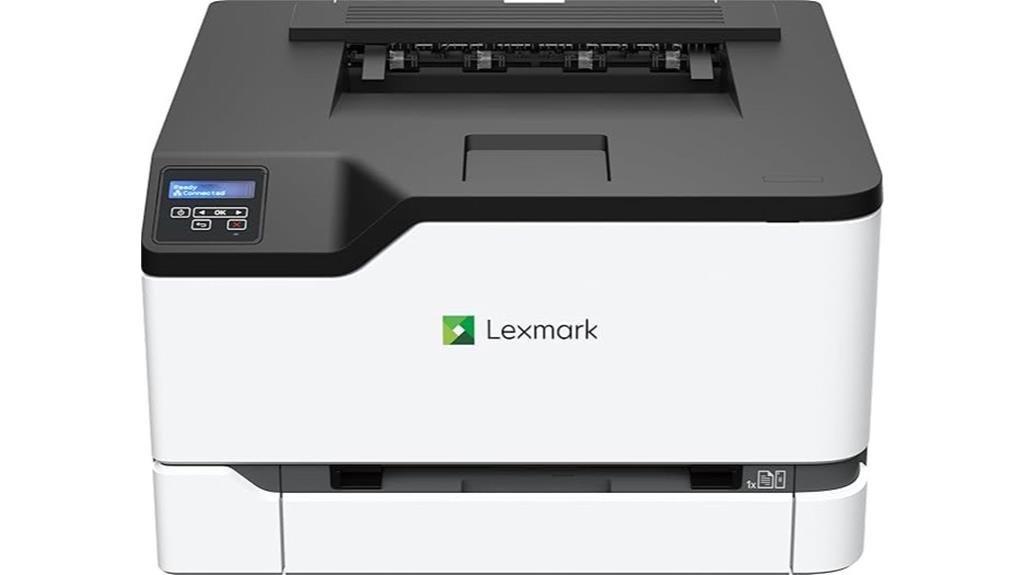
If you need a compact color laser printer that offers reliable performance for home or small office use, the Lexmark CS331dw is an excellent choice. It measures 15.5 by 16.2 inches and weighs 35.5 pounds, fitting easily into small spaces. The printer supports media sizes up to 8.5×11 inches, with a 250-page input tray, and offers wireless, Ethernet, and USB connectivity. It prints up to 26 pages per minute in color and black & white with crisp 600×600 dpi resolution. Easy to set up and operate, it’s perfect for moderate printing needs, auto-duplexing, and high-quality output.
Best For: small offices or home users seeking a compact, reliable color laser printer with easy wireless connectivity for moderate printing needs.
Pros:
- Fast printing speed of up to 26 pages per minute in color and black & white
- Compact size fits easily into small spaces with simple front-access cartridge replacement
- Supports multiple connectivity options including wireless, Ethernet, and USB, with app control
Cons:
- High ongoing toner costs with replacement cartridges around $550 for a set of five
- Limited third-party refill options and potential issues with toner smearing over time
- Customer support and toner availability can be challenging for some users
Canon Color imageCLASS MF652Cw Wireless Laser Printer with Scanner, Copier, and Mobile Compatibility

For busy work environments that need reliable, high-quality color printing, the Canon Color imageCLASS MF652Cw stands out with its fast print speed of up to 22 pages per minute and versatile 3-in-1 functionality. It combines printing, scanning, and copying in a compact design, making it a practical choice for small offices. With support for mobile printing via various apps, including Canon PRINT, you can print on the go effortlessly. The device uses high-capacity toner for efficiency and comes with a 250-sheet paper tray. Backed by a 3-year warranty and ENERGY STAR certification, it offers both performance and peace of mind.
Best For: small to medium-sized work teams seeking reliable, high-quality color printing with versatile functionality and mobile connectivity.
Pros:
- Fast print speeds of up to 22 pages per minute for efficient workflow
- All-in-one 3-in-1 functionality: print, scan, and copy in a compact design
- Supports mobile printing via apps like Canon PRINT for on-the-go convenience
Cons:
- Limited input paper capacity with a 250-sheet tray may require frequent refills for high-volume printing
- May have a learning curve for new users unfamiliar with multifunction devices and mobile app setup
- Lacks advanced finishing options such as duplexing or booklet making
Factors to Consider When Choosing Color Laser Printers for Heavy Duty Use
When selecting a color laser printer for heavy-duty use, I focus on key factors like printing volume capacity and toner efficiency to keep costs down. Connectivity options and media versatility also matter, ensuring the printer fits seamlessly into my workflow. Finally, speed and productivity are vital to meet demanding deadlines without sacrificing quality.
Printing Volume Capacity
Choosing a color laser printer capable of handling heavy-duty workloads requires careful attention to its printing volume capacity. I look for printers with large input trays, ideally 250 sheets or more, so I can print nonstop without constant refilling. High-yield toner cartridges are essential, allowing thousands of pages per cartridge and reducing downtime. Automatic duplex printing helps double output while saving paper, which is critical in high-volume settings. Additionally, I prioritize printers with multiple trays and manual feed options to handle different media types and sizes effortlessly. Finally, I check the printer’s duty cycle—aiming for models supporting over 50,000 pages per month—to guarantee it can sustain my demanding printing needs reliably. This focus guarantees efficiency and minimizes interruptions during heavy workloads.
Toner Cost Efficiency
Maximizing cost efficiency in heavy-duty printing starts with understanding toner expenses. High-yield toner cartridges, like 218X or other high-capacity options, drastically reduce the cost per page, making large-volume printing more affordable. It’s crucial to consider the cartridge’s page yield; cartridges capable of printing over 3,000 pages lower replacement frequency and overall costs. However, firmware updates that restrict third-party or non-HP cartridges can increase ongoing toner expenses and limit savings. While compatible third-party toners can cut costs, they may compromise print quality, cause compatibility issues, or void warranties. To make informed choices, I recommend regularly calculating the cost per page by factoring in toner price and yield. This approach helps identify the most economical options for heavy-duty printing needs.
Connectivity Options
Selecting the right color laser printer for heavy-duty use requires paying close attention to its connectivity options, as these determine how effortlessly your devices can communicate. Look for printers that support multiple options like Wi-Fi, Ethernet, and USB to guarantee versatile integration. Dual-band Wi-Fi (2.4GHz and 5GHz) enhances wireless stability and minimizes interference during large print jobs. Support for mobile printing platforms such as AirPrint, Google Cloud Print, or manufacturer apps makes printing from smartphones and tablets seamless, especially on the go. Ethernet connectivity provides a reliable wired connection, essential for high-volume environments where consistency matters. Additionally, compatibility with security protocols and firmware updates helps maintain secure, uninterrupted connectivity, guaranteeing your heavy-duty printing operations run smoothly without disruptions.
Media Versatility
When considering connectivity options, it’s also important to look at media versatility, as this directly impacts the range of printing tasks your heavy-duty printer can handle. A versatile color laser printer should support various media types like plain paper, envelopes, labels, photo paper, and banners, allowing you to switch seamlessly between different formats. Handling larger sizes, such as up to 8.5×14 inches or custom dimensions, is vital for professional-quality output. Compatibility with specialty media like thick cardstock or glossy finishes ensures you can produce high-quality prints on diverse surfaces. Features like multiple input trays and manual feed slots make switching media easy and efficient, reducing downtime and increasing productivity. High-resolution printing, such as 1200 x 1200 dpi, guarantees sharp, clear results across all media types.
Speed and Productivity
Speed and productivity are crucial factors when choosing a heavy-duty color laser printer, as they directly impact your workflow efficiency. High-speed printers typically deliver 26-35 pages per minute, meeting large volume demands quickly. Rapid first-page output in under 10 seconds helps maintain momentum in busy environments. Automatic duplex printing doubles productivity by enabling quick double-sided prints without manual intervention. Large input trays, such as 250-sheet capacities or expandable options, reduce the need for frequent refills during heavy workloads. Consistent performance is essential, so look for models with robust hardware and fast processing speeds that can handle continuous, large print jobs without frequent downtime. Prioritizing speed and productivity ensures your printing tasks stay on schedule and your workflow remains smooth.
Durability and Reliability
Durability and reliability are essential for heavy-duty color laser printers since they need to operate continuously without frequent breakdowns. I look for printers with a robust build quality and high-grade components that can handle constant use. Reliable models offer high-volume toner cartridges and support duty cycles often exceeding 50,000 pages per month, ensuring they won’t falter under heavy workloads. Advanced paper handling systems are crucial too, as they reduce jams and handle various media types, including heavy and specialty papers. To maintain consistent performance, I prefer printers with high-capacity drums and long-lasting fuser units designed for frequent printing. Additionally, regular firmware updates and strong manufacturer support are indispensable for addressing hardware or security issues proactively, ensuring the printer remains dependable over time.
Frequently Asked Questions
How Do Color Laser Printers Handle High-Volume Printing Without Frequent Jams?
Color laser printers handle high-volume printing without frequent jams by using advanced paper handling systems, such as robust rollers and precision sensors that detect paper issues early. I’ve found that regular maintenance, like cleaning the rollers and using high-quality paper, also helps prevent jams. Additionally, modern printers optimize print paths and have better heat management, ensuring smooth operation even during heavy-duty tasks.
What Maintenance Routines Are Recommended for Heavy-Duty Color Laser Printers?
Think of your heavy-duty color laser printer as a finely tuned engine—regular maintenance keeps it running smoothly. I recommend routinely cleaning the toner cartridges, checking for paper jams, and updating firmware to prevent hiccups. Also, periodically inspect rollers and replace worn parts. Keeping the environment dust-free and using high-quality paper guarantees fewer jams. Consistent care like this turns your printer into a reliable workhorse, ready for any challenge.
Are There Eco-Friendly Options for High-Capacity Color Laser Printers?
Yes, there are eco-friendly high-capacity color laser printers available. I recommend looking for models with ENERGY STAR certification, which indicates energy efficiency. Some printers use recycled toner cartridges and have duplex printing features to reduce paper waste. By choosing these options, I can minimize my environmental impact while still handling heavy-duty printing tasks. It’s a smart way to stay productive and eco-conscious at the same time.
How Does Print Speed Impact Overall Productivity in Heavy-Duty Environments?
Print speed directly boosts productivity, enabling me to handle large volumes efficiently, meet tight deadlines, and keep work flowing smoothly. Faster printers minimize waiting time, reduce bottlenecks, and let me focus on tasks that truly matter. When a printer keeps up with demand, I can stay ahead of schedules, improve workflow, and ensure that heavy-duty environments operate seamlessly. Speed truly is a game-changer for high-volume printing needs.
What Security Features Are Available in Advanced Heavy-Duty Color Laser Printers?
Advanced heavy-duty color laser printers come with robust security features like secure print, which requires user authentication before releasing documents. I also look for encrypted data transmission, user access controls, and audit logs that track printing activities. These features protect sensitive information and prevent unauthorized access. When choosing a printer, I prioritize models with built-in security options to guarantee my data stays safe in busy, high-volume environments.
Conclusion
Choosing the right color laser printer is like selecting a trusted partner for your busiest days—reliable, powerful, and ready to keep up. These top models are the engines driving your productivity, turning the chaos of heavy-duty tasks into a smooth, vibrant flow of color and precision. When you invest wisely, your printer becomes not just a tool, but the heartbeat of your creative and professional journey—steadfast and vibrant through every challenge.