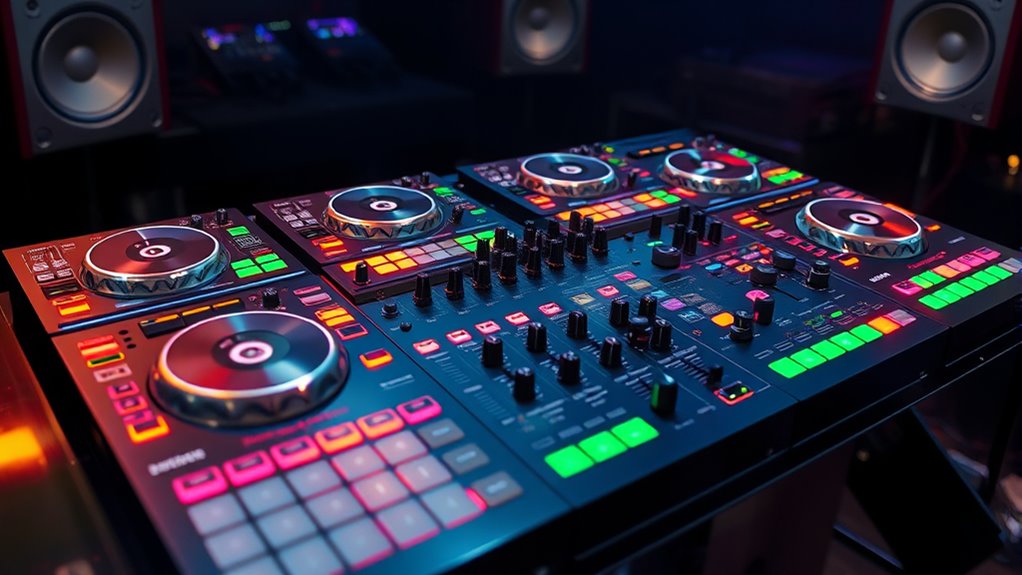

For professional DJ controllers, I’d make the Pioneer DJ DDJ-FLX10 my best overall pick for its four-channel, performance-focused setup, while the Denon DJ PRIME 4 G2 stands out for laptop-free sets and the Pioneer DJ DDJ-REV7 for motorized scratch performance. The right choice depends less on the longest feature list and more on whether you need a laptop, how many decks you mix, and what your gigs demand. Four-channel controllers offer room to grow, but two-channel models can be easier to carry and learn. Standalone systems trade some computer-based flexibility for independence at a performance. Read on for how all 14 options compare and which one fits your way of working.

Get audio and creator gear delivered free with Prime
- Fast, free delivery on millions of items
- Prime Video, Amazon Music and more included
- Member-only deals all year
Complete the kit


Key Takeaways
- The DDJ-FLX10 is the most balanced laptop-based pick in this group, pairing four-channel control with performance tools; the white and black listings describe the same model, so buyers should compare the exact version and listing rather than treat them as different tiers.
- Standalone design changes the gig setup more than a channel-count upgrade does. PRIME 4 G2, XDJ-AZ, XDJ-RX3, Mixstream Pro+, and SC LIVE 4 can suit DJs who want to perform without a laptop, but their workflows and feature sets are not interchangeable.
- Scratch-focused models serve a narrower purpose. The DDJ-REV7’s motorized platters and the REV5’s scratch-oriented layout make more sense for battle techniques than for buyers seeking a general-purpose four-channel setup.
- Four-channel control offers room for layered sets, but not every DJ needs it. The FLX10 and GRV6 favor expanded performance, while the two-channel FLX4 and REV options can be more manageable for simpler setups.
- Entry-level and party-oriented models are not direct substitutes for gig-focused gear. The Party Mix III prioritizes accessible, light-led fun, while the FLX4 is a more relevant starting point for learning a conventional DJ workflow.
| Pioneer DJ DDJ-REV1 2-deck Serato DJ Controller, Black |  | Best for Learning Battle-Style Mixing | Channels: 2 | Software compatibility: Serato DJ Lite | Connectivity: USB, auxiliary | VIEW ON AMAZON | See Our Full Breakdown |
| Numark Party Mix III Bluetooth DJ Controller with Built-in Lights |  | Best for Casual Party Practice | Connectivity: USB-C, Bluetooth MIDI | Compatible devices: Headphones, speakers, iPad, iPhone | Power source: USB | VIEW ON AMAZON | See Our Full Breakdown |
| Denon DJ PRIME 4 G2 Standalone DJ Controller with Onboard Stems Rendering |  | Best Standalone System for Advanced Gigs | Decks: 4 | Operation: Standalone | Display: 10.1-inch HD touchscreen | VIEW ON AMAZON | See Our Full Breakdown |
| Pioneer DJ DDJ-FLX10 4-Channel DJ Controller (White) |  | Best for Laptop-Based Club Performance | Channels: 4 | Compatible software: rekordbox, Serato DJ Pro | Track separation: Real-time vocal, drum, and instrument isolation | VIEW ON AMAZON | See Our Full Breakdown |
| Roland DJ-505 Two-Channel Four-Deck Serato DJ Controller |  | Best for Live Beat-Making | Mixer layout: Two-channel | Deck control: Four decks | Software: Serato DJ | VIEW ON AMAZON | See Our Full Breakdown |
| Pioneer DJ DDJ-REV7 2-Channel Motorized Battle DJ Controller, Serato |  | Best for Vinyl-Style Battle Performance | Channels: 2 | Jog wheels: Motorized, with on-jog color displays | Crossfader: Magvel Fader Pro | VIEW ON AMAZON | See Our Full Breakdown |
| Pioneer DJ DDJ-REV5 2-Channel Scratch DJ Controller, On-Jog Display | 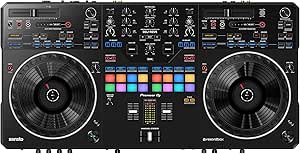 | Best for Flexible Scratch Workflows | Channels: 2 | Jog wheels: Full-size with on-jog displays | Supported software: Serato DJ Pro and rekordbox | VIEW ON AMAZON | See Our Full Breakdown |
| Pioneer DJ XDJ-AZ Professional 4-Deck All-in-One DJ System |  | Best for Standalone Club-Style Sets | Number of decks: 4 | Display: 10.1-inch touchscreen | Jog wheels: 206 mm full-size with Jog Feeling adjustment | VIEW ON AMAZON | See Our Full Breakdown |
| AlphaTheta DDJ-GRV6 4-Channel DJ Controller, Groove Circuit, Black | 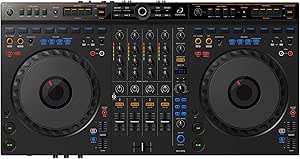 | Best for Four-Channel Creative Mixing | Channels: 4 | Supported software: rekordbox and Serato | Features: Groove Circuit and full-size jog wheels | VIEW ON AMAZON | See Our Full Breakdown |
| Numark Mixstream Pro+ DJ Controller |  | Best Compact Standalone Pick | Display: 7-inch touchscreen | Built-in speakers: Yes | Connectivity: Wi-Fi | VIEW ON AMAZON | See Our Full Breakdown |
| Pioneer DJ XDJ-RX3 All-In-One DJ System (Black) | 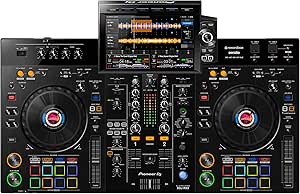 | Best for Laptop-Free Club Practice | Channels: 2 | Display: 10.1-inch touchscreen | Supported software: rekordbox, Serato DJ Pro | VIEW ON AMAZON | See Our Full Breakdown |
| Pioneer DJ DDJ-FLX4 2-Channel DJ Controller, 16 Pads, Graphite |  | Best for Learning and Lightweight Setups | Channels: 2 | Performance pads: 16 | Supported platforms: PC, Mac, iOS, Android | VIEW ON AMAZON | See Our Full Breakdown |
| Pioneer DJ DDJ-FLX10 4-Channel DJ Controller, Track Separation, Black |  | Best for Advanced Open-Format Performance | Channels: 4 | Supported software: rekordbox, Serato DJ Pro | Track Separation: Vocals, drums, and instruments | VIEW ON AMAZON | See Our Full Breakdown |
| Denon DJ SC LIVE 4 Standalone DJ Controller Black |  | Best Standalone Four-Channel System | Channels: 4 | Display: 7-inch touchscreen | Built-in speakers: Yes | VIEW ON AMAZON | See Our Full Breakdown |
| dj controllers professional | Weight | Connectivity | Channels | Dimensions |
|---|---|---|---|---|
| Pioneer DJ DDJ-REV1 2-deck Ser | 5 pounds | USB, auxiliary | 2 | 10.6 × 20.7 × 2.33 inches |
| Numark Party Mix III Bluetooth | 2.42 pounds | USB-C, Bluetooth MIDI | — | 8.07 × 13.31 × 1.85 inches |
| Denon DJ PRIME 4 G2 Standalone | 21.8 pounds | — | — | 19.57 × 30 × 4.13 inches |
| Pioneer DJ DDJ-FLX10 4-Channel | 14.8 pounds | USB | 4 | — |
| Roland DJ-505 Two-Channel Four | 3.5 kg | USB | — | — |
| Pioneer DJ DDJ-REV7 2-Channel | 24 pounds | — | 2 | 15 x 28.8 x 3.2 inches |
| Pioneer DJ DDJ-REV5 2-Channel | 14 pounds | — | 2 | — |
| Pioneer DJ XDJ-AZ Professional | — | Wi-Fi, Bluetooth 5.3, SonicLink wireless technology, and USB | — | — |
| AlphaTheta DDJ-GRV6 4-Channel | 4.6 kg | Auxiliary and USB | 4 | 14.8 x 28 x 3 inches |
| Numark Mixstream Pro+ DJ Contr | 8.16 pounds | Wi-Fi | — | 11.7 x 22.2 x 2.95 inches |
| Pioneer DJ XDJ-RX3 All-In-One | 21 pounds | USB | 2 | 18.48 x 28.67 x 4.66 inches |
| Pioneer DJ DDJ-FLX4 2-Channel | 2.8 kg | USB; Bluetooth listed | 2 | 21.3 x 13.3 x 5.1 inches |
| Pioneer DJ DDJ-FLX10 4-Channel | 14.8 pounds | USB | 4 | — |
| Denon DJ SC LIVE 4 Standalone | 13.6 pounds | — | 4 | 15.9 x 28.3 x 3.9 inches |
More Details on Our Top Picks
Pioneer DJ DDJ-REV1 2-deck Serato DJ Controller, Black
The DDJ-REV1 is the most approachable pick here for DJs learning scratch and open-format techniques on a laptop. Its battle-style arrangement puts long pitch faders and effect controls within easy reach, while Serato DJ Lite offers a straightforward starting point. Compared with the more feature-rich Roland DJ-505, the REV1 is simpler and lighter, but it lacks the Roland’s drum machine and four-deck control. Its two-channel limit also makes it less suited to layered, complex sets than the DDJ-FLX10 or PRIME 4 G2. The compact footprint helps when practice space or transport room is limited; the tradeoff is a basic feature set that experienced performers may outgrow. I’d choose it for fundamentals, not as a long-term centerpiece for an advanced rig.
Pros:- Battle-style layout makes scratch-oriented controls and pitch adjustments easy to reach.
- Serato DJ Lite compatibility gives beginners a direct route into laptop-based mixing.
- Compact 5-pound design is easier to carry than the PRIME 4 G2 or DDJ-FLX10.
- USB connectivity supports a simple computer-based setup.
Cons:- Two channels limit layered mixing compared with the Roland DJ-505 and four-channel models.
- Basic feature set may not meet the needs of experienced performers.
- Full functionality depends on separate DJ software.
Best for: New Serato users and open-format DJs learning battle-style mixing who want a compact controller for home practice and small sets.
Not ideal for: Working DJs who need four-channel mixing, standalone operation, or advanced performance features for complex live sets.
- Channels:2
- Software compatibility:Serato DJ Lite
- Connectivity:USB, auxiliary
- Computer compatibility:PC/Mac
- Dimensions:10.6 × 20.7 × 2.33 inches
- Weight:5 pounds
- Color:Black
Our verdict“Choose the DDJ-REV1 to learn battle-style Serato mixing in a portable, uncomplicated format, but skip it if you need more channels or room to grow into advanced sets.”
Numark Party Mix III Bluetooth DJ Controller with Built-in Lights
The Numark Party Mix III is aimed at casual mixing and learning, not professional booth duties. Its compact body, USB-C power, Bluetooth MIDI, and built-in beat-synchronized lights make it an easy fit for informal parties or practice with compatible mobile devices. Against the Pioneer DJ DDJ-REV1, it leans harder into portability and party atmosphere, while the REV1 offers a more purposeful battle-style layout for developing performance technique. The Party Mix III’s limited advanced controls are the main compromise: it is not a close match for the four-deck flexibility or output options of the PRIME 4 G2, nor the performance depth of the DDJ-FLX10. I’d pick it as a playful starter, but professional DJs should treat it as a secondary or practice controller rather than a gig-ready centerpiece.
Pros:- Lightweight 2.42-pound body is easy to carry and store.
- Beat-synchronized LED lights add a party effect without separate lighting equipment.
- USB-C and Bluetooth MIDI support flexible connections with compatible devices.
- Performance pads provide hands-on controls for learning basic DJ routines.
Cons:- Limited advanced features make it less capable for professional performance than the DDJ-FLX10 or PRIME 4 G2.
- Built-in lights may distract in quieter settings or focused practice sessions.
- Full use depends on compatible devices and software.
Best for: First-time DJs, mobile-app users, and casual hosts who want a small controller with built-in lights for home practice or informal gatherings.
Not ideal for: Professional performers who need advanced mixing controls, robust event connectivity, or a controller built for demanding club sets.
- Connectivity:USB-C, Bluetooth MIDI
- Compatible devices:Headphones, speakers, iPad, iPhone
- Power source:USB
- Dimensions:8.07 × 13.31 × 1.85 inches
- Weight:2.42 pounds
- Color:Black
- Lighting:Built-in beat-synchronized LED lights
Our verdict“Pick the Party Mix III for portable, casual mixing with built-in visual flair, not for professional sets that demand broader control and connectivity.”
Denon DJ PRIME 4 G2 Standalone DJ Controller with Onboard Stems Rendering
The Denon DJ PRIME 4 G2 is the strongest choice here for performers who want four-deck flexibility without relying on a laptop. Its 10.1-inch touchscreen, onboard stems rendering, and Wi-Fi streaming support hands-on preparation and live track separation, while USB, SD, SATA, and Bluetooth give it a wide range of media options. Compared with the laptop-driven Pioneer DJ DDJ-FLX10, the PRIME 4 G2 offers a more self-contained setup; the FLX10 is the more natural fit for DJs who prefer rekordbox or Serato DJ Pro on a computer. The Denon’s 21.8-pound weight and broad footprint make transport and tight booths a real concern. Its capabilities suit mobile professionals and open-format performers, but buyers who mainly need a portable laptop controller may find the DDJ-REV1 or Roland DJ-505 easier to manage.
Pros:- Four-deck standalone operation removes the need for a laptop during performance.
- Onboard stems rendering supports live isolation of vocals, drums, and instruments.
- Large touchscreen and 8-inch jog wheels offer direct track navigation and control.
- Multiple media connections and DMX output support varied gig and lighting setups.
Cons:- At 21.8 pounds, it is substantially heavier than the laptop-based DDJ-FLX10 and DDJ-REV1.
- Its 30-inch width can be difficult to fit into smaller DJ booths or transport setups.
Best for: Mobile and open-format professionals who need four-deck standalone operation, onboard track separation, and direct lighting control.
Not ideal for: DJs with limited transport space, compact booths, or a preference for a lightweight laptop controller.
- Decks:4
- Operation:Standalone
- Display:10.1-inch HD touchscreen
- Jog wheels:8-inch high-resolution jog wheels
- Media connectivity:USB, SD, SATA, Bluetooth
- Lighting output:DMX
- Dimensions:19.57 × 30 × 4.13 inches
- Weight:21.8 pounds
Our verdict“Choose the PRIME 4 G2 for a powerful laptop-free four-deck rig, provided you can accommodate its weight and size.”
Pioneer DJ DDJ-FLX10 4-Channel DJ Controller (White)
The DDJ-FLX10 makes the most sense for professional DJs who want a familiar four-channel, laptop-based workflow with creative tools built into the controller. Its Track Separation feature supports live vocal, drum, and instrument isolation for mashups, and native compatibility with rekordbox and Serato DJ Pro gives it more software flexibility than the Serato-focused DDJ-REV1 or Roland DJ-505. The large jog wheels, waveform displays, and club-style layout suit performers building polished sets around a computer. Compared with the PRIME 4 G2, though, the FLX10 is not standalone: the laptop remains central to the setup. Its 14.8-pound weight also makes it less convenient to carry than the DDJ-REV1, and the supplied product data notes that an external sound card or mixer is required. It is a capable performance controller, but not an all-in-one system.
Pros:- Four-channel layout supports layered mixes and more complex performance setups.
- Track Separation enables live vocal, drum, and instrument isolation for mashups.
- Native rekordbox and Serato DJ Pro support gives DJs a choice of software workflow.
- Built-in DMX output can connect controller performance with lighting control.
Cons:- Requires a computer-based workflow, unlike the standalone PRIME 4 G2.
- At 14.8 pounds, it is less convenient to transport than compact two-channel options.
- Product data indicates an external sound card or mixer is required.
Best for: Club and mobile DJs who work from a laptop, want four-channel control, and perform live mashups using rekordbox or Serato DJ Pro.
Not ideal for: Performers seeking a laptop-free system or a lighter, simpler two-channel controller for basic practice.
- Channels:4
- Compatible software:rekordbox, Serato DJ Pro
- Track separation:Real-time vocal, drum, and instrument isolation
- Connectivity:USB
- Lighting output:Built-in DMX
- Platform:Windows, PC/Mac
- Weight:14.8 pounds
- Color:White
Our verdict“Choose the DDJ-FLX10 for laptop-based four-channel sets and live stem-style performance, but choose the PRIME 4 G2 if you need standalone operation.”
Roland DJ-505 Two-Channel Four-Deck Serato DJ Controller
The Roland DJ-505 is a distinctive pick for Serato DJs who want to add original rhythms during a set. Its built-in TR drum machines and sound-shaping tools bring live beat creation into a two-channel controller, while four-deck control lets DJs work with additional tracks. Balanced XLR outputs suit sound systems that call for professional connections. Compared with the Pioneer DJ DDJ-REV1, the DJ-505 offers more creative performance tools and four-deck operation, but it is a more involved setup and still depends on a computer and Serato DJ Pro for its full feature set. It cannot match the DDJ-FLX10’s four-channel mixer layout or the PRIME 4 G2’s laptop-free operation. At 3.5 kg, it is also heavier than a basic beginner controller. Choose it for live rhythm-making, not for the simplest route into DJing.
Pros:- Built-in TR drum machines let performers create and layer beats during a set.
- Four-deck control adds track options beyond the two-channel mixer layout.
- Balanced XLR outputs suit professional sound-system connections.
- Sound-shaping controls support live remixing and performance adjustments.
Cons:- Full functionality depends on Serato DJ Pro and a computer-based setup.
- Two-channel mixer layout is less flexible than the DDJ-FLX10’s four-channel design.
- At 3.5 kg, it is heavier than the DDJ-REV1 for routine transport.
Best for: Serato performers and remix-focused DJs who want to layer drum-machine rhythms and use balanced XLR outputs in a laptop-based setup.
Not ideal for: DJs who need a four-channel mixer, standalone playback, or a lightweight controller with a minimal learning curve.
- Mixer layout:Two-channel
- Deck control:Four decks
- Software:Serato DJ
- Built-in instruments:TR drum machines
- Connectivity:USB
- Audio connectors:USB, XLR
- Platform:Windows
- Weight:3.5 kg
Our verdict“Pick the DJ-505 if live drum-machine performance matters more than standalone operation or a four-channel mixer.”
Pioneer DJ DDJ-REV7 2-Channel Motorized Battle DJ Controller, Serato
For scratch DJs who want physical platter movement rather than a standard jog-wheel feel, the DDJ-REV7’s motorized jog wheels make it the clearest battle-focused choice in this group. Color displays built into the jogs keep waveforms, BPM, and cue points visible where a performer is working, while the Magvel Fader Pro is tailored to fast, precise cuts. Compared with the DDJ-REV5, the REV7 prioritizes a more vinyl-like tactile response; the REV5 is the more practical pick if weighing less and using either rekordbox or Serato matter more. The REV7’s tradeoffs are real: it weighs 24 pounds, takes up nearly 29 inches of width, and its listed connectivity is limited. I’d choose it for dedicated battle setups, not frequent travel or flexible multi-software use.
Pros:- Motorized jog wheels provide a vinyl-like feel suited to scratching.
- Magvel Fader Pro supports precise, fast crossfader cuts.
- On-jog color displays keep waveforms, BPM, and cue points in view.
- Includes Serato DJ Pro and extensive pad and FX control.
Cons:- At 24 pounds, it is cumbersome for frequent transport.
- The two-channel layout and listed auxiliary connectivity limit flexibility compared with larger, more connected systems.
Best for: Serato-focused battle and scratch DJs who want motorized platters and a performance-oriented crossfader in a fixed booth setup.
Not ideal for: Gigging DJs who carry their controller often, or performers who need broad connection options and support for multiple DJ platforms.
- Channels:2
- Jog wheels:Motorized, with on-jog color displays
- Crossfader:Magvel Fader Pro
- Included software:Serato DJ Pro
- Connectivity technology:Auxiliary
- Output connector:XLR
- Dimensions:15 x 28.8 x 3.2 inches
- Weight:24 pounds
- Warranty:1 year manufacturer
Our verdict“Choose the DDJ-REV7 for a dedicated Serato battle setup where motorized platter feel matters more than portability or broad connectivity.”
Pioneer DJ DDJ-REV5 2-Channel Scratch DJ Controller, On-Jog Display
The DDJ-REV5 suits scratch-oriented DJs who want a battle layout without committing to the DDJ-REV7’s motorized platters or weight. Its full-size jog wheels include playback-position displays, and the DJM-style mixer controls keep familiar club-style adjustments close at hand. A practical distinction is software choice: the REV5 supports both Serato DJ Pro and rekordbox, while the REV7 is the more specialized Serato pick with motorized jogs. That flexibility makes the REV5 easier to fit into different laptop-based setups, though it cannot reproduce the REV7’s moving-platter feel. At 14 pounds, it is lighter than the REV7 but still substantial for regular travel. I’d put it ahead of the DDJ-GRV6 for scratch-focused work, while the GRV6 offers four channels for broader mixing.
Pros:- Full-size jog wheels with displays show playback position during scratching.
- Supports both Serato DJ Pro and rekordbox.
- DJM-style mixer controls and effects suit a club-oriented workflow.
- USB-C connection provides a modern laptop link.
Cons:- The jog wheels are not motorized, unlike those on the DDJ-REV7.
- At 14 pounds, it is less convenient to carry than compact controllers.
- Two channels provide less room for layered mixing than the DDJ-GRV6.
Best for: Laptop-based scratch DJs who want a battle-style layout and the option to work with either rekordbox or Serato DJ Pro.
Not ideal for: Vinyl purists who require motorized platters, or DJs seeking a four-channel controller for layered sets.
- Channels:2
- Jog wheels:Full-size with on-jog displays
- Supported software:Serato DJ Pro and rekordbox
- Connector:USB Type-C
- Connection:USB
- Platform:Windows, PC, and Mac
- Weight:14 pounds
- Layout:Scratch-style
Our verdict“Pick the DDJ-REV5 if you want a battle layout and software flexibility without the REV7’s motorized jogs and heavier build.”
Pioneer DJ XDJ-AZ Professional 4-Deck All-in-One DJ System
If I were choosing from this group for a club-style setup that does not depend on a laptop, the XDJ-AZ’s four-deck all-in-one design would be the most capable fit. Its 10.1-inch touchscreen gives track selection and library browsing a larger workspace than the DDJ-REV5’s on-jog displays, while full-size 206 mm jog wheels and adjustable jog feel support hands-on control. Wi-Fi, Bluetooth, USB, rekordbox, and Serato DJ Pro provide more ways to connect or prepare a set than the REV7’s listed auxiliary connectivity. The scale is the tradeoff: its listed dimensions are over 47 inches long, making it better suited to a permanent booth or installation than a small mobile rig. I’d favor the XDJ-AZ for multi-deck flexibility; the Mixstream Pro+ is a more compact standalone alternative with built-in speakers.
Pros:- Four-deck support allows more layered sets than the two-channel DDJ-REV7 and DDJ-REV5.
- The 10.1-inch touchscreen gives track management a large, direct interface.
- Full-size 206 mm jog wheels offer adjustable jog feel.
- Supports USB, rekordbox, Serato DJ Pro, Wi-Fi, and Bluetooth 5.3.
Cons:- Its listed 47.01-inch length makes transport and placement difficult.
- The all-in-one feature set and setup may be excessive for DJs who only need a laptop controller.
- The listed weight of 1.14 pounds conflicts with the product description’s portability warning, so buyers should verify unit weight before transport planning.
Best for: Club DJs and venue operators who want four-deck control, a large touchscreen, and a standalone-oriented performance system.
Not ideal for: Mobile DJs with limited vehicle or booth space, or buyers who need a compact controller for regular transport.
- Number of decks:4
- Display:10.1-inch touchscreen
- Jog wheels:206 mm full-size with Jog Feeling adjustment
- Performance pads:16 multi-color pads
- Connectivity:Wi-Fi, Bluetooth 5.3, SonicLink wireless technology, and USB
- Supported software:rekordbox and Serato DJ Pro
- Audio quality:115 dB S/N ratio; 0.0018% total harmonic distortion
- Listed dimensions:47.01 x 24.02 x 14.02 inches
- Listed weight:1.14 pounds
Our verdict“Choose the XDJ-AZ for a spacious four-deck booth where touchscreen workflow and broad connectivity take priority over portability.”
AlphaTheta DDJ-GRV6 4-Channel DJ Controller, Groove Circuit, Black
The DDJ-GRV6 is the creative four-channel laptop controller in this lineup: its club-inspired layout provides more mixing room than the two-channel REV5, and Groove Circuit adds live remixing options beyond a conventional scratch-focused setup. Full-size jog wheels keep hands-on cueing and pitch work familiar, while compatibility with rekordbox and Serato gives DJs a choice of software. Compared with the XDJ-AZ, it is a controller rather than a four-deck all-in-one system, so it depends on a compatible computer or device and software setup. That distinction also makes its workflow more laptop-centered. The GRV6 is aimed at hobbyist and intermediate DJs, and may not offer the advanced performance depth a working professional expects. I’d choose it for creative practice and smaller gigs, not as a substitute for a flagship booth system.
Pros:- Four-channel layout supports more layered mixes than the two-channel REV5.
- Groove Circuit adds live remixing and creative performance options.
- Full-size jog wheels offer a familiar club-style control surface.
- Compatible with rekordbox and Serato DJ Pro across laptop and mobile platforms.
Cons:- Requires compatible software and a computer or other supported device, unlike the standalone-oriented XDJ-AZ.
- Its hobbyist and intermediate focus may not satisfy professionals looking for deeper advanced controls.
- At 4.6 kg, it is not a lightweight choice for frequent transport.
Best for: Intermediate DJs who want four-channel laptop control, club-style mixer layout, and live remix tools for practice or smaller performances.
Not ideal for: Professionals seeking a standalone system or advanced booth features, and DJs who need the most compact carry-on setup.
- Channels:4
- Supported software:rekordbox and Serato
- Features:Groove Circuit and full-size jog wheels
- Connectivity:Auxiliary and USB
- Connectors:TRS and USB
- Supported platforms:Android, Windows, iOS, and Mac
- Dimensions:14.8 x 28 x 3 inches
- Weight:4.6 kg
- Warranty:5 years
Our verdict“Choose the DDJ-GRV6 if you want four-channel creative mixing and Groove Circuit in a software-based controller rather than a standalone system.”
Numark Mixstream Pro+ DJ Controller
The Mixstream Pro+ is the most self-contained, space-conscious option here: built-in speakers, a 7-inch touchscreen, and Wi-Fi streaming let a DJ work without making a laptop the center of the setup. That contrasts with the DDJ-GRV6, which relies on compatible software and a connected device, and the much larger four-deck XDJ-AZ. Streaming access and stems separation can broaden a set, but stems functionality requires a software license purchase, so that feature is not simply ready to use. The listed connections also focus on USB and compatible devices rather than broad professional booth I/O. I’d treat the built-in speakers as useful for preparation and casual monitoring, not a replacement for a PA. This is a practical choice for mobile or home DJs who value standalone convenience over a battle-focused control surface or expanded deck count.
Pros:- Built-in speakers and touchscreen support laptop-free operation.
- Wi-Fi streaming provides access to compatible music services.
- Stems separation offers additional mixing options when the required license is available.
- Wireless DJ-light control can simplify small performance setups.
Cons:- Stems functionality requires a separate software license purchase.
- USB-focused listed connections are less extensive than a large professional booth setup may require.
- The 8.16-pound weight is less convenient for travel than its compact footprint suggests.
Best for: Mobile and home DJs who want standalone operation, built-in speakers, and Wi-Fi streaming without relying on a laptop for every set.
Not ideal for: Club performers who need extensive professional booth connections, battle DJs seeking dedicated scratch controls, or buyers who expect stems functionality without an added software license.
- Display:7-inch touchscreen
- Built-in speakers:Yes
- Connectivity:Wi-Fi
- Features:Standalone operation, stems separation, and wireless DJ-light control
- Connectors:USB Type-B and USB-A
- Compatible devices:Headphones, PA system, iPhone, and iPad
- Dimensions:11.7 x 22.2 x 2.95 inches
- Weight:8.16 pounds
- Power:Corded electric; 12 V
Our verdict“Pick the Mixstream Pro+ for laptop-free home or mobile sets where streaming and built-in speakers matter more than advanced battle controls or extensive connectivity.”
Pioneer DJ XDJ-RX3 All-In-One DJ System (Black)
The XDJ-RX3 is the strongest fit here for DJs who want a standalone, two-channel setup with a workflow that resembles a club booth. Its 10.1-inch touchscreen makes browsing and track selection easier without a laptop, while its professional-style controls support practice that can carry over to venue work. Unlike the laptop-dependent DDJ-FLX10, it can run a performance from compatible USB media; it also supports rekordbox and Serato DJ Pro when a computer is part of the setup. The tradeoff is its narrower two-channel layout: the four-channel DDJ-FLX10 and Denon SC LIVE 4 give open-format DJs more room to layer sources. At 21 pounds, it is also less appealing for frequent travel, and the feature-rich interface may take time for newer DJs to learn.
Pros:- Standalone playback from compatible USB media removes the need for a laptop during performances.
- Large 10.1-inch touchscreen supports on-device browsing and track management.
- Professional-style controls help build a workflow suited to club environments.
- Supports rekordbox and Serato DJ Pro for computer-based use.
Cons:- Two channels offer less room for layered mixing than the DDJ-FLX10 or SC LIVE 4.
- At 21 pounds, it is a substantial carry for mobile work.
- Its advanced layout may feel demanding for beginners.
Best for: DJs preparing for club sets who want to practice a familiar professional-style workflow and perform from USB media without a laptop.
Not ideal for: Mobile DJs who prioritize low carry weight, or open-format performers who need four channels for layered sources.
- Channels:2
- Display:10.1-inch touchscreen
- Supported software:rekordbox, Serato DJ Pro
- Connectivity:USB
- Dimensions:18.48 x 28.67 x 4.66 inches
- Weight:21 pounds
- Color:Black
- Warranty:1 year
Our verdict“Choose the XDJ-RX3 if standalone USB performance and club-style preparation matter more than four-channel flexibility or easy transport.”
Pioneer DJ DDJ-FLX4 2-Channel DJ Controller, 16 Pads, Graphite
The DDJ-FLX4 is the most approachable controller in this group, built for learning core mixing skills without committing to a larger professional rig. Its Smart Fader can help blend tracks by adjusting tempo and levels, while 16 performance pads give new DJs accessible ways to trigger cues, effects, and samples. It connects with computers and mobile devices, making it more flexible for practice and livestreaming than the laptop-free XDJ-RX3. That flexibility has limits: unlike the XDJ-RX3 or SC LIVE 4, the FLX4 is not a standalone performance system, and its two-channel layout is a modest foundation for complex professional sets. Its lightweight, compact design is easy to carry, but buyers who need a club-scale control surface or four-deck mixing should step up to the DDJ-FLX10.
Pros:- Smart Fader offers a guided way to blend tracks while learning.
- 16 performance pads support hot cues, effects, beat jump, and sampling.
- Works with PC, Mac, iOS, and Android devices.
- Lightweight design is easier to transport than the XDJ-RX3.
Cons:- Requires a connected device and supported software rather than operating as a standalone system.
- Two channels limit complex layering compared with the DDJ-FLX10 and SC LIVE 4.
- Its beginner-friendly feature set may be limiting for professionals seeking a full-size booth workflow.
Best for: New and developing DJs who want a portable two-channel controller for home practice, mobile-device mixing, or livestreaming.
Not ideal for: Working DJs who need standalone USB playback, four-channel control, or a larger club-oriented performance surface.
- Channels:2
- Performance pads:16
- Supported platforms:PC, Mac, iOS, Android
- Compatible software:djay, rekordbox, Serato DJ Pro
- Connectivity:USB; Bluetooth listed
- Dimensions:21.3 x 13.3 x 5.1 inches
- Weight:2.8 kg
- Color:Graphite
Our verdict“Choose the DDJ-FLX4 for portable, device-based learning and simple sets, but look to the XDJ-RX3 or DDJ-FLX10 for professional standalone or four-channel work.”
Pioneer DJ DDJ-FLX10 4-Channel DJ Controller, Track Separation, Black
For DJs who build sets around layered mixing and live edits, the DDJ-FLX10 offers the broadest computer-based performance toolkit in this selection. Its four-channel layout supports more simultaneous sources than the two-channel XDJ-RX3, and Track Separation lets supported software isolate vocals, drums, and instruments for on-the-fly mashups. Large jog wheels with on-jog displays add useful track and performance information, while compatibility with both rekordbox and Serato DJ Pro suits DJs who work across software ecosystems. The tradeoff is that this is a software-dependent controller, not a standalone system like the XDJ-RX3 or SC LIVE 4. Its advanced controls and creative features also ask more of the operator than the simpler DDJ-FLX4. It makes most sense for DJs who will actively use its extra channels and performance tools, not those seeking a basic travel setup.
Pros:- Four channels provide more room for layered sets than the XDJ-RX3 and DDJ-FLX4.
- Track Separation enables live vocal, drum, and instrument manipulation in supported software.
- Works with both rekordbox and Serato DJ Pro.
- On-jog displays provide track and performance information at the decks.
Cons:- Requires a connected computer and compatible software; it is not standalone.
- Its extensive controls and features may overwhelm newer DJs.
- At 14.8 pounds, it is less convenient to carry than the DDJ-FLX4.
Best for: Experienced open-format, mobile, and creative DJs who use a laptop and want four-channel mixing plus live stem-based edits.
Not ideal for: DJs seeking standalone playback, a minimal learning controller, or a compact setup with few controls to manage.
- Channels:4
- Supported software:rekordbox, Serato DJ Pro
- Track Separation:Vocals, drums, and instruments
- Jog wheel displays:Multicolor on-jog displays
- Lighting control:Built-in DMX output
- Connectivity:USB
- Weight:14.8 pounds
- Warranty:Limited manufacturer 1-year warranty
Our verdict“Choose the DDJ-FLX10 if you need laptop-based four-channel control and live remix tools, rather than the standalone convenience of the XDJ-RX3 or SC LIVE 4.”
Denon DJ SC LIVE 4 Standalone DJ Controller Black
The SC LIVE 4 combines four-channel standalone operation with features aimed at mobile gigs, streaming, and practice. That makes it a more flexible laptop-free option than the two-channel XDJ-RX3, while its built-in speakers can simplify rehearsal when a separate monitoring setup is not handy. Wi-Fi and support for music streaming services broaden track access, and its range of inputs and outputs gives working DJs options for connecting additional gear and venue sound systems. This breadth comes with a more involved setup and a larger footprint than a simple laptop controller such as the DDJ-FLX4. Although it weighs less than the XDJ-RX3, at 13.6 pounds it is still sizable for frequent travel. Buyers should also check software and service requirements for the features they plan to use; the extensive capabilities may be unnecessary for DJs who mainly play prepared sets from a computer.
Pros:- Four-deck standalone operation offers more layering than the two-channel XDJ-RX3.
- Built-in speakers support practice and monitoring without a separate speaker setup.
- Streaming support expands track access beyond a prepared USB library.
- RCA, TRS, and XLR outputs suit a range of sound-system connections.
Cons:- Its broad feature set can make setup and operation more involved for beginners.
- The 28.3-inch width and 13.6-pound weight make it a sizable piece of mobile gear.
- Some functions depend on compatible software or service access.
Best for: Mobile and event DJs who want four-deck standalone mixing, built-in monitoring speakers, streaming access, and broad connection options.
Not ideal for: Beginners seeking a simple first controller, or touring DJs who need the smallest and lightest setup possible.
- Channels:4
- Display:7-inch touchscreen
- Built-in speakers:Yes
- Audio outputs:RCA, 1/4-inch TRS, XLR
- Audio inputs:RCA; 2 XLR/1/4-inch inputs
- Dimensions:15.9 x 28.3 x 3.9 inches
- Weight:13.6 pounds
- Power source:Corded electric
Our verdict“Choose the SC LIVE 4 if you want standalone four-channel flexibility and built-in speakers, and can accommodate its size and more involved setup.”

How We Picked
I ranked these models by how well their design supports real DJ work: control layout, channel and deck flexibility, performance features, setup demands, and the degree to which a controller can adapt across different types of sets. I also weighed practical fit, including portability, laptop dependence, and whether a model’s specialized controls solve a specific need or add complexity without much benefit for a typical buyer.
The ranking favors versatile, gig-capable choices first, then specialized tools and self-contained systems whose value depends more on the buyer’s workflow. A premium feature set did not automatically earn a higher place: the REV7 ranks for scratch performance, not as the universal pick, while beginner and party models sit lower for professional use despite being easier to approach. The two DDJ-FLX10 entries refer to the same model in different colors, so I treat them as one product with alternate listings rather than separate recommendations.
Factors to Consider When Choosing Dj Controllers Professional
Before choosing, I’d match the controller to the way you prepare and perform, not just to the number of buttons on its face. These broader tradeoffs can prevent a common mismatch: buying a capable unit whose software, setup, or physical format does not suit your gigs.
Choose laptop-based or standalone around your set workflow
A laptop-based controller keeps your music library and software at the center of the setup, which can suit DJs who rely on a familiar computer workflow or software-specific features. A standalone system shifts more of the preparation and performance onto the unit, reducing reliance on a laptop during the set. That independence can be useful at venues with limited booth space, but it does not remove the need to learn the device’s library and media workflow. Check how you will organize, export, and update tracks before buying; a computer-free performance can still involve computer-based preparation. Avoid paying for standalone capability if you prefer controlling everything through your laptop.
Buy enough channels for your actual sets
More channels can make room for extra decks, external sources, or layered transitions, but channel count alone does not improve a set. Consider whether you regularly mix three or four sources, or whether you mostly use two tracks with occasional effects. Extra channels can add controls to learn and may make a controller larger, so they bring a practical cost as well as creative options. Also check whether the stated channel count means software decks, physical inputs, or both; those are not always the same thing. If you are still learning phrasing and beatmatching, a simpler layout may help you focus on fundamentals.
Match performance controls to your technique
Scratch DJs may value platter feel, crossfader access, and a layout built around quick cuts more than extra channels or streaming options. DJs who focus on long blends may care more about comfortable jog controls, mixer access, and clear track navigation. Pad-heavy layouts can support cue points and performance routines, but only if the software maps them to features you use. Do not assume that a screen, pad bank, or motorized platter will improve every style of mixing. Pick the controls that support your practiced techniques, then check that the less-used features do not crowd the controls you reach for most.
Check software, media, and library compatibility
A controller’s value depends partly on the software and music sources it can work with in your planned setup. Before committing, confirm current software compatibility, included software terms, operating-system support, and whether your preferred streaming or library services are supported. Standalone units may require tracks prepared in a compatible format or through a specific library process, so test that workflow before a major gig. A feature listed on the hardware may depend on software settings or supported tracks, rather than working identically with every file. Compatibility checks are more useful than assuming that products from the same brand share the same workflow.
Treat portability and venue connections as part of performance readiness
A controller that fits your technique may still be a poor gig choice if it is difficult to transport or connect in the rooms you play. Think about the full carry: controller, laptop if needed, power supply, cables, headphones, and any stand or case. Then confirm the outputs and inputs you need for monitors, a mixer, microphones, or backup sources; do not rely on a headline channel count to answer those questions. Larger all-in-one systems can reduce laptop clutter but demand more transport space. For frequent travel, a smaller unit can be the more professional choice if it covers the connections and controls your sets require.
Pay for capabilities you will use, not a future-proofing label
It is easy to justify a more complex controller by imagining a future set style, but unused features can mean extra size, setup steps, and learning time. Spend more when a specific capability changes how you perform, such as standalone operation, motorized platters, or expanded channel control. If the feature is only appealing in theory, a simpler model may leave more room in your budget for headphones, a case, or reliable cables. Check whether the cheaper option’s limits are real blockers for your gigs or simply differences in workflow. A good upgrade is one that removes a known constraint, not one that adds specifications you may never touch.
Frequently Asked Questions
Is a four-channel controller necessary for professional DJ work?
No; professional use depends on reliable performance and a layout that fits the set, not a minimum channel count. Two channels can be enough for track-to-track mixing, scratching, and many club or event sets. Four-channel control matters more if you regularly layer extra decks, use external sources, or want to develop more complex transitions. The FLX10 and GRV6 are more suited to that expanded approach than the FLX4 or REV models. I’d choose extra channels only when you can name the parts of your set that will use them.
Should I choose a standalone DJ system instead of a laptop controller?
Choose standalone if performing without a laptop is a meaningful benefit for your venues or workflow, not simply because it sounds more professional. Systems such as the PRIME 4 G2, XDJ-AZ, XDJ-RX3, Mixstream Pro+, and SC LIVE 4 approach self-contained performance in different ways, so check their specific media and library processes. A laptop controller can be a better fit when you depend on computer-based software features or prefer managing your library directly on a computer. Standalone gear still requires preparation and familiarity with its media workflow. If possible, confirm that your existing music library can be prepared for the unit before deciding.
Which controller in this roundup makes the most sense for learning?
The DDJ-FLX4 is the clearest starting point here for someone learning a conventional two-channel laptop workflow. Its more focused layout avoids the added complexity of four-channel or standalone systems. The Party Mix III is aimed more at casual, light-led use, so it is not the closest match for building skills around a gig-oriented setup. A beginner with a clear interest in scratching may instead prefer learning on a scratch-focused layout, though specialized controls can be less versatile for other styles. Choose based on the kind of set you want to learn, not on the assumption that the most basic product is always the best teacher.
Are the white and black DDJ-FLX10 listings different controllers?
The roundup identifies both listings as the DDJ-FLX10, with color being the stated difference. I would not treat them as separate performance categories or assume that one listing has a different channel layout. Check the exact listing for the included software, accessories, regional version, and current compatibility information. If the details match, choose the finish and package that suit your setup. This also explains why the FLX10 should be understood as one recommendation appearing twice in the supplied product list.
When is a scratch-focused controller a better choice than a general-purpose model?
A scratch-focused option makes more sense when scratching, battle routines, or hands-on platter control are central to your performance. The REV7’s motorized platters distinguish it from the more general-purpose four-channel FLX10, while the REV5 offers a scratch-oriented design without the same motorized approach. Those specialized controls can be less useful if your sets mainly rely on long blends or several simultaneous sources. Consider how often your performance uses scratch techniques before choosing a layout around them. If you want one controller for varied event work, a more general-purpose design may leave you with fewer compromises.
Conclusion
For the broadest mix of laptop-based performance flexibility and expanded control, I’d choose the Pioneer DJ DDJ-FLX10 as best overall; its white and black listings are alternate versions of the same model. For best value as a practical learning setup, the Pioneer DJ DDJ-FLX4 is the more approachable pick, while the Denon DJ PRIME 4 G2 is my best premium choice for DJs who want a standalone workflow. Beginners who want a focused two-channel layout should start with the FLX4 rather than the more specialized or complex units. For scratch-focused performance, choose the DDJ-REV7 for motorized platters or the DDJ-REV5 for a different scratch-oriented layout; for a self-contained setup, compare the PRIME 4 G2, XDJ-AZ, XDJ-RX3, Mixstream Pro+, and SC LIVE 4 against your library needs. The best fit is the model whose workflow and controls match the sets you actually play.
Halloween Picks
halloween
As an affiliate, we earn on qualifying purchases.