
If you’re looking for the best NAS devices for your home office in 2025, I recommend options like the Buffalo LinkStation 720, UGREEN NASync DXP2800, and Yxk Zero1 for reliable storage and easy setup. For larger capacities and high performance, the UGREEN 4-Bay NAS and TERRAMASTER F4-212 are great choices. Security features and expandability vary, so pay attention to those details. Keep going to discover more about these top picks and how they fit your needs.
Key Takeaways
- The list features a variety of NAS devices suitable for home offices, from budget-friendly to enterprise-grade options.
- It highlights key features such as storage capacity, hardware specs, and expandability for different user needs.
- Connectivity options like multi-Gig Ethernet, USB, and M.2 slots are emphasized for high performance.
- Security features, data protection, and backup capabilities are included to ensure data integrity and privacy.
- The devices are tailored for diverse use cases, including media streaming, backups, and high-performance data management.
BUFFALO LinkStation 720 16TB 2-Bay NAS Storage with Hard Drives Included
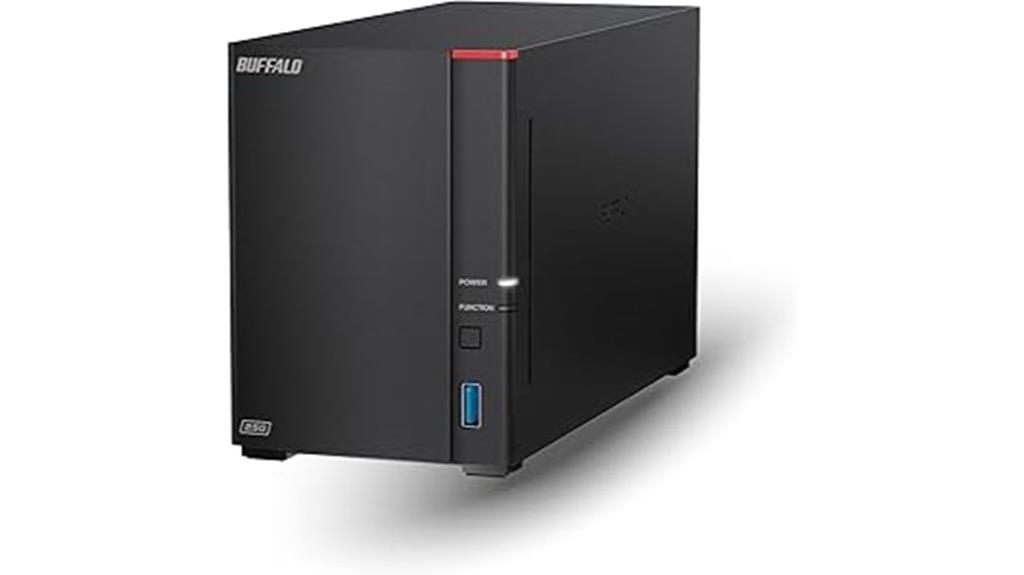
Are you looking for a reliable, high-capacity NAS device that’s ready to use right out of the box? The Buffalo LinkStation 720 offers 16TB of total storage in a sleek 2-bay setup, with hard drives already included. It’s compatible with both Windows and macOS, making setup simple, and connects easily to your router for seamless network sharing. With RAID 1, it provides 8TB of safe, automatic backups, but you can switch to RAID 0 for full capacity. The device supports secure file transfers, personal cloud storage, and media streaming, making it perfect for home or small office use. Plus, Buffalo’s support team is available 24/7.
Best For: home users and small offices seeking a reliable, high-capacity network-attached storage solution with easy setup and secure file sharing.
Pros:
- Pre-installed hard drives with a total of 16TB capacity for immediate use
- Compatible with both Windows and macOS, ensuring versatile connectivity
- Supports RAID 1 for data redundancy and can be reconfigured to RAID 0 for maximum capacity
Cons:
- Limited to 8TB usable space in RAID 1 configuration unless reconfigured
- No mention of additional expansion options beyond the included drives
- Basic features may not meet the needs of larger enterprise environments
UGREEN NASync DXP2800 2-Bay Desktop NAS
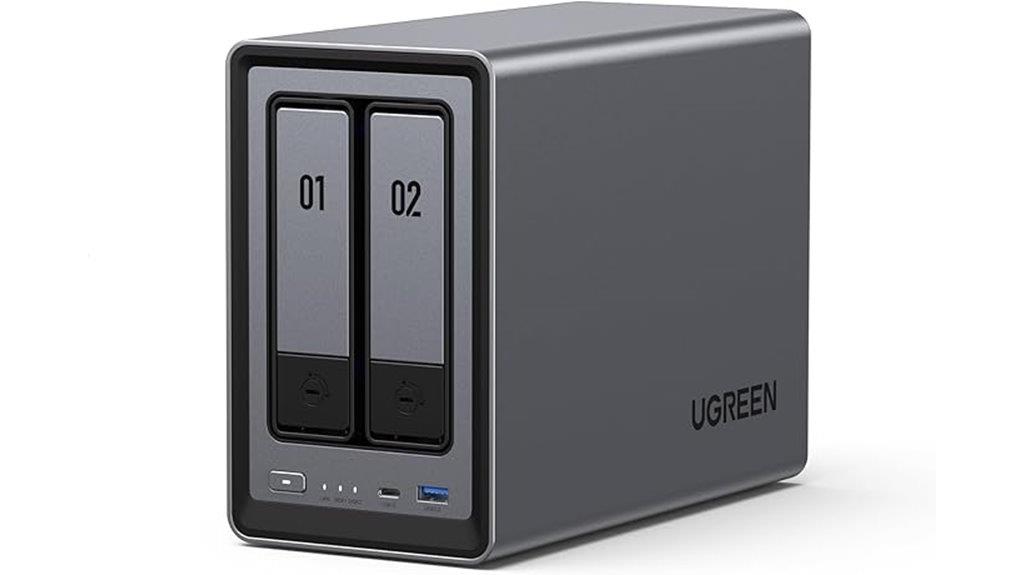
The UGREEN NASync DXP2800 2-Bay Desktop NAS is an excellent choice for home users and small offices seeking high performance and expandability without breaking the bank. It features an Intel N100 quad-core processor, 8GB DDR5 RAM, and a 2.5GbE network port, ensuring fast data transfers and multitasking. With support for up to 76TB of storage, M.2 NVMe slots, and USB sharing, it’s highly versatile. The device runs quietly, stays cool thanks to effective thermal management, and offers user-friendly software for easy setup and management. Its energy-efficient design and competitive hardware make it a reliable, cost-effective solution for data backup, media streaming, and remote access.
Best For: home users and small offices seeking a high-performance, expandable, and user-friendly NAS solution at an affordable price.
Pros:
- Powerful Intel N100 quad-core processor with 8GB DDR5 RAM for smooth multitasking
- Support for up to 76TB of storage with M.2 NVMe slots and USB sharing options
- Quiet operation and effective thermal management ensure low noise and cool temperatures
Cons:
- Privacy concerns due to manufacturing in China and closed-source firmware
- Limited to 2-bay capacity, restricting total storage expansion compared to larger NAS systems
- Slightly higher power consumption under full load compared to some lower-spec models
BUFFALO LinkStation SoHo 220 2-Bay Personal Cloud NAS 4TB
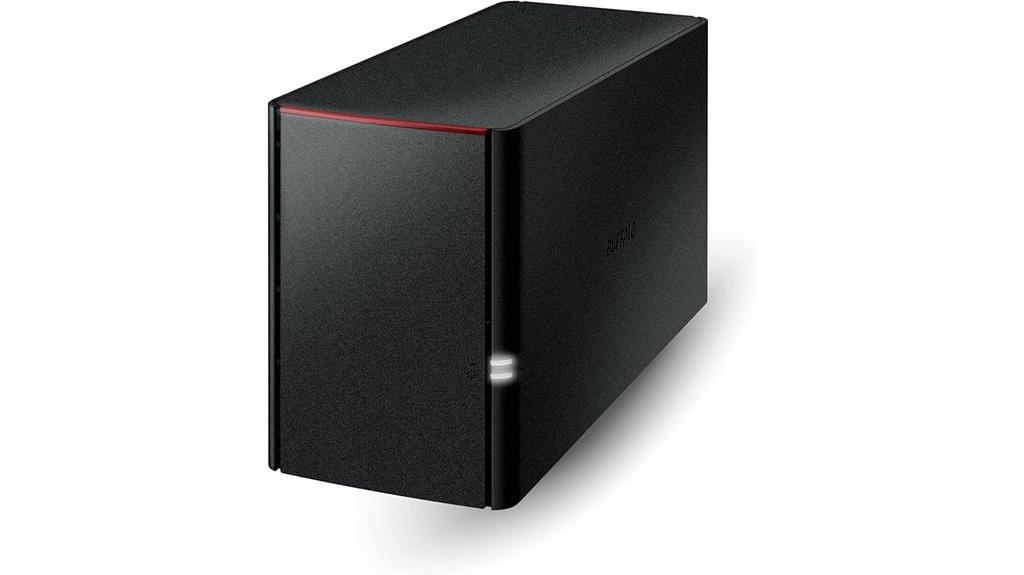
If you’re looking for an easy-to-use, secure network storage solution for your small home or office, the Buffalo LinkStation SoHo 220 2-Bay NAS offers an excellent option. It provides 4TB of total capacity, with options for RAID 1 or RAID 0, making data backup or full storage straightforward. Compatible with Windows and macOS, it connects easily to your router, giving multiple devices instant network access. Security features include SSL encryption and a closed system to reduce vulnerabilities, plus no subscription fees. Its compact design and simple setup make it ideal for organizing, sharing, and backing up files across your home or small office network.
Best For: small home or office users seeking an easy, secure, and reliable network-attached storage solution with simple setup and automatic backup capabilities.
Pros:
- User-friendly setup and management suitable for non-technical users
- Secure access with SSL encryption and a closed system to reduce vulnerabilities
- Compatible with both Windows and macOS, supporting multiple devices for sharing and backups
Cons:
- Limited to 4TB total capacity, which may not suffice for high storage needs
- Mechanical drives with 5400 RPM may offer slower performance compared to newer SSD-based NAS devices
- Absence of higher-speed connectivity options like 2.5 GbE or multi-gig ports in the base model
Yxk Zero1 2-Bay Desktop NAS with Quad-Core CPU

With its powerful quad-core CPU and dual-bay design, the Yxk Zero1 Desktop NAS is an ideal choice for small offices or home users who need reliable, expandable storage. It offers enterprise-grade data protection with RAID redundancy, automated backups, and snapshot recovery, safeguarding against drive failures. You can easily expand capacity by adding or upgrading drives, making it a flexible, one-time hardware investment without ongoing cloud fees. Setup is quick via QR code, and the mobile/desktop app makes management intuitive. With advanced encryption, granular permissions, and a zero-knowledge policy, your data stays private. Its sleek, quiet design and real-time health monitoring guarantee dependable, secure operation.
Best For: small office teams and home users seeking reliable, expandable storage with enterprise-grade protection and easy management.
Pros:
- Seamless capacity expansion through drive upgrades, eliminating ongoing cloud costs
- User-friendly setup with QR code scanning and intuitive mobile/desktop app control
- Advanced security features including encryption, permissions, and zero-knowledge privacy policy
Cons:
- Limited to two drive bays, which may restrict maximum storage capacity for very large data needs
- May require technical knowledge for optimal RAID configuration and maintenance
- No mention of bundled hardware accessories or extended warranty options
UGREEN 4-Bay Desktop NAS with 120TB Support
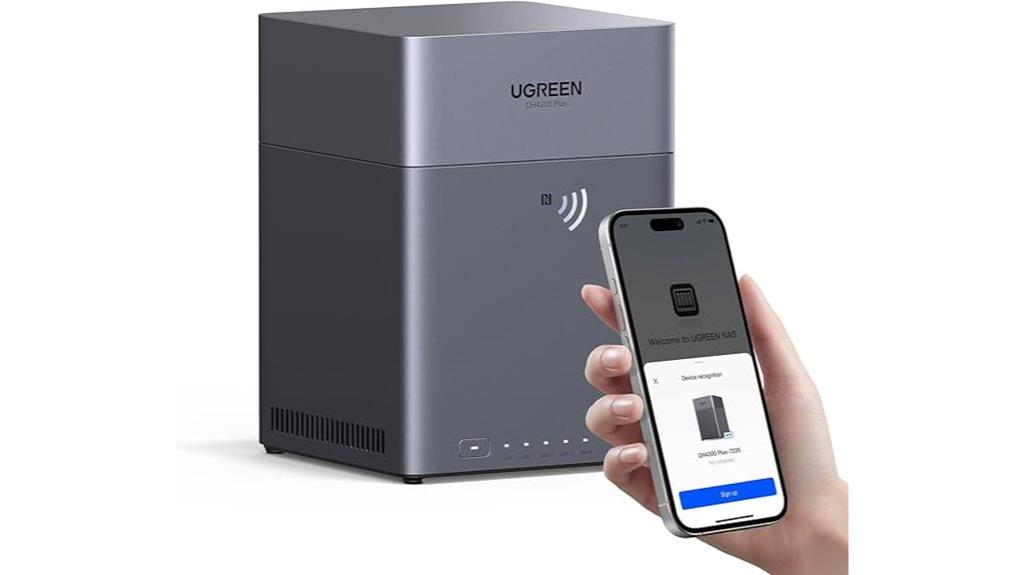
For anyone needing extensive storage capacity and easy access across multiple devices, the UGREEN 4-Bay Desktop NAS stands out as an ideal choice. Supporting up to 120TB, it can store millions of photos, songs, movies, or files, making it perfect for large data needs. It connects seamlessly with iOS, Android, Windows, macOS, and web browsers, offering automatic backups and remote access. Its user-friendly setup with NFC simplifies installation. Plus, it features AI photo management, 4K HDMI output, and robust security. Without hard drives included, it offers a flexible, cost-effective alternative to cloud storage, saving thousands over ten years.
Best For: individuals or small businesses needing extensive, secure, and easy-to-access storage for large multimedia libraries and files across multiple devices.
Pros:
- Supports up to 120TB capacity, accommodating vast data needs.
- User-friendly setup with NFC and seamless compatibility across iOS, Android, Windows, macOS, and web browsers.
- Advanced AI photo management features and 4K HDMI output for media display.
Cons:
- Hard drives are sold separately; the enclosure does not include disks.
- May require technical knowledge for optimal configuration and management.
- Higher initial investment compared to basic external drives or cloud plans.
TERRAMASTER F2-425 2-Bay NAS Storage
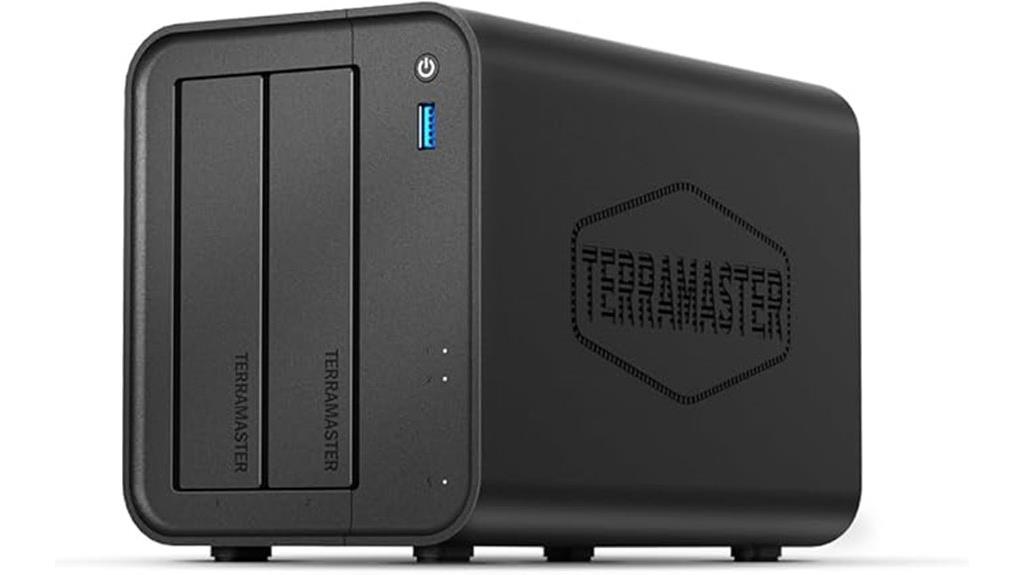
The TERRAMASTER F2-425 2-Bay NAS Storage stands out as an excellent choice for home users who need a quiet, reliable system for multimedia streaming and data backups. Its Intel quad-core processor and 4GB RAM handle multitasking and 4K transcoding effortlessly. With a 2.5GbE LAN port, file transfers are lightning-fast. The diskless design with tool-free, push-lock trays makes setup quick and simple. Operating at just 19dB(A), it’s ultra-quiet—perfect for bedrooms or quiet spaces. Supporting up to 60TB, flexible RAID options, and advanced security, it’s an all-in-one solution for home multimedia, storage, and backup needs.
Best For: home users seeking a quiet, high-performance NAS for multimedia streaming, data backup, and secure storage.
Pros:
- Ultra-quiet operation at just 19dB(A), ideal for bedrooms and quiet environments
- Supports 4K transcoding and multimedia streaming with compatibility for Plex, Emby, and Jellyfin
- Fast data transfer with 2.5GbE LAN port and quick, tool-free HDD installation
Cons:
- Limited to 2 bays, which may restrict storage expansion compared to larger NAS systems
- 4GB RAM might be limiting for very heavy multitasking or large-scale enterprise use
- No included drives, requiring users to purchase compatible HDDs separately
QNAP TS-133-US 1-Bay Desktop NAS with ARM Processor and 2GB RAM
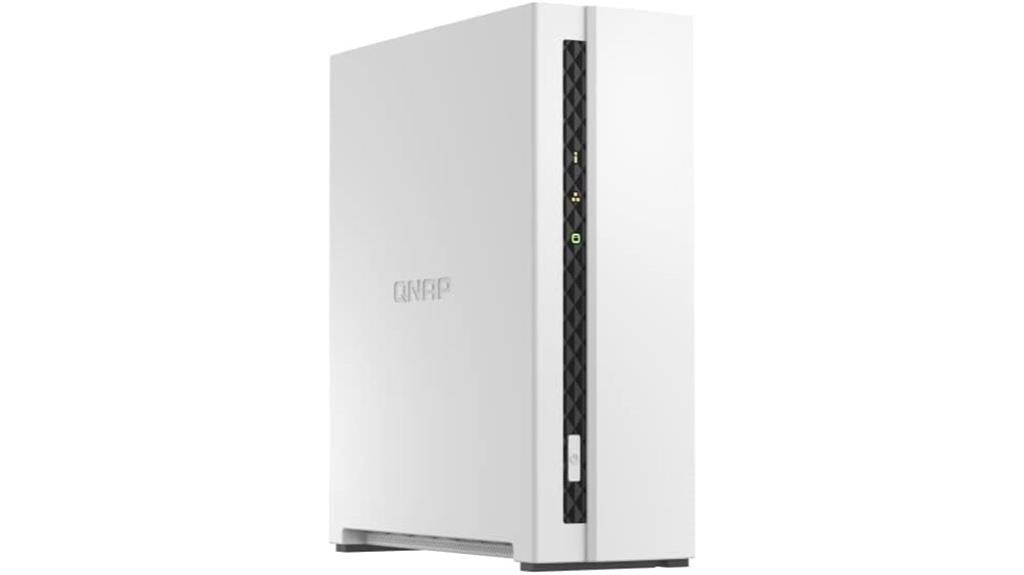
If you’re seeking a compact and affordable NAS solution for personal use or a small office, the QNAP TS-133-US stands out as an excellent choice. Its sleek, 1-bay design makes it highly portable and unobtrusive, fitting easily into any environment. Powered by a quad-core ARM Cortex-A55 processor at 1.8GHz and 2GB of RAM, it delivers reliable performance for everyday tasks like file storage, multimedia streaming, and backups. With support for up to 18TB drives and features like remote access via MyQNAPCloud, it offers a perfect balance of simplicity and functionality. Plus, its quiet operation and efficient cooling guarantee it runs smoothly around the clock.
Best For: individuals or small offices seeking an affordable, portable, and easy-to-use NAS solution for file storage, multimedia streaming, and backups.
Pros:
- Compact and lightweight design for portability and unobtrusive placement
- Reliable performance with quad-core ARM Cortex-A55 processor and 2GB RAM
- Supports up to 18TB drives and secure remote access via MyQNAPCloud
Cons:
- Single drive bay limits storage expansion flexibility
- No included hard drive, requiring users to purchase and install their own storage
- May have limited advanced features compared to higher-end NAS models
QNAP TR-004 4 Bay USB Type-C DAS with Hardware RAID
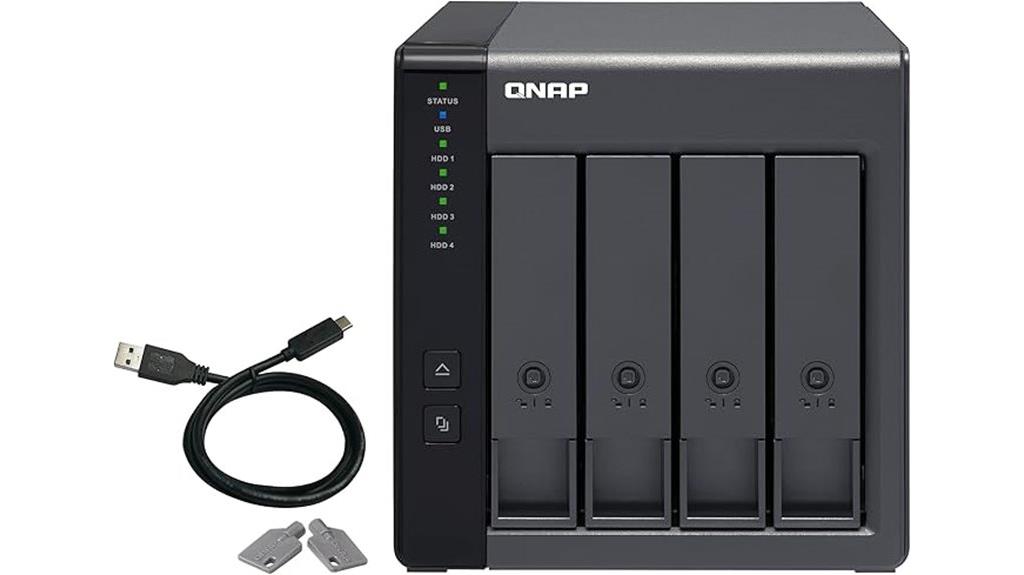
The QNAP TR-004 stands out as an ideal choice for users seeking a reliable, high-capacity direct attached storage solution with hardware RAID support. It’s a 4-bay, diskless device compatible with Windows, macOS, and Linux, offering flexible configurations like RAID 0, 1/0, 5, and JBOD. With speeds reaching up to 240 MB/sec, it handles backups and file transfers efficiently. The sturdy metal enclosure and lockable drive bays enhance safety, while recommended drives like WD RED or Seagate IronWolf guarantee reliability. Setup is straightforward with QNAP’s utility, making it a practical, high-performance option for home offices needing expandable, protected storage.
Best For: home office users and small businesses seeking a reliable, high-capacity external storage solution with hardware RAID support for data redundancy and efficient backups.
Pros:
- Supports multiple RAID configurations including RAID 0, 1/0, 5, and JBOD for flexible data management
- Easy setup with user-friendly software and quick drive recognition
- Durable metal enclosure with lockable drive bays for enhanced safety and security
Cons:
- Plastic drive caddies may feel flimsy and less durable over time
- USB 3.0 interface limits maximum transfer speeds to 5 Gbit/sec compared to newer standards
- Does not support certain NAS models or applications, limiting versatility in some environments
QNAP TS-216G-US 2-Bay Desktop NAS
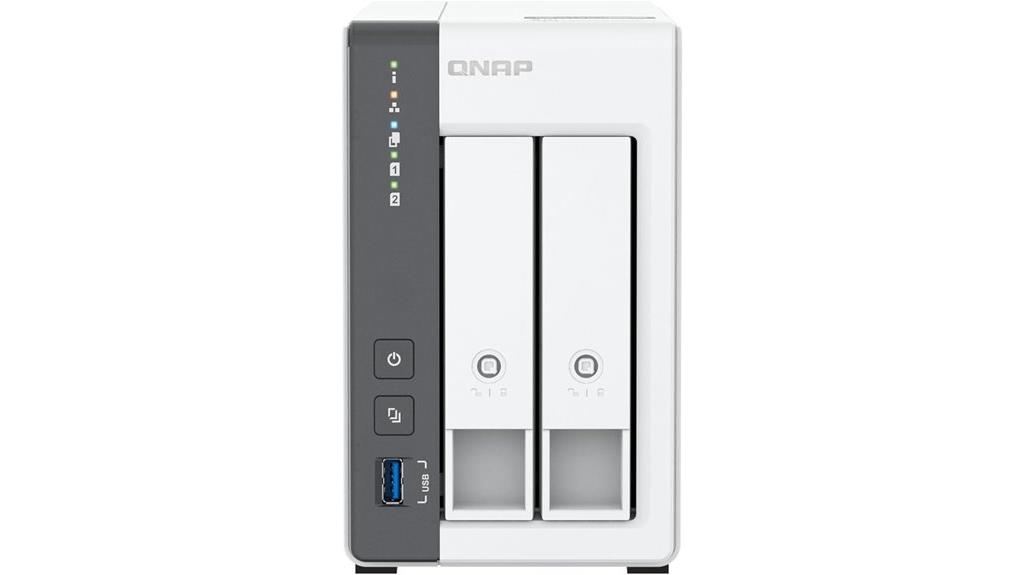
Looking for an affordable yet capable NAS solution for your home or small office? The QNAP TS-216G-US is a compact, budget-friendly 2-bay desktop NAS that fits the bill. It supports up to 24TB hybrid drives, has 4GB DDR4 RAM, and is powered by a quad-core ARM Cortex-A55 processor, ensuring smooth performance. With dual 2.5GbE ports, file sharing, and AI capabilities like face and object recognition, it streamlines workflows. It’s perfect for central storage, backups, and multimedia streaming. Plus, it’s easy to set up, secure, and accessible remotely via MyQNAPCloud, making it an excellent choice for small-scale needs.
Best For: small home and office users seeking an affordable, reliable, and easy-to-use NAS for storage, backups, and multimedia streaming with AI capabilities.
Pros:
- Compact, lightweight design suitable for small spaces
- Supports up to 24TB hybrid drives for versatile storage options
- Equipped with dual 2.5GbE ports and AI features for fast file sharing and recognition tasks
Cons:
- Limited to 2 bays, restricting maximum storage expansion
- No included drives; requires purchasing compatible drives separately
- Basic hardware specifications may not handle intensive enterprise workloads
TERRAMASTER F8 SSD NAS Storage (Diskless)
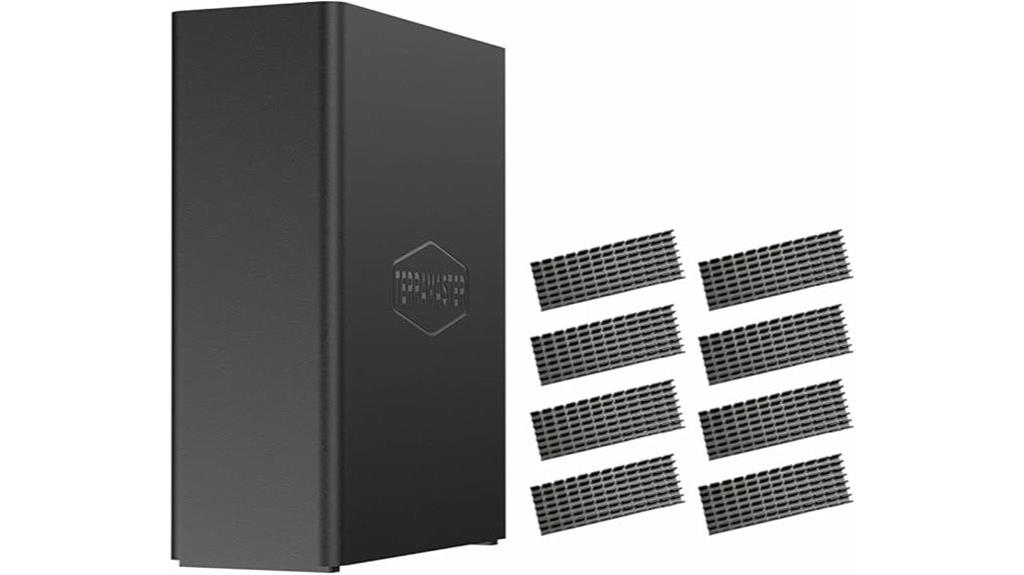
Would you like a compact, high-performance NAS that fits seamlessly into small business or home environments? The TERRAMASTER F8 SSD NAS Storage (Diskless) delivers impressive power in a tiny package. It features a fast N95 quad-core processor, 8GB DDR5 RAM, and a 10Gbps Ethernet port with speeds up to 1024MB/s. Supporting eight NVMe SSDs up to 8TB each, it offers a total capacity of 64TB. Its lightweight, tool-free design makes setup quick and easy, while advanced cooling keeps temperatures low and noise below 19dB. Perfect for demanding applications, it combines speed, reliability, and compactness for versatile storage in any home office.
Best For: small businesses and home users seeking a compact, high-performance NAS with reliable SSD storage and fast data transfer capabilities.
Pros:
- Compact, lightweight, and portable design fits easily into tight spaces and home offices
- Supports up to 8 NVMe SSDs with a total capacity of 64TB for demanding storage needs
- Advanced cooling and silent operation ensure stable performance and low noise levels below 19dB
Cons:
- Diskless configuration requires users to purchase and install SSDs separately
- May have a higher upfront cost due to enterprise-grade features and SSD support
- Limited to SSD storage, which may be more expensive than traditional HDD-based NAS options
UGREEN NASync DXP4800 Plus 4-Bay Desktop NAS
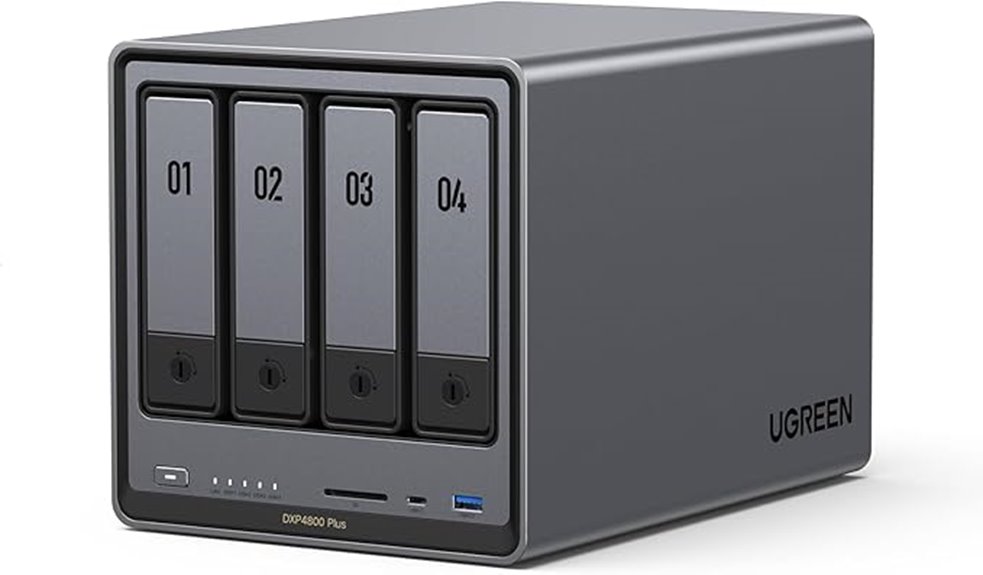
If you’re seeking a high-performance NAS that seamlessly combines speed, expandability, and user-friendly management, the UGREEN NASync DXP4800 Plus 4-Bay Desktop NAS is an excellent choice. It’s powered by an Intel Pentium Gold 8505 5-core CPU, with 8GB DDR5 RAM that’s upgradeable, and includes a 128GB SSD for fast OS operation. Its robust connectivity features include 10GbE and 2.5GbE ports, M.2 NVMe slots, and HDMI output. Supporting up to 136TB of storage, it offers rapid transfer speeds and easy drive installation. Management is straightforward via apps compatible across devices, making it ideal for both personal and small business use.
Best For: Home users and small businesses seeking a high-performance, expandable, and easy-to-manage NAS solution for data storage, backup, and media organization.
Pros:
- Fast transfer speeds with 10GbE and 2.5GbE ports, supporting rapid backups and data access
- Highly expandable with multiple drive bays, M.2 NVMe slots, and RAM upgrade options
- User-friendly management apps compatible across various devices and operating systems
Cons:
- Native OS apps have some limitations, such as folder uploads on iOS and macOS
- Noise from hard drives during operation may be noticeable in quiet environments
- Limited app store options and reliance on third-party software for advanced features
Yxk Zero1 4-Bay Desktop NAS with Quad-Core CPU
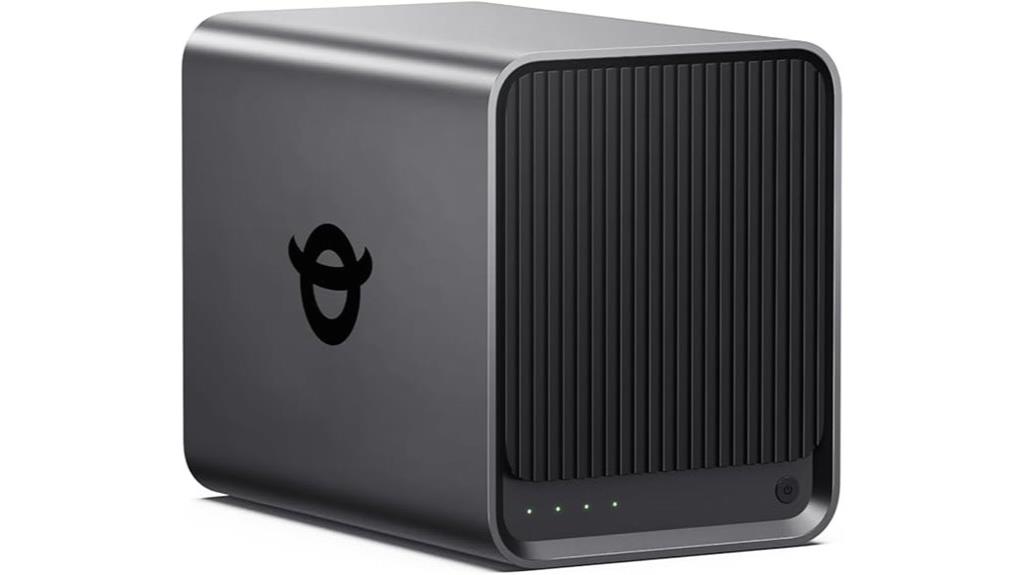
The Yxk Zero1 4-Bay Desktop NAS with Quad-Core CPU is an excellent choice for users who need a reliable, high-performance storage solution with expandability and advanced data security. It supports four drives, configurable in RAID for redundancy and speed, and features dual 2.5GbE ports, USB 3.0, and Type-C for fast data transfers. Its enterprise-grade security includes RAID, automated backups, encryption, and real-time health monitoring, ensuring data integrity. Designed for ease of use, setup is straightforward with QR codes and a user-friendly app. Perfect for multi-user collaboration and AI-powered photo management, it’s a versatile, robust device suitable for any home office.
Best For: home users, small offices, or creative professionals seeking a reliable, high-performance, expandable NAS with advanced security features.
Pros:
- Supports four drives with flexible RAID configurations for redundancy and performance
- Fast data transfer speeds thanks to dual 2.5GbE ports, USB 3.0, and Type-C connectivity
- User-friendly setup with QR code scanning and a comprehensive management app
Cons:
- Limited to four drive bays, which may not meet the needs of very high-capacity storage environments
- The size and weight may be less suitable for compact or portable use cases
- The initial cost may be higher compared to simpler or less feature-rich NAS devices
Asustor Drivestor 2 Lite NAS Enclosure (AS1102TL)
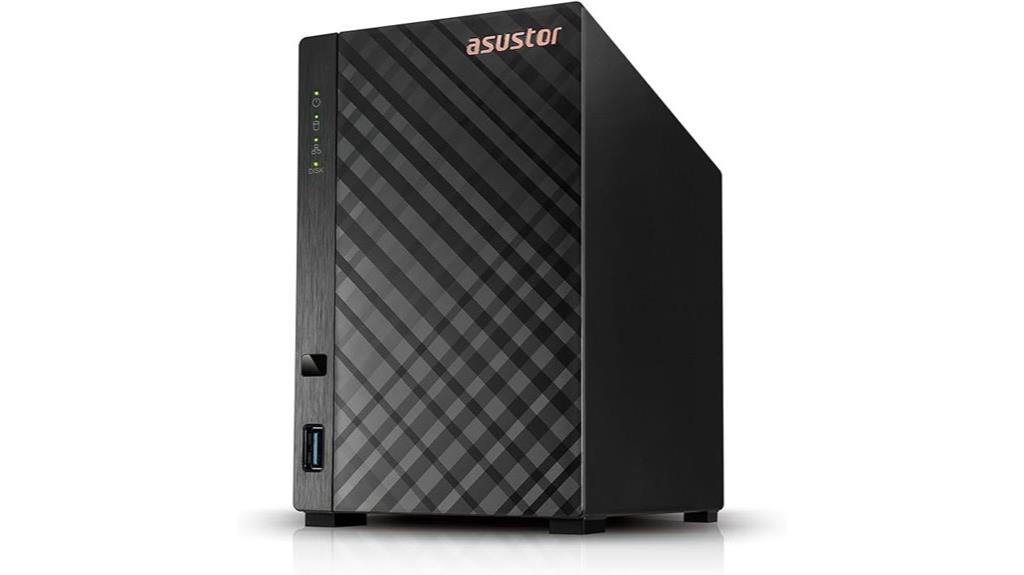
The Asustor Drivestor 2 Lite NAS Enclosure (AS1102TL) is ideal for home users or small offices seeking reliable and straightforward network storage. It’s a 2-bay, diskless device powered by a quad-core Realtek RTD1619B processor and 1GB DDR4 RAM, ensuring smooth performance. Its support for 4K transcoding makes streaming, downloading, and uploading seamless. With features like Btrfs/iSCSI snapshots, data protection is built-in. Plus, its tool-free installation makes setup easy, and Wake on LAN allows for remote power management. Overall, it’s a cost-effective, user-friendly solution perfect for simple storage needs.
Best For: home users or small offices seeking a reliable, easy-to-use, and cost-effective 2-bay NAS solution for basic storage and media streaming needs.
Pros:
- Supports 4K transcoding for high-quality streaming and content management
- Tool-free installation simplifies setup and maintenance
- Built-in data protection with Btrfs/iSCSI snapshots
Cons:
- Limited to 1GB DDR4 RAM, which may restrict heavy multi-user operations
- Only one Gigabit Ethernet port, potentially affecting network throughput in busy environments
- Lacks additional features like multiple LAN ports or advanced hardware options
TERRAMASTER F4-212 4 Bay NAS

For home and small office users seeking an affordable yet capable NAS solution, the TERRAMASTER F4-212 stands out with its four-bay design and support for large drives up to 22TB each. Powered by a quad-core ARM v8 processor and 2GB of DDR4 RAM, it offers solid performance for storage, sharing, and backups. Its compatibility with various file protocols and multimedia features, including 4K hardware decoding, makes it versatile. The user-friendly web interface simplifies setup and management, while its rich backup options guarantee data safety. However, some users report reliability issues like drive recognition problems and slow response times, so caution is advised.
Best For: home users and small offices seeking an affordable, high-performance NAS with multimedia capabilities and large storage support.
Pros:
- Easy to set up and manage via user-friendly web interface
- Supports large drives up to 22TB each, ideal for extensive storage needs
- Features 4K hardware decoding and multimedia serving capabilities
Cons:
- Reports of hardware reliability issues, including drive recognition problems
- Slow dashboard response times and occasional system disconnections
- Customer support and warranty service are often unresponsive and limited
Asustor Flashstor 6 FS6706T NAS Storage

Looking for a high-performance NAS that handles demanding storage tasks with ease? The Asustor Flashstor 6 FS6706T is a powerhouse, featuring a quad-core Intel Celeron N5105 processor that delivers reliable, efficient performance. It’s equipped with six M.2 NVMe SSD slots, perfect for fast data access and expansion. Dual 2.5-Gigabit Ethernet ports ensure superfast network speeds, while USB 3.2 Gen 2×1 and HDMI 2.0b ports offer versatile connectivity options. With 4 GB of DDR4 RAM and high-quality S/PDIF audio output, this diskless NAS is ideal for professional or advanced personal use, combining speed, reliability, and expandability seamlessly.
Best For: professionals and advanced personal users seeking high-speed, reliable, and expandable storage solutions for demanding data management tasks.
Pros:
- Equipped with a powerful quad-core Intel Celeron N5105 processor ensuring efficient performance
- Supports six M.2 NVMe SSD slots for rapid data access and extensive storage expansion
- Dual 2.5-Gigabit Ethernet ports provide ultra-fast network connectivity
Cons:
- Diskless configuration requires users to purchase and install their own drives
- 4 GB DDR4 RAM may be limiting for very intensive multitasking or large-scale workloads
- Limited to specific connectivity options without additional expansion slots
Factors to Consider When Choosing Network Attached Storage (NAS) for Home Office
When choosing a NAS for my home office, I focus on storage capacity, performance, and security features to meet my needs. Compatibility with my existing devices and easy setup are also important factors I consider. By paying attention to these points, I can select a device that’s reliable and suits my workflow.
Storage Capacity Needs
How much storage do you really need for your home office? To figure that out, I recommend estimating your current data needs—photos, videos, documents, backups—and then considering future growth. It’s smart to choose a NAS with enough capacity to hold everything now plus room for expansion, ideally leaving 20-30% free space for peak performance. Keep in mind that RAID configurations can impact usable storage, balancing redundancy with capacity. Check the maximum supported drive size and number of bays to ensure your NAS can accommodate your planned drives and future upgrades. Remember, higher capacities often come with increased costs and power use, so pick a model that fits your budget and energy goals. Planning ahead ensures your NAS grows with your home office needs.
Performance and Speed
Choosing a NAS with the right performance features is essential for a smooth home office experience. A powerful processor like Intel N100 or ARM Cortex-A55 guarantees efficient multitasking and quick data handling. Network interfaces supporting 2.5GbE or 10GbE ports drastically cut file transfer times and boost overall speed. Fast read/write speeds, preferably above 150 MB/s, allow quick access to large files, smooth media streaming, and support multiple users simultaneously. SSD caching or NVMe drive support can improve performance by reducing latency and increasing data throughput. Additionally, the hardware setup—including RAM size and drive interfaces—directly impacts responsiveness and transfer rates. Prioritizing these features helps create a seamless, efficient environment for your home office tasks.
Data Security Features
Ensuring your home office data remains secure requires attention to the right security features in a NAS device. I look for models that support encryption protocols like SSL/TLS for secure file transfers and AES encryption for data at rest, ensuring my files stay protected. RAID configurations, such as RAID 1 or 5, provide redundancy, safeguarding against drive failures. User permission controls and granular access restrictions prevent unauthorized access to sensitive information. Snapshot and versioning capabilities enable quick recovery from ransomware attacks or accidental deletions. Additionally, built-in security measures like closed systems, limited third-party app access, and regular firmware updates help reduce vulnerabilities. By focusing on these features, I can confidently protect my home office data without compromising convenience.
Compatibility and Connectivity
When selecting a NAS for your home office, compatibility and connectivity are crucial to guarantee smooth operation and integration with your existing devices. First, verify the NAS supports your operating system, whether Windows, macOS, Android, or iOS, for seamless file sharing. Check that it has appropriate network interfaces, like Ethernet ports (1GbE, 2.5GbE, or 10GbE), to match your network’s speed. Multiple connectivity options—such as USB, HDMI, or Thunderbolt—add versatility for device expansion. Remote access features via secure cloud or VPN are essential for accessing files outside your local network. Finally, confirm compatibility with third-party hard drives and storage protocols like SMB, NFS, AFP, or iSCSI, ensuring flexible, reliable data sharing across different systems.
Ease of Setup
Setting up a NAS for your home office can be straightforward if you pick a model designed for easy installation. Devices with guided setup, clear instructions, and minimal configuration make the process smoother, especially for beginners. Many models support quick setup through QR codes, mobile apps, or web-based wizards, which speeds up deployment without needing advanced tech skills. Diskless NAS units require installing drives, but those with tool-free trays and plug-and-play features simplify this step. Intuitive management software and companion apps help streamline initial network connections, permissions, and configurations. Additionally, clear documentation, tutorials, and responsive customer support can make setup even easier, ensuring you get your NAS up and running quickly and efficiently.
Expandability Options
Choosing a NAS with strong expandability options means looking for a device that can grow with your needs. I focus on models with multiple drive bays and flexible RAID configurations so I can easily expand storage as my data grows. I also check for available M.2 slots or USB ports to connect additional SSDs or external drives, boosting both capacity and performance. Seamless drive upgrades and replacements are essential, ensuring I don’t disrupt existing data during upgrades. I pay attention to whether the NAS supports expansion units or stacking options, which allow me to add more drives over time. Finally, I prefer systems with straightforward management tools that simplify adding or migrating drives, helping me avoid downtime and data loss while scaling my storage.
Frequently Asked Questions
How Does NAS Security Protect My Sensitive Home Data?
NAS security protects my sensitive home data by encrypting files, ensuring unauthorized users can’t access them. It also uses strong passwords, two-factor authentication, and firewalls to block intrusion attempts. Regular firmware updates fix vulnerabilities, keeping my system safe. Additionally, I can set permissions to control who sees what, and backups safeguard my data if a breach occurs. Overall, these features give me peace of mind knowing my data stays private.
Can NAS Devices Be Integrated With Smart Home Systems?
Think of NAS devices as the central command tower for your smart home. Yes, they can seamlessly integrate with your smart systems, acting like a conductor orchestrating your devices in harmony. I’ve set mine up to sync with lights, security cameras, and thermostats, making everything work in concert. This integration not only simplifies control but also boosts efficiency, turning your home into a smarter, more responsive environment.
What Is the Typical Lifespan of a NAS Device in a Home Setup?
A NAS device typically lasts around 3 to 5 years in a home setup, but this can vary based on usage and maintenance. I’ve found that regular updates, proper cooling, and avoiding constant heavy loads help extend its lifespan. When it starts showing signs of failure or slow performance, I consider replacing it to keep my data safe and ensure smooth operation. Proper care definitely makes a big difference.
How Energy-Efficient Are Modern NAS Units for Home Use?
Modern NAS units are quite energy-efficient, especially compared to older models. They typically consume between 15 to 50 watts during operation, which is quite low for continuous use. I find that they automatically spin down drives when not in use, saving even more energy. Overall, these devices are designed to minimize power consumption, making them ideal for home offices where energy efficiency and cost savings matter.
Are There Compatibility Issues With Different Operating Systems?
They say “the more, the merrier,” but compatibility can sometimes be tricky. I’ve found that most modern NAS devices support multiple operating systems like Windows, macOS, and Linux, yet occasional hiccups do happen. I recommend checking each device’s specs and firmware updates. Usually, I’ve had smooth experiences, but being proactive and choosing models with broad OS support helps avoid frustrations.
Conclusion
Choosing the right NAS can transform your home office by boosting storage and collaboration. Did you know that 70% of remote workers report faster file access and better data security with NAS devices? Whether you’re a small business owner or a creative professional, investing in the right setup makes a big difference. Take your time, consider your needs, and you’ll find a device that keeps your data safe, accessible, and organized for years to come.