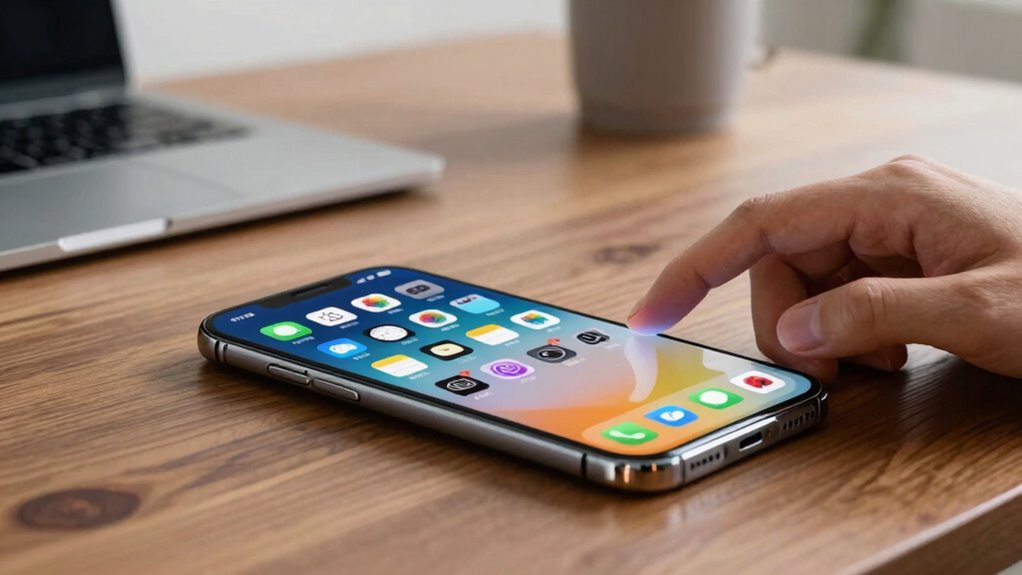
When exploring fitness machine app features, the key factors are how well they enhance workout tracking, personalization, and user engagement. The Sunny Health & Fitness Smart Full Motion Rower stands out as the best overall for its comprehensive tracking and adaptability. The AEKE S1 Pro Smart Home Gym offers advanced AI coaching, making it ideal for tech-savvy users, while the Echelon Strength Home Smart Gym excels with its large touchscreen and interactive classes. Buyers often face tradeoffs between depth of features, ease of use, and price. Continue reading for a detailed breakdown of each option and what makes them unique.

Get audio and creator gear delivered free with Prime
- Fast, free delivery on millions of items
- Prime Video, Amazon Music and more included
- Member-only deals all year
Complete the kit



Key Takeaways
- Top picks combine robust workout tracking with personalized coaching or interactive features.
- More advanced app features often come with higher price points and steeper learning curves.
- Simplicity in app design benefits beginners, while advanced users may prefer extensive customization options.
- Integration with wearable devices enhances workout data and progress tracking.
- Choosing features aligned with your fitness goals prevents unnecessary complexity or expense.
| Sunny Health & Fitness Smart Full Motion Rower |  | Best Overall for Versatility and Full-Body Engagement | Maximum User Weight: 400 lb | Resistance Levels: 12 hydraulic levels | Seat Adjustment: 5 positions | VIEW ON AMAZON | See Our Full Breakdown |
| AEKE S1 Pro Smart Home Gym Equipment with AI Fitness Trainer and 220 lbs Digital Resistance |  | Best for Personalized, Professional-Grade Strength Training | Digital Resistance: 220 lbs | Features: AI Fitness Trainer, Real-time Motion Tracking, Adaptive Resistance | Design: Space-saving, Minimalist, Aerospace-inspired | VIEW ON AMAZON | See Our Full Breakdown |
| Sunny Health & Fitness Smart Magnetic Rower |  | Best for Quiet, Smooth Cardio with App Connectivity | Slide Rail Length: 45.7 inches | Max Inseam: 40.9 inches | Weight Capacity: 300 lbs | VIEW ON AMAZON | See Our Full Breakdown |
| Echelon Strength Home Smart Gym with 24-Inch HD Touchscreen and Digital Resistance |  | Best for Interactive Full-Body Strength Training at Home | Screen Size: 24 inches | Resistance Range: 5–110 lbs per arm | Connectivity: WiFi | VIEW ON AMAZON | See Our Full Breakdown |
| MERACH Upgraded Squat Machine for Women, Smart Row and Deep Squat Trainer with Tablet Stand, Adjustable Resistance & 350LB Capacity |  | Best for Full-Body Functional Training with Space-Saving Design | Weight Capacity: 350 pounds | Adjustable Height Range: 4’11” to 6’11” | Foldable: Yes | VIEW ON AMAZON | See Our Full Breakdown |
| Sunny Health & Fitness Smart Row-N-Ride Glute & Leg Trainer |  | Best Versatile Full-Body Compact Machine | Weight Capacity: 330 lbs | Resistance: Up to 66 lbs with 3 resistance bands | Foldable: Yes | VIEW ON AMAZON | See Our Full Breakdown |
| Sunny Health & Fitness Row-N-Ride Trainer for Full-Body Home Exercise |  | Best Budget-Friendly Full-Body Cardio & Strength Combo | Resistance Levels: 12 | App Compatibility: SunnyFit app | Workout Types: Squat, full-body | VIEW ON AMAZON | See Our Full Breakdown |
More Details on Our Top Picks
Sunny Health & Fitness Smart Full Motion Rower
This model excels in combining full-motion rowing with core-specific exercises, making it a versatile choice for users seeking both cardio and strength training. Compared with the magnetic Sunny Health & Fitness Smart Rower, its full-motion arms provide a more dynamic workout, especially for those focused on core development. However, the hydraulic resistance offers less smoothness than magnetic systems, and assembly can be complex. Its 400 lb weight capacity and adjustable features make it suitable for a wide range of users, but the reliance on hydraulic resistance limits its appeal for advanced athletes seeking a seamless experience. This pick is ideal for users who want a comprehensive, adaptable machine that supports varied workouts at home.
Pros:- Versatile full-motion rowing combined with core exercises
- Adjustable seat and resistance for personalized routines
- Connected app with guided workouts and progress tracking
- Supports users up to 400 lbs with stable design
Cons:- Hydraulic resistance may feel less smooth compared to magnetic systems
- Assembly can be challenging for some users
- Limited to hydraulic resistance, which might not satisfy advanced users
Best for: Fitness enthusiasts looking for an all-in-one, full-body workout solution with adjustable resistance and core focus.
Not ideal for: Advanced athletes or users preferring ultra-smooth, magnetic resistance for high-intensity training.
- Maximum User Weight:400 lb
- Resistance Levels:12 hydraulic levels
- Seat Adjustment:5 positions
- Monitor Features:Tracks time, count, distance, calories, strokes per minute, heart rate
- Connectivity:SunnyFit app compatible
- Built-in Features:Transport wheels, device holders, stabilizer end caps
Our verdict“This rower is best for those wanting a versatile, full-body workout machine that adapts to different fitness levels without requiring high-end resistance technology.”
AEKE S1 Pro Smart Home Gym Equipment with AI Fitness Trainer and 220 lbs Digital Resistance
The AEKE S1 Pro stands out for its AI-driven coaching, real-time motion tracking, and adaptive digital resistance, offering a full-body strength training experience that rivals gym systems. Unlike the Sunny Health & Fitness magnetic rower, it provides multiple professional-grade training modes and personalized feedback, which makes it suitable for users committed to serious strength progress. The space-saving design suits modern homes, but the setup requires room and a learning curve for newcomers. Its digital resistance is smooth and adjustable up to 220 lbs, making it ideal for those seeking a comprehensive, tech-enhanced workout without gym visits. This machine is perfect for users who prioritize high-tech, personalized strength training at home.
Pros:- AI-powered coaching and real-time motion tracking
- Smooth, adjustable digital resistance up to 220 lbs
- Space-efficient, minimalist, aerospace-inspired design
- No recurring membership fees for advanced features
Cons:- Requires sufficient space for safe operation and setup
- Advanced features may be complex for new users
- Limited resistance range for very heavy strength training
Best for: Experienced home gym users seeking AI-guided, adaptive resistance training combined with real-time feedback.
Not ideal for: Beginners or those with limited space, as setup and learning might be more demanding than simpler machines.
- Digital Resistance:220 lbs
- Features:AI Fitness Trainer, Real-time Motion Tracking, Adaptive Resistance
- Design:Space-saving, Minimalist, Aerospace-inspired
- Training Modes:Multiple professional-grade modes
Our verdict“This system suits users who want professional-level, personalized strength training with AI guidance in a compact home setup.”
Sunny Health & Fitness Smart Magnetic Rower
This magnetic rower offers a quiet, stable full-body cardio workout, making it an appealing choice for users wanting a low-noise experience. Its 16 resistance levels provide enough variation for most users, though it may fall short for advanced athletes seeking higher resistance. The dual-track design ensures smooth, controlled rowing, and app integration with the SunnyFit app adds real-time metrics and personalized plans. Compared to hydraulic models like the Sunny Full Motion Rower, it provides a more seamless and quieter experience, but the limited resistance levels could be a drawback for those needing more intensity. The lack of detailed dimensions requires careful space assessment. This pick is ideal for users prioritizing quiet, controlled cardio sessions with app support.
Pros:- Smooth, stable dual-track design for controlled rowing
- Quiet magnetic resistance system suitable for any time of day
- Full-body engagement for effective cardio and strength
- App connectivity with real-time metrics and plans
Cons:- Limited to 16 resistance levels, which may not satisfy advanced users
- Lack of specific dimension info, requiring space planning
- Features and app functionalities depend on smartphone compatibility
Best for: Users seeking a smooth, quiet, and connected rowing experience for general fitness and moderate training intensity.
Not ideal for: Highly advanced or competitive athletes requiring higher resistance levels or specialized training features.
- Slide Rail Length:45.7 inches
- Max Inseam:40.9 inches
- Weight Capacity:300 lbs
- Resistance Levels:16
- App Compatibility:SunnyFit
- Dimensions:Not specified
Our verdict“This rower suits those wanting a quiet, connected, and controlled cardio machine for general use and moderate workouts.”
Echelon Strength Home Smart Gym with 24-Inch HD Touchscreen and Digital Resistance
The Echelon Strength Home Smart Gym combines a large HD touchscreen with adjustable digital resistance, offering a highly interactive strength training experience. The foldable design makes it more space-friendly than bulkier machines like the AEKE S1 Pro, though it may come at a higher price point. Its resistance range from 5 to 110 lbs per arm covers most users’ needs, and the full-body versatility with included accessories makes it suitable for diverse routines. However, reliance on WiFi and the cost may deter budget-conscious buyers, and some might find the resistance limits inadequate for advanced strength pursuits. Compared to the AEKE S1 Pro, its emphasis on interactivity and compactness makes it ideal for tech-savvy users wanting guided, engaging workouts at home. This is best for those seeking an interactive, space-efficient strength gym with a large screen.
Pros:- Large 24-inch HD touchscreen for interactive classes and programs
- Adjustable resistance from 5 to 110 lbs per arm for varied strength levels
- Foldable design for easy storage
- Includes smart bar, grips, and accessories for full-body workouts
Cons:- Higher price point may be prohibitive for some
- Requires WiFi for full functionality and streaming classes
- Resistance might be limited for very advanced strength training
Best for: Home users wanting a full-body, interactive strength workout with a large touchscreen and customizable routines.
Not ideal for: Users on a tight budget or those who prefer purely free-weight or minimalist equipment without electronic features.
- Screen Size:24 inches
- Resistance Range:5–110 lbs per arm
- Connectivity:WiFi
- Foldable:Yes
- Includes:Smart bar, grips, accessories
Our verdict“This machine is perfect for users who want an engaging, guided strength workout with a big screen and space-saving design.”
MERACH Upgraded Squat Machine for Women, Smart Row and Deep Squat Trainer with Tablet Stand, Adjustable Resistance & 350LB Capacity
The MERACH squat machine offers a comprehensive, full-body workout targeting legs, glutes, shoulders, and back, with adjustable resistance and squat depths. Its foldable design makes it suitable for smaller spaces, and app integration adds a layer of guided fitness. While its versatility is impressive, the setup may be challenging for some users, and limited information on the durability of moving parts raises questions about long-term use. Supporting up to 350 pounds, it comfortably accommodates a wide range of users. Compared to dedicated rowing or strength machines, it emphasizes functional, compound movements, making it ideal for users who want an all-in-one solution that saves space. This is perfect for those seeking a compact, full-body fitness tool with app connectivity.
Pros:- Full-body workout engaging multiple muscle groups
- Connected fitness with app integration
- Foldable design for easy storage
- Supports a wide user height and weight range
Cons:- Assembly might be tricky for some users
- Limited info on long-term durability of moving parts
- Setup requires dedicated space for safe operation
Best for: Women or general users looking for a versatile, space-efficient machine for functional, full-body workouts at home.
Not ideal for: Heavy users or those requiring highly durable, commercial-grade equipment for intense daily training.
- Weight Capacity:350 pounds
- Adjustable Height Range:4’11” to 6’11”
- Foldable:Yes
- Resistance:Adjustable
- Includes:Tablet stand, LCD monitor
Our verdict“This product suits users wanting a versatile, space-saving machine for full-body functional training with app guidance.”
Sunny Health & Fitness Smart Row-N-Ride Glute & Leg Trainer
The Sunny Health & Fitness Row-N-Ride stands out for its combination of full-body targeting and space-saving design, making it ideal for those who want a comprehensive workout without sacrificing room. Unlike the simpler Row-N-Ride Trainer, this model adds adjustable resistance and multiple squat angles, allowing for more varied, muscle-specific routines. Its Bluetooth connectivity with the SunnyFit app enables guided workouts, but setup can be tricky for some, and resistance levels max out at 66 lbs, which may be limiting for advanced users. The wide weight capacity of 330 lbs makes it accessible to a broad audience. This pick is perfect for users seeking a versatile, full-body workout that fits into small spaces, though those looking for very high resistance or a straightforward setup might prefer other options. Tradeoff: more functionality comes with slightly complex assembly and moderate resistance limits.Pros:- Full-body workout targeting multiple muscle groups
- Space-saving, foldable design for small homes
- Connected fitness features with guided app workouts
- Supports a wide range of resistance levels
Cons:- Assembly may be complex for some users
- Limited resistance compared to larger gym machines
- Requires Bluetooth connection for full app functionality
Best for: Home users wanting a full-body workout that combines cardio, strength, and flexibility in a compact form.
Not ideal for: Advanced athletes needing very high resistance or those preferring simple, plug-and-play equipment with minimal setup.
- Weight Capacity:330 lbs
- Resistance:Up to 66 lbs with 3 resistance bands
- Foldable:Yes
- Adjustable Resistance:Yes
- Squat Angle Options:Multiple pin-lock positions
- Bluetooth Connectivity:Yes
- App Compatibility:SunnyFit app
- Maximum User Height:Adjustable handlebar and seat
Our verdict“This machine is well-suited for fitness enthusiasts seeking a versatile, space-efficient option for comprehensive home workouts, with some setup complexity and moderate resistance limits.”
Sunny Health & Fitness Row-N-Ride Trainer for Full-Body Home Exercise
The Sunny Health & Fitness Row-N-Ride Trainer offers an effective, targeted approach to full-body toning, especially for glutes, thighs, and abs, at a lower price point than the Smart Row-N-Ride. Its hydraulic resistance system provides quiet, smooth effort, making it suitable for apartments or shared spaces. Compared with the Bluetooth-enabled SunnyFit app on the first model, this trainer relies more on digital tracking and less on guided workouts, which might appeal to users who prefer simplicity. Its adjustable seat and handlebar support various body sizes, but the hydraulic resistance is limited to 12 levels, which may not satisfy advanced users seeking more challenge. Tied to app features via smartphone, it’s ideal for those who want a straightforward, engaging workout without complicated setup. However, taller users might find the design less comfortable. Tradeoff: affordability and quiet operation come at the expense of resistance flexibility and some user comfort considerations.Pros:- Versatile for squats, core, and full-body routines
- Quiet hydraulic resistance for apartment use
- Digital tracking and app integration for motivation
- Adjustable seat and handlebar for different heights
Cons:- Limited to hydraulic resistance levels, may not satisfy advanced users
- Requires a smartphone for app features, no guided programs
- Design may be less comfortable for taller users
Best for: Beginners and budget-conscious users looking for a versatile, quiet, and engaging full-body workout that includes squat and core training.
Not ideal for: Experienced athletes or users seeking intense resistance levels and highly customizable training, as the hydraulic system may feel limiting.
- Resistance Levels:12
- App Compatibility:SunnyFit app
- Workout Types:Squat, full-body
- Adjustable Features:Seat, handlebar
- Quiet Resistance:Yes
- Digital Tracking:Yes
Our verdict“This trainer is a practical choice for beginners or budget shoppers seeking versatile, quiet workouts with basic digital tracking, though resistance limits may hinder advanced routines.”

How We Picked
These products were selected based on their app feature sets, user interface quality, integration capabilities, and overall value. Priority was given to how well the app features support diverse workout routines, personalization, and ease of use. We compared the depth of tracking, customization, AI support, and compatibility with other devices. The ranking reflects a balance between feature richness and user accessibility, ensuring options suit different levels of tech-savviness and budget constraints.Factors to Consider When Choosing Fitness Machine App Features
When choosing a fitness machine app, consider how its features align with your workout goals, tech comfort level, and budget. Not all apps are created equal, and understanding key factors can help you avoid features you won’t use or miss out on essential functionalities. The right app enhances motivation and makes tracking progress seamless, but tradeoffs exist between complexity and simplicity. Keep these considerations in mind to select the best fit for your needs.Compatibility and Integration
Ensure the app works smoothly with your fitness machine and other devices like wearables or smartphones. Compatibility can significantly affect your experience, especially if you want cross-platform tracking or social sharing. Apps with broader integration tend to offer richer insights but may require more setup or higher device requirements. Avoid apps that lock you into proprietary ecosystems unless those features are critical for your workout goals.
Personalization and AI Coaching
Apps that offer personalized workout plans or AI coaching can boost motivation and help you achieve specific goals faster. However, highly tailored features often come at a premium and might require a learning curve. Consider whether you prefer guided routines, adaptive resistance, or customizable programs, and choose accordingly. Overly complex personalization can overwhelm beginners, so balance your need for customization with usability.
Ease of Use and Interface
An intuitive, user-friendly interface ensures consistent use without frustration. A cluttered or complicated app can deter regular workouts, especially for less tech-savvy users. Look for clear navigation, simple setup, and straightforward progress tracking. Apps with extensive features should still prioritize ease of access to prevent overwhelm and maximize engagement.
Content and Engagement
Interactive classes, gamification, and social sharing features enhance motivation. Apps that include streaming classes or community features make workouts more engaging and help maintain consistency. Be wary of apps with limited content, which can lead to boredom. Investing in an app with diverse, fresh content supports long-term commitment.
Pricing and Subscriptions
Many apps operate on subscription models, which can add up over time. Evaluate whether the features offered justify the ongoing cost. Some apps come with a free tier or trial period—use these to test functionality before committing. Avoid apps that require costly add-ons unless those features are essential for your workout experience.
Frequently Asked Questions
Can I use these apps without a subscription?
Most fitness machine apps offer a free version with basic features, but advanced tracking, coaching, and content usually require a subscription. Some apps provide limited access or trial periods, allowing you to evaluate whether the paid features are worth it. If you prefer a no-cost option, look for apps with robust free tiers, but be aware they might lack personalization and interactive content.
How important is device compatibility for app features?
Device compatibility is essential because it affects how seamlessly the app integrates with your existing equipment and accessories. An incompatible app can lead to frustration or limited functionality. Always verify that your fitness machine and smartphone or tablet are supported before making a purchase, ensuring you can maximize the app’s features without technical hurdles.
Are advanced AI coaching features worth the extra cost?
AI coaching can significantly enhance your workouts by providing tailored guidance and adaptive resistance. For serious users or those with specific goals, these features can accelerate progress and improve technique. However, for casual exercisers, simpler apps with basic tracking might suffice. Consider your commitment level and goals when evaluating whether to pay extra for AI-driven features.
How do I decide between an app with lots of features versus a simpler one?
If you enjoy exploring diverse routines and want a highly customizable experience, a feature-rich app offers more value. Conversely, if you prefer straightforward tracking and minimal setup, a simpler app reduces complexity and frustration. Your familiarity with technology and workout preferences should guide this choice—more features aren’t always better if they complicate your routine.
What should I consider about app updates and customer support?
Regular updates ensure compatibility with new devices and improve functionality over time. Good customer support can help resolve technical issues quickly, minimizing downtime. Before choosing an app, check user reviews for feedback on updates and support responsiveness. An app that evolves with your needs and offers reliable assistance can save you frustration and enhance your experience.
Conclusion
For those seeking the best overall experience, the Sunny Health & Fitness Smart Full Motion Rower offers a well-rounded app with comprehensive tracking and adaptability. Budget-conscious buyers will appreciate the Sunny Health & Fitness Row-N-Ride Trainer for its value, while tech enthusiasts looking for advanced coaching should consider the AEKE S1 Pro Smart Home Gym. Beginners benefit from simple, intuitive apps, whereas advanced users with specific goals might prefer premium options with deep customization. Matching your fitness level and priorities to these profiles will help you choose the app features that fit your routine and budget most effectively.
Halloween Picks
halloween
As an affiliate, we earn on qualifying purchases.