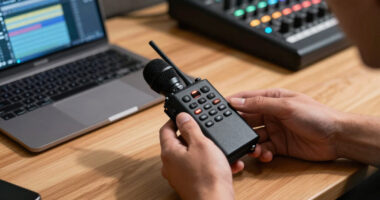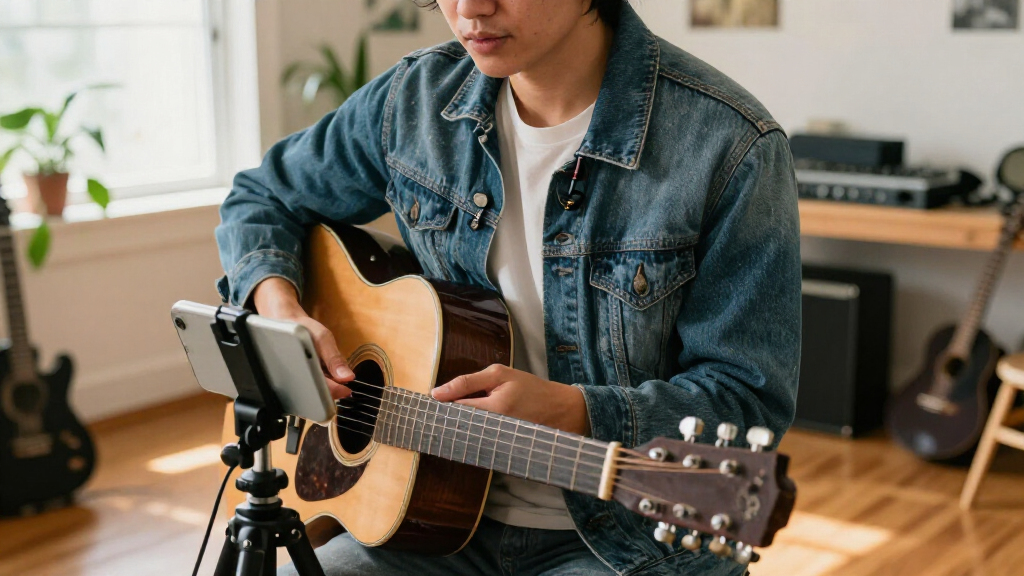

Creators choosing between DJI Mic 2 and RØDE Wireless PRO are weighing a convenient, flexible wireless kit against one built around production safeguards. Both can capture two speakers, connect to cameras and phones with the right setup, and record internally, but they prioritize different kinds of reliability. DJI Mic 2 is easier to fold into a varied creator workflow, especially when pairing with compatible DJI devices; RØDE Wireless PRO is the stronger choice when missed audio would be costly and you want 32-bit float onboard files, timecode tools, and a broader accessory bundle.

Get audio and creator gear delivered free with Prime
- Fast, free delivery on millions of items
- Prime Video, Amazon Music and more included
- Member-only deals all year

DJI Mic Mini Wireless Microphone Kit with 2 Transmitters, 1 Receiver, and Charging Case
- ✔ Transmitters: 2
- ✔ Receiver: 1
- ✔ Transmitter weight: 10 g each

Mini Mic Pro Wireless Lavalier Microphone for iPhone and Android
- ✔ Microphones: 2 lavalier microphones
- ✔ Receiver: 1
- ✔ Connectors: Lightning and USB-C adapters

DJI Mic Mini Wireless Microphone Kit (2 Transmitters, Mobile Receiver)
- ✔ Transmitters: 2
- ✔ Receiver: Mobile USB-C receiver
- ✔ Transmitter weight: 10 g each
The central decision is whether ease and ecosystem flexibility matter more than post-production protection and synchronization. For solo creators, interviews, and quick social video, DJI Mic 2 is the more approachable fit. For client work, multi-camera editing, or shoots where levels may change unexpectedly, Wireless PRO’s extra safeguards can justify its higher cost.
At a Glance
| Criteria | DJI Mic 2 | RØDE Wireless PRO | Winner |
|---|---|---|---|
| Onboard recording and recovery | Internal recording with 32-bit float support; useful backup files | Internal 32-bit float recording provides substantial headroom for difficult levels | Tie |
| Workflow and synchronization | No timecode workflow comparable to Wireless PRO | Timecode support helps align audio across cameras in post | B |
| Device and ecosystem flexibility | Broad connection options and especially convenient with compatible DJI products | Works across common camera, phone, and computer workflows; not tied to DJI ecosystem | A |
| Setup and everyday handling | Straightforward, compact kit designed for quick use | More production features require some setup and workflow familiarity | A |
| Included accessories and expansion | Strong base kit; accessory needs depend on the device and shoot | Includes Lavalier II mics, cables, furry windshields, and charging case | B |
| Value for typical creators | Better fit when ease, versatility, and price matter most | Higher price pays off when safeguards and timecode save real production time | Depends |
DJI Mic Mini Wireless Microphone Kit with 2 Transmitters, 1 Receiver, and Charging Case
For creators who record interviews, short documentaries, or two-person videos, this is the most complete kit in the comparison. Its two 10 g transmitters are designed to stay discreet on clothing, while the receiver-and-case arrangement gives the set a more production-ready feel than the phone-first Mini Mic Pro. The charging case is the key distinction: DJI states up to 48 hours of battery life with the case, which can reduce interruptions across a run of shoots.Audio controls also give this kit an edge for changing locations. Two noise-cancellation levels let us adapt between a quieter room and a noisier setting, and automatic limiting is intended to help control sudden peaks. The 400 m maximum transmission range is generous on paper, though actual performance depends on the surroundings and setup. Compared with the mobile-receiver DJI kit below, this version is better suited to longer sessions and less constrained recording days; compared with the Mini Mic Pro, it offers more stated range and a more extensive kit, but with more compatibility details to check.The tradeoff is that this is not a waterproof system, and its connection options include DJI-specific pathways alongside USB-C and Bluetooth. Creators using an Osmo Mobile series product should confirm the required first-generation OM Multifunctional Module before relying on a direct setup. We would choose it when two voices, repeat use, and battery flexibility matter more than the simplest possible phone connection.
Pros:
- Two 10 g transmitters suit discreet on-camera use.
- Charging case supports up to 48 hours of stated total battery life.
- Basic and Strong noise cancellation provide options for different locations.
- Automatic limiting is designed to help prevent audio clipping.
Cons:
- The system is not waterproof.
- Some Osmo Mobile setups require a separate first-generation OM Multifunctional Module.
Best for: Creators filming two-person content or interviews who want lightweight transmitters, noise control, and a charging case for longer recording schedules.
Not ideal for: Phone-only beginners who want the fewest compatibility decisions, or creators who need equipment specified as waterproof.
Bottom line: We rank this first for its two-person flexibility, useful noise controls, and charging-case endurance, provided its device compatibility fits our setup.
“We rank this first for its two-person flexibility, useful noise controls, and charging-case endurance, provided its device compatibility fits our setup.”
Mini Mic Pro Wireless Lavalier Microphone for iPhone and Android
The Mini Mic Pro makes the clearest case for creators who want to start recording on a phone without assembling a more involved wireless setup. The included USB-C and Lightning adapters cover compatible Android and Apple devices, and the connection is described as plug-and-play, with no app or Bluetooth setup required. That simplicity matters when the goal is to record a quick talking-head clip or voiceover without troubleshooting a separate pairing process.It includes two lavalier microphones, so it can support a two-person conversation like the DJI kits. Its package also includes foam and dead-cat wind protection, plus the ability to charge the device while the microphone is in use. Those are practical touches for creators filming outdoors or recording longer phone sessions. Compared with the DJI Mic Mini with mobile receiver, this option has broader stated connector coverage, especially for Lightning devices; compared with the charging-case DJI kit, however, it has a shorter stated per-charge runtime and less detailed information about transmission range and audio formats.The main limitation is its omnidirectional pickup, which can capture sound from more than one direction. That makes mic placement and a reasonably controlled environment important, especially when recording near traffic, fans, or other people. The stated battery life is up to six hours per charge, and the warranty details provided are incomplete. We see it as an accessible, compact phone lavalier choice, not the strongest option for creators who need robust production details or very long untethered sessions.
Pros:
- Includes USB-C and Lightning adapters for compatible devices.
- Plug-and-play connection does not require an app or Bluetooth pairing.
- Foam and dead-cat wind covers are included.
- The device can charge while the microphone is in use.
Cons:
- Omnidirectional pickup can capture surrounding sounds.
- Up to six hours per charge is shorter than the DJI case kit’s stated total runtime.
- The warranty information supplied is incomplete.
Best for: New or phone-first creators who want a straightforward two-microphone kit with both USB-C and Lightning adapters and included wind protection.
Not ideal for: Creators needing long sessions between charges, precise directional isolation, or fully specified warranty and range information.
Bottom line: We recommend it for easy phone recording and flexible connectors, while creators with longer or noisier shoots should consider the DJI options.
“We recommend it for easy phone recording and flexible connectors, while creators with longer or noisier shoots should consider the DJI options.”
DJI Mic Mini Wireless Microphone Kit (2 Transmitters, Mobile Receiver)
This DJI kit is aimed at creators who want two transmitters but plan to connect directly to a compatible mobile device. Its mobile USB-C receiver is the defining difference from the charging-case version above: it keeps the connection focused on phones, computers, and tablets rather than emphasizing a charging case and the longer total runtime claim. With two 10 g transmitters, it retains the discreet wearable setup that makes the DJI Mini line appealing for interviews and livestreams.Basic and Strong noise-cancellation levels plus automatic audio limiting provide useful controls for creators moving between quieter rooms and less predictable locations. The stated operating time reaches up to 11.5 hours, and the maximum transmission range is up to 300 m. Those figures make this a capable compact choice, though the charging-case kit lists a longer total runtime and greater maximum range. The Mini Mic Pro may be more convenient for users who need a Lightning connector, while this DJI package is the more natural fit for a USB-C-centered device setup.Before choosing it, we should verify the exact device compatibility and how the receiver connects to our recording workflow. Direct connection to supported OsmoAudio devices is available, but Osmo Mobile series use requires the first-generation DJI OM Multifunctional Module. As with the other DJI kit, it is not waterproof. It ranks third because its mobile-focused receiver and useful controls suit a narrower setup than the charging-case model, while the Mini Mic Pro remains the simpler pick for creators who prioritize uncomplicated phone compatibility across connector types.
Pros:
- Two transmitters weigh 10 g each.
- USB-C mobile receiver works with compatible phones, computers, and tablets.
- Two noise-cancellation levels and automatic limiting support changing recording conditions.
- Stated operating time is up to 11.5 hours.
Cons:
- Its stated maximum range and operating time are below the charging-case DJI kit’s figures.
- Not waterproof.
- Some Osmo Mobile setups require the first-generation OM Multifunctional Module.
Best for: USB-C mobile creators recording interviews, livestreams, or two-person videos who want two lightweight transmitters and a direct mobile receiver.
Not ideal for: Creators who need a Lightning receiver, a charging case for extended total runtime, or waterproof equipment.
Bottom line: We favor this mobile-receiver kit for a compact USB-C workflow, while the charging-case model is a better match for creators prioritizing longer sessions.
“We favor this mobile-receiver kit for a compact USB-C workflow, while the charging-case model is a better match for creators prioritizing longer sessions.”
As an Amazon Associate we earn from qualifying purchases.
Key Differences
The most consequential difference is not whether either kit can produce usable dialogue; both can. It is how much protection and production structure you want around the recording. DJI Mic 2 offers onboard 32-bit float recording, which gives editors more room to recover recordings with levels that were set too high or too low. Wireless PRO also records in 32-bit float, and adds timecode support that can simplify syncing audio across cameras. That matters most when there are multiple recording devices or a client expects a polished edit on a deadline.
DJI Mic 2 is generally the easier recommendation for creators moving between a phone, camera, and compatible DJI gear. Its direct pairing options with some DJI devices can cut setup friction, and its interface is approachable for quick shoots. Wireless PRO counters with a production-focused bundle, notably two Lavalier II microphones, useful cables, wind protection, and a charging case. Those inclusions can reduce additional purchases for two-person interviews, though they do not automatically make it better value if the lavaliers will sit unused.
For most solo creators and casual interview work, DJI Mic 2 offers the better balance of capability and convenience. Wireless PRO earns its premium when timecode, supplied lavaliers, and repeatable production workflows address concrete needs. Neither kit can compensate for poor mic placement, wind, clothing rustle, or a dead battery, so both still require sensible placement and a monitoring routine.
Detailed Comparison
Onboard recording and recovery (moderate difference)
Both systems can record internally in 32-bit float, giving editors more room to work with levels after a difficult take. This is a practical tie: neither should be treated as a substitute for checking that the transmitter is recording and that the mic is positioned well. Choose based on the remaining workflow differences rather than expecting one kit to rescue every bad recording.
Workflow and synchronization (RØDE Wireless PRO wins — major)
RØDE Wireless PRO wins by a meaningful margin for multi-camera work because its timecode support can help align audio and video across devices. DJI Mic 2 is entirely workable for a single camera or simple edits, but syncing separate recordings can take more manual effort. The advantage is moderate for a solo creator and major for a team handling frequent multicamera shoots.
Device and ecosystem flexibility (DJI Mic 2 wins — moderate)
DJI Mic 2 has the edge for creators using compatible DJI equipment, where direct pairing can simplify setup, and it remains adaptable to common camera and mobile workflows. Wireless PRO also supports varied setups, but its strongest case is its independent production toolkit rather than a device ecosystem. The gap is moderate: check exact compatibility and connectors for your phone or camera before buying either.
Setup and everyday handling (DJI Mic 2 wins — moderate)
DJI Mic 2 wins for quick, low-friction recording. Its creator-focused controls and convenient pairing make it easier to grab for a spontaneous clip or interview. Wireless PRO is still portable and capable, but its added production features reward a more deliberate setup. This is a moderate difference for frequent run-and-gun use and minor for creators who already follow a pre-shoot checklist.
Included accessories and expansion (RØDE Wireless PRO wins — moderate)
Wireless PRO has the stronger out-of-box package for two-person interviews, with two Lavalier II microphones and a broad set of connection and wind accessories. DJI Mic 2 can suit a range of setups, but the value of each bundle depends on what you already own and how you prefer to mic speakers. This is a moderate win for RØDE if the supplied lavaliers will be used; otherwise, the bundle adds little practical value.
Value for typical creators (major difference)
DJI Mic 2 is the better value for most creators who need reliable wireless dialogue and quick setup without a timecode workflow. Wireless PRO costs more, but the premium can pay for itself when its included lavaliers replace separate purchases or timecode reduces editing work on repeat jobs. This criterion depends on the shoot: pay extra for features that remove a real cost or risk, not simply for a longer feature list.
DJI Mic 2: Pros and Cons
Pros:
- Simple, creator-friendly setup
- Convenient integration with compatible DJI devices
- Internal 32-bit float recording
- Versatile for phone, camera, and casual interview workflows
Cons:
- Lacks Wireless PRO’s timecode workflow
- Its bundle may require extra purchases for a lavalier-centered setup
- Less compelling for complex multicamera production
RØDE Wireless PRO: Pros and Cons
Pros:
- 32-bit float internal recording
- Timecode support for more structured synchronization
- Includes two Lavalier II microphones and useful accessories
- Better suited to repeatable, higher-stakes production workflows
Cons:
- Costs more than the simpler creator-oriented option
- Added features and setup can be unnecessary for casual clips
- Bundle value falls if included lavaliers and accessories go unused
Who Should Choose What
Choose DJI Mic 2 if:
- You make solo videos, social clips, or straightforward interviews and want a fast setup.
- You use compatible DJI gear and value convenient integration.
- You want capable onboard recording without paying for timecode tools you will not use.
Choose RØDE Wireless PRO if:
- You record multicamera interviews, client work, or shoots where reliable synchronization saves editing time.
- You need two included lavalier microphones for regular two-person recording.
- You want a production-oriented kit and will use its added safeguards and accessories.
Skip both if: Skip both if your work is mostly studio narration with a fixed microphone, or if you need long-range professional RF coordination beyond what compact creator kits are designed to provide.
Value for Money
For a typical solo creator, DJI Mic 2 is the stronger value: it covers the core wireless recording job, includes onboard 32-bit float recording, and is easier to use without a production-heavy workflow. Wireless PRO’s higher price makes sense when its timecode support saves real syncing effort or its two Lavalier II microphones replace gear you would otherwise buy. If those features do not fit your shoots, the premium is difficult to justify; if they prevent a missed client deadline or simplify repeated interviews, it can be money well spent.
Final Verdict
Choose DJI Mic 2 for the best everyday fit: quick setup, flexible creator use, and convenient pairing with compatible DJI gear make it the sensible pick for most solo video makers. Choose RØDE Wireless PRO when timecode, two included lavaliers, and a more structured workflow will be used often enough to earn back the higher cost. The deciding factor is whether your production regularly involves multiple recording devices or two lavalier-miked speakers. If it does, RØDE is the better tool; if not, DJI offers the better balance.
Frequently Asked Questions
Which is better for a beginner creator?
DJI Mic 2 is the easier starting point for most beginners because it keeps setup simple while offering onboard recording and flexible connections. Wireless PRO is approachable too, but its timecode features add value mainly when a creator has a defined multicamera workflow.
Do both systems have backup recording?
Both support internal 32-bit float recording, which gives editors more flexibility with recorded levels. You still need to confirm that recording is active and place the microphone carefully; format alone does not prevent every audio problem.
Is RØDE Wireless PRO worth paying more for?
Yes, if you regularly sync audio across cameras or will use the included Lavalier II microphones. For simple single-camera videos, DJI Mic 2 is usually better value because much of the RØDE premium may go unused.
Which kit is better for two-person interviews?
Wireless PRO has a clear out-of-box advantage with two Lavalier II microphones. DJI Mic 2 can also record two people, but compare the exact kit contents and how you plan to mic each speaker before deciding.
Which should I choose for phone videos?
Either can fit a phone workflow, but confirm the required connector or adapter for your specific phone. DJI Mic 2 may be especially convenient if you already use compatible DJI devices; Wireless PRO is a strong choice when the same kit also needs to support client or multicamera work.