The best compact audio mixers for home studios balance useful inputs and straightforward recording without taking over your desk. I’d make the Yamaha MG06X my best overall pick for its focused, studio-friendly design and built-in effects, while the Aveek 5-Channel Mixer stands out for USB recording and the Mackie Mix5 for a simpler analog setup. The main tradeoff is between direct computer connectivity and hands-on mixing: Bluetooth and playback features can be handy, but they do not replace a proper recording path or the right inputs for your microphones. Channel counts and phantom power matter too, especially if you plan to record more than one mic or use condenser microphones. Read on for the full breakdown and help matching a mixer to your home studio.

Get audio and creator gear delivered free with Prime
- Fast, free delivery on millions of items
- Prime Video, Amazon Music and more included
- Member-only deals all year
Complete the kit


Key Takeaways
- The Yamaha MG06X leads for a focused studio setup: its compact mixer format and effects suit buyers who want a dependable, hands-on signal path without a long list of playback extras.
- USB features are not interchangeable: the Aveek, Zenolix, and several Pyle or TKLBLS models advertise computer recording or USB functions, but buyers should check whether a specific connection supports the recording workflow they need.
- Bluetooth is mainly a playback convenience: models such as the Pyle PMXU48BT, PMXU46BT, PMXU68BT, and PMXU63BT can suit backing tracks, but wireless playback alone does not make a mixer a USB recording interface.
- More channels help only when the sources justify them: six-channel options such as the Pyle and TKLBLS models offer room to connect more gear, while four-channel choices can take up less space for a small mic-and-playback setup.
- The lineup splits between studio mixing and creator bundles: the Mackie Mix5 and Yamaha MG06X favor straightforward physical mixing, while the TENLAMP G10 bundle prioritizes an all-in-one creator setup with a microphone.
| Pyle 6-Channel Audio Mixer with Bluetooth, DSP Effects, USB Recording, and MP3 Player |  | Best Overall for Flexible Home Setups | Channels: 6 | Microphone inputs: 2 XLR combo inputs | Audio inputs: XLR, 1/4-inch, RCA | VIEW LATEST PRICE | See Our Full Breakdown |
| Pyle PMXU48BT 4-Channel Bluetooth Audio Mixer |  | Best Value for a Small Source Count | Channels: 4 | Inputs: 2 XLR/1/4-inch combo inputs; 1/4-inch mono/stereo input | Connectivity: Bluetooth 2.1, USB | VIEW LATEST PRICE | See Our Full Breakdown |
| Pyle PMXU46BT 4-Channel Bluetooth Studio Audio Mixer |  | Best for Extra Routing Options | Channels: 4 | Microphone/line inputs: 2 XLR/1/4-inch combo | Additional connections: 1/4-inch mono and stereo inputs; 1/4-inch send and return | VIEW LATEST PRICE | See Our Full Breakdown |
| TKLBLS 4-Channel Podcast Audio Mixer with 99 DSP Effects |  | Best Compact Effects Mixer | Channels: 4 | Microphone inputs: 2 XLR inputs | Equalizer: 3-band EQ per channel | VIEW LATEST PRICE | See Our Full Breakdown |
| Pyle PMXU68BT 6-Channel Bluetooth Studio Audio Mixer |  | Best for Multiple Microphones | Channels: 6 | Microphone/line inputs: 4 combo inputs | Connectivity: Bluetooth, USB, auxiliary | VIEW LATEST PRICE | See Our Full Breakdown |
| TKLBLS 6-Channel Audio Mixer with USB, Bluetooth, and 48V Phantom Power |  | Best for Flexible Multi-Source Setups | Channels: 6 | Inputs: XLR and 1/4-inch combo jacks | Phantom power: +48V | VIEW LATEST PRICE | See Our Full Breakdown |
| TAVOSOP 4-Channel DJ Audio Mixer with Bluetooth, USB/MP3 Playback, and 48V Phantom Power |  | Best for Hands-On Channel Shaping | Channels: 4 | Inputs: XLR and unbalanced 1/4-inch, as described | Phantom power: Switchable 48V | VIEW LATEST PRICE | See Our Full Breakdown |
| Aveek 5-Channel Audio Mixer with USB Recording Interface |  | Best for Plug-and-Play Computer Recording | Channels: 5 | Inputs: 3 XLR; stereo 6.35 mm and RCA; USB and Bluetooth | Main outputs: 6.35 mm and RCA | VIEW LATEST PRICE | See Our Full Breakdown |
| Yamaha MG06X 6-Input Compact Stereo Mixer with Effects |  | Best for a Straightforward Analog Studio Setup | Channels: 6 | Microphone preamps: 2 | Stereo line channels: 4 | VIEW LATEST PRICE | See Our Full Breakdown |
| Pyle 5-Channel Rechargeable Portable Audio Mixer with USB Interface |  | Best for Battery-Powered Recording | Channels: 5 | Inputs: 1 XLR/1/4-inch combo microphone input; 2 RCA stereo inputs | Outputs: 1/8-inch monitor and stereo outputs | VIEW LATEST PRICE | See Our Full Breakdown |
| Mackie Mix5 5-Channel Compact Mixer |  | Best for Simple, Mic-Led Setups | Channels: 5 | Microphone inputs: 1 mic/line input | Equalizer: 2-band EQ | VIEW LATEST PRICE | See Our Full Breakdown |
| Zenolix RM04 4-Channel Audio Mixer with Bluetooth and USB-C Recording |  | Best for USB-C Home Recording | Channels: 4 | Inputs: 2 XLR/6.35 mm combo inputs; 1 stereo 6.35 mm line input | Recording resolution: Up to 24-bit/192 kHz | VIEW LATEST PRICE | See Our Full Breakdown |
| TENLAMP G10 Creator Audio Mixer Bundle with Microphone |  | Best Starter Bundle for Streaming | Channels: 2 | Connectivity: Auxiliary, Bluetooth, USB | Power source: Battery powered | VIEW LATEST PRICE | See Our Full Breakdown |
| Pyle PMXU63BT 6-Channel Bluetooth Audio Mixer |  | Best for Multiple Inputs in a Compact Footprint | Channels: 6 | Inputs: 4 XLR/1/4-inch combo inputs; 1/4-inch mono and stereo inputs | Connectivity: Bluetooth 4.0 and USB | VIEW LATEST PRICE | See Our Full Breakdown |
| compact audio mixers for home studio | Channels | Phantom power | Connectivity | Inputs |
|---|---|---|---|---|
| Pyle 6-Channel Audio Mixer wit | 6 | +48V | Bluetooth 5.0, USB, auxiliary | — |
| Pyle PMXU48BT 4-Channel Blueto | 4 | +48V | Bluetooth 2.1, USB | 2 XLR/1/4-inch combo inputs; 1/4-inch mono/stereo input |
| Pyle PMXU46BT 4-Channel Blueto | 4 | +48V | Bluetooth, USB, auxiliary | — |
| TKLBLS 4-Channel Podcast Audio | 4 | 48V | — | — |
| Pyle PMXU68BT 6-Channel Blueto | 6 | +48V | Bluetooth, USB, auxiliary | — |
| TKLBLS 6-Channel Audio Mixer w | 6 | +48V | USB and Bluetooth | XLR and 1/4-inch combo jacks |
| TAVOSOP 4-Channel DJ Audio Mix | 4 | Switchable 48V | Auxiliary, Bluetooth, and USB | XLR and unbalanced 1/4-inch, as described |
| Aveek 5-Channel Audio Mixer wi | 5 | Switchable 48V | — | 3 XLR; stereo 6.35 mm and RCA; USB and Bluetooth |
| Yamaha MG06X 6-Input Compact S | 6 | — | — | XLR audio input |
| Pyle 5-Channel Rechargeable Po | 5 | — | USB interface | 1 XLR/1/4-inch combo microphone input; 2 RCA stereo inputs |
| Mackie Mix5 5-Channel Compact | 5 | Yes | — | — |
| Zenolix RM04 4-Channel Audio M | 4 | 48 V | Bluetooth, USB-C, USB drive, XLR, TRS | 2 XLR/6.35 mm combo inputs; 1 stereo 6.35 mm line input |
| TENLAMP G10 Creator Audio Mixe | 2 | — | Auxiliary, Bluetooth, USB | — |
| Pyle PMXU63BT 6-Channel Blueto | 6 | +48 V | Bluetooth 4.0 and USB | 4 XLR/1/4-inch combo inputs; 1/4-inch mono and stereo inputs |
More Details on Our Top Picks
Pyle 6-Channel Audio Mixer with Bluetooth, DSP Effects, USB Recording, and MP3 Player
The Pyle PMX506 earns my best-overall spot for a home studio that needs room for several source types without giving up onboard playback or effects. Its six channels, two XLR combo inputs, and XLR and TRS outputs make it a more adaptable hub than the four-channel TKLBLS podcast mixer, while Bluetooth and USB playback can add backing tracks without another player. USB recording, phantom power, and DSP effects also cover common voice and demo workflows. The tradeoff is footprint: at 11 inches wide and 10.4 inches deep, it takes more desk space than the TKLBLS. The broad feature set suits a mixed recording-and-playback setup, but buyers who need a small, simple interface rather than a mixer with several connection options may find it more than they need.
Pros:- Six channels and varied XLR, 1/4-inch, and RCA inputs support mixed studio sources.
- USB recording and playback plus Bluetooth offer several ways to route audio.
- DSP effects, +48V phantom power, and low-cut and HI-Z switches add flexibility for recording.
- XLR and TRS outputs provide options for connecting studio or live sound equipment.
Cons:- Its 10.4 x 11-inch footprint takes substantial space on a compact desk.
- Corded power limits placement away from an outlet.
Best for: Home-studio owners who regularly combine microphones, instruments, and computer or phone playback and want six channels plus onboard effects.
Not ideal for: Desk-space-conscious creators who only need a couple of inputs and prefer a smaller mixer like the TKLBLS 4-Channel Podcast Audio Mixer.
- Channels:6
- Microphone inputs:2 XLR combo inputs
- Audio inputs:XLR, 1/4-inch, RCA
- Connectivity:Bluetooth 5.0, USB, auxiliary
- USB playback formats:MP3, WAV
- Effects:DSP effects including echo, reverb, and delay
- Phantom power:+48V
- Outputs:TRS, XLR
- Dimensions:10.4 x 11 x 2.9 inches (D x W x H)
Our verdict“Choose the PMX506 if your home studio needs six-channel flexibility, multiple connection types, and built-in playback and effects in one mixer.”
Pyle PMXU48BT 4-Channel Bluetooth Audio Mixer
The Pyle PMXU48BT is a straightforward fit for a home studio built around a microphone, an instrument, and occasional playback. Its compact 6.50 x 6.50-inch footprint is easier to accommodate than the larger PMXU46BT, and the two XLR/1/4-inch combo inputs handle common mic and instrument connections. Bluetooth and USB playback add convenience, while +48V phantom power supports compatible condenser mics. Compared with the six-channel Pyle PMXU68BT, this model gives up input capacity, so it is less suitable for recording several performers or sources at once. Bluetooth 2.1 is also an older wireless standard, and USB flash drive support tops out at 64 GB. I’d pick it for a compact, modest setup, not for a studio expected to expand quickly.
Pros:- Small dimensions suit crowded desks and compact recording corners.
- Two XLR/1/4-inch combo inputs accept common microphone and instrument connections.
- Bluetooth and USB support wireless streaming and USB audio playback or computer connection.
- +48V phantom power supports compatible condenser microphones.
Cons:- Four channels limit growth when adding microphones or instruments.
- Bluetooth 2.1 is an older wireless standard.
- USB flash drive support is limited to 64 GB.
Best for: Solo creators or two-person home studios needing a compact mixer for a couple of microphones or instruments, with basic playback options.
Not ideal for: Musicians recording several sources at once or buyers who want newer Bluetooth; the PMXU68BT offers more channels in the same family.
- Channels:4
- Inputs:2 XLR/1/4-inch combo inputs; 1/4-inch mono/stereo input
- Connectivity:Bluetooth 2.1, USB
- Bluetooth range:Up to 33 ft
- USB file formats:MP3, WMA, APE, FLAC
- Maximum USB flash drive support:64 GB
- Phantom power:+48V
- Outputs:2 XLR main outputs; 1/4-inch headphone jack
- Dimensions:6.50 x 2.59 x 6.50 inches
Our verdict“Pick the PMXU48BT for a compact, uncomplicated studio with a small number of sources; choose the PMXU68BT if you need more input room.”
Pyle PMXU46BT 4-Channel Bluetooth Studio Audio Mixer
The Pyle PMXU46BT is the more connection-focused four-channel choice in this group. Alongside two XLR/1/4-inch combo inputs and a headphone jack, it lists send and return connections and USB connectivity, giving a home-studio user more ways to place external gear in a signal path than the smaller PMXU48BT. Bluetooth streaming and +48V phantom power cover convenient playback and condenser-mic use. That flexibility comes with a notable size penalty: at 13.8 inches deep and 6.8 pounds, it is far less desk-friendly than the PMXU48BT. Its stated Bluetooth range is 15 feet, shorter than the PMXU48BT’s listed range of up to 33 feet. I’d favor it when the additional connections matter more than a small footprint; casual, minimal setups have little reason to accept the extra bulk.
Pros:- Send and return connections provide additional routing options for external gear.
- Two XLR/1/4-inch combo inputs and a 1/4-inch headphone jack suit basic recording and monitoring.
- USB audio supports recording and connection to a Mac or PC.
- +48V phantom power supports compatible condenser microphones.
Cons:- The 13.8-inch depth and 6.8-pound weight make it bulky for a compact desktop setup.
- Bluetooth range is listed at 15 feet, shorter than the PMXU48BT’s stated range.
- Four channels provide limited room for adding sources.
Best for: Home-studio users with external audio gear who want send-and-return connections, headphone monitoring, and USB recording in a four-channel mixer.
Not ideal for: Creators with shallow desks or a minimal two-source setup; the PMXU48BT is much smaller and lists a longer Bluetooth range.
- Channels:4
- Microphone/line inputs:2 XLR/1/4-inch combo
- Additional connections:1/4-inch mono and stereo inputs; 1/4-inch send and return
- Connectivity:Bluetooth, USB, auxiliary
- Bluetooth range:15 ft
- Main outputs:2 x 1/4-inch (L/R)
- Headphone jack:1/4-inch
- Phantom power:+48V
- Dimensions and weight:13.8 x 12.5 x 3.66 inches (D x W x H); 6.8 lb
Our verdict“Choose the PMXU46BT if its send-and-return routing is useful in your home studio and you can spare the desk space.”
TKLBLS 4-Channel Podcast Audio Mixer with 99 DSP Effects
For a small voice-focused setup, the TKLBLS 4-Channel Podcast Mixer makes a strong case through its compact 7.49 x 6.29-inch body and practical input-shaping tools. The 80 Hz high-pass filter can reduce rumble before it reaches a recording, while the -26 dB PAD helps accommodate strong input signals; per-channel 3-band EQ and 99 DSP effects give more hands-on sound shaping than the simpler PMXU48BT. USB recording and Bluetooth 5.0 also support a mix of computer and mobile audio workflows. It has only four channels, though, and its stated Bluetooth range is 15 feet. Unlike the six-channel PMX506, it is not aimed at a growing multi-source setup. I’d choose it for compact podcast or voice work, but skip it if channel expansion matters more than built-in processing.
Pros:- Compact dimensions suit crowded home-studio desks.
- Per-channel 3-band EQ, 99 DSP effects, and an 80 Hz high-pass filter provide voice-shaping options.
- -26 dB PAD helps manage strong input signals.
- USB recording, Bluetooth 5.0, and 48V phantom power support common podcast workflows.
Cons:- Four channels limit simultaneous sources compared with the six-channel Pyle PMX506.
- Bluetooth range is listed at 15 feet.
- Corded power restricts placement.
Best for: Podcast hosts and voice creators with limited desk space who want per-channel EQ, input control, and built-in effects.
Not ideal for: Home studios recording several instruments or performers at once; its four channels offer less capacity than the Pyle PMX506.
- Channels:4
- Microphone inputs:2 XLR inputs
- Equalizer:3-band EQ per channel
- DSP effects:99
- Phantom power:48V
- PAD:-26 dB
- High-pass filter:80 Hz
- Connectivity and Bluetooth range:Bluetooth 5.0, USB; 15 ft
- Dimensions:7.49 x 6.29 x 2.28 inches (D x W x H)
Our verdict“Choose the TKLBLS for a compact podcast desk where onboard EQ, filtering, and effects matter more than extra channels.”
Pyle PMXU68BT 6-Channel Bluetooth Studio Audio Mixer
The Pyle PMXU68BT is the practical pick when a compact home studio needs several mic or line sources connected at once. Its four combo inputs give it a clearer advantage for multi-mic sessions than the PMXU48BT, while its six-channel layout, headphone output, and XLR main outputs support a basic recording or monitoring setup. USB and Bluetooth add playback and computer-connection options, and +48V phantom power covers compatible condenser microphones. The tradeoff is an older Bluetooth 2.1 connection, and USB flash drive support is limited to 64 GB. It is also cord-powered, so it does not offer the placement freedom of a rechargeable mixer such as the Pyle 5-Channel Rechargeable Portable Audio Mixer listed elsewhere in the roundup. I’d choose it for input capacity, not wireless novelty or portability.
Pros:- Four combo inputs accommodate multiple microphones and other audio sources.
- Six-channel capacity gives more room than the four-channel PMXU48BT.
- Headphone output and LED indicators support monitoring and level checks.
- +48V phantom power, USB, and Bluetooth support common studio workflows.
Cons:- Bluetooth 2.1 is an older wireless standard.
- USB flash drive support is limited to 64 GB.
- Corded power makes it less suitable for setups that need portable placement.
Best for: Home-studio owners recording several microphones or a mix of mic and line sources who want six channels and headphone monitoring.
Not ideal for: Creators who need battery-powered placement or a newer Bluetooth standard; the rechargeable Pyle 5-Channel model is a better match for portable use.
- Channels:6
- Microphone/line inputs:4 combo inputs
- Connectivity:Bluetooth, USB, auxiliary
- Bluetooth version and range:Version 2.1; up to 33 ft
- Main outputs:2 XLR
- Headphone output:6.35 mm
- USB file formats:MP3, WMA, APE, FLAC
- Phantom power:+48V
- Dimensions and weight:8.70 x 2.59 x 6.50 inches; 3.49 lb
Our verdict“Pick the PMXU68BT if connecting several microphones matters more than newer Bluetooth or battery-powered portability.”
TKLBLS 6-Channel Audio Mixer with USB, Bluetooth, and 48V Phantom Power
For a home studio juggling several microphones, instruments, and playback sources, the TKLBLS T6 offers a useful spread of connections without taking much desk space. Its six combo inputs accept XLR or 1/4-inch connections, while independent gain and high/low EQ let you adjust channels separately. USB, USB-drive, MP3, and Bluetooth playback make it easy to bring in reference tracks or other audio, and REC OUT provides a recording connection. Compared with the Yamaha MG06X, the T6 puts more emphasis on playback convenience and per-channel controls; Yamaha is the more focused analog choice. The tradeoff is that the T6 is unpowered, so passive speakers need a separate amplifier, and its basic two-band EQ offers less shaping than a 3-band design.
Pros:- Six XLR/1/4-inch combo inputs accommodate varied microphones and instruments.
- +48V phantom power supports compatible condenser microphones.
- USB, USB-drive, MP3, and Bluetooth playback add flexible source options.
- Independent gain and EQ, digital delay, and REC OUT offer basic shaping and recording connections.
Cons:- Unpowered design cannot drive passive speakers without a separate amplifier.
- High/low EQ provides less frequency control than the 3-band EQ on the TAVOSOP 4-Channel DJ Audio Mixer.
- The product data does not clarify software update support.
Best for: Home-studio owners who need six inputs, phantom-powered microphones, and several convenient playback sources in one compact mixer.
Not ideal for: Musicians who need the mixer to drive passive speakers or want more detailed EQ and recording-interface specifications.
- Channels:6
- Inputs:XLR and 1/4-inch combo jacks
- Phantom power:+48V
- Connectivity:USB and Bluetooth
- Playback:MP3 and USB drive
- Controls and effects:Independent gain and high/low EQ per channel; digital delay
- Recording output:REC OUT
- Dimensions and weight:8.46 × 10.63 × 2.13 in; 2.9 lb
Our verdict“Choose the TKLBLS T6 if you need six flexible inputs and built-in media playback, but plan on separate amplification for passive speakers.”
TAVOSOP 4-Channel DJ Audio Mixer with Bluetooth, USB/MP3 Playback, and 48V Phantom Power
The TAVOSOP 4-Channel DJ Audio Mixer is a better fit for a small studio that values quick adjustments over maximum input count. Its 3-band EQ on all channels gives more room to shape each source than the TKLBLS T6’s high/low controls, which can help when balancing a mic against backing audio. XLR and unbalanced 1/4-inch inputs, switchable 48V phantom power, and LED peak indicators cover common recording and streaming tasks. Bluetooth and USB playback add convenience, though this is not the strongest choice if computer recording is the main goal: the listed USB connection is described as an output, not a clearly specified recording interface. Compared with the Aveek 5-Channel Audio Mixer, it has fewer channels and less explicit PC-recording support, but provides more EQ bands per channel. The input-connector details are also inconsistent in the supplied specifications.
Pros:- 3-band EQ on all channels offers more tone-shaping control than the TKLBLS T6’s high/low EQ.
- XLR and 1/4-inch inputs with switchable 48V phantom power accommodate common mic and instrument sources.
- Bluetooth and USB-drive playback support convenient audio playback.
- LED peak indicators help identify channels approaching clipping.
Cons:- Four channels provide less room for sources than the six-channel TKLBLS T6 or Yamaha MG06X.
- USB is listed as an output, but the product details do not clearly establish a computer recording-interface function.
- The supplied input specifications conflict about whether 1/4-inch inputs are included.
Best for: Small home-studio setups with a few sources where channel-by-channel 3-band EQ and Bluetooth or USB playback matter more than a defined PC recording interface.
Not ideal for: Producers who need five or more inputs or a clearly documented USB connection for recording multitrack or stereo audio to a computer.
- Channels:4
- Inputs:XLR and unbalanced 1/4-inch, as described
- Phantom power:Switchable 48V
- Connectivity:Auxiliary, Bluetooth, and USB
- Equalizer:3-band EQ on all channels
- Playback:USB, flash reader, MP3 device, computer, and Bluetooth
- Power:Corded electric; 5V
- Weight:550 g
Our verdict“Pick the TAVOSOP if hands-on 3-band EQ matters more than extra channels or clearly specified computer recording.”
Aveek 5-Channel Audio Mixer with USB Recording Interface
For a home creator who wants to record directly to a computer, the Aveek 5-Channel Audio Mixer makes its purpose clearer than the other small mixers here: a USB-B connection supports plug-and-play PC recording, and it can also record to a USB drive. Three XLR inputs with switchable 48V phantom power give a small vocal or podcast setup room for multiple microphones, while stereo line and RCA connections add instruments or playback sources. Headphone monitoring, LED level displays, and onboard echo and delay are practical for checking and adjusting a session. The Yamaha MG06X offers a more conventional six-channel analog layout, but the Aveek is the more direct pick for computer-based recording. Its limitation is shared-source flexibility: Bluetooth, USB, and 4/5-channel functions cannot all run at once, and its two-band EQ is less detailed than the TAVOSOP’s 3-band controls.
Pros:- USB-B connection supports plug-and-play recording to a computer, unlike the less clearly specified USB function on the TAVOSOP.
- Three XLR inputs and switchable 48V phantom power suit small multi-microphone setups.
- Stereo 6.35 mm and RCA connections broaden the available line-level sources.
- Headphone output, LED monitoring, gain, EQ, echo, and delay provide useful session controls.
Cons:- Bluetooth, USB, and 4/5-channel functions cannot be used simultaneously.
- Two-band EQ offers less detailed tone control than the TAVOSOP’s 3-band EQ.
- Bluetooth range is listed as up to 15 ft, limiting placement flexibility for wireless playback.
Best for: Podcasters, home vocalists, and small project-studio owners who want multiple mic inputs and a straightforward USB recording connection to a PC.
Not ideal for: Producers who need all playback and channel functions available simultaneously or want more detailed EQ than a two-band design provides.
- Channels:5
- Inputs:3 XLR; stereo 6.35 mm and RCA; USB and Bluetooth
- Main outputs:6.35 mm and RCA
- Phantom power:Switchable 48V
- Recording:USB-B to PC and USB-drive recording
- Playback:USB drive and Bluetooth
- Controls:2-band EQ, gain, echo, and delay
- Dimensions:8.27 × 8.27 × 2.56 in
Our verdict“Choose the Aveek when a direct PC recording path and three microphone inputs matter more than unrestricted simultaneous playback and channel use.”
Yamaha MG06X 6-Input Compact Stereo Mixer with Effects
The Yamaha MG06X suits a home studio that needs a compact analog hub, not a built-in media player or a clearly specified USB recording interface. Its layout pairs two microphone preamps with four dedicated stereo line channels, so it can handle a couple of mics alongside keyboards, playback devices, or other stereo sources. Digital effects add basic ambience without adding another processor to the desk, and the rugged construction is a practical contrast to the feature-heavy TKLBLS T6. The Yamaha’s tradeoff is less convenience: unlike the Aveek 5-Channel Audio Mixer, the supplied product details do not describe computer recording, and there is no Bluetooth or USB-drive playback listed. It also has only two mic preamps, so a multi-microphone recording setup will outgrow it sooner than the Aveek or TKLBLS.
Pros:- Two microphone preamps and four stereo line channels suit a mixed mic-and-instrument desk.
- Compact footprint fits crowded home-studio work surfaces.
- Built-in digital effects provide processing without an additional effects unit.
- Rugged construction is a useful fit for a mixer that may move between studio and live setups.
Cons:- Only two microphone preamps, fewer than the three XLR inputs on the Aveek.
- The supplied details do not specify a computer recording interface or USB playback feature.
- Six inputs may be limiting as a home studio adds microphones and instruments.
Best for: Home musicians who want a compact, durable analog mixer for two microphones and several stereo line sources, with onboard effects.
Not ideal for: Podcasters or producers who need more than two mic preamps, Bluetooth playback, or a documented USB computer-recording interface.
- Channels:6
- Microphone preamps:2
- Stereo line channels:4
- Effects:Digital
- Inputs:XLR audio input
- Output:XLR
- Dimensions and weight:5.9 × 7.9 × 2.4 in; 900 g
- Power:Corded electric
Our verdict“Choose the MG06X for a compact, durable analog setup centered on two microphones and stereo line sources, not computer-interface convenience.”
Pyle 5-Channel Rechargeable Portable Audio Mixer with USB Interface
Among these options, the Pyle 5-Channel Rechargeable Portable Audio Mixer is the one built around placement freedom: its rechargeable battery lets a home-studio user move a small recording setup away from an outlet, while its USB interface supports direct computer recording. The layout combines one XLR/1/4-inch combo mic input with two RCA stereo inputs, making it more suitable for a solo mic plus playback sources than for a group of vocalists. Per-channel 2-band EQ and pan controls, along with monitor and stereo outputs, add practical control for a basic session. Compared with the Aveek 5-Channel Audio Mixer, Pyle trades multiple XLR inputs and phantom-powered mic support for rechargeable operation. The published data does not list phantom power, and the single combo input is a hard ceiling for multi-mic recording; its listed weight also varies between two figures.
Pros:- Rechargeable operation allows recording or mixing away from a power outlet.
- USB interface supports direct computer recording.
- Two RCA stereo inputs complement the single microphone connection.
- Per-channel EQ and pan controls, plus monitor and stereo outputs, support basic mix adjustments.
Cons:- Only one XLR/1/4-inch combo microphone input, compared with the Aveek’s three XLR inputs.
- Phantom power is not listed, limiting confidence for condenser-microphone setups.
- Product details list two different weights: 1.4 lb and 1.56 lb.
Best for: Solo creators who need a compact, rechargeable mixer for one microphone, RCA playback sources, and computer recording in rooms without convenient outlet access.
Not ideal for: Multi-microphone podcasters or condenser-mic users who need several XLR inputs and specified phantom power.
- Channels:5
- Inputs:1 XLR/1/4-inch combo microphone input; 2 RCA stereo inputs
- Outputs:1/8-inch monitor and stereo outputs
- Connectivity:USB interface
- Controls:2-band EQ and pan controls on each channel
- Power:Corded electric or rechargeable battery
- Dimensions:7 × 5.5 × 4 in
- Listed weight:1.4 lb or 1.56 lb
Our verdict“Choose the Pyle for battery-powered, one-mic recording and skip it if your studio needs multiple XLR microphones or specified phantom power.”
Mackie Mix5 5-Channel Compact Mixer
The Mackie Mix5 is the straightforward choice here for a home studio built around one microphone and a small number of playback sources. Its single mic/line input, phantom power, and stereo RCA connections cover a basic vocal recording or monitoring setup without adding menus or built-in effects to manage. Compared with the more feature-heavy Zenolix RM04, the Mix5 gives up USB-C recording, Bluetooth, and per-channel controls in exchange for a simpler signal path and a smaller, lighter body. The metal chassis is a practical plus for a mixer that may be moved between a desk and a rehearsal space. The tradeoff is a firm ceiling: one mic input and 2-band EQ leave less room to shape sound or record multiple performers at once.
Pros:- Compact 7.7 × 5.5 × 1.7-inch body suits a crowded home-studio desk.
- Phantom power supports a condenser microphone.
- Dedicated stereo RCA inputs and outputs simplify playback and recording connections.
- Metal chassis offers a sturdier build than a lightweight plastic desktop unit.
Cons:- Only one mic/line input limits simultaneous microphone recording.
- Two-band EQ offers less tone control than the Zenolix RM04 or Pyle PMXU63BT.
- No built-in USB audio interface, Bluetooth, or onboard effects.
Best for: Home-studio owners recording one condenser-mic source alongside stereo playback or other line-level gear.
Not ideal for: Podcasters recording two or more microphones at once, or producers who want a built-in USB recording interface and deeper EQ.
- Channels:5
- Microphone inputs:1 mic/line input
- Equalizer:2-band EQ
- Phantom power:Yes
- Stereo line inputs:2 × 1/4-inch
- RCA connections:Dedicated stereo inputs and outputs
- Chassis:Metal
- Dimensions and weight:7.7 × 5.5 × 1.7 inches; 1.4 pounds
Our verdict“Choose the Mix5 for a compact, durable one-microphone setup; skip it if your studio needs multiple mic inputs or direct USB recording.”
Zenolix RM04 4-Channel Audio Mixer with Bluetooth and USB-C Recording
The Zenolix RM04 earns its place for home-studio users who want a mixer and a computer recording path in one compact unit. Its USB-C interface supports recording up to 24-bit/192 kHz and loopback, while Bluetooth and USB-drive playback make it easy to bring in reference tracks or other audio without another source device. Compared with the simpler Mackie Mix5, the RM04 offers two combo mic inputs, three-band channel EQ, pan, and effects send, giving a small recording session more control. That flexibility comes with a busier feature set and a listed weight of 3.08 kg, making it less appealing if portability is a priority. It still has only two combo inputs, so it suits a compact vocal or instrument setup rather than a larger multi-mic session.
Pros:- USB-C recording and loopback connect a compact studio directly to a computer.
- Two XLR/6.35 mm combo inputs accommodate microphones or compatible instruments.
- High/mid/low EQ, pan, and FX send provide more channel shaping than the Mackie Mix5.
- Bluetooth and USB-drive playback offer several ways to feed in audio.
Cons:- Two combo inputs limit the number of microphones or instruments connected at once.
- At 3.08 kg, it is relatively heavy for a compact desktop mixer.
- Corded-electric power is less convenient for setups that need battery operation.
Best for: Solo creators and two-person podcast or music setups that need direct USB-C recording, loopback, and flexible playback sources.
Not ideal for: Mobile users prioritizing a very light mixer, or bands needing more than two microphone or instrument combo inputs.
- Channels:4
- Inputs:2 XLR/6.35 mm combo inputs; 1 stereo 6.35 mm line input
- Recording resolution:Up to 24-bit/192 kHz
- Connectivity:Bluetooth, USB-C, USB drive, XLR, TRS
- Effects:99 reverb effects
- Channel controls:High/mid/low EQ, pan, FX send; HI-Z on channel 1; low-cut on channel 2
- Phantom power:48 V
- Outputs:Balanced XLR and 6.35 mm main outputs; 6.35 mm and 3.5 mm headphone outputs
- Weight:3.08 kg
Our verdict“Pick the RM04 if USB-C recording and multiple playback options matter more than keeping your home-studio mixer especially light.”
TENLAMP G10 Creator Audio Mixer Bundle with Microphone
The TENLAMP G10 is the most ready-to-start option in this group: it bundles a two-channel mixer with a condenser microphone and accessories, aimed at creators who want a basic voice setup without piecing together every component. Its noise reduction and real-time voice controls—including bass, treble, reverb, and pitch—fit interactive streaming and casual recording better than the more utility-focused Mackie Mix5. Battery power and compatibility with Windows, Mac, iOS, and Android also make it adaptable across a desk, phone, or tablet setup. The tradeoff is that this is more of a creator-effects bundle than a conventional studio mixer: it has only two channels, and the product details do not specify the included accessories or the software update outlook. Buyers seeking dependable multichannel routing should look to the Pyle PMXU63BT instead.
Pros:- Includes a condenser microphone and accessories to start a basic voice setup.
- Noise reduction and real-time tone and pitch controls suit streaming and live vocals.
- Battery-powered design can work away from a fixed studio outlet.
- Compatibility spans Windows, Mac, iOS, and Android.
Cons:- Two channels provide less source capacity than the Mackie Mix5 or Pyle PMXU63BT.
- The included accessories are not specified in the product details.
- Software update support information is not provided.
Best for: New streamers or mobile creators who need a bundled microphone-and-mixer starter setup with voice effects and broad device compatibility.
Not ideal for: Home-studio musicians recording several sources at once, or buyers who need clearly documented accessories and conventional mixer routing.
- Channels:2
- Connectivity:Auxiliary, Bluetooth, USB
- Power source:Battery powered
- Audio input:TRS / XLR
- Output connectors:3.5 mm TRS, 6.35 mm TRS, OTG/Type-C
- Audio controls:Noise reduction, bass, treble, reverb, pitch, voice effects
- Compatibility:Windows, Mac, iOS, Android
- Dimensions and weight:10.9 × 2.28 × 7.67 inches; 4.2 pounds
Our verdict“Choose the G10 for an all-in-one entry point to streaming and voice recording, not for a growing multitrack home studio.”
Pyle PMXU63BT 6-Channel Bluetooth Audio Mixer
The Pyle PMXU63BT is the input-capacity pick: four XLR/1/4-inch combo inputs make it more accommodating for small group recording than either the one-mic Mackie Mix5 or the two-combo-input Zenolix RM04. That extra room can help when a home studio needs several microphones or a mix of mics and instruments connected at once. Bluetooth and USB playback, a built-in MP3 player, three-band EQ, and DSP effects add useful options for monitoring, practice, and basic recording workflows. Its steel chassis and sealed controls also suit a setup where the mixer may see frequent handling. The tradeoff is that the product data describes USB connections but does not specify USB recording resolution or interface performance, so I would not choose it over the Zenolix when computer recording quality and loopback are the priority.
Pros:- Four XLR/1/4-inch combo inputs support more simultaneous sources than the Mackie Mix5 or Zenolix RM04.
- Bluetooth and USB support playback from wireless devices or a flash drive.
- Three-band EQ and DSP effects provide more onboard shaping than the Mix5.
- Steel chassis and sealed controls are suited to regular handling.
Cons:- USB recording resolution and interface capabilities are not specified in the supplied product data.
- Bluetooth range is listed as 15+ feet, which may limit placement flexibility.
- Requires the supplied power adapter rather than operating on battery power.
Best for: Small home-studio groups and podcasters who need several combo inputs, basic EQ and effects, and convenient playback sources in one mixer.
Not ideal for: Computer-first recording setups that require a clearly specified USB audio interface, or users who need wireless playback far from the mixer.
- Channels:6
- Inputs:4 XLR/1/4-inch combo inputs; 1/4-inch mono and stereo inputs
- Connectivity:Bluetooth 4.0 and USB
- Bluetooth range:15+ ft.
- USB audio files:MP3 and WAV
- Equalizer and effects:3-band EQ; 16-bit DSP effects
- Phantom power:+48 V
- Outputs:2 × 1/4-inch main outputs; 1/4-inch headphone jack
- Dimensions and weight:9.3 × 9.7 × 2.6 inches; 3.8 pounds
Our verdict“Choose the PMXU63BT when several connected sources matter more than a clearly defined USB recording interface or battery portability.”
How We Picked
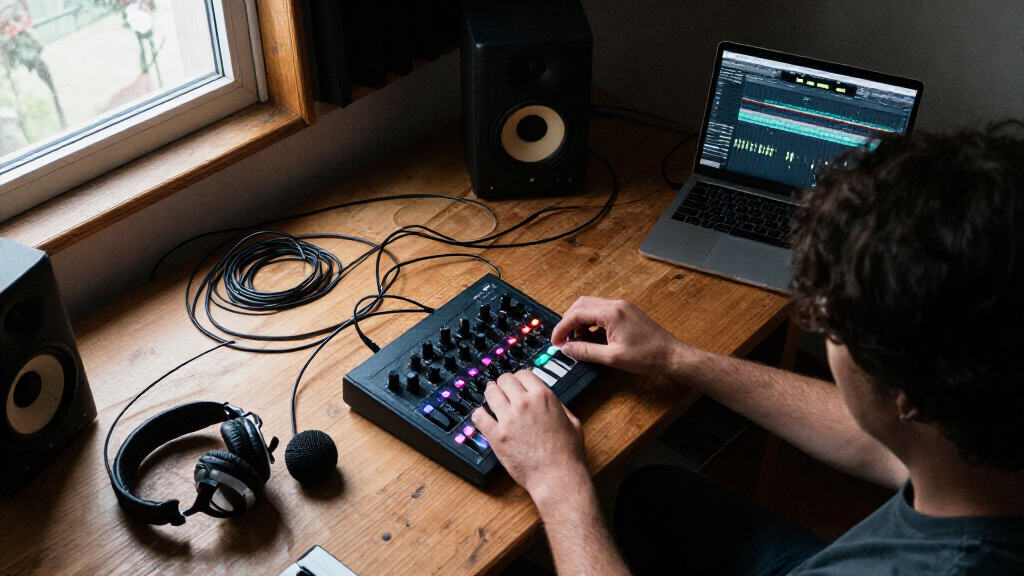
I ranked these mixers around the needs of a home studio: usable inputs, recording connectivity, control layout, and fit on a crowded desk. I also weighed whether a feature solves a real recording problem or mainly adds convenience. Phantom power matters for condenser microphones; channel count matters when several sources need to stay connected; and USB recording is useful only when its routing and computer compatibility suit the intended workflow. Bluetooth and onboard playback count as bonuses for monitoring or backing tracks, not substitutes for a reliable recording connection.
The order reflects how well each model appears suited to typical home recording, not the length of its feature list. The Yamaha MG06X ranks first for a focused mixing role, while the Aveek and Mackie options serve distinct priorities around USB recording and simple analog control. The Pyle, TKLBLS, TAVOSOP, and Zenolix models offer varied channel counts and convenience features, but buyers should verify connection details and control needs before choosing. The TENLAMP bundle fills a different niche by including a microphone, though an all-in-one package may be less flexible than buying components for a specific studio chain.
Factors to Consider When Choosing Compact Audio Mixers For Home Studios
Before choosing a mixer, I’d start with the recording job rather than the feature list. A compact unit can route microphones, instruments, and playback in different ways, and those differences affect what reaches your computer. These checks help prevent common mismatches, such as buying extra channels you never use or assuming Bluetooth handles multitrack recording.
Count Sources, Not Just Channels
Write down every source you expect to leave connected: microphones, instruments, a phone for reference audio, and any hardware playback. Then check how the mixer counts inputs, since stereo sources may use two channel paths and some advertised channel totals include stereo returns or playback channels. A four-channel unit can be enough for one microphone, an instrument, and a stereo source, but it may feel cramped if you expand. Extra inputs add desk clutter and cable management, so do not buy them only because the number sounds safer. Leave a little room for the next likely addition rather than planning around an imaginary full studio.
Match USB Recording to Your Workflow
A USB port can serve different purposes: computer audio, file playback, charging, or recording to storage. Check the manual for the actual USB audio routing, supported operating systems, and whether the mixer sends a stereo mix or separate channels to recording software. A stereo mix is convenient for a quick podcast or live take, while separate tracks give more control during editing. If you already own an audio interface, an analog mixer may still fit, but you will need to connect its output to that interface. Do not assume a USB label alone means the mixer replaces an interface.
Check Microphone Power and Input Types
Condenser microphones commonly need 48V phantom power, while many dynamic microphones do not. If you plan to use a condenser, confirm which inputs receive phantom power and whether it is switched for the whole mixer or individual channels. Also check for the instrument-level inputs you need; plugging a guitar into a line input may produce a weaker or less suitable signal. Buyers planning to record two microphones should confirm both the number of mic preamps and how those channels can be recorded. This small compatibility check can matter more than Bluetooth or a large effects count.
Decide Whether Effects Belong in the Mixer
Built-in effects can add reverb or other processing while monitoring, which may help a singer or host feel comfortable during a take. They can also limit editing choices if the processed signal is recorded permanently, so check whether effects affect the output, the recording feed, or both. Many home-studio software tools can add effects after recording, making a clean signal more flexible. A mixer with many presets is not automatically better if you rarely use them or cannot adjust them to suit your voice. Choose onboard processing for a specific monitoring or live-use need, not as a substitute for a clear recording chain.
Treat Bluetooth as Playback, Not a Studio Shortcut
Bluetooth can make it easy to play reference tracks or backing audio without another cable. Wireless audio may add latency, so it is a poor choice for timing-critical monitoring or recording along to a track unless the setup handles sync well. Check whether the mixer can route Bluetooth audio where you need it and whether it remains available while using USB or other inputs. For critical sessions, a wired connection is usually easier to troubleshoot and keep in sync. If the mixer is mainly for recording, prioritize its wired signal path before wireless convenience.
Plan for Desk Space, Power, and Growth
Compact dimensions do not tell the whole story: connected cables, knobs, and access to rear-panel ports determine how much room a mixer needs in daily use. Confirm whether the unit uses an external power supply, batteries, or USB power, and consider whether that suits a fixed desk or a portable setup. A rechargeable model can reduce dependence on an outlet, but battery runtime and charging needs become part of the workflow. Keep ventilation and easy access to controls in mind if the mixer will sit beside a computer keyboard. Paying for a slightly larger model can make sense when it prevents a near-term upgrade, but only if the extra inputs and routing will actually be used.
Frequently Asked Questions
Can a compact mixer replace my audio interface for recording?
Sometimes, but only if the mixer’s USB connection functions as an audio interface and supports the routing you need. Check whether it records a stereo output or provides separate input channels to your computer, and confirm compatibility with your operating system and recording software. If the mixer has no USB audio interface, you can still connect its outputs to a separate interface. That adds another device and cable path but may suit a studio that already owns an interface. Choose based on how much control you want during editing, not the presence of a USB socket alone.
Is a four-channel mixer enough for a home studio?
It can be enough for a small setup with one or two microphones, an instrument, or a playback source, depending on how the channels are arranged. Count stereo sources as well as microphones, and check whether the stated total includes returns or other non-mic inputs. If you expect to record multiple people or keep several instruments connected, a six-channel model may reduce repatching. A larger mixer also takes more space and may add features you do not use. The right choice is the smallest layout that accommodates your real sources plus modest room to grow.
Do I need 48V phantom power for home recording?
You need phantom power if your microphone requires it, as many condenser microphones do. Many dynamic microphones work without it, though the microphone’s documentation should decide the question. Check whether phantom power is available on the inputs you plan to use and whether activating it affects all channels at once. This matters when you combine microphones or other equipment that has specific power requirements. If your current and planned microphones do not need phantom power, it should not outweigh better input layout or recording connectivity.
Should I choose built-in effects or add them in recording software?
Software effects usually give more flexibility after a take because you can change settings without recording the processing permanently. Mixer effects can be useful for comfortable monitoring or for a simple live stream and podcast chain. Before buying, find out whether effects are sent to the computer recording feed or only to the mixer’s output. Recording a dry signal preserves editing options, while committing an effect may save time for a fixed-format show. Pick onboard effects when they address a defined workflow need rather than relying on a large preset count.
Is Bluetooth useful when recording in a home studio?
Bluetooth is handy for playing a reference track or backing music without running another cable, but it is not a substitute for a wired recording connection. Wireless playback can introduce latency, which may make it harder to perform in time with the track or monitor accurately. Verify how the mixer routes Bluetooth audio and whether it can be used alongside the inputs and USB functions you need. For critical recording, a wired source is easier to sync and troubleshoot. Bluetooth is best treated as a convenience feature rather than a reason to choose a mixer on its own.
Conclusion
For most small home studios, I’d choose the Yamaha MG06X as the best overall when the priority is a focused, hands-on mixer with effects. The Aveek 5-Channel is my best value fit for buyers who want USB recording features in a compact setup, while the Mackie Mix5 makes more sense for someone who prefers straightforward analog controls. Beginners who want a ready-made creator package can look at the TENLAMP G10 bundle, but should confirm that its included microphone and connections suit their recording plans. For specific needs, choose a Pyle or TKLBLS six-channel model when you need more connected sources, or a Bluetooth-equipped four-channel option when wireless playback is the priority. Before ordering, verify USB routing, phantom power, and the actual input count against your equipment list.