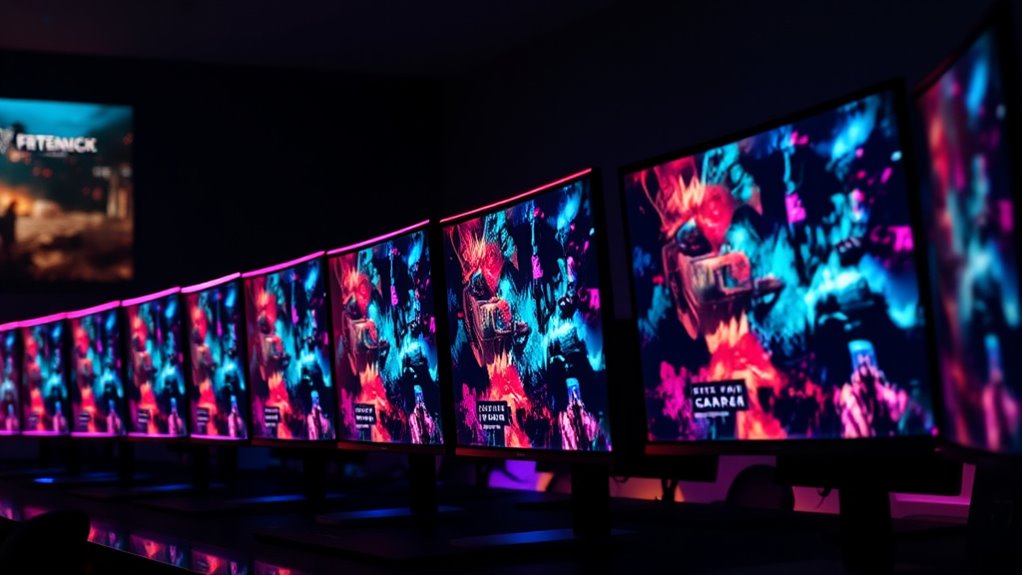

For a high-end mix of speed, contrast, and ultrawide immersion, I’d start with the Alienware AW3425DW, while the SANSUI 34-inch UWQHD and LG 45GX900A-B OLED stand out for lower-cost ultrawide and large-screen alternatives. Across these curved gaming monitors, 240Hz is only part of the decision: screen resolution, panel technology, size, and the graphics card needed to drive them all affect the experience. Full HD models are easier to run at high frame rates, while ultrawide and OLED options offer a more immersive image but ask more of your hardware and budget. I’ll compare all 15 picks by their strengths, compromises, and best-fit buyers so you can narrow the field.

Get audio and creator gear delivered free with Prime
- Fast, free delivery on millions of items
- Prime Video, Amazon Music and more included
- Member-only deals all year
Complete the kit


Key Takeaways
- The 34-inch ultrawides make the strongest all-around case: the Alienware AW3425DW pairs QD-OLED with an immersive format, while the SANSUI and Sceptre 34-inch models offer UWQHD at 240Hz without OLED.
- OLED is the premium differentiator, not a requirement for 240Hz: the Alienware AW3425DW and LG 45GX900A-B bring OLED contrast and very fast response, but VA and Full HD models may suit buyers who prefer simpler gaming workloads or different budgets.
- Full HD options favor attainable high frame rates: the 24- and 27-inch curved monitors, including the Amzfast and Sceptre choices, pair 240Hz-class speed with a lower resolution that is less demanding on a graphics card.
- Size changes the tradeoff: the LG 45GX900A-B gives the largest OLED view, but a 24.5-inch Sceptre or 24-inch Amzfast is easier to fit on a compact desk and keep within a focused field of view.
- One listing exceeds the 240Hz target: the AOC 27-inch model is rated at 280Hz, making it a speed-focused outlier rather than a direct 240Hz match; buyers should compare its resolution and panel tradeoffs before choosing it.


| curved gaming monitors 240hz | Resolution | Refresh rate | Response time | Screen size |
|---|---|---|---|---|
| Alienware 34 240Hz QD-OLED Cur | 3440 × 1440 | 240Hz | 0.03ms | 34.2 inches |
| LG 34G630A-B 34-Inch Ultragear | 3440 × 1440 | 240Hz | 1ms | 34 inches |
| SANSUI 32 Inch Curved 240Hz Ga | 1920 × 1080 | 240Hz | 1ms MPRT | 32 inches |
| AOC 27 Inch Curved Gaming Moni | 1920 × 1080 | 280Hz | 0.3ms | 27 inches |
| SANSUI 27 Inch Curved 240Hz Ga | 1920 × 1080 | 240Hz | 1ms MPRT | 27 inches |
| Amzfast 24-Inch Curved Gaming | 1920 × 1080 (FHD) | 240Hz | 1ms | — |
| Amzfast 27 inch 240Hz Curved M | 1920 × 1080 (FHD) | 240Hz | MPRT 1ms | — |
| SANSUI 34 Inch Curved Gaming M | 3440 × 1440 (UWQHD) | 240Hz | 1ms | — |
| Sceptre 27-Inch Curved Gaming | 1920 × 1080 (FHD) | 240Hz | 1ms | — |
| Sceptre 34-inch Curved Ultrawi | 3440 × 1440 | 240Hz | 1ms | — |
| Sceptre 24.5-inch Curved Gamin | 1920 x 1080 (FHD) | 240Hz | 1ms | 24.5 inches |
| LG 45GX900A-B 45-Inch Ultragea | 3440 x 1440 (WQHD) | 240Hz | 0.03ms | 45 inches |
| MSI MAG 274CF X24 27-inch FHD | 1920 x 1080 (FHD) | 240Hz | 0.5ms | 27 inches |
| Alienware 34 Gaming Monitor AW | 3440 x 1440 (WQHD) | 240Hz | 1ms in title; 4ms in product information | 34 inches |
| LG 34GX90SA-W 34-inch Ultragea | 3440 x 1440 (WQHD) | 240Hz | 1ms | 34 inches |
More Details on Our Top Picks
Alienware 34 240Hz QD-OLED Curved Gaming Monitor – AW3425DW
I’d rank the Alienware AW3425DW first for buyers who want 240Hz speed without giving up ultrawide detail or image quality. Its 34.2-inch, 3440 × 1440 QD-OLED panel combines a broad field of view with deep contrast and a wide color gamut, making it a stronger fit for immersive games and visually rich single-player titles than the Full HD SANSUI 32-inch. The 0.03ms response time and adaptive-sync support also suit fast play. The tradeoff is that its 250-nit listed brightness may constrain bright-room use, while the large screen needs a roomy desk and a capable PC to drive its resolution at high frame rates. Compared with the LG 34G630A-B, this is the image-quality pick; that LG offers a more adjustable stand and USB-C connectivity.
Pros:- QD-OLED contrast and 99.3% DCI-P3 coverage give games rich color and pronounced dark-scene detail.
- 3440 × 1440 resolution across a 34.2-inch curved screen provides a wide, detailed view.
- 240Hz refresh rate and 0.03ms response time are suited to fast motion.
- FreeSync Premium Pro and G-SYNC Compatibility offer adaptive-sync options.
Cons:- The 250-nit listed brightness may be limiting in brightly lit rooms.
- Ultrawide 3440 × 1440 gaming demands more from a graphics card than Full HD alternatives.
- Its 20-pound weight and wide footprint call for a sturdy, spacious setup.
Best for: PC gamers with a capable graphics card who want an ultrawide 240Hz display, OLED contrast, and vivid color for both competitive and cinematic games.
Not ideal for: Buyers with a bright workspace, a compact desk, or a system that struggles to run demanding games at 3440 × 1440; the LG 34G630A-B may be a more practical fit if stand adjustment and USB-C matter more.
- Screen size:34.2 inches
- Resolution:3440 × 1440
- Refresh rate:240Hz
- Display technology:QD-OLED
- Response time:0.03ms
- Color gamut:99.3% DCI-P3
- Brightness:250 nits
- Connectivity:2 HDMI, 3 USB
Our verdict“Choose the Alienware AW3425DW if you want the strongest mix of ultrawide resolution, 240Hz speed, and QD-OLED contrast and have the PC and desk to support it.”
LG 34G630A-B 34-Inch Ultragear WQHD Curved Gaming Monitor, 240Hz, 1ms, FreeSync Premium, DisplayHDR 400, HDMI, DisplayPort, USB Type-C, Adjustable Stand
The LG 34G630A-B earns a distinct place for buyers who want a 34-inch ultrawide 240Hz setup with practical desk flexibility. Its height-, tilt-, and swivel-adjustable stand makes screen positioning easier than with a fixed stand, and USB-C adds a convenient connection for compatible laptops. The 3440 × 1440 resolution gives more horizontal workspace than the 27-inch SANSUI, while the VA panel and 95% DCI-P3 gamut target vivid, high-contrast gaming without the Alienware AW3425DW’s QD-OLED technology. That is the central tradeoff: it offers a useful connection and ergonomic mix, but its listed 1ms response time and DisplayHDR 400 are not the same as the Alienware’s 0.03ms response and OLED contrast. Check your graphics output supports 240Hz at this resolution.
Pros:- 3440 × 1440 ultrawide resolution pairs extra screen space with a 240Hz refresh rate.
- Height, tilt, and swivel adjustments help tailor the monitor to a desk setup.
- USB-C joins HDMI, DisplayPort, and USB-A for flexible device connections.
- 95% DCI-P3 coverage and DisplayHDR 400 support offer a broad color range and HDR input.
Cons:- VA display technology does not provide the QD-OLED contrast of the Alienware AW3425DW.
- Reaching 240Hz at 3440 × 1440 calls for compatible video output and a capable graphics card.
- The supplied description lists a 1ms response time, slower than the Alienware’s 0.03ms specification.
Best for: Ultrawide PC gamers who share a desk with a USB-C laptop and want a stand that can be adjusted for height, tilt, and swivel.
Not ideal for: Buyers prioritizing OLED-level dark-scene contrast or the fastest listed response time; the Alienware AW3425DW is better suited to those image-quality priorities.
- Screen size:34 inches
- Resolution:3440 × 1440
- Refresh rate:240Hz
- Display technology:VA
- Response time:1ms
- Color gamut:95% DCI-P3
- HDR:DisplayHDR 400
- Connectivity:2 HDMI, DisplayPort, USB-C, 2 USB-A
- Stand adjustments:Height, tilt, and swivel
Our verdict“Pick the LG 34G630A-B if an adjustable ultrawide 240Hz screen and USB-C connectivity matter more than OLED contrast.”
SANSUI 32 Inch Curved 240Hz Gaming Monitor High Refresh Rate, FHD 1080P
I’d choose the SANSUI 32-inch when a big curved screen and high frame rates matter more than fine resolution. Its 1920 × 1080 panel at 240Hz is less demanding to drive than the 3440 × 1440 Alienware AW3425DW, which can help gamers with midrange graphics cards target a high refresh rate. The 1500R curve adds a more enveloping view, and the 3500:1 listed contrast ratio suits dark scenes. The compromise is pixel density: Full HD spread across 32 inches looks less crisp than the 27-inch SANSUI 240Hz model, and far less detailed than either ultrawide. It also has no built-in speakers and only tilt adjustment, so this is a performance-first choice for players who sit at the recommended distance of about 1.2 meters.
Pros:- 240Hz refresh rate and 1ms MPRT response time support fast-paced gameplay.
- Full HD is less demanding to render than the ultrawide 3440 × 1440 panels in this lineup.
- 1500R curve and 32-inch size create a broad, enveloping gaming view.
- FreeSync, low-blue-light, and anti-flicker features support a gaming-focused setup.
Cons:- 1920 × 1080 resolution looks less sharp at 32 inches than Full HD on a smaller display.
- No built-in speakers, so audio requires headphones or external speakers.
- The stand offers tilt adjustment but not the height and swivel adjustments listed for the LG 34G630A-B.
Best for: Competitive players with a midrange PC who want a large, curved 240Hz screen but prefer the lighter graphics load of Full HD.
Not ideal for: Buyers who want sharp text, detailed 1440p scenery, a compact desk setup, or integrated audio; the 27-inch SANSUI keeps the same resolution and refresh rate on a smaller screen.
- Screen size:32 inches
- Resolution:1920 × 1080
- Refresh rate:240Hz
- Curvature:1500R
- Response time:1ms MPRT
- Contrast ratio:3500:1
- Brightness:300 nits
- Connectivity:HDMI, DisplayPort 1.4, headphone jack
- Stand and mounting:Tilt adjustment; VESA 100 × 100mm
Our verdict“Choose this SANSUI if you want a spacious 32-inch curved screen at 240Hz and accept the softer image detail of Full HD.”
AOC 27 Inch Curved Gaming Monitor FHD 280Hz VA 0.3ms HDR
The AOC C27G4ZH is the speed-focused pick for players willing to step just beyond this roundup’s 240Hz target. Its 280Hz refresh rate tops the 240Hz SANSUI 27-inch model, making it the better match for competitive games where a high frame rate is the priority. The 27-inch Full HD VA panel is also easier to drive at those speeds than the ultrawide Alienware AW3425DW, though it offers much less desktop and game-world detail. A 0.3ms listed response time and curved design round out the fast-play focus. The compromises are a basic HDR feature set, no built-in speakers, and Full HD resolution; buyers seeking sharper scenery or richer contrast should look to a higher-resolution or OLED option instead.
Pros:- 280Hz refresh rate exceeds the 240Hz ceiling of the other monitors reviewed here.
- Full HD resolution is a more manageable target for very high frame rates than ultrawide 1440p.
- 0.3ms listed response time is aimed at reducing motion blur in fast play.
- Curved VA panel, VESA mounting, and ergonomic adjustments support a flexible gaming setup.
Cons:- 1920 × 1080 resolution provides less detail than the 3440 × 1440 ultrawide options.
- HDR support is basic compared with the QD-OLED Alienware AW3425DW.
- No built-in speakers are listed.
Best for: Competitive gamers with a PC that can produce very high frame rates at Full HD and who value refresh rate over resolution.
Not ideal for: Players who want 1440p detail, ultrawide immersion, or meaningful HDR performance; the Alienware AW3425DW offers a much sharper and higher-contrast experience, though it needs more GPU power.
- Screen size:27 inches
- Resolution:1920 × 1080
- Refresh rate:280Hz
- Display technology:VA LED
- Response time:0.3ms
- Contrast ratio:3000:1
- Brightness:300 nits
- Ports:2 HDMI, 3 DisplayPort
- Mounting:VESA compatible
Our verdict“Pick the AOC C27G4ZH if competitive Full HD gaming and a 280Hz refresh rate matter more to you than resolution or HDR quality.”
SANSUI 27 Inch Curved 240Hz Gaming Monitor FHD 1080P, 1500R Curve Computer Monitor, 130% sRGB, 4000:1 Contrast, HDR, FreeSync, MPRT 1Ms, Low Blue Light, HDMI DP Ports, Metal Stand, Cable Incl.
The SANSUI 27-inch 240Hz makes more sense than its 32-inch sibling for buyers who want Full HD speed without spreading the same pixel count across a much larger screen. Its 1500R curve, 240Hz refresh rate, and FreeSync keep the focus on responsive gaming, while the listed 4000:1 contrast ratio and 130% sRGB gamut promise punchy image character. Compared with the AOC C27G4ZH, it gives up 40Hz of refresh headroom but remains a strong fit for systems targeting 240Hz rather than 280Hz. It also lacks built-in speakers, and HDR support should not be mistaken for the richer contrast of the Alienware QD-OLED. The tilt-only stand is basic, but its metal construction and VESA compatibility offer straightforward placement options.
Pros:- 240Hz refresh rate and FreeSync target smooth, responsive gaming.
- 27-inch Full HD format keeps pixel density higher than the 32-inch SANSUI at the same resolution.
- 1500R curve and 4000:1 listed contrast ratio suit immersive play and pronounced dark scenes.
- Metal stand, tilt adjustment, and VESA 100 × 100mm compatibility offer mounting flexibility.
Cons:- Full HD resolution offers less detail than the 3440 × 1440 Alienware and LG ultrawide models.
- No built-in speakers are listed, so a separate audio setup is needed.
- Tilt-only stand adjustment is less flexible than the LG 34G630A-B’s height, swivel, and tilt options.
Best for: Gamers who want a 27-inch curved Full HD monitor for 240Hz play and prefer a manageable screen size over the 32-inch SANSUI.
Not ideal for: Buyers seeking ultrawide 1440p detail, built-in audio, or a refresh rate above 240Hz; the AOC C27G4ZH is the faster Full HD alternative.
- Screen size:27 inches
- Resolution:1920 × 1080
- Refresh rate:240Hz
- Curvature:1500R
- Response time:1ms MPRT
- Contrast ratio:4000:1
- Color gamut:130% sRGB; 95% DCI-P3
- Brightness:300 nits
- Connectivity:HDMI, DisplayPort 1.4, audio jack
Our verdict“Choose this SANSUI for a compact-feeling 27-inch curved 240Hz Full HD setup, but pick the AOC if you want the lineup’s highest refresh rate.”
Amzfast 24-Inch Curved Gaming Monitor, 240Hz, 1ms, 1080P, Ultra-Slim Base
The 24-inch Amzfast keeps a 240Hz curved setup compact, making it a sensible fit for smaller desks or players who favor a close viewing position. Its 1080p resolution is less demanding on a graphics card than the 34-inch ultrawides here, which can make high frame rates easier to reach. Compared with the Amzfast AMZG27C1 Pro, it gives up screen area and built-in speakers, but its slim base includes under-keyboard storage that may help reclaim desk space. The VA panel’s stated 3000:1 contrast and HDR support add visual depth, though this remains an FHD display rather than a sharper 1440p option. Buyers should also plan for separate audio, since no speakers are listed.
Pros:- 240Hz refresh rate and listed 1ms response time suit fast-paced games.
- Compact 24-inch size and ultra-slim base fit smaller desks.
- Under-keyboard storage can free up usable desk area.
- HDR support, Adaptive Sync, and low-blue-light and flicker-free features are included.
Cons:- 1080p resolution provides less desktop detail and workspace than the 1440p ultrawides.
- No built-in speakers are listed.
- 75×75mm VESA pattern offers fewer mounting options than the 100×100mm pattern on several alternatives.
Best for: Competitive players with limited desk space who want a compact curved screen and a PC capable of driving high frame rates at 1080p.
Not ideal for: Players who want a larger workspace, built-in audio, or the extra detail of an ultrawide 3440×1440 display.
- Display size:24 inches
- Resolution:1920 × 1080 (FHD)
- Refresh rate:240Hz
- Response time:1ms
- Panel technology:VA
- Contrast ratio:3000:1
- Brightness:300 nits
- Ports:HDMI 2.0, DisplayPort 1.4, 3.5mm audio jack
- VESA mount:75 × 75mm
Our verdict“Choose this Amzfast if desk space and 1080p high-refresh gaming matter more than screen size, resolution, or built-in sound.”
Amzfast 27 inch 240Hz Curved Monitor, FHD 1080p Gaming Monitor, Built-in Speakers, FreeSync, MPRT 1ms, 130% sRGB, 4000:1, 1500R, VESA Mount, HDMI 2.0&DP 1.4, 12 Months Warranty Exchange, AMZG27C1 Pro
The Amzfast AMZG27C1 Pro adds two built-in 2W speakers to a 27-inch, 240Hz curved FHD setup, a practical distinction for players who want sound without a separate speaker system. Its 1500R curve and stated 4000:1 contrast suit a more enveloping image than the compact 24-inch Amzfast, while the 130% sRGB claim and HDR10 support broaden its appeal beyond games. The tradeoff is pixel density: stretching 1080p across 27 inches looks less crisp than the SANSUI 34-inch UWQHD, which also offers much more workspace. The integrated speakers are convenient, but their 2W-per-channel output is better treated as basic audio than a substitute for a headset or dedicated speakers.
Pros:- 240Hz refresh rate with Adaptive-Sync support for high-refresh gaming.
- Two built-in 2W speakers provide convenient basic audio.
- 1500R curve and stated 4000:1 contrast support immersive, high-contrast viewing.
- FPS, RTS, and RPG modes plus crosshair assistance and black-level adjustment.
Cons:- FHD resolution across 27 inches is less sharp than the 34-inch UWQHD alternatives.
- 2W speakers are limited for players seeking fuller or louder audio.
- The supplied details do not state a response-time figure beyond the MPRT 1ms claim.
Best for: PC and console players who want a larger curved 240Hz screen with basic built-in audio and gaming modes, without adding desktop speakers.
Not ideal for: Buyers sensitive to text sharpness at 27 inches or those who want 1440p ultrawide detail and workspace.
- Display size:27 inches
- Resolution:1920 × 1080 (FHD)
- Refresh rate:240Hz
- Response time:MPRT 1ms
- Curvature:1500R
- Color gamut:130% sRGB
- Contrast ratio:4000:1
- Built-in speakers:Two 2W speakers
- Ports:HDMI 2.0, DisplayPort 1.4
Our verdict“Pick the AMZG27C1 Pro if you want a 27-inch 240Hz curved monitor with convenient built-in sound and accept the compromises of FHD.”
SANSUI 34 Inch Curved Gaming Monitor 240Hz UWQHD 3440×1440
The SANSUI 34-inch UWQHD is the clearest step up from the FHD models in this group: its 3440×1440 resolution gives games and side-by-side windows more room while retaining a 240Hz refresh rate. That combination asks more of a graphics card than the 27-inch AMZG27C1 Pro’s 1080p panel, so buyers should match it with hardware that can drive demanding games at high frame rates. HDR400, 450 cd/m² brightness, HDMI 2.1 and dual DisplayPort inputs make this the more feature-rich SANSUI ultrawide on paper; compared with the Sceptre C345B-QU240T, it specifies HDR400 and PIP/PBP, while the Sceptre lists built-in speakers. The large footprint and lack of listed speakers are meaningful tradeoffs.
Pros:- 3440×1440 resolution provides more detail and usable width than FHD models.
- 240Hz refresh rate and listed 1ms response time target responsive gaming.
- HDR400 and stated 450 cd/m² brightness offer stronger HDR specifications than the FHD picks.
- HDMI 2.1, two DisplayPort inputs, and PIP/PBP add connection and multitasking flexibility.
Cons:- Ultrawide 3440×1440 requires more graphics performance to sustain high frame rates than FHD.
- No built-in speakers are listed.
- Its 34-inch size needs more desk width than the compact and 27-inch options.
Best for: PC gamers with a capable graphics card who want 21:9 gaming, 1440p-class detail, and 240Hz in one large curved display.
Not ideal for: Small-desk users, buyers with hardware that struggles at ultrawide resolutions, or anyone relying on built-in speakers.
- Display size:34 inches
- Aspect ratio:21:9
- Resolution:3440 × 1440 (UWQHD)
- Refresh rate:240Hz
- Response time:1ms
- Panel technology:VA LED
- Brightness:450 cd/m²
- HDR:HDR400
- Ports:2 × HDMI 2.1, 2 × DisplayPort 1.4, earphone
Our verdict“Choose the SANSUI if you want a high-refresh ultrawide with a detailed resolution and have the desk and PC hardware to support it.”
Sceptre 27-Inch Curved Gaming Monitor, FHD 1080p, 240Hz, 1500R, DisplayPort & HDMI x2, Built-in Speakers
The Sceptre 27-inch keeps the decision uncomplicated: it pairs a familiar 1080p resolution with a 240Hz VA panel, a 1500R curve, and built-in speakers. Compared with the Amzfast AMZG27C1 Pro, both are 27-inch FHD curved options with onboard audio, but the Sceptre’s supplied details make its two HDMI and two DisplayPort connections explicit. That flexibility can help when switching between a gaming PC and other sources. Its 99% sRGB coverage is more modest on paper than the Amzfast’s 130% claim, and neither model matches the added workspace of the SANSUI 34-inch UWQHD. The Sceptre makes sense for players who prefer standard FHD demands; the cost is less fine detail on a 27-inch screen, and its speakers may still leave headset users wanting more.
Pros:- 240Hz refresh rate and listed 1ms response time suit fast-moving games.
- Two HDMI and two DisplayPort inputs make it easier to connect multiple devices.
- Built-in speakers offer an audio option without extra desktop equipment.
- 1500R curvature and VA panel provide a curved, high-contrast viewing setup.
Cons:- FHD resolution on a 27-inch display is less detailed than UWQHD alternatives.
- 99% sRGB coverage is a more modest stated gamut than the AMZG27C1 Pro’s 130% claim.
- Built-in speakers may not suit players who want fuller or more precise audio.
Best for: Players seeking a 27-inch curved 240Hz FHD monitor with built-in speakers and several clearly specified video inputs.
Not ideal for: Buyers prioritizing sharp text, ultrawide immersion, or a more detailed 1440p-class image.
- Display size:27 inches
- Resolution:1920 × 1080 (FHD)
- Refresh rate:240Hz
- Response time:1ms
- Panel type:VA
- Curvature:1500R
- Color gamut:99% sRGB
- Connectivity:2 × HDMI, 2 × DisplayPort
- Built-in speakers:Yes
Our verdict“Choose this Sceptre for a simple 27-inch FHD 240Hz setup with built-in speakers and multiple inputs, not for maximum image detail.”
Sceptre 34-inch Curved Ultrawide Gaming Monitor 3440×1440 240Hz 1ms sRGB Built-in Speakers
The Sceptre C345B-QU240T brings 3440×1440 ultrawide resolution and 240Hz together with built-in speakers, so it suits players who want a wide gaming screen without making room for separate desktop audio. Against the SANSUI 34-inch UWQHD, it offers a similar core 21:9 resolution and refresh rate, but adds integrated speakers and lists Adaptive Sync; the SANSUI specifies HDR400 and a brighter 450 cd/m² figure. The Sceptre’s 1500R curve and 100% sRGB coverage support immersive gaming and everyday media, while its 31.8-inch width calls for a substantial desk. Height adjustment and swivel are not listed, so buyers wanting more positioning control may prefer an option with explicitly stated stand adjustments.
Pros:- 3440×1440 resolution and 21:9 aspect ratio provide an expansive gaming and multitasking canvas.
- 240Hz refresh rate and listed 1ms response time support responsive play.
- Built-in speakers reduce the need for separate basic audio equipment.
- Adaptive Sync and 100% sRGB coverage suit gaming and everyday visual use.
Cons:- The 34-inch width requires more desk space than the 24- and 27-inch monitors.
- Height adjustment and swivel are not listed in the supplied specifications.
- No HDR specification is provided, unlike the SANSUI 34-inch model’s HDR400 listing.
Best for: Ultrawide gaming and multitasking buyers who want 240Hz, Adaptive Sync, and basic integrated audio in one display.
Not ideal for: Small-desk users, buyers who require stated height or swivel adjustment, or those prioritizing the SANSUI’s specified HDR400 and higher brightness.
- Display size:34 inches
- Aspect ratio:21:9
- Resolution:3440 × 1440
- Refresh rate:240Hz
- Response time:1ms
- Panel type:VA
- Curvature:1500R
- Color gamut:100% sRGB
- Connectivity:2 × HDMI, 2 × DisplayPort
Our verdict“Pick the Sceptre for 240Hz ultrawide gaming with built-in audio, but choose the SANSUI if its specified HDR400 and stand adjustments matter more.”
Sceptre 24.5-inch Curved Gaming Monitor with 240Hz Refresh Rate and 1ms Response Time
The Sceptre is the compact choice for players who want 240Hz responsiveness without giving a large screen most of their desk. Its 24.5-inch, 1080p format keeps the pixel load modest, which suits competitive games where high frame rates matter more than fine detail. The 1500R curve adds a little immersion at close range, while FreeSync Premium can help reduce tearing when frame rates fluctuate. Compared with the larger MSI MAG 274CF X24, this Sceptre takes up less visual space and includes built-in speakers, but it gives you a smaller play area. Its main compromises are the 1080p ceiling and lack of USB ports; the built-in audio is convenient, but not a substitute for a dedicated headset or speakers.
Pros:- 240Hz refresh rate supports fluid motion in fast-paced games.
- 1ms response time is aimed at reducing visible motion blur.
- Compact 24.5-inch size is easier to fit on a crowded desk than larger options.
- Built-in speakers and FreeSync Premium add convenience without extra desk hardware.
Cons:- 1920 x 1080 resolution offers less detail and desktop space than WQHD ultrawide models.
- No USB ports are listed for connecting peripherals.
- Small built-in speakers may not satisfy players who want fuller game audio.
Best for: Competitive PC players with limited desk space who prioritize a high refresh rate and want basic audio built into the display.
Not ideal for: Players who want a sharper 1440p image, USB connectivity, or a large ultrawide view for cinematic games.
- Screen size:24.5 inches
- Resolution:1920 x 1080 (FHD)
- Refresh rate:240Hz
- Response time:1ms
- Curvature:1500R
- Display technology:LED LCD
- Ports:2 HDMI, 2 DisplayPort
- Built-in speakers:Yes
Our verdict“Choose this Sceptre if compact dimensions and 240Hz play matter more to you than higher resolution or a wider screen.”
LG 45GX900A-B 45-Inch Ultragear WQHD OLED Curved Gaming Monitor, 240Hz, 0.03ms, NVIDIA G-Sync, DisplayHDR True Black 400, HDMI 2.1, DisplayPort, USB Type-C PD 65W
This LG is the lineup’s biggest leap toward a wraparound gaming view: its 45-inch ultrawide OLED combines 3440 x 1440 resolution with a 240Hz refresh rate. OLED’s deep blacks and 0.03ms response time make the fast refresh rate appealing for both dark, atmospheric games and competitive play. The 800R curve is far more pronounced than the 1500R curve on the Sceptre 24.5-inch, pulling the screen edges closer to your field of view but demanding more desk space and a personal preference for aggressive curvature. HDMI 2.1 and USB-C with 65W power delivery broaden its usefulness beyond a gaming PC. The tradeoff is that this is a substantial display, and its WQHD pixel count is spread across a very wide panel rather than a 4K canvas.
Pros:- 45-inch OLED ultrawide delivers a highly immersive view with deep blacks.
- 240Hz refresh rate and 0.03ms response time suit fast gaming.
- HDMI 2.1, DisplayPort, and 65W USB-C power delivery support varied setups.
- FreeSync Premium Pro and G-SYNC compatibility provide adaptive-sync options.
Cons:- Large footprint requires substantial desk space and suitable viewing distance.
- 800R curvature is much steeper than the 1500R curve on smaller monitors and may not suit every user.
- WQHD resolution is less pixel-dense than a 4K display.
Best for: PC and console players with a deep, wide desk who want OLED contrast, a large ultrawide view, and 240Hz performance.
Not ideal for: Buyers with compact desks, those who dislike steep curves, or users who specifically want 4K detail.
- Screen size:45 inches
- Resolution:3440 x 1440 (WQHD)
- Refresh rate:240Hz
- Response time:0.03ms
- Panel type:OLED
- Curvature:800R
- HDR:DisplayHDR True Black 400
- Connectivity:HDMI 2.1, DisplayPort 1.4, USB Type-C with 65W PD
Our verdict“Pick the LG 45GX900A-B if you have room for a huge, steeply curved OLED and want immersion over compactness or 4K sharpness.”
MSI MAG 274CF X24 27-inch FHD Gaming Monitor, 240Hz, AMD FreeSync Premium, HDR Ready, Tilt, Black
The MSI MAG 274CF X24 takes the fast-refresh formula of the Sceptre 24.5-inch and scales it up to 27 inches, giving games more screen area without moving to an ultrawide format. Its Rapid VA panel, 240Hz refresh rate, and stated 0.5ms response time target players who want responsive motion and the stronger contrast associated with VA. FreeSync Premium can help smooth variable frame rates, while AI Vision is intended to bring more visibility to dark scenes. The catch is that 1920 x 1080 spreads the same pixel count across a larger screen than the Sceptre, so fine details look less dense at close range. It also lacks built-in speakers, and the listed connections omit DisplayPort despite the high refresh rate—check your intended source and supported connection modes before buying.
Pros:- 240Hz refresh rate and stated 0.5ms response time are suited to fast games.
- 27-inch screen provides more viewing area than the compact Sceptre option.
- Rapid VA panel and AI Vision features target contrast and visibility in dark scenes.
- Tilt adjustment and VESA mounting offer basic positioning flexibility.
Cons:- FHD resolution on a 27-inch screen is less pixel-dense than the 24.5-inch Sceptre.
- No built-in speakers are listed.
- The listed ports are 2 HDMI and VGA, with no DisplayPort specified.
Best for: Competitive players who want a 27-inch curved-style gaming setup with 240Hz performance, VA contrast, and dark-scene assistance.
Not ideal for: Buyers who prioritize crisp text at close range, need built-in speakers, or require a DisplayPort input.
- Screen size:27 inches
- Resolution:1920 x 1080 (FHD)
- Refresh rate:240Hz
- Response time:0.5ms
- Panel type:Rapid VA
- Ports:2 HDMI, VGA
- VESA mount:100 x 100
- Warranty:3 years
Our verdict“Choose the MSI for a larger 1080p gaming view, but skip it if you want sharper pixel density or a clearly listed DisplayPort connection.”
Alienware 34 Gaming Monitor AW3426DWM, WQHD VA Panel, 240Hz, 1ms
The Alienware AW3426DWM pairs a 34-inch, 3440 x 1440 ultrawide layout with a 240Hz refresh rate, making it a practical middle ground between standard-format gaming displays and the much larger LG 45GX900A-B. Its VA panel and listed 3000:1 contrast favor stronger dark-scene separation than the FHD Sceptre and MSI options, while the 1500R curve is less aggressive than the LG’s 800R. Adaptive Sync with FreeSync Premium is listed, along with HDMI, DisplayPort, and USB connectivity. One specification needs care: the title says 1ms, but the product information lists a 4ms response time. I would treat that discrepancy as unresolved rather than assume the faster figure. Its size and 20.6-pound weight also call for a sturdy, spacious setup.
Pros:- 3440 x 1440 resolution provides more detail and horizontal workspace than FHD models.
- 240Hz refresh rate supports high-frame-rate gaming on an ultrawide screen.
- 1500R curve is milder than the 800R curve on the LG 45GX900A-B.
- HDMI, DisplayPort, USB, and FreeSync Premium are listed.
Cons:- The title states 1ms response time, while the product information lists 4ms.
- VA technology does not offer the per-pixel black control of the LG OLED models.
- The 34-inch screen and 20.6-pound weight need adequate desk space and support.
Best for: Players who want 34-inch ultrawide WQHD gaming, VA contrast, and a less aggressive curve than the LG 45-inch OLED.
Not ideal for: Buyers who need OLED blacks, a clearly confirmed 1ms response time, or a compact monitor for a small desk.
- Screen size:34 inches
- Resolution:3440 x 1440 (WQHD)
- Aspect ratio:21:9
- Refresh rate:240Hz
- Response time:1ms in title; 4ms in product information
- Panel type:VA
- Curvature:1500R
- Connectivity:HDMI, DisplayPort, USB
Our verdict“Choose the Alienware if you want a 34-inch WQHD ultrawide with a moderate curve, but verify the response-time specification before purchase.”
LG 34GX90SA-W 34-inch Ultragear WQHD OLED Curved Gaming Monitor 240Hz, 1ms, G-Sync Compatible, FreeSync Premium, HDR True Black 400, USB-C, White
For buyers who want OLED contrast and ultrawide gaming without the 45-inch footprint, the LG 34GX90SA-W is the more desk-manageable LG in this group. Its 34-inch, 3440 x 1440 panel keeps the 240Hz refresh rate and OLED blacks, while G-SYNC compatibility and FreeSync Premium offer adaptive-sync support across gaming setups. Built-in webOS gives it another role: it can handle streaming and cloud gaming without relying entirely on a connected PC or console. Compared with the VA-based Alienware AW3426DWM, this LG adds OLED contrast and smart features, but its 800R curve is much steeper than Alienware’s 1500R. OLED also calls for sensible care around static interface elements, and the source does not specify a USB-C power-delivery rating.
Pros:- OLED panel combines deep blacks with 98.5% DCI-P3 color coverage.
- 240Hz refresh rate and 1ms response time target fluid gaming.
- G-SYNC compatibility and FreeSync Premium support adaptive-sync play.
- Built-in webOS adds streaming and cloud gaming beyond a connected gaming PC.
Cons:- 800R curvature is more pronounced than the Alienware’s 1500R and may not suit every desk or viewing preference.
- OLED panels require care to reduce the risk of burn-in from persistent static content.
- USB-C is listed, but no power-delivery wattage is provided.
Best for: Players seeking a 34-inch OLED ultrawide for high-refresh gaming, HDR viewing, and standalone streaming or cloud gaming.
Not ideal for: Buyers who prefer a mild curve, want to avoid OLED burn-in care, or need confirmed USB-C laptop charging details.
- Screen size:34 inches
- Resolution:3440 x 1440 (WQHD)
- Refresh rate:240Hz
- Response time:1ms
- Panel type:OLED
- Curvature:800R
- HDR:DisplayHDR True Black 400
- Connectivity:HDMI 2.1, DisplayPort 1.4, USB-C
Our verdict“Pick this LG if you want a 34-inch OLED ultrawide that also streams on its own, and favor its image quality over a milder curve.”

How We Picked
I compared each monitor against the needs behind the search: a curved display and a refresh rate of at least 240Hz. I weighed resolution and screen size alongside panel type, response-time claims, adaptive-sync support, connectivity, stand flexibility, and the practical demands each display places on a gaming PC. A high refresh rate matters most when the system can deliver enough frames, so I treated resolution as a central part of performance rather than a spec to judge on its own.
The ranking favors options that balance immersion, speed, image quality, and everyday usability, while assigning alternatives a clear purpose. The Alienware AW3425DW leads for its combination of 34-inch ultrawide format and QD-OLED; the SANSUI and Sceptre UWQHD monitors offer a different route to ultrawide 240Hz, and smaller Full HD models suit buyers prioritizing easier frame-rate targets or a compact setup. Premium OLED picks rank for image quality and response, but their larger size, higher hardware demands, or panel tradeoffs keep them from being the automatic choice for everyone. Where listings provide limited detail, I avoid assuming features that are not specified.
Factors to Consider When Choosing Curved Gaming Monitors 240hz
Before choosing a curved 240Hz monitor, I’d match the display to the games you play, the PC you already own, and the space available on your desk. These factors can matter more to your day-to-day experience than a small difference in headline refresh rate.
Match Resolution to Your Graphics Card
A 240Hz panel can only show the benefit of its refresh rate when your system produces high frame rates. Full HD models reduce the rendering load and can be a sensible fit for competitive games, especially if you value consistent performance over fine detail. UWQHD ultrawides put many more pixels on screen, which can make games feel more immersive but calls for a stronger graphics card. A common mistake is choosing resolution based on screen size alone without checking performance in the games you actually play. If your hardware is already near its limits, a sharper monitor may mean lowering graphics settings to reach your desired frame rate. Decide whether you prefer visual detail, higher frame rates, or a balance between the two before choosing a resolution.
Choose Panel Type for Image Quality and Use
OLED models are appealing for their strong contrast and rapid pixel response, while VA options commonly offer deep-looking blacks without using OLED. That difference affects more than game visuals: bright rooms, desktop work, varied content, and how long static interface elements stay onscreen can all shape which panel feels right. OLED buyers should read the manufacturer’s care guidance and check warranty terms rather than assuming every model handles long desktop sessions the same way. VA and other non-OLED panels may be a more comfortable fit for mixed-use setups or buyers who want to avoid OLED-specific care concerns. Do not treat a response-time number as a complete picture of motion clarity; panel behavior and settings also matter. Choose the panel for your daily use, not just its most impressive spec.
Treat Screen Size and Curve as Desk-Fit Decisions
A curve can help a wide screen feel more cohesive, but it does not make every monitor comfortable at every viewing distance. A 34-inch ultrawide takes more horizontal desk space than a 24- or 27-inch Full HD option, and a 45-inch display needs a roomier setup and a viewing position that suits its size. Measure the desk width and depth, then check the monitor’s stand footprint and the height of your eye line. Buyers often focus on diagonal size and overlook how much room the stand, keyboard, and speakers need together. A smaller screen may be easier to place close to the wall, while an ultrawide can replace the feel of a multi-window setup. Pick a screen whose curve and size suit your seating position rather than assuming a more pronounced curve is always better.
Check Ports, Adaptive Sync, and Stand Adjustments
Make a short list of the devices you will connect before settling on a monitor. HDMI and DisplayPort versions can affect which refresh rates and resolutions are available, so confirm support for your particular graphics card or console instead of relying on the port name alone. Adaptive-sync compatibility can help reduce tearing when frame rates vary, but check that the monitor supports the feature through the connection you plan to use. Stand adjustment matters too: tilt-only designs may require a separate monitor arm if you need height control. USB-C can simplify a mixed gaming-and-laptop desk, though its presence does not automatically mean every video, data, or power feature is supported. Verify the exact port functions and stand range in the manufacturer’s specifications.
Decide Whether 240Hz Is the Right Performance Target
Moving from a lower refresh rate to 240Hz can make motion feel smoother, but the benefit depends on the games you play and the frame rates your PC can sustain. Competitive shooters often make high refresh rates easier to appreciate than slower-paced games, while story-focused titles may lead you to value resolution and contrast more. The AOC in this lineup is rated at 280Hz, but a higher number alone does not make it a better match if its size, resolution, or panel tradeoffs do not suit your setup. Some monitor modes or connection paths may also limit refresh rate, so check the supported settings before buying. If your system rarely approaches 240 frames per second, a monitor’s image quality, ergonomics, and ports may deserve equal attention. Think of 240Hz as a capability to use, not a guarantee of a particular gaming experience.
Frequently Asked Questions
Is a 34-inch ultrawide 240Hz monitor too demanding for a midrange gaming PC?
It can be demanding, particularly at UWQHD resolution, because the graphics card must render far more pixels than it would at Full HD. The monitor will still work if your PC cannot reach 240 frames per second, but you may need to reduce graphics settings or accept lower frame rates in demanding games. Competitive titles often run more easily than visually intensive single-player games, so check performance for the games you play rather than relying on a general estimate. If keeping frame rates high is your main goal, a smaller Full HD model from this roundup may be a more practical match. Choose ultrawide resolution for the added view and detail only if your hardware can support that priority.
Should I choose OLED or VA for a curved 240Hz gaming monitor?
OLED is a strong choice if contrast, dark-scene detail, and fast pixel response lead your priorities. VA models can make sense if you want a curved display with deep-looking contrast but prefer to avoid OLED-specific care questions or want a non-OLED option. Neither panel type is automatically best for every room or game, and manufacturer specifications do not tell the whole story of how a screen looks in your setup. Check independent testing for motion handling, brightness, and any panel-specific behavior before purchase. Also review the warranty and care guidance for an OLED monitor if it will double as a desktop screen.
Will a 240Hz curved monitor work with a console?
It may work, but a console usually will not make use of the monitor’s full 240Hz capability. Check your console’s supported resolution and refresh modes, then confirm that the monitor accepts those modes through the HDMI input you plan to use. A high-refresh monitor can still be useful if you also play on a PC, but paying extra for refresh headroom has less value when the display is mainly for a console with a lower frame-rate ceiling. Ultrawide formats also deserve a compatibility check because console games may not fill the screen as expected. Confirm the exact console and monitor combination before treating the listed refresh rate as a guaranteed console mode.
Is Full HD sharp enough on a 27-inch curved gaming monitor?
Full HD can be a reasonable choice when smooth performance and easier graphics-card demands matter more than fine detail. At 27 inches, text and game elements may look less crisp at typical desk distances than they do on a higher-resolution display, so viewing distance and personal preference matter. If you mostly play fast competitive games, that tradeoff may feel worthwhile; if you also read, edit, or work with detailed images, compare a higher-resolution option carefully. The lineup includes both Full HD models and UWQHD 34-inch monitors, illustrating how much the choice changes the experience. Whenever possible, view a similar screen size and resolution in person before committing.
What should I verify before buying a monitor listed as 240Hz?
Confirm the monitor’s supported refresh rate at your intended resolution and through the port you will use. Check that your graphics card has a compatible connection, and look up whether adaptive sync works over that same connection. Read the manufacturer’s specifications for response-time mode, stand adjustments, and any included cables rather than assuming every advertised feature is available in every setup. For ultrawide or OLED models, also confirm that the screen size fits your desk and review any relevant care and warranty terms. These checks can prevent a mismatch between a monitor’s headline specification and the way you plan to use it.
Conclusion
For the best overall balance in this group, I’d choose the Alienware AW3425DW: its 34-inch ultrawide QD-OLED format makes it the most compelling blend of immersion and premium image quality. For best value in the ultrawide class, compare the SANSUI 34-inch UWQHD and Sceptre 34-inch ultrawide against your port and feature needs; for easier frame-rate targets, the Amzfast 27-inch or Sceptre 27-inch Full HD options are more accessible alternatives. The LG 45GX900A-B is my premium pick for buyers who specifically want a large OLED screen and have the desk space and PC to support it. For beginners, a 24- or 27-inch Full HD model is the simpler place to start, with the Amzfast 24-inch suiting compact desks. Choose the AOC 27-inch 280Hz if refresh-rate headroom matters more than staying exactly at 240Hz; otherwise, base your final choice on resolution, panel type, and fit rather than the highest number on the spec sheet.
Columbus Day / Indigenous Peoples' Day Picks
long weekend sales
As an affiliate, we earn on qualifying purchases.