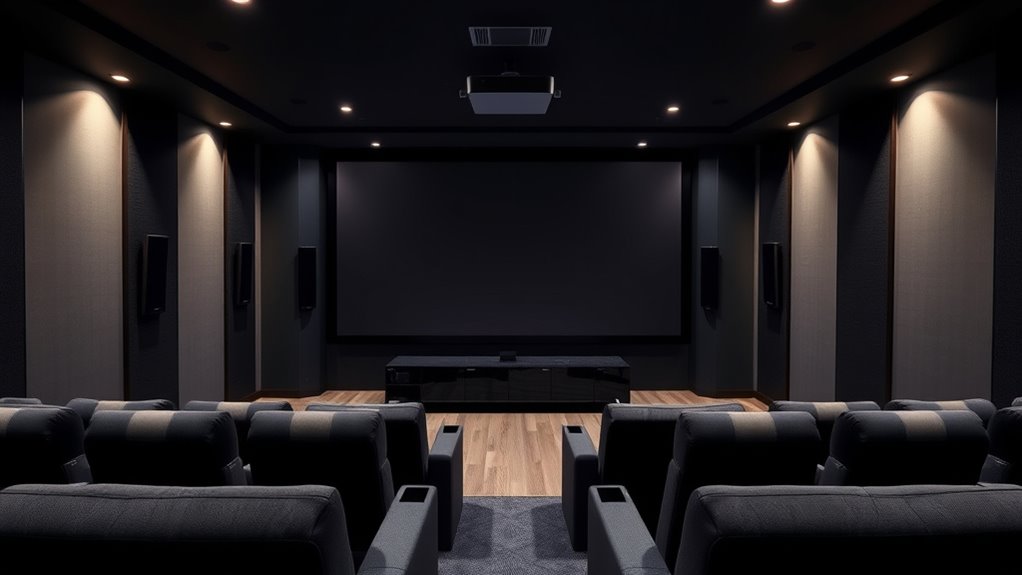

If you’re setting up a home theater in 2025, I recommend checking out the AWOL VISION LTV-3000 Pro for its ultra short throw and immersive 3D visuals, or the ViewSonic PX749-4K for gaming and sharp images. For smart features, the official Google TV 4K projectors with WiFi and Bluetooth offer seamless streaming. The 4K UHD models with Dolby Audio combine picture quality and sound. Keep reading to discover which options suit your space and preferences best.
Key Takeaways
- Look for projectors with native 4K support, HDR10+ or Dolby Vision, and high contrast ratios for stunning image quality.
- Choose models with flexible throw ratios, auto-focus, and keystone correction for easy, distortion-free setup.
- Prioritize devices with multiple connectivity options, built-in streaming apps, and Smart features like Google TV.
- Opt for projectors with high-quality audio capabilities, including Dolby Atmos and external sound system compatibility.
- Consider energy-efficient laser or LED models with auto power-off and eco modes for reliable, low-maintenance performance.
AWOL VISION LTV-3000 Pro 4K 3D Ultra Short Throw Laser Projector

If you’re looking for a home projector that combines bright, vivid images with cinema-grade color accuracy, the AWOL VISION LTV-3000 Pro is an excellent choice. This ultra short throw projector can produce a massive 150-inch screen from just a few inches away, thanks to its fixed 0.25:1 throw ratio. With 4K UHD resolution, Dolby Vision, HDR10+, and support for 3D, it delivers stunning visuals day or night. Its triple laser light source offers vibrant colors without the rainbow effect, while Dolby Atmos provides immersive surround sound. Compatible with premium ALR screens, it’s perfect for creating a cinematic experience right in your living room.
Best For: home entertainment enthusiasts seeking a cinema-quality, ultra short throw projector with vibrant 4K visuals and immersive sound in a dark or well-lit room.
Pros:
- Exceptional 4K UHD resolution with Dolby Vision and HDR10+ for stunning picture quality
- Ultra short throw ratio allows a 150″ screen from just inches away, saving space
- Built-in center channel speaker and Dolby Atmos for immersive audio experience
Cons:
- Best performance requires dark room or ALR screen in brighter environments
- Higher price point compared to traditional projectors due to advanced features
- Setup and calibration may be needed for optimal focus and image quality
4K Smart Projector with WiFi 6 and Dolby Audio

The K Smart Projector with WiFi 6 and Dolby Audio stands out as an excellent choice for home entertainment enthusiasts who want stunning 4K visuals combined with seamless connectivity. It offers true 4K decoding with vibrant colors, HDR10+, and AI-powered enhancements, delivering sharp images up to 300 inches. Built-in apps like Netflix, YouTube, and Prime Video eliminate the need for extra devices, while WiFi 6 ensures lag-free streaming and device mirroring. Dolby and DTS-certified audio provide immersive sound. Setup is effortless with auto-focus and keystone correction, making it perfect for both indoor and outdoor use. This all-in-one device combines convenience, quality, and versatility for an exceptional home theater experience.
Best For: home entertainment enthusiasts seeking stunning 4K visuals with seamless streaming, immersive audio, and easy setup for both indoor and outdoor use.
Pros:
- Native 1080P projector with true 4K decoding and vibrant HDR10+ support for sharp, lifelike images.
- Built-in apps like Netflix, YouTube, and Prime Video eliminate the need for external streaming devices.
- WiFi 6 and Bluetooth connectivity enable lag-free streaming, device mirroring, and versatile audio options.
Cons:
- Requires a sufficiently dark environment for optimal picture quality, especially outdoors.
- Larger projection sizes may necessitate a spacious setup and proper wall or ceiling surfaces.
- The advanced features and auto-adjustments might have a learning curve for some users.
ViewSonic PX749-4K UHD 4K Gaming Projector

For gamers and home theater enthusiasts seeking stunning visuals and smooth performance, the ViewSonic PX749-4K UHD 4K Gaming Projector stands out with its impressive 120Hz refresh rate and ultra-fast 240Hz option. It delivers sharp 4K images with high contrast and 4000 lumens brightness, making it perfect for large screens up to 300 inches. Designed for immersive gaming and media, it supports various sources, including gaming consoles and PCs. Its flexible setup features a 1.3x zoom and keystone correction, while multiple connectivity options ensure compatibility. Whether gaming or watching movies, this projector offers smooth, vibrant visuals for an exceptional home theater experience.
Best For: gamers and home theater enthusiasts seeking stunning 4K visuals, high refresh rates, and versatile media compatibility for immersive gaming and cinematic experiences.
Pros:
- Delivers sharp 4K UHD images with high contrast ratio and 4000 lumens brightness for vivid visuals
- Features a 120Hz native refresh rate with an ultra-fast 240Hz option for smooth, lag-free gameplay
- Flexible setup with 1.3x zoom and keystone correction for easy installation on various surfaces
Cons:
- May be relatively expensive compared to lower-resolution projectors
- Requires a large space up to 300 inches for optimal viewing, which might not suit small rooms
- Limited built-in audio options, potentially requiring external speakers for full home theater experience
Official Licensed Google TV 4K UHD Smart Projector

Looking for a smart projector that offers seamless streaming and smart home integration? The Official Licensed Google TV 4K UHD Smart Projector, model HAPPRUN, fits the bill perfectly. It’s designed for both indoor and outdoor use, with built-in Google TV for quick access to Netflix, Prime Video, YouTube, and Hulu—no extra equipment needed. The voice control feature, powered by Google Assistant, makes navigation effortless. With 4K resolution and 400 ANSI lumens brightness, visuals are sharp and vibrant, even in well-lit spaces. Plus, the built-in 5W speaker delivers immersive sound, making this projector an excellent all-in-one entertainment solution.
Best For: home entertainment enthusiasts seeking a versatile, high-quality 4K smart projector with seamless streaming and smart home integration.
Pros:
- Built-in official Google TV offers direct access to popular streaming apps without extra equipment
- Supports 4K resolution and 400 ANSI lumens for bright, detailed visuals in various lighting conditions
- Integrated Google Voice Assistant enables convenient voice control for easy navigation and operation
Cons:
- Brightness of 400 ANSI lumens may be less effective in very bright outdoor settings
- Requires a stable Wi-Fi connection for optimal streaming performance
- Limited information on the projector’s throw distance and size options for different spaces
Official Google TV 4K Projector with WiFi & Bluetooth

If you want a 4K projector that combines stunning visuals with smart streaming features, the Official Google TV 4K Projector is an excellent choice. It offers built-in Google TV with access to over 800 channels, including popular apps like Netflix, Disney+, and Apple TV, all on one screen. Its HDR10 support guarantees vibrant visuals, and auto-adjustments keep the image sharp. With Dolby Audio and dual speakers, sound feels cinematic. Plus, WiFi 6 and Bluetooth 5.2 enable seamless streaming and device pairing. Its compact, portable design makes it perfect for indoor or outdoor use, delivering smart entertainment wherever you go.
Best For: those seeking a portable, high-quality 4K projector with built-in smart streaming and immersive audio for indoor and outdoor entertainment.
Pros:
- Fully integrated Google TV with access to over 800 streaming channels and personalized content recommendations.
- Bright HDR10 visuals with auto-adjustments for a sharp, vibrant display in various environments.
- Compact, lightweight design with versatile mounting options, perfect for indoor and outdoor use.
Cons:
- Best performance in dim or dark environments; may be less ideal for brightly lit spaces.
- Native 1080P display may not fully utilize the 4K resolution support for some content.
- Requires WiFi 6 and Bluetooth 5.2 for optimal connectivity, which may not be compatible with older devices.
Factors to Consider When Choosing a 4K Projector for Home Theater
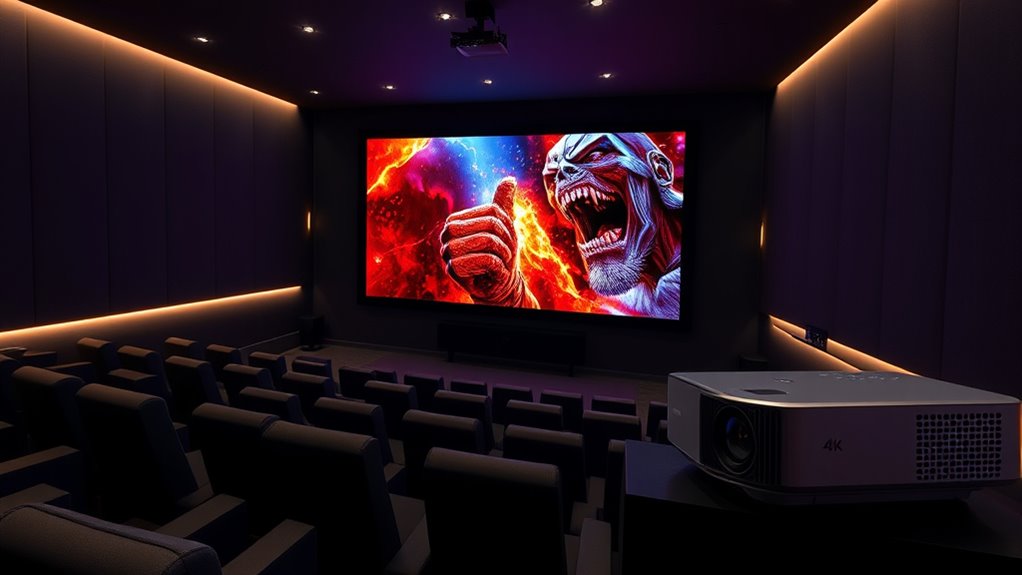
When selecting a 4K projector for your home theater, I focus on key factors like picture quality, brightness, and screen size to guarantee the best experience. Connectivity options and sound system quality are also essential since they impact setup and immersion. By considering these points, you can choose a projector that fits your space and viewing preferences perfectly.
Picture Quality and Resolution
Choosing a 4K projector with excellent picture quality means paying close attention to resolution and image clarity. 4K resolution offers four times the pixel count of 1080p, resulting in sharper, more detailed images that create a truly cinematic experience. To guarantee consistent quality, look for native 4K support or true 4K decoding, which preserves image integrity. High dynamic range formats like HDR10+ and Dolby Vision further enhance visuals by expanding contrast, color accuracy, and brightness, making images more vivid and lifelike. A high contrast ratio is essential for deep blacks and vibrant colors, adding depth to the picture. While resolution is crucial, don’t forget to weigh overall image clarity, which depends on these advanced features working together to deliver stunning picture quality.
Brightness and Ambient Light
Picture quality and resolution are essential for a stunning home theater experience, but they won’t matter much if your projector can’t perform well in your room’s lighting conditions. For rooms with substantial ambient light, you’ll want a projector with at least 2000 to 3000 lumens, or even more, to keep images bright and vivid. Ultra short throw projectors with advanced screen technology can also help boost brightness and contrast in well-lit spaces. Keep in mind that too much ambient light can wash out images even on high-lumen models. Using ambient light-rejecting screens can considerably improve perceived brightness and contrast, making your viewing experience much more enjoyable. Balancing projector brightness with your room’s lighting is key to achieving ideal picture quality.
Screen Size and Throw Ratio
Selecting the right screen size and throw ratio is essential for optimizing your home theater setup. The throw ratio determines how far the projector must be placed from the screen to produce your desired image size. Ultra short throw models can project large images from just inches away, making them perfect for small rooms. Fixed throw ratios specify exact distances needed for specific screen sizes, simplifying placement planning. A lower throw ratio, like 0.25:1, allows for very close installation, ideal when space is limited. Adjusting the throw ratio or using motorized focus helps fine-tune image size and clarity, especially if room dimensions vary. Ensuring compatibility between your projector’s throw ratio and your chosen screen size guarantees a well-proportioned, distortion-free picture.
Connectivity Options
When setting up your home theater, the connectivity options on your 4K projector can make or break your viewing experience. I recommend choosing a model with multiple options like HDMI, USB, Ethernet, and wireless standards such as WiFi 6 or Bluetooth, for versatile device pairing. Compatibility with streaming devices, gaming consoles, and smartphones is essential for seamless content sharing. Auto screen adjustment features like keystone correction and auto-focus help optimize image quality across different mounting setups. Support for advanced wireless protocols ensures lag-free streaming and reliable connections. Also, look for multiple input ports and compatibility with external audio systems to enhance your multimedia experience. A well-rounded connectivity suite keeps your setup flexible and future-proof, making your home theater truly immersive.
Sound System Quality
A high-quality sound system is vital for creating an immersive home theater experience with your 4K projector. While built-in speakers may be convenient, they often don’t deliver the full-room sound needed for true cinematic impact. External speakers or soundbars with Dolby Atmos or Dolby Audio support markedly enhance audio depth and clarity. The number of audio channels, like 5.1 or 7.1 surround sound, greatly improves spatial accuracy and realism, making you feel right in the middle of the action. Connectivity options such as HDMI ARC, Bluetooth, or optical outputs are essential for seamless integration with your projector. To achieve clear, balanced sound with minimal distortion, choose a system capable of handling high dynamic ranges and deep bass frequencies, elevating your overall viewing experience.
Setup and Adjustment Ease
A smooth setup process can make a big difference in getting the most out of your 4K projector. I look for models with auto-focus and auto keystone correction, which automatically adjust the image for clarity and proper alignment. Multiple adjustment options like 6D keystone correction and zoom make resizing and repositioning easy without moving the projector. I also consider how simple manual adjustments are—focus rings and lens shift should allow quick fine-tuning during setup. Obstacle avoidance and screen edge detection are helpful in complex room layouts, simplifying alignment. Finally, remote or app-based controls are a big plus, letting me make adjustments from a distance during installation and regular use. These features ensure a hassle-free setup and ideal viewing experience.
Power Consumption and Energy Efficiency
Choosing a 4K projector for your home theater involves considering how much power it consumes, as energy efficiency can impact both your electricity bills and the device’s longevity. Laser projectors generally use less power than traditional LED or lamp-based models, providing the same brightness with lower energy use. Many energy-efficient models include features like auto power-off and eco modes, which cut power during standby or idle periods. The type of light source, such as triple laser or LED, also influences overall energy consumption, with laser options typically being more efficient. While higher brightness ratings require more power, advances in technology now allow for high-quality images without excessive energy use. Proper setup, like optimizing focus, can further reduce the need for higher brightness and save energy.
Frequently Asked Questions
How Do 4K Projectors Compare to Large-Screen TVS in Cost?
4K projectors generally cost less than large-screen 4K TVs, especially when you’re aiming for a massive display. I’ve found that projectors offer a more budget-friendly way to achieve a big, cinematic picture without sacrificing resolution. While high-end projectors can be pricey, they tend to be cheaper than similarly sized 4K TVs. Plus, they give you more flexibility to customize your setup and enjoy a true home theater experience.
What Is the Typical Lifespan of a 4K Projector Bulb or Laser?
Think of a 4K projector bulb or laser as the heartbeat of your setup. Typically, a bulb lasts around 2,000 to 4,000 hours, while laser light sources can go up to 20,000 hours or more. That’s like a marathon for your home theater, giving you years of crisp, vibrant images before needing a replacement. Regular maintenance and proper use help extend their lifespan even further.
Can 4K Projectors Be Used Outdoors Effectively?
Yes, 4K projectors can be used outdoors effectively, but you need the right setup. I recommend choosing a projector with high brightness (at least 2,000 lumens) to combat ambient light. Also, use a sturdy, weather-resistant screen and make certain of proper ventilation. Setting up in a shaded area helps improve image quality. With these precautions, you’ll enjoy clear, vibrant 4K visuals outside, even in less-than-ideal lighting conditions.
Do 4K Projectors Support HDR and Other Image Enhancements?
Absolutely, 4K projectors support HDR and other image enhancements, turning your viewing experience into a vibrant masterpiece. Think of HDR as a magic wand that brings out stunning details in bright and dark areas, making scenes pop with life. Many projectors also feature contrast adjustments, color calibration, and motion smoothing, transforming your space into a cinematic sanctuary where every frame feels rich and immersive.
How Difficult Is It to Set up a Home Theater With a 4K Projector?
Setting up a home theater with a 4K projector isn’t too difficult, especially if you follow the instructions carefully. I recommend choosing a suitable space, mounting the projector securely, and adjusting the settings for the best picture quality. You’ll need some basic tools and patience, but once everything’s aligned and connected, you’ll enjoy stunning visuals. It’s a rewarding process that transforms your viewing experience into something truly cinematic.
Conclusion
In the end, choosing the right 4K projector can truly elevate your home theater experience, making movie nights feel more immersive and enjoyable. While it might seem like a lot to contemplate, finding a model that fits your space and preferences can gently transform your viewing habits. With the right projector, you’ll discover new details and vibrant colors that make every viewing a special occasion. Your perfect setup is just a choice away—so, happy watching!